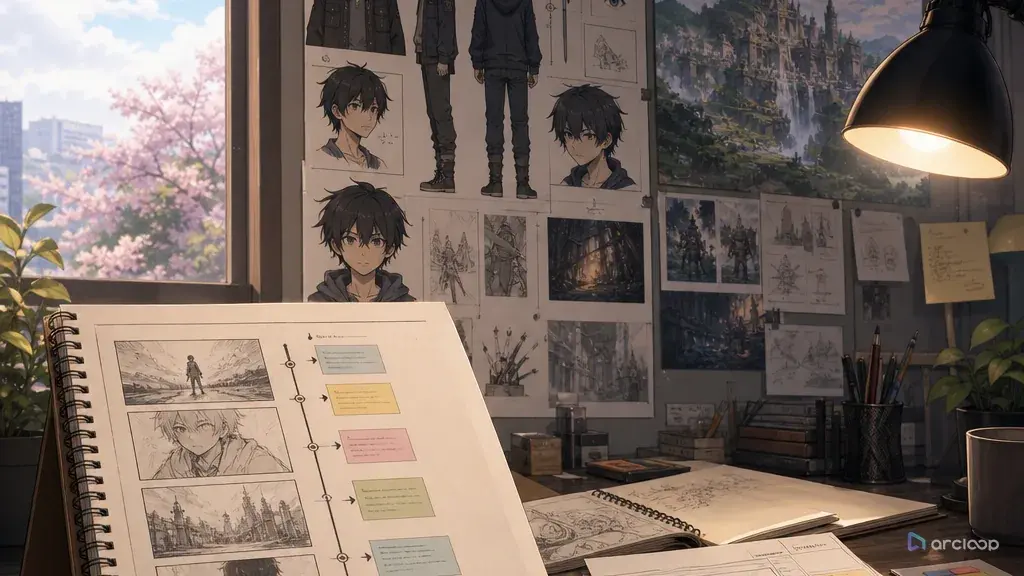
A short needs one finished turn, not a series bible
Many short anime drafts fail because they begin like a series bible. The prompt opens with a kingdom, three factions, a lost prophecy, two rivals, a training arc, and a final battle. Ten seconds later, nothing has actually happened. The clip has atmosphere, but no beat the viewer can hold onto.
A single-episode anime short should complete one small turn: a character avoids a choice, faces a complication, makes the choice, and ends with a visible consequence. It can hint at a wider world, but it should not depend on a season of explanation. The viewer needs to understand what changed between the first frame and the last frame.
This guide shows how to prompt a short film structure inside ArcLoop: setup, complication, choice, consequence, final frame, and review pass. Start with 2D Animation AI Templates, use three-shot continuity template to block the arc, and build the lead as a character asset with bound reference images in ArcLoop Worlds.
Rules for a single-episode short
Choose one emotional turn. Examples: a shy baker apologizes, a rooftop guard stops running, a student returns a borrowed charm, a drummer admits fear before rehearsal, or a messenger decides not to hide a letter. One turn is enough for a short.
Start late. Do not spend the first third explaining the entire world. Begin near the choice: the train is already leaving, the cake is already cracked, the umbrella is already missing, the door is already closing.
Make the complication visible. A short film cannot rely on hidden backstory. Show the problem through a broken object, blocked path, missed cue, changed weather, empty seat, timer, or character hesitation.
End on a consequence, not just a mood. The final frame should prove the choice happened: the letter is delivered, the ribbon is tied, the light turns on, the character steps through the door, or the other person finally looks up.
Keep the cast small. One lead and one opposing pressure is usually enough. A second character can work if they are directly tied to the choice. More than that turns a short into a trailer.
Use the world as pressure, not homework. The setting can add stakes through a rule, schedule, cost, or ritual. It should not require a glossary before the viewer can care.
How to build a short-film prompt: from logline to shot cards
Write the logline in one sentence. Use this shape: "A character wants to avoid something, but a visible problem forces a choice, leading to a clear final image." If the sentence needs five commas, shrink the idea.
Define the lead through action. Name the character, age range if useful, visual anchors, and what they do when stressed. A short film character should be readable from posture and choice, not biography.
Break the story into three to five beats. Setup, complication, choice, consequence, final frame is enough. Each beat should be filmable as a shot or panel.
Assign camera and duration. A 20- to 45-second short can be planned as five short shots. A very short 8- to 12-second clip may need only three shots. Keep camera changes simple so continuity survives.
Attach references to jobs. Use the character asset for identity, scene concept for location, prop design for the key object, and a visual reference for visual unity. Do not let a style reference redesign the lead.
Review the rough storyboard before generating polished clips. Ask whether the short has a beginning state, a pressure, a choice, and a changed final image. If not, fix the beat structure first.
Build the character asset, the outline, and the shot cards first
Build the lead as a character asset in My Assets, any recurring location or prop as a Scene or Prop asset, and write the beat sequence into the Story Outline. Then turn each beat into a shot card with an @ reference to the character, adding voice direction if the scene needs it. The work stays in one project instead of being planned somewhere else and copied back later.
Use three-shot continuity template for the first pass. Three shots force discipline: setup, choice, consequence. If the story needs more shots, add them after those three already work.
Keep the review order boring: beat clarity, character consistency, shot continuity, final-frame readability, polish. A beautiful clip with no choice is still unfinished. A rough storyboard with a clear turn is worth improving.
For short projects, do not overbuild a full series bible. Store only the rules that affect this episode. Later can expand the world if the short earns it.
Build the lead first, before writing shot descriptions. Go to My Assets, create a character, and bind a main image plus two or three reference images that cover the looks the short needs — daily, close-up, the version under pressure. Then open the Story Outline and drop your beats in as short lines: setup, complication, choice, consequence, final frame. Double-click any line to adjust it; it saves as you go.
Move into the Episode and click Generate Shots. You'll get one shot card per beat. Open each card and add an @ reference to the lead — do not re-describe her hair or jacket again, that's already bound to the asset. Write only what's new for this shot: the action, the camera distance, the light. Generate the still image first and check the composition and acting before spending on video.
Once the stills read clean, batch the videos from the AI Chat Panel: type something like "Generate videos for Shots 1, 2, and 3" instead of clicking each card one by one. Pull the finished clips into Edit, lay them on the timeline in beat order, and swap out only the shot that breaks continuity — you don't need to regenerate the whole storyboard over one weak beat.
Example 1: Umbrella Return Three-Shot Sequence
Medium tracking shot of @Kinu Saye running out of the bookstore into the rain, the blue umbrella with its cracked wooden handle held tight in both hands. She stops in front of the customer at the bus stop, holds it out, and bows with a small relieved smile. Warm shop light spills through the door behind her, rain streaking silver in the glow. Handheld camera follows her from behind then settles for the bow. Sound: rain patter softening, a quiet exhale as she bows.
This prompt finishes one emotional turn. It hints at a larger neighborhood but does not ask the short to explain everything.
Example 2: Final Clip Prompt for the Clockroom Drum
Low front angle on @Enji Holt at the drum kit in the empty music room after sunset, curtains drifting behind him. He exhales, raises one stick, and strikes a single clean beat on the snare. Sunset light reflects across the cymbal and shivers with the impact. Hold on his face for one beat after — controlled, not triumphant. Sound: the metronome's uneven tick cuts out the instant the drum hits, replaced by one clear resonant strike and settling room tone.
The sequence uses only one action as the payoff. That restraint makes the final beat easier to read.
Example 3: Short-Film Structure Revision Pass
Close shot of @Pella Nox on the foggy ferry dock at dawn, raising the cracked brass whistle to her lips with a shaking hand. She blows one sharp note. Cut wide as the dock lamps flare on in answer and the ferry's drifting bow swings back on course through the fog. Return close on Pella lowering the whistle — hands still trembling, but her shoulders square and her chin lifts. Sound: the whistle's cracked, thin note, then the low horn of the ferry answering.
This revision removes the series-bible opening and gives the short a final image that proves change.
The ways a single-episode short falls apart
The biggest mistake is confusing a premise with a story. "A girl lives in a clock city" is a premise. "She stops the wrong clock even though it costs her last train home" is a story beat.
Another mistake is starting too early. Childhood prologues, faction histories, and long world explanations usually delay the choice. Begin close to the moment that matters.
Creators also end on atmosphere instead of consequence. A sunset, smile, or camera pullback works only if the viewer knows what changed.
A fourth mistake is adding too many characters for the runtime. Every extra face creates identity and continuity work. Use props, sound cues, or offscreen pressure instead.
Finally, do not polish before the beat is readable. If setup, complication, choice, and consequence are unclear in storyboard form, final video will not fix the structure.
Test the story with someone who has not read the script
Before polishing the clips, show the rough sequence to someone who has not seen your outline. Do not explain the premise first. Ask three questions: What did the character want? What prevented it? What did the character choose, and what happened because of that choice?
Write down their answers before explaining your intention. If they miss the goal, make the opening action clearer. If they miss the obstacle, show what blocks the character. If they understand the choice but miss its cost, revise the final image or the timing of the consequence. Change the shot carrying that missing information, then show the sequence again without an introduction.
For example, a courier stays to send a warning and misses the last train. If the train departs before she decides to send it, viewers may read the scene as a missed connection rather than a sacrifice. Check the order of the choice and the departure before adding more dialogue or visual detail.
You can run this test with still frames shown in order and a temporary spoken read-through. It does not require finished video. Treat it as a small comprehension check, not proof that the film will retain viewers or perform well in search.
FAQ
How long should a single-episode anime short be?
It can be as short as 10 seconds or as long as a few minutes, but the structure should still complete one turn. For AI anime workflows, shorter storyboards are easier to control first.
How many shots do I need?
Three shots are enough for many shorts: setup, choice, consequence. Use five when you need a clearer complication or final hold.
Should I build a world before making the short?
Build only the world rule that affects the episode. A full bible is unnecessary unless you are planning a series. For one short, the visible pressure matters more than deep lore.
How do I make the ending feel complete?
End with a concrete consequence. Show the returned object, opened door, answered signal, changed posture, repaired prop, or other visible proof that the choice happened.
How do I turn an idea into a complete anime short?
Build the lead as a character asset, write the beat structure into the Story Outline, and lay the shots out on the Storyboard with @ references carrying identity into each one. Because it is all in one project, you can check continuity before you spend on final-quality generation.