Why Your Assets Stop Getting Reused
The first three clips of a new anime short often look promising because the creator is still watching every detail. By clip twelve, the approved sidekick has a different eye shape, the cafe counter has moved to the wrong side of the room, and the "signature" moon pendant appears in two versions. Someone says, "Just reuse the good one," but nobody knows which good one is the character sheet, which is a lucky frame, and which is a final clip with baked-in lighting.
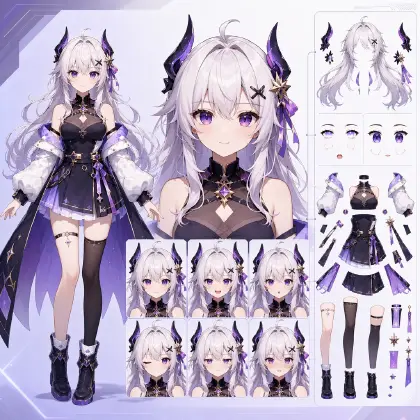
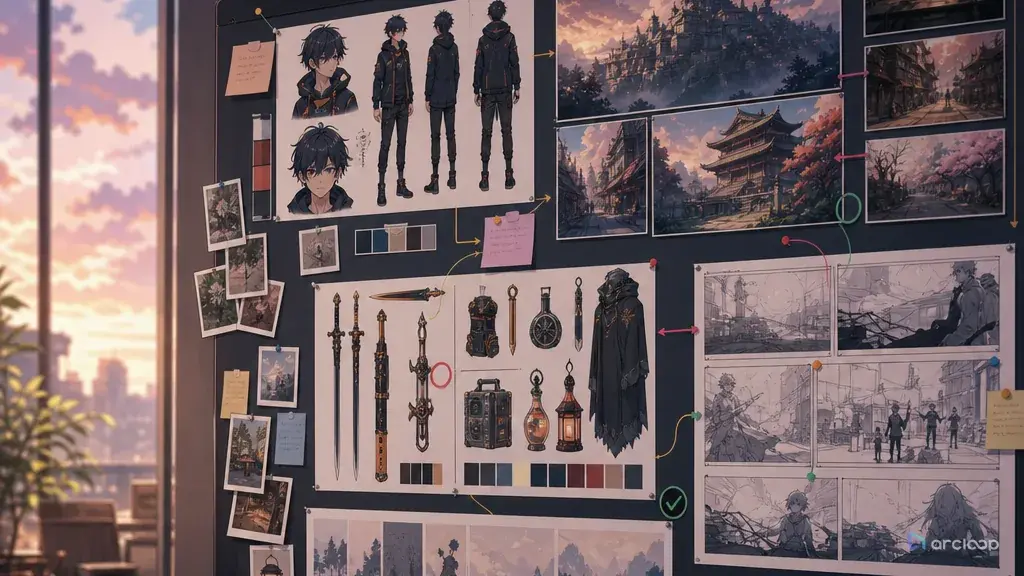
An AI anime asset library solves two separate problems. It stores reusable material, and it tells the team how to reuse that material without making every scene feel copied. The library should include character sheets, locations, props, style recipes, voice notes, shot templates, and rejection examples. It should also mark what stays fixed and what can rotate for variety.
This guide merges the asset-library and asset-reuse jobs into one workflow. In ArcLoop, a character, scene, or prop you build once in My Assets — with its reference images bound to it — is what every later shot pulls in with an @ reference, instead of rebuilding identity from a blank prompt each time. Start with Character Sheet References when identity is weak, then use Reusable Asset Library to decide how the asset should come back in future shots.
What Every Asset Needs Before It's Reusable
An asset library is not a gallery of nice images. Each asset needs a job: identity, location continuity, prop design, palette, camera pattern, voice behavior, or platform layout. If the job is not named, the asset will be reused for the wrong reason.
Keep fixed anchors small and strong. A character may need face shape, hairstyle, outfit silhouette, eye color, and one signature accessory. That is enough to preserve identity. If the fixed section contains twenty costume details, the asset becomes hard to animate and easy to break.
Write a rotation rule for every reusable asset. A school rooftop may keep its railing, skyline direction, and vending machine color, while the time of day, weather, crowd level, and camera distance rotate. This is how reuse avoids repetition. The viewer feels continuity, not copy-paste.
Store rejected examples when they clarify the boundary. If a prop sheet shows the right pendant, save one reject where the pendant becomes a badge or necklace charm in the wrong shape. That failure teaches the asset boundary faster than a paragraph.
Attach assets to production decisions. A library item should point to the shots that used it, the selected takes it helped approve, and any later revision that changed the rule. A disconnected asset folder becomes stale quickly.
How to Build an Asset Library That Holds Up in Production
Start by listing recurring needs, not file types. For an episodic short, recurring needs may be main cast identity, key locations, hero props, background palette, voice tone, intro shot pattern, and export framing. Turn each recurring need into an asset category.
Create a compact asset card for each category. The card should include the asset name, role, fixed anchors, flexible details, linked references, first approved shot, common failure, and update owner. Keep it shorter than a script page. If it cannot be checked during review, it is too long.
Build reuse levels. Level one is permanent identity: face, prop shape, location layout. Level two is repeatable style: palette, line weight, lighting mood, shot rhythm. Level three is scene variation: camera angle, weather, background extras, emotional intensity, and action beat. Reuse levels prevent a local scene choice from becoming a global rule.
Test the library with a small slate before production scales. Generate three shots that use the same asset in different ways: a close-up, an action beat, and an establishing shot. If the asset only works in one framing, refine the card before it becomes a season-long dependency.
After selection, update the asset only when the new information is reusable. A single shot may need a temporary coat or a broken prop state. Keep temporary changes inside that shot's own description. Promote only the rules that should help another episode.
Build Once in My Assets, Reuse With @
ArcLoop keeps the asset library useful because a character asset already holds everything identity depends on: name, description, main image, reference images, and voice, all bound to the one asset in My Assets. That matters when the team needs to tell whether a detail is a core identity anchor (put it on the asset) or only a scene-specific choice (put it in the shot description).
Use ArcLoop Worlds for recurring shows and Workflow Templates for focused production loops. The asset library should not push creators away from the story. It should reduce repeated decisions so the team can spend attention on the next beat, the next acting choice, and the next shot's readable motion.
The reuse method is simple: pick one anchor to preserve, one detail to vary. For example, keep the moon pendant as a bound reference image on the character asset, then write the new camera angle straight into the shot description — the pendant stays readable because it's the asset that's supplying it, not a redescribed detail that can drift.
Example 1: Asset Library for Moonwell Delivery
Create a character asset in ArcLoop for Nira Orrel, the night courier lead of an original 2D anime mini-series called Moonwell Delivery.

Series premise: Nira Orrel, a night courier, delivers bottled moonlight to rooftop gardens across a canal city.
Library categories: main character sheet, courier satchel prop, moonwell bottle prop, rooftop garden location, canal street location, teal-and-gold night palette, calm voice direction, and three reusable shot structures.
For each asset card, include: asset role, fixed anchors, flexible details, first approved use, common failure, and reuse rule.
Reuse policy: fixed anchors protect identity; flexible details rotate weather, camera distance, crowd density, plant types, and emotional tone.
Review output: a compact board that lets another creator produce three new Moonwell shots without copying the same composition.
Safety constraints: original characters only, no protected logos, no named-title imitation, no text labels inside generated images.
This setup prompt absorbs both library and reuse needs. It creates a storage plan and a variety rule at the same time.
Example 2: Reusing a Character and Prop Asset
Use the approved Moonwell Delivery asset library to create a 6-second 2D anime shot.

Character asset: Nira Orrel, original courier with deep blue bobbed hair, round amber goggles worn on her forehead, moss-green cloak, crescent satchel clasp, and a careful smile.
Prop asset: moonwell bottle, thumb-sized glass vial with pale gold liquid, cork stopper, and a tiny crescent charm tied with thread.
Scene variation: she crouches on a rooftop garden beside silver basil plants while the canal lights shimmer below. She removes one moonwell bottle from the satchel and checks whether it is still glowing.
Camera: close medium shot from the side, hands and bottle centered, slow push-in only during the glow check.
Reuse rule: preserve Nami's face, goggles, cloak silhouette, satchel clasp, and bottle shape. Change the plant arrangement, background depth, and emotional beat so the shot feels new.
Constraints: no extra characters, no different bottle design, no costume redesign, no text, no watermark, no photorealism.
The scene reuses two assets without duplicating the same framing. The variable layer is clear.
Example 3: Location Asset Variation
Generate an 8-second 2D anime establishing shot using the Moonwell rooftop garden location asset.

Location anchors: narrow roof beds, glass water channels, brass wind bells, canal city below, teal night shadows, warm gold window reflections.
New story beat: Nira arrives late after a delivery mistake and finds the rooftop garden empty except for one wind bell ringing by itself.
Camera: wide overhead angle that slowly lowers to a medium view of Nami entering from the left walkway.
Motion: cloak hem moves in the wind, water channels ripple, one wind bell swings, moonwell bottle glows faintly in her satchel.
Reuse rule: keep the rooftop layout and palette, but rotate the mood from peaceful routine to quiet suspense. Do not reuse the previous close-up bottle-check composition.
Review note: approve only if the location is recognizable and the new emotional tone is readable.
Constraints: no new architecture style, no crowded festival background, no logo, no title text, no random color palette.
This prompt shows why a library needs flexible rules. The location stays recognizable while the episode beat changes.
Ways an Asset Library Breaks Down
The biggest mistake is treating every good render as a reusable asset. A good render may contain lighting, camera, character acting, and background luck all fused together. Extract the reusable rule before saving it to the library.
Another mistake is reusing whole prompts instead of asset cards. Whole-prompt reuse repeats the same scene rhythm. Asset-card reuse preserves identity while letting the next prompt change staging, timing, and emotional pressure.
Teams also let temporary changes leak into permanent assets. If a character wears a rain hood for one scene, do not update the core character sheet unless the hood is now part of the design. Store scene states separately.
A fourth mistake is making the library too large to review. If creators must scroll through fifty nearly identical reference frames, they will stop using the library and start guessing again. Keep the approved asset and one useful failure near the top.
FAQ
What belongs in an AI anime asset library?
Store reusable character sheets, location boards, prop sheets, palette rules, camera patterns, voice direction, shot templates, selected takes, and useful rejection examples. Keep temporary scene changes inside shot notes.
How do I reuse assets without making every episode repetitive?
Write fixed anchors and flexible rotation rules. Preserve the identity layer, then rotate camera, weather, blocking, emotional tone, background activity, and action beat. Reuse should protect continuity, not duplicate composition.
How detailed should each asset card be?
Use only the details that a future shot must preserve or intentionally vary. A useful card names the asset role, fixed anchors, flexible details, linked references, common failure, and review test.
How do I start building assets from a story idea?
Start with the characters, scenes, and props your story actually repeats, and build each one as an asset in My Assets — name, description, main image, and reference images bound to it. Everything else (the Story Outline, the episode storyboards) lives in the same project, so the assets stay connected to the shots that use them instead of turning into a separate folder of images.
When should I update an approved asset?
Update it when a new rule should help future production. If the change is only for one scene, save it with that shot. This keeps the main library stable and prevents accidental redesigns.