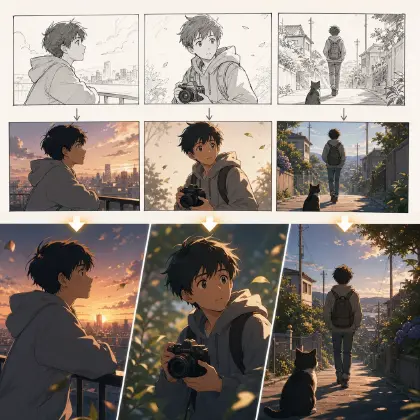

Why Your Character Keeps Shifting Between Shots
The first shot, the lead looks stable. The second shot, she looks like someone else. By the third shot, even the silhouette of her outfit has changed. You keep rewriting the prompt, it keeps getting longer, and the character still changes every shot. Once multi-character blocking gets messy on top of that, faces, positions, and lip sync all go wrong too, and cut together it looks like a different actor in every frame. This guide shows you how to lock a character's face, outfit, and blocking so the same actor reads consistently from shot to shot.
This isn't about a missing magic word — it's that the character was never turned into a reusable asset. Start with the character asset template to build a look photo, turnaround, and a no-change list, then connect it to the AI short drama guide or the workspace for the storyboard and video stages. That's what cuts down on random regeneration and makes long-term reuse for a character IP possible.
How AI Decides What a Character Looks Like
Every time AI generates a shot, it re-interprets the text, the reference images, and the on-screen context from scratch. If you only write "attractive female lead, black hair, white coat," the system gets a wide range of people to draw from, not one specific character. The "generic-looking character" problem common in Chinese-language content is usually a case of too few character anchors.
Cross-shot consistency starts with a clear vocabulary. A base character asset is the minimal description of a character — name, identity, look anchors, voice, and a no-change list. A turnaround covers the proportions, hairstyle, and costume structure from the front, side, and back. A four-view adds a 3/4 angle or a key action angle on top of the turnaround, useful for glancing back, turning, and close-up dialogue. A character reference image set is usually a single reviewable page that puts the look photo, turnaround, expressions, outfit, props, and color palette together. The character asset itself is the long-term asset used across the project, adding blocking, lighting, voice, storyboard reference language, and points of commercial reuse. Each step moves further from "describing the character" toward "calling on the character."
Cross-shot consistency needs four kinds of material. The look photo locks the face and the overall feel. The turnaround or four-view locks body proportions, hair silhouette, and costume structure. The expression set locks the face across emotional changes. The shot spec locks blocking, lighting, and action. Together, these four make up a usable character asset.
The pipeline is still concept → script → storyboard → video → voiceover → edit. Character consistency isn't something to fix at the video stage — it needs to be set before the storyboard. Treat the character asset template as the identity layer, the storyboard templates as the action layer, and the AI short drama guide as the finished-cut layer.
How to Lock a Character Before You Touch the Storyboard
Step 1: pick 3 to 5 identity anchors. Don't write a long list of decoration — pick things that are genuinely recognizable: face shape, hair silhouette, eye color, coat cut, an earring, a badge, a bracelet, a weapon. A few hard anchors hold up better than a pile of adjectives.
Step 2: create the look photo. It should be front-facing, neutral expression, clean background, even lighting. Don't use a dramatic angle as the look photo — later shots will inherit that wrong angle.
Step 3: create the turnaround. Front, side, and back need to hold the same proportions and the same outfit. A turnaround isn't an art showcase — it tells the system "this is still the same person after they turn around."
Step 4: build the character asset. Put the look photo, turnaround, expressions, outfit, props, no-change list, and can-change list together. Think of it as a character asset in My Assets: the face, body, color palette, signature items, and voice get registered up front, and later shots just check against it instead of reinventing the character's identity. No-change items need to be explicit — don't write "try to keep it the same," write "must not change."
Step 5: reference the asset in every shot. Every shot should note "use the look photo and turnaround from the character asset," and specify that this shot only changes action, emotion, or camera angle. Don't let the video prompt redesign the character.
Step 6: review for consistency before you review for looks. However good a shot looks, if the face shape, hairstyle, or costume silhouette has drifted, it goes back for a redo or a partial fix. This matters commercially too — an unstable character can't support ongoing episodes or an IP.
Put this into practice in the product instead of just in a prompt. Open My Assets and create a character for your lead — this is where her identity actually lives. Upload the look photo and bind it as the Main image, then bind the turnaround and expression shots as Reference images on the same character. Give her a name you'll actually type, like Lin Zhixia, since that's what goes after the @ in every shot from now on.
Once the character asset is bound, open the episode and click Generate Shots to get your shot cards. In each card, reference her with @Lin Zhixia instead of retyping her face and outfit, and write only what's new in this shot: the action, the camera angle, the light. Generate the image first and check it against the asset before you spend a video generation on it. When a batch of shots is ready, open the AI Chat Panel and type something like "Generate videos for Shots 1, 2, and 3" instead of clicking through each one by hand. If a shot drifts on review, redo that one shot card in the Storyboard — don't rewrite the whole episode to fix a single frame, and leave the shots that already match alone.
Prompt and Spec Examples You Can Copy
Example 1: Cross-Shot Consistency Asset Checklist
Generate a still image of @Lin Zhixia in @Meeting Room to confirm her look before any video for this scene. Front-facing medium shot: she sits at the table with @Contract Folder closed in front of her, neutral expression, hands folded on the cover. Lighting: even, steady cool white office light, clean background, no dramatic angle. Her face shape, hairstyle, and blazer silhouette come from her character asset — nothing about her look is new in this shot. This frame is the identity check every later shot in the scene gets compared against.
Example 2: Anti-Drift Single-Shot Prompt
A 6-second medium shot of @Lin Zhixia in @Meeting Room. She rises from the table and, in the same motion, pushes @Contract Folder back across the table toward the other party. Blocking: she holds the right foreground; the other party sits in the left background. Camera at eye level with a slight tilt up to follow her as she stands, no other movement. Lighting: steady cool white office light, unchanged from the previous shot. Sound: chair scraping back, then the folder sliding across the table. This shot only adds the rise and the push — her face, hair, and outfit come from the asset, so don't redesign them.
Example 3: Consistency Review Prompt
Regenerate Shot 4 in @Meeting Room — your review flagged drift in @Lin Zhixia's hairstyle and blazer silhouette. Same medium shot, same blocking as before: lead in the right foreground, the other party in the left background. She sits back down with @Contract Folder open in front of her, her expression tightening as she scans the page. Keep the cool white office lighting from the prior shot, no color shift. Fix only the drifted details against her character asset; don't redesign her face or outfit, and don't change the blocking or camera angle already set for this scene.
Ways Consistency Breaks — and How to Fix Each
The first failure mode is relying only on a longer prompt. The fix is building the asset first, then writing the shot. Text can remind the system, but it can't substitute for a look photo and a turnaround.
The second failure mode is a look photo that's too dramatic. An angled face, hard lighting, and an exaggerated expression work for a poster, not for locking an identity. The look photo should be neutral.
The third failure mode is rewriting the character description every episode. The fix is fixing the character asset and letting the prompt only describe what changes in this shot. Don't give every prompt a chance to redraw the character.
The fourth failure mode is ignoring voice consistency. Viewers remember the face and the voice together. A voice that suddenly sounds younger, more robotic, or flatter also breaks character stability.
The fifth failure mode is having no commercial standard at all. If a short drama character can't hold up consistently on screen, it's hard to build a compilation, ongoing episodes, merchandise visuals, or long-term account recognition around them.
FAQ
When a character changes every shot, do you fix the prompt or the image first?
Fix the character asset first. The prompt is only good for adding shot-specific action and constraints — it can't carry the whole identity on its own.
Does every supporting character need a full turnaround?
Leads and frequent supporting characters need a complete turnaround. A one-time background character can use a simplified look photo, but shouldn't share a loose description with the lead, or it'll end up looking generic too.
Can a batch of shots that's already been generated be salvaged?
Yes — review first, and separate what's fixable in editing from what needs a redo. A major change in face shape, hairstyle, or costume usually needs a redo; minor lighting or edit pacing issues can be fixed in post.