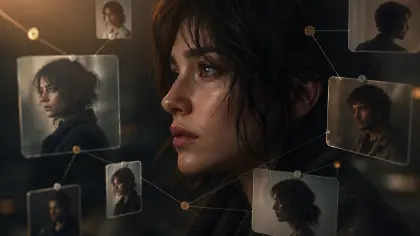
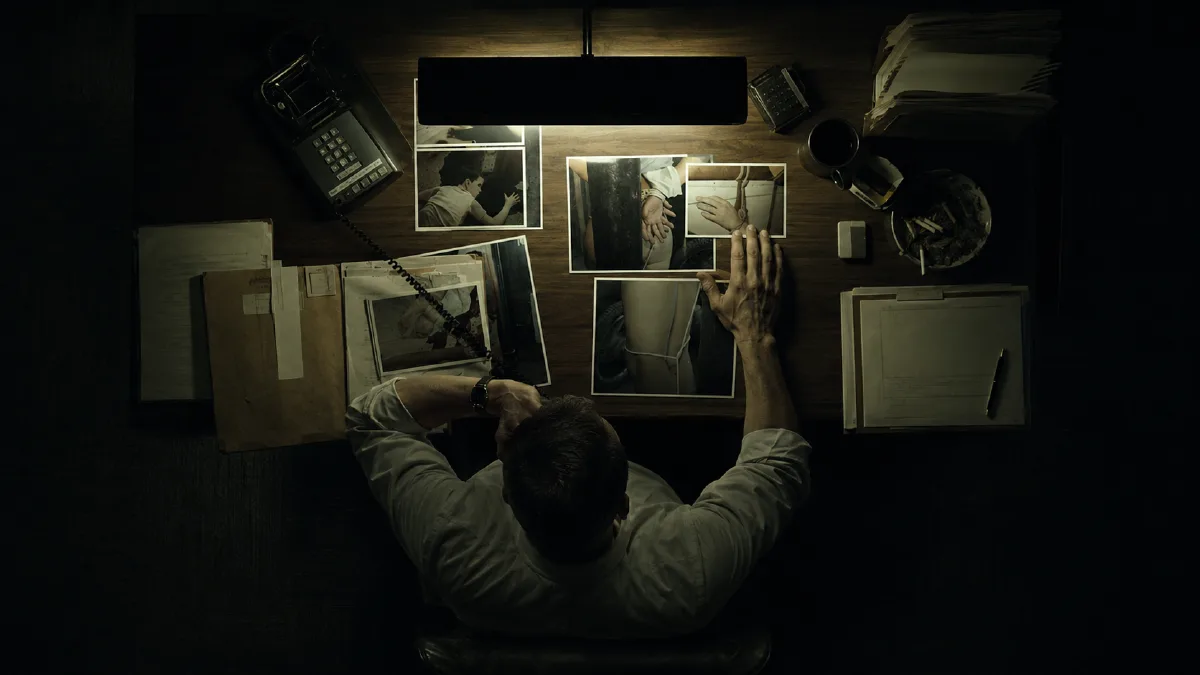
Arcloop is testing a practical question: can DeepSeek V4 read a long drama script closely enough to support real production work?
Drama production does not start with a pretty image. It starts with a clear read of the story. The agent has to follow what happens across scenes before any storyboard, marketing brief, or video brief can be trusted.
This page explains what Arcloop needs to pull from a script. A weak read says the episode is about betrayal, grief, revenge, or family pressure. A strong read gives the team usable facts: which scenes exist, who appears in them, which prop pays off later, where the relationship turns, and which beats can become downstream visual assets.
Quick answer
DeepSeek V4 script breakdown is useful when it behaves like a production engine, not a summarizer. For long drama scripts, the output should capture scenes, cast presence, prop trails, emotional turns, relationship shifts, continuity risks, and visual next steps that later agents can reuse without rereading the full screenplay.
DeepSeek's official V4 preview describes DeepSeek-V4-Pro and DeepSeek-V4-Flash as 1M-context models, and the pricing page lists both models with 1M context length. For a drama agent, that is relevant because full episodes, long outlines, and multi-episode arcs need story memory beyond a few pasted scenes.
Sources: DeepSeek V4 Preview Release, DeepSeek Models and Pricing
Test DeepSeek V4 against real script work
For Arcloop, the test is not "can it summarize this script?" The better question is whether it can produce a repeatable breakdown that a producer, storyboard artist, or cover designer could use.
That breakdown needs to let later steps build continuity files, storyboard plans, marketing briefs, and video-ready shot plans without rereading the whole script from scratch.
The result needs to feel like a producer's notebook, not a blog summary.
Treat script breakdown as an engine
The DeepSeek V4 page should answer one narrow question: can a long-context reader turn a script into reusable production memory?
That engine has a clear handoff boundary. It does not choose the full agent architecture, pick the final image model, or promise finished video. It produces a breakdown artifact that other agents can use.
| Engine output | Downstream handoff | Failure if missing |
|---|---|---|
| Scene map | storyboard and shot planning | later agents invent scene order |
| Cast presence | character bible and dialogue workload | absent characters appear in visual briefs |
| Prop trail | cover, promo, and continuity checks | clues disappear before payoff scenes |
| Emotional turn | storyboard panel and camera logic | every scene gets the same visual treatment |
| Relationship shift | cover hook and episode positioning | the wrong conflict becomes the marketing hook |
| Continuity risk | rendering and review constraints | wardrobe, injury, and time-state drift |
What Arcloop needs to pull from the script
For the creator, the breakdown needs to explain what Arcloop found and why those pieces affect later production.
A good script breakdown reads like a producer's working board:
| Script layer | What Arcloop gives back | Why the team needs it |
|---|---|---|
| Episode hook | A one-sentence reason this episode matters | Helps choose cover, promo, and first visual angle |
| Scene map | A numbered list of scenes with place, time, and visible action | Gives later steps clear scene references |
| Cast presence | Who is physically present and who speaks in each scene | Feeds character bibles and dialogue workload |
| Emotional turn | What changes inside the scene | Finds story beats worth visualizing |
| Relationship shift | Who gains or loses trust, power, leverage, or intimacy | Connects story logic to framing and cover choices |
| Prop trail | Objects that work as setup, payoff, clue, or symbol | Prevents important objects from disappearing |
| Continuity notes | Wardrobe, injury, exits, entrances, time jumps, and state changes | Protects image and video continuity |
| Visual next steps | Which moments deserve storyboard panels, covers, promos, or shot references | Tells the visual team where to spend generation time |
Format is secondary. The real test is whether every scene becomes material for the next production step. Without that bar, even a strong long-context model can return readable commentary instead of production notes.
The structure diagram
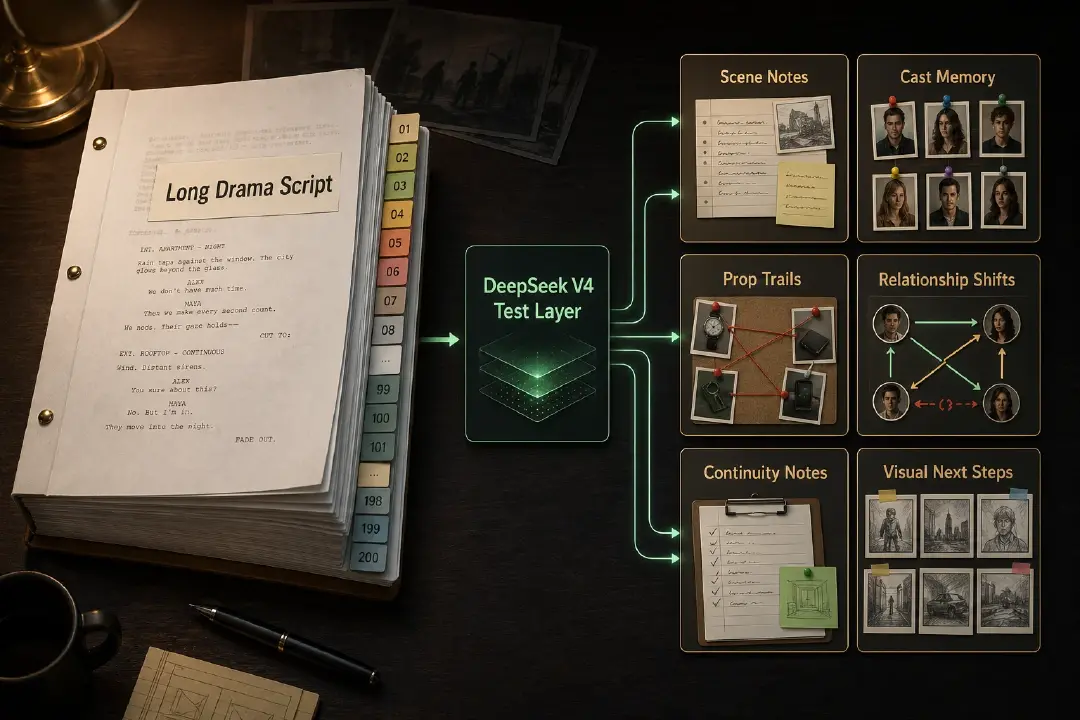
The structure is simple: one script becomes several layers the team can keep using.
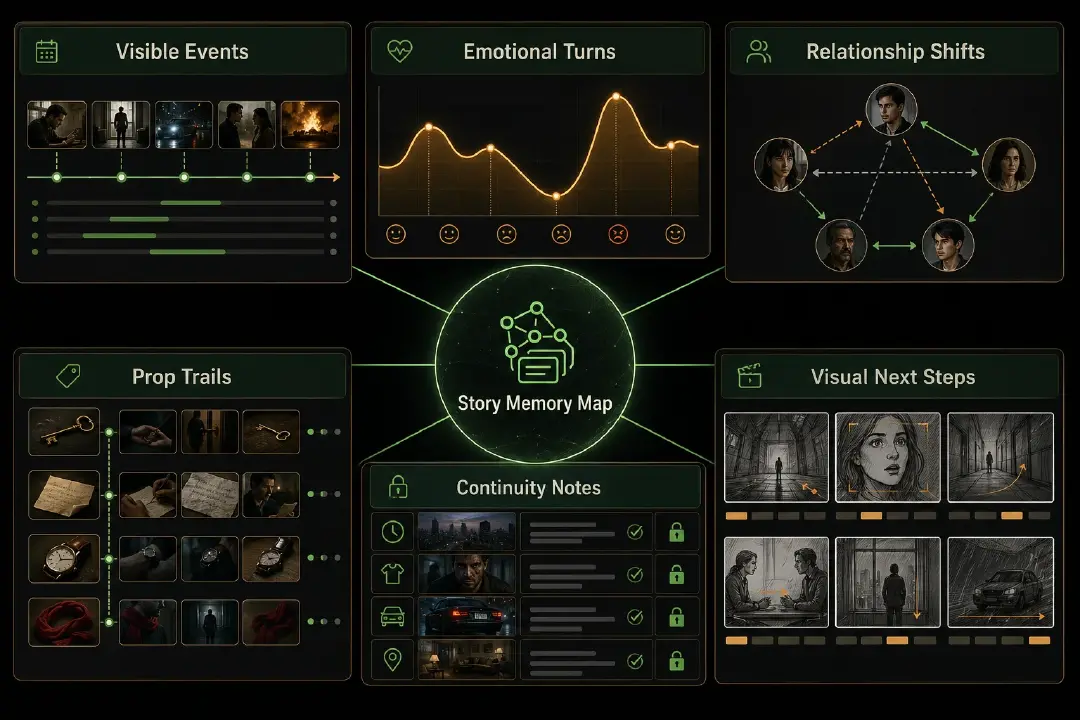
The diagram makes the breakdown easy to judge. If it does not name the visible event, emotional turn, relationship shift, prop trail, continuity note, and visual next step, it is probably still too close to a summary.
Avoid literary recaps
Do not settle for a literary recap.
Avoid outputs like:
- "This episode explores grief and betrayal."
- "The protagonist struggles with identity."
- "The family conflict becomes more intense."
- "The story has a suspenseful tone."
Those may be true, but they are too soft for production. The breakdown needs facts another person can act on:
- "S03 moves from the funeral hall to the service corridor."
- "Maya speaks first, but Lena controls the exchange by revealing the will."
- "The father's watch appears in S01 and becomes proof in S07."
- "Lena exits through the east stairwell while still wearing the blood-stained coat."
That is the difference between summary and working memory.
How a creator asks for it in Arcloop
The creator request can stay simple:
Break this script into scene notes I can use for character continuity, storyboard planning, marketing assets, and video shots.
Arcloop can then return a readable breakdown:
- Start with the episode title or working title.
- State the one-sentence episode hook.
- Walk through the scenes in order.
- For each scene, explain where it happens, who appears, what visibly changes, and why the beat matters.
- Flag props, clues, symbols, or payoff objects that must not disappear.
- Mark continuity details such as wardrobe, injury, exits, time jumps, and emotional state.
- Recommend whether the scene works best as a storyboard panel, marketing visual, or shot reference.
That is enough structure for later production steps without making the creator read a schema.
What this looks like in Arcloop
In the product, creators can say what they want in plain terms.
Arcloop already routes creator intent into manuscript flows. When a creator asks "I want to break down this script" or uses the script-breakdown entry path, Arcloop can treat that as screenplay work instead of a plain chat request.
The product language is simpler: upload or paste the script, ask Arcloop to break it down, and get production-ready story material back.
For example, imagine an episode where two estranged sisters reunite at their father's funeral and discover that their father's watch contains evidence about a hidden inheritance.
A weak assistant response would say:
This episode explores grief, resentment, and reconciliation between two sisters.
That is readable, but it does not help production.
A stronger Arcloop response sounds more like this:
I found the first production anchor: the funeral hall scene is not just a grief scene. It introduces the father's watch as a clue, shifts Maya from restraint into suspicion, and weakens her trust in Lena. This scene works as a storyboard panel and may also work as an episode cover candidate because the watch gives the conflict a visible object.
From there, Arcloop can turn the same read into usable next steps:
| Arcloop note | What the creator sees |
|---|---|
| Scene map | "Funeral hall, day: Maya sees Lena wearing the father's watch during the service." |
| Character memory | "Maya starts controlled, then becomes suspicious." |
| Relationship change | "Lena loses trust because Maya realizes she is hiding something." |
| Prop trail | "The father's watch starts as a clue and returns later as inheritance proof." |
| Continuity note | "Lena keeps the watch and black funeral clothing in this scene." |
| Visual next step | "Use this beat for a storyboard panel or marketing visual concept." |
The product value is the human version: Arcloop turns a script into a scene map, character memory, prop trail, relationship logic, continuity notes, and visual next steps.
Why Hollywood-format input helps
A long-context model can read messy prose, but screenplay format gives the script-reading layer cleaner boundaries.
| Script signal | What the agent can read | Why the team needs it |
|---|---|---|
| Scene heading | Slugline, location, time | Keeps scene boundaries clear |
| Character cue | Speaking character | Builds dialogue and voice maps |
| Action line | Visible event, movement, prop use | Feeds storyboard and video planning |
| Dialogue | Intent, conflict, emotional turn | Feeds relationship and promo hooks |
| Parenthetical or action beat | Subtext, pressure, interruption | Helps identify the turn inside a scene |
| Repeated object | Setup, clue, payoff, motif | Feeds continuity and cover symbolism |
The cleaner the script format, the less the agent has to guess.
How to judge the breakdown
Before using the breakdown, check whether it answers production questions without rereading the full script:
- Which scene introduces each major character?
- Which scene changes the main relationship?
- Which object has a later payoff?
- Which continuity details must survive image and video generation?
- Which scene is the strongest marketing visual candidate?
- Which moments deserve storyboard panels first?
- Which notes are facts, and which are marked as inferred?
If the breakdown cannot answer those questions, it needs another pass.
What Arcloop is testing
The direction here is a screenplay-first video agent pattern, with DeepSeek V4 being tested as one possible long-context script-reading layer.
In this test design, the script-reading layer turns a script into story memory. Other steps then use that memory to create:
- character bibles
- storyboard grids
- 3x3 visual boards
- marketing hooks
- channel briefs
- video-ready shot plans
The real DeepSeek V4 test is not whether it can summarize a screenplay. It is whether it can give Arcloop enough story memory to keep visual production tied to the script.
Next steps after script breakdown
Once the script has a reliable scene map, move into the next production job:
- Next: AI Video Agent Architecture
- Next: Hollywood Screenplay Format
- Next: AI Character Bible
Want to test the product path? Try script breakdown in Arcloop and turn your script into storyboard-ready notes.
FAQ
What is AI script breakdown?
AI script breakdown is the process of turning a screenplay into production notes: scenes, characters, props, relationship changes, continuity flags, and visual beat candidates.
Why is DeepSeek V4 relevant to this test?
Arcloop is evaluating DeepSeek V4's ability to handle long-context script understanding. The agent has to preserve characters, relationships, props, callbacks, and episode arcs before it can generate production assets worth using.
Does DeepSeek V4 summarize the script first?
No. A one-sentence logline helps, but the main result is the working read: scene maps, character memory, prop trails, continuity notes, and visual next steps.
What does the first DeepSeek V4 result look like?
The first result is scene-level notes: where the scene happens, who is present, what visibly changes, how relationships shift, which props matter, what continuity must be preserved, and which moments deserve visual treatment.
How does this help image and video generation?
It gives visual steps a cleaner brief. The image or video model no longer has to guess the scene event, character state, prop logic, relationship turn, or continuity constraints.