GPT Image 2 should not be the step that understands the drama script. It should render structured visual briefs after script breakdown, character rules, scene setting, and shot planning already exist. Treat it as the visual rendering layer for AI drama assets, not as the agent that decides story logic, cover hooks, identity rules, or panel order.
This page covers four output jobs: character sheets, scene setting boards, 3x3 storyboard contact sheets, and shot reference boards. Covers and promo images can use the same source material, but their hook-selection work should be treated as a separate brief inside the same production pass.
Quick answer
Drama teams should use GPT Image 2 as a rendering layer after script breakdown, character bible, scene map, and storyboard planning are done. Feed it one asset brief at a time: character sheet, scene setting board, 3x3 storyboard contact sheet, or shot reference board. Then review identity, layout, prop continuity, and panel order.
Where GPT Image 2 fits in the production chain
The practical path is script breakdown, then character bible, then scene and shot planning, then one asset brief, then GPT Image 2, then continuity review. Each step removes one decision from the image prompt.
OpenAI's GPT Image 2 model documentation lists image generation and editing with text and image inputs. The ChatGPT Images 2.0 release shows examples such as character reference sheets, flexible aspect ratios, and motion breakdowns. Those capabilities help drama teams only when the brief already gives the model a specific production task.
Sources: GPT Image 2 model documentation, ChatGPT Images 2.0 release
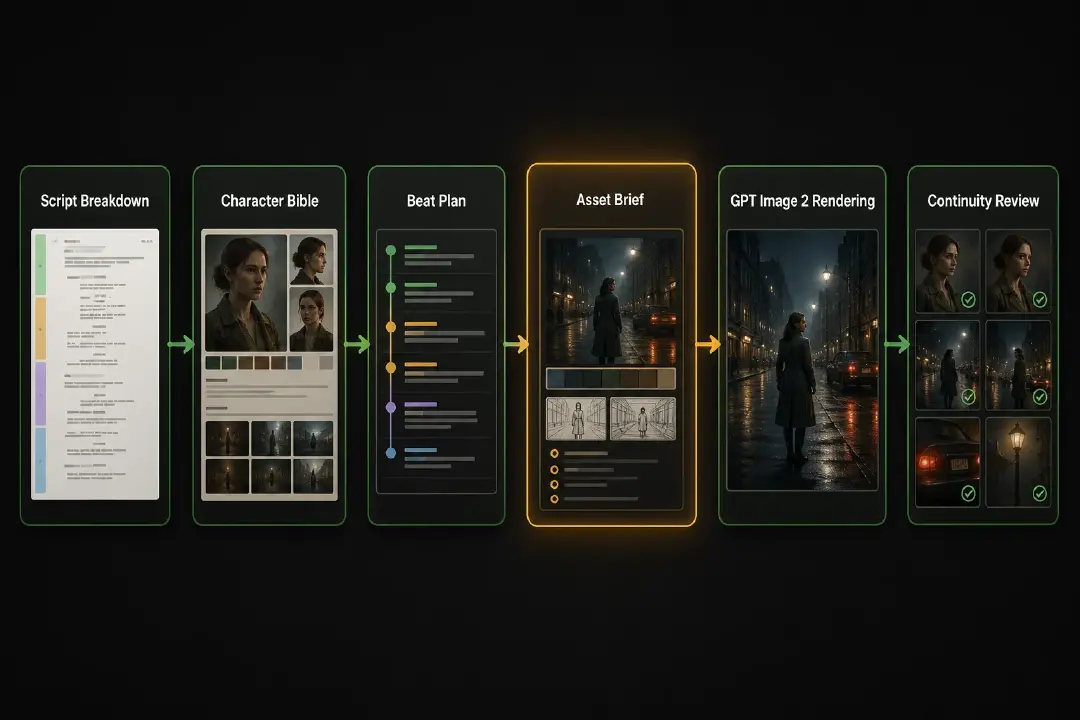
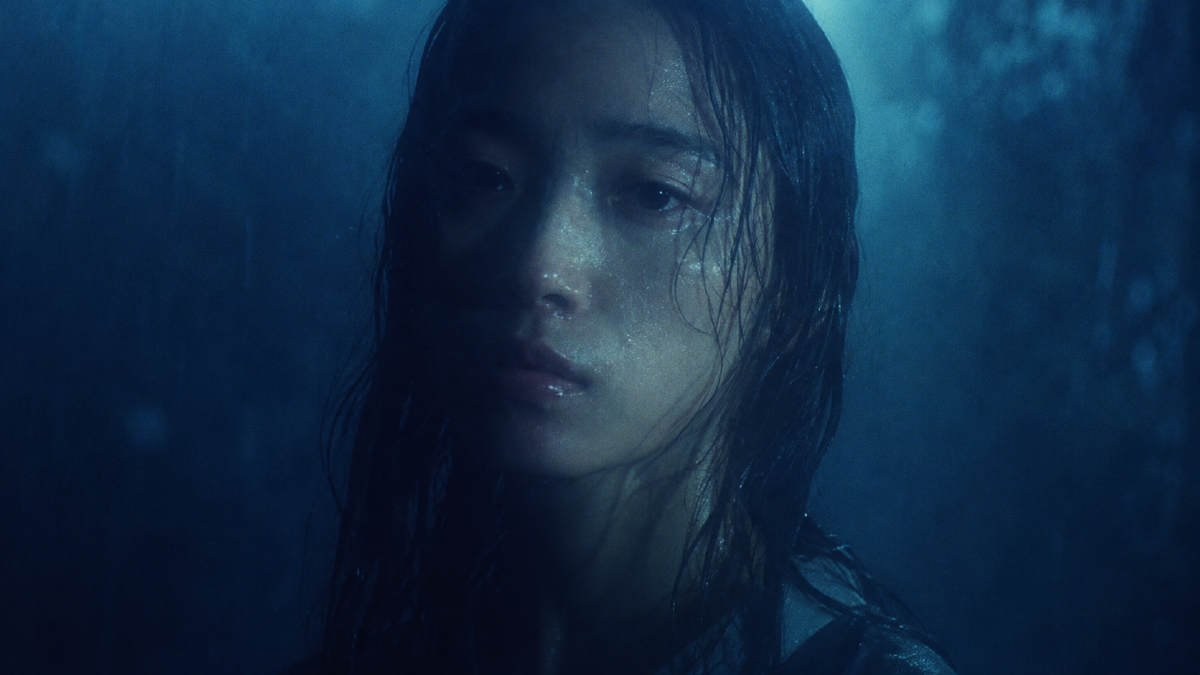
Visual guide: GPT Image 2 is the rendering layer. The agent decides the character rules, scene setting, panel order, and asset job before image generation begins.
The four GPT Image 2 asset boundaries
Each asset needs a different source brief and a different review pass. Asking for all of them in one prompt usually creates generic drama art instead of production material.
| Asset | Source brief | GPT Image 2 renders | Review checks |
|---|---|---|---|
| Character sheet | Character bible and identity rules | Front or angle views, expression range, wardrobe rules, signature props | Face, silhouette, hair, wardrobe, prop ownership, expression range |
| Scene setting board | Scene map, location rules, and continuity notes | Location reference, prop layout, light state, entrances, exits, blocking zones | Door/window logic, prop placement, time of day, crop-safe areas |
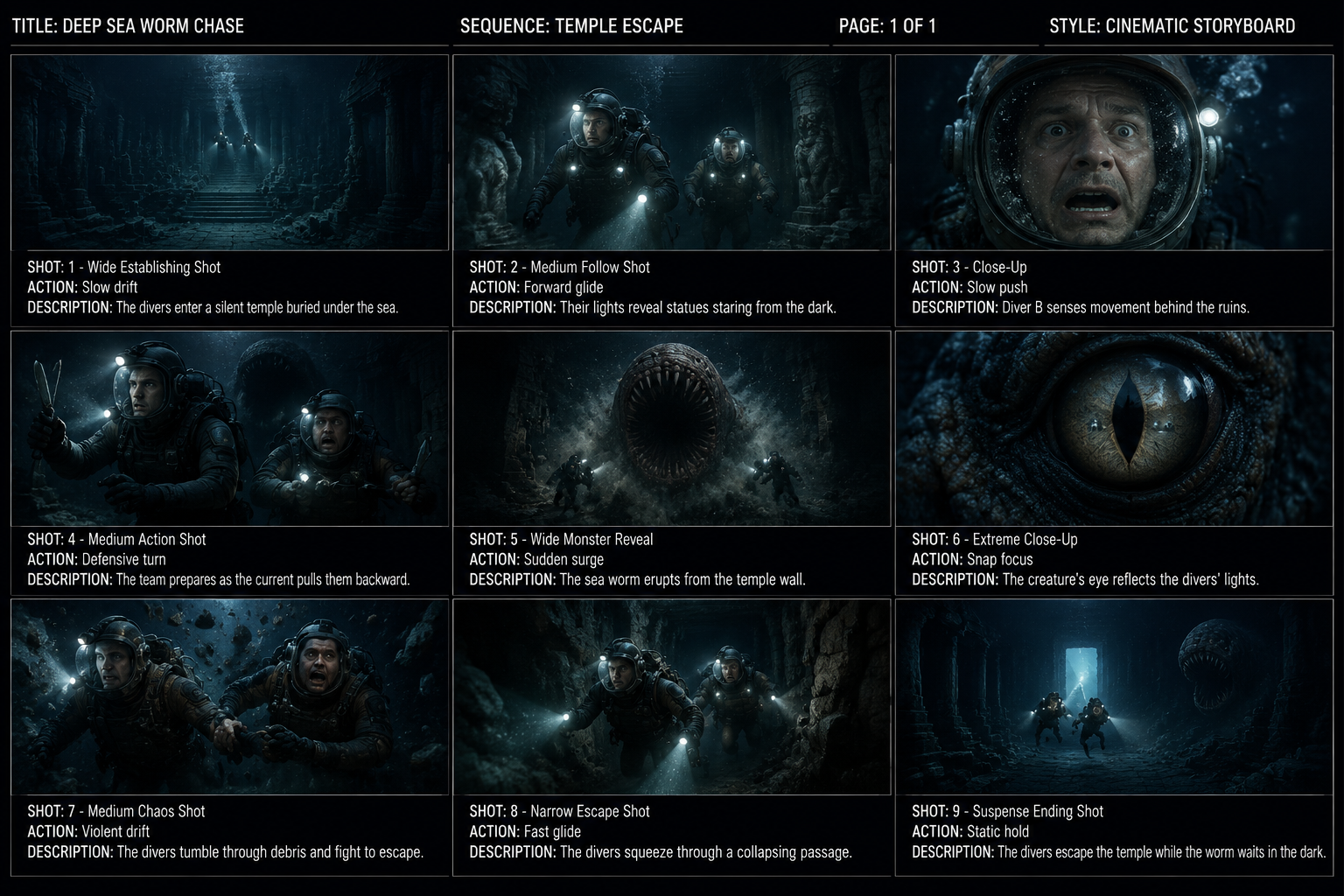
| 3x3 storyboard contact sheet | Approved beat list or panel plan | One nine-panel contact sheet with visible panel order | Beat order, subject focus, identity continuity, readable panels |
| Shot reference board | Shot plan and next video step | Reference still, framing cue, motion cue, prop continuity, location anchor | Camera intent, motion cue, video handoff notes, continuity state |
For the upstream method that turns a script into panel order, use the separate guide on turning a script into a storyboard grid for AI video. For identity rules, use the guide to AI character bibles for drama production. For cover and promo hook selection, use the cover brief guide instead of this page.

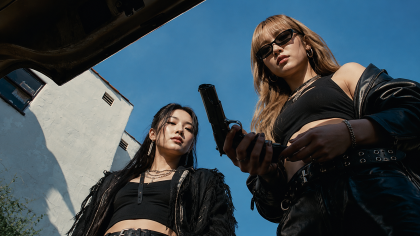
Visual example: GPT Image 2 can render non-human or anime-style drama assets when the brief defines the character type, visual job, and reusable image format.
Write the brief as a production contract
A usable GPT Image 2 drama brief names one asset job and one review goal. It should not ask the model to discover the story.
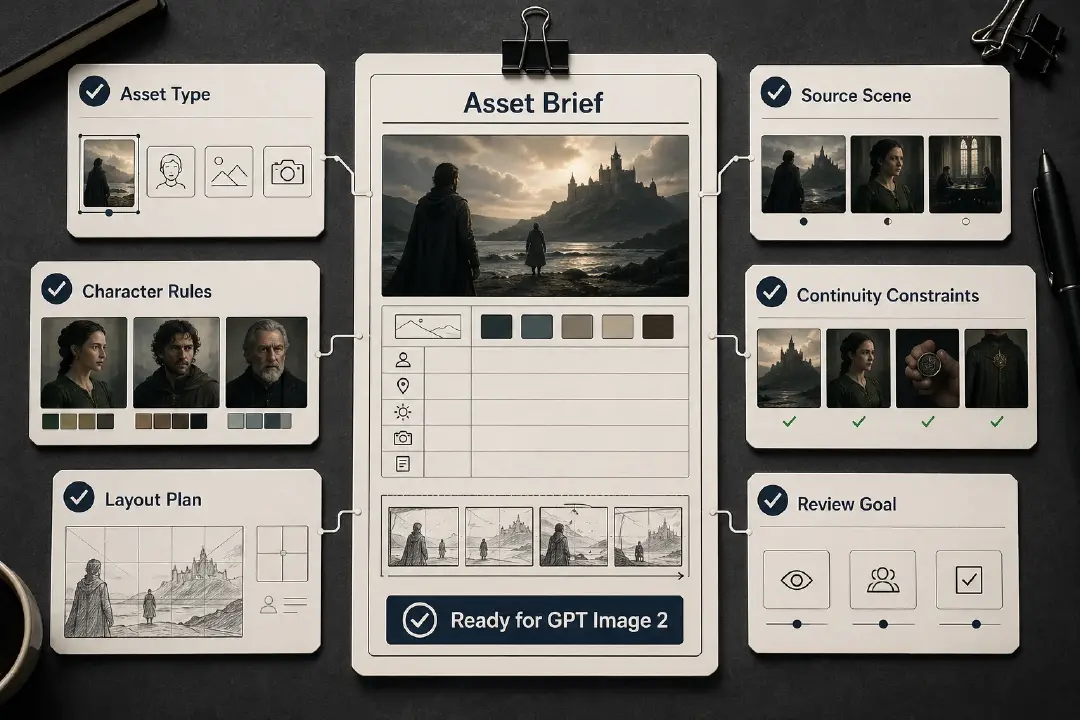
Include these fields before generation:
- asset type: character sheet, scene setting board, 3x3 storyboard contact sheet, or shot reference board
- source scene or episode beat
- character identity rules from the character bible
- scene setting rules such as layout, light, entrances, exits, and fixed props
- continuity constraints such as wardrobe, injury, object state, and time of day
- layout plan, aspect ratio, panel count, or board format
- review goal, such as identity lock, location lock, sequence readability, or video handoff
The brief keeps the image honest. GPT Image 2 renders what the production pass has already decided.
Character sheets lock identity before image sequences
A character sheet is not a character bible. The bible decides identity rules; GPT Image 2 renders a reviewable visual sheet from those rules.
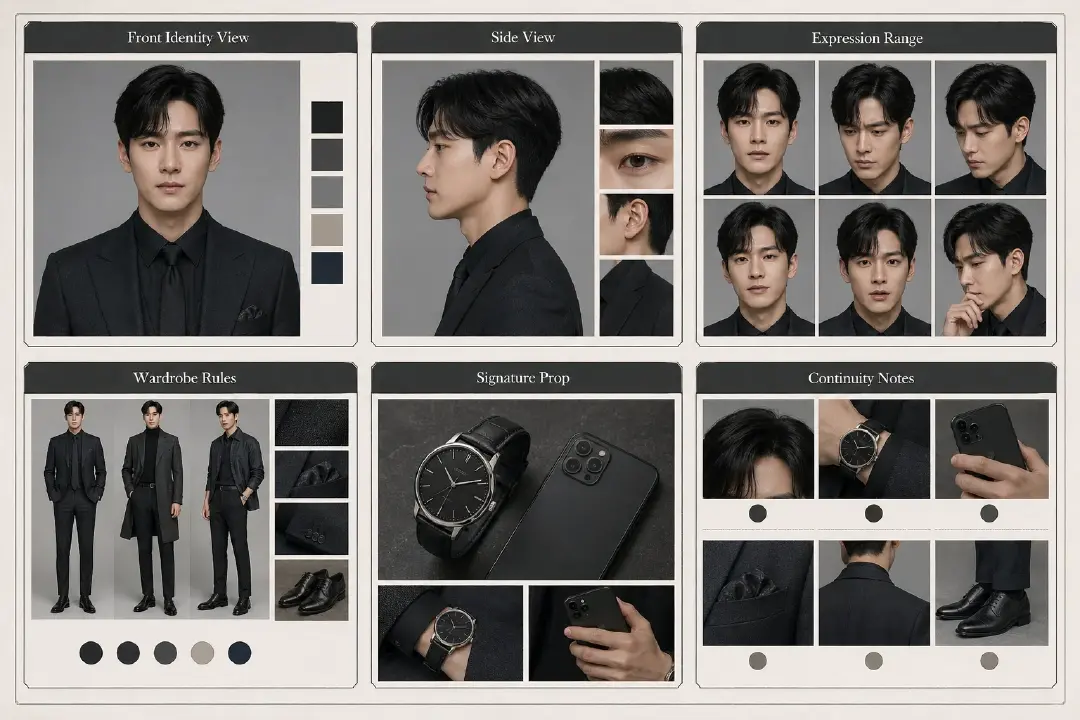
Use a character sheet when later boards, covers, promo images, or video references need the same person to remain recognizable. The brief should point to the character bible and specify:
- fixed face, hair, silhouette, and age band
- wardrobe rules and scene-specific costume changes
- signature prop or object ownership
- expression range that fits the role
- details later assets must preserve
Approve the sheet only if another teammate can use it without rereading the full script. If the face, prop, or silhouette still needs a paragraph of explanation, the sheet is not production-ready.
Scene setting boards lock the location before shots
A scene setting board is not a mood image. It is a reusable location reference for where action can happen, where props sit, how light behaves, and which entrances or exits matter.
For drama production, a scene setting board should name:
- location, time of day, and lighting or weather state
- fixed prop layout and object state
- entrances, exits, windows, doors, stairs, and blocking zones
- areas that must stay crop-safe for later visual uses
- continuity details later storyboard panels or video shots must preserve
This board creates the bridge between identity and sequence. The character sheet locks who the person is. The scene setting board locks where action can happen. A storyboard contact sheet can then use both without inventing the space again.
3x3 storyboard contact sheets render an approved sequence
A 3x3 storyboard contact sheet is useful when the scene already has an approved beat list or panel plan. GPT Image 2's job is to render the nine visual beats into one reviewable contact sheet, not to decide which moments deserve panels.
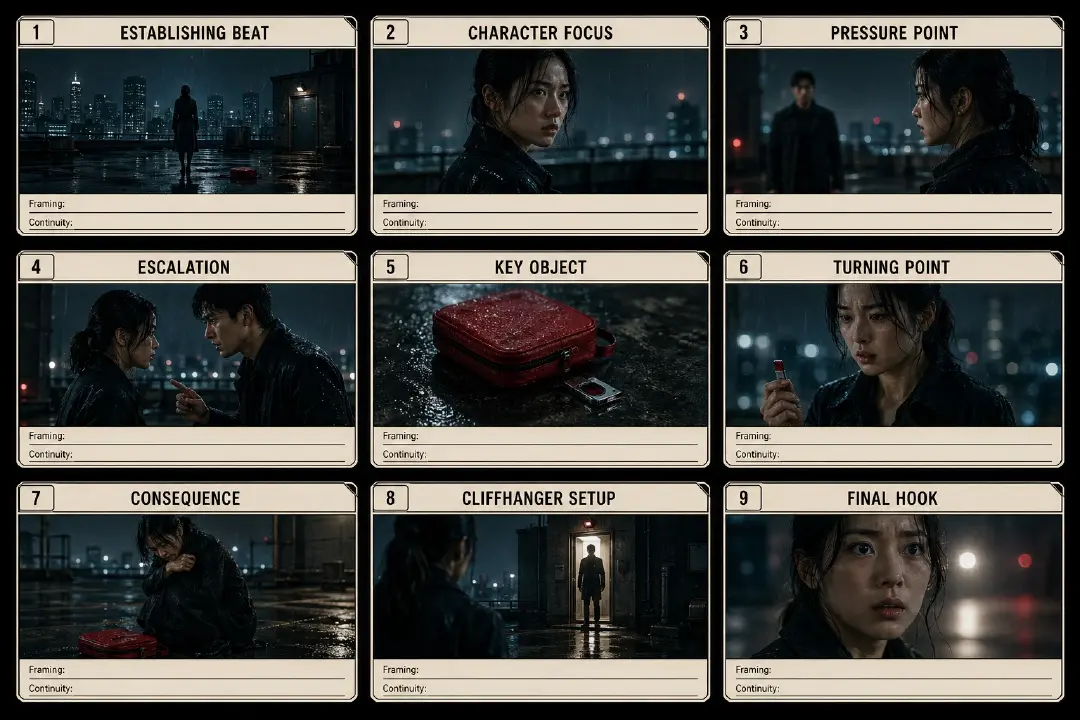
Use the 3x3 format when a sequence has action order risk: a reveal, confession, chase, interruption, object discovery, or cliffhanger setup. The input should already define:
- the nine panel labels or beat summaries
- the active character or object in each panel
- framing notes such as wide, medium, close-up, insert, or over-the-shoulder
- continuity notes for wardrobe, props, injuries, exits, and location position
- visible panel numbers and one 3x3 contact sheet layout
Review the result for order before style. If panel 6 shows the reveal before panel 5 sets up the object, the contact sheet failed its job even if the images look polished.
Shot reference boards prepare the video step
GPT Image 2 can also render shot reference boards for later video generation. A shot reference board is a director-facing handoff object: it communicates camera framing, movement intent, prop continuity, location anchor, and the visual state the video step needs to preserve.
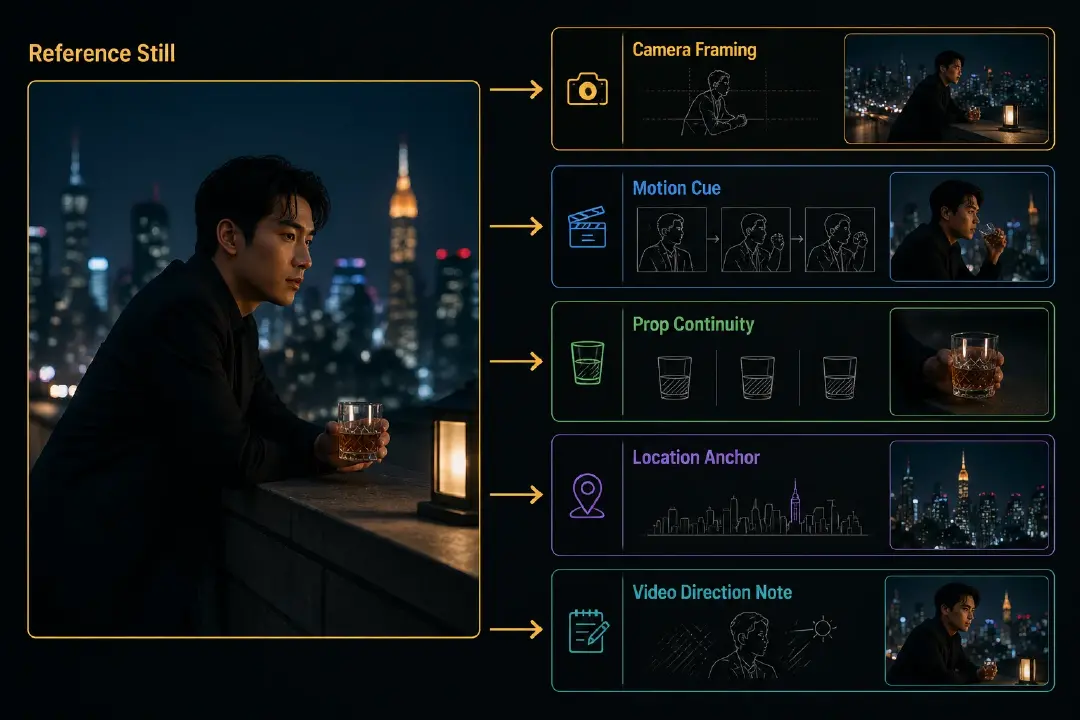
Use a shot reference board when one image needs to guide motion. The board should include:
- reference still or starting frame
- camera framing and lens-style note
- motion cue, such as push-in, pan, reveal, follow, or hold
- prop and wardrobe continuity
- location anchor and blocking direction
- short video direction note for the next model or editor
The still image does not replace direction. It makes the direction harder to misread.
One story moment can produce four different render jobs
Take a scene where a sister opens a locked safe before her brother returns.
| Asset | Better GPT Image 2 brief | Why the job is different |
|---|---|---|
| Character sheet | Render the sister's face, silhouette, wardrobe state, anxious expression range, and key object | Locks identity before sequence work |
| Scene setting board | Render the room layout, safe position, hallway door, hiding places, and night lighting | Locks the space before action panels |
| 3x3 storyboard contact sheet | Render the already planned approach, hesitation, safe opening, discovery, interruption, and final beat | Makes the action order reviewable |
| Shot reference board | Render the safe-opening frame with camera angle, hand position, prop state, and motion cue | Prepares the next video prompt |
The source moment is the same. The brief changes because the delivery job changes. If the desired output is an episode cover or promo image, choose the hook before rendering and keep that brief distinct from the character, storyboard, and shot reference jobs.
Review the result with production checks
Before approving a GPT Image 2 result, check the asset against its job:
- Character sheet: do face, hair, silhouette, wardrobe, and signature prop stay within the bible rules?
- Scene setting board: do entrances, exits, props, light state, and blocking zones match the scene?
- 3x3 contact sheet: do the nine panels preserve the approved beat order?
- Shot reference board: does the still communicate framing, motion cue, continuity state, and video handoff?
- Any asset: could another teammate use the result without rereading the full script?
If the answer is no, repair the source brief before judging the image style.
Where Arcloop fits
Arcloop is a screenplay-first video agent. Its role is to create the inputs that keep GPT Image 2 tied to the script:
- script breakdown
- character bibles
- scene setting notes
- beat lists and panel plans
- shot reference briefs
- episode cover hooks and promo image briefs
- continuity notes
The narrow claim is the useful claim: image generation is easier to review when the script has already been broken down into production inputs.
FAQ
Can GPT Image 2 make a 3x3 storyboard contact sheet?
Yes. GPT Image 2 can render a 3x3 storyboard-style contact sheet when the brief already includes panel order, character rules, scene rules, and continuity notes.
Should GPT Image 2 turn the script into the storyboard grid?
No. Use a script breakdown or storyboard planning step first. GPT Image 2 should render the approved panel plan, not decide the sequence.
Can GPT Image 2 make character sheets and scene setting boards?
Yes. GPT Image 2 can render character sheets and scene setting boards when the agent provides identity rules, wardrobe rules, location layout, prop placement, lighting state, entrances, exits, and continuity constraints.
Does GPT Image 2 decide the episode cover hook?
No. The hook comes from script breakdown and cover brief planning. GPT Image 2 renders the chosen hook into a usable image format.
Are character sheets and storyboard contact sheets the same agent step?
No. A character sheet controls identity. A storyboard contact sheet controls sequence. They can share the same character bible, but they need different briefs and different review checks.
How is Arcloop using GPT Image 2?
Arcloop is exploring GPT Image 2 as a visual rendering layer inside a screenplay-first video agent, especially for character sheets, scene setting boards, 3x3 storyboard contact sheets, shot references, cover concepts, and promo image variants.