Introduction to Anime Cover Design and Title Writing
You finish a short anime clip about a girl discovering that the moon in her town is fake. The best frame is gorgeous: silver rooftops, a pale sky, perfect hair motion. You use it as the cover, add a title that says "The Truth About the Moon," and the video underperforms. Viewers who wanted mystery feel spoiled. Viewers who wanted action see a calm postcard. The frame is pretty, but it does not sell the right question.
Cover design and title writing have to be planned together. The cover gives the viewer a face, conflict, contrast, and visual promise. The title tells them what kind of curiosity to carry into the first seconds. If either one lies, the click is weak or the watch is short. If both say the same thing too bluntly, the story feels already consumed before the video starts.
For AI anime videos, the lazy fix is to stop treating covers as leftovers from the final render. Plan the cover as its own shot before you generate the rest of the slate, and pull in the same character assets so it agrees with the opening scene. Use 2D Animation AI templates to create candidate cover frames, check continuity with Continuity Check Board, and keep the title options next to the shot card in ArcLoop Worlds.
This guide combines cover design and title writing because they solve the same problem: expectation. You will define the story promise, choose a thumbnail-readable frame, reserve title space, and write titles that create curiosity without spoiling the turn.
Core Principles for AI Anime Cover and Title Design
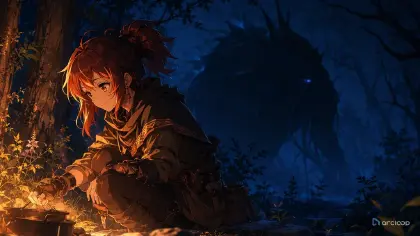
The cover needs one readable story question. A face looking at a cracked star map is stronger than a full cast, three glowing props, and five background clues. Choose the question the viewer should ask: "What did she find?", "Why is he running?", "Who is missing?", or "Will they open the door?"
The title should sharpen the question, not explain the answer. "The Clocktower Rang at Noon" invites a mystery. "She Learns the Clocktower Is a Prison" may flatten the reveal. Write the title as a promise of conflict, transformation, or consequence.
Design for small screens first. Keep the face large enough, the gesture simple, the silhouette clean, and the title area calm. Tiny props and crowded group shots usually fail when reduced.
Make the cover honest to the video. Do not invent an explosion, kiss, monster, or betrayal if the clip does not deliver it. A misleading cover may get a click once, but it teaches the audience not to trust the series.
Separate cover frame rules from motion rules. A great video shot can be a poor cover because the key action is between poses or the subject is too small. Generate or select a frame for scanability, then use the video prompt for movement.
Keep title variants tied to the same promise. Test curiosity, conflict, transformation, and emotional stakes, but do not change the genre every time. A cozy mystery should not suddenly sound like a battle trailer.
Step-by-Step Cover Brief and Title Workflow
Start by writing the viewer promise in one line. Example: "A shrine cartographer discovers one island has vanished from every map." This line is your guardrail. The cover and title both need to point toward that promise.
Choose the cover subject. Usually that means one character face plus one story object or one visible action. Pick the expression that fits the promise: alarm, resolve, doubt, mischief, or recognition. Avoid generic beauty shots unless beauty itself is the hook.
Define the composition. Use foreground subject, midground clue, background atmosphere, and a reserved title zone. The title zone can be upper left sky, lower right wall, a dark banner area, or a clean patch of floor. Do not ask the generated image to render final readable title text; plan the space for your actual layout.
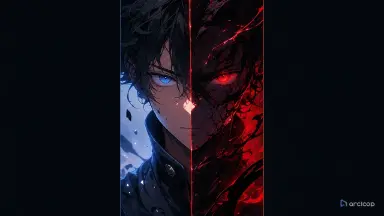
Set thumbnail contrast. Name the dominant value split: bright face against dark doorway, red warning mark on cool blue map, golden lantern in a black archive, pale hand reaching into green fog. This is more useful than saying "highly clickable."
Write a title test set. Make six to ten options around different angles: question, deadline, forbidden object, character choice, consequence, and emotional contradiction. Reject any title that spoils the final turn or promises a scene that does not exist.
Generate a small cover slate. Use the same character sheet and story anchors across versions. Compare at mobile size before choosing. Then pair the best frame with two or three title finalists and check whether the first three seconds pay off the expectation.
Test Cover Candidates Against the Same Character Assets and Opening Shot
Keeping the cover decision inside the same project as the rest of production is what prevents the common mismatch — the thumbnail belonging to one version of the story, the final video to another. Put the candidate cover frames, the title options, the selected cover, and the opening shot in that one project, referencing the same character assets throughout.
Use Storyboard Hook to Reveal when the cover depends on a hidden turn. The cover should imply the turn without explaining it. Use the storyboard to mark what can be shown before the reveal and what must stay off the cover.
When the video belongs to a series, keep the character identity in Character Sheet Templates. A cover often magnifies the face, so identity drift is more obvious than it is in a moving shot. Use the cover brief to lock eye shape, hair silhouette, costume collar, and signature prop.
Review the pair, not the pieces. Ask whether the cover is legible, whether the title matches it, and whether the opening seconds deliver the same promise. A clever title is still wrong if the cover points to another genre.
Example Prompt 1: Cover Brief for the Clockwork Harbor Mystery
Cover and title planning notes for an original 2D anime mystery short.

Story promise: Liora Penn, a young harbor clock keeper with moss-green eyes, short auburn hair, a navy work cape, and a brass tide key, discovers that one lighthouse shadow moves against the sun.
Cover goal: sell mystery and urgency without revealing who controls the lighthouse.
Cover composition: Liora's face large on the left, tide key raised near her cheek, impossible lighthouse shadow cutting diagonally across the right side, clean dark-blue sky area in the upper right for real title layout.
Contrast rule: warm brass key and face light against cool harbor blues.
Title test angles: forbidden shadow, clock deadline, missing tide, Liora's choice, town secret, consequence before dawn.
Reject if: the image looks like a peaceful harbor postcard, the title reveals the culprit, the face is too small, or the title area is cluttered.
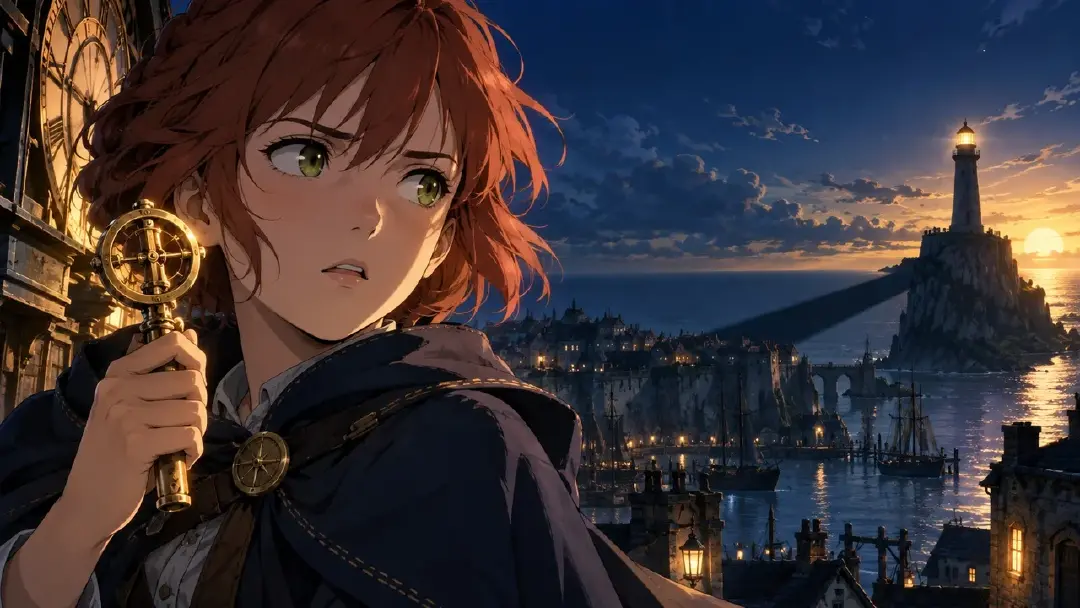
This prompt builds one brief for both cover and title. It keeps the click promise narrow before any final frame is selected.
Example Prompt 2: Cover Frame Generation with Title Space
Generate a vertical 2D anime cover frame for the approved Clockwork Harbor mystery brief.

Character: Liora Penn, original young clock keeper, short auburn hair tucked behind one ear, moss-green eyes, navy work cape with a small brass clasp, holding a brass tide key.
Scene: moonlit harbor clock room with a round window behind her. Through the window, a lighthouse shadow points the wrong direction across the water.
Camera and layout: tight medium close-up, Liora on the left third, eyes looking toward the impossible shadow, key near her cheek, strong diagonal shadow on the right, empty dark-blue window area in the upper right for title placement.
Emotion: alarm held under control, not panic.
Style: clean 2D anime cover art, crisp silhouette, painted night harbor, readable face, high value contrast.
Constraints: no rendered text, no logo, no extra characters, no copied symbols, no face drift, no unreadable tiny details, no photorealism.
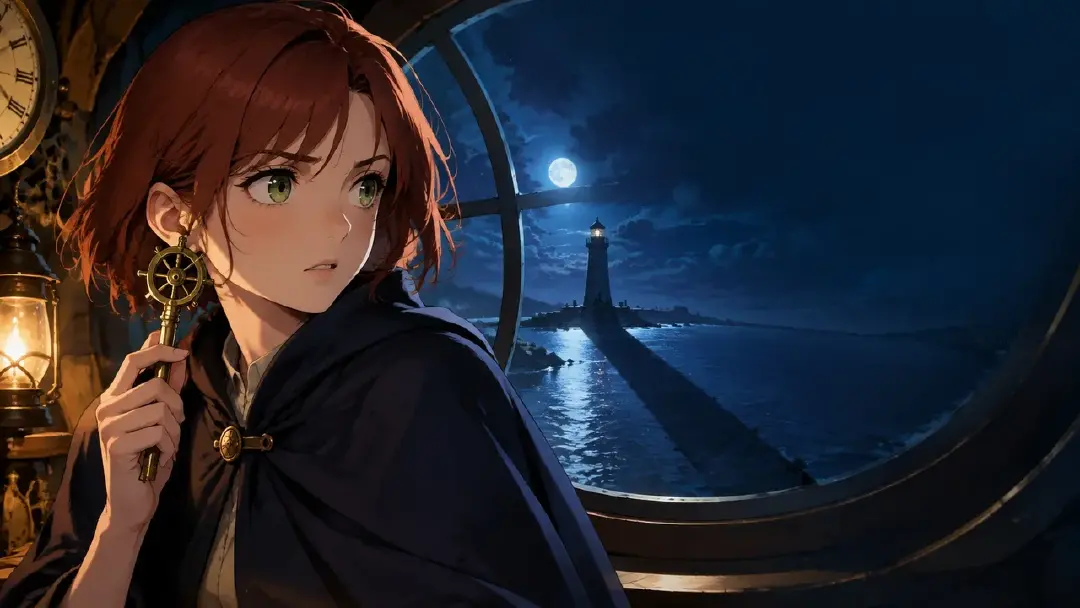
The prompt reserves title space instead of asking the generator to make finished typography. That keeps the cover usable in real layout.
Example Prompt 3: Title Test Set for the Same Cover
Create a title test set for the approved Liora Penn cover frame and opening shot.

Story facts to preserve: the lighthouse shadow moves against the sun, Liora finds the tide key, the first three seconds show the clock room bell stopping, and the culprit is not revealed until the ending.
Audience promise: eerie harbor mystery with a fast visual hook and one impossible clue.
Write 12 short title options under 52 characters each.
Include four types: question titles, deadline titles, forbidden-object titles, and emotional-choice titles.
Avoid: revealing the culprit, saying the town is doomed, naming events not shown in the video, fake episode numbers, copied franchise phrasing, and all-caps shouting.
Also provide a one-line check for each finalist: what the cover shows, what the title promises, and how the first three seconds pays it off.
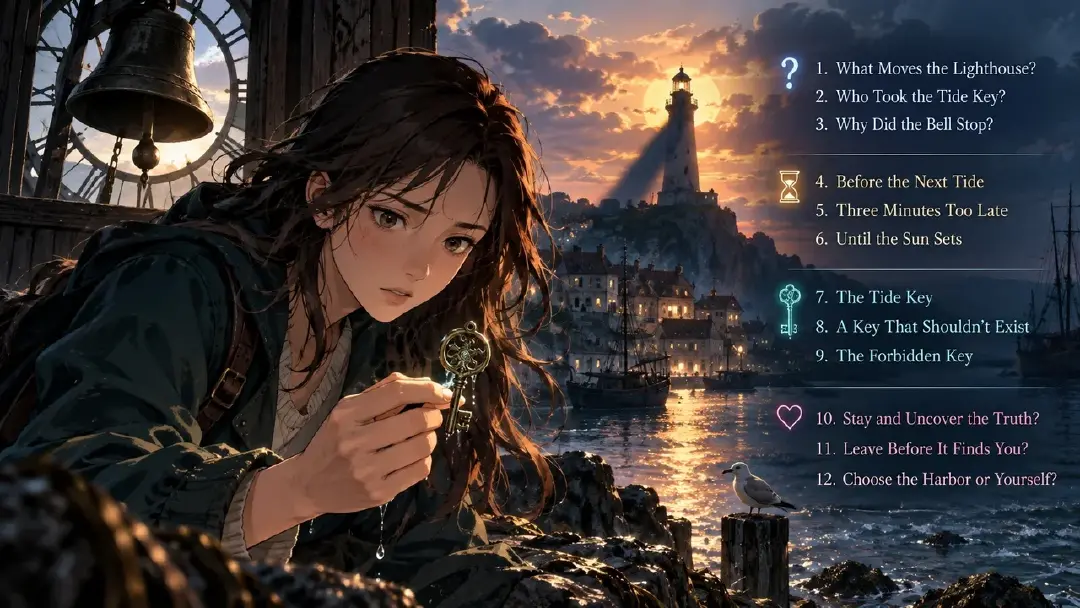
That's why title writing happens next to the actual cover frames and the opening shot instead of on a separate document — each title candidate gets checked against the real cover image and Shot 1, not written from memory.
Common Mistakes in Cover Design and Title Writing
The biggest mistake is choosing the prettiest frame instead of the clearest promise. A soft landscape may be beautiful, but if the video is about a secret decision, the cover needs the character and the decision object.
Another mistake is spoiling the best turn in the title. Curiosity disappears when the line answers the question before the viewer starts. Promise the problem, not the final explanation.
Creators also forget title space until layout. Anime frames often have bright skies, detailed hair, or glowing effects exactly where text needs to go. Reserve a calm zone while generating the cover.
A fourth mistake is lying with genre signals. A red battle pose, romantic close-up, or horror shadow sets a strong expectation. Use only signals the video can actually satisfy.
Finally, do not make the cover fight the first three seconds. If the cover promises an impossible clue, the opening needs to show that clue quickly enough for the viewer to feel the click was earned.
FAQ
Should I generate a separate cover or use a frame from the video?
Use the video frame when it is legible, honest, and has space for layout. Generate a dedicated cover frame when the best story moment happens between readable poses or when the title area is too cluttered.
How long should an anime video title be?
Short enough to read in a feed. As a working rule, keep most titles under 52 characters, then test whether the important words survive next to the cover image.
Can the cover include title text?
Plan space for title text, but keep final typography as an editing and layout step. Generated text often becomes unreadable or inconsistent, and it is harder to localize later.
How do I avoid clickbait?
Write the exact promise the video delivers. You can create curiosity, pressure, or emotional contrast, but do not advertise a monster, romance, betrayal, or ending that is not in the clip.
How do I keep the cover and title consistent with the video?
Keep the candidate covers, title options, opening shot, and character asset in the same project. With everything in one place, it's a quick check whether the viewer promise stays consistent from thumbnail to first scene.