When Everyone Ends Up Wearing Someone Else's Scarf
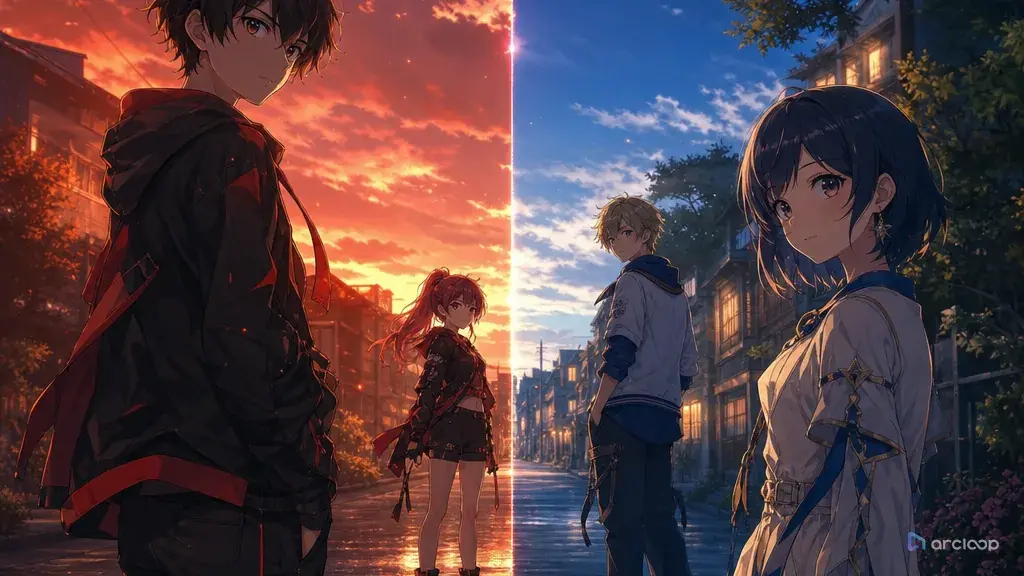
The first solo shots look fine. Tamsin has coral hair and a green capelet. Oren has blue-black hair and an orange scarf. Vail has pale blond curls and a black conductor coat. Then you put all three in one anime frame and the draft collapses: Tamsin borrows Oren's scarf, Oren gets Vail's coat, Vail stands in the foreground even though the scene is about Tamsin's decision, and everyone's hands point at the same prop. The shot is not broken because it lacks detail. It is broken because the prompt never assigned roles, spacing, depth, eye lines, and distinction rules.
Multi-character prompting has two jobs at once. It must keep each character visually separate, and it must compose the group so the audience understands the scene quickly. A same-frame prompt that only lists three character descriptions often becomes a costume blender. A group composition prompt that only says "ensemble shot" can put everyone in the center. The fix is to write down each character's screen lane, palette, silhouette, prop, and gesture, then carry those anchors into the shot card with left/right placement, foreground/midground/background lanes, interaction rules, and review criteria.
Use this guide when you create team reveals, argument scenes, idol groups, party lineups, family meals, rival confrontations, classroom clubs, or crowd-supported hero shots. Start with Character Profile Fields for identity, and use Three-Shot Continuity Board when the group appears across cuts. Keep the approved layout inside ArcLoop Worlds.
The key is to stop asking the model to remember "the group" as a blur. Give every character a lane, a role, and a visible reason to be in the frame.
Anchors That Keep Each Character Distinct
Assign story roles before screen positions. Lead, opponent, witness, helper, background crowd, and silent observer are not interchangeable. If the story role is clear, the composition can support it.
Build distinction from several small anchors. Use silhouette, hair shape, outfit color, signature prop, gesture habit, height, posture, and facial expression. Do not rely on only hair color. In motion, one anchor may drift; three anchors are more resilient.
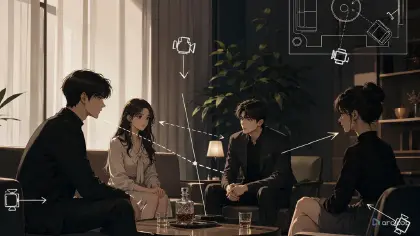
Use screen placement as a rule. "Tamsin on screen left, Oren centered in the midground, Vail on screen right near the rail" is clearer than "three characters standing together." Same-frame prompts need left/right labels, spacing, and depth lanes.
Control eye lines and interaction. Characters should not all stare at the viewer unless the shot is a lineup. In a scene, one character may look at the clue, one at the lead, and one away in suspicion. Eye lines make relationships visible.
Limit the crowd's importance. Background people can add scale, but they should not compete with named characters. Describe them as simplified silhouettes, soft shapes, or distant figures unless the scene needs a specific extra.
Review identity before polish. If a take swaps costumes or faces, better lighting will not save it. Reject identity swaps first, then repair composition, action, and final detail.
How to Build a Group Shot Prompt, Step by Step
Create character sheets first. Each named character needs face shape, hairstyle, outfit silhouette, palette, prop, and gesture habit. Use Reference Type Per Shot when deciding which reference controls identity, pose, or layout.
List each character's role, screen lane, depth lane, palette, silhouette, prop, gesture, and reject rule. Keep it short enough to paste into a shot card.
Choose the composition type. A triangle layout helps three leads. A foreground lead with a midground pair helps decision scenes. A left-right confrontation helps arguments. A background crowd behind two leads adds scale without stealing focus.
Write the shot goal in one sentence, then describe each character's action separately. Do not write "they react." Write who kneels, who folds arms, who hides the prop, and who looks away. Separate actions reduce body-language swaps.
Set spacing and camera: medium wide shot, stable camera, clear negative space between bodies, no overlapping faces, and hands visible only when they matter. Add matching constraints: no face swapping, no outfit swapping, no merged bodies, no duplicate character, no crowd in front of leads, no random costume colors.
Give Each Character Its Own @ Reference
Build each character in this scene as its own asset in My Assets, then bring them into the frame with individual @ references — @Tamsin, @Oren, @Vail — instead of one paragraph that blurs three people into a crowd. A solo character may survive a vague prompt; three characters in one frame need each identity anchored on its own.
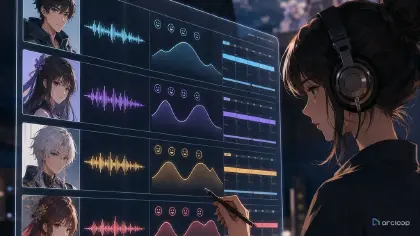
A practical loop is: create individual character sheets, assemble a group distinction board, make a rough composition slate, select the clearest layout, then generate the story shot. If the draft fails, mark the exact layer: identity swap, spacing problem, bad eye line, merged body, crowd clutter, or wrong focal lead.
Review in this order: character distinction, composition hierarchy, interaction, continuity, then polish. For recurring casts, store group rules in ArcLoop Worlds so later shots inherit intention instead of copying an old sentence blindly.
Example 1: Character Assets for a Clock-Market Trio
Create three character assets for an original 2D anime mystery series called Clock-Market After Hours.

Project setting: a subterranean clock market where repair stalls hang from elevator chains, brass pendulums mark street corners, and blue maintenance lamps glow under the floor grates. No readable shop text, no logos, no copied symbols.

Character A, Tamsin: lead investigator, short coral hair, green capelet, cream tunic, brass compass on a cord, quick forward-leaning posture, gesture habit of pointing with two fingers. Screen lane for investigation shots: left foreground.

Character B, Oren: skeptical map keeper, blue-black shoulder-length hair, orange scarf, slate coat, rolled paper maps, upright posture, arms often folded. Screen lane: center midground.

Character C, Vail: quiet conductor apprentice, pale blond curls, black conductor coat, white gloves, silver pocket watch, watchful side glance. Screen lane: right midground or right background.

Output: one clean board showing each character front view, palette swatches, prop close-up, gesture pose, screen lane note, and reject rules. Reject if hair colors swap, scarf appears on the wrong character, pocket watch replaces compass, or all three use the same posture.
This first prompt does not generate the story shot. It creates the control asset that prevents the later same-frame prompt from blending everyone.
Example 2: Same-Frame Investigation Shot
Use the approved Clock-Market After Hours character assets to create an 8-second 2D anime same-frame scene with three named characters.

Scene goal: Tamsin finds a hidden route mark under a loose floor grate while Oren doubts the clue and Vail silently recognizes the pocket watch symbol. Setting: subterranean clock market at closing time, chain-hung repair stalls, brass pendulums, blue maintenance lamps under grates, distant simplified crowd silhouettes behind the stalls.

Composition: medium wide shot, stable camera, triangle layout. Tamsin is screen-left foreground, crouching near the floor grate, coral hair and green capelet visible, brass compass hanging forward, two fingers pointing at the mark. Oren is center midground, standing behind her with blue-black hair, orange scarf, slate coat, and folded arms, looking down at the clue. Vail is screen-right midground near a rail, pale blond curls, black conductor coat, white gloves, silver pocket watch half-hidden, looking at the watch instead of the clue.

Lighting: blue underfloor light separates feet and props; warm stall light rims hair and shoulders. Keep clear spacing between bodies, no overlapping faces, no crowd in front of the trio. No face swapping, no outfit swapping, no merged limbs, no extra named characters, no readable text, no logos, no photorealism.
This prompt combines same-frame placement, ensemble composition, and character distinction. Each character has a role, lane, action, and eye line.
Example 3: Controlled Group Revision Pass
Regenerate this Clock-Market After Hours shot using @Tamsin, @Oren, and @Vail. Keep the approved setting, camera angle, triangle layout, and story action. Current issue: Oren is shown wearing Tamsin's green capelet, Vail stands too close to center, and the background crowd competes with the named characters.

Create a polished 8-second 2D anime clip from the same take. Repair only character distinction and group spacing. Tamsin remains screen-left foreground with short coral hair, green capelet, cream tunic, brass compass, and two-finger pointing gesture. Oren remains center midground with blue-black hair, orange scarf, slate coat, rolled maps, and folded arms. Vail moves slightly farther screen-right near the rail with pale blond curls, black conductor coat, white gloves, and silver pocket watch. Keep Vail's gaze on the watch, not the viewer.

Reduce the crowd to soft background silhouettes behind the repair stalls. Preserve the blue underfloor light, warm stall rim light, floor grate clue, duration, and stable camera. Reject any version with swapped clothing, merged bodies, duplicated faces, crowd figures in front of the trio, unreadable hands near the clue, text, or logos.
This revision is narrow. It protects the selected take while fixing the two real failures: identity swap and crowd hierarchy.
The Ways a Multi-Character Draft Falls Apart
The first mistake is listing characters without assigning positions. Three detailed descriptions can still merge if the prompt never says who stands left, right, foreground, or background.
The second mistake is relying on one distinction anchor. Hair color alone is fragile. Pair it with outfit silhouette, prop, posture, and role.
The third mistake is giving every character equal focus. Equal focus usually means no focus. Decide who leads the shot and who supports it.
The fourth mistake is letting background crowds become named characters. If extras are not important, keep them simplified, distant, and behind the leads.
The fifth mistake is using the same body language for everyone. A group becomes readable when one character reaches, another withholds, another watches, another turns away. Difference creates story.
Finally, do not repair group shots by adding more adjectives. Repair the matrix: identity, lane, depth, spacing, eye line, interaction, and reject rule.
FAQ
How do I keep multiple characters from swapping outfits?
Use separate character sheets and repeat each character's screen lane, outfit silhouette, palette, prop, and gesture habit in the shot card, then reject any take that swaps those anchors.
How many characters can I put in one AI anime prompt?
Two or three named characters are usually the practical limit for a controlled short shot. More can work if the extra people are simplified background silhouettes or if you split the scene into multiple shots.
What is the difference between same-frame control and ensemble composition?
Same-frame control keeps each character distinct inside one frame. Ensemble composition arranges the group so the viewer knows who leads, who supports, and where to look. A strong prompt needs both.
Should I use left/right labels?
Yes, when placement matters. Use screen-left, screen-right, foreground, midground, background, center, near rail, behind table, or beside doorway. Spatial labels reduce face and outfit swaps.
How do I keep multiple characters visually distinct?
Build each character as its own asset in My Assets and reference them individually with @ in every shot — that's what keeps one face from drifting into someone else's. Before polishing the selected take, check identity swaps, spacing, eye lines, and crowd hierarchy shot by shot.