
When Detail Fights the Shot
You want a cozy anime cooking short. The hero flips a pancake in a tiny rooftop kitchen while delivery drones pass in the distance. The first generated frame is packed with jars, steam curls, window decals, tiled walls, hanging utensils, patterned sleeves, and a city skyline. It looks impressive for half a second. Then the pancake disappears, the hands smear, and the audience cannot tell what the clip is about.
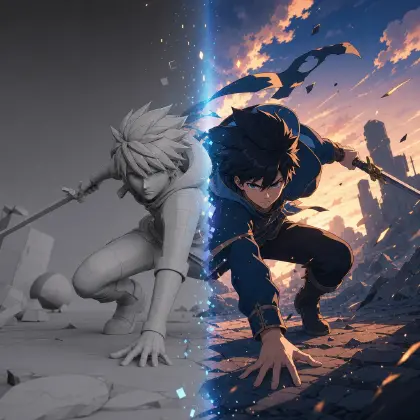
The opposite failure is just as common. You strip the prompt down to "minimal anime kitchen, girl flips pancake," and the shot becomes empty. Minimal vs detailed AI anime style is not a taste argument. It is a density decision: where should detail guide attention, and where should simplicity protect motion?
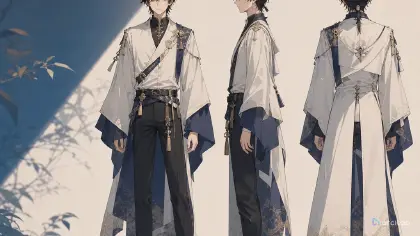
ArcLoop helps because density can be planned before generation. Use Character Sheet Templates to lock the face and outfit in a character asset, Style Templates to choose the finish, and the shot description to decide which shots deserve texture, props, crowd detail, or quiet negative space.
This guide gives you a practical way to choose minimal or detailed anime style by story function, platform, shot length, and retry budget. The useful answer is a visual density rule that survives close-ups, action shots, and cover frames.
Rules for Choosing Visual Density
Decide the viewer's job first. If the viewer needs to read a hand action, expression change, or dance step, the frame needs fewer competing details. If the viewer needs to understand a world, profession, shop, ritual, or fantasy system, detail can carry story information.
Treat detail as placement, not quantity. A detailed frame can stay readable if detail sits around the action path. A minimal frame can still feel rich if the few objects are specific: a chipped pan, a red timer, a rooftop basil planter.
Use silhouette as the density limit. Complex hair, long ribbons, layered jackets, patterned skirts, and prop clusters can all work, but not all in the same fast action shot. When a character moves, the outline should remain readable.
Scale density by shot type. Close-ups need controlled facial detail. Medium action shots need readable limbs and clean props. Wide shots can hold more architecture, crowd blocks, and environmental texture.
Control background detail separately from character detail. A simple character can stand against a detailed market, or a detailed outfit can sit against a flat graphic background.
Budget matters. Detailed prompts often require more retries because more objects can drift. Minimal prompts stabilize faster but can feel generic if the anchors are weak.
How to Plan Density Before You Generate
Write the density failure first: "the pancake flip gets lost in kitchen clutter," "the fantasy village feels empty," or "the outfit detail changes every time the character turns."
Define the main read. Choose one thing the viewer must understand in the first second: a flip, a glance, a chase direction, a product reveal, a spell gesture, or a location change. Put that main read at the top of the ArcLoop shot card.
Divide the frame into high-density, medium-density, and quiet zones. Shelves, skyline, and fabric trim can be busy; face, hand path, caption area, or sky behind a silhouette should stay quieter.
Choose character density. For recurring characters, keep two or three identity anchors and one optional detail. Do not give every shot a new accessory list. If the character has a patterned jacket, keep the background simpler during action.
Choose environment density. Worldbuilding shots can hold more props, but each prop should say something. "Three color-coded jars with blank labels" is safer than invented text.
Generate paired slates. In ArcLoop, test one minimal version and one detailed version with the same character and camera. Compare which one makes the action clearer. Keep the winner as the rule for that shot type, not as a universal law.
Log the rule as one sentence: "Rooftop cooking shots use a clean character silhouette, detailed food props near the hands, and simplified skyline shapes."
Where Density Rules Live: Character Asset, World, Shot
ArcLoop keeps density decisions connected to the production pipeline. The character asset fixes identity, a scene or visual reference asset in My Assets stores environmental detail, and the shot description applies the density rule to one camera angle and action.
Use Minimal Flat Illustration Style Pack when the project needs clear icons, simple motion, or fast social readability. Use richer recipes for ornate rooms or mood-driven stills.
Review at thumbnail size before full polish. If the pancake, hand, expression, or prop reveal is not readable small, added detail will not save it.
For longer shorts, build a density rhythm: detailed establishing shot, simple action shot, detailed prop close-up.
Example 1: Rooftop Kitchen Density Board
Write a visual density rule to guide ArcLoop shot descriptions for an original 2D anime cooking short called "Tala's Rooftop Breakfast."

Project context: Tala is a young night-shift mechanic who cooks breakfast on the roof before the city wakes. She has short indigo hair, hazel eyes, a yellow bandana, a grease-smudged mint jacket, and a square portable stove.
Main readability goal: viewers must see the pancake flip, Tala's sleepy grin, and the small rooftop kitchen layout.
Character density rule: keep Tala's face, bandana, jacket silhouette, and hands clean; no complex sleeve patterns during cooking actions.
Environment density rule: detailed props only within arm's reach, including stove, pan, batter bowl, timer, and basil planter; distant city becomes simplified blocks.
Quiet zones: sky behind the pancake arc, face area, hand path, and lower-right caption-safe space.
Review criteria: the action must read in a mobile thumbnail; reject if clutter competes with the pancake.
Negative constraints: no fake text labels, no extra fingers, no warped pan, no random outfit redesign, no glossy 3D render, no watermark.
This board does not pick minimal or detailed as a slogan. It assigns density to the places where it helps.
Example 2: Detailed Wide Shot, Simple Action Path
Generate a 7-second 2D anime wide shot using the Tala rooftop kitchen density rule.

Scene: just before sunrise, Tala stands at a compact rooftop cooking station. She pours batter into a square pan, waits one beat, then flips a small pancake in a clean arc.
Camera: wide three-quarter view from slightly above counter height, locked camera, Tala centered, pancake arc visible against a simple pale sky.
Density plan: detailed foreground station with stove, pan, batter bowl, red timer, basil planter, and two blank spice jars; simplified city skyline; no busy pattern behind the pancake.
Character anchors: short indigo hair, yellow bandana, hazel eyes, mint work jacket, rolled sleeves, sleepy grin.
Motion: pancake flips once, steam rises lightly, bandana knot moves in the breeze, two small drone lights cross the distant skyline.
Style: clean cel-shaded anime, warm sunrise rim light, readable silhouettes, gentle rooftop mood.
Constraints: keep hands and pan clear, no extra props entering the hand path, no fake text, no cropped pancake, no extra fingers, no sudden camera move, no photorealism.
This is a detailed shot, but the detail is arranged around the action path. The sky is intentionally simple because the pancake needs a clean background.
Example 3: Minimal Close-Up With Specific Props
Create a 6-second 2D anime close-up using the same Tala rooftop kitchen density rule, but choose a minimal composition.

Scene: Tala tastes the first pancake and realizes she used engine oil instead of syrup. She freezes for one beat, then lowers the fork with a tiny embarrassed smile.
Camera: locked close-up from the front, framing face, shoulders, fork, plate, and the corner of the square stove. Background is a flat pale morning sky with only one soft water-tank silhouette.
Minimal density plan: clean face and hands; three props only, fork, pancake plate, small oil can with a blank color stripe.
Character anchors: indigo hair, yellow bandana, hazel eyes, mint jacket collar, small grease mark on cheek.
Motion: one blink, fork lowers, bandana tip shifts, steam from pancake curls once.
Style: simple cel shading, soft warm light, expressive comedic timing, readable mouth shape.
Negative constraints: no fake text on the can, no extra utensils, no cluttered counter, no warped fork, no duplicate hands, no photorealistic food texture, no watermark.
The close-up is minimal, but it is not empty. The few props are specific enough to make the joke land.
Ways Density Prompts Go Wrong
The most common mistake is equating detail with quality. A busy frame can look expensive while failing the action. If the viewer cannot tell what moved, the shot is not working.
Another mistake is making minimal prompts too generic. Minimal still needs identity anchors, scene logic, and one memorable prop or shape.
Creators also forget that density changes by shot. A wide city reveal and a hand-action close-up should not use the same amount of background information. Build density rules per shot type.
A fourth mistake is using negative prompts without naming the positive composition. "No clutter" helps less than "flat sky behind the pancake arc."
Finally, do not raise density during every revision. If a shot is weak because the motion is unclear, adding decorative objects usually makes the problem worse. Fix the action path first.
FAQ
Is minimal anime style better for AI video?
Minimal style is often easier to stabilize for motion, but it is not automatically better. Use it when the shot needs clear action, readable hands, fast pacing, or strong mobile thumbnails. Add detail where it supports story.
When should I choose a detailed AI anime style?
Choose detail for establishing shots, collectible worlds, ornate rooms, fashion reveals, fantasy markets, and poster frames. Keep the main character and action path protected even in detailed scenes.
How do I stop detailed prompts from becoming cluttered?
Assign detail zones and quiet zones. Put props and texture where they tell the story, then keep the face, hands, silhouette, and caption-safe areas clean. ArcLoop can store those zones on the shot card.
Can one project mix minimal and detailed styles?
Yes. A strong short often uses detailed wide shots for worldbuilding and minimal close-ups or action shots for clarity. The key is to keep the same character anchors, palette, and finish across both.