When an ad concept is untested, making three unrelated videos makes it hard to tell what changed. A cleaner experiment keeps the words, product, and action the same, then changes the visual treatment. This guide builds three short versions of one fictional tote bag ad in Arcloop.
These are creative variations, not proof that one style will sell better. To measure performance, export the versions and run a properly controlled audience test outside the video generation workflow.
1. Lock the message and script
Pick one product and one use case. Here, a packable tote helps someone carry groceries after work. Keep the spoken copy and call to action identical across all three versions.
Your hands are full on the way home.
Unfold the FoldDay tote and load what you picked up.
When you are done, fold it back into its pocket.
FoldDay. Ready when you need it.
The product name is fictional. Replace it with your own name, but do not add claims that are not true for your product.
2. Make one product reference and one shot plan
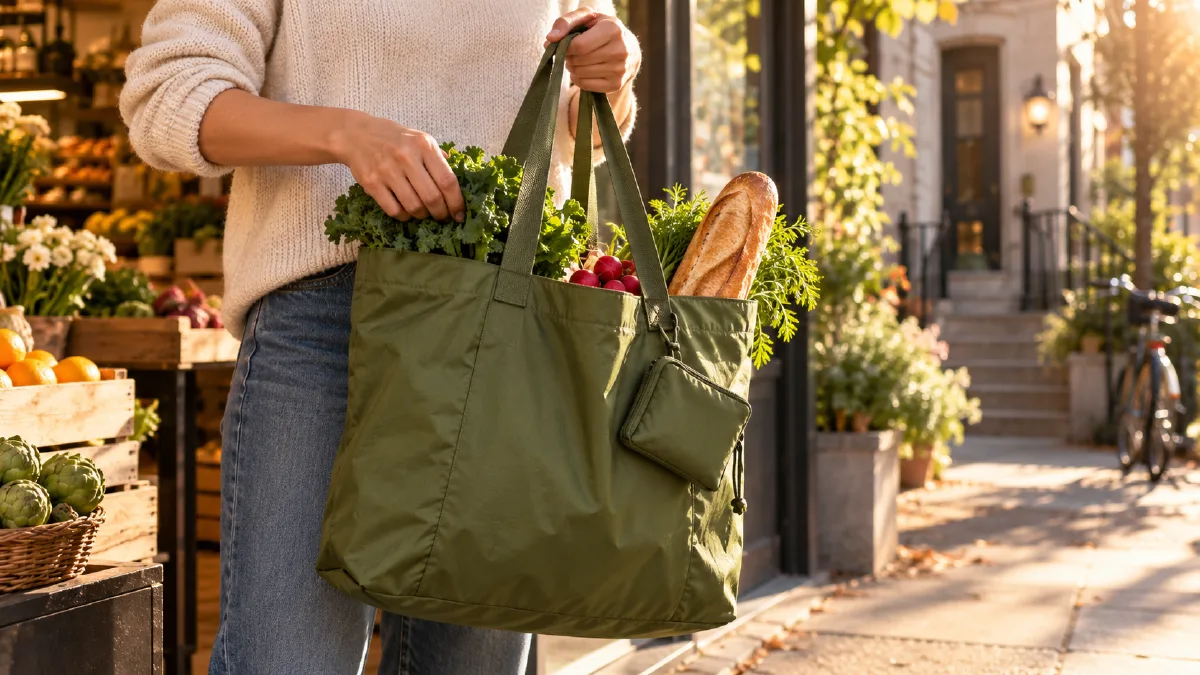
Create or upload one clean reference image of the tote. Keep its color, handles, pocket, and proportions fixed. Use the same 12 second visual sequence in every version: 0 to 3 seconds, unfold the tote; 3 to 8 seconds, place groceries inside; 8 to 12 seconds, fold it back into its pocket.
Attach this same image to every version. It fixes the tote design while the real world lighting, camera treatment, and setting change. Use the same shot order and target length in every version so visual style is the main variable, not the story, product, or script.
3. Generate three style treatments
In Arcloop, set up the episode and storyboard with the same product reference and actions. Generate each version from the same shot plan, changing only the real-world filming treatment. All three versions use photorealistic scenes. Use one prompt per version. If your project-wide visual setting limits a treatment, create that version separately with the same reference and shot plan.
Version A: Everyday lifestyle
Create a photorealistic 12 second ad showing the same packable tote in three timed beats. 0 to 3 seconds: unfold the tote. 3 to 8 seconds: place groceries inside. 8 to 12 seconds: fold it into its pocket. Natural late afternoon light in a real apartment entryway, practical handheld camera, lived-in details, calm and useful mood. Keep the tote's color, handles, pocket, and proportions identical to the attached reference. No illustration, animation, or text.
Version B: Polished studio commercial
Create a photorealistic 12 second ad showing the same packable tote in three timed beats. 0 to 3 seconds: unfold the tote. 3 to 8 seconds: place groceries inside. 8 to 12 seconds: fold it into its pocket. Shoot on a clean warm-white studio set with soft directional product lighting, a smooth controlled camera move, realistic fabric detail, and a polished commercial mood. Keep the tote's color, handles, pocket, and proportions identical to the attached reference. No illustration, animation, or text.
Version C: Street documentary
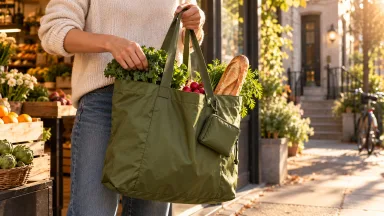
Create a photorealistic 12 second ad showing the same packable tote in three timed beats. 0 to 3 seconds: unfold the tote. 3 to 8 seconds: place groceries inside. 8 to 12 seconds: fold it into its pocket. Film outside a neighborhood market in late afternoon, with warm natural light, restrained handheld camera movement, real pavement and shopfront details, and an observational street-photography mood. Keep the tote's color, handles, pocket, and proportions identical to the attached reference. No illustration, animation, or text.
Keep the product reference attached in every version. Style instructions should change how the world looks, not redesign the tote. If one treatment changes the product shape, simplify its visual direction or regenerate that shot before editing.
4. Assemble with the same audio and timing
Generate the shots for each treatment, then place them in the same order in the Edit timeline. Use the same narration, music, captions, and approximate duration for all three. Trim each version to the same target length so the comparison stays focused on visual style.
| Check | Ask this |
|---|---|
| Product clarity | Can viewers recognize the tote in every style? |
| Action | Are unfolding, loading, and folding easy to follow? |
| Message | Does the identical script fit the visuals? |
| Consistency | Does each version keep the product design and shot order? |
Arcloop’s storyboard and Edit workflow lets you generate and review shots before arranging the finished sequence. It does not automatically decide which version performs best.
5. Choose what to test next
Select the version that communicates the product clearly and feels right for the audience. If two versions are usable, test them with the same audience, placement, budget, and campaign period. Compare actual results rather than treating personal preference as performance data.
If none of the versions work, do not change all three at once. Keep the script and product fixed, then revise one style direction or one shot. That gives the next round a clear purpose.
Frequently Asked Questions
Does Arcloop automatically create three ad variations from one click?
This workflow uses the same brief and shot plan to make three separate visual treatments. Review and generate each version; do not assume the platform will automatically duplicate every asset or setting.
How do I know which style will perform best?
The video preview can tell you whether the product and message are clear. It cannot establish ad performance. Use an external controlled test to compare audience response.
Can I change the script instead of the visual style?
Yes, but that tests a different variable. If you change both script and visual style at once, you will not know which change affected the result.
Read Arcloop’s guide to building and editing an AI video for the storyboard and timeline workflow.
CTA: Create Your Ad Variations in Arcloop