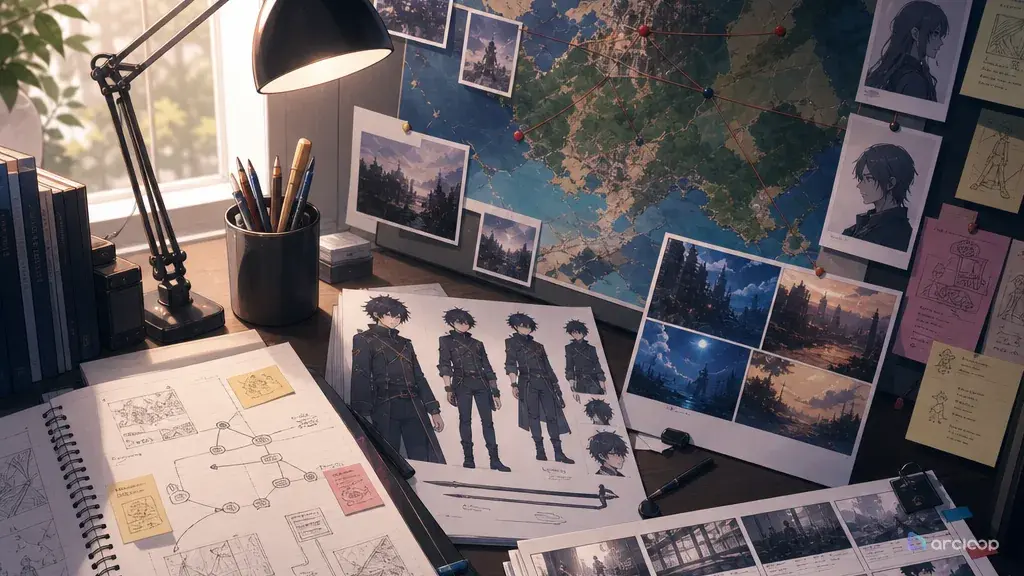
A Side Story Expands the World — It Doesn't Steal the Wheel
The common failure starts with good intentions. You want a short extra about the lantern maker who appears for two seconds in episode one. By the end of the prompt, the lantern maker has a secret royal bloodline, a new magic system, a bigger villain, and a cliffhanger that makes the main character look irrelevant. The side story did not enrich the series. It stole the steering wheel.
A useful side story is smaller, sharper, and more respectful of the main arc. It can explore a minor character, a quiet corner of the world, a routine task, a missed message, a festival stall, a repair job, a school club, or a one-day problem. It should reveal something the main plot did not have time to show while keeping canon rules intact.
This guide shows how to write ArcLoop shot prompts for anime side stories and spinoffs that feel connected without becoming noisy. Use character profile fields to plan the branch, three-shot continuity template to test the beat, and keep the side story as its own Episode inside the same IP Project in ArcLoop Worlds so it shares the canon's My Assets instead of drifting off on its own.
Rules for Side Stories That Stay on Canon
Pick a small promise. A side story works best when it answers one narrow question: who repairs the hero's broken mask, what happens in the bakery after curfew, why the station cat avoids platform three, or how the rival spends the night before the duel.
Use a minor conflict with real feeling. Low stakes do not mean no stakes. A lost recipe, late delivery, cracked instrument, borrowed uniform, mistaken ticket, or quiet apology can carry emotion without threatening the entire world.
Protect the main canon. The side story should not rewrite the main character's motivation, reveal the final villain too early, change the magic cost, or introduce a stronger replacement for the central cast. It can deepen context, not overwrite it.
Anchor the spinoff to one shared rule. Reuse one location, prop, uniform detail, song, schedule, weather pattern, or world cost from the main series. This keeps the extra connected even when the cast changes.
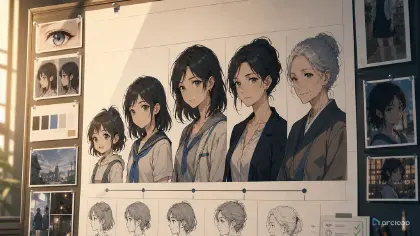
Give the side character a visual job. A side-story lead needs identity anchors just like a main character: silhouette, color, tool, habit, and emotional posture. Avoid "background character but now important" vagueness.
End with a return path. The side story can finish with a small object placed, a message sent, a street cleaned, a rumor corrected, or a choice made offscreen. The ending should make the main world feel richer when the viewer returns.
How to Build a Side Story Prompt: From Scope to Shot
Start with the canon boundary. Write what the side story is allowed to touch and what it must not change. Example: "This extra may show how bridge bells are repaired, but it cannot change how bridge tolls work."
Choose the side-story lead. Name the character, role, visual anchors, and connection to the main world. The lead should have a reason to carry the scene without suddenly becoming the hidden center of everything.
Choose an alternate location. Good side stories often move away from the obvious main-stage setting: back kitchen, supply room, roof garden, repair alley, costume closet, ferry dock, school archive, or empty theater.
Write a low-stakes conflict. Keep it concrete and filmable. The prompt should show one problem, one attempt, one choice, and one consequence.
Add continuity links. Bring over one approved prop, palette, world rule, uniform mark, or background landmark from the main project. Put it in the shot card so reviewers can check whether the side story still belongs.
Generate a short storyboard before a polished clip. A three-shot plan is usually enough: setup, complication, return. Use three-shot continuity template when you need to see whether the extra fits before spending final-quality time.
Reuse Canon Assets Instead of Rebuilding Them
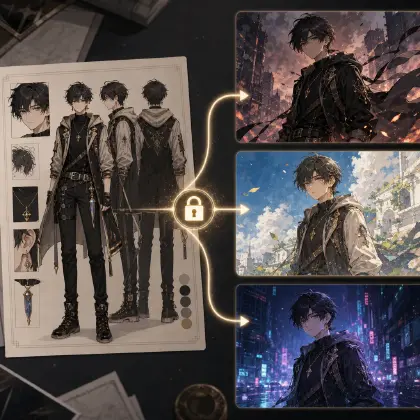
A side story stays connected when it reuses the canon's character assets and scene assets from My Assets instead of rebuilding its own. Keep the main story's Story Outline visible in the same project while you draft the side story's own outline entry, so the boundary — what this branch is allowed to touch — stays visible before you generate anything.
Use three entries: canon boundary, side lead, and episode beat. The canon boundary prevents accidental retcons. The side lead keeps identity stable. The episode beat keeps the story small enough to finish.
Review side stories with four questions: does it preserve the main rule, does the side lead have a clear role, does the conflict resolve cleanly, and does the final frame send the viewer back to the main world with more texture? If the answer is yes, polish. If not, cut the extra twist before adding more lore.
Here is how to set this up in ArcLoop before you generate anything.
Open your IP Project and go to My Assets. If the side story reuses a character from the main arc, that character asset is already there — do not rebuild it. If the side-story lead is new (a repair clerk, a costume helper, a ferry cook), create a new Character asset now: give it a name, write a one-line role description, upload a reference image from your Library, and Bind it as the Main image. Add a second Reference image if the character has a distinct work costume or tool in hand.
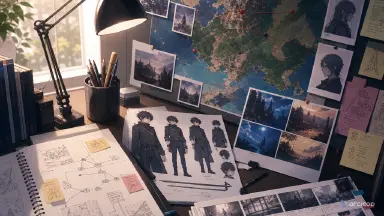
Open the same project's Story Outline and add a short entry for the side story — one sentence on what it may explore and one sentence on what it cannot change. Keeping this next to the main outline means the boundary stays visible as you build.
Create a new Episode for the side story inside the same project. Click Generate Shots. In each shot card, use @ to reference the assets you just set up — @Senn Orik, @the east repair booth — instead of re-describing appearance from scratch. Write only what is new in this specific shot: the action, the camera angle, the light, and any single prop that matters.
Once the shot descriptions look right, generate images first to confirm composition and character design, then generate video. Use the AI Chat Panel to batch: Generate videos for Shots 1, 2, and 3. Arrange the clips in Edit, then publish when the side story holds together.
Example 1: Bell Repair Side Story Sequence
@Senn Orik is a careful bell repair clerk in Bell-Bridge City — pale green hair, square glasses, ink-stained cuffs, small pouch of brass clappers. Canon boundary: bridge bells store surrendered sounds; this side story cannot change that rule or reveal the main mystery. Alternate location: cramped repair booth under the east bridge. Low-stakes conflict: one child's paid-away laugh is trapped in the wrong bell before the morning crossing. Shot 1 setup: @Senn Orik sorts silent bells by touch in the dim booth, clappers laid out on cloth. Shot 2 complication: the wrong bell vibrates the moment the bridge mechanism opens, @Senn Orik freezes. Shot 3 return: @Senn Orik swaps the clapper, ties a blue thread around the repaired bell, and the morning crossing continues undisturbed. 2D anime storyboard panels, clean staging, no text overlays, no new magic system, no main-cast cameo.
This side story expands the world rule through a minor worker. It does not try to outgrow the main plot.
Example 2: Costume Closet Spinoff Scene
Rika Toma is a first-year costume helper at the idol school — short black curls, yellow measuring tape around her neck, oversized sewing clips on her apron, nervous but focused eyes. Build her as a character asset and reference her with @Rika Toma. Canon boundary: the main concert rivalry stays unchanged; this shot covers only backstage preparation. Location: narrow costume closet behind the practice stage, evening light through a high window. Conflict: @Rika Toma finds the lead performer's sleeve ribbon is missing five minutes before rehearsal and picks a plain spare over a flashy mismatched one. Camera: waist-up medium shot at the worktable, hands visible, sewing box and uniform sleeve in frame. Approved school palette: cream walls, rose fabric accents, soft cel shadows. No text, no crowd, no villain reveal, no costume redesign, no glossy 3D rendering.
The spinoff gives a side character agency while protecting the main rivalry. The choice is small but character-revealing.
Example 3: Side Story Drift Revision
@Mako Ell is a cheerful ferry cook — silver round earrings, rolled navy sleeves, red thermos belt. Canon boundary: this scene stays inside ferry kitchen life; no storm prophecy, no hidden-hero reveal. Location: snack counter on the night ferry, warm kitchen light, small customer line, ferry horn audible. Conflict: @Mako Ell runs out of ginger tea before the night ferry departs, waters down the last cup, then regrets it and hands her own thermos to the tired deckhand. Camera: medium shot across the counter, thermos belt visible, night water outside the porthole. Preserve approved coastal palette: warm amber kitchen against cool dark harbour. Revised beat only — no mythology, no main plot disclosure, no text overlays, no face drift between cuts.
This revision cuts the oversized twist and returns the scene to a useful side-story scale.
The Most Common Ways Side Stories Go Wrong
The biggest mistake is escalating the side story until it competes with the main arc. If the extra reveals a bigger destiny than the main plot, it is no longer a side story.
Another mistake is using a side character without a visual identity. Give the lead a tool, color, posture, and habit that match their role, or the spinoff will feel like a renamed background extra.
Creators also forget the canon boundary. Write what the story cannot change before generating. That one line prevents accidental retcons.
A fourth mistake is adding too many cameos. Cameos can make a side story feel smaller, not bigger, because the viewer stops caring about the new lead. Use a main-cast object or location instead of dragging everyone on screen.
Finally, do not make "low-stakes" mean "nothing happens." The conflict should still produce a choice, even if the consequence is quiet.
FAQ
What makes a good anime side story?
A good side story has a small promise, a clear side lead, a canon boundary, one shared world anchor, and a clean return to the main series.
How is a spinoff different from a side story?
A side story usually supports the main arc from another angle. A spinoff can stand more independently, but it still needs a stable relationship to the original world's rules, tone, and visual anchors.
How do I stop a side story from breaking canon?
Write the boundary first: what the side story may explore and what it cannot change. Keep that boundary written into the Story Outline, next to the same storyboard you are building the side story on.
Can a side story introduce new characters?
Yes, but introduce them through a role the world already needs: repair clerk, costume helper, ferry cook, archive assistant, route guard, or club manager. Avoid making the new character secretly responsible for everything unless the main plan truly requires it.
How do I plan side stories for an anime series?
Keep the canon's rule and boundary in the Story Outline, reuse the canon's character assets and scene assets from My Assets for the side story's cast and setting, and lay the beats out on the Storyboard next to the main arc. That way each extra episode expands the world without losing track of what the main story already established.