Qué le cuesta realmente el character drift a tu proyecto
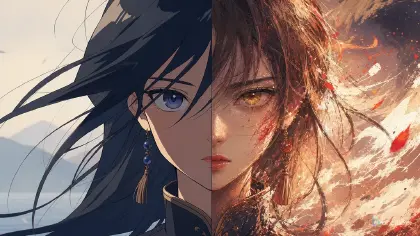
La deriva visual del personaje es una de las formas más rápidas de arruinar un corto de anime con IA. El primer Shot tiene ojos azules, el segundo los tiene verdes, la chaqueta cambia de forma, el accesorio del pelo desaparece y el tercer Shot parece un primo lejano del personaje original en lugar de la misma persona. Muchos creadores responden añadiendo descripciones cada vez más largas a cada prompt. Eso ayuda un poco, pero normalmente no ataca el problema desde la capa correcta.
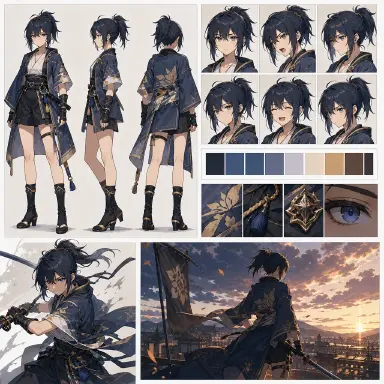
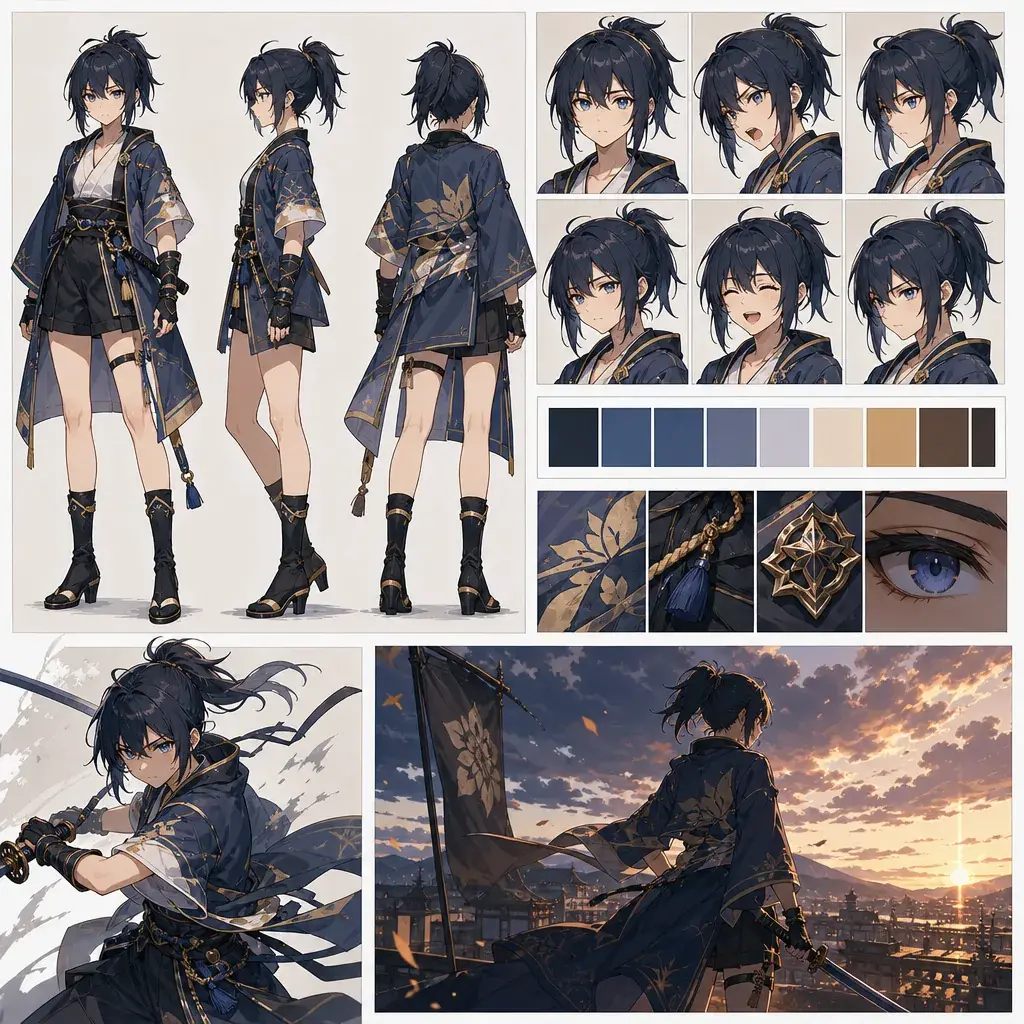
La consistencia del personaje no es solo un problema de redacción. Es un problema de referencias. Un character asset estable le da al sistema un contrato visual: vista frontal, vista lateral, vista trasera, rango de expresiones, reglas de vestuario, paleta de colores y anclas de identidad que no pueden cambiar. Una vez que eso existe, el prompt de vídeo puede centrarse en la acción y la cámara en lugar de reconstruir al personaje desde cero cada vez.
Esto es especialmente importante para los personajes originales. El mensaje correcto no es que la IA reemplaza al creador. El personaje es tuyo, el mundo es tuyo y la IA es tu herramienta para probar escenas, variaciones y momentos de la historia. Un character asset mantiene esa autoría visible porque documenta lo que debe permanecer constante mientras el OC aparece en distintos Shots. Empieza con un turnaround frontal del OC cuando el personaje vaya a aparecer de forma recurrente.
Identidad antes de movimiento: principios
El primer principio es la identidad antes que el movimiento. No le pidas a un personaje nuevo que corra, se transforme, llore y pelee antes de que el diseño sea estable. Genera primero el character asset.
El segundo principio es las vistas antes que los adjetivos. «Mismo personaje» es abstracto. Vista frontal, vista lateral, vista trasera, primer plano del rostro y set de expresiones son concretos.
El tercer principio son las anclas estables. Elige un número pequeño de rasgos que nunca deben cambiar: peinado, color de ojos, forma de la chaqueta, emblema, accesorio, arma o paleta. Demasiadas anclas se convierten en ruido.
El cuarto principio es separar los roles de referencia. El character asset debe controlar la identidad. Una referencia de vestuario controla los detalles de la ropa. Una referencia de pose controla la posición del cuerpo. Una referencia de fondo controla el entorno. No le pidas a una sola referencia que resuelva todo.
El quinto principio es el rango de expresiones. Un personaje que va a aparecer en escenas narrativas necesita expresiones neutras, alegres, enfadadas, preocupadas, avergonzadas y concentradas. Un rostro que solo funciona desde un ángulo favorecedor tendrá dificultades en animación.
Cómo construir un character asset paso a paso
Empieza con una definición breve del OC. Escribe el rol del personaje, su rango de edad, personalidad, mundo, vestuario, paleta y un mecanismo visual si tiene uno. Un mecanismo es una regla visual ligada al personaje, como lazos del pelo que se tensan cuando está nervioso o un amuleto de muñeca que brilla cerca del peligro.
Crea el turnaround. Pide las vistas frontal, lateral y trasera sobre un fondo liso. Mantén la pose neutra. El objetivo no es el drama, sino la reutilización visual.
Añade miniaturas de expresiones. Mantén la misma forma del rostro, el peinado y los accesorios. Pide expresiones neutral, sonrisa, enfado, sorpresa, vergüenza y tristeza silenciosa si el OC está enfocado en la narrativa.
Escribe los rasgos inmutables y mutables. Los rasgos inmutables pueden incluir el color de ojos, la silueta del pelo, el corte de la chaqueta y un amuleto familiar. Los rasgos mutables pueden incluir la iluminación, la pose, la emoción, las capas de vestuario en la escena y los props.
Usa el character asset en los prompts de los Shots. No pegues toda la descripción cada vez. En su lugar, utiliza un recordatorio de identidad breve y explica qué hace el Shot actual: «Usa el character asset del OC como referencia de identidad; genera un primer plano de confesión bajo la lluvia».
Revisa cada Shot comparándolo con el character asset. Si un clip es hermoso pero rompe la identidad del OC, recházalo o vuelve a generarlo con ajustes de referencia más estrictos. Consulta Reference Type Per Shot cuando un Shot necesite control separado de identidad, pose, vestuario o escena.
Cómo convertir un retrato en un set multi-vista completo
Si solo tienes un retrato sólido, no saltes directamente al vídeo. Úsalo primero para construir un pequeño set de múltiples vistas. Crea una vista frontal, lateral, trasera, busto neutro y dos recortes de expresión preservando explícitamente la silueta del pelo, la forma del rostro, el color de ojos, el corte del vestuario, la paleta y el accesorio distintivo. Trata cada vista como una edición controlada, no como una nueva generación del personaje.
El prompt debe mantenerse en singular. Frases como «el sujeto gira a vista lateral» son más limpias que una redacción en plural que puede introducir cuerpos duplicados en una hoja. Si el resultado crea dos versiones de la misma persona, simplifica la instrucción y pide un solo sujeto sobre un fondo liso. Un character asset es útil porque elimina la ambigüedad; el prompt no debería volver a introducirla.
Este paso de expansión es también donde decides qué detalles vale la pena proteger. Un OC recurrente suele necesitar entre tres y cinco anclas de identidad: forma del rostro, silueta del pelo, color de ojos, silueta del vestuario y un objeto como un colgante, bufanda, pasador, arma o bolso. Los detalles decorativos menores pueden pasarse a la fase de pulido. Si intentas congelar cada hilo y botón, los Shots posteriores se vuelven frágiles.
En ArcLoop, este paso de expansión es lo que conviertes en un character asset. Vincula el turnaround terminado y las imágenes de expresiones como Reference images en My Assets, y los Shots posteriores las incorporan todas con una sola referencia @ para primeros planos, reacciones y paneles del Storyboard, en lugar de pedirle a cada nuevo clip que redescubra al personaje a partir de un párrafo.
Por qué nacieron los workarounds de pasos
Los creadores han construido flujos de trabajo extraños y de múltiples pasos porque se preocupan profundamente por la consistencia. Algunos flujos de trabajo usan tableros de entrada lado a lado, máscaras, áreas de canvas en blanco, pesos de estilo y adaptadores de referencia para trasladar a un personaje a una nueva pose o estilo. Una tasa de éxito reportada del 85 % con un workaround de cinco pasos suena impresionante hasta que reparas en el coste oculto: configuración manual, fallos de semilla, transferencia de estilo inconsistente y depuración constante.
La lección útil no es el workaround en sí. La lección útil es que las entradas neutras y los roles de referencia limpios funcionan. Un character asset sencillo con fondo liso y vistas legibles le da a las generaciones posteriores menos excusas para reinterpretar al OC. Cuanto más sólido sea tu character asset, menos tendrás que luchar en cada Shot.
Esto también protege tu intención. El trabajo con OCs no es solo un avatar. Es una relación a largo plazo entre un creador, un personaje y un mundo. Un character asset permite que ese personaje crezca manteniéndose reconocible.
Ejemplo 1: hoja de turnaround frontal
Create a clean 2D anime character sheet for an original fantasy courier named Sera. She is a young adult messenger from a floating city, practical and alert, with shoulder-length teal hair tied by two copper rings, gray-green eyes, a cropped ivory travel jacket, dark navy trousers, brown ankle boots, and a small bronze compass pendant. Show front view, side view, and back view in neutral standing poses on a plain warm-gray background. Keep the same body proportions, hairstyle, pendant, jacket shape, boot shape, and color palette across all views. Add small palette swatches for teal, ivory, navy, copper, and brown. Crisp line art, simple cel shading, no action pose, no scene background, no text labels, no logo, no extra fingers.
Este prompt es intencionadamente tranquilo. Una hoja neutra es más útil que un póster dramático.
Ejemplo 2: hoja de expresiones
Use the Sera character sheet as identity reference. Create an anime expression sheet with six bust portraits in a clean grid on a plain background: neutral focus, small confident smile, surprised inhale, angry determination, embarrassed side glance, and quiet worry. Preserve teal hair with copper rings, gray-green eyes, compass pendant, ivory jacket collar, and the same face shape in every expression. Make eyebrows, eyelids, mouth shapes, and cheek color clearly readable for future animation and voice acting notes. 2D cel-shaded anime style, consistent lighting, no dramatic camera angles, no heavy shadows hiding the face, no text, no watermark, no redesign.
La hoja de expresiones le da al Storyboard posterior y a los prompts de voz un vocabulario emocional compartido.
Ejemplo 3: del character asset al shot
Use Sera's front/side/back character sheet as the identity reference and her expression sheet for the final worried look. Create a 7-second 2D anime video shot in a floating-city mail dock at sunset. Sera steps from a wooden platform onto a small airship, touches the bronze compass pendant, and looks up as the sky route lights change from blue to red. Camera: medium-wide three-quarter shot, locked for the first half, then a gentle push-in on her worried expression. Secondary motion: teal hair and jacket hem move in the wind, paper delivery tags flutter behind her. Preserve the exact jacket, pendant, hair rings, eye color, and boots. No outfit redesign, no extra characters, no text, no logo.
El prompt de vídeo puede ser más corto porque el character asset carga con el peso de la identidad.
Los errores que rompen la consistencia
El error más grande es usar una ilustración de gran impacto visual como única referencia. Un ángulo dramático puede ser hermoso, pero oculta información necesaria para los Shots futuros.
Otro error es hacer el character asset demasiado recargado. Las armas, mascotas, vestuarios alternativos, símbolos y efectos pueden ser útiles más adelante, pero la primera hoja debe clarificar el diseño base.
Los creadores también olvidan la vista trasera. Las vistas traseras importan para los ciclos de caminata, las despedidas, los planos sobre el hombro y las escenas de transformación.
Un cuarto error es tratar las expresiones como algo opcional. Las escenas narrativas necesitan actuación facial. Si el personaje no puede parecer preocupado, divertido o avergonzado de forma consistente, el corto pierde continuidad emocional.
Por último, no copies el personaje de otro creador. Usa la inspiración como estructura y luego haz tuyo el diseño, el mecanismo, las relaciones y el mundo.
Preguntas frecuentes
¿Qué debe incluir primero un character asset?
Empieza con la vista frontal, lateral, trasera, un primer plano del rostro, la paleta y algunas miniaturas de expresiones. Añade props y vestuarios alternativos solo después de que la identidad base sea estable.
¿Es mejor un character asset que un prompt largo?
Para personajes recurrentes, sí. Un prompt largo puede describir la identidad, pero un character asset muestra proporciones, silueta, límites del vestuario y estructura del rostro de una forma que el texto a menudo no puede.
¿Cómo uso un character asset en los prompts de vídeo?
Usa el character asset como referencia de identidad y luego escribe el prompt de vídeo en torno a un solo Shot: acción, cámara, entorno, temporización y restricciones. No obligues al prompt de vídeo a rediseñar el OC.