
Introduction
A short drama can look close in every separate render and still fail in the cut. One shot gives the lead a new face. Another changes the jacket because the wardrobe was never bound to a character asset — it only existed as words in a shot description, retyped and drifting a little more each time. The prompt that worked yesterday gets buried under five copied variants. Adding "same character" one more time does not fix it. It only makes the prompt harder to manage.
Treat the recurring role as an asset before you render the next scene. In ArcLoop, start by building a character asset, bind its reference images, pull in guidance from AI Short Drama guides, then keep the live episode work inside a creative world so identity, shot cards, and review notes stay together.
The middle of the workflow stays script-first: the script names the role, the library defines what cannot drift, and each shot card decides what can change for the scene.
Why Faces Drift Across Scenes
Faces drift because prompts are ambiguous. "Young woman in a red jacket" can describe many people. If one scene says "tired courier" and the next says "glamorous woman arguing in rain," the model may prioritize the new mood over the old identity.
Faces also drift because references are mixed together. A pose reference may accidentally influence the face. A background reference may influence lighting and outfit. A style reference may overpower identity. The workflow has to separate reference roles: identity sheet controls who the character is, outfit lock controls clothing, pose guide controls body position, and scene reference controls environment.
Scene changes create another problem. A bedroom close-up, elevator mirror shot, night street argument, and rooftop cliffhanger all ask for different lighting, camera distance, and expression. The more the scene changes, the more strongly the identity anchors must be stated. That does not mean every prompt should be long. It means every shot should point to the same approved character asset.
Multi-character scenes are even riskier. If two leads share vague descriptions like "beautiful young adult, sharp eyes, dark hair," they can blend. Each character needs distinct anchors, separate IDs, and separate voice lanes. A good character library makes it hard for the system to confuse them.
Build a Character Reference Library
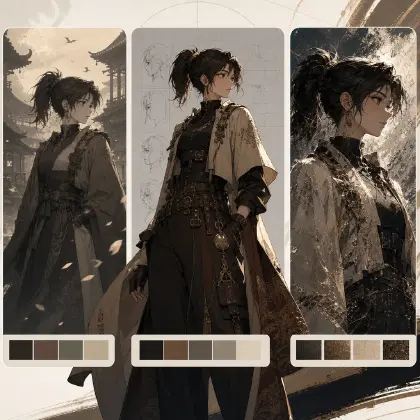
Start with one character at a time. Create a front view, side view, back view, neutral face, and expression sheet. Keep the first sheet plain. Dramatic lighting is less useful than readable identity.
Then write immutable traits. These are the details that must not change: face shape, eye color, hair silhouette, hairstyle, signature accessory, outfit cut, and body proportions. Keep the list short. Three to six anchors are usually stronger than twenty fragile details.
Write mutable traits separately. Lighting, mood, camera angle, pose, weather, and scene-specific props can change. If you do not separate mutable traits from immutable traits, the prompt becomes a fight between continuity and story.
Create drift warnings. A drift warning is a negative check, such as "reject if the hair becomes long," "reject if the jacket becomes formal blazer," or "reject if the scar changes sides." This is especially useful during approve-before-render review.
Finally, connect the library to shot cards. Every recurring shot should use the character ID, reference set, and scene action. For example: "Use MAYA_IDENTITY_V1. Scene action: Maya hides the contract under the tea tray." The shot card should not reinvent Maya from the beginning. Try Reference Type Per Shot when identity, pose, and environment need separate reference slots.
Review Across the Cut
Consistency cannot be judged one clip at a time. A single shot may look good and still fail in sequence. Review the cut in groups: first appearance, next scene, outfit change, emotional close-up, and ending shot.
Look for face shape, eye spacing, hair silhouette, accessory position, wardrobe logic, body scale, and voice continuity. Also check whether the emotion still belongs to the same character. A sad version of the heroine should look like the same person under stress, not a new design.
Use draft renders for this review. Low-cost previews are enough to catch most identity drift. Final polish should wait until the character survives the sequence. This is the reason approve-before-render matters. It catches the expensive failure before the expensive pass.
Example 1: Character Reference Library Prompt
Create a character reference library for an AI short drama lead.

Character ID: MAYA_COURIER_V1
Role: 27-year-old night courier hiding a divorce crisis.
Visual anchors: oval face, tired gray eyes, short black bob tucked behind the left ear, red courier jacket with white sleeve stripe, chipped red nail polish, small silver key necklace.
Mutable traits: lighting, pose, rain, expression, camera distance, whether the jacket is zipped.
Forbidden drift: long hair, different eye color, formal blazer, missing necklace, glossy glamour makeup, changed nail color.
Expression needs: neutral restraint, forced smile, shock, anger held back, quiet grief, final resolve.
Reference outputs: front view, side view, back view, face close-up, expression sheet, jacket detail crop.
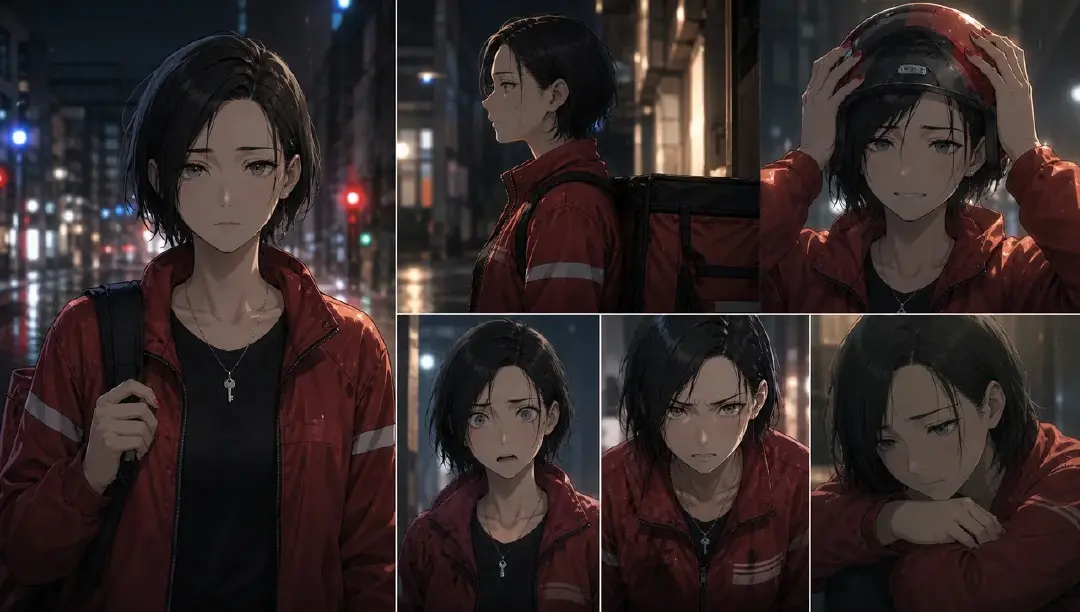
This prompt defines the character as a reusable asset before any scene renders.
Example 2: Scene Shot Prompt With Identity Lock
Use MAYA_COURIER_V1 as the identity reference and her expression sheet for restrained shock.

Create a 6-second vertical short drama shot in a rented apartment at night. Maya stands beside a small kitchen table, finds a signed divorce agreement under unpaid bills, and presses one finger to the signature line. Camera starts as a paper insert, then tilts up to a tight close-up of Maya's face. Preserve oval face, tired gray eyes, short black bob tucked behind the left ear, red courier jacket with white sleeve stripe, chipped red nail polish, and silver key necklace. Scene lighting can be dim blue kitchen light. No outfit redesign, no long hair, no extra characters, no text except the paper title "Divorce Agreement."
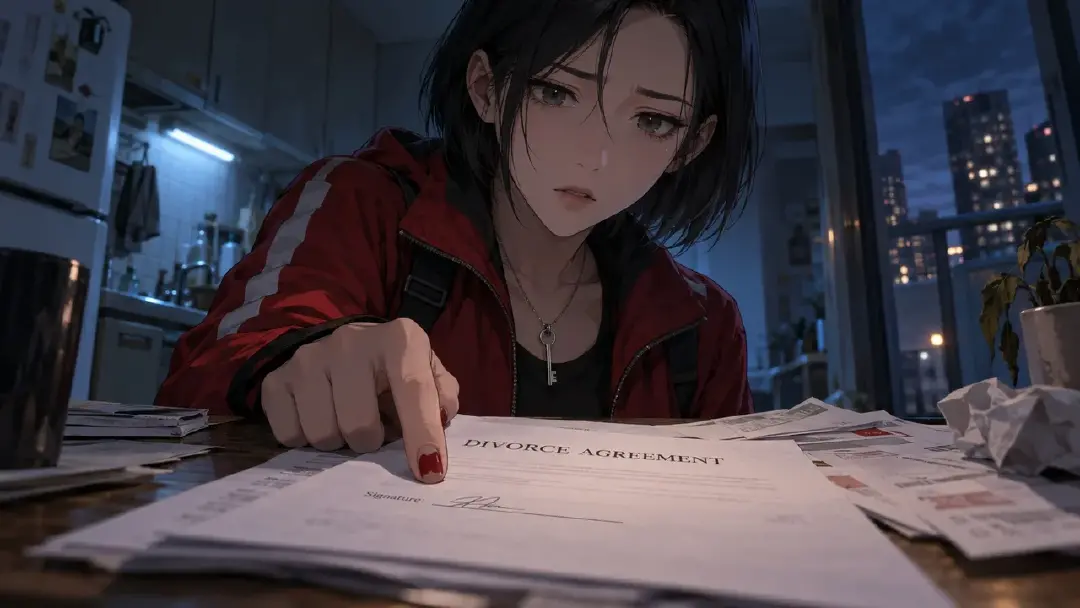
The shot can change lighting and emotion because identity is anchored.
Example 3: Cross-Scene Consistency Review Checklist
Review these approved draft shots for character consistency before final render.

Shots:
Shot 1 Maya enters apartment.
Shot 2 Maya finds agreement.
Shot 3 Maya confronts Leo in elevator.
Shot 4 Maya walks into rain after the final line.

Check:
1. Face shape and eye spacing match MAYA_COURIER_V1.
2. Hair length, bob silhouette, and left-ear tuck remain stable.
3. Red courier jacket keeps the same sleeve stripe and fit unless the script changes wardrobe.
4. Necklace remains visible in close-ups and does not move to a different design.
5. Voice lane stays low, controlled, and tired, with emotional break only in Shot 4.
6. Reject or regenerate any shot that looks like a different actor even if the shot is visually attractive.
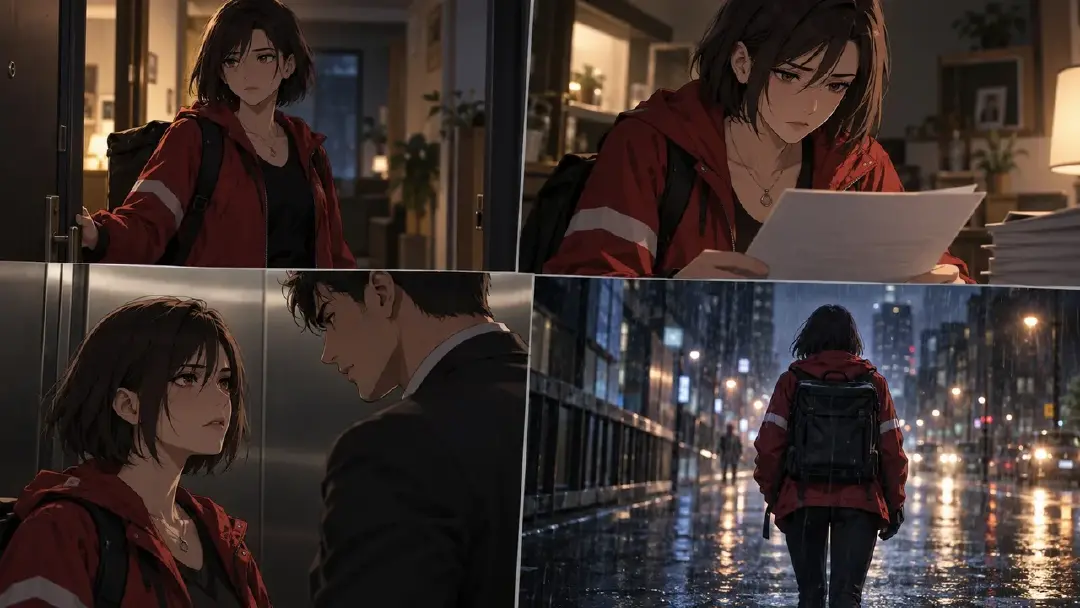
This review protects the sequence, not just individual clips.
Common Mistakes
The biggest mistake is treating a beautiful first portrait as enough. A portrait hides side view, back view, body proportion, and expression range.
Another mistake is overloading one reference image. A dramatic scene image should not control identity, outfit, pose, and lighting all at once. Separate the reference jobs.
Creators also allow wardrobe drift because they describe mood differently in each scene. "Luxury," "dark," or "cinematic" can quietly redesign clothing. Keep outfit rules explicit.
Finally, do not skip voice consistency. A new voice every scene can break continuity as quickly as a new face. Character identity includes how the person sounds.
FAQ
Is "same character" enough to keep identity stable?
No. "Same character" is too abstract. Use a character reference library with visual anchors, expression sheets, wardrobe rules, and drift warnings.
Can a character change clothes and still remain consistent?
Yes, but the outfit change should be scripted and approved. Keep face, hair, body silhouette, accessory logic, and voice stable while the wardrobe changes.
When should I regenerate a shot for drift?
Regenerate when the audience would read the character as a different actor. If only a minor decorative detail changed, decide whether it affects continuity before spending another final pass.