Por que gerar uma vez raramente funciona
A produção de anime com IA fica cara quando cada geração é tratada como resposta final. Você escreve um prompt longo, roda um render de alta qualidade, espera e então julga o resultado como se ele devesse ter resolvido identidade do personagem, movimento, câmera, iluminação, emoção, estilo e continuidade ao mesmo tempo. Quando falha, a próxima tentativa costuma mudar coisas demais de uma vez. O prompt fica maior, as referências mudam, a seed muda, e o resultado fica mais difícil de comparar.
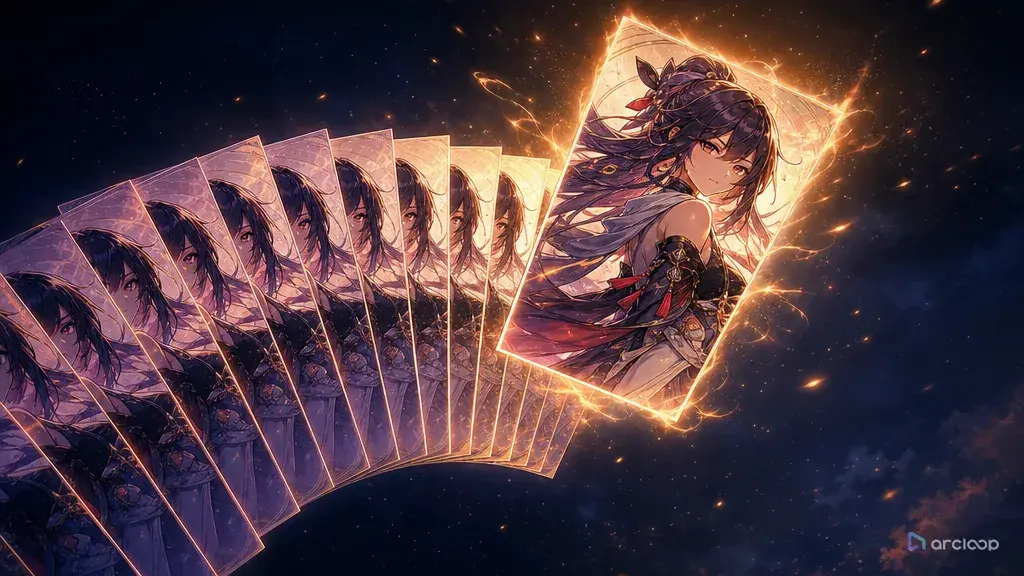
Um workflow de seleção de takes usa uma abordagem mais parecida com a de um diretor. Em vez de pedir perfeição no primeiro render, você gera um conjunto controlado de takes brutos, compara-os com critérios claros e escolhe apenas os melhores candidatos para polimento. O objetivo não é gerar mais pelo simples fato de gerar. O objetivo é reservar a qualidade do passe final para shots que já provaram sua estrutura.
Pense nisso como a versão com IA de revisar os dailies. Alguns takes têm o rosto certo, mas movimento fraco. Outros têm timing de câmera excelente, mas uma mão quebrada. Alguns são bonitos, mas errados para a história. Seu trabalho é escolher, rejeitar e corrigir. Escreva a descrição do shot primeiro, gere alguns takes brutos em um Canvas para compará-los lado a lado e só então re-renderize a descrição do shot para o take que você vai manter — não a cena inteira.
Esse workflow combina bem com Low-Cost Draft to Final porque ambos os métodos separam prova de polimento. O take board decide quais clipes brutos merecem a faixa final.
O que travar e o que variar
O primeiro princípio é uma pergunta de revisão por passe. Um take bruto deve responder se o shot funciona: mesmo personagem, ação legível, câmera utilizável, quadro final estável. Ele não precisa ter textura de fundo finalizada ou brilho perfeito.
O segundo princípio é variação controlada. Se você gerar dezesseis takes, não mude dezesseis configurações. Congele o character asset, os papéis de referência, a duração do shot, a direção de tela e o prompt principal. Varie apenas seed, intensidade menor de câmera, força da expressão ou timing da ação.
O terceiro princípio é seleção antes de correção. Não corrija cada falha. Escolha os dois takes mais fortes primeiro e então decida se cada um precisa de um ajuste local, uma revisão de prompt ou um passe final.
O quarto princípio é memória de seed. Uma seed não é apenas um número aleatório. É um atalho para uma direção visual útil. Mantenha a seed, a versão do prompt, o conjunto de referências e a nota de revisão juntos.
O quinto princípio é qualidade final como recompensa. Alta resolução, passes de detalhe, upscaling pesado, iluminação mais rica e duração maior devem ser reservados para takes que já passaram na revisão de identidade, ação e câmera.
O método 16 para 2: rascunho comparado, depois passe final
O método 16 para 2 é simples. Gere dezesseis takes brutos para um shot importante e escolha dois. Um se torna o candidato final primário. O outro se torna o backup ou alternativa de edição. Para shots mais simples, você pode usar 4 para 1 ou 8 para 2. Dezesseis é útil quando o shot contém mais incerteza: uma pose difícil, uma expressão em close, um prop recorrente, um movimento de câmera e um requisito de estilo ao mesmo tempo.
Comece com um shot card. Escreva o personagem, a referência de identidade, o cenário, a ação, a câmera, a duração e os critérios de revisão. Mantenha-o curto o suficiente para ler enquanto compara miniaturas. Um take board é uma ferramenta de decisão, não um romance.
Depois, congele as âncoras. O mesmo character asset deve ser usado em todos os takes. A mesma regra de roupa deve aparecer em todos os takes. A mesma direção de tela deve ser preservada, a menos que o shot esteja sendo testado intencionalmente. Se um take vence apenas porque mudou a roupa ou inverteu a lógica da cena, não é uma vitória de verdade.
Em seguida, escolha a variação permitida. Para um close de reação, varie a intensidade da expressão e o push da câmera. Para uma batida de ação, varie seed e timing. Para um shot de atmosfera, varie a iluminação mantendo a pose fixa. Escreva essas variações permitidas antes da geração para não comparar acidentalmente shots não relacionados.
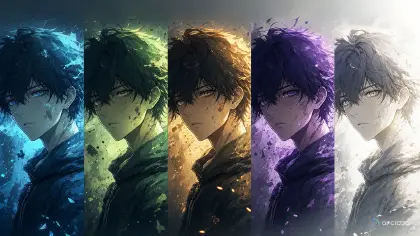
Depois que o slate for gerado, avalie cada take rapidamente. Use quatro colunas: identidade, ação, câmera e emoção. Um take pode ser tecnicamente bonito e ainda falhar se a ação for ilegível. Outro take pode ser bruto, mas valioso se acertar a pose final. Não deixe o polimento influenciar a primeira revisão.
Escolha dois takes. O take primário deve ser o que tem mais chance de sobreviver ao polimento final. O backup deve resolver um risco diferente: talvez tenha um rosto mais fraco, mas câmera mais forte, ou iluminação mais fraca, mas movimento mais limpo. Se o passe final danificar o take primário, o backup mantém a edição em movimento.
Controle de custo e seed previews
A seleção de takes parece mais geração, mas muitas vezes custa menos do que tentar às cegas. O padrão caro é rodar clipes de qualidade final antes de a estrutura do shot ser aprovada. Um workflow local modesto pode colocar um teste de vídeo de 8 segundos na faixa de muitos minutos, não segundos. Image-to-video em alta resolução ainda pode demorar o suficiente para que cada passe final desnecessário prejudique o cronograma. É por isso que os rough previews importam.
Use o preview mais barato que responde à pergunta atual. Se a pergunta é composição, use frames estáticos ou testes de movimento muito curtos. Se a pergunta é timing de ação, use um passe de vídeo com pouco detalhe. Se a pergunta é identidade, use uma comparação de character asset antes da animação. Se a pergunta é iluminação final, só então passe para um render polido.
As seeds ajudam a manter direções promissoras vivas. Salve a seed quando a pose, a câmera ou a expressão funcionar. Nomeie o take com um rótulo prático: shot03_take07_seed1842_identity-pass_action-soft. Esse nome diz por que o take existe. Também evita o problema comum de encontrar um bom resultado em uma pasta depois e não saber como reproduzi-lo.
Controle de custo também é controle emocional. Quando você espera que um render resolva tudo, cada erro parece fracasso. Quando você espera que dezesseis takes brutos produzam dois candidatos, a rejeição se torna parte do processo. Você não está perdendo quinze vezes. Você está fazendo o casting do shot.
Mantenha um registro simples de candidatos
Um log de takes pode ser tão pequeno quanto uma tabela nas suas notas — uma linha por take, apontando para a descrição do shot e as referências de asset que você usou:
Shot: rooftop courier receives a glowing parcel.
Reference: Sera character sheet for identity, parcel image for prop, rooftop board for scene depth.
Duration: 6-second rough take.
Frozen anchors: teal hair, copper rings, ivory jacket, compass pendant, left-to-right movement.
Allowed variation: seed, worried expression strength, camera push intensity.
Review columns: identity, action, camera, emotion, final frame.
Selection rule: keep two takes; final pass only after identity and action both pass.
O board evita que você entre em discussões de gosto cedo demais. Se o take 4 tem a melhor cor, mas o personagem errado, rejeite-o. Se o take 9 tem o personagem e a ação certos, mas textura de chuva fraca, mantenha-o para o polimento final. Textura pode ser melhorada depois. Identidade errada geralmente contamina o shot inteiro.
O mesmo board também ajuda equipes. Um colaborador pode marcar "câmera passa, ação falha" em vez de dizer que o shot parece estranho. Isso torna a próxima revisão pequena. Quanto menor a revisão, menos provável que quebre uma parte já aprovada do clipe.
Use Three-Shot Continuity Board quando o take board precisar conectar múltiplos clipes em uma sequência.
Exemplo 1: Slate de seed preview
Create a rough seed preview slate for one AI anime shot. Use the uploaded Sera character sheet as the strict identity reference: teal bob hair, copper hair rings, gray-green eyes, ivory cropped courier jacket, compass pendant, navy trousers, brown boots.

Shot goal: Sera steps onto a rain-wet rooftop bridge, hears a signal from the compass pendant, and turns toward frame right.

Generate eight low-detail preview takes. Keep the same character, outfit, rooftop bridge, rain mood, 6-second duration, and left-to-right screen direction. Vary only seed, expression intensity, and camera push. Do not redesign the outfit. Do not add extra characters. End every take on a stable three-quarter pose with the pendant visible.

Review criteria: identity, action order, camera readability, worried expression, final pose.
Esse prompt não está pedindo o shot final. Está pedindo opções controladas.
Exemplo 2: Brief de seleção 16 para 2
Take selection brief for Shot 04 of a vertical anime short.

Story context: the courier realizes the parcel is calling to someone inside the storm.
Character lock: use the same Sera identity sheet and expression sheet.
Prop lock: bronze compass pendant glows blue only when the signal starts.
Scene lock: rooftop bridge at dusk, wet railings, distant airship lights, no readable signs.

Generate sixteen rough takes at draft quality. Freeze identity, outfit, prop, screen direction, and duration. Vary only the seed and the timing of the camera push.

Each take must include exactly one action sequence: Sera pauses, touches the compass pendant, looks toward frame right, and takes one step forward. No new story beats. No extra characters. No outfit redesign. No text.

After generation, select two takes:
Primary: strongest identity plus action order.
Backup: strongest camera plus final pose.
A regra de seleção está escrita no brief para que a revisão não se torne aleatória.
Exemplo 3: Passe final a partir de um take selecionado
Final pass based on selected rough take Shot 04 Take 09 Seed 1842. Preserve the approved character identity, action order, camera timing, and final pose.

Create a polished 8-second 2D anime shot. Sera, the original sky courier with teal bob hair, copper hair rings, gray-green eyes, ivory cropped jacket, compass pendant, navy trousers, and brown boots, stands on a rain-wet rooftop bridge at dusk. She pauses, touches the bronze compass pendant as it glows blue, looks toward frame right, and takes one careful step forward.

Camera: keep the approved gentle push-in from the rough take. Add warm airship lights in the distance, rain shimmer on railings, subtle pendant glow on her fingers, wind in jacket hem and hair ends, and clean cel-shaded polish. Do not add new actions. Do not change the outfit, pendant, hair, face, or screen direction. No text, no logo, no extra characters.
O prompt final nomeia o take aprovado para que o passe de polimento não se torne um novo rascunho.
Pontos onde este método falha
O maior erro é mudar variáveis demais entre os takes. Se cada take tem uma referência, câmera, prompt e duração diferentes, você não está selecionando. Está apostando.
Outro erro é julgar takes brutos pelo polimento final. Um take bruto com iluminação plana ainda pode ser o melhor candidato se tiver a identidade e o movimento certos.
Criadores também mantêm candidatos demais. Um take board deve estreitar a edição. Manter dez takes quase bons cria mais indecisão, não mais qualidade.
Um quarto erro é corrigir antes de selecionar. Não gaste tempo consertando um take que nunca vai entrar na edição.
Por fim, não ignore o backup. O take de backup protege o cronograma quando o passe final primário introduz um novo problema.
Perguntas frequentes
Quantos takes devo gerar?
Use quatro para testes simples de frame estático ou close, oito para shots de movimento comuns e dezesseis para shots de alto risco com identidade, movimento, câmera e emoção todos em jogo. Mais de dezesseis geralmente é sinal de que o shot card está vago demais.
Devo variar prompts ou seeds primeiro?
Varie seeds primeiro quando o prompt estiver estruturalmente sólido. Reescreva o prompt apenas quando todas as seeds falharem no mesmo critério de revisão, como ordem de ação ou bloqueio de identidade.
Quando um take está pronto para o polimento final?
Um take está pronto quando a identidade do personagem, a ação principal, o enquadramento da câmera, a direção de tela e a pose final passam na revisão. O polimento final deve melhorar detalhe, iluminação, textura e movimento secundário sem alterar a estrutura aprovada do shot.