
What this pipeline actually is — and what it isn't
"AI VTuber model generator" is one of the fastest-growing searches in this space, and it implies a machine you do not get to have: art in, rigged model out, one click. That machine does not exist. What does exist is a pipeline where two stages got dramatically faster — and three stages still work the way they always did.
This guide maps the whole path: what each stage produces, where generation genuinely saves weeks, where it quietly adds work, and what the middle of the market actually pays. If you want the fantasy version, this is the wrong page. If you want a moving model of your own original character, read on.
The five stages and what each one produces
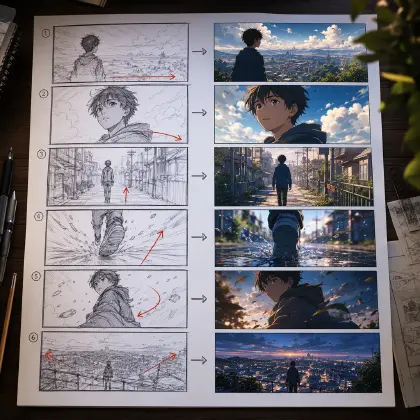
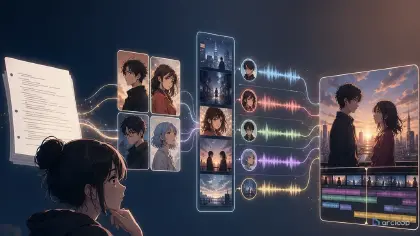
1. Design — AI-accelerated. Decide who the character is: silhouette, palette, outfit, the two or three identity anchors that survive every expression. This used to mean commissioning concept rounds; it is now the strongest use of generation in the whole pipeline. In ArcLoop, build the VTuber as a character asset inside an IP project: generate looks, bind the best one as the main image, attach alternates as reference images. From then on the agent remembers the character, and every later request — new angle, new expression, new outfit — stays on-model because you reference the asset with @ instead of re-describing it from scratch. If the character is meant to carry an original world and stories with it, start from OC-first design rather than a one-off portrait.
2. Master art — AI-generated, human-finished. One neutral-pose illustration at working resolution (4000px-class), plus the diff views rigging needs: closed eyes, open mouth, expression set, toggle states. Generate the set against the locked asset; the design work you did in stage 1 is what keeps ten diffs looking like one character. Plan the pose for rigging — arms clear of the torso, hair boundaries readable — the way a riggable sheet lays out.
3. Material separation — manual, reference-assisted. The flat illustration becomes 30–60+ named layers, and every area the image hides — forehead under the hair, mouth interior, torso under the jacket — gets drawn in by hand in Photoshop or CLIP STUDIO PAINT. Generation helps here only as evidence: the diff views from stage 2 show what belongs in each hidden area so you trace instead of guess. The separation checklist covers the cut in full.
4. Rigging — manual, skilled, the real cost center. In Live2D Cubism, every layer gets meshed and wired to parameters: blink, lip sync, head XYZ, body sway, physics on hair and clothes. No current tool automates this to a quality anyone streams with. It is weeks of skilled work, which is why it dominates the budget.
5. Tracking setup — quick. The finished model loads into face-tracking software, parameters get calibrated to your camera, toggles get hotkeys. An evening, not a project.
Where the money actually goes
Prices vary wildly by region and seniority, but the shape of the market is consistent: art and rigging are usually quoted separately, entry-level full commissions start around a few hundred dollars, mid-tier work runs into the low thousands, and top rigger-artist duos charge five figures. Rigging alone frequently costs as much as or more than the art.
Generation changes the left side of that equation. Design exploration and diff production — historically a large slice of the art quote — compress from weeks to days. It does not change the right side: the rig costs what the rig costs, and a generated character with messy boundaries can cost more to rig, because cleanup lands in the rigger's lap.
Budget honestly: if you generate the art yourself, the money you save on illustration should partly move to separation cleanup and rigging quality, not disappear.
Two ways AI-origin projects break that hand-drawn ones don't
Identity drift across diffs. Ten generated expressions, ten subtly different faces — the rigger cannot toggle between them without the model visibly shifting. This is a design-stage failure, not a rigging one: it happens when each diff was prompted from scratch. Locking the character as an asset and generating every diff against it with @ is the fix, the same discipline that keeps a face stable across shots.
Undisclosed AI art at the handoff. The VTuber community has strong feelings about AI-origin models, and riggers have been burned discovering it mid-project. Some decline the work; many accept it with cleanup quoted in. Disclose up front, in the first message. It is both etiquette and self-interest — the cleanup conversation happens before the quote instead of as a dispute after.
A realistic plan for your first model
- Design the character as an asset until three generations in a row read as the same person without corrections.
- Generate the master pose and the full diff pack in one sitting, while style and lighting choices are consistent.
- Upscale the master, then cut — checklist open, reference pack beside it, layers named as you go.
- Package the PSD to spec: format settings, unique names, diffs aligned in place, preview PNG, diff list, disclosure.
- Commission the rig with your motion expectations written down — bust blink-and-talk versus full head-turn changes the quote.
- Calibrate tracking, stream, and collect what annoys you for the first revision round instead of chasing perfection pre-debut.
FAQ
Is there really no one-click AI VTuber model maker?
Tools exist that auto-cut simple images or generate pre-rigged stock avatars. What they cannot deliver today is a quality rig of your original character. If the character matters to you, the pipeline above is the path.
Can I skip rigging with a "reactive PNG" first?
Yes, and it is a legitimate on-ramp: a PNGTuber setup needs only two or three states of the same character, which the asset workflow produces in minutes. Debut with that while the full model is in production.
Should I rig it myself?
Cubism is learnable, and self-rigging a simple bust model is a respected first project. Expect the learning curve to cost more evenings than the cut did. The PSD spec is identical either way — package properly even for yourself.
Does the character have to be anime-style?
Live2D handles any layered 2D art, but tracking reads anime-scale eyes and mouths most legibly, which is why the ecosystem looks the way it does.
Build the character first, the model second
Every stage downstream of design consumes what design produced. A locked, asset-anchored character makes the diffs consistent, the cut traceable, the rig predictable, and the commission conversation short. Open a project, create the character, and do not touch a painting tool until the same face has looked back at you three generations in a row.