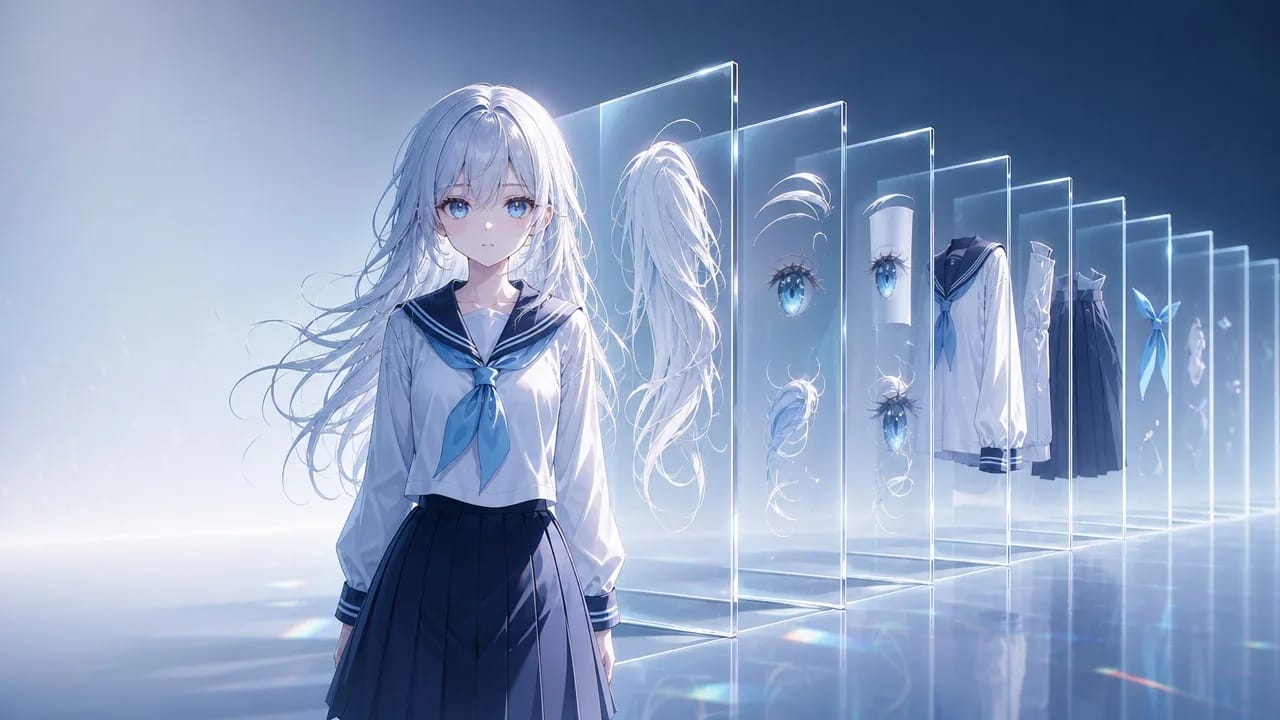
What riggers check before they open your file
Between your character art and a finished VTuber model sits one file: the PSD. Riggers plan their whole job around how that file is built — and most rigging delays are file problems, not art problems. A missing mouth interior, two layers with the same name, a hood with no hair drawn under it: each one is an email, a revision round, and days of waiting.
This guide is the spec, written as a delivery checklist. It applies whether you drew the art, commissioned it, or generated it — though if your art started as a single AI illustration, do the material separation first and come back here to package it.
The format settings that block import
Four settings decide whether the file opens at all in the Live2D editor. Check them before anything else:
| Setting | Required value |
|---|---|
| File format | PSD |
| Color mode | RGB (not CMYK, not grayscale) |
| Channel depth | 8-bit per channel |
| Color profile | sRGB |
A file that fails any of the four simply will not import. Two more settings change behavior silently: layer opacity carries into the editor, but fill does not — so use opacity for translucent parts like blush. And blend modes without an editor equivalent fall back to normal, shifting your colors after import.
Canvas size: work large. 4000px on the long edge is a common commission standard, because parts get scaled and warped during rigging and upscaling later means recutting. If your source came out of a generator at 1024 or 2048, upscale the master before you cut, not after.
Layer rules: one part, one layer, one name
The import PSD follows three rules, all from the official manual, all violated constantly:
One part per merged layer. Line art, fill, shading, and any clipping-mask effects for a part get combined into a single layer. If you want lines and fills separately riggable, that is two parts — deliberately, not accidentally.
No layer masks, no paths. Apply every mask before delivery. Stray path data from Photoshop can silently break the import. Keep an unmerged working file for yourself; deliver the flattened one.
Every layer name unique. Duplicate names confuse both the editor and the human working in it. Use a scheme that sorts: brow_L, eye_lash_top_R, eye_ball_R, mouth_inner, hair_front, hair_side_L, hair_back, arm_upper_R. Group folders by region — brows, eyes, mouth, face, hair, body — in that order, top of the file to the bottom, front of the character to the back.
Name in plain ASCII if your rigger might use a different OS language than you — mojibake in layer names is a real handoff failure.
What to deliver besides the base body
A riggable PSD is more than the neutral pose. Commissions normally include diffs — variant layers the rigger maps to expressions and toggles:
- Eye states: open (in the base), closed, half-closed. Smiling-closed if the design calls for it.
- Mouth states: the base plus a fully open mouth with interior, teeth, and tongue drawn — lip sync is built from these.
- Brow states: neutral, raised, angry-tilt. Brows carry more emotion per pixel than any other part.
- Toggles: blush, tears, glasses, hood up, jacket off — each as its own cleanly named layer group, with everything underneath fully drawn.
Every diff must sit in exactly the same position as the part it replaces. Riggers toggle layers in place; a diff drawn two pixels off reads as a glitch.
Consistency across diffs is where generated art usually falls apart: ten expression variants, ten slightly different faces. The fix is upstream discipline — keep the character as an asset in Arcloop with the master art bound as its main image, and generate each diff by referencing the asset with @ rather than re-describing the character. The asset keeps identity stable; each request only describes what changes:
Same framing as the master portrait of @Yuki. Only change: eyes closed,
mouth in a soft smile. Keep hair, outfit, lighting, and angle identical.
Generate diffs before the cut when you can — planning them at the character sheet stage means every variant arrives pre-aligned instead of patched in later.
The handoff: what your rigger wants to know
A clean file plus a short brief beats a perfect file with no context. Include:
- A flattened preview PNG of the neutral pose, so the rigger sees the intended final look before opening layers.
- The diff list — which layers are expression states, which are toggles, what each should do.
- Motion expectations — blink-and-talk bust model, or full head-turn with body sway? The answer changes how they mesh your parts, and whether your cut is even sufficient.
- The reference pack — your character's turnaround and expression references, so ambiguous areas get resolved by looking, not asking. A proper turnaround sheet answers most questions before they are sent.
- Disclosure that the art is AI-assisted, if it is. Many riggers accept AI-origin art and some decline it; finding out mid-project is the worst version for everyone. Expect the boundary-cleanup work to be quoted as part of the job.
The mistakes that delay every commission
- Same-name layers from duplicated groups.
eye copy 2twice in one file has derailed real commissions. Rename as you build, not at the end. - Diffs painted on the base layer. A blush painted into the face layer cannot toggle. Separate layer, always.
- Nothing under the toggle. Hood off means hair must exist under the hood. Jacket off means a torso is drawn under the jacket.
- Delivering the working file. Masks unapplied, folders half-merged. Deliver the flattened import PSD and keep the working file for revisions.
- Resizing after the cut. Scaling a cut PSD softens every edge you worked to keep clean. Fix resolution first.
FAQ
Is there a standard VTuber PSD template?
No universal one. Rigging templates exist and the Live2D editor ships sample PSDs worth studying for structure, but every commission ends up with its own layer list. The stable parts are the rules: unique names, one part per layer, diffs in place, correct format settings.
How many expression diffs should a first model include?
Common starter sets cover closed eyes, a smile mouth set, angry brows, and one or two toggles like blush. Each additional state adds art and rigging cost — agree on the list with your rigger before finalizing the PSD.
My PSD won't import. What do I check first?
Format, color mode, bit depth, profile — in that order. Then look for leftover layer masks and path data. These few causes account for nearly every import failure.
Can I deliver PNGs instead of a PSD?
No. PNG works only as a guide or background image in the editor. The model itself must arrive as a layered PSD.
Package it once, rig it once
A rigger who opens your file and finds sorted groups, unique names, aligned diffs, and a filled-in world under every toggle starts meshing the same day. Build the character as an asset, generate diffs against the locked identity, cut with references, and package to this checklist — then open your project and start the diff pack while the master art is fresh.