Before your OC becomes someone else
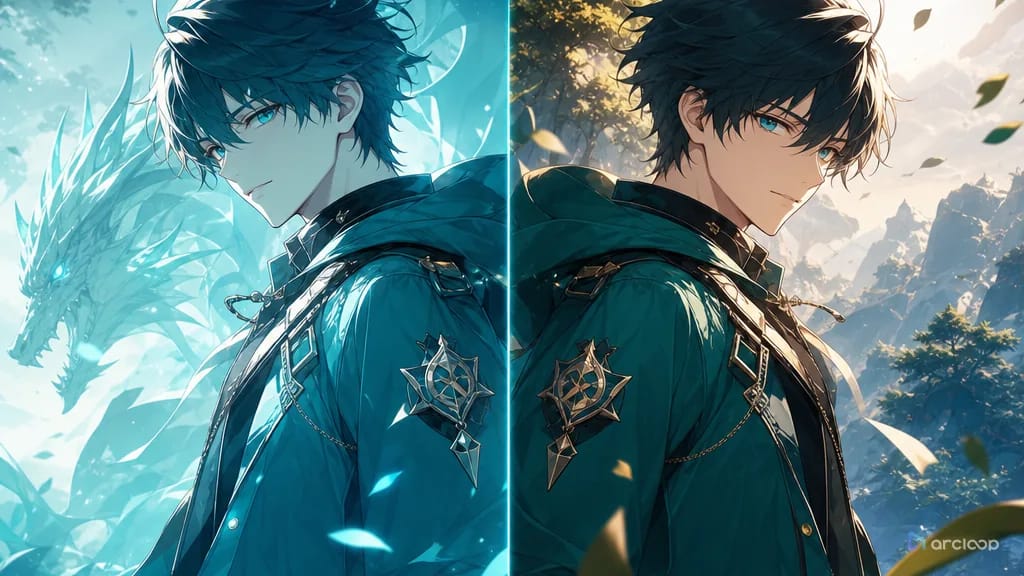
Character drift is easy to miss during a single exciting generation. The shot has nice lighting, the pose works, and the outfit is close enough. Then you place it beside the previous clip and the problem becomes obvious: the same OC now has a rounder face, a different eye shape, a longer neck, narrower shoulders, or legs that belong to another design. The audience may not know the exact measurement, but they can feel that the character changed.
Face drift and proportion drift are the same production problem at different scales. Face drift changes identity: eyes, jaw, nose, mouth, hairstyle, and expression range. Proportion drift changes the body plan: head-to-body ratio, shoulder width, torso length, arm length, leg length, hand size, and camera height. Fixing only the face while the body keeps stretching will not make the OC consistent. Fixing only the body while the face keeps changing will not help either.
This guide merges both repair needs into one ArcLoop workflow. Lock the base design first with OC Character Sheet Front Turnaround. Keep recurring scenes in ArcLoop Worlds, and run focused repair passes in My Assets when one identity layer fails. The goal is not to write a longer prompt — it's to stop redesigning the character by accident.
What makes face and proportion drift fixable
Lock the approved character sheet before judging the shot. If the base design is vague, every repair becomes guesswork. The sheet should show front view, key face anchors, hairstyle boundary, outfit silhouette, body ratio, and one or two signature accessories.
Separate face anchors from expression. A character can smile, panic, glare, or cry while keeping the same eye spacing, brow shape, jaw line, cheek shape, nose size, and mouth placement. If the expression prompt changes the face structure, narrow the expression range.
Define body proportions in simple visual terms. You do not need anatomical diagrams. "Petite five-head anime proportion, narrow shoulders, short torso, sturdy boots" or "tall six-and-a-half-head proportion, long coat, broad shoulders, long legs" gives ArcLoop a stable body plan.
Control camera height. Low angles lengthen legs and shrink faces. High angles enlarge heads and shorten bodies. If proportion drift happens across shots, check whether each shot uses a different camera height before blaming the character prompt.
Repair one identity layer at a time. If the face is correct but the legs grew too long, preserve the face and repair leg length. If the body is correct but the eyes changed, preserve the pose and repair face anchors.
Use reject rules that name drift. "No weird face" is too vague. Better: no changed eye shape, no altered jaw line, no new hairstyle, no longer neck, no changed head-to-body ratio, no stretched legs, no narrowed shoulders.
How to repair character face and proportion drift
Start with a drift note. Compare the failed draft against the approved character sheet and write one sentence: "eyes became larger and jaw rounded," "head grew too small in the wide shot," or "legs stretched during the jump."
Choose the repair target. Face drift targets include eye shape, eye spacing, jaw line, mouth position, hairstyle outline, and expression range. Proportion drift targets include head-to-body ratio, shoulder width, torso length, arm length, leg length, hand size, and camera height.
Preserve what already works. If the outfit, pose, lighting, and background are approved, say so. A repair pass should not invite ArcLoop to reinvent the entire shot.
Attach the approved sheet. Use the character sheet for identity and, when needed, a pose guide for body mechanics. Do not make a style reference carry face, outfit, and proportion control by itself.
Write a short correction prompt. Use "keep" and "repair" language: keep approved face anchors, keep outfit silhouette, repair head size, restore shoulder width, match sheet reference, hold camera at chest height.
Review at the same output size. Proportion drift can look acceptable in a thumbnail and wrong in a full shot, while face drift can hide in wide shots. Check both the character sheet comparison and the intended publish size.
For related character workflow, Character Sheet Templates gives a clean base, and How to Write 2D Anime Animation Prompts explains how to carry identity anchors into motion prompts.
Why ArcLoop fixes identity without rebuilding the scene
ArcLoop's advantage is that the character asset, the shot card, and the scene asset can stay connected inside one project. When drift appears, you do not need to paste a giant prompt into a blank generator and hope it remembers the OC — you keep the approved character asset open on Canvas, mark the specific drift, and repair only that layer.
For face drift, the repair pass can focus on eyes, jaw, hairstyle outline, face angle, or expression range. For proportion drift, it can focus on head-to-body ratio, shoulder width, leg length, hand size, pose guide, or camera height. The world card and shot card stay intact unless they caused the problem.
This matters for series work. A character can survive one off-model frame, but repeated drift teaches viewers that the design is unstable. Keep the approved character built as an asset and the recurring locations as Scene assets in ArcLoop Worlds, then run cheap draft checks on Canvas before final render.
Example 1: Violinist face anchor repair
Face drift repair for a 6-second 2D anime close-up of @Liora. Approved scene: empty rehearsal room at dusk, Liora holds a violin case and looks toward the door. Repair target: the last draft made her eyes rounder, jaw smaller, and hairstyle longer — restore the approved almond eye shape, oval face, and right-ear hair tuck from her character asset. Keep the existing camera, lighting, blazer, pin, and violin case. Expression stays calm and reserved: mouth closed, one blink, a small breath. No new bangs, no larger eyes, no changed jaw line, no different hair length, no extra jewelry, no photorealism.
This repair says exactly which face features drifted. It keeps the working shot rather than rebuilding the room.
Example 2: Rooftop courier proportion repair
Proportion drift repair for a 7-second 2D anime rooftop landing shot featuring @Dasko. Approved action: Dasko hops down from a low roof and lands beside a water tank. Repair target: the last draft stretched his legs and made the head too small during the landing — restore his compact five-and-a-half-head proportion from the character asset: normal head size, short torso, narrow shoulders, and boots planted under the body at the final frame. Keep the face, hair, jacket, scarf, satchel, red boots, rooftop tank, and side-view camera. Camera height stays at chest level, not low angle. No long fashion-model legs, no broad shoulders, no tiny head, no changed outfit, no camera tilt.
This prompt absorbs proportion drift directly: ratio, shoulders, torso, legs, boots, and camera height all point to the same body plan.
Example 3: Transformation pose identity check
Identity verification pass for a 5-second magical-girl pose featuring @Pem. Purpose: check face and proportion stability after motion, not final polish. Action: Pem jumps once, spins her umbrella, and lands in a front-facing pose. Keep her childlike four-and-a-half-head proportion, wide cheeks, short limbs, oversized boots, and twin-bun silhouette from the character asset. Camera: locked full-body front view at waist height, no low-angle leg stretch. Expression range: determined smile only, no mature face, no sharp jaw, no elongated neck. Simple storm-cloud background, cape and umbrella move, body shape remains stable. No outfit redesign, no taller body, no smaller boots, no changed eye shape, no extra fingers.
This example checks face and body together because transformation poses often stress both.
The most common repair failures
The biggest mistake is describing the character differently every time. "Cute girl," "serious heroine," and "elegant fighter" may all point away from the approved OC. Reuse the same anchors.
Another mistake is confusing expression with identity. A shocked face can widen eyes, but it should not change eye shape, jaw structure, or age impression unless that is the story point.
Creators also ignore camera height. A low-angle action shot can make legs look longer and heads smaller. If that is not intended, specify chest-height or eye-level camera.
Do not fix face drift with a full redesign prompt. If only the jaw changed, repair the jaw. If only the shoulders widened, repair the shoulders. Longer prompts create more places for drift.
Finally, avoid using clothing detail as the only identity anchor. Costumes can stay consistent while the person inside becomes a different design. Face anchors and body ratio need their own lines.
FAQ
What is the difference between face drift and proportion drift?
Face drift changes the character's identity features: eyes, jaw, mouth, nose, hairstyle outline, and age impression. Proportion drift changes body structure: head size, shoulder width, torso length, limb length, hand size, and overall ratio.
Should I repair face drift and proportion drift in the same pass?
Only if both failed in the same draft. If the face is correct and the body is wrong, repair proportion only. If both changed, write a compact combined repair that preserves approved assets and names each drift target.
How do I prevent proportion drift in action shots?
Use an approved full-body sheet, a pose guide when needed, and camera-height notes. Keep the head-to-body ratio, shoulder width, torso length, and leg length stable through the motion, especially at the final frame.
How do I keep an OC consistent across multiple videos?
Build the character once as an asset in My Assets, and reference it with @ in every shot. That gives you one approved source to compare each new generation against on Canvas, so you can repair face or proportion drift before final rendering instead of after.