Introduction
The hard part is no longer generating one dramatic clip. It is finishing an episode when every shot gives the actor a new face, every production step has a separate note, and no one can see which prompt, voice, prop, or approval state belongs to the current cut. By the final edit, the story may still work, but the faces, voices, props, and approval notes no longer agree.
A useful AI short drama production workflow keeps the script at the center and turns it into assets you can review. Start a creative world, choose reusable structure from AI Short Drama guides, and build recurring roles with Character Sheet References before final render.
That is the script-first difference: you are not asking one prompt to carry the whole episode. You are moving through script intake, character setup, per-scene shot cards, voice lanes, and approve-before-render gates so the next revision is small.
The Workflow Map
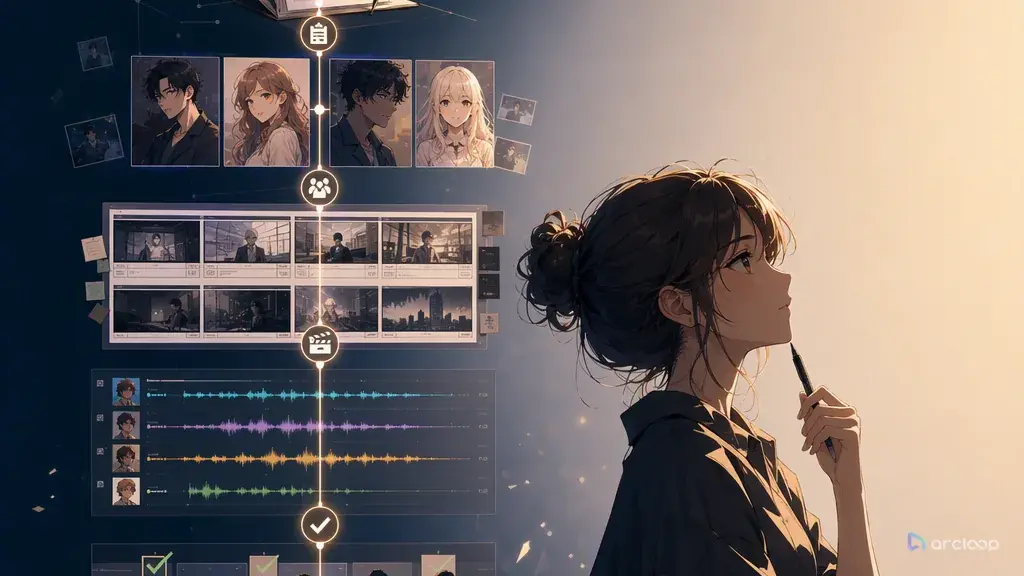
The full path is script to character to shot list to voice to cut. Each stage has a narrow job.
Script intake captures the episode as written. It should include scene headings, character names, dialogue, key actions, props, and cliffhanger beats. Even if the script is rough, the workflow should first clarify the story rather than generate video immediately.
Character extraction turns named roles into reusable assets. Every recurring character needs visual anchors, wardrobe rules, expression needs, voice notes, and drift warnings. If the heroine wears a red delivery jacket in scene one, that jacket should not become a black blazer in scene two unless the script says she changed.
Scene breakdown turns the script into production blocks. Each block has location, time, characters, emotional purpose, props, and transition. This is where missing logic becomes visible. If a ring matters in the final reveal, it needs to appear earlier as a prop continuity note.
The per-scene shot list turns those blocks into renderable clips. Each shot has duration, framing, camera, action, dialogue coverage, continuity anchors, and review criteria. For vertical micro-drama, the shot list also protects face readability, subtitle space, and hook timing.
Voice planning assigns dialogue to consistent speaker lanes. A multi-character episode needs voice identity as much as face identity. A character cannot sound like a tired adult in one scene and a bright teenager in the next unless that shift is intentional.
The cut stage assembles approved roughs before final polish. You do not need every clip at final quality to judge whether the episode works. You need timing, emotion, continuity, and story clarity. Once those pass, final rendering becomes focused.
Review Gates That Prevent Rework
The simplest way to reduce rework is to put review gates before render. A review gate is a decision point where the creator approves or rejects a production asset.
The character gate asks whether each recurring role is recognizable from multiple angles, emotionally usable, and distinct from the other roles. This gate belongs before video. Use Character Sheet References and Reference Type Per Shot when identity, pose, outfit, and scene references need separate roles.
The shot list gate asks whether each scene can be told in a small number of clips. If a shot tries to handle three emotional beats, a prop reveal, a fight move, and a camera orbit, split it. AI video works better when each clip has one job.
The voice gate asks whether every line has a speaker, emotion, pace, and placement. Some lines belong on face close-ups. Some belong under reaction shots. Some should be cut because the visual beat already explains the moment.
The budget gate asks which shots deserve final quality. Draft all shots cheaply, select the keepers, then polish. The workflow does not remove creative judgment. It gives judgment a cheaper place to happen.
Where Each Gate Lives in ArcLoop
The workflow map and the review gates above are abstract until you know which screen each one sits on. Here is the pipeline as it runs in ArcLoop, gate by gate.
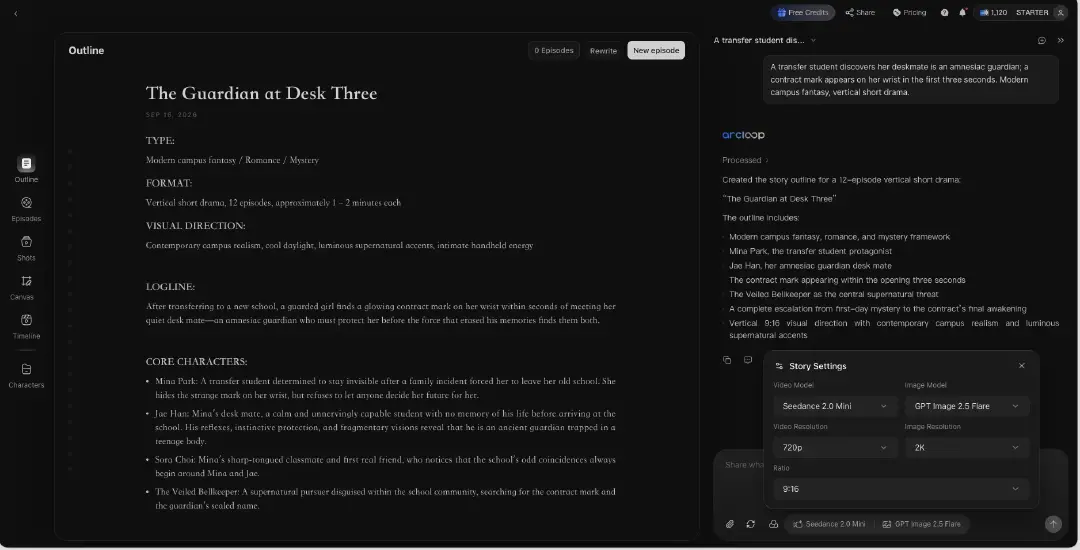
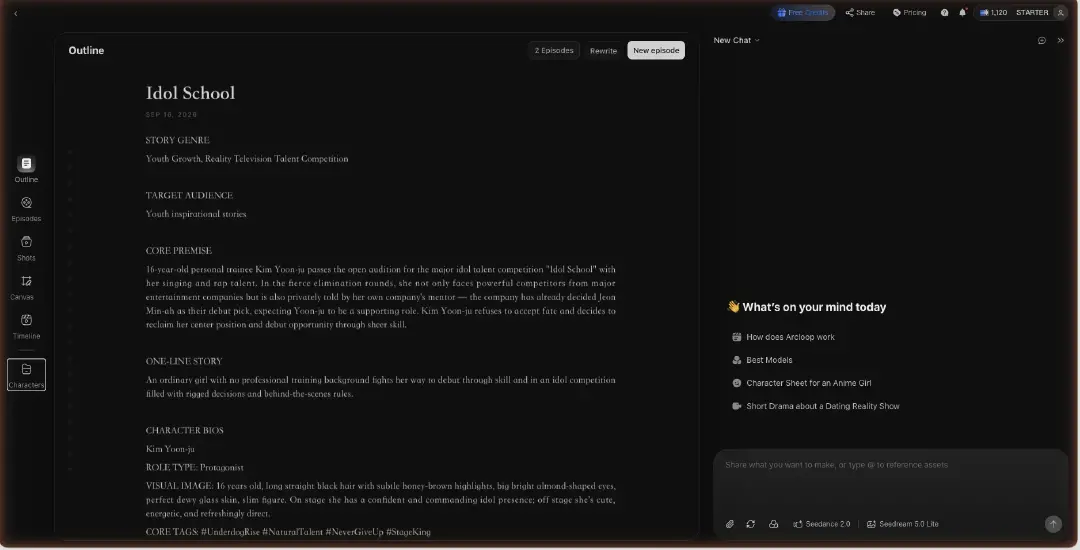
Gate 1 — Story locked, on the Story Outline. Start the project from the episode script in ArcLoop, open Story Settings from the model chips under the chat box (9:16, video and image models, resolutions), and read the Story Outline the Agent returns. The logline and emotional arc from Example 1 either match here or get fixed here: double-click to edit, or ask the Agent to change one beat. Nothing downstream should start until this reads right.
Gate 2 — Cast locked, in My Assets. Every character in the reference library becomes a character asset: Main image for identity, Reference images for other looks, all bound under one name. The visual anchors you wrote for NORA and IVAN live here, which is why the shots never have to describe them again.

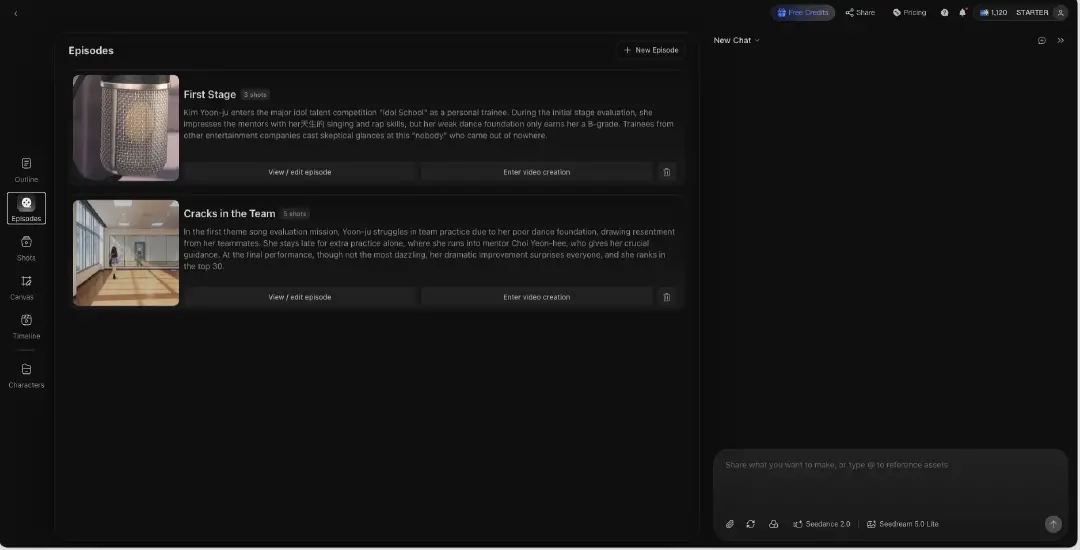
Gate 3 — Shots approved as stills, on the Episode. Open the Episode, click Generate Shots, and edit each shot card to one job: the scene ID, the action, the blocking, @ references. Generate the image for every card and review the set before any video — this is the approve-before-render gate, and it is the cheapest place to catch a wrong frame.
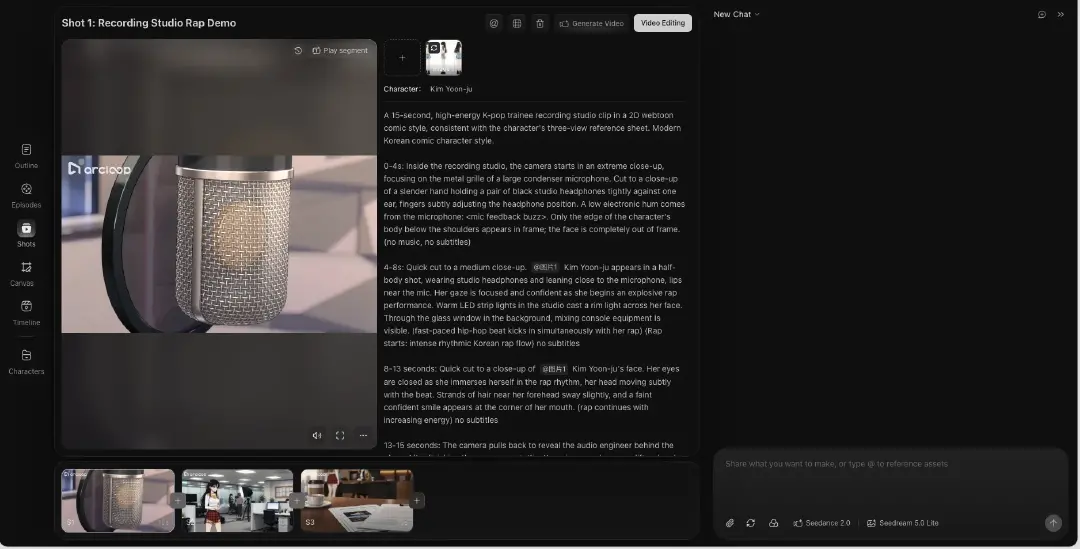
Gate 4 — Video generated from approved stills only. Batch the approved cards through the AI Chat Panel and generate video. A card that failed the still review is fixed and re-stilled first; it does not go to video on hope.
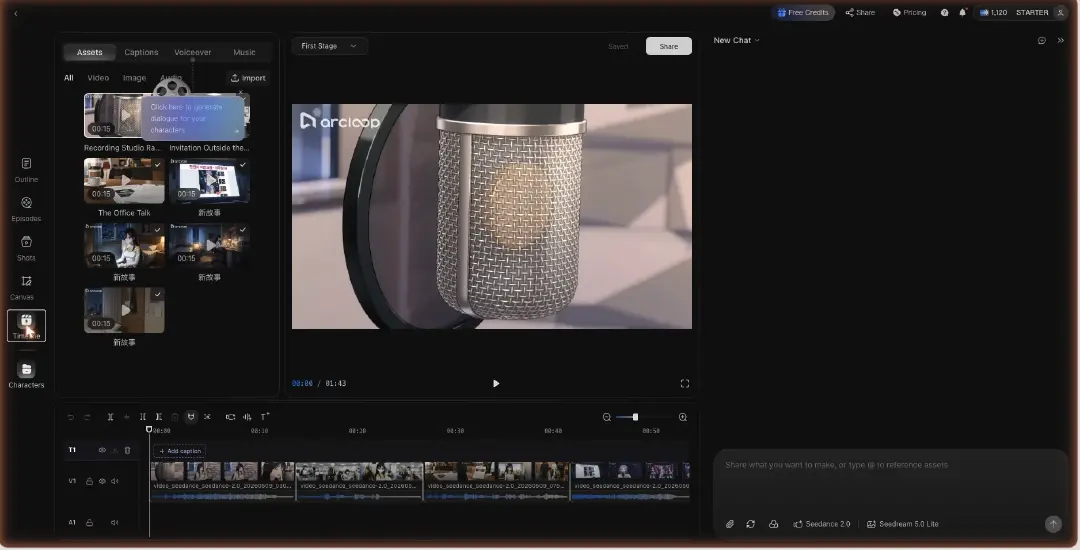
Gate 5 — Voice and cut, in Edit. Open Edit, arrange the clips in scene order, trim to the lines, run Generate Voiceover with the voice rules from Example 3, add BGM, and export. The voice-to-cut plan is executed here, on the timeline, where you can hear whether NORA's crack lands on the final word.
Example 1: Episode Workflow Spec
Create an AI short drama production workflow from this episode script.

Workflow output:
1. Episode logline and emotional arc.
2. Character reference library with visual anchors, voice lanes, and continuity warnings.
3. Scene cards with location, time, conflict, props, and cliffhanger function.
4. Per-scene shot list with hook, reaction, action, insert, reveal, and transition shots.
5. Draft render plan with review criteria for each shot.
6. Final render plan only for approved shots.
7. Cut notes for pacing, subtitles, voice placement, and ending beat.

Production rule:
Do not write isolated video prompts until the character library and shot list are approved.

This spec keeps the episode organized around production decisions instead of a pile of prompts.
Example 2: Per-Scene Production Board
Scene ID: E01_S02
Scene title: The wrong engagement ring
Location: jewelry store back room
Time: late afternoon
Characters: NORA, IVAN
Conflict: Nora sees that Ivan bought the same ring for another woman.
Props: velvet ring box, receipt, cracked phone screen
Emotional turn: suspicion becomes proof

Shot list:
Shot 1 hook, 3 sec, vertical close-up, Nora's hand opens the drawer.
Shot 2 insert, 4 sec, ring box with two initials engraved inside.
Shot 3 reaction, 5 sec, Nora smiles to hide the shock.
Shot 4 confrontation setup, 6 sec, Ivan enters behind her in soft focus.

Review criteria:
Nora identity stable, ring engraving readable, Ivan not redesigned, no extra characters, subtitle space clear.

This board is detailed enough to render, but still compact enough to review.
Example 3: Voice-to-Cut Plan
Create a voice and cut plan for the approved short drama scene.

Voice lanes:
NORA: controlled, low volume, clipped pace, emotional crack only on the final word.
IVAN: warm public voice at first, defensive pace after the reveal.

Cut rules:
Line 1 plays over Nora's hand opening the drawer.
Line 2 starts on the ring insert and ends on Nora's face.
Leave 0.6 seconds of silence before Nora's final line.
Use reaction shots instead of showing every speaker on every line.

Dialogue:
IVAN: You were not supposed to be back yet.
NORA: I know. That is why I finally learned the truth.

Voice is not an afterthought. It is part of the scene rhythm.
Common Mistakes
The biggest mistake is treating production as a linear generate-and-fix chain. If character identity is not approved before video, every later shot inherits uncertainty.
Another mistake is letting disconnected steps define the workflow. A short drama workflow should follow the script the way ArcLoop's Episodes are built: each episode holds a Storyboard of shot cards, and the character built once in My Assets — with its voice — gets pulled into every shot with a single @ reference instead of getting redescribed each time.
Creators also overstuff shots. A 7-second shot cannot carry every line and every action. Put the hook, reveal, and reaction into separate cards when needed.
Finally, teams often skip the rough cut. A rough cut with imperfect visuals can expose pacing problems earlier than a polished but uneditable set of clips.
FAQ
What is the best order for AI short drama production?
Use script, character library, scene breakdown, per-scene shot list, voice plan, draft cut, approval, final render, and edit. Do not begin with final video prompts.
How many shots should a short drama scene have?
Most short scenes work with three to six shots: hook, insert, reaction, action, reveal, and transition. Add more only when the script beat needs them.
How do I keep a shot card from drifting away from the script?
ArcLoop keeps the shots tied to the story instead of drifting: each episode's Storyboard breaks the script into shot cards, and every shot pulls the same character — voice included — in with a single @ reference from My Assets. Edit a shot's description and regenerate just that card without touching the rest of the sequence.