Too Fast Breaks Continuity. Too Slow Breaks Habit.
The first week of a new AI anime series is easy. You post the character reveal, one dramatic scene, one reaction clip, and a behind-the-scenes post. Then the second week becomes a mess. One post needs a full production sprint, another uses an old outfit, the audience waits too long for the next beat, and your "weekly series" turns into random drops.
Update cadence is the production plan that prevents that collapse. Publishing rhythm is the audience-facing side of the same problem: when to post, when to batch, when to rest, and when to review. If you post too fast, continuity starts drifting. If you wait too long, viewers forget the story habit. A usable plan sits between those failures.
This guide combines update cadence planning and publishing rhythm for AI anime series. It shows how to plan anchor posts, light posts, review days, and batch windows around your actual Episodes list, and where in ArcLoop those decisions belong. For a ready workflow starting point, open character profile fields, then keep your approved characters as assets and your publishing rules in ArcLoop Worlds.
Rules for a Schedule That Doesn't Collapse
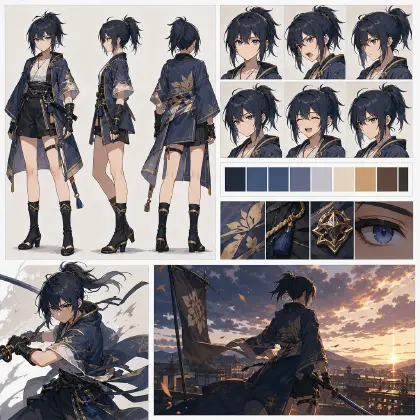
Plan around repeatable assets, not heroic effort. A cadence that depends on inventing a new character, setting, camera style, and story hook for every post will fail as soon as one week gets busy. Build reusable character assets, Scene assets, shot descriptions, and shot patterns first.
Separate anchor posts from light posts. Anchor posts move the series: character reveal, episode beat, reversal, relationship change, season turn, or finale. Light posts maintain audience memory: expression sheet, prop close-up, world detail, voice line, alternate angle, recap post, or creator note. They should not carry the same production weight.
Batch the parts that benefit from batching. Character variants, world details, reaction faces, reusable props, and short transition clips can be generated in groups. Story decisions, final take selection, and continuity review should stay deliberate.
Protect review time. A cadence without review days becomes a drift machine. Every publishing plan needs a place to check identity, world rules, story status, readability, audio timing, and final-frame clarity.
Keep audience memory in the plan. Viewers remember clear hooks, recurring props, stable faces, and predictable return points. A good rhythm repeats enough to feel familiar without making every post identical.
Leave rest days on purpose. Rest days are not empty days. They are where you select takes, repair references, update the Story Outline, and estimate the next batch. If the schedule has no recovery space, quality becomes luck.
How to Build a Posting Plan That Holds
Start by defining the release promise. Write one practical sentence: "Two story posts and one light world post every week for four weeks" or "one polished episode every Friday with two short character reminders between episodes."
Choose the anchor rhythm. Decide which posts actually move the plot. For example: Monday hook, Wednesday consequence, Friday choice. Or one weekly episode plus two light assets. Keep the pattern simple enough to remember.
Build the reusable asset set in My Assets: a character asset with reference images covering its expression range, a Scene asset for the main location, a Prop asset for anything recurring, and the story arc written into Story Outline. The style itself — Realistic or Anime — is set once in Story Brief. Keep all of it beside the takes you've already generated, so the next shot starts from approved anchors instead of a re-typed description.
Map production weight. Label each planned post as heavy, medium, or light. Heavy posts need storyboard, shot generation, review, voice direction, and final export. Light posts may need only a prop shot, close-up, expression range, or recap visual.
Reserve batch windows. Batch light assets when the character and world are already loaded in your head. Produce several short candidates, then select later. Do not batch the final story decision if the previous episode has not been reviewed.
Add review gates. Before a post is approved, check face continuity, outfit, prop state, world rule, story beat, camera readability, voice assignment, and mobile-size final frame. Use Low-Cost Draft to Final when the series needs rough passes before polish.
Log what changed after publishing. If a prop was damaged in Friday's post, the Monday light asset should not show it repaired unless the story explains it. The cadence plan must remember consequences.
Where Publishing Decisions Live in ArcLoop
The publishing rhythm stays practical when each piece has one place: the beat lives in Story Outline, the character in My Assets, the shot in that episode's Storyboard, and the voice track gets added in Edit with Generate Voiceover. Nothing has to be re-explained from scratch between posts.
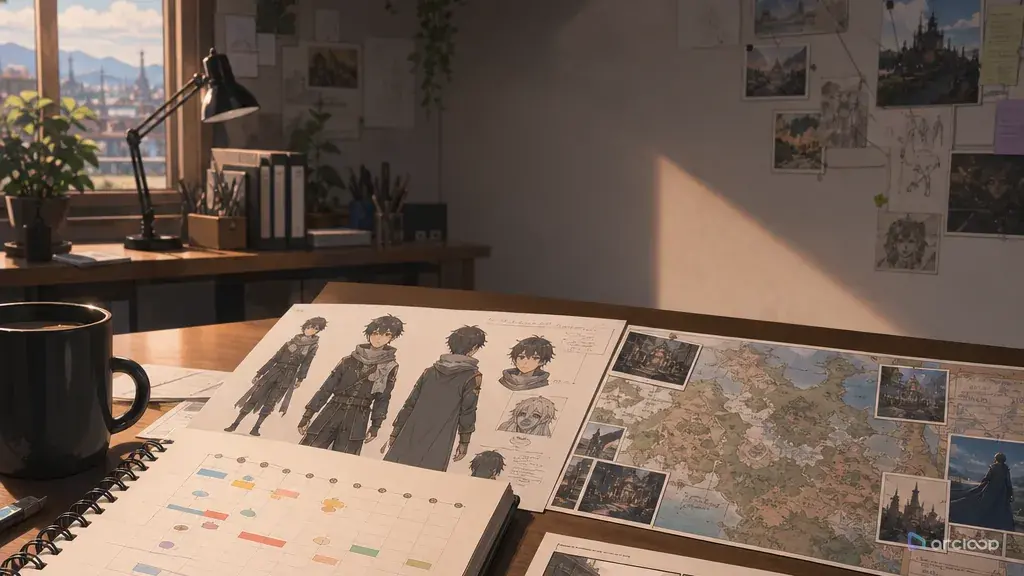
Create one release calendar per arc, not one giant calendar for every future idea. The plan should include the release promise, anchor posts, light posts, batch windows, review days, reusable assets, and rejection rules. Link each post to the exact character asset, Story Outline, and Story Outline it depends on.
When the schedule slips, do not fill the gap with a brand-new plotline. Use a light asset that reinforces the current story: a damaged prop close-up, a room detail, a silent reaction, a map fragment, a voice line, or a short recap shot.
For a batch-heavy series, try Batch Episode Production Pipeline. For story-heavy continuity, pair the release calendar with three-shot continuity template. The point is not more process; it is fewer restarts.
Open your IP Project and go to My Assets. Create a Character asset for your lead — upload their reference image from Library and Bind it as the Main image. Add other angles or outfit variations as Reference images on the same asset. Build a Scene asset for your main recurring location the same way.
Open your first Episode and click Generate Shots. In each shot card, type @ to pull in @Kiva Ren or @bell tower instead of re-describing them. Write only what is new to this shot: the action, camera angle, lighting condition, and any prop state change. When the images confirm the composition, open AI Chat Panel and send: "Generate videos for Shots 1, 2, and 3." Run your light asset shots — prop close-ups, silent reactions — as a separate batch so they don't hold up your anchor posts. Pull everything into Edit, arrange on the timeline, trim, and add voiceover with Generate Voiceover.
Example 1: release calendar for a four-week series
Wide shot of @Kiva Ren stepping into the old school bell tower for the first time. Late afternoon, warm amber light filters through dusty windows and catches her brass gear earrings. She pauses at the doorway, eyes tracking upward toward the bell mechanism overhead. The cracked pocket watch is visible at her hip. Camera holds on a slow push-in from the threshold. Atmosphere: quiet, curious, faintly ominous. Cool shadow fills the far end of the tower. No dialogue. Duration: 6 seconds.
This prompt builds the schedule as a usable production object. It covers both update cadence and publishing rhythm before individual clips are generated.
Example 2: anchor post shot prompt
Medium close-up of @Kiva Ren inside @bell tower, late afternoon dust turning gold in the window light. She opens the cracked pocket watch after denying she moved the missing club notes. The minute hand snaps forward. The bell rope swings on its own. Her cardigan sleeve catches on a gear. Camera holds her face in the upper third, watch and trapped sleeve visible in the center. One slow handheld drift downward as the gear catches. Her breath held in the final frame. No new characters. Duration: 7 seconds.
The prompt names the post type, story status, and cadence job. That prevents the anchor post from becoming a generic dramatic clip.
Example 3: light asset and recovery day prompt
Extreme close-up of @cracked pocket watch resting on the club desk, early morning after the gear incident. The same crack runs across the watch glass. The brass edge shows fresh scratches. The minute hand twitches once but does not jump forward. Cool blue-white classroom light, soft dust settling, shallow depth of field. Static camera, no movement. No characters visible. Leave open space on both sides for vertical or horizontal crop in Edit. Duration: 5 seconds.
This is how a cadence survives a busy week. The post is useful, but it does not pretend to be a full episode.
Ways Posting Plans Fall Apart
The biggest mistake is scheduling only final posts. A real cadence also needs drafting, review, take selection, voice assignment, continuity checks, and recovery days. If those are invisible, they will steal time from the next post.
Another mistake is making every post an anchor post. Audience memory can be maintained with light assets when they reinforce the current story. Use heavy production for moments that change the series.
Creators also batch too late. If you wait until posting day to generate every expression, prop close-up, transition, and recap card, the schedule becomes fragile. Batch reusable light assets while the current references are approved.
A fourth mistake is using filler that breaks continuity. A random costume showcase may get a post out, but it can confuse the story if the character should be injured, angry, or missing a prop. Light posts still need continuity rules.
Finally, do not confuse speed with rhythm. Speed is posting often. Rhythm is a pattern the audience can learn and production can sustain.
FAQ
How often should an AI anime series post?
Choose a rhythm you can maintain with review included. For many small teams, one anchor post plus one or two light posts per week is more reliable than trying to publish a major episode every day.
What is the difference between update cadence and publishing rhythm?
Update cadence is the production-side plan: batching, drafting, review, rest days, and final approval. Publishing rhythm is the viewer-facing pattern: when posts appear and what kind of memory they create. They should be planned together.
What should I batch first?
Batch stable assets: expression ranges, prop close-ups, location angles, transition loops, and recap visuals. Avoid batching major plot turns before the previous anchor post has been reviewed.
How do I recover when I miss a scheduled post?
Use a light continuity asset instead of inventing a new story branch. A prop close-up, room detail, silent reaction, or recap post can keep the audience habit alive while the next anchor post gets reviewed.
Where do I keep the publishing plan itself?
Keep it in the same IP Project: character assets in My Assets, beats in Story Outline, shots in each episode's Storyboard, and the mixed voice track in Edit. Nothing has to be planned in a separate doc and re-imported later.
Where should I start?
Start with character profile fields if you need a cadence plan template. Use Low-Cost Draft to Final for review-heavy posts, then keep the approved series assets in ArcLoop Worlds.