A 30-second AI video can hold a small story in one continuous shot, but it is easy to overload the prompt. Too many actions, changing camera instructions, or a second location can make the take feel unfocused. This guide plans one character, one place, one camera move, and one visible change, then generates a single 30-second video with Seedance 2.5 in Arcloop.
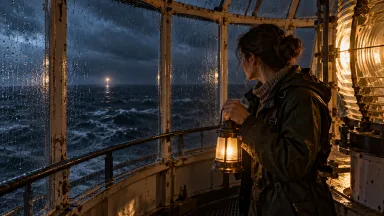
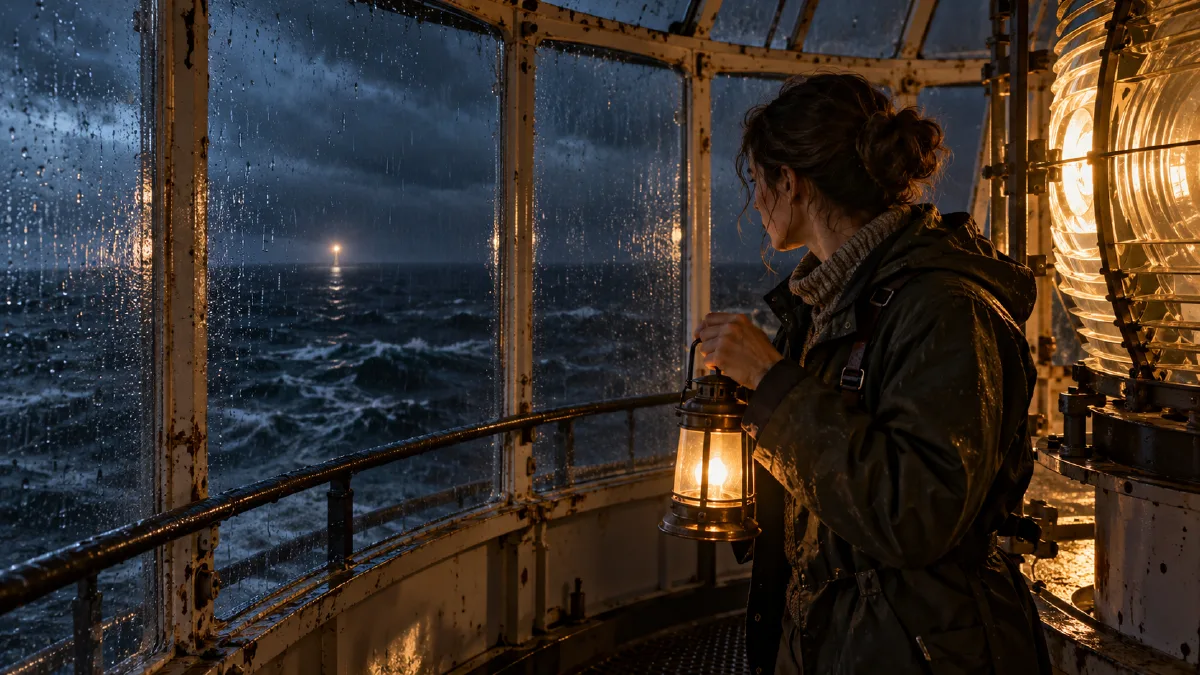
The example follows a lighthouse keeper who notices a distant distress light and answers it. The opening still is a separate planning step. The final video is one generation, and the result may still need another attempt.
1. Reduce the story to one visual turn
Use a simple structure: routine, discovery, response. The keeper begins her night watch, notices a faint light offshore, and turns the lighthouse beam toward it. The scene stays inside the lantern room. No dialogue or location change is needed for the audience to understand the shift.
Avoid adding extra characters, a storm emergency, a power failure, and a rescue all in the same 30 seconds. A long take needs fewer actions, not more.
2. Set up character and location references
In your Arcloop project, establish the keeper and lantern room as reusable assets. Use a character reference for her appearance and a separate location reference for the room layout. These images give the video model visual anchors; they do not guarantee that every small detail remains exact. Create original images for this fictional character and location, and do not rely on unprovided files or broken local image links.
Use the character image to keep her identity and work clothes consistent. Use the room image to establish the lantern, circular walkway, window layout, and distant signal light. Keeping the references separate helps the model understand what each image is for.
Choose Seedance 2.5 and the delivery aspect ratio in Story Settings. Attach the character and location references to the shot rather than repeating a long appearance description in the prompt. The Seedance 2.5 prompt guide recommends timed beats, one camera setup, and an explicit ending for a long take.
3. Write one shot card with timed beats
Open the episode storyboard and combine the scene into one shot card. Keep the camera and lighting consistent from beginning to end. Use this prompt as a starting point:
Camera: One continuous shot with a handheld quality at chest height, medium wide, beginning behind the keeper and slowly drifting to her side. No cuts, no change in lens or camera direction. Set: @Lantern Room at night, rain on the glass, steady warm lamp light inside and a faint cold sea beyond. Character: @Keeper, using the attached character reference.

0 to 8 seconds: The keeper makes a quiet round of the lantern room, checks one instrument, and returns her attention to the sea. Keep the movement routine and unhurried.

8 to 20 seconds: A small distant light flashes twice beyond the wet glass. She notices it, stops, and leans closer to confirm it is still there. The camera continues its same slow drift.

20 to 30 seconds: She lifts the small signal lamp and flashes it toward the distant light. After a short pause, the light flashes back. She holds her position, watching it. End on both lights visible through the rain covered glass.

Keep the lighting and room layout stable. Natural body movement, restrained documentary realism, no dialogue, no text, no extra people, no cutaways.
Replace @Keeper and @Lantern Room with the actual asset names in your project. Keep each timed section to one main action. Do not add a new camera move inside every beat; competing instructions make a long take harder to follow.
4. Check the opening still before generating video
Generate the opening frame first. Confirm that the keeper, lantern room, and visible sea are composed clearly. If the room is wrong or the character is poorly placed, fix the shot card before generating the video.
Once the still is approved, generate the 30-second video. This is the one-generation part of the workflow. The still is a preview, not a second video generation. The model may not place every beat at the exact second in your prompt, so review the finished take against the intended order.
5. Review the take and trim the start
Check whether the discovery is visible, the keeper’s response is readable, and the final image has a clear ending. If the opening pauses too long, trim it in Arcloop’s Edit timeline. If the signal light never reads clearly, simplify the prompt and regenerate the shot rather than adding unrelated events.
A continuous take works when the action happens in one place and the camera can follow it naturally. If your story needs a location change, a close-up insert, or several independent actions, split it into multiple shots instead.
Frequently Asked Questions
Does one generation guarantee a finished film on the first try?
No. It means the final clip is requested as one continuous 30-second generation. You can review the opening still first and may still need to revise or regenerate the video.
Should every AI short film be one long take?
No. Use one take for an action that unfolds continuously in one location. Use multiple shots when the story needs a new angle, another location, or a detail the camera cannot naturally reveal.
Where do I set the duration and aspect ratio?
Choose the model and delivery settings in Story Settings, then write the shot as timed beats. See the Seedance 2.5 guide for its setup and prompt workflow.
CTA: Plan a Long Take in Arcloop