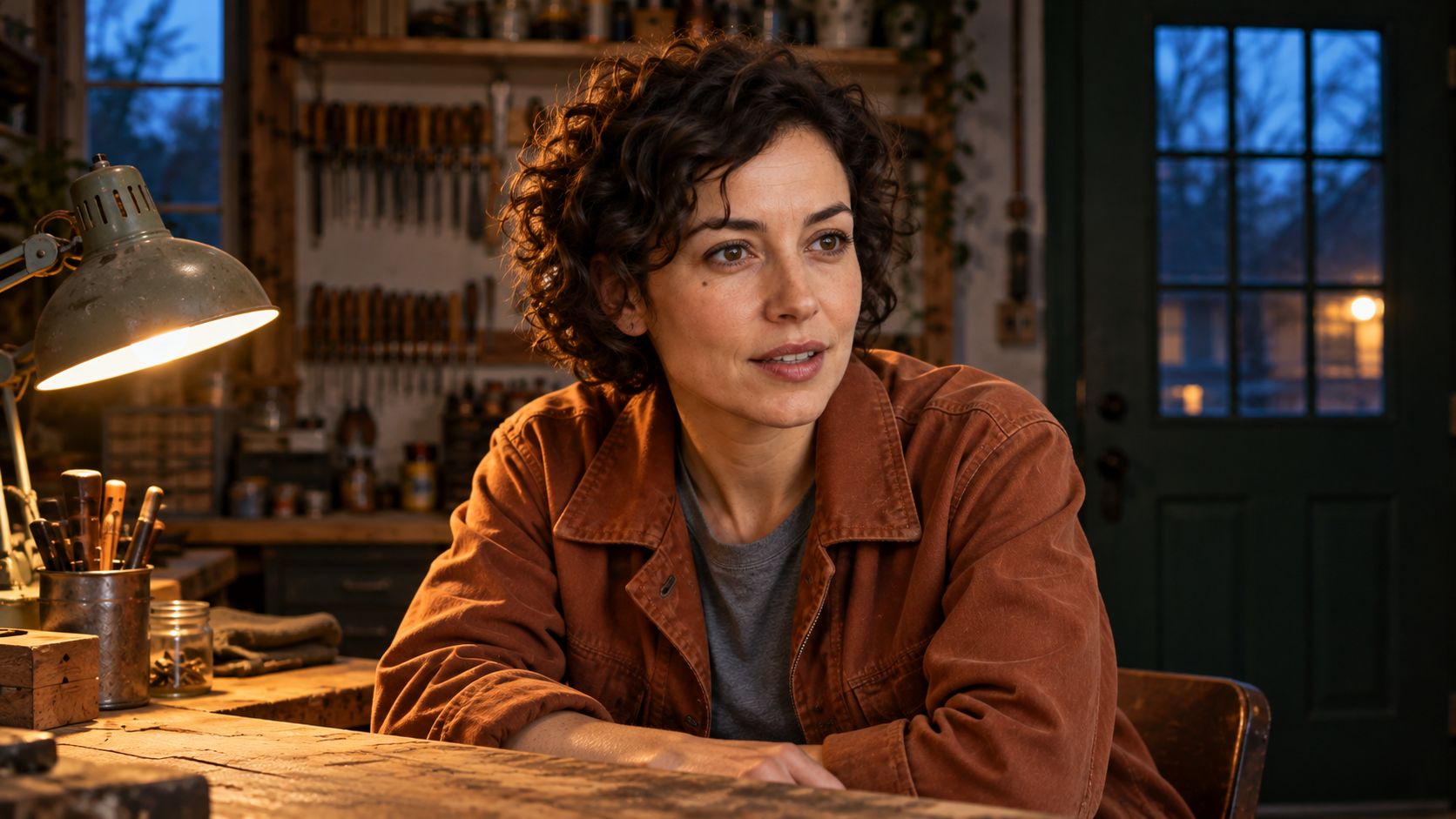
系列角色既需要让人认得出脸,也需要让人认得出声音。本教程使用 Vidu Q4 Preview,在 Arcloop 中通过人物图、场景图和录音规划一段 12 秒短剧。你会准备素材、撰写对白提示词,再用同一录音生成另一段新台词。
场景设在关店后的修理店。女主望向门口,认出访客,戒备的表情逐渐放松。两句短台词构成情绪变化,简单的环境便于观察表演。以下是待执行的制作流程,不是已完成的声音测试。
声音参考负责什么
Vidu Q4 支持声音参考,也支持视觉参考。录音提供音色示例,视频提示词提供新台词和场景要求。**音色相似、台词准确、口型对应、表演自然是四个独立检查项。**某一项做好,不代表其他项都正确。
这套方法适合连续剧中的同一角色、对镜头外谈话的反应,或简短口播。先只用一个说话角色,方便判断模型执行了哪些要求。
如何在 Arcloop 用 Vidu Q4 制作对白场景
第 1 步:先写清情绪和台词
先决定人物情绪如何变化,再安排运镜。本例从不确定走向安心。她保持坐姿,望向门口,不做大幅手势。
| 时间 | 画面和动作 | 台词与声音 |
|---|---|---|
| 0 至 3 秒 | 听见有人进来,抬眼看门口。 | 轻微门铃和环境底声。 |
| 3 至 6 秒 | 认出对方,戒备稍缓。 | You came back. |
| 6 至 8 秒 | 停顿,轻轻吸气。 | 保留环境底声。 |
| 8 至 11 秒 | 肩膀放松,仍看着访客。 | I kept the light on. |
| 11 至 12 秒 | 停留在她的反应上。 | 让最后一句自然落下。 |
这些时间是节奏目标,不是精确到帧的控制。成片出来后再检查停顿是否自然。台词和可复制提示词保留英文。
第 2 步:准备人物、修理店和声音参考
人物图要清楚,脸部大小应方便核对。中性表情有助于检查转头后脸、头发和外套是否变化。
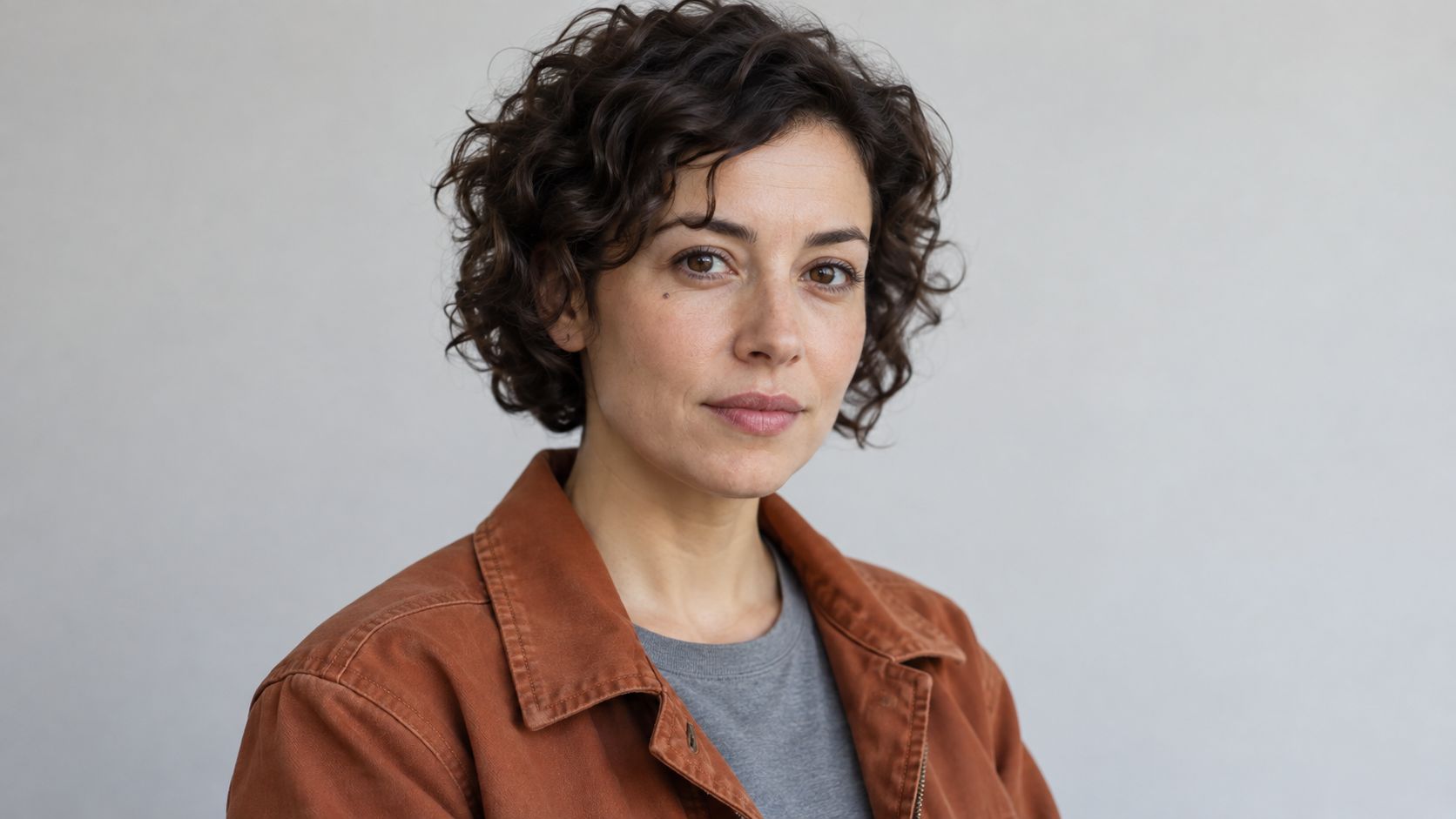
人物图由 Arcloop 外部的内置图像生成工具制作,用于约束脸、发型和服装。
人物图片提示词
Create one photorealistic casting reference photograph of an original adult woman in her early thirties. Short dark curls, brown eyes, a narrow oval face, a small natural freckle below her left eye, rust colored canvas work jacket over a plain gray cotton shirt. Chest up framing, body turned slightly to the right, both eyes visible, relaxed mouth, neutral attentive expression. Soft daylight on a plain pale gray background. Natural skin texture, realistic hair and fabric, no beauty filter. One person, no text, no logos, no collage, no illustration or animation.
场景图负责工作台、门和光线。保持无人,避免引入第二张脸。
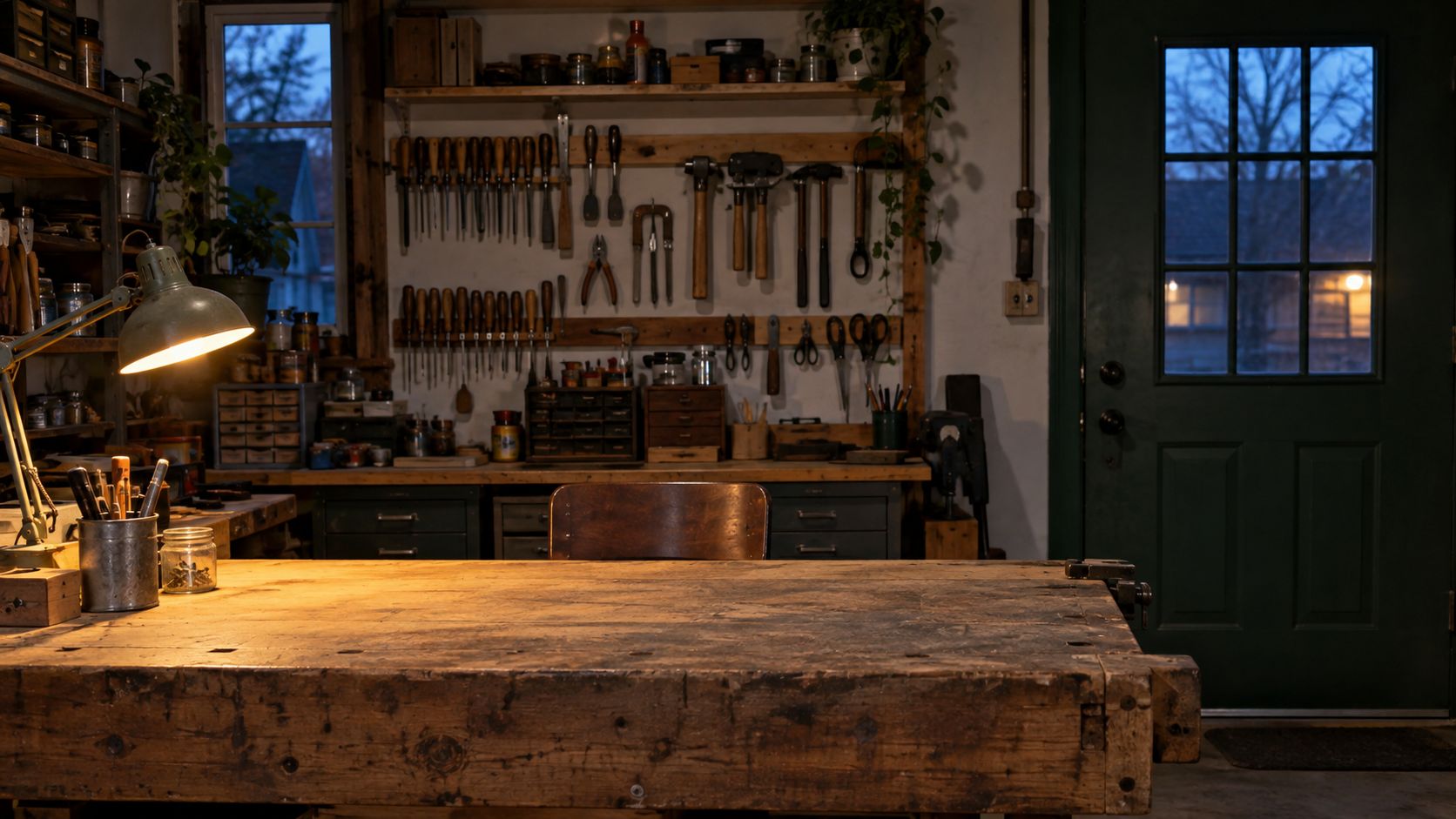
场景图由同一外部工具制作。空座位留给女主,门口提供明确的视线方向。
修理店图片提示词
Create one photorealistic location photograph of a small independent repair shop after closing. A worn wooden workbench in the foreground, a dark green entrance door in the right background, neatly hung hand tools on the rear wall, one warm desk lamp on the left, cool evening light through a narrow window. Leave a clear seated position behind the workbench with an unobstructed view toward the door. Eye level medium wide composition, realistic scale and practical lighting. No people, no readable text, no brand marks, no illustration or animation.
声音使用自己录制或获得授权的合成声音。选择单人自然说话、无音乐的干净录音,不用混合多种夸张语气的片段。
根据 Vidu 参考生视频接口,准备 3 至 12 秒的 MP3。本例建议自然朗读 5 至 8 秒,并检查导出时长。Arcloop 上传端可能还有额外限制,提交前核对。
建议录音台词
I left a seat for you. Take your time.
录音台词与最终对白不同,便于检查模型能否把相同声音用于新内容,而非仅复述录音。后续版本继续使用同一录音。
第 3 步:附上素材并填写完整提示词
打开 Arcloop,给视频请求附上两张图和录音,分别清楚命名。方括号内容是占位符,要替换成任务中的实际素材名或引用标记。
完整视频提示词
Create one 12 second photorealistic drama scene in a real repair shop after closing.

Use [CHARACTER IMAGE] for the woman's identity, short dark curls, face, freckle, rust colored jacket, and gray shirt. Use [SHOP IMAGE] for the workbench, dark green doorway, tool wall, and practical lighting. Use [VOICE AUDIO] as the voice reference for this woman speaking the new dialogue below. The recording is a voice example, not a request to repeat its words.

One adult woman is seated behind the workbench. An unseen visitor has just arrived at the doorway to camera right. Keep her gaze toward that doorway, slightly past the camera. Begin in a medium close view at her eye level. Make one slow, subtle camera push toward her face throughout the scene. Keep her face and mouth unobstructed.

0 to 3 seconds: A soft door chime sounds. She raises her eyes toward the doorway, attentive but guarded. Her hands remain still below the frame.

3 to 6 seconds: Recognition softens her expression. She says the following line once, in natural conversational English:
You came back.

6 to 8 seconds: She pauses. A small breath and a slight release in her jaw show relief. Leave the pause quiet.

8 to 11 seconds: Her shoulders ease. Still looking toward the visitor, she says the following line once:
I kept the light on.

11 to 12 seconds: Hold on her quiet reaction as the last word settles.

Use warm light from the desk lamp and soft cool evening light from the window. Natural skin texture, restrained facial movement, realistic breathing, gentle focus falloff. Keep the character, clothes, shop layout, and lighting consistent. Generate the spoken dialogue, soft chime, and quiet room tone. No music, narration, subtitles, additional speakers, extra dialogue, sudden cuts, illustration, or animation.
提示词分别指定声音、图片和对白的职责。改编时替换角色、场景与台词,再调整停顿,使其适合目标表演。
第 4 步:生成场景,再换两句新台词
选择 Vidu Q4 Preview 和 reference to video。本例计划使用 12 秒、720p、16:9,并开启生成音频。开始前确认两张图和录音都属于当前任务。
Arcloop 模型说明要求图片输入,参考生视频最多支持三段音频参考。核对当前界面的积分估算。提示词里的时间段不是精确时间开关,实际台词、时序和口型都需要检查。
第二次请求保持图片、录音、时长和音频设置不变,仅把两句对白换成下面的内容。
Line at 3 to 6 seconds:
I almost locked the door.

Line at 8 to 11 seconds:
Come in. It's cold out.
对比两条视频的口音和声音质感,同时允许自然的重音变化。这只检查当前场景,不能推出模型整体成功率。
如需观察录音的作用,可另外生成一个不附声音参考的原对白版本。删除提示词里的声音参考句,仍开启生成音频,并单独计算这次尝试的预算。
第 5 步:检查台词、声音、口型和反应
先戴耳机听,再看画面。检查台词是否完整、有没有多说内容、停顿是否保留。将声音与录音比较,听辅音、音色质感和口音;仅音高相近还不够。
正常速度看口型,检查是否先出声音再动嘴、话说完嘴仍在动,或停顿时表情突然夸张。对照人物图检查开头和结尾的脸及外套。
台词太赶就缩短句子或增加时间。声音不清先换掉有噪声的录音。表演僵硬就把情绪要求简化为一个可见变化。每次只改一项,再比较下一版。
常见问题
需要写代码或另用对口型工具吗?
本流程使用 Arcloop 中的图片和音频附件、文字提示词及视频设置,让 Vidu Q4 Preview 同时生成画面与声音。先检查成片口型,再决定是否需要额外编辑。
可以只上传录音吗?
不可以。当前 Arcloop 接入要求图片。人物图明确谁在说话,场景图明确所在环境,录音只是补充声音参考。
一段录音能保证每集声音完全相同吗?
不能。复用同一录音、人物图和说话角色分配后,仍需逐条对比。不同台词和情绪要求会改变表达方式。
对比要花多少积分?
两段不同对白需要两次生成,可选无声音参考版增加第三次。图片和录音准备也应计入成本。模型、参数和重试影响总量,每次确认前查看 Arcloop 估算。