Where It Usually Breaks Down
When you're making anime-style short drama, the first design image is rarely where it breaks — it's holding up across a full episode. Characters drift into a different face from shot to shot, the same outfit reads as a different outfit, group blocking jumps around, and the voiceover sounds like a script read the moment there's real emotion. If you just keep piling more words into a single prompt, it only gets longer and messier, until rerolling generations is the only way to save one shot. In ArcLoop, you build the character into an asset first, bind reference images and a voice to it, and reference it with @ in the shot — blocking and lines still get written into the shot description by hand. That's what saves the whole episode's completion rate, instead of leaving it to a lucky reroll.
This pipeline is worth building properly because the competitive landscape has flipped. In April 2026, Douyin alone saw over forty thousand new AI dramas and anime dramas in a single month — more than ten times the number of live-action micro-dramas — and several AI series crossed a hundred million plays in the first half of the year. Output is no longer scarce; consistent watch-through quality is. And that quality comes from the concept-to-monetization pipeline below, not from getting lucky with a single prompt.
The more accurate term for Chinese-language creators is AI anime drama — a category that has to serve manga-style characters, short-drama pacing, and monetization at the same time. Start by setting up a project in your ArcLoop workspace, plan the episode structure with the AI short drama guide, and lock characters down with the character turnaround template — so series updates, paid previews, or character IP all have a stable foundation to build on.
How This Actually Works
The core tension in AI anime drama is that "the manga character has to stay consistent" and "the short-drama pacing has to move fast" pull in opposite directions. Manga-style characters get locked down through a character turnaround, key visual, expression set, and character asset library. Short-drama pacing runs on hooks, conflict, twists, and the moment that pulls viewers into the next episode. Focus only on the character and you end up with a design portfolio; focus only on the plot and you get faces drifting across shots and a different actor in every frame.
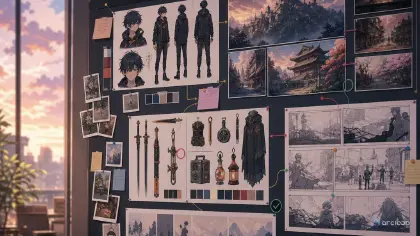
A few terms that get mixed up deserve separate treatment. A character asset is the written identity and the core anchor points. A character turnaround is the front, side, and back model standard. An extended turnaround usually adds a three-quarter angle, making turns, side profiles, and half-turns more stable. A character reference sheet lays the key visual, expressions, costume, props, and turnaround out on one production-ready page. A character asset library works more like a set of callable records, holding visuals, voice, blocking, a do-not-change list, and monetization reuse points together. AI anime drama is best built starting from a single character asset and scaling up to a full character asset library.
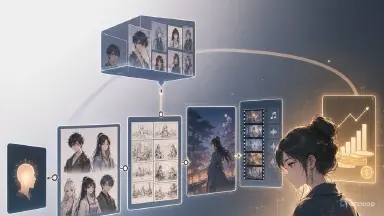
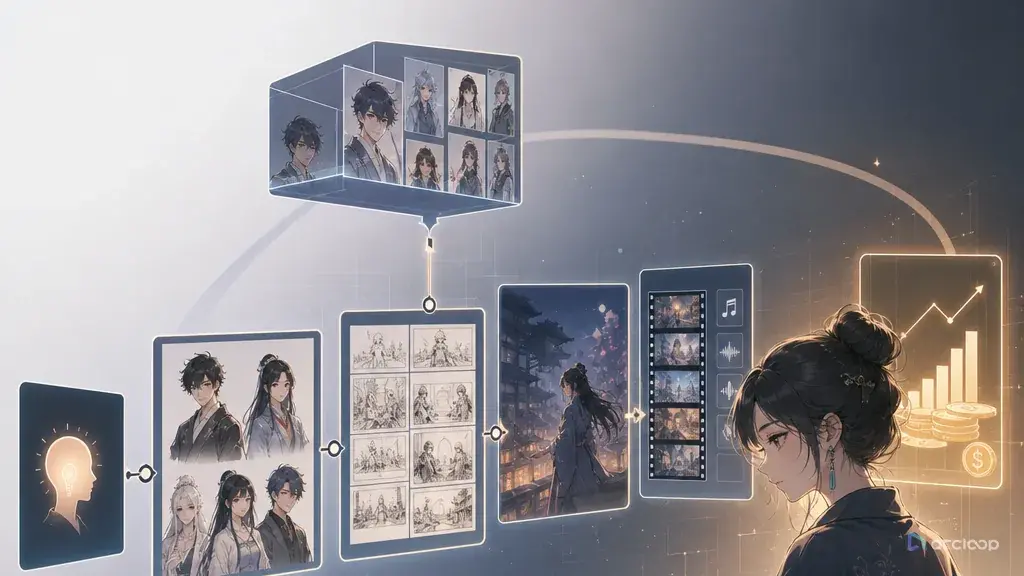
So AI anime drama should run concept → script → storyboard → video → voiceover → editing. The concept decides the audience and monetization path; the script decides conflict density; the storyboard decides what's generatable scene by scene; video generation handles the shots; voiceover handles character warmth; editing handles pacing and conversion. Every step should be able to loop back to the AI short drama guide, the character turnaround template, the storyboard template, and voice assets.
Monetization isn't a bonus chapter — it's a standard the workflow gets judged against. Every AI anime drama project should be able to answer: what does an episode cost, which shots are reusable, can the character sustain a long-running series, does the ending pull viewers into the next episode, and is the content better suited to a series, a paid preview, brand placement, or IP spin-offs?
Step-by-Step
Step 1: Narrow the concept before you deepen it. Don't write "campus fantasy romance." Write "a transfer student discovers her deskmate is an amnesiac guardian, a contract mark appears in the first three seconds, the focus is continuous twists and character relationships." A narrower concept is easier to turn into a series, and easier to design a cover and title around.
Step 2: Build the character asset library. AI anime drama needs a character turnaround and key visual before anything else. The key visual locks the face, the turnaround locks the body and costume, the expression set locks the acting, and the prop list locks the memorable details. Think of the character asset library as a production filing cabinet for the character: appearance, color palette, signature items, voice, and a do-not-change list get archived up front, so every episode pulls from that record instead of letting the system improvise on the fly. Anime-style content is especially prone to characters blurring into each other, so give every character at least one distinct visual hook — hair accessory, pattern, weapon, badge, unusual eye color, or a distinctive costume silhouette.
Step 3: Write the script to short-drama pacing. Each episode should resolve exactly one conflict; don't let worldbuilding exposition crowd out character action. Give a visual hook in the first three seconds, pressure and a choice in the middle, a twist or unresolved action at the end. A single episode should respect the 15-second and 30-second thresholds: viewers need to understand "who this is and what's happening to them" within 15 seconds, and a second turn needs to land by 30 seconds. Longer episodes should be stitched from 15-second beats, each with its own hook, action, and a visual anchor that carries into the next beat.
Step 4: Write blocking into the storyboard. When multiple characters share a frame, blocking isn't an art detail — it's plot logic. Who's pressuring whom, who's backing off, who holds the information — all of that needs to show up in where characters stand on screen. Use the AI short drama guide to test shots first.
Step 5: Generate video shot by shot. Don't go for long takes in AI anime drama. One shot, one emotion, one action, one piece of information. The character asset library is the identity reference, the storyboard is the action reference, and the lighting spec is the continuity reference.
Step 6: Lock the voice before you ship the episode. Multi-character voiceover needs a voice profile kept for each character: perceived age, tone, pace, emotional range, verbal tics, and rules for staying consistent across episodes. Otherwise it sounds like a different voice actor every episode.
Step 7: Do a monetization review while editing. Check the opening hook, the ending pull into the next episode, asset reuse, candidate titles, the cover frame, per-episode cost, and how hard the next episode will be to produce. Only projects that can produce episodes at scale have room for sustained monetization.
How to Run This Workflow in ArcLoop, Screen by Screen
The seven steps above are the plan. Here is where each one actually happens in ArcLoop, so you can follow along on screen instead of translating the plan into a pile of prompts.
1. Start the project from the concept. Open ArcLoop, start a new project, and paste your narrowed concept into the input box — the transfer student, the amnesiac deskmate, the contract mark in the first three seconds. You do not need to turn it into a polished prompt; the Agent uses it to draft the story, the cast, and the first episode.
2. Lock the Story Settings before anything generates. Open Story Settings from the model chips under the chat box: choose the video model and the image model, their resolutions, and the ratio (9:16 for a phone-first drama, 16:9 for YouTube). The anime look itself is written into the outline's Visual Direction, which you can edit in the next step. These settings decide how the series looks and what each step costs, so set them once and keep them for the season.
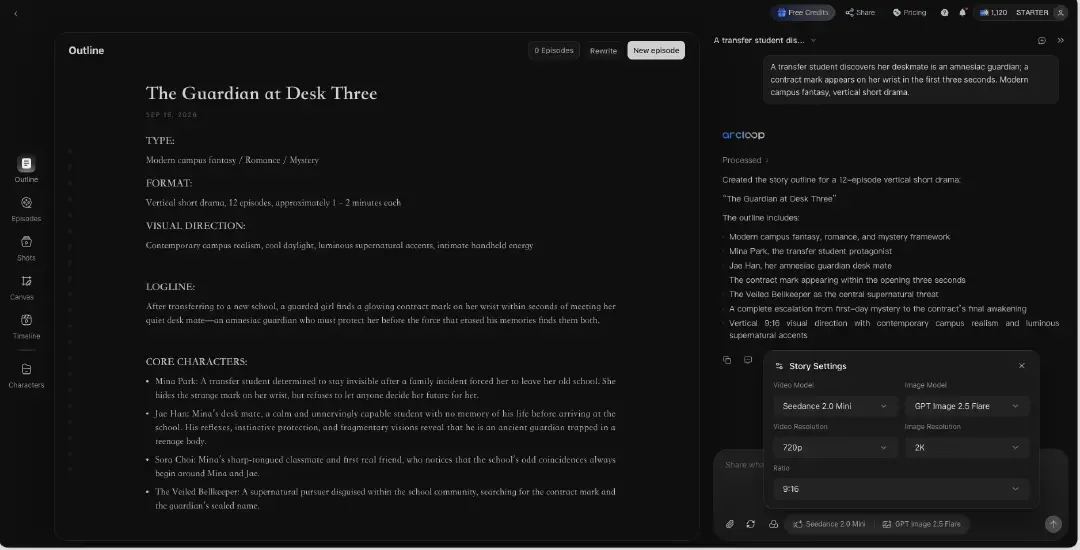
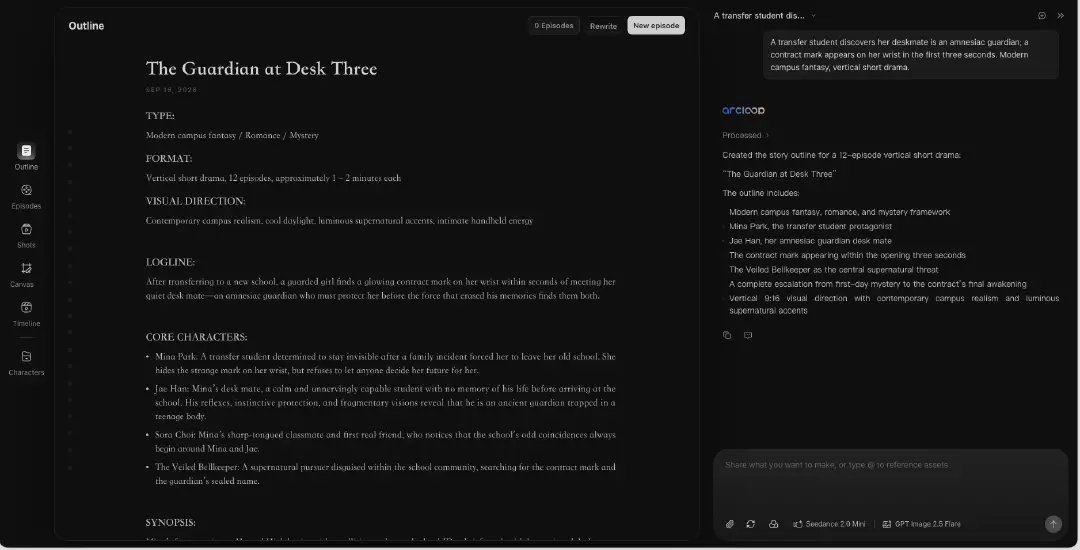
3. Edit the Story Outline to short-drama pacing. The Agent returns a Story Outline with genre, audience, premise, and character bios. Double-click any block to rewrite it, or ask the Agent in the chat panel to change one part — "make the contract mark appear in the first three seconds." Fix the beat that is wrong; do not regenerate the whole outline.
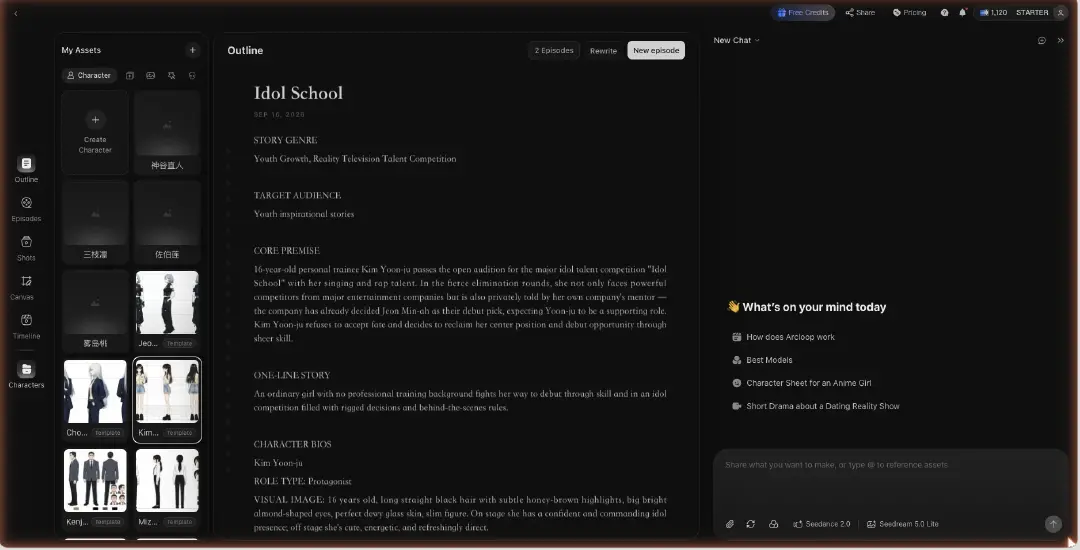
4. Build the character asset library in My Assets. Open a character, bind your key visual as the Main image and the turnaround and expression frames as Reference images. One character can hold several looks — uniform, casual, the guardian form — under the same asset, so the Agent still knows they are one person.
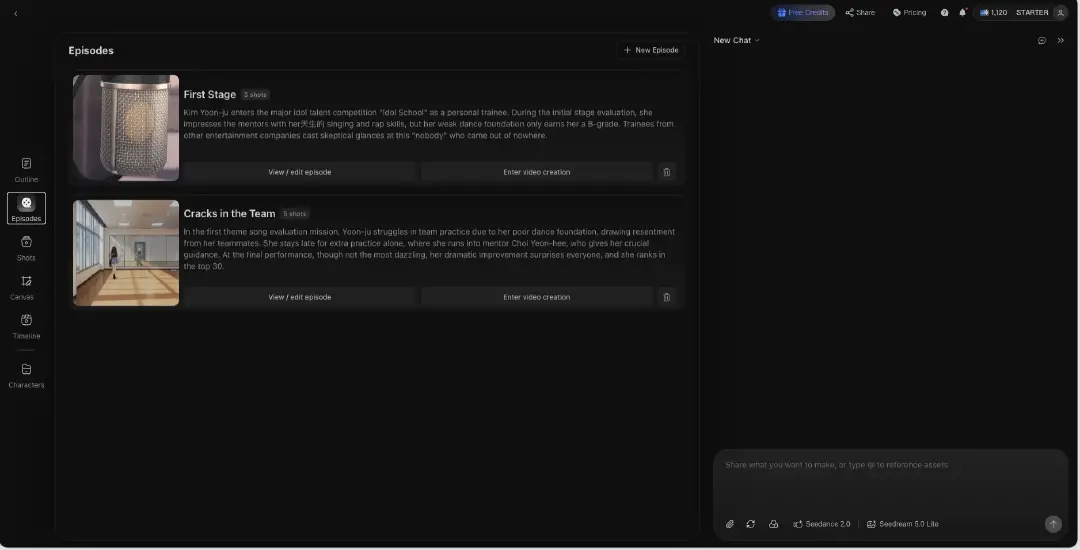
5. Break episodes into shots. Each Episode is one conflict. Open it and click Generate Shots; ArcLoop splits the episode into shot cards. Edit any card: shorten the action to one beat, write the blocking, and reference the cast with @ instead of describing faces again.
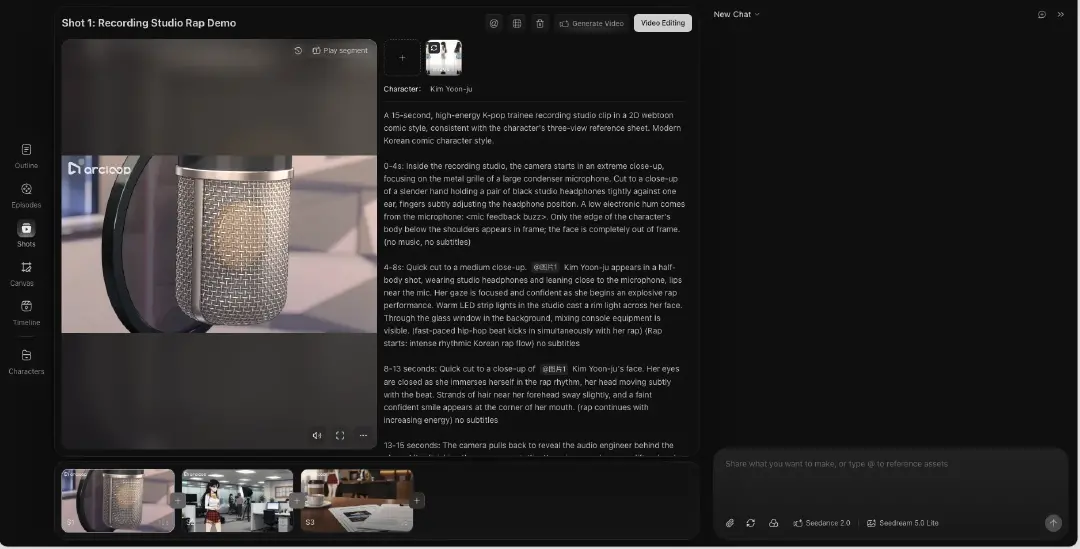
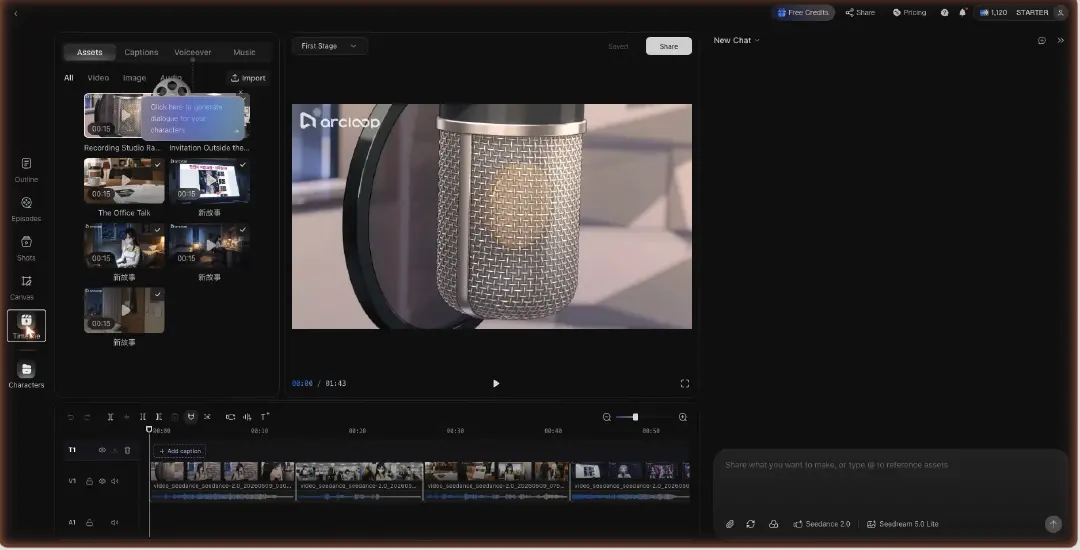
6. Generate, then cut and voice in Edit. Generate the image for a shot first to check the frame, then the video. When the shots are in, open Edit: arrange the clips, trim to the 15-second beats, run Generate Voiceover with the voice you fixed per character, add BGM, and export. The monetization review from Step 7 happens here, with the cut in front of you.
Copy-Paste Prompts and Specs
Example 1: AI Anime Drama Project Spec
Build a project spec for a Chinese-language AI anime drama. Genre: modern campus fantasy. Output: one-line concept, target audience, first-3-seconds hook, lead character setup, antagonist setup, character turnaround checklist, character asset library structure, per-episode script pacing, storyboard fields, voiceover profile table, editing rules, and monetization path. Must follow concept → script → storyboard → video → voiceover → editing. Must avoid characters drifting across shots, faces changing shot to shot, and characters blurring into each other. The monetization path needs to include series continuity, character IP reuse, and cost control for batch production.

Example 2: AI Anime Drama Character Asset Library
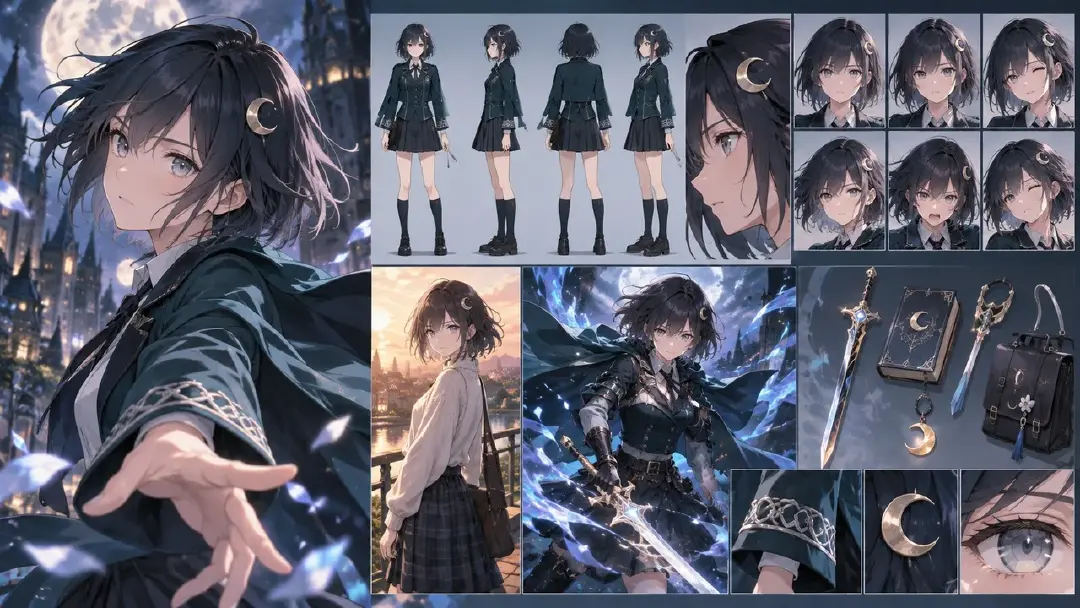
Build a character asset library for the lead of an AI anime drama. Output should include: key visual description, character turnaround description, expression set, everyday outfit, battle outfit, key props, do-not-change list, flexible items, and voice tags. The character needs clear identifying marks: a crescent-moon hairpin on the left side, gray-blue eyes, short cape-like hair, a dark teal school jacket, silver thread on the cuffs. Spell out the do-not-change list clearly: face shape, hairpin, eye color, jacket silhouette, and cuff pattern must not change. The goal is that later video generation doesn't need endless rerolling, and the character doesn't end up looking like a different actor frame to frame.
Example 3: Episode Storyboard to Video Execution Sheet
Break the following AI anime drama episode into 8 vertical shots. For each shot, output: duration, shot size, character, blocking, action, line, emotion, lighting, video prompt, voiceover prompt, and cut point. A conflict hook must appear in the first 3 seconds, and the ending must leave a reason to watch the next episode. All shots should reference the same character asset library and keep the character turnaround consistent. Monetization check: flag which shot works as the cover, which line works as the title, and which assets can be reused in the next episode.
Common Mistakes and Fixes
The first mistake is treating AI anime drama as generic AI anime content. The fix is adding short-drama structure: hook, conflict, choice, twist, and the pull into the next episode. Without that pacing, even great-looking visuals struggle to sustain a series.
The second mistake is characters looking too similar. The fix is giving each character a distinct visual mechanism and writing the do-not-change list into the character asset library. Don't rely on vague words like "pretty," "handsome," or "anime-style."
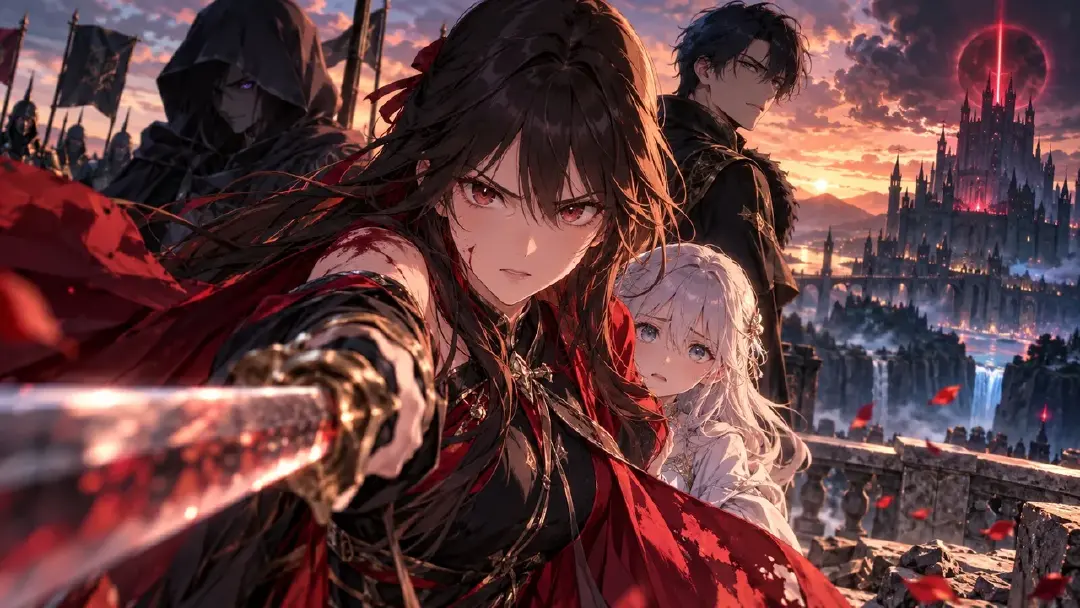
The third mistake is unclear relationships when characters share a frame. The fix is writing the blocking before generating the shot. Who's in front, who's behind, who's looking at whom — that's what lets viewers read the relationship.
The fourth mistake is voiceover that feels disconnected. The fix is binding the voice profile to the character asset library. A character's voice should stay consistent across episodes, not get re-picked line by line.
The fifth mistake is skipping a monetization review. The fix is building a cost sheet and a reuse sheet for every episode. AI anime drama doesn't live on one viral clip — its long-term value comes from stable characters and a series you can keep updating.
FAQ
What's the difference between AI anime drama and AI short drama?
AI short drama leans more toward live-action style and vertical micro-drama. AI anime drama is the Chinese-language term for the anime-style short-drama category, and it leans more heavily on the character turnaround, character asset library, a consistent art style, and expression assets.
Do you have to design the characters before anything else in AI anime drama?
You need at least a minimum character design first — a key visual, character turnaround, do-not-change list, and voice tags. Skip it and you'll keep running into faces drifting across shots later on.
Should monetization wait until you have views?
Don't wait. Concept, episode length, ending hook, character reuse, and cost ceiling all shape monetization. The earlier you design for it, the easier it is to produce episodes at scale later.