
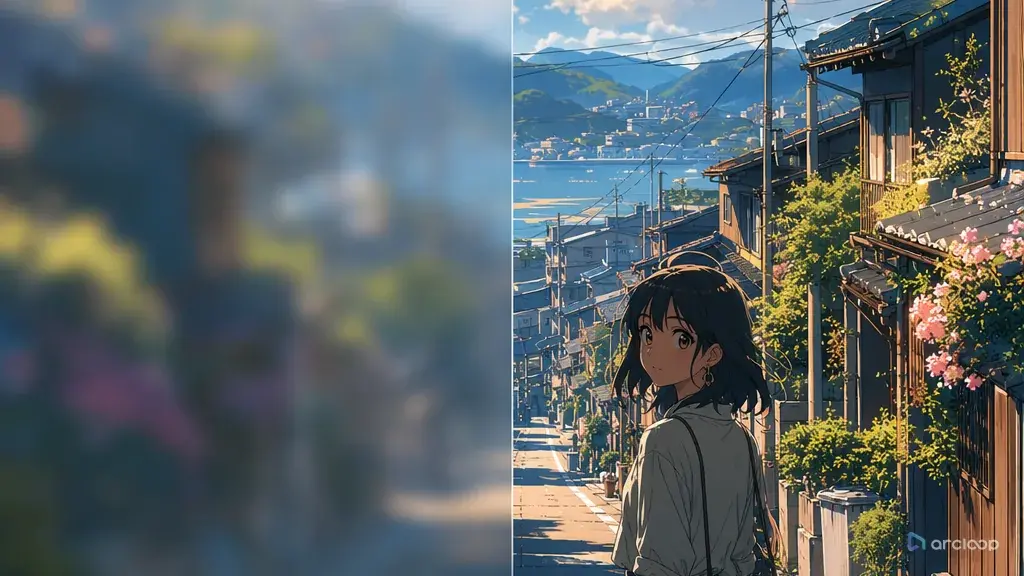
Background Blur: Why Sharpening Everything Makes It Worse
Blurry backgrounds are frustrating because the character can look perfect while the world collapses behind them. You get clean eyes, clean hair, clean costume, and then the cafe shelves become a brown smear. The alley has lights but no structure. The classroom windows melt together. The clip feels unfinished even if the pose works.
The repair is not "make everything sharper." If every background tile, sign, tree, and crowd member competes with the face, the shot becomes noisy. The better fix is to decide what the background must communicate, which depth layer should be readable, and where softness is allowed. A bedroom shelf behind a close-up can stay simplified. A magical door the character is about to open must be clear.
This guide explains how to fix blurry AI anime backgrounds in ArcLoop with focus priority, depth layers, landmarks, texture cues, and review passes. Use Cyberpunk Walk Depth Layers when a moving character needs readable background depth, or keep recurring locations in ArcLoop Worlds when the same room must stay recognizable across multiple shots.
Rules for Deciding What the Background Must Show
Choose the background's job. It may need to show location, scale, danger, mood, route, social status, or a story clue. Once you know the job, you can sharpen the right details and simplify the rest.
Separate depth layers. Foreground, character plane, midground, and far background should not have the same detail density. The layer that carries the story clue gets crisp edges. Distant atmosphere can stay softer.
Use landmarks instead of endless texture. One readable shrine gate, vending machine row, clock window, broken bridge, or painted mural anchors the scene better than a hundred tiny background marks.
Name texture behavior. "Sharp background" is weak. "Readable brick seams near the doorway, soft painted treeline behind the roof, crisp wet reflections under the character's feet" gives ArcLoop clearer instructions.
Protect the character's focus. Background repair should not bury the face or action. Use contrast, lighting, and framing to keep the character primary while giving the setting enough structure.
Repair the failed layer only. If the character face, pose, and camera are approved, do not rewrite them. Ask ArcLoop to preserve the approved shot and improve the midground landmark, window grid, shelf structure, road edge, or texture cue.
How to Fix a Blurry Background Without Touching the Character
Start with a diagnosis. Is the whole background mushy, or only the important object? Did motion blur hide the scene? Is the camera too close? Is the prompt asking for too many tiny props?
Pick one clarity target. Examples: "make the apothecary shelves readable," "keep the train platform edge visible," "define three market stalls in the midground," or "restore the clocktower silhouette."
Define the depth map. Write what belongs in foreground, character plane, midground, and background. The model needs to know which layer should be crisp and which layer can be painterly.
Set the camera and focus priority. A locked medium shot can hold more background detail than a fast handheld push. If the setting matters, avoid unnecessary camera shake, deep motion blur, or rapid zoom.
Add texture cues sparingly. Use material names that affect edges: wood grain on the counter, tile seams near the sink, wet stone reflections, paper screen grid, brick outlines, cloth awning folds. Too many textures turn into noise.
Generate a draft and inspect the important layer. If the landmark reads, stop improving clarity and move to color or motion. If it fails, keep the approved character and change only the background layer.
For general animation prompting, compare with How to Write 2D Anime Animation Prompts. For location reuse, save the fixed landmark and palette inside ArcLoop Worlds.
How ArcLoop Keeps the Same Location Readable Across Shots
Background clarity works best when the location is treated as a reusable asset. In ArcLoop, build the location as a scene asset in My Assets with the landmark, palette, layout, and material rules, then reference it with @ in each shot. The character asset keeps the person stable; the scene asset keeps the place stable.
This avoids the common retry trap where each new prompt invents a new background. One draft has a blue train wall, the next has a wooden station, the next has floating lights, and none of them match. If you approve a landmark, keep it. If only the shelf detail failed, repair the shelf detail.
ArcLoop's canvas review is also useful because blur is visual, not theoretical. Look at the draft at the size where the clip will be published. If the key landmark is unreadable on mobile, sharpen that layer. If it reads clearly, do not add more detail just because the full-size frame has empty areas.
Example 1: Apothecary Shelf Repair
ArcLoop background clarity repair for a 6-second 2D anime medium shot. Preserve the approved character: Senn, an original apprentice apothecary with moss-green hair, amber scarf, white apron, and square blue earrings. Approved action: Senn reaches for one glass jar on the middle shelf and hesitates before touching it. Repair target: the apothecary background must read as organized shelves, not a blurred color wall. Depth map: foreground counter with two crisp herb bundles, character plane with Senn's face and hand sharpest, midground shelves with clear jar silhouettes and simple cork tops, far background softly painted. Add warm lamplight, readable wooden shelf edges, and three larger colored jars near the hand. Keep the face, scarf, apron, camera, and hand pose unchanged. No extra labels, no unreadable tiny bottles, no random new props, no photorealism, no blur hiding the jar she reaches for.
This repair names the weak layer. It does not ask for every shelf item to become detailed.
Example 2: Rooftop Chase Landmark
Create a 7-second 2D anime rooftop chase shot with fixed background clarity. Character: Jaro, an original messenger acrobat with cropped teal hair, red knee guards, gray sleeveless jacket, and a white paper tube strapped across his back. Camera: side tracking medium-wide shot, keep Jaro moving left to right. Background clarity target: the viewer must always recognize the old clock hotel as the route landmark. Foreground: occasional dark roof edges passing by, slightly soft. Character plane: Jaro sharp, readable legs and arms. Midground: clock hotel facade with clear round clock face, three vertical window columns, and rust-red roofline. Far background: simplified morning skyline. Use crisp cel shading, light motion streaks only behind the feet, and stable screen direction. No background smear, no warped clock face, no camera spin, no extra runners, no text.
The landmark lets the chase keep geography. The far skyline can stay simple because it is not the story target.
Example 3: Classroom Window Grid
ArcLoop final background repair for an 8-second quiet classroom shot. Character: Maeli, an original student astronomer with black bob hair, crescent hair clip, navy cardigan, and a small brass telescope on the desk. Approved action: she turns from the chalkboard to the window as afternoon light crosses the room. Repair only the background: the window grid and desk rows were too blurry in the last take. Camera: locked medium-wide from the back corner. Keep Maeli and telescope in the right third. Midground: three readable desk rows with simple wooden edges. Background: large classroom windows with clean rectangular panes and pale sky gradient; soften only the trees outside. Texture cues: chalk dust near the board, floorboard seams closest to the camera, gentle curtain fold lines. Preserve character identity, telescope, camera angle, and quiet timing. No extra classmates, no text on board, no random posters, no smeared window shapes.
This prompt draws a clear line between required structure and acceptable softness. That is the difference between clarity and clutter.
The Most Common Ways Background Repairs Go Wrong
The biggest mistake is asking for "highly detailed background" without saying which detail matters. That often creates noise, not clarity. Name the landmark or layer that failed.
Another mistake is sharpening the far background while the story clue sits in the midground. Depth priority matters more than global sharpness.
Creators also overuse motion blur in action scenes. Some blur can sell speed, but if it hides the route, obstacle, or landing point, the shot becomes hard to read.
Do not add lots of signs, posters, or tiny shelf objects to prove detail. Small generated text and micro-props often degrade the frame. Use larger shapes and repeated structure.
Finally, do not change the approved shot just to repair a background. Keep the character, camera, and action stable, then improve the one weak layer.
FAQ
Should anime backgrounds always be sharp?
No. Anime backgrounds often mix crisp layout with painterly softness. The important part is that the story-relevant landmark, prop, or route reads clearly while secondary areas stay calm.
What should I put in a prompt to fix blurry AI anime backgrounds?
Name the failed layer, the focus priority, one landmark, and a few material cues. For example: "midground shelves readable, jar silhouettes clear, far wall softly painted, character face remains sharp."
How do I keep background clarity consistent across multiple clips?
Save the location's landmark, layout, palette, and material rules on a scene asset in ArcLoop Worlds' My Assets. Reference that same scene asset with @ in each shot so every clip starts from the same place instead of inventing a new one.
How do I repair background clarity without changing my character?
Yes. Keep the approved character sheet and shot card, then run a repair pass focused on the specific background layer that failed: landmark, depth layer, texture cue, foreground object, or focus priority.