What Even Motion Actually Means
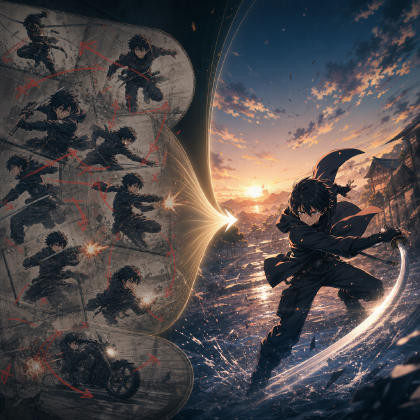
A sword trainee lands from a jump with both feet perfectly even, both arms raised at the same angle, cape spread like a symbol, and face frozen straight ahead. The image may look clean. In motion, it feels artificial. Viewers may not use the phrase "motion symmetry," but they can tell the body is not carrying weight.
That is the common hidden failure in AI anime action. The creator sees a dramatic pose. The audience sees a body that glides, mirrors itself, or moves like a figure being posed one limb at a time. Real action is rarely perfectly balanced. One foot lands first. One shoulder leads. One hand reacts late. The torso twists. The face catches up after the body.
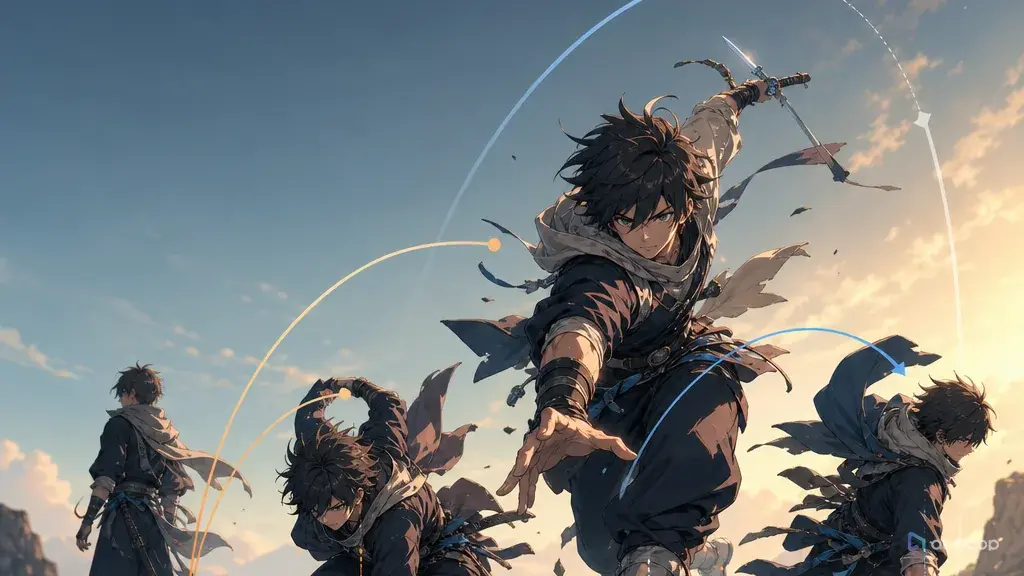
Motion asymmetry is the practice of adding those offsets deliberately. It does not mean making the character messy. It means choosing a lead side, support side, weight shift, arc, follow-through, and recovery beat. Anime often exaggerates action, but the exaggeration still works because the body has direction.
This guide explains how to prompt natural action with motion asymmetry. It is useful for runs, turns, reaches, strikes, falls, dance moves, reactions, and everyday gestures. For adjacent topics, see Fix Stiff Action, Action Verb List for AI Anime Prompts, and Creative Worlds for keeping action notes attached to shots.
Rules for Natural-Looking Motion
Natural motion has a lead. A right hand reaches before the shoulder follows. A left foot plants before the body turns. A head turns after a sound, then the torso catches up. Name the lead side.
Weight must go somewhere. If a character leans, lands, pivots, or pushes, the prompt should say which foot, hand, hip, or surface takes weight. Without weight, action floats.
Symmetry is useful only for symbols, rituals, and held poses. A ceremonial stance may be centered. A sprint, dodge, stumble, grab, slap, or surprised turn should not be perfectly mirrored.
Timing offsets create life. Let the coat lag behind the torso, the hair continue after the head stops, or the free hand react half a beat late. These small delays make motion readable.
Contact points prove physics. A palm on the wall, boot on the step, knee bending under impact, or fingers gripping fabric tells the viewer the character is interacting with the world.
Recovery is part of the action. A punch is not only the fist moving forward. It includes the stance before, the contact line, and the body returning or overbalancing after.
Do not add five actions to fix one stiff action. A clear asymmetric reach is stronger than a prompt that asks for reach, turn, jump, smile, grab, and spin in the same shot.
How to Build a Motion Asymmetry Prompt Step by Step
Start with one verb. Use "reach," "pivot," "stumble," "land," "duck," "pull," "brace," "turn," or "step back." Avoid stacking verbs until the first action is clear.
Choose the lead side. Decide whether the right hand, left foot, shoulder, hip, head, or prop starts the movement. Write it plainly: "left foot plants first" or "right shoulder leads the turn."
Add the support side. The support side balances or resists the lead. If the right hand grabs a railing, the left foot may slide back. If the left foot plants, the right arm may swing behind for counterbalance.
Name the weight shift. Say where the body weight begins and where it ends. "Weight shifts from back foot to bent front foot" is more useful than "dynamic pose."
Define the action arc. Movement usually travels along an arc, diagonal, or curve. Give the motion a path: downward-right, forward-left, clockwise turn, low arc across the body, or rising diagonal.
Add one secondary delay. Choose hair, coat, scarf, sleeve, loose strap, or free hand. Let it lag or follow through. One delay is enough.
Set the final recovery pose. The last frame should be editable: foot planted, hand gripping, body angled, eyes on target. Without a final pose, the shot may end in mushy transition.
Review the body silhouette. Mute details and ask whether you can still tell which side leads, where weight sits, and what contact point matters.
Put Action Notes on the Shot Card
In ArcLoop, action notes should sit on the shot card as production facts. Put lead side, support side, weight shift, contact point, timing offset, and final pose beside the camera and character reference. That keeps the motion from becoming a generic "dynamic action" prompt.
Use Creative Worlds to store the action plan with the character asset and Storyboard. If the character identity is already built in Character Asset References, do not rewrite the whole character when fixing motion. Add the action layer to the approved character.
For review, use a small pass-fail list: lead side visible, support side believable, weight grounded, contact point clear, secondary motion delayed, final pose readable, no mirrored limbs unless intentional. This catches most stiff-action problems without a complex system.
If a generated clip has a strong face and costume but mirrored motion, repair only the motion. Ask for the same character, same camera, same scene, with a corrected lead side and weight shift. Full restarts are for shots where the body cannot be salvaged.
Here is how to set this up inside ArcLoop before you generate.
Open your IP Project and go to My Assets. Create a Character asset for each person who appears in the episode — upload a clear reference image to Library first, then Bind it as the Main image on that asset. If the character has a second costume or an alternate emotional state, Bind a second image as a Reference image on the same asset. You do not need a separate character for each look.
Once the assets exist, open the Episode and click Generate Shots. ArcLoop breaks the episode into shot cards. On each card, write only what is new for that shot: the action verb, the lead side, the weight shift, and the contact point. Use @CharacterName to pull identity in — do not re-describe the face, hair, or costume that is already locked in the asset.
When the card looks right, click the image button first. Confirm the composition and character design before spending time on video. If the pose reads clearly as a silhouette, generate the video. For multiple shots in the same episode, open the AI Chat Panel and type: Generate videos for Shots 1, 2, and 3. Then arrange or swap clips in Edit.
Example 1: Rooftop Antenna Pivot
Medium full-body shot of @Soren on a windy apartment rooftop at blue hour. A bent antenna pole stands behind him; loose paper tags whip in the wind. He hears a signal behind his right shoulder and pivots: right shoulder reacts first, left foot plants hard near the roof seam and takes weight, right foot slides a half-step back. Left hand opens for balance while the taped right wrist moves toward the orange sash. Head turns first, torso follows half a beat later, jacket hem lags behind the twist. Final pose: body angled three-quarter back, left foot planted, eyes looking over right shoulder toward the antenna. Slight low angle, stable camera. No mirrored arms, no floating body.
This prompt turns a simple pivot into a body event. The viewer can see where the turn starts and where the weight lands.
Example 2: Archive Ladder Reach
Medium shot of @Junel reaching from a rolling ladder toward a glowing index card stuck above the third shelf in a tall circular archive with warm shelf lights. Left hand grips the ladder rail and takes support. Right arm extends upward-left toward the card. Weight stays on the bent right foot on the ladder step; left foot hovers slightly lower, searching for balance. Torso leans diagonally off-center, ponytail and apron ribbon lag downward from gravity. Fingers stretch first, then shoulder follows. Final frame: right fingertips touching the card, left hand still gripping the rail, body clearly off-center but balanced. No centered two-handed reach, no floating body.
The ladder makes asymmetry necessary. One side acts, one side keeps the character alive.
Example 3: Market Stall Stumble
Six-second shot of @Pella slipping on a wet tile while turning left around a night market stall. Right foot skids forward; left knee bends to catch weight. Right hand lifts the paper soup tray high to save it; left hand shoots out toward the stall cloth for balance. Red wrist cord stays on the left wrist throughout. Final pose: left hand gripping stall cloth, soup tray still upright, body tilted left, eyes wide toward the tray. Reject if both arms lift equally, both feet slide together, the tray floats, the wrist cord switches sides, or the body stays perfectly vertical.
This review prompt protects the comedy beat. The stumble is funny because the body is uneven while the tray stays upright.
The Most Common Ways This Goes Wrong
The first mistake is using "dynamic" as a substitute for body mechanics. Dynamic can mean almost anything. Lead foot, support hand, and final pose mean something.
Another mistake is making every action centered. Centered poses can look iconic, but repeated centered motion makes running, dodging, and reaching feel weightless.
Creators often forget contact. A hand near a wall is not the same as a hand pressing into a wall. A boot above the floor is not a planted foot.
A fourth mistake is asking for too much action in one short clip. If the character jumps, spins, grabs, smiles, dodges, and lands, the model may average the movement into a stiff pose.
Some prompts add secondary motion everywhere. Hair, coat, ribbons, dust, and background all moving at once can hide the body action. Pick one or two follow-through elements.
Finally, do not polish a pose before the silhouette works. If the body cannot be read in simple shape, extra detail only decorates the problem.
FAQ
What is motion asymmetry?
Motion asymmetry means the body does not move as a mirrored shape. One side leads, another supports, weight shifts, and small details lag or recover.
Does anime action need realistic physics?
It needs readable physics, not documentary realism. Exaggeration works when the viewer can still understand weight, direction, contact, and recovery.
How do I make a run look less stiff?
Name the lead foot, arm swing, torso lean, head direction, and final frame. Avoid asking both arms and both legs to mirror each other.
What should I review in an action clip?
Check lead side, support side, weight, contact point, action arc, follow-through, and final recovery pose.
How do I fix the action without touching the character?
Yes. Keep the approved character asset and scene, then repair only the action fields on the shot card: lead side, weight shift, contact point, timing offset, and final pose.