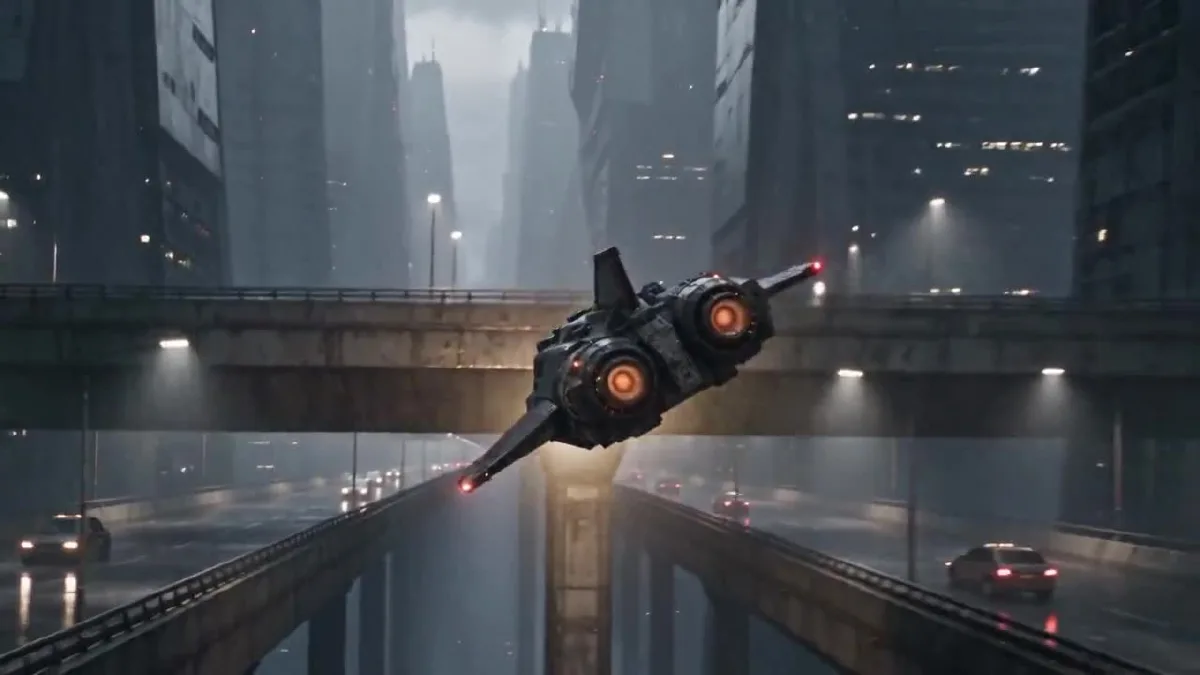
O Claude Opus 5.5 pode transformar uma ideia de vídeo em um plano de cenas com duração definida e em um prompt pronto para usar. Neste tutorial, usamos o Claude para planejar um curta, criamos referências visuais originais e depois geramos e revisamos o vídeo com Arcloop e Seedance 2.5. O voo de uma nave-correio cyberpunk é apenas o exemplo; o fluxo funciona para outros gêneros.
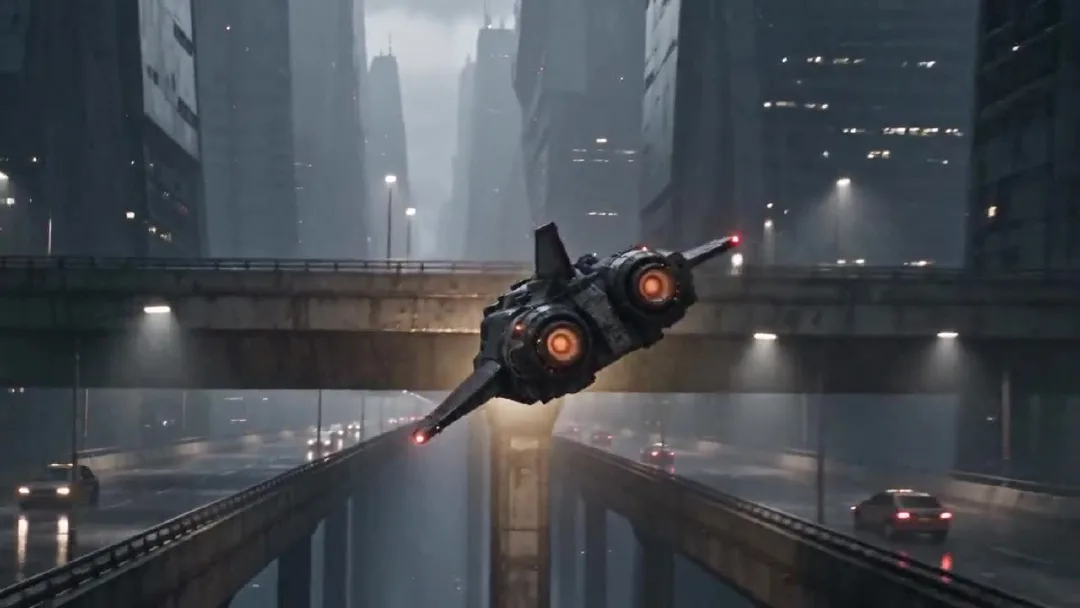
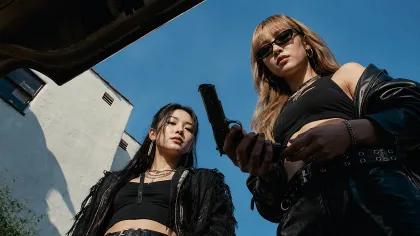
Um quadro do vídeo final de 24 segundos.
O Claude cuida do planejamento e da escrita dos prompts. O Arcloop reúne os recursos e executa a geração do vídeo. O Seedance 2.5 gerou o clipe final. As imagens de referência foram criadas separadamente, em uma ferramenta externa de geração de imagens.
Como criar um vídeo com IA usando Claude Opus 5.5: passo a passo
Etapa 1. Planeje a cena com o Claude
Comece pela história e pela imagem que você quer criar. Depois, acrescente os detalhes de câmera necessários. Explique ao Claude o que acontece, quem aparece, que sensação o vídeo deve transmitir e quais elementos precisam permanecer iguais. Primeiro, peça um plano com marcações de tempo; depois, peça o prompt final do vídeo.
Estas foram as instruções de planejamento usadas no exemplo:
Act as the director and continuity supervisor for a 24 second photorealistic short film.

The story is about an adult Korean female courier pilot flying a worn civilian spacecraft through a rainy city at night. The footage should feel like an American or European observational documentary, captured by a real camera. Keep the performance grounded and the framing imperfect. Avoid the polished look of a game trailer.

I will provide two visual references. The pilot sheet defines the character's face, hair, clothing, and build. The spacecraft sheet defines the exterior design and cockpit layout. Keep these details consistent throughout the video.

The pilot makes one controlled bank around a concrete tower, passes below an elevated traffic lane, corrects the ship, and continues along the route. Give each hand one clear control action. Keep the spacecraft's motion physically readable.

First return a five beat plan in a table with approximate time, what the viewer sees, the character or ship action, and the camera move. Make the five beats connect as one short film. Then list continuity details that must not change. Do not write the final video prompt yet.
Transformamos o plano do Claude nestes cinco momentos. Os tempos são aproximados e seguem os cortes do vídeo final.
| Tempo | O que aparece | Ação principal |
|---|---|---|
| 0 a 4 s | Via elevada molhada e cânion urbano | A nave passa perto da câmera e entra no cânion. |
| 4 a 8 s | Luz âmbar da cabine e perfil da piloto | A câmera mostra a piloto conferindo a rota. |
| 8 a 12 s | Mãos e console central | A mão direita corrige o rumo e a esquerda avança o acelerador. |
| 12 a 18 s | Nave ao lado de uma torre de concreto | A nave contorna a torre e passa sob uma via elevada. |
| 18 a 24 s | Piloto e corredor aéreo aberto | Ela estabiliza a nave e continua a rota. |
O rosto e as roupas da piloto, a cabine, a silhueta da nave, o clima, a iluminação e a direção do voo precisam permanecer consistentes. Dividir a sequência por tempo ajuda a dar uma ação clara a cada momento.
Etapa 2. Crie as referências da piloto e da nave
Este projeto usa duas folhas de referência originais, não imagens de um filme ou jogo existente. A folha da piloto mostra vistas de frente, de perfil e de corpo inteiro para manter sua aparência em diferentes ângulos. A folha da nave combina várias vistas externas com uma imagem da cabine para manter o veículo e o interior coerentes.
Os arquivos não preservaram os textos originais usados para gerar as imagens. Por isso, os prompts abaixo são reconstruções reutilizáveis, feitas com base nas imagens finais. Eles estão em inglês para facilitar a cópia em ferramentas de geração de imagens.
Prompt de referência da piloto
Create one photorealistic live action character reference sheet of an original adult Korean female spacecraft pilot. Plain light gray studio background, soft even lighting, no cinematic shadows. Arrange four clean views in a precise 2 by 2 grid with narrow white dividers: chest up front view, chest up left profile, full body front view, full body rear view. Show the same adult woman in all four panels with the same face, proportions, high dark ponytail, fitted black flight jacket, utility trousers, belt, gloves, and black boots. Neutral expression and relaxed standing pose. Practical worn clothing, realistic skin texture, natural anatomy. Keep every view fully inside its own panel. No weapons, no logos, no text, no extra people, no illustration, no anime, no collage overlap.
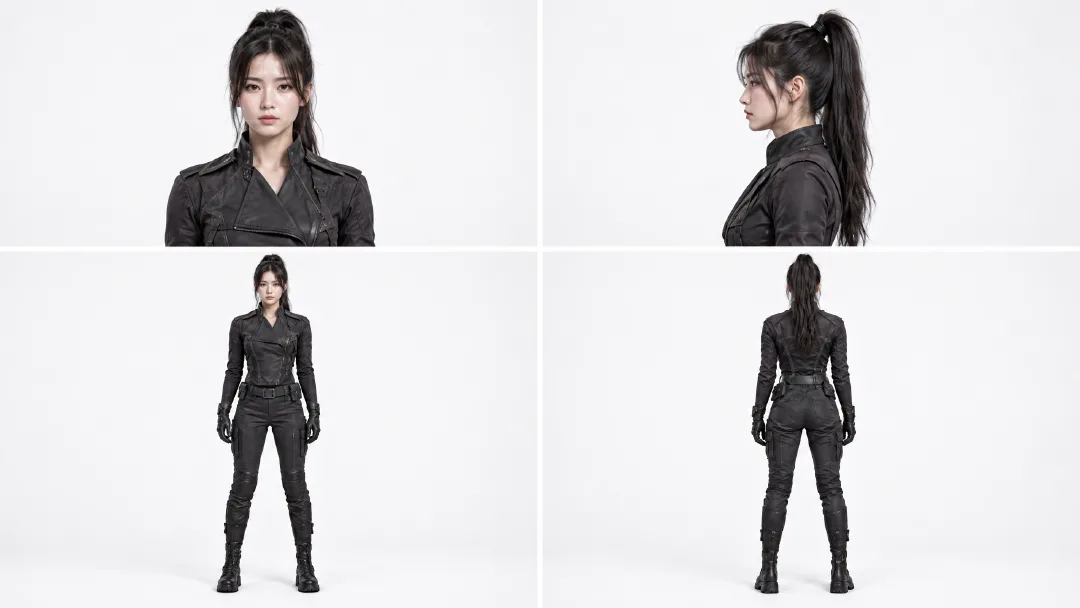
As vistas ajudam a manter o rosto, o rabo de cavalo, as roupas e as proporções da piloto consistentes entre os planos.
Prompt de referência da nave e da cabine
Create one photorealistic industrial design reference sheet for an original worn civilian courier spacecraft. Use a plain light gray studio background and soft neutral lighting. Arrange four exterior views across the sheet: front three quarter view, front view, side view, rear view, and a top view along the bottom. Add one large cockpit interior inset in the upper right. The same compact spacecraft must appear in every view with a blunt angular canopy, short swept stabilizers, one tall dorsal fin, two circular rear thrusters, weathered gunmetal panels, and restrained burgundy armor sections. The cockpit inset shows two dark worn seats, a rain streaked angular canopy, practical amber instrument lights, mechanical flight controls, and a central throttle. Maintain the same silhouette, proportions, materials, and control layout in every view. Realistic engineering, visible wear, no people, no weapons, no logos, no readable text, no illustration, no animation.
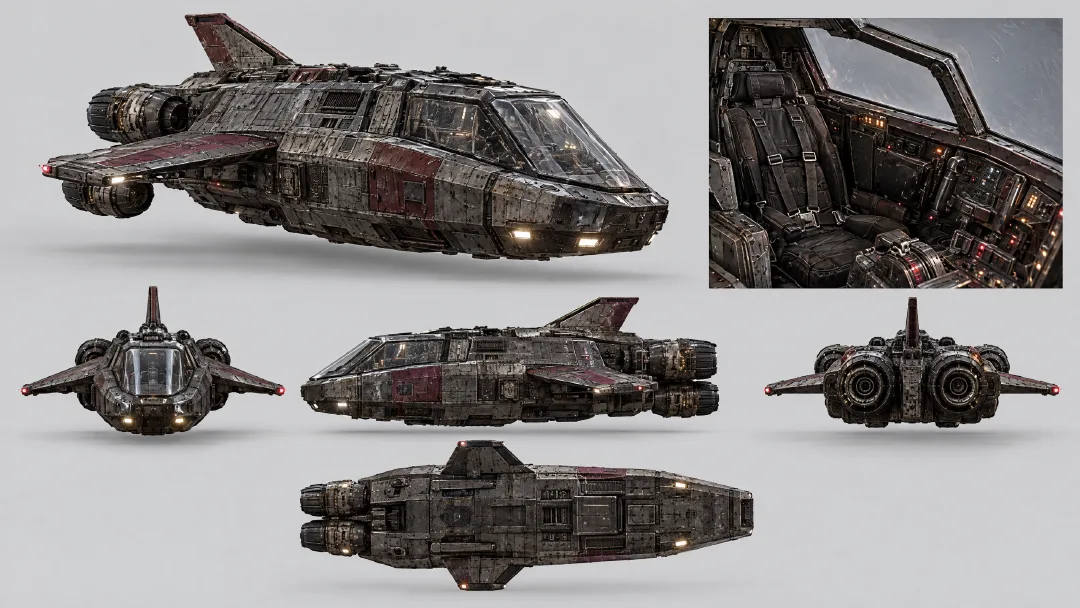
As vistas externas fixam o formato e as cores da nave. A imagem da cabine define os assentos, a cobertura, os instrumentos e o acelerador.
Adicione as duas imagens à mesma tarefa de vídeo. A referência da piloto orienta sua aparência; a da nave define o exterior e a cabine. Não é preciso reinventar esses detalhes em cada parte do prompt.
Etapa 3. Escreva o prompt de vídeo com o Claude
Envie ao Claude os cinco momentos e as regras de continuidade. Peça que ele transforme tudo em um único prompt para o modelo de vídeo e use as referências para manter a identidade e o design. Neste exemplo, os cinco momentos fazem parte de uma única tarefa de geração.
Use the five beat plan and continuity list above to write one final prompt for a single 24 second video generation. The attached pilot sheet is the fixed character reference. The attached spacecraft sheet is the fixed exterior and cockpit reference.

In the final prompt, refer to the attached Arcloop assets with the exact labels @korean pilot and @ship. Use @korean pilot for the character and @ship for the spacecraft and cockpit.

Keep the five beats in time order, with one readable action in each. Preserve the same pilot, clothing, cockpit, ship silhouette, rain, lighting, and direction of travel. Use photorealistic live action observational documentary camera language: imperfect framing, subtle handheld vibration, rain on the protective lens, practical light, realistic panning blur, and fine 35mm grain. Keep the neon restrained and the flying motion believable.

Return only the complete copyable video prompt. Do not add explanations, headings, or separate prompts for separate clips.
Prompt final do vídeo
Create one continuous 24 second photorealistic live action cyberpunk pseudo documentary video, not a storyboard. Use @korean pilot as the fixed identity and wardrobe reference. Use @ship as the fixed exterior spacecraft and cockpit reference. Preserve the pilot's face, high ponytail, black flight clothing, gloves, and boots. Preserve the ship's angular canopy, short swept stabilizers, tall dorsal fin, twin circular rear thrusters, weathered gunmetal hull, muted burgundy armor, cockpit seats, instruments, and control positions.

The footage feels like an American or European observational documentary captured from inside a real camera vehicle and cockpit. Use imperfect framing, subtle handheld vibration, rain on the protective lens, breathing focus, realistic panning blur, fine 35mm grain, practical amber cockpit lamps, and cool city light. Keep the neon restrained. The flight has believable weight and inertia.

0 to 4 seconds: Begin in the middle of the action. The courier ship blasts close past the camera above a rain soaked traffic deck, throwing water across the lens. Whip pan once and catch it from behind as it dives between concrete towers. It makes one tight bank under an elevated traffic lane. The twin thrusters flare amber. Move fast through the pass, briefly slow at the closest point of the bank, then return to full speed.

4 to 8 seconds: Cut on the amber thruster flare to an amber cockpit status lamp vibrating with the engine. Slide across practical gauges to the pilot's left glove advancing the throttle one notch. Rise along the harness to her focused profile. Rack focus from the gauge needles to her eyes as she checks the rain streaked route outside. Her right hand closes around the flight control.

8 to 12 seconds: Cut to a low view above the center console. Her right hand makes one small roll correction while her left hand advances the throttle slightly. The gauge needles rise and the rain streaks tilt as the ship banks. Roll the camera with the ship, then return to her steady eyeline. Her shoulders press naturally into the harness.

12 to 18 seconds: Match the cockpit light to the exterior. Track backward in front of the same ship as a concrete tower fills one side of the frame. The ship banks once and threads the gap between the tower and the elevated traffic lane. A support beam briefly crosses the foreground, then reveals the ship dropping into open air as both thrusters flare. Slow briefly at the closest pass, then accelerate. No collision.

18 to 24 seconds: Cut from the thruster flare to the same cockpit lamp. The pilot eases the throttle back to cruise and centers the flight control. Follow her arm past the harness buckle to her profile as the ship finishes the bank. The city canyon opens into a rain soaked flight corridor. The warning pulse stops and the horizon levels. She exhales once without looking at the camera. Rack focus from her eyes to the open route and hold the final frame for half a second.

Keep hands anatomically correct and controls in the same positions. Keep the same camera side when returning to the pilot. One spacecraft only. No extra crew, weapons, explosions, logos, readable text, glamour posing, direct eye contact, illustration, animation, or glossy commercial lighting.
Para adaptar o prompt, troque a história, os personagens, o veículo e o local. Mantenha as marcações de tempo e as regras de continuidade que fizerem sentido para o seu projeto.
Etapa 4. Gere o vídeo no Arcloop
Abra o chat do projeto no Arcloop e crie uma tarefa de vídeo. Anexe as referências da piloto e da nave e mencione-as no prompt como @korean pilot e @ship. Cole o prompt final e escolha Seedance 2.5, 720p, 16:9 e 24 segundos. Antes de gerar, confira se o cartão da tarefa mostra duas referências e uma estimativa de 5.414 créditos.
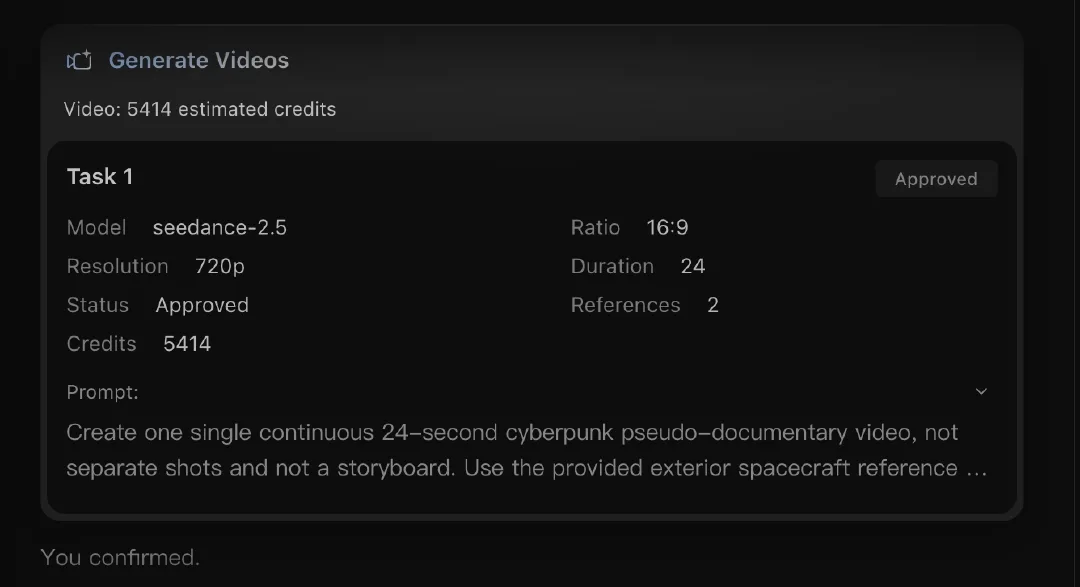
A tarefa real usou Seedance 2.5 e duas referências. O consumo muda conforme o modelo e as configurações, então confira a estimativa antes de começar.
Gere uma única tarefa de vídeo, em vez de uma tarefa separada para cada momento. Assim, o prompt, as referências e o clipe ficam juntos.
Etapa 5. Revise e ajuste o vídeo
Assista ao clipe inteiro primeiro para conferir o ritmo. Depois, revise os detalhes que podem mudar entre os planos: rosto e roupas da piloto, posição das mãos, silhueta da nave, cabine, direção do voo e estilo documental. Confira também o som do motor, da chuva, dos alertas e dos controles.
A versão aprovada tem 24,064 segundos, resolução de 1280 × 720 e 24 fps. Ela inclui cinco momentos visuais, sem quadros pretos nem pausas longas. A piloto continua reconhecível nas cenas da cabine, e a nave mantém a silhueta com dois propulsores. Essas são observações sobre este resultado, não uma garantia para toda geração.
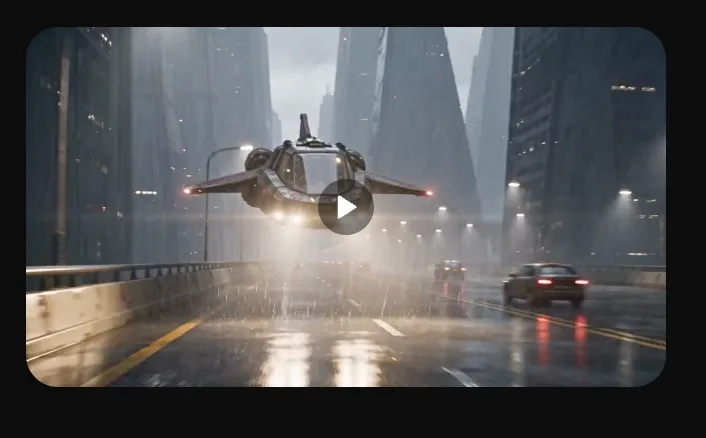
Tarefa concluída e prévia do vídeo.
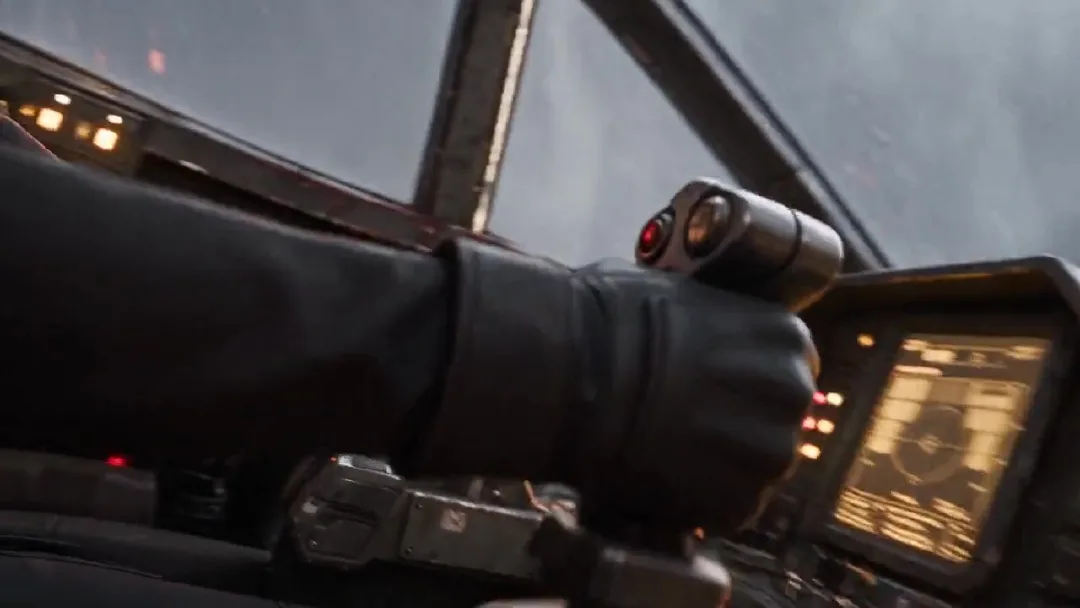
Confira os movimentos das mãos e a continuidade da cabine.
Se um detalhe de identidade ou dos controles mudar, ajuste a instrução correspondente e gere novamente. Se o ritmo estiver rápido demais, simplifique as ações antes de acrescentar mais movimentos de câmera.
Perguntas frequentes sobre vídeos com Claude Opus 5.5
Preciso do Claude Code ou de saber programar?
Não. Use uma conversa normal com o Claude. Cole as instruções de planejamento, confira o plano com marcações de tempo e peça o prompt do vídeo. Não é necessário escrever código.
Quais modelos de imagem e vídeo posso usar no Arcloop?
Neste exemplo, as referências foram criadas fora do Arcloop e o vídeo foi gerado com Seedance 2.5. A lista atual do Arcloop inclui Seedream 5, GPT Image 2 e GPT Image 2.5 para imagens; e Seedance 2, Seedance 2.5, MiniMax H3 e MiniMax H3 Max para vídeos. A disponibilidade pode mudar; consulte o catálogo de modelos do Arcloop.
Quanto custa criar um vídeo com este fluxo?
A assinatura ou o uso da API do Claude são cobrados separadamente dos créditos do Arcloop. Esta tarefa com Seedance 2.5 estimou 5.414 créditos para 24 segundos, em 720p e com duas referências. O custo depende do modelo, da duração, da resolução e do número de tentativas. O Arcloop mostra uma estimativa antes da geração. Entre na sua conta do Arcloop para consultar os planos e preços atuais.
Posso usar o mesmo fluxo para outros tipos de vídeo?
Sim. Troque a piloto pelo seu personagem, substitua a nave pelo cenário ou objeto que quiser e defina uma ação clara. A ordem continua a mesma: planejar os momentos com o Claude, preparar referências, criar um único prompt, gerar no Arcloop e revisar a continuidade e o ritmo.