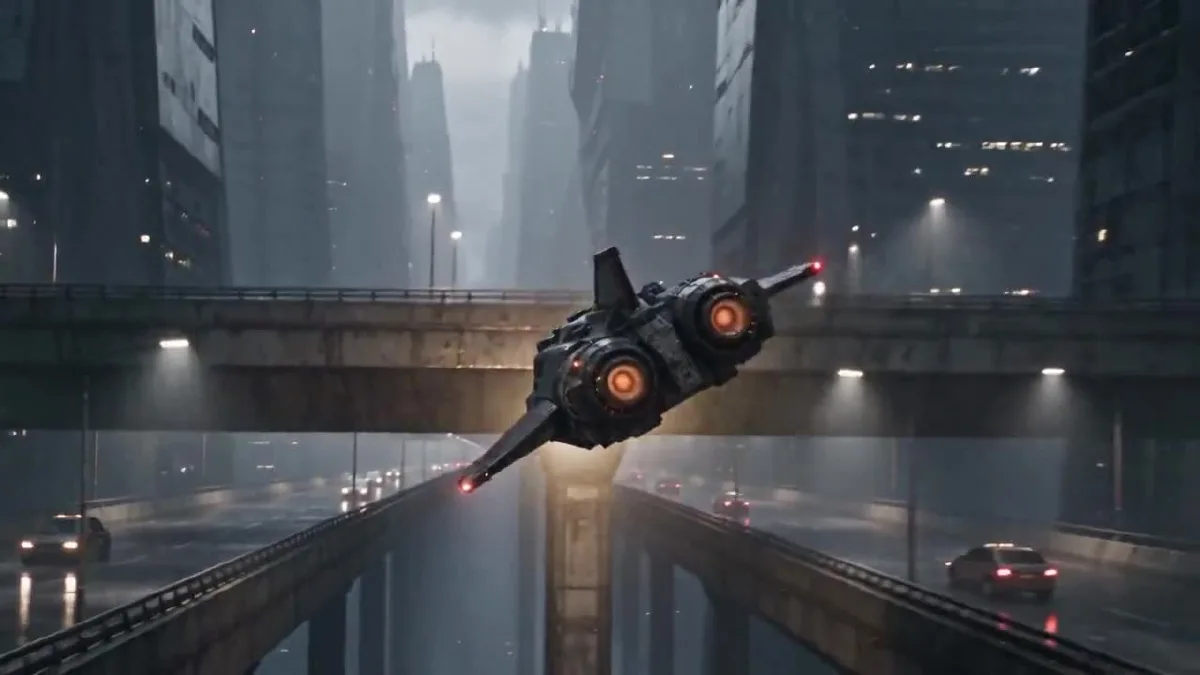
Claude Opus 5.5 可以把视频创意整理成带时间点的场景计划和可直接使用的提示词。本教程先用 Claude 规划短片,再准备原创视觉参考,最后通过 Arcloop 和 Seedance 2.5 生成并检查视频。赛博朋克快递飞船是案例,整套流程也适用于其他题材。
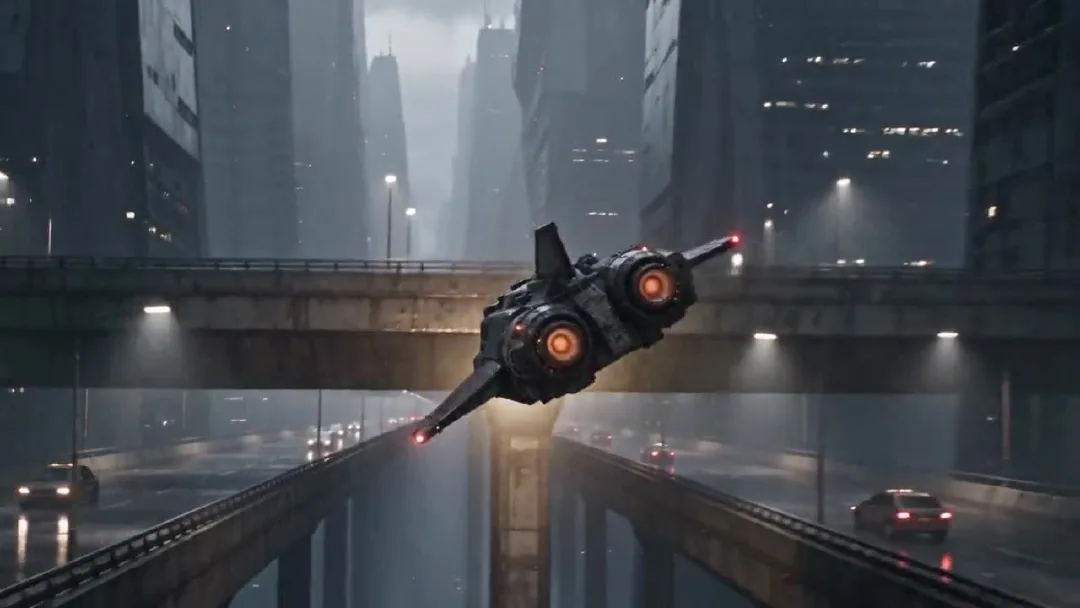
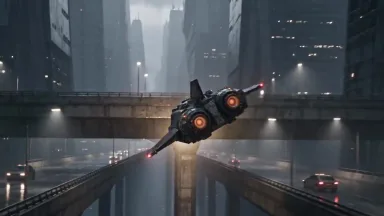
最终 24 秒视频中的一帧。
Claude 负责规划和整理提示词。Arcloop 用于管理创作素材并运行视频生成。本例最终视频由 Seedance 2.5 生成,参考图则通过 Arcloop 以外的图像生成工具制作。
如何用 Claude Opus 5.5 制作 AI 视频:分步指南
第 1 步:用 Claude 规划场景
先说明故事和目标画面,再补充摄影术语。告诉 Claude 发生了什么、人物是谁、成片的感觉,以及哪些细节必须保持一致。先让它给出带时间点的计划,再让它写最终视频提示词。
本案例使用的规划指令:
Act as the director and continuity supervisor for a 24 second photorealistic short film.

The story is about an adult Korean female courier pilot flying a worn civilian spacecraft through a rainy city at night. The footage should feel like an American or European observational documentary, captured by a real camera. Keep the performance grounded and the framing imperfect. Avoid the polished look of a game trailer.

I will provide two visual references. The pilot sheet defines the character's face, hair, clothing, and build. The spacecraft sheet defines the exterior design and cockpit layout. Keep these details consistent throughout the video.

The pilot makes one controlled bank around a concrete tower, passes below an elevated traffic lane, corrects the ship, and continues along the route. Give each hand one clear control action. Keep the spacecraft's motion physically readable.

First return a five beat plan in a table with approximate time, what the viewer sees, the character or ship action, and the camera move. Make the five beats connect as one short film. Then list continuity details that must not change. Do not write the final video prompt yet.
Claude 的规划整理为以下五段。时间按最终成片的镜头衔接估算,与计划略有出入。
| 时间 | 画面 | 主要动作 |
|---|---|---|
| 0 至 4 秒 | 雨中的交通平台和城市峡谷 | 飞船贴近镜头掠过,然后转入峡谷。 |
| 4 至 8 秒 | 琥珀色驾驶舱灯与女主侧脸 | 镜头展示女主观察前方航线。 |
| 8 至 12 秒 | 双手和中控台 | 女主右手修正航向,左手推进节流杆。 |
| 12 至 18 秒 | 飞船贴近混凝土高塔 | 飞船绕过高塔,从高架交通层下方穿过。 |
| 18 至 24 秒 | 女主与前方开放航道 | 她稳住飞船,继续向前飞行。 |
女主、服装、驾驶舱、飞船外形、天气、光线和飞行方向都需要保持一致。时间分段让每一段动作更明确。
第 2 步:制作人物和飞船参考图
本案例使用两张原创参考图,不是从现有电影或游戏中截取的画面。女主多视图展示正面、侧面和全身,帮助模型在不同机位下保持人物一致。飞船图把外观多视图和驾驶舱内景放在一起,用来约束飞船轮廓、配色和操纵台布局。
图片文件没有保存最初的提示词,因此下面是根据最终参考图重建的可复用版本。提示词保留英文,便于直接交给图像生成模型。
女主参考图提示词
Create one photorealistic live action character reference sheet of an original adult Korean female spacecraft pilot. Plain light gray studio background, soft even lighting, no cinematic shadows. Arrange four clean views in a precise 2 by 2 grid with narrow white dividers: chest up front view, chest up left profile, full body front view, full body rear view. Show the same adult woman in all four panels with the same face, proportions, high dark ponytail, fitted black flight jacket, utility trousers, belt, gloves, and black boots. Neutral expression and relaxed standing pose. Practical worn clothing, realistic skin texture, natural anatomy. Keep every view fully inside its own panel. No weapons, no logos, no text, no extra people, no illustration, no anime, no collage overlap.
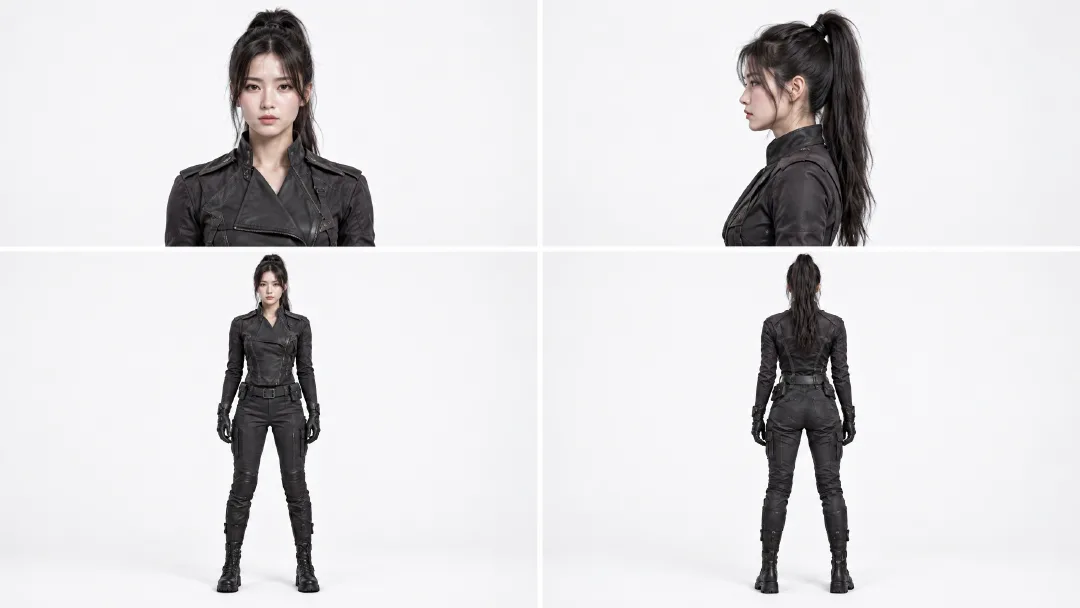
多视图帮助模型从不同机位保持她的脸、马尾、服装和身形一致。
飞船和驾驶舱参考图提示词
Create one photorealistic industrial design reference sheet for an original worn civilian courier spacecraft. Use a plain light gray studio background and soft neutral lighting. Arrange four exterior views across the sheet: front three quarter view, front view, side view, rear view, and a top view along the bottom. Add one large cockpit interior inset in the upper right. The same compact spacecraft must appear in every view with a blunt angular canopy, short swept stabilizers, one tall dorsal fin, two circular rear thrusters, weathered gunmetal panels, and restrained burgundy armor sections. The cockpit inset shows two dark worn seats, a rain streaked angular canopy, practical amber instrument lights, mechanical flight controls, and a central throttle. Maintain the same silhouette, proportions, materials, and control layout in every view. Realistic engineering, visible wear, no people, no weapons, no logos, no readable text, no illustration, no animation.
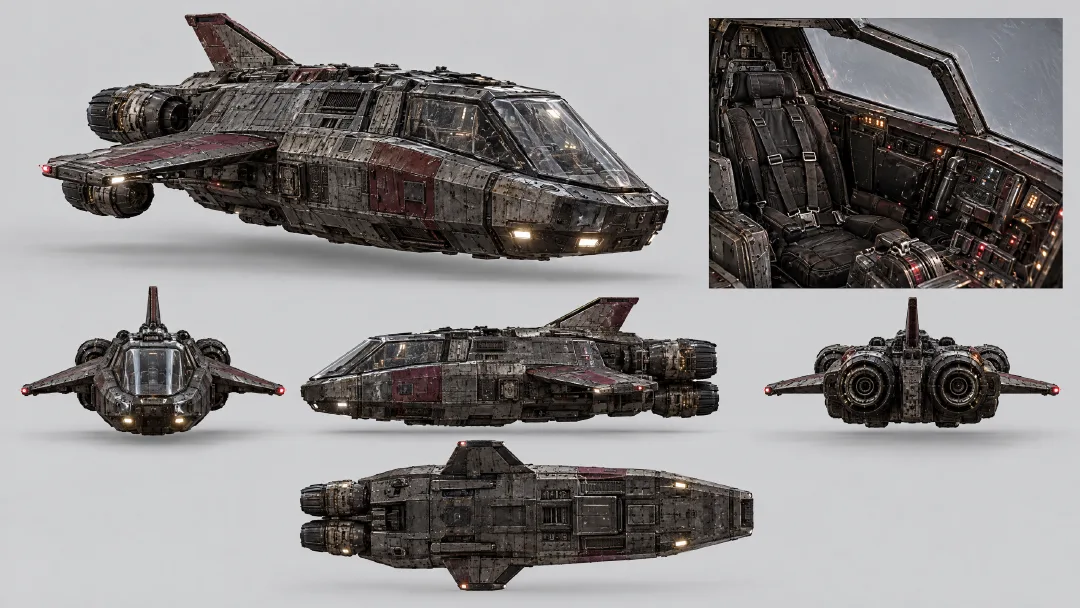
外观视图固定飞船的轮廓和配色,驾驶舱内景固定座椅、舱盖、仪表和节流杆的位置。
把两张图都添加到同一个视频任务。女主图约束人物外观,飞船图约束外观和驾驶舱。提示词里不要在不同段落重新发明这些设计。
第 3 步:让 Claude 写视频提示词
把五段计划和连续性要求交给 Claude,让它合并成一条视频生成提示词。要求它使用参考图固定人物与飞船,并按时间顺序安排动作。本案例将五段内容放在同一个生成任务中。
Use the five beat plan and continuity list above to write one final prompt for a single 24 second video generation. The attached pilot sheet is the fixed character reference. The attached spacecraft sheet is the fixed exterior and cockpit reference.

In the final prompt, refer to the attached Arcloop assets with the exact labels @korean pilot and @ship. Use @korean pilot for the character and @ship for the spacecraft and cockpit.

Keep the five beats in time order, with one readable action in each. Preserve the same pilot, clothing, cockpit, ship silhouette, rain, lighting, and direction of travel. Use photorealistic live action observational documentary camera language: imperfect framing, subtle handheld vibration, rain on the protective lens, practical light, realistic panning blur, and fine 35mm grain. Keep the neon restrained and the flying motion believable.

Return only the complete copyable video prompt. Do not add explanations, headings, or separate prompts for separate clips.
最终视频提示词
Create one continuous 24 second photorealistic live action cyberpunk pseudo documentary video, not a storyboard. Use @korean pilot as the fixed identity and wardrobe reference. Use @ship as the fixed exterior spacecraft and cockpit reference. Preserve the pilot's face, high ponytail, black flight clothing, gloves, and boots. Preserve the ship's angular canopy, short swept stabilizers, tall dorsal fin, twin circular rear thrusters, weathered gunmetal hull, muted burgundy armor, cockpit seats, instruments, and control positions.

The footage feels like an American or European observational documentary captured from inside a real camera vehicle and cockpit. Use imperfect framing, subtle handheld vibration, rain on the protective lens, breathing focus, realistic panning blur, fine 35mm grain, practical amber cockpit lamps, and cool city light. Keep the neon restrained. The flight has believable weight and inertia.

0 to 4 seconds: Begin in the middle of the action. The courier ship blasts close past the camera above a rain soaked traffic deck, throwing water across the lens. Whip pan once and catch it from behind as it dives between concrete towers. It makes one tight bank under an elevated traffic lane. The twin thrusters flare amber. Move fast through the pass, briefly slow at the closest point of the bank, then return to full speed.

4 to 8 seconds: Cut on the amber thruster flare to an amber cockpit status lamp vibrating with the engine. Slide across practical gauges to the pilot's left glove advancing the throttle one notch. Rise along the harness to her focused profile. Rack focus from the gauge needles to her eyes as she checks the rain streaked route outside. Her right hand closes around the flight control.

8 to 12 seconds: Cut to a low view above the center console. Her right hand makes one small roll correction while her left hand advances the throttle slightly. The gauge needles rise and the rain streaks tilt as the ship banks. Roll the camera with the ship, then return to her steady eyeline. Her shoulders press naturally into the harness.

12 to 18 seconds: Match the cockpit light to the exterior. Track backward in front of the same ship as a concrete tower fills one side of the frame. The ship banks once and threads the gap between the tower and the elevated traffic lane. A support beam briefly crosses the foreground, then reveals the ship dropping into open air as both thrusters flare. Slow briefly at the closest pass, then accelerate. No collision.

18 to 24 seconds: Cut from the thruster flare to the same cockpit lamp. The pilot eases the throttle back to cruise and centers the flight control. Follow her arm past the harness buckle to her profile as the ship finishes the bank. The city canyon opens into a rain soaked flight corridor. The warning pulse stops and the horizon levels. She exhales once without looking at the camera. Rack focus from her eyes to the open route and hold the final frame for half a second.

Keep hands anatomically correct and controls in the same positions. Keep the same camera side when returning to the pilot. One spacecraft only. No extra crew, weapons, explosions, logos, readable text, glamour posing, direct eye contact, illustration, animation, or glossy commercial lighting.
改编时替换故事、人物、交通工具和场景即可。适合你的项目的分段节奏与连续性规则可以保留。
第 4 步:在 Arcloop 中生成视频
打开 Arcloop 项目对话并创建视频任务。添加女主图和飞船图,在提示词中用 @korean pilot 和 @ship 引用它们,然后粘贴最终提示词。设置选择 Seedance 2.5、720p、16:9 和 24 秒。开始生成前,先确认任务卡显示两张参考图和 5,414 积分预估。
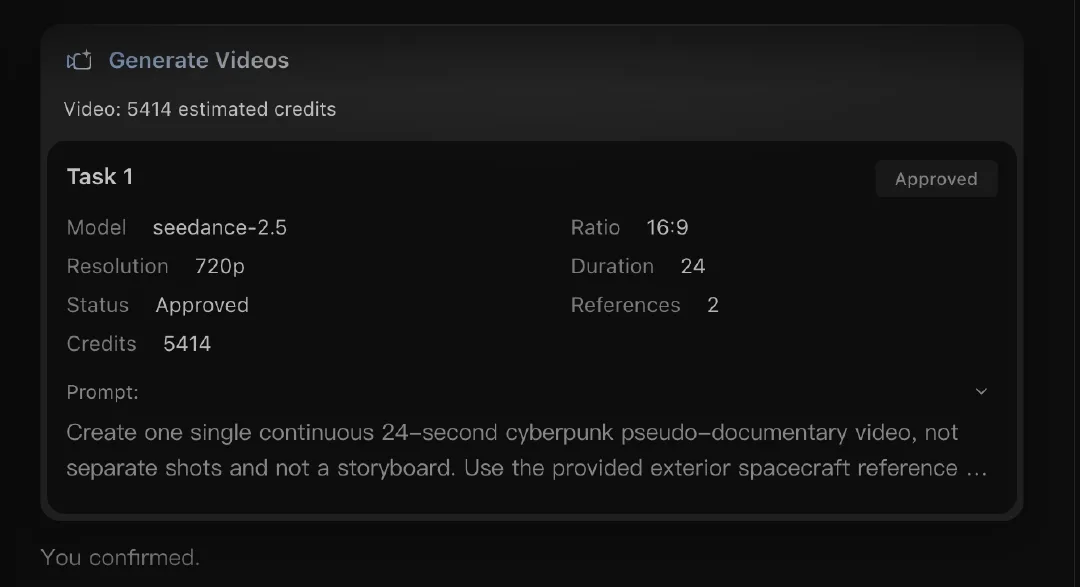
本次任务实际使用 Seedance 2.5 和两张参考图。生成积分会随模型与参数变化,开始前请查看页面预估。
只创建一个视频任务,不要将五段拆成五次独立生成。这样提示词、参考图和成片会留在同一任务中。
第 5 步:检查并优化成片
先完整观看一次,检查节奏。再逐项检查容易漂移的内容:女主的脸和服装、手的位置、飞船轮廓、驾驶舱布局、飞行方向和伪纪录片摄影感。也要检查引擎、雨声、警报和操纵声效。
通过审核的成片时长为 24.064 秒,分辨率为 1280 × 720,帧率为 24 fps。成片包含五个视觉段落,没有黑帧或长时间停顿。女主在驾驶舱镜头中保持可辨识,飞船外观也保留了双推进器轮廓。这些是本次成片的观察结果,不代表每次生成都会得到相同效果。
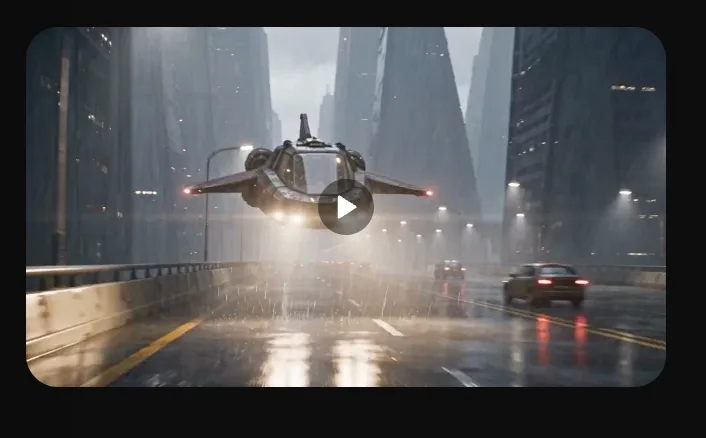
已完成的视频任务和预览。
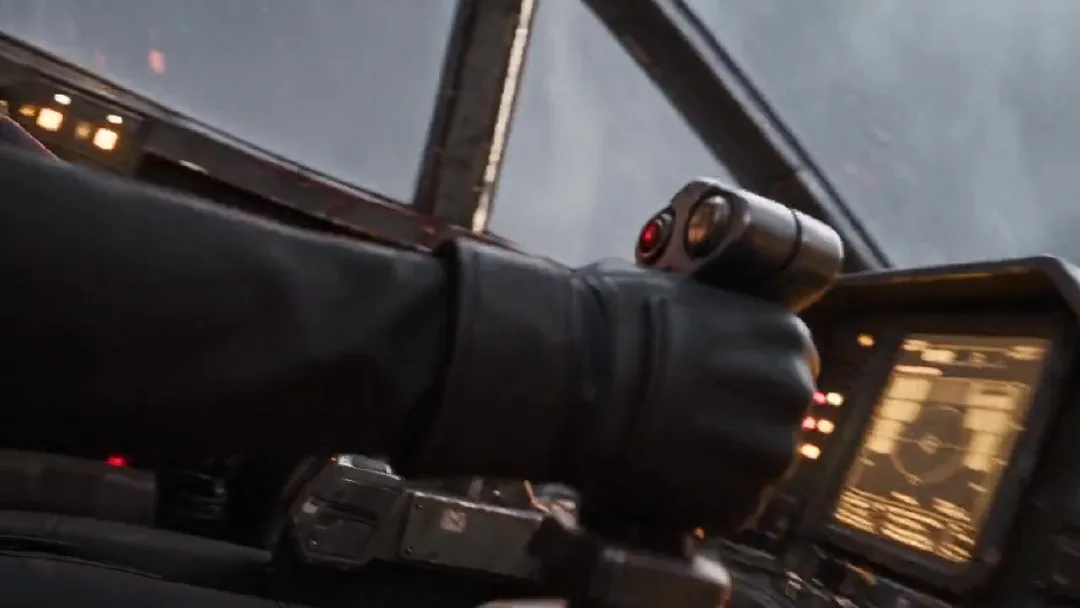
检查手部动作和驾驶舱连续性。
如果人物或操控细节发生变化,只修改对应提示词并重新生成。如果节奏太快,先简化动作,再增加镜头运动。
Claude Opus 5.5 制作 AI 视频常见问题
需要 Claude Code 或编程技能吗?
不需要。在普通 Claude 对话中粘贴规划指令,检查时间计划,再让它整理视频提示词即可。整个流程不需要写代码。
Arcloop 支持哪些图片和视频模型?
本案例的参考图在 Arcloop 外单独生成,视频使用 Seedance 2.5。Arcloop 当前图片模型包括 Seedream 5、GPT Image 2 和 GPT Image 2.5;视频模型包括 Seedance 2、Seedance 2.5、MiniMax H3 和 MiniMax H3 Max。模型列表可能变化,请查看 Arcloop 模型目录。
按这个流程制作视频要花多少钱?
Claude 的套餐或 API 费用与 Arcloop 积分分开计算。本案例使用 Seedance 2.5、720p、24 秒和两张参考图,任务页显示预估 5,414 积分。实际消耗取决于模型、时长、分辨率和生成次数。开始生成前,Arcloop 会显示积分预估。请登录 Arcloop 账户查看当前套餐和费用。
这套流程适用于其他视频类型吗?
适用。把女主换成自己的角色,把飞船换成自己的场景或道具,再为角色安排一个明确动作。流程仍然是:用 Claude 拆分时间段,准备参考图,整理提示词,在 Arcloop 中生成,最后检查连续性和节奏。