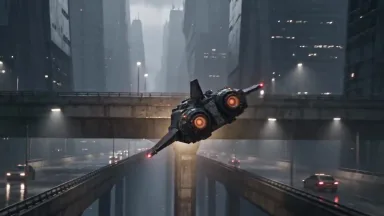
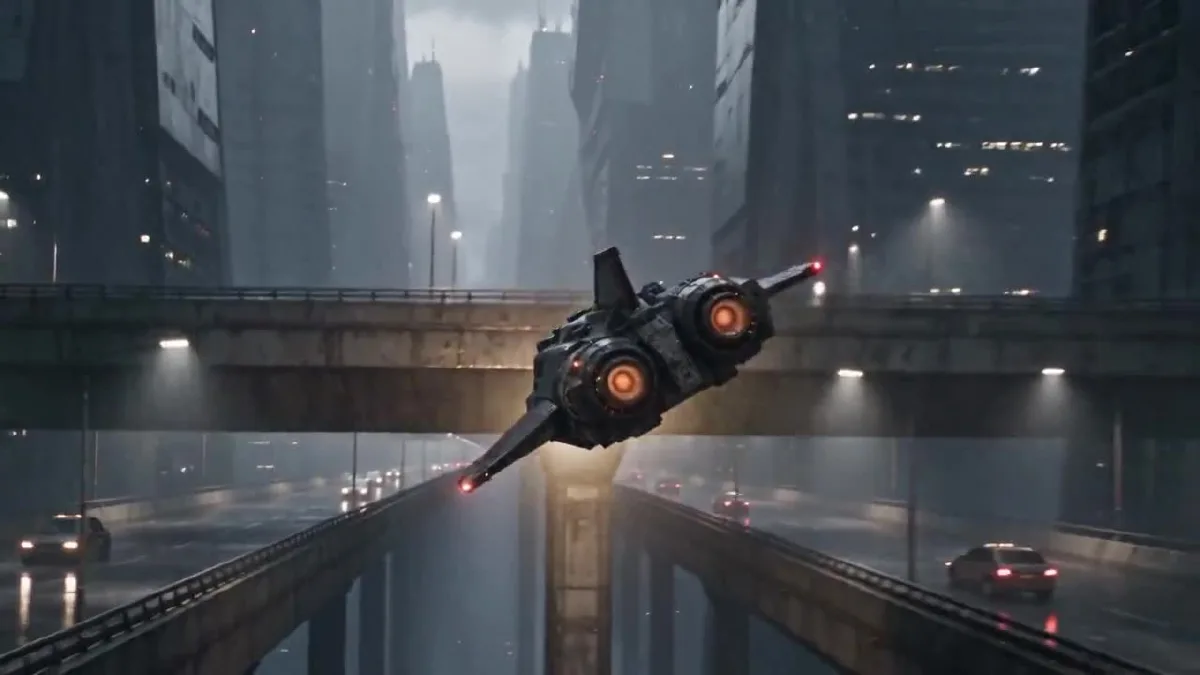
Claude Opus 5.5を使うと、動画のアイデアを時間付きのシーン計画と実用的なプロンプトに整理できます。このチュートリアルでは、Claudeで短編を設計し、オリジナルのビジュアルリファレンスを用意してから、ArcloopとSeedance 2.5で動画を生成・確認します。サイバーパンクの宅配船が今回の作例ですが、同じ方法は別のジャンルにも使えます。
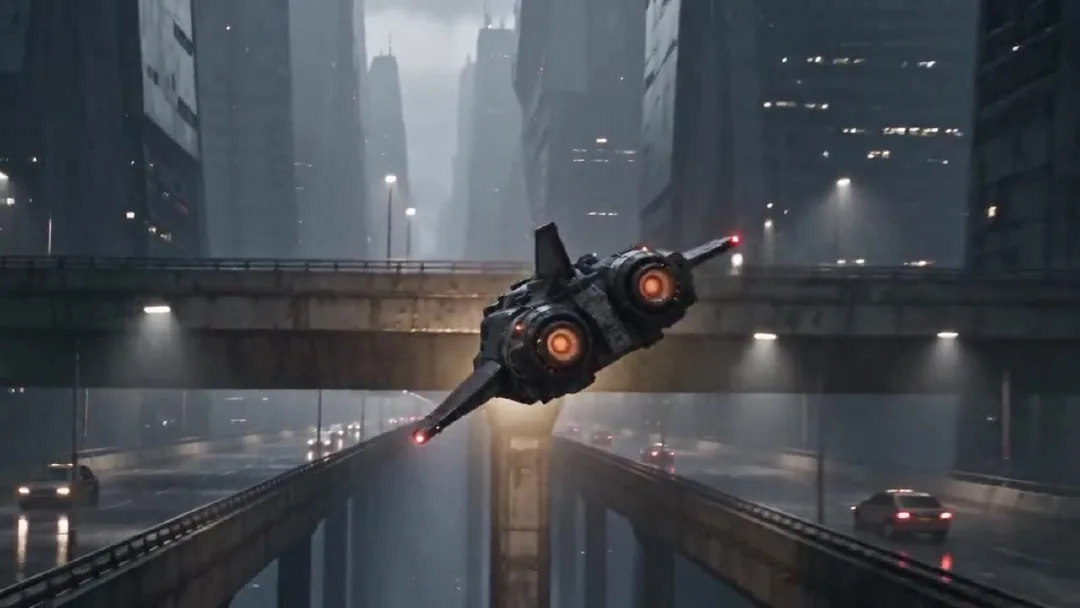
完成した24秒動画の一場面です。
Claudeは企画とプロンプト作成を担当します。Arcloopでは素材をまとめて動画を生成します。最終動画はSeedance 2.5で生成し、リファレンス画像はArcloop以外の画像生成ツールで作成しました。
Claude Opus 5.5でAI動画を作る方法:ステップガイド
Step 1. Claudeでシーンを計画する
まず物語と完成イメージを伝え、撮影用語はそのあとで加えます。何が起きるのか、誰が登場するのか、映像にどんな雰囲気を持たせたいのか、何を一貫させるのかをClaudeに説明します。最初に時間付きの計画を出してもらい、その後で最終動画プロンプトを依頼します。
この作例で使ったプランニング指示です。
Act as the director and continuity supervisor for a 24 second photorealistic short film.

The story is about an adult Korean female courier pilot flying a worn civilian spacecraft through a rainy city at night. The footage should feel like an American or European observational documentary, captured by a real camera. Keep the performance grounded and the framing imperfect. Avoid the polished look of a game trailer.

I will provide two visual references. The pilot sheet defines the character's face, hair, clothing, and build. The spacecraft sheet defines the exterior design and cockpit layout. Keep these details consistent throughout the video.

The pilot makes one controlled bank around a concrete tower, passes below an elevated traffic lane, corrects the ship, and continues along the route. Give each hand one clear control action. Keep the spacecraft's motion physically readable.

First return a five beat plan in a table with approximate time, what the viewer sees, the character or ship action, and the camera move. Make the five beats connect as one short film. Then list continuity details that must not change. Do not write the final video prompt yet.
Claudeの計画を、以下の5つのビートに整理しました。時間は完成映像のカットに合わせた目安で、当初の計画とは少し異なります。
| 時間 | 画面 | 主な動き |
|---|---|---|
| 0〜4秒 | 雨の交通デッキと都市の峡谷 | 船がカメラの近くを高速で通過し、峡谷へ旋回します。 |
| 4〜8秒 | 琥珀色のコックピット灯と操縦士の横顔 | 航路を確認する操縦士を映します。 |
| 8〜12秒 | 両手とセンターコンソール | 右手で進路を修正し、左手でスロットルを進めます。 |
| 12〜18秒 | コンクリートタワーのすぐそばを飛ぶ船 | タワーを旋回し、高架交通路の下を通過します。 |
| 18〜24秒 | 操縦士と開けた飛行ルート | 船を安定させ、そのまま航路を進みます。 |
人物、服装、コックピット、船のシルエット、天候、照明、進行方向を一貫させます。時間を分けると、各ビートで見せる動作が明確になります。
Step 2. キャラクターと宇宙船のリファレンスを作る
この作例では、既存の映画やゲームから切り取ったものではなく、オリジナルのリファレンスシートを2枚使います。キャラクターシートには操縦士の正面、横顔、全身を載せ、別の角度でも同じ人物に見えるようにします。宇宙船シートには船体の複数アングルとコックピットをまとめ、外観と内装を一貫させます。
画像ファイルには元のプロンプトが保存されていなかったため、下記は完成した画像に合わせて再構成した再利用可能なプロンプトです。画像生成にそのまま使えるよう、プロンプト本文は英語にしています。
操縦士リファレンス用プロンプト
Create one photorealistic live action character reference sheet of an original adult Korean female spacecraft pilot. Plain light gray studio background, soft even lighting, no cinematic shadows. Arrange four clean views in a precise 2 by 2 grid with narrow white dividers: chest up front view, chest up left profile, full body front view, full body rear view. Show the same adult woman in all four panels with the same face, proportions, high dark ponytail, fitted black flight jacket, utility trousers, belt, gloves, and black boots. Neutral expression and relaxed standing pose. Practical worn clothing, realistic skin texture, natural anatomy. Keep every view fully inside its own panel. No weapons, no logos, no text, no extra people, no illustration, no anime, no collage overlap.
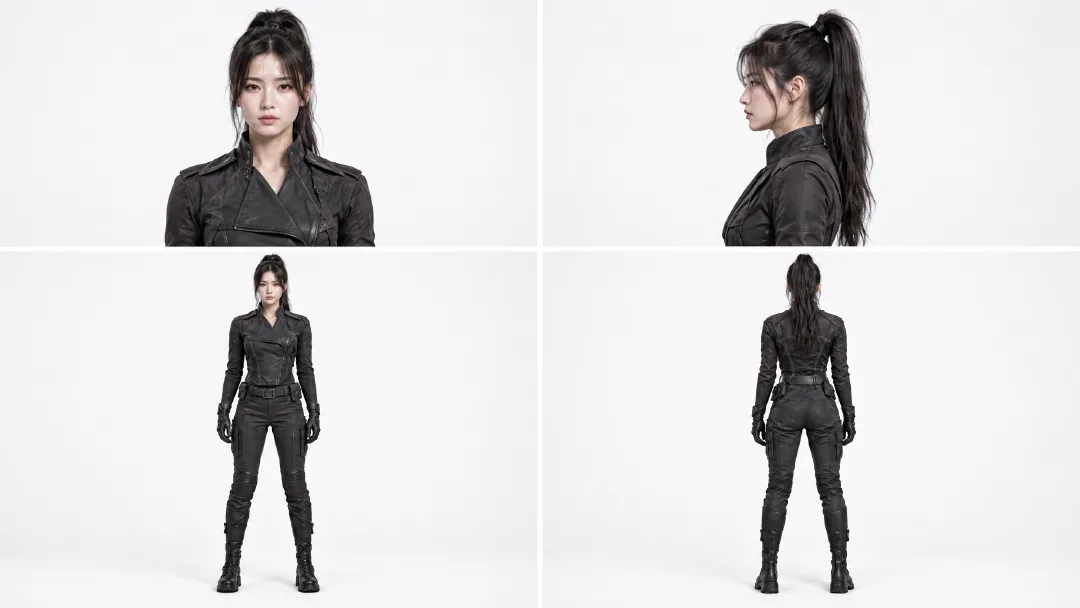
複数の角度を使い、顔、ポニーテール、衣装、体格を各カットでそろえます。
宇宙船とコックピット用プロンプト
Create one photorealistic industrial design reference sheet for an original worn civilian courier spacecraft. Use a plain light gray studio background and soft neutral lighting. Arrange four exterior views across the sheet: front three quarter view, front view, side view, rear view, and a top view along the bottom. Add one large cockpit interior inset in the upper right. The same compact spacecraft must appear in every view with a blunt angular canopy, short swept stabilizers, one tall dorsal fin, two circular rear thrusters, weathered gunmetal panels, and restrained burgundy armor sections. The cockpit inset shows two dark worn seats, a rain streaked angular canopy, practical amber instrument lights, mechanical flight controls, and a central throttle. Maintain the same silhouette, proportions, materials, and control layout in every view. Realistic engineering, visible wear, no people, no weapons, no logos, no readable text, no illustration, no animation.
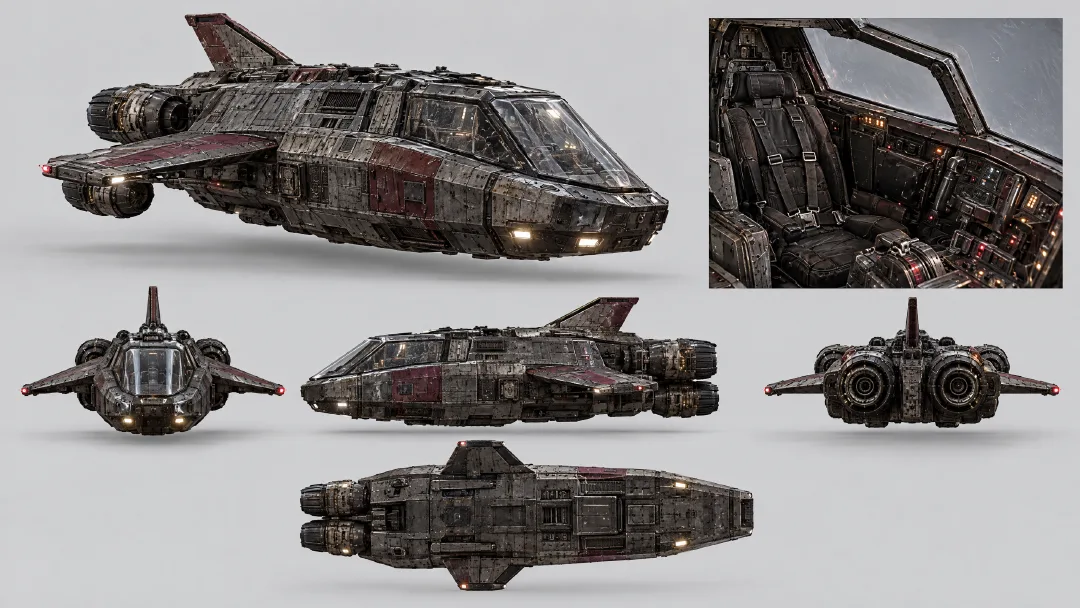
外観ビューで船の形と色を固定し、コックピットの挿入画像で座席、キャノピー、計器、スロットルの配置を固定します。
2枚とも同じ動画タスクに追加します。操縦士の画像は人物の見た目を、宇宙船の画像は船体とコックピットを制御します。各ビートでデザインを一から説明し直す必要はありません。
Step 3. Claudeで動画プロンプトを書く
5つのビートと連続性の条件をClaudeに渡し、動画モデル向けのプロンプト1本にまとめてもらいます。リファレンスで人物と船のデザインを固定し、アクションを時間順に並べるよう指定します。この作例では、5つのビートを1つの生成タスクにまとめました。
Use the five beat plan and continuity list above to write one final prompt for a single 24 second video generation. The attached pilot sheet is the fixed character reference. The attached spacecraft sheet is the fixed exterior and cockpit reference.

In the final prompt, refer to the attached Arcloop assets with the exact labels @korean pilot and @ship. Use @korean pilot for the character and @ship for the spacecraft and cockpit.

Keep the five beats in time order, with one readable action in each. Preserve the same pilot, clothing, cockpit, ship silhouette, rain, lighting, and direction of travel. Use photorealistic live action observational documentary camera language: imperfect framing, subtle handheld vibration, rain on the protective lens, practical light, realistic panning blur, and fine 35mm grain. Keep the neon restrained and the flying motion believable.

Return only the complete copyable video prompt. Do not add explanations, headings, or separate prompts for separate clips.
最終動画プロンプト
Create one continuous 24 second photorealistic live action cyberpunk pseudo documentary video, not a storyboard. Use @korean pilot as the fixed identity and wardrobe reference. Use @ship as the fixed exterior spacecraft and cockpit reference. Preserve the pilot's face, high ponytail, black flight clothing, gloves, and boots. Preserve the ship's angular canopy, short swept stabilizers, tall dorsal fin, twin circular rear thrusters, weathered gunmetal hull, muted burgundy armor, cockpit seats, instruments, and control positions.

The footage feels like an American or European observational documentary captured from inside a real camera vehicle and cockpit. Use imperfect framing, subtle handheld vibration, rain on the protective lens, breathing focus, realistic panning blur, fine 35mm grain, practical amber cockpit lamps, and cool city light. Keep the neon restrained. The flight has believable weight and inertia.

0 to 4 seconds: Begin in the middle of the action. The courier ship blasts close past the camera above a rain soaked traffic deck, throwing water across the lens. Whip pan once and catch it from behind as it dives between concrete towers. It makes one tight bank under an elevated traffic lane. The twin thrusters flare amber. Move fast through the pass, briefly slow at the closest point of the bank, then return to full speed.

4 to 8 seconds: Cut on the amber thruster flare to an amber cockpit status lamp vibrating with the engine. Slide across practical gauges to the pilot's left glove advancing the throttle one notch. Rise along the harness to her focused profile. Rack focus from the gauge needles to her eyes as she checks the rain streaked route outside. Her right hand closes around the flight control.

8 to 12 seconds: Cut to a low view above the center console. Her right hand makes one small roll correction while her left hand advances the throttle slightly. The gauge needles rise and the rain streaks tilt as the ship banks. Roll the camera with the ship, then return to her steady eyeline. Her shoulders press naturally into the harness.

12 to 18 seconds: Match the cockpit light to the exterior. Track backward in front of the same ship as a concrete tower fills one side of the frame. The ship banks once and threads the gap between the tower and the elevated traffic lane. A support beam briefly crosses the foreground, then reveals the ship dropping into open air as both thrusters flare. Slow briefly at the closest pass, then accelerate. No collision.

18 to 24 seconds: Cut from the thruster flare to the same cockpit lamp. The pilot eases the throttle back to cruise and centers the flight control. Follow her arm past the harness buckle to her profile as the ship finishes the bank. The city canyon opens into a rain soaked flight corridor. The warning pulse stops and the horizon levels. She exhales once without looking at the camera. Rack focus from her eyes to the open route and hold the final frame for half a second.

Keep hands anatomically correct and controls in the same positions. Keep the same camera side when returning to the pilot. One spacecraft only. No extra crew, weapons, explosions, logos, readable text, glamour posing, direct eye contact, illustration, animation, or glossy commercial lighting.
別の作品に使うときは、物語、人物、乗り物、場所を置き換えます。自分の企画に合う時間配分と連続性の条件は残してください。
Step 4. Arcloopで動画を生成する
Arcloopのプロジェクトチャットを開き、動画タスクを開始します。操縦士と宇宙船の画像を追加し、プロンプト内で @korean pilot と @ship として参照します。最終プロンプトを貼り付け、Seedance 2.5、720p、16:9、24秒を選びます。生成前に、タスクカードにリファレンス2点と5,414クレジットの見積もりが表示されていることを確認します。
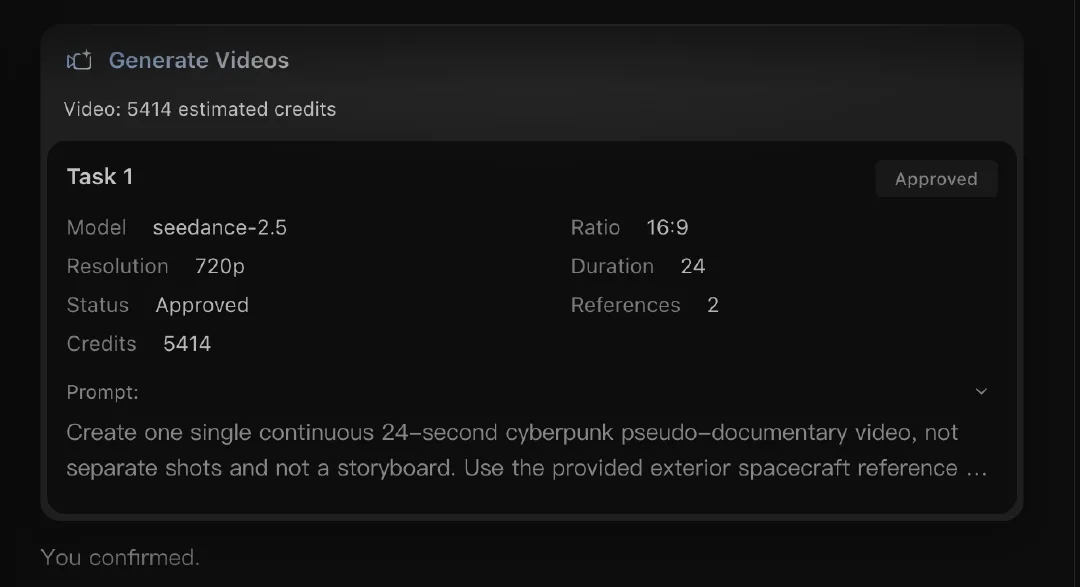
実際のタスクではSeedance 2.5とリファレンス2点を使用しました。クレジットはモデルと設定で変わるため、生成前に画面の見積もりを確認してください。
5つのビートを別々に生成せず、動画タスクを1つ作成します。プロンプト、リファレンス、完成クリップが同じタスクにまとまります。
Step 5. 動画を確認して調整する
最初に全体を通して見てテンポを確認します。そのあと、カット間で変わりやすい操縦士の顔と服、手の位置、船のシルエット、コックピット、進行方向、ドキュメンタリーらしい撮影感をチェックします。エンジン音、雨音、警報音、操作音も確認してください。
採用した動画は24.064秒、1280×720、24fpsです。5つのビートがあり、黒画面や長い停止はありません。コックピットのカットで操縦士の特徴が保たれ、外観カットでも双発エンジンの船体形状が維持されました。これは今回の生成結果についての確認であり、毎回同じ結果になる保証ではありません。
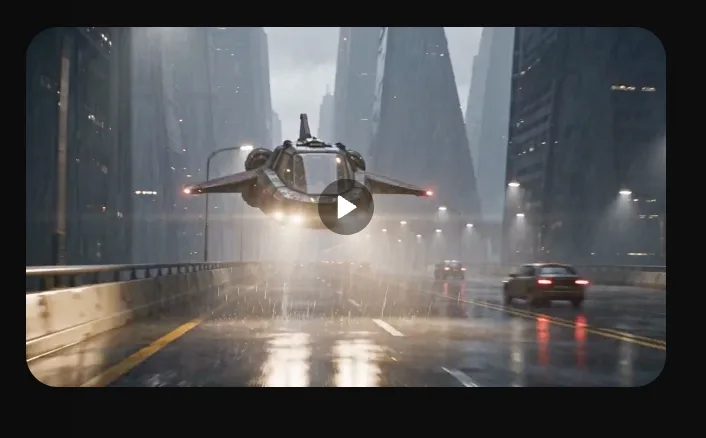
完了したタスクと動画プレビューです。
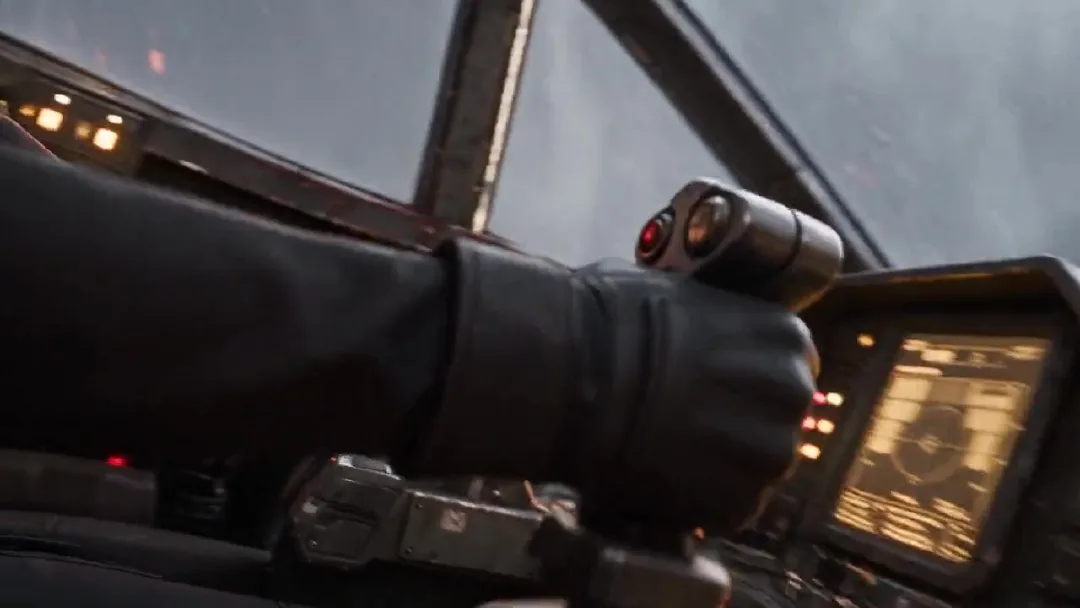
手の動きとコックピットの連続性を確認します。
人物や操作が変化した場合は、該当する指示だけを編集して再生成します。テンポが速すぎる場合は、カメラ動作を増やす前にアクションを簡素化します。
Claude Opus 5.5でAI動画を作るときのよくある質問
Claude Codeやプログラミングスキルは必要ですか?
必要ありません。通常のClaudeチャットにプランニング指示を貼り、時間付き計画を確認し、動画プロンプトを整えてもらいます。コードは使いません。
Arcloopではどの画像・動画モデルを使えますか?
この作例ではリファレンス画像をArcloop以外で作成し、動画にはSeedance 2.5を使いました。現在Arcloopで使える画像モデルはSeedream 5、GPT Image 2、GPT Image 2.5、動画モデルはSeedance 2、Seedance 2.5、MiniMax H3、MiniMax H3 Maxです。提供状況は変わることがあるため、Arcloopのモデル一覧で確認してください。
この方法で動画を作る費用はいくらですか?
ClaudeのプランやAPI料金と、Arcloopのクレジットは別です。この例のタスクではSeedance 2.5、720p、24秒、リファレンス2点で5,414クレジットと見積もられました。実際の消費量はモデル、長さ、解像度、生成回数で変わります。生成前にArcloopが見積もりを表示します。Arcloopアカウントで現在のプランと料金を確認してください。
このワークフローは他の種類の動画にも使えますか?
使えます。操縦士を自分のキャラクターに、宇宙船をシーンや小道具に置き換え、キャラクターに明確な動きを設定します。Claudeで時間ごとのビートを作り、リファレンスを用意し、プロンプトをまとめてArcloopで生成し、最後に連続性とテンポを確認する流れは同じです。