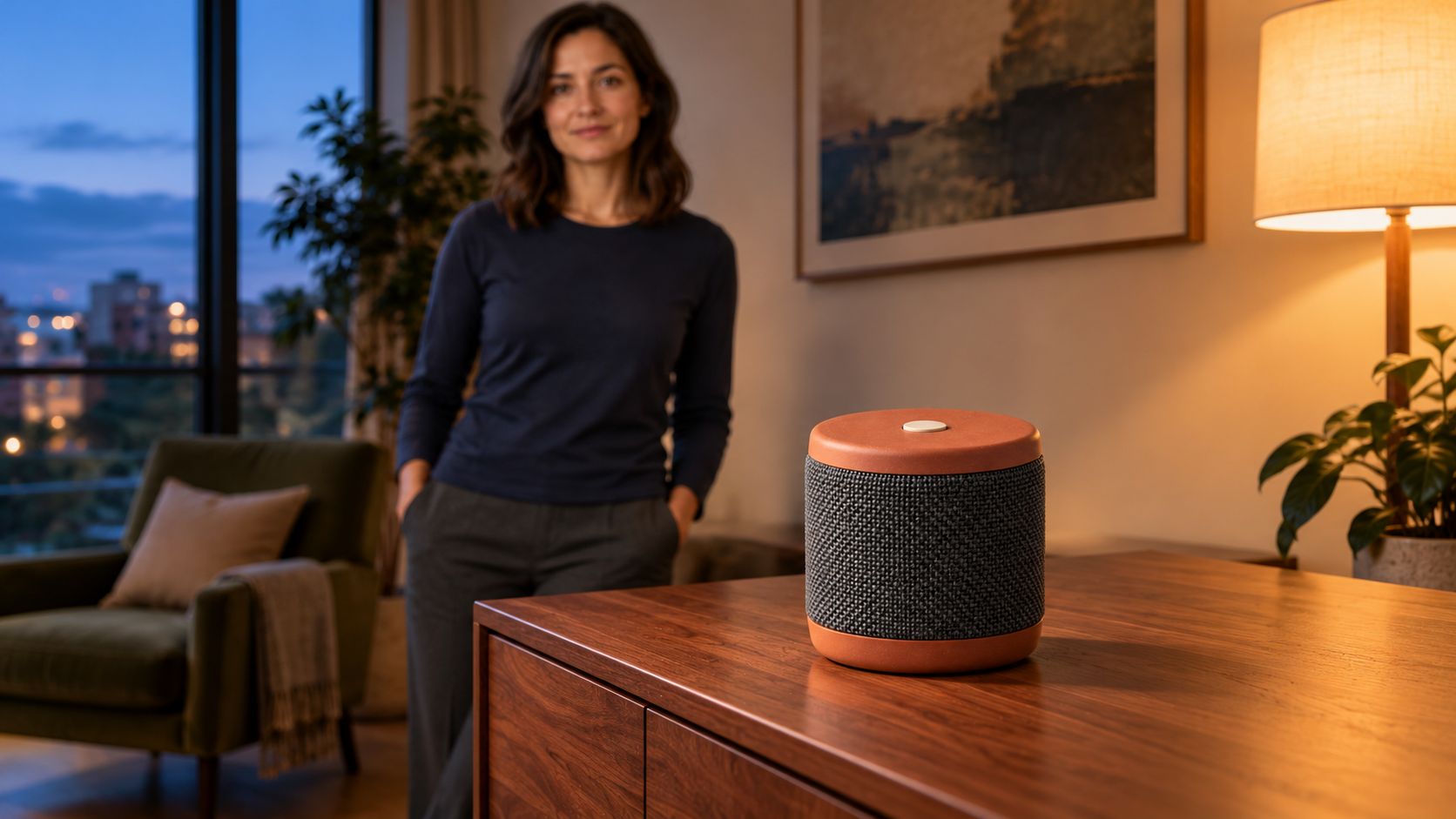
製品写真はデザインの基準になります。しかし人の手に持たせると、形が変わらないか、同じ人物に見えるか、部屋は維持されるかという課題が増えます。このガイドでは、ArcloopのVidu Q4 Previewと3枚の独立した参照画像で12秒の製品シーンを設計します。
例は架空の携帯スピーカー。女性が部屋のキャビネットに置き、一歩下がって製品を見せます。短い動作で接触とデザインの連続性を確認します。動画は未制作で、実測結果の報告ではありません。
各画像に一つの役割を持たせる
構図が完成しているなら、その画像を開始フレームにできます。製品写真、人物画像、背景を新しく組み合わせる場合は、独立した参照が適しています。
既存の商品写真を使う事業者、同じ出演者を使うクリエイター、製品を複数の現実的な場所で見せるチームに向く方法です。画像はデザイン情報、プロンプトは動作と構図を担当します。
本例はreference to videoを使います。製品、人物、部屋を分けることで、ずれた細部の原因を探しやすくします。
ArcloopとVidu Q4で製品動画を作る
ステップ1:製品の動作を決める
持つ、置く、手を離すという小さな動作に絞ります。焦点は外観です。動画だけで確かめられない音質やバッテリー性能は示しません。
| 時間 | 動作 | 見せたい細部 |
|---|---|---|
| 0〜3秒 | 両手で持って棚に近づく。 | 製品全体と顔。 |
| 3〜6秒 | キャビネットに置く。 | 底が接触してから指を離す。 |
| 6〜9秒 | 一歩下がり、カメラはゆっくり動く。 | 製品の形と位置。 |
| 9〜12秒 | 静止した製品にピントを合わせる。 | 布、ボタン、接触する影。 |
花瓶、小型家電、本にも応用できます。実際の大きさと重さに合わせて持ち方を変えてください。
ステップ2:明確な参照画像を3枚用意する
実物を販売しているなら自分の製品写真を使います。輪郭が見え、反射で重要な縁が隠れないものを選びます。架空の例には次のプロンプトを使えます。
製品参照のプロンプト
Create one photorealistic product reference photograph of an original compact portable speaker. A short upright cylinder with a matte terracotta top and base, charcoal woven grille around the middle, and one small round ivory button centered on top. No handle, display, cable, lettering, or logo. Show the entire speaker in a front three quarter view on a plain light gray surface. Soft neutral studio light, realistic fabric weave, clean visible edges, natural contact shadow. One object, no collage, no illustration or animation.
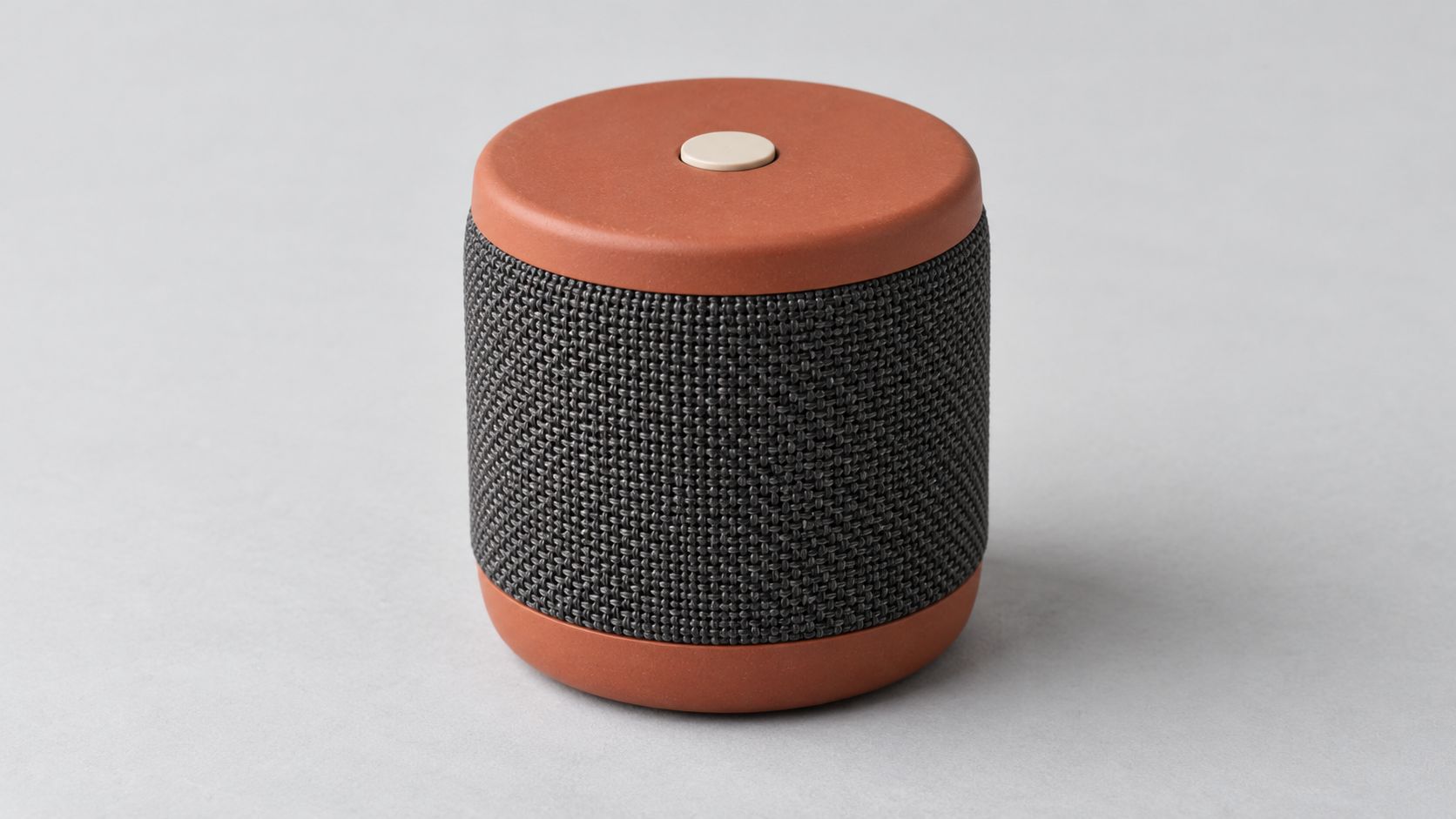
比率、配色、布、ボタンを定義します。手で隠れた製品より、遮るもののない写真が設計確認に適しています。
人物参照のプロンプト
Create one photorealistic reference photograph of an original adult woman in her thirties with shoulder length dark hair, brown eyes, and a relaxed neutral expression. She wears a plain navy long sleeve cotton shirt and charcoal trousers. Frame from her head to her upper thighs, with both hands relaxed and visible. Soft daylight, pale gray background, natural skin and fabric texture. One person, no accessories, no product, no text, no logos, no illustration or animation.
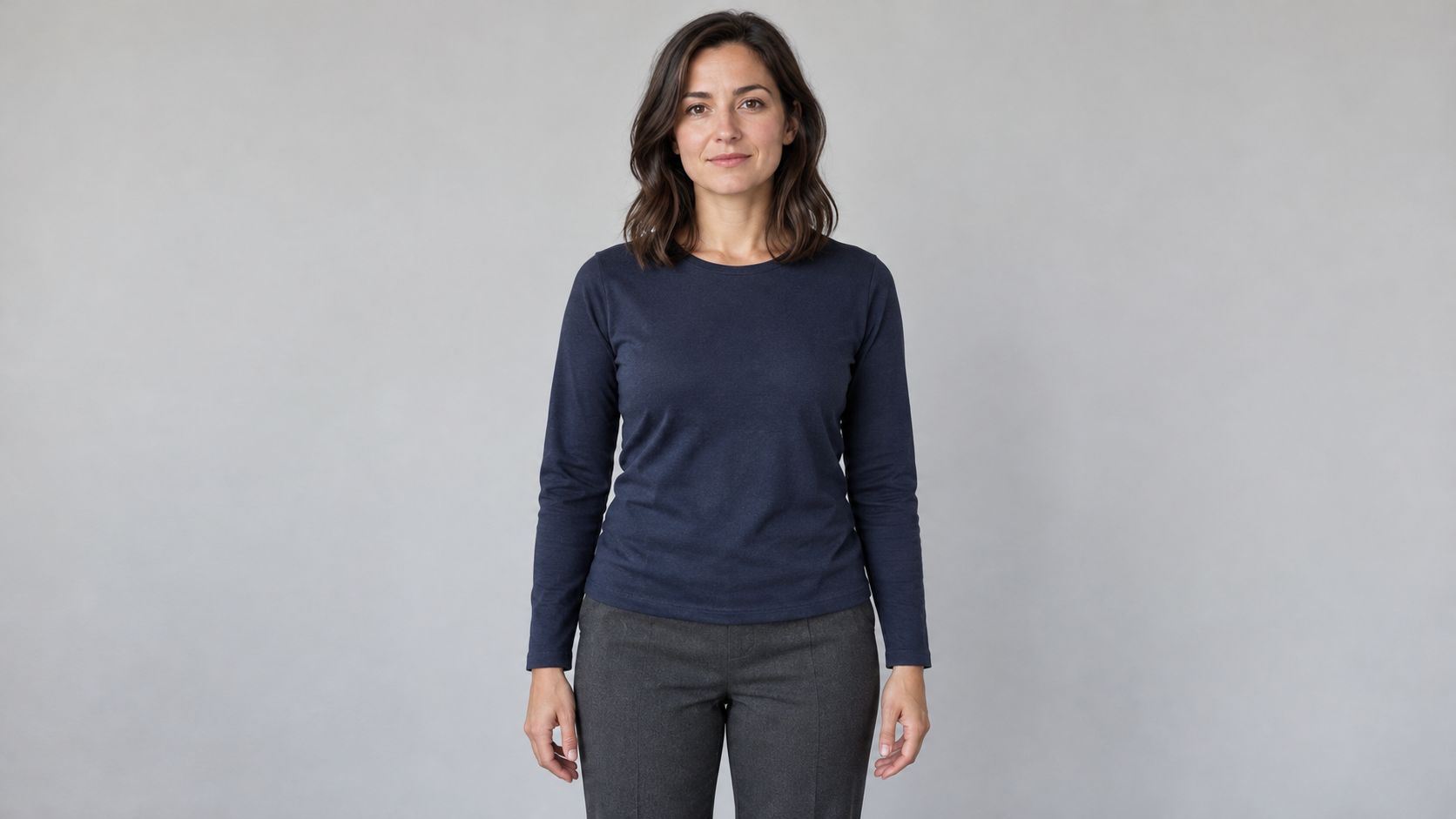
顔、髪、服、体格を示し、製品を持つポーズは動画プロンプトに任せます。
背景参照のプロンプト
Create one photorealistic interior location photograph of a modest contemporary apartment listening corner at dusk. A low walnut cabinet stands against a warm cream wall. Leave the cabinet top empty. An olive fabric chair sits in the left background. A large window on the left provides soft blue evening light, balanced by a warm floor lamp on the right. Eye level medium wide framing with a clear walking space in front of the cabinet. Real room scale, natural wood grain, restrained lived in details. No people, no speakers, no readable text, no logos, no illustration or animation.
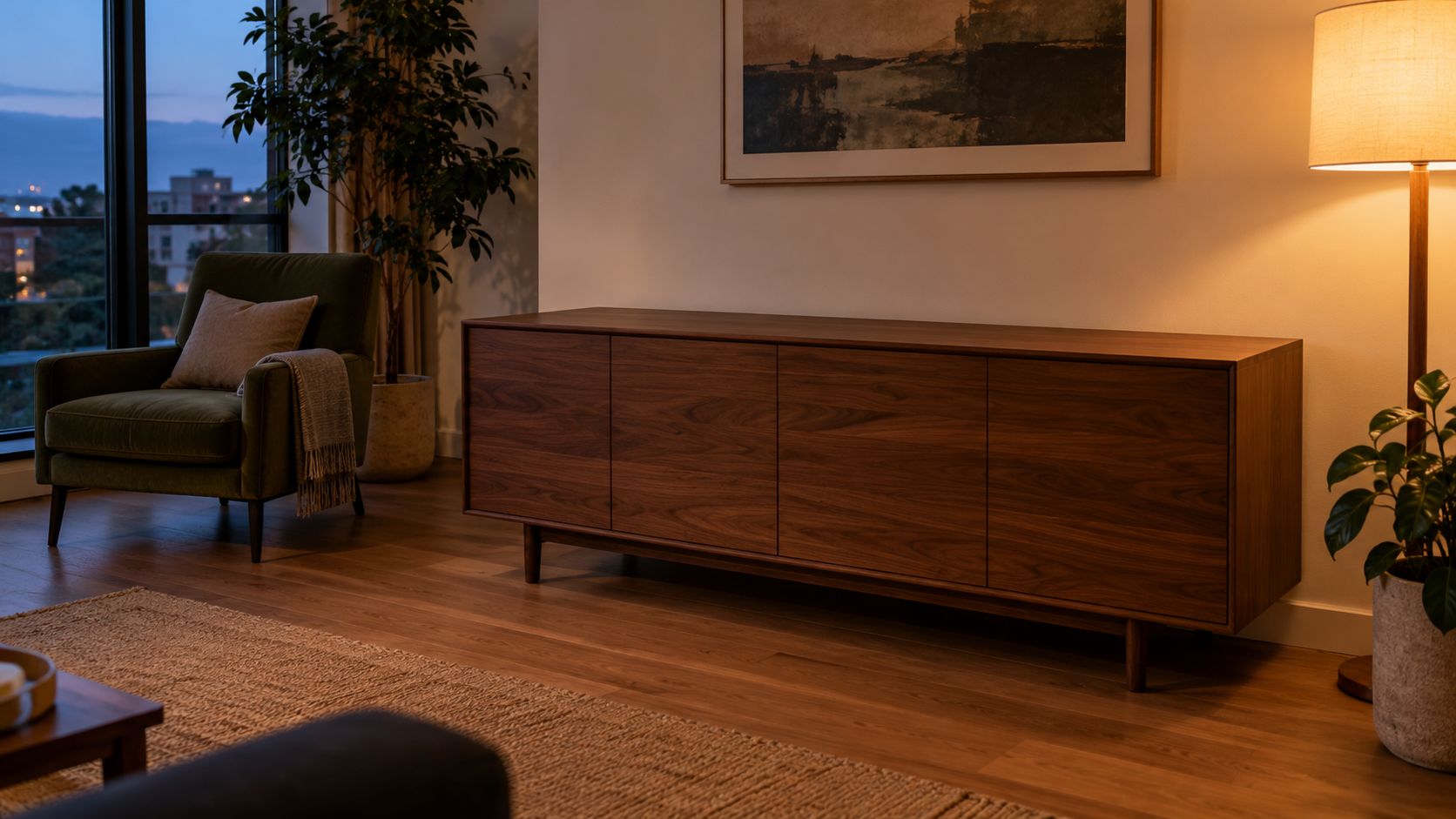
空の天板が製品の置き場所になります。背景に別のスピーカーを入れず、デザインの衝突を避けます。3枚はこの記事専用にArcloop外部の内蔵画像生成ツールで用意しました。コピー用プロンプトは英語です。
ステップ3:3枚を一つの動画リクエストにまとめる
Arcloopで3枚を添付し、わかりやすく命名します。角括弧の仮名称を実際の素材名や参照表示に置き換えてください。
動画プロンプト全文
Create one 12 second photorealistic product film in a real apartment at dusk. Use [PRODUCT IMAGE] for the speaker design, [PERSON IMAGE] for the woman's identity and clothing, and [ROOM IMAGE] for the apartment layout, cabinet, chair, window, and lighting. The three references describe one scene.

Preserve the speaker's short cylindrical proportions, matte terracotta top and base, charcoal woven grille, and single ivory top button. Keep the same speaker throughout. It is small enough to carry comfortably with both hands.

Use one continuous shot with a slow lateral camera move from left to right. Begin at the woman's waist height in a medium view that includes her face, hands, the full speaker, and the cabinet. Soft blue evening light comes from the left window. Warm practical light comes from the right floor lamp. Realistic skin, cotton, fabric weave, and wood grain. Restrained commercial photography with natural contrast.

0 to 3 seconds: The woman takes one small step toward the cabinet while holding the speaker upright with both hands. Keep its grille and top visible.

3 to 6 seconds: She lowers the speaker onto the empty cabinet. Its base contacts the wood before her fingers release it. Her hands move away without passing through the speaker.

6 to 9 seconds: She takes one small step back and looks at the speaker. The camera continues the same slow lateral move. Keep the speaker stationary on the cabinet with a clear contact shadow.

9 to 12 seconds: Shift focus gently from her face to the speaker and hold. Keep the full product inside the frame, with the top button and grille readable. Leave the woman softly visible in the background.

No dialogue, generated text, logos, extra products, added controls, floating objects, transformations, abrupt camera moves, illustration, or animation.
時間指定は一つの生成リクエスト内の動作案です。4本の別動画を意味しません。フレーム単位の制御ではなく、ワンカットも保証ではありません。まず置く動作を確かめてから角度を増やします。
ステップ4:モデル、参照、設定を確認する
Vidu Q4 Previewのreference to videoを選びます。本例の予定は12秒、1080p、16:9、音声生成オフ。3枚が正しいタスクにあることとクレジット見積もりを確認します。
Arcloopの連携ガイドは1〜15枚の参照画像に対応しています。枠を埋める必要はありません。既存画像でわからない細部を説明できる場合だけ増やします。現在の画面名と素材の関連付けは実際の操作時に確認します。
ステップ5:カメラより先に製品を確認する
全体を見た後、置く前、手を離す瞬間、最後で停止し、参照と直接比べます。
| 項目 | 確認内容 |
|---|---|
| 製品 | 円筒の比率、色、布、ボタン。 |
| 接触 | 底が棚についてから指が離れる。 |
| 人物 | 顔、髪、服、身体の比率。 |
| 背景 | 棚、椅子、窓、光の方向。 |
| 最後の構図 | 製品全体が識別できる大きさで見える。 |
形が変わるなら明確な製品写真に替えるか、持つ動作を簡略化します。顔が小さいなら製品を切らずに寄ります。背景を写しすぎるなら、維持する配置と変更可能な構図を指定します。
他の画像と設定を固定し、一つだけ変えると修正の効果がわかります。複雑なカメラは、製品が動作中も維持できてから追加します。
よくある質問
開始画像と独立した参照はどう選びますか?
人物、製品、背景が配置済みなら開始画像を使います。Vidu画像動画ガイドを参照してください。新しい構図に組むなら本例の参照方式です。
背景画像に製品があってもよいですか?
同じデザインなら可能ですが、旧型や別の色は指示を衝突させます。本例では空の棚で置く位置を明確にします。
製品の文字は正確に残りますか?
動画で確認が必要です。画像が設計を導いても、動く小さな文字まで完全には保証されません。広告に使う前に製品の近景を確認します。
再試行の予算はどう決めますか?
各リクエストの見積もりと全試行を記録します。画像準備と修正も費用に含めます。確認に必要な解像度で始め、高い設定に進むかを判断してください。