
Models shaped for different jobs
MiniMax H3 and Seedance 2.5 shipped on the same day at the end of July, and the comparison posts have not stopped since. Most of them try to crown a winner. That is the wrong question for anyone actually making anime or short drama, because the two models are shaped for different jobs — and inside ArcLoop you do not have to choose one for the whole project. Each shot picks its own model.
So this is not a scorecard. It is a map: which kinds of shots H3 handles best, which ones Seedance 2.5 handles best, and how to run both against the same character assets without the cast changing faces between them. If you want the head-to-head against the previous Seedance generation, the H3 vs Seedance 2.0 comparison covers that.
What sets them apart on paper
| MiniMax H3 | Seedance 2.5 | |
|---|---|---|
| Single generation | 4–15 seconds | Up to 30 seconds; a long-video mode reaches several minutes |
| Max resolution | 2K (hosted) | Up to 4K |
| References per generation | 9 images, 3 clips, 3 audio | Up to 50 multimodal references (images, video, audio, script) |
| Native audio | Yes, 32 kHz stereo generated with the picture | Yes |
| Editing | Precise video editing, audio-video continuation | Timestamp-based editing, extend existing video |
| Open weights | Base model open (768p); 2K stage hosted | Closed |
| Tuning | Reference fidelity, music and rhythm, omni-modal steering | Long coherent takes, large reference sets, multi-shot storytelling in one generation |
Read the table as two philosophies. H3 keeps the generation short and gives you tight steering — nine references you cite by order, audio that lands on motion, an open base that the community builds on. Seedance 2.5 stretches the generation long and wide — thirty seconds in one pass, fifty references, multi-shot sequences inside a single request.
Where MiniMax H3 wins
Music-driven beats. Anime PVs, openings, a chorus hit — anything where the sound has to sit on the motion. H3 generates audio jointly with the picture, and an audio reference paired with a visual steers the rhythm directly. The anime music video guide is effectively an H3 playbook.
Shots that need exact reference fidelity. When a shot must match a specific illustration — the OC's face, a costume detail — H3's cite-by-order references give precise control over which image governs what. Fewer references, more authority each.
Fast iteration. With the H3 Max tier, drafts come back near real-time at 768p. Timing tests, blocking variants, "does this cut work" — H3 is where you explore.
Stylized 2D. With a style reference pinned, H3 holds flat shading and linework well across a clip; the anime prompt guide covers the setup.
Where Seedance 2.5 wins
Long single takes. A thirty-second walk-and-talk, a slow approach, a continuous dance phrase — anything where a cut would break the performance. H3 would need two chained clips; Seedance 2.5 does it in one.
Multi-shot sequences from one prompt. Seedance's family has treated multi-shot storytelling as native since 1.0. Describe three beats and get three shots that hold continuity, in one generation. For a fast short-drama draft this is a real time saver.
Big reference sets. A scene with four characters, two locations, and a fixed prop kit can exceed H3's nine image slots. Seedance's fifty-reference budget takes the whole cast at once.
4K delivery. When the spec is 4K, Seedance 2.5 renders to it. H3 tops out at 2K.
The shot-type map
| Shot type | Pick | Why |
|---|---|---|
| Opening / PV beat synced to music | H3 | Audio generated with motion, rhythm steering |
| Character close-up that must match the illustration | H3 | Reference authority per image |
| 20–30 s continuous performance | Seedance 2.5 | Single take beyond 15 s |
| Three-beat scene drafted in one go | Seedance 2.5 | Native multi-shot |
| Crowd or ensemble scene, many assets | Seedance 2.5 | Reference budget |
| Timing / blocking drafts | H3 (Max tier) | Near real-time iteration |
| Final 4K deliverable | Seedance 2.5 | Resolution ceiling |
| Final 2K hero shot with exact face | H3 | 2K stage plus reference fidelity |
Running both in one ArcLoop project
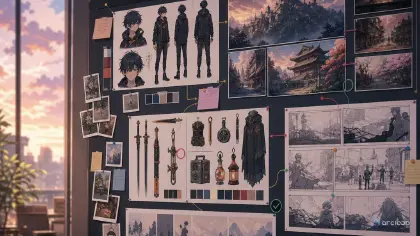
The map only works if switching models does not cost you consistency. In ArcLoop it does not, because identity lives in the project, not in the model:
- Build the cast once in My Assets. Bind each character's Main image and Reference images. Both models read the same references when a shot references the character with
@. - Pick the model per shot card. On the Storyboard, each shot card carries its own description, duration, and generation model. Send the chorus hit to H3 and the long approach to Seedance 2.5 from the same episode.
- Keep the shot description model-agnostic. Camera, action, light, sound — one action per clip. Let the references carry identity so that switching models does not change the face.
- Generate stills first on the shots where fidelity matters, then video. A model switch shows up first in the still; catch it there.
- Cut on the Edit timeline. Clips from both models sit on one timeline; if a Seedance take and an H3 take disagree on lighting, the edit shows it before the audience does.
Note the hard prerequisite from the product docs: to generate video with the Seedance 2.0 series, the element has to exist as an asset first — which is exactly the setup above.
Ways to pick the wrong model
- Picking one model for the whole project. You give up either the long take or the music beat for no reason.
- Re-uploading references per model. Bind them to the asset once; both models read them.
- Judging H3 on a 30-second job or Seedance on a 5-second music hit. Each loses the comparison it was not built for.
- Comparing on spec sheets alone. The decisive test is continuity across your own cast; run the same three shots on both and look at the faces.
FAQ
Is MiniMax H3 better than Seedance 2.5?
For short, music-driven, reference-exact shots, usually yes. For long single takes, ensemble scenes, and 4K delivery, Seedance 2.5 is the stronger pick. Both are available in ArcLoop.
Can I use both in the same video?
Yes. Each shot card in ArcLoop picks its generation model, and clips from both land on the same Edit timeline.
Which one keeps my character more consistent?
Consistency comes from bound assets and @ references more than from the model. With the same references, both hold identity well; H3 gives finer per-image control, Seedance accepts more images.
Which is cheaper?
It depends on the shot: an H3 Max draft is very cheap per second, a 30-second Seedance take replaces two H3 generations plus a join. Price the loop, not the clip.
Map the shot, then pick the model
Same-day launches invited a rivalry; a working project treats them as two tools on one bench. Build the cast as assets, describe each shot without the character's appearance, and let the shot type choose the model. Open your project and try the same three shots on both — the faces will tell you everything the spec sheets do not.