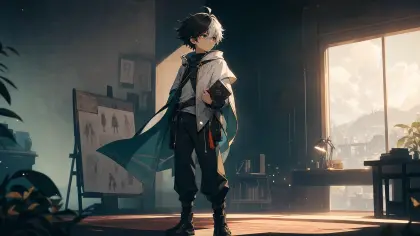


Keeping an anime character consistent in AI video is not the same job as making one strong character image. A video sequence adds motion, cuts, emotion changes, camera movement, and episode state. If the character rules are not explicit before generation, the same OC can drift into a different face, outfit, age, or personality within a few shots.
This page is for creators who already have an anime OC, character sheet, or character bible and need that character to stay recognizable across story scenes, episode covers, reference stills, and AI video shots.
Quick answer
To keep an anime character consistent in AI video, define stable identity anchors first: face shape, hair silhouette, color motif, outfit logic, signature prop, speech behavior, relationship state, and story state. Then attach those anchors to each shot brief with allowed variation and review checks. The video model should animate a known character, not redesign the character per scene.

Treat the character as a production asset
The first image is rarely the hardest part. The hard part is keeping the character alive through the second shot, the third shot, a costume change, a reaction close-up, and the next episode. A single image can survive on taste. A sequence needs rules.
Start by deciding what must never drift, what can change for story reasons, and what the viewer needs to recognize in each shot. Then make the character sheet, storyboard, reference stills, and video shot list share the same rules. The video model should continue an existing character, not invent a new one every time the camera moves.
Start with identity anchors, not style words
Style words such as anime, cinematic, beautiful, high detail, or dramatic do not preserve a character. They describe surface treatment. Identity needs more specific anchors.
Use this character consistency block before any shot prompt:
| Anchor | What to write | Review question |
|---|---|---|
| Face | face shape, eye shape, age range, expression range | Does this still read as the same person? |
| Hair | silhouette, bangs, length, color logic | Does the character remain recognizable in motion? |
| Outfit | base costume, allowed episode variation, forbidden changes | Did the wardrobe change without story reason? |
| Prop or mark | weapon, charm, scar, notebook, headset, color motif | Is the signature detail still visible when needed? |
| Behavior | how the character reacts under pressure | Does the action match the character, not just the scene? |
| State | injury, secret, relationship, mood, ownership of props | Does the shot match the current episode state? |
This is where the AI character bible does the work. The bible tells every later image or video step what cannot drift.
Use allowed variation
Consistency does not mean every frame is identical. A character can change costume, hair position, expression, or lighting if the variation is named and tied to the scene.
Write allowed variation as a rule:
- expression can move from guarded to shaken, but the eye shape and mouth line stay recognizable
- the jacket can be wet or open, but the red scarf remains present
- hair can move in wind, but the front silhouette and color stay stable
- the character can look tired in episode 3, but age and face structure do not change
- the signature prop can be hidden only when the shot brief says so
Without allowed variation, the model may either freeze the character or redesign them.
Connect the character to the shot list
Character consistency gets weaker when the shot list only describes action. A shot list should carry character state too.
For each shot, include:
| Shot field | Character consistency note |
|---|---|
| Shot goal | What the character must communicate in this beat |
| Starting state | Emotion, injury, wardrobe, prop ownership, relationship status |
| Fixed anchors | Face, hair, color, prop, or silhouette that must remain visible |
| Allowed change | What can move, loosen, get wet, turn, or shift |
| Failure check | What would make the character feel like someone else |
For sequence planning, pair this with the storyboard grid and the image to video story-scene workflow. The storyboard decides when the viewer should notice each anchor. The image-to-video brief decides how that anchor survives motion.
Reference stills need a purpose
Do not collect reference stills only because they look good. Each reference still should answer one production question.
| Reference still type | Purpose |
|---|---|
| Identity still | The clearest face and hair reference |
| Full-body still | Outfit, proportion, silhouette, prop position |
| Emotion still | Expression range under pressure |
| Action still | How the character moves without losing identity |
| Episode state still | Injury, costume change, relationship state, or reveal state |
If every still is a glamour image, the video model gets no help for action, cuts, or emotional turns.
Review consistency after generation
Do not review the generated shot by asking whether it looks good. Ask whether the character survived the scene.
| Review question | Why it matters |
|---|---|
| Does the face still match the identity still? | Prevents silent redesign |
| Is the hair silhouette still recognizable during motion? | Protects character read at small size |
| Did the outfit change only within allowed variation? | Prevents accidental costume reset |
| Is the prop or mark present when the script needs it? | Keeps story evidence visible |
| Does the behavior match the character's pressure pattern? | Avoids generic anime acting |
| Does the ending frame preserve the next-shot state? | Keeps the sequence editable |
If two adjacent shots pass individually but fail together, fix the shot list before regenerating more video.
Where Arcloop fits
Arcloop treats character consistency as production memory. In Arcloop Worlds, the character belongs to a story world before it belongs to a single prompt. That lets a creator keep the character bible, OC rules, storyboard beats, reference stills, and AI video shot notes together.
A practical workflow is:
- Create or import the anime OC.
- Turn the OC into a character bible.
- Build the scene storyboard.
- Attach identity anchors to each shot.
- Generate or approve reference stills.
- Produce image-to-video shots.
- Review character drift before accepting the sequence.
The result is not perfect automatic consistency. The result is a reviewable system: when the character drifts, you can see whether the failure came from the bible, the still, the shot brief, or the video model.
FAQ
How do I keep an anime character consistent in AI video?
Use a character bible with fixed identity anchors, then carry those anchors into every storyboard beat, reference still, and video shot brief.
Is a character sheet enough?
Not by itself. A character sheet shows what the character looks like. A character bible also defines behavior, relationships, episode state, allowed variation, and review checks.
Should I reuse the same reference image for every shot?
No. Use different reference stills for identity, full-body proportion, emotion, action, and episode state. Each still should have a specific job.
Why does the character drift between shots?
Drift usually happens when the prompt asks for action and camera movement but does not restate the identity anchors, state changes, or forbidden changes.
Can consistency survive costume changes?
Yes, if the costume change is part of the character bible and the fixed anchors remain visible: face, hair silhouette, color motif, prop, or behavior.
How does Arcloop help with this?
Arcloop keeps script, world, character rules, storyboard notes, reference stills, and video shot briefs together so generated shots can be reviewed against the same source of truth.