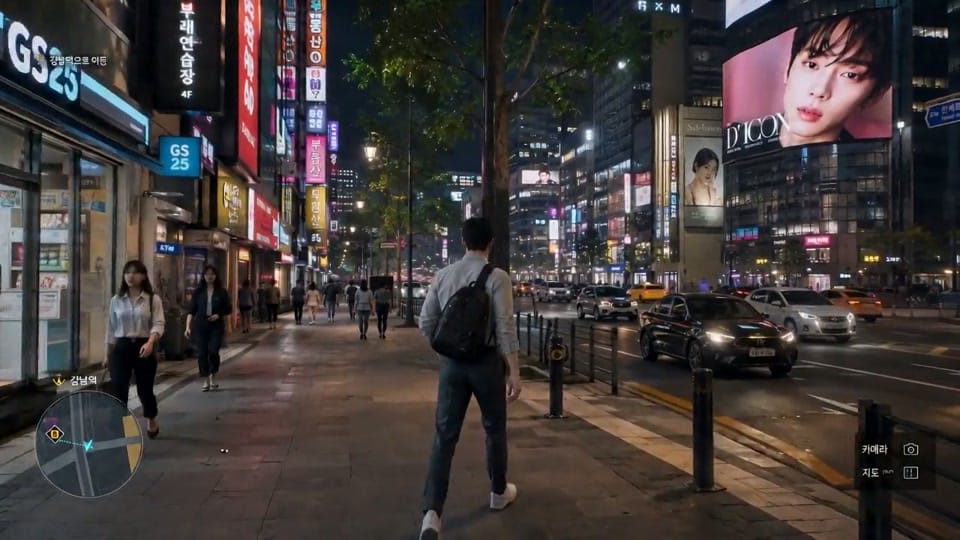
Reference-directed scenes
Use images for appearance and setting, video for action or camera language, and audio for sound. Explain which parts of each reference the scene should follow.

Direct character performance, camera movement and sound with text and visual references.
Seedance 2 is ByteDance’s video model for creating short scenes from text and multimodal references. Images can establish a character or location, video can guide movement and framing, and audio can shape the sound. Bring these directions together to develop a scene with a clear visual identity.
Its creative focus is the relationship between performance, camera and sound: a restrained reaction, a moving action sequence or a cut between two characters. Native audio-video generation and multi-shot direction make it useful for short dramas, animation and film concepts. Standard, Fast and Mini offer different options for your production budget.
Explore scene and camera studies, including original 5- and 10-second Fast generations.
Use images for appearance and setting, video for action or camera language, and audio for sound. Explain which parts of each reference the scene should follow.
Shape how a character moves and how the camera observes them. Describe the gesture, framing and movement that make the moment readable.
Build a brief sequence with an establishing view, an action and a reaction. Specify the shot order and the moment each cut should reveal.
Generate visuals with dialogue, ambience and effects in the same scene. Name the speaker and place important sounds alongside the action.
Prepare the scene here, then finish the generation in Canvas.
Describe the subject, action and camera movement. Add a reference if needed; further supported references can be added in Canvas.
Click Generate Now and sign in if prompted. Your prompt, Seedance 2 selection and supported references carry into Canvas.
Choose the available version, duration, resolution and audio settings in Canvas. Review the credit estimate before submitting.
Create a tense exchange, a quiet reaction or a shot-reverse-shot scene, using character references to guide appearance.
Develop a chase, a transformation or an animated story beat with a clear action and a deliberate camera perspective.
Turn product references, a visual concept or a musical cue into a short sequence for a campaign or performance.
Say what to borrow: the character from an image, the camera movement from a clip or the rhythm from audio. Keep reference instructions consistent.
Start with a push-in, a tracking shot or a fixed frame. Avoid stacking conflicting movements; name a cut when you want a new viewpoint.
Put the main action first, then the camera and sound. For multiple shots, separate the beats clearly and leave enough time for each one.
Name the speaker, write the line and describe the surrounding sound. Keep dialogue short enough to fit the clip; reference audio can be reinterpreted.
Scroll to compare all plans
| Model and parameters | Starter 12,000 credits / month | BASIC 30,000 credits / month | Plus 63,000 credits / month | Ultra 120,000 credits / month |
|---|---|---|---|---|
| Video Generation | ||||
Seedance 2.020% OFF Text / image references · 5 sec · 480p · 16:9 | ||||
Seedance 2.020% OFF Video references · 5 sec · 480p · 16:9 | ||||
Seedance 2.020% OFF Text / image references · 5 sec · 720p · 16:9 | ||||
Seedance 2.020% OFF Video references · 5 sec · 720p · 16:9 | ||||
Seedance 2.020% OFF Text / image references · 5 sec · 1080p · 16:9 | ||||
Seedance 2.020% OFF Video references · 5 sec · 1080p · 16:9 | ||||
Seedance 2.020% OFF Text / image references · 5 sec · 4K · 16:9 | ||||
Seedance 2.020% OFF Video references · 5 sec · 4K · 16:9 | ||||
Seedance 2.0 Fast40% OFF Text / image references · 5 sec · 480p · 16:9 | ||||
Seedance 2.0 Fast40% OFF Video references · 5 sec · 480p · 16:9 | ||||
Seedance 2.0 Fast40% OFF Text / image references · 5 sec · 720p · 16:9 | ||||
Seedance 2.0 Fast40% OFF Video references · 5 sec · 720p · 16:9 | ||||
Seedance 2.0 Mini50% OFF Text / image references · 5 sec · 480p · 16:9 | ||||
Seedance 2.0 Mini50% OFF Video references · 5 sec · 480p · 16:9 | ||||
Seedance 2.0 Mini50% OFF Text / image references · 5 sec · 720p · 16:9 | ||||
Seedance 2.0 Mini50% OFF Video references · 5 sec · 720p · 16:9 | ||||
Audio included. Video-reference estimates use 5 sec of input footage. Estimates only. Final charges depend on actual usage.
Choose a workflow for your scene, then compare the resulting performance, motion and sound.
A strong starting point when you want to assign different roles to character, motion and audio references. Choose Standard, Fast or Mini to suit the scene and budget; results can differ across versions.
Explore another interpretation of action, visual effects or an animated scene. Compare how the model handles movement, texture and shot transitions using a brief tailored to its available controls.
Consider Wan for a balance of generation cost and visual performance. Use the available text or reference workflow, then compare the motion and sound alongside the current credit estimate.
Yes. Start with a written scene, or add supported references to guide it. Generate Now carries your draft into Canvas, where you choose settings and submit the generation.
Use the pricing section to compare their estimated credit usage. Fast and Mini can help explore an idea with a smaller budget, but they are separate versions: their output is not an exact preview of Standard. Compare them on your own scene, especially for complex action.
Seedance 2 supports image, video and audio reference workflows. Give each file a clear purpose. The accepted types, counts and combinations depend on the selected version and mode; Canvas shows the available controls.
Seedance 2 supports short clips up to 15 seconds. This page starts with Standard at 720p and 16:9. Available durations and resolutions depend on the selected version and generation mode; check the options in Canvas.
Reference audio guides generation and may be reinterpreted. Do not assume exact wording, timing or the original recording will be preserved. Keep a copy of the source track if you need it for the final edit.
Use enough detail to make the shot clear. Describe the subject, action, camera and sound without repeating them. Add separate beats for a sequence, keep constraints specific, and remove conflicting instructions. There is no single recommended word count for every scene.
The pricing section shows reference configurations and estimated membership output. Your selected version, duration, resolution and reference usage can affect the quote. Review the estimate in Canvas; actual charges follow final settlement.
Start with one action or shot description and explore your story’s rhythm in Arcloop.