Introduction
You want a specific pose: weight on the back foot, right arm across the chest, chin down, eyes up. You write exactly that, and the generation gives you a character standing normally with one arm slightly raised. You add more words. Now the arm is right and the weight is wrong. Body language has too many joints for a sentence to pin down, and every sentence you add gives the model one more thing to interpret.
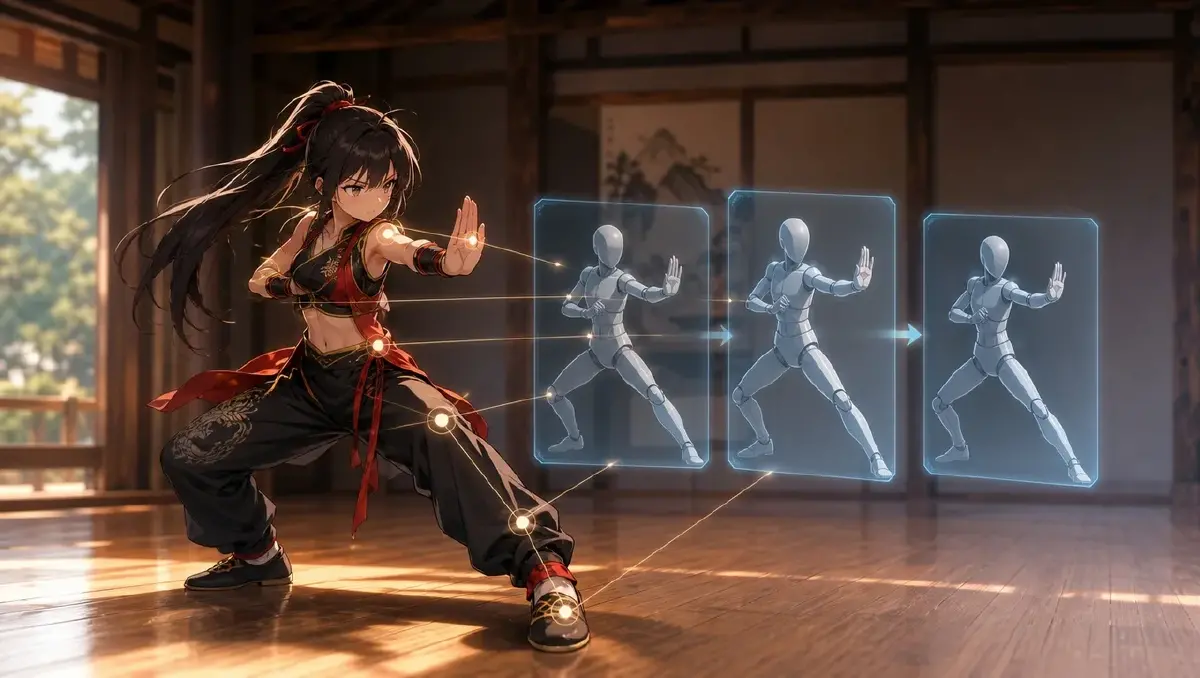
A still does not get interpreted. It gets copied. Any clip that has the pose you want — a dance video, a fight scene, a walk cycle, someone shrugging in an interview — is a source of pose references once you pull the right frames. This guide shows how to use pose references for AI anime video: which frames to grab, how to bind them so they only supply the pose, and how to write the shot so the character asset supplies everything else.
What transfers from a clip and what does not
Pull a still from a clip and attach it to a shot, and the model can take from it:
- The pose itself. Joint angles, weight, where the hands are.
- Spacing. Where the body sits in the frame, how much room it has.
- Timing, if you take several stills. Start pose, peak pose, end pose tell the model the arc of a move.
- Camera height and distance. A still shot from the floor gives a low angle.
What it will try to take, and what you have to block:
- The look. A photo pulls the generation photographic; a grey mannequin pulls it grey. Keep a style reference in place.
- The identity. The person in the clip is not your character. Reference your character with
@and never describe their face. - The costume. Clothes in the still leak. Bind the outfit to the character asset.
The rule is one reference, one job: the still supplies pose, the asset supplies identity, the style reference supplies look. The reference selection guide covers the principle across all reference types.
Rules for choosing pose stills
- Take the extreme, not the transition. The top of the kick, the full extension of the punch, the deepest point of the bow. Transitions are blurry and ambiguous.
- One still, one pose. If a frame shows two things happening — a turn and a reach — take two frames.
- Body fully visible. Cropped limbs get invented.
- Match the camera angle to the shot. A pose still from the side does not help a front-facing shot. Grab from the angle you will use, or find a clip that has it.
- Prefer neutral sources. Untextured 3D mannequin clips are ideal because they carry nothing but pose; the mannequin dance guide walks through one.
How to build and use a pose reference set, step by step
- Find the clip with the move. Any source with the body fully visible and a steady camera.
- Scrub to the extremes and export stills. Three per move is usually enough: before, peak, after. Name them by the move: "shrug-01, shrug-02, shrug-03."
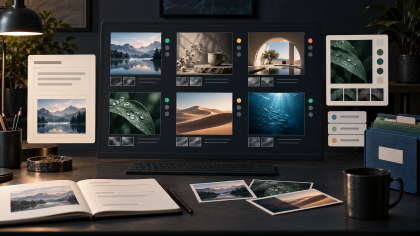
- Upload the stills to Library and bind them as a Visual reference asset named for the move or the scene. Now the Agent can reuse the set.
- Make sure the character is an asset with a Main image and, if the move needs it, an outfit reference. Identity never goes in the shot text.
- Write the shot card: camera,
@character, the pose still, and what changes. "Match pose still shrug-02; she holds it for a beat, then drops her shoulders." - Generate the image and compare it to the still. Joint by joint: weight, hands, head. If the pose is off, the still was ambiguous — pick a clearer frame, do not add words.
- Generate video only from a still that matched. For a move with three stills, the shot description names them in order: "from shrug-01 through shrug-02 to shrug-03 over two seconds."
- Reuse the set. The same shrug works for every character in the cast; only the
@changes.
Example 1: A single held pose
Medium shot, camera at chest height, static, plain rehearsal room. @Yuki stands at center matching pose still guard-02: weight on the back foot, left arm across the chest, right hand open at hip height, chin down, eyes up at camera. She holds the pose for the whole shot, breathing visibly, hair settling. Soft overhead light. No camera move, no added movement.
Example 2: A move across three stills
Medium-wide shot, camera at chest height, static, same rehearsal room. @Yuki moves from pose still shrug-01 (arms at her sides, shoulders neutral) through shrug-02 (shoulders up, palms turned out) to shrug-03 (shoulders dropped, small exhale) over about two seconds. Face stays toward camera the whole time. One clean motion, no repeat, no bounce at the end, hands relaxed. Same light and framing as Shot 1.
Example 3: The same pose on a different character
Medium shot, camera at chest height, static, on the bridge of @Riverside Market. @Hana matches pose still guard-02 exactly: weight back, left arm across the chest, right hand open at hip height, chin down, eyes up. Same pose as Yuki's Shot 1, different character, different place. Outfit from Hana's asset. She holds for the shot; a breeze moves her hair. Late afternoon light from the left.
The most common ways pose references break
- Photographic leak. The generation went realistic because the still was a photo. Add or strengthen the style reference; keep the still as pose only.
- The clip's person shows up. A face or hairstyle from the source. The character was described in text instead of referenced with
@. Fix the reference. - Wrong angle. A side still for a front shot; the model split the difference. Grab from the right angle.
- Transition frame. The pose came out mushy because the still was mid-motion. Take the extreme.
- Too many stills on one shot. Six references and the model averaged them. Three per move, maximum.
FAQ
Can I use a still from my own generated video as a pose reference? Yes, and it is the cleanest source: same style, same character. Export the frame, bind it, reuse it.
Do pose stills work for hands? For hand position, yes. For finger detail, less so; a hand still helps the pose but the hands and pose guide covers what to do when fingers go wrong.
How is a pose reference different from a Reference image on the character asset? A Reference image on the asset says what the character looks like from another angle or in another outfit. A pose still says what the body is doing in one shot. Keep them separate so a pose never becomes part of the character's identity.
What about the clip itself? Keep it in Library for review and for choosing frames. The shots use the stills.
Next step
Pick one move you have been failing to describe. Find a clip that has it, export the peak frame, bind it as a Visual reference, and write one shot with @ for your character, the still named, and nothing about the body beyond "match the still." Open the project in ArcLoop, generate the image, and compare joint by joint before you generate video.