Archiving Isn't About Storage — It's About What the Agent Remembers
An archive problem never looks like a storage problem on day one. It looks like a producer asking, "Where's the version where the eye acting held?" and nobody being able to answer. That file might be the third draft, the retimed cut, a crop test, or a final export somebody renamed on their own machine. The clip may still exist. The decision that made it good is gone.
AI anime production generates far more intermediate material than a normal short. Every shot can carry draft descriptions, reference images, rejected takes, the selected take, a cleaned final, audio notes, and platform exports. If all of that is just loose files, the next episode starts from guesswork: the character's hair clip changed, the city palette drifted warm, and an editor spends half an afternoon digging through old files to find the night-market angle that already passed review.
Inside ArcLoop, though, archiving isn't really about where files go. It's about a different question: do you want this thing to sit there as a file, or do you want the Agent to remember it and reuse it automatically next time?
Those are two different places in the product. Once you understand the split, most of your AI anime archive strategy is already written.
Library vs. My Assets: Does the Agent Remember It?
The product documentation puts it best: Library contains files. Assets contain creative objects.
Library is the media folder for your current IP world, split into images, videos, and audio. Everything you upload or generate lands here, and you can search, preview, rename, download, and delete it. But it is only files. The Agent does not learn what your character looks like just because an image of her is sitting in Library.
My Assets holds what the Agent remembers and reuses: characters, scenes, props, and visual references. Once a character asset has a name, a description, bound reference images, and a voice, the Agent can keep building around that person's appearance, costume, personality, and voice across every later episode and storyboard.
Binding is what connects the two. An image in Library, bound to an asset, becomes either its Main image (the primary visual reference) or a Reference image (other angles, outfits, states, or moods).
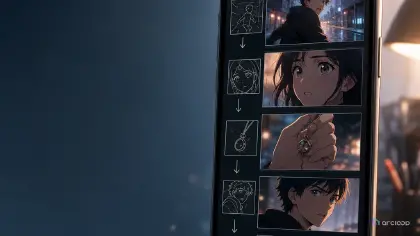
The official example is exact: you upload "Zhen Huan early look," and at first it is just an image in Library. When you bind it to the "Zhen Huan" character asset, it becomes reference material for that character. Only then can the Agent understand who she is, what she looks like, what style she should keep, and which images work as references when it generates plots, storyboards, and videos.
So the first rule of archiving, and the one that saves the most time later: don't stop at Library. If it deserves to be an asset, make it one right then.
What Should Become an Asset
The product gives two criteria, and both are firm.
One: if it repeats, it becomes an asset. When an element will appear across multiple storyboards, episodes, or videos, it should be an asset rather than a loose image. Leads, recurring locations, and signature props all qualify.
Two: to generate video with the Seedance 2.0 series or the Kling O3 series, it must be an asset first. That is not a suggestion, it is a prerequisite. The element has to exist in My Assets before those model families will work with it.
The inverse matters just as much. Things that appear once — a torn sleeve for a single beat, a prop used in one scene, a colour test screenshot — can stay in Library. Promoting all of them to assets just turns your asset list into a second junk drawer.
One Character, Several Looks
This is where people usually take a wrong turn. Your lead has a training look, an interview look, and a stage look. Is that three characters or one?
One. Bind all three sets of reference images under the same character asset. The Agent and the generation models still recognise them as the same person, but each scene draws on the appropriate reference. You switch outfits without splitting the character's identity.
A character asset worth filling in has:
- Name — how you and the Agent identify it
- Description — what it is, what it looks like, how it should be used
- Main image — the first image becomes the primary visual reference
- Reference images — extra angles, outfits, states, and moods
- Character voice — character assets can carry a voice directly
Write the description so it can steer a frame, not like a résumé. The official sample reads: "Zhen Huan is young, intelligent, gentle on the outside, and resilient inside. Her early look is elegant and restrained, with clean makeup, light-colored clothing, and a subtle, delicate presence."
A Good Archive Cuts Your Shot Descriptions in Half
This is the most direct payoff, and the step most teams skip.
When you write a shot description in the storyboard, type @ to reference a character, location, prop, or any project asset you have already built. The documentation is blunt about why: using an asset reference is more reliable than describing the same character from scratch in every shot.
The official example:
Medium close-up of @Kim Yoon-ju standing in the rehearsal room.
She keeps a controlled expression, but her grip tightens around the lyric sheet.
Notice that not one word describes her hair, her outfit, or her face. That information already lives in the character asset, and @ pulls it in. The shot description only carries what is new to this shot: where she is, what she does, how the camera moves, what the mood is.
So archiving and "how much do I have to write per generation" are two sides of the same thing. The more solid your assets, the less you repeat each episode. With empty assets, you re-describe the character in every single shot — slower, and less stable, because the wording drifts a little each time and the visuals drift with it.
What to Keep and What to Drop
Follow production value, not file size. A rejected render can be worth more than a pretty final, because it explains why the face drifted, where the shot idea broke, or which colour rule to avoid. Keep the material that teaches the next shot something.
One example per failure type is enough. A single eyeline-drift example makes the point. Ten nearly identical rejects just make Library harder to search.
Separate permanent anchors from per-episode choices. A character's face, default costume, voice direction, and signature props belong in My Assets. A torn sleeve, a temporary injury, one scene's seasonal light, a platform crop — those stay with that episode's shots. Mix the layers and a one-episode accident quietly becomes a permanent redesign.
Do it while the memory is warm. The best moment is after the take is selected and before the final export. Do it after delivery and archiving turns into cleanup — and cleanup is exactly when "why this one won" gets thrown away.
Example: Building the Asset Structure for an Original Pilot
Say you're making an original 2D anime pilot called Glass Orchard: junior greenhouse engineer Liora Venn discovers that the floating greenhouses above the city are losing gravity. The whole piece runs on glass leaves, pale teal machinery, and quiet dawn light.
Sort it with the criteria above.
Character asset: Liora Venn. Main image is her front-facing turnaround. Reference images cover the side view, the work vest detail, the fingerless gloves, the brass hair clip close-up, and a "cautious but curious" expression reference. Pick a composed voice for her.
Scene assets: the greenhouse catwalk, the root control console. Two or three light references each, at different times of day.
Prop asset: the gravity key. It is the film's signature object and recurs constantly, so it gets its own asset, with reference images clear enough to read its shape.
Visual reference assets: the dawn palette and the glass-leaf texture reference. These aren't objects in frame — they exist to hold the Agent's style.
Stays in Library: a colour test screenshot from one scene, a background plate used once, discarded composition sketches.
With that in place, writing a shot looks like this:
Medium-wide side angle. @Liora Venn walks along the narrow greenhouse catwalk
as glass leaves drift upward around her. Camera locked for three seconds,
then a slow push-in as she notices the @gravity key flicker at her belt.
No on-screen text, no logos, no extra fingers.
Not a word about what she looks like or what shape the key is. The assets already carry it.
The Most Common Archiving Mistakes
Saving only finals, never decisions. Finals are useful, but the question that comes up next production is "how did we do that?" Keep the winning shot description and the reason it won alongside the clip.
Archiving every failure. It feels fine for a week and collapses over a season. Keep failures that explain a rule; delete the ones repeating the same problem.
Treating a style accident as confirmed style. A render throws a beautiful orange rim light — decide whether it belongs to the series, the episode, or that one shot. Don't let a pretty accident silently rewrite your visual reference assets.
Building your own folders outside the product. If characters never reach My Assets and reference images never get bound, none of it comes along on the next generation — you re-explain everything each episode. And with the Seedance 2.0 or Kling O3 series, unbuilt assets stop you outright.
FAQ
What should I archive from an AI anime project?
Whatever helps future work: character appearance and voice, recurring scenes and signature props, style-setting visual references, selected takes, instructive rejects, final exports, and review decisions. Recurring elements become assets; one-off material stays in Library. Don't keep every near-identical failed render.
When should archiving happen?
During take selection, not weeks later. Once a take is chosen and before the team moves to the next shot, connect it to its character asset, its reference images, and the reason it won.
How do I decide between Library and My Assets?
Library holds files; My Assets holds the creative objects the Agent remembers. Ask whether the element will show up in another storyboard or another episode. If yes, make it an asset. If no, leave it in Library. Also note that anything you plan to generate video from with the Seedance 2.0 or Kling O3 series must be an asset first.
Should rejected AI anime takes ever be saved?
Yes, when they explain a rule. Face drift, broken prop continuity, unreadable action, a bad crop — keep one of each. Repeat failures that teach nothing can go.
How much does a good archive actually save on the next episode?
It saves on shot descriptions. With solid assets, a shot only needs @ references to the character, scene, and props, plus whatever is new to that shot — action, camera, mood. Identity never gets re-described, so the visuals stop drifting.