Where It Usually Breaks Down
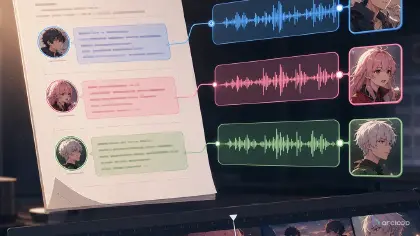
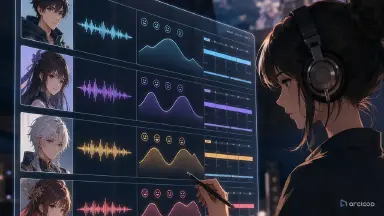
Nothing derails multi-character dialogue in an AI short drama faster than voices going out of control: the lead's first line sounds 25 years old and her second line sounds like a narrator; the character drifts into a different face shot to shot while the villain's mouth stays still but keeps talking; the blocking is already a mess, and now the voices are bleeding into each other too. Most of the time, the real problem is that the voice was never tied to the right identity. Bind each character's voice to its character asset, reference the character with @CharacterName in the shot description, and the voice comes along with the face automatically. Then, at the editing stage, use Generate Voiceover in Edit to produce the voiceover and line it up on the timeline, instead of recording each line fresh, one at a time.
In the 2026 model race, audio became the new dividing line — the latest video models generate sound and visuals in a single pass, and audience tolerance for flat, read-aloud voiceover has dropped to zero. A bad frame can be regenerated; a broken voice makes viewers swipe away instantly. That is why cross-episode voice consistency deserves to be a production rule, not a post-production rescue.
Multi-character voiceover needs to enter the workflow at the storyboard stage, not get pasted onto the finished cut. Build a voice profile table in your ArcLoop workspace first, connect lines to shots with the AI short drama guide, then use the character asset library guide to confirm who's speaking, who's reacting, and who's staying silent. That's what keeps completion rate, emotional turns, and character IP memorability from getting undercut by the voice.
How This Actually Works
Multi-character voiceover isn't as simple as "pick a different voice for each character." In a short drama, voice carries identity, relationships, pacing, and emotion. Viewers remember how a character talks — their speed, their pauses, how much pressure is in their voice, their verbal tics, how their emotion breaks. If any of that shifts across episodes, it reads as a different actor.
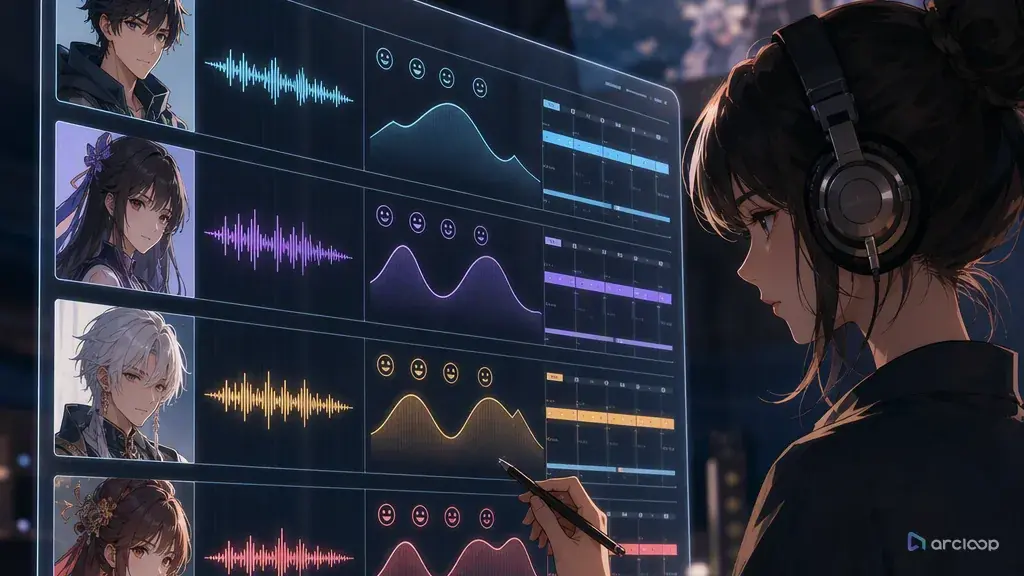
The voice profile needs to be bound to the visual asset. The character record covers identity and speaking style first; the character turnaround locks front, side, and back; the extended turnaround adds a half-side profile and turning angles; the character reference sheet lays the key visual, expressions, costume, props, and color out on one review page; the character asset library then folds the voice profile into that same long-term record. The storyboard decides who's speaking from what position; the voiceover spec decides how they say it; editing makes sure lip sync, pauses, and reactions line up.
The full workflow is concept → script → storyboard → video → voiceover → editing. A lot of people leave voiceover for last, then discover the lines are too long, lip sync doesn't line up, and the emotion has no layers. The more reliable approach is writing voiceover requirements in at the storyboard stage, connecting the multi-character voiceover plan to the AI short drama storyboard tool and the short drama production workflow.
Step-by-Step
Step 1: Build a voice profile for each character. Fields include perceived age, tone, pace, volume, emotional ceiling, pause habits, verbal tics, and a do-not-do list. The do-not-do list can say things like "no broadcaster tone," "no flat mechanical delivery," "no over-the-top cuteness."
Step 2: Rewrite the lines. Short drama dialogue should sound like people talking, not like an essay. Each line from a character should ideally carry one intent: questioning, covering, threatening, testing, striking back. Dialogue under 15 seconds especially needs to stay short; anything over 30 seconds should be broken into smaller exchanges, using reaction shots and silence as connective tissue instead of letting one long monologue drag the pacing down.
Step 3: Mark who's being spoken to and the blocking in the storyboard. Multi-character dialogue isn't just an audio problem — it's a visual one too. Who's looking at whom, who's cutting in, who's staying silent, all affect voiceover pacing.
Step 4: Generate audio on separate tracks per character. Don't mix every line into one audio file. Separate tracks make it much easier to fix pauses, adjust volume, and reuse across episodes.
Step 5: Handle lip sync and editing. Get the line pacing right first, then match lip sync to it. Cut a line shorter when needed rather than dragging the shot out to preserve the original wording. When lip sync fails, don't just keep rerolling — figure out whether the line's too long, the blocking is unclear, or the wrong character was marked as speaking, then decide whether to re-record the voiceover or reshoot the shot.
Step 6: Set up a cross-episode voice review. Before shipping each episode, check whether the same character's voice has gotten younger-sounding, more mechanical, flatter, or whether the emotional intensity has drifted. An unstable voice hurts both the pull to keep watching and the character's IP memorability.
Step 7: Feed voice problems back into the script. If a character keeps sounding like a narrator, the line usually has no one to talk to. If multi-character dialogue keeps feeling rushed, the storyboard usually has no pauses built in. Don't just patch it at the audio stage — go back to the script and storyboard and spell out interruptions, silences, lowered voices, suppressed emotion, and sudden volume spikes. That's what makes the next episode reusable, instead of relying on editing to save it every time.
Copy-Paste Prompts and Specs
Example 1: Voice Profile Generation
Build a multi-character voiceover profile for an AI short drama character. Fields: character name, role, perceived age, tone, pace, pause habits, emotional range, common tone of voice, how emotion breaks, do-not-do list, cross-episode consistency rules. Lines should sound like a real person talking, avoiding a voice that sounds like it's reading off a page. The voice profile should be bound to the character asset library and support the concept → script → storyboard → video → voiceover → editing workflow. Monetization note: flag which character voices are suited to long-running series and character IP reuse.

Example 2: Multi-Character Dialogue Voiceover Spec
Generate a voiceover spec for the following multi-character AI short drama dialogue. Lead Lin Zhixia: low voice, restrained, speaks slightly slow, tightens at the end of a sentence when questioning. Supporting character Zhou Heng: outwardly warm, pauses more when nervous. Antagonist Chen: strong presence, steady pace, never raises his voice. Output lines, emotion, pauses, stress, and lip sync notes on separate tracks per character. Voices must stay consistent across episodes — the same character shouldn't sound like a different voice actor. Editing notes: mark interruptions, silences, and reaction shots.

Example 3: Voice Consistency Review
Review multi-character voiceover consistency across three episodes of an AI short drama. Check: is each character's tone stable, is pace stable, is emotional intensity reasonable, do lines sound natural, do they sound like they're reading off a page, does multi-character dialogue have interruptions and pauses, is lip sync matched, does it match the character's blocking. Output pass, fixable with an audio adjustment, or needs re-recording. Monetization judgment: flag which voices work as series memory points, and which ones risk hurting the pull to watch the next episode.

Common Mistakes and Fixes
The first mistake is every character sounding like a narrator. The fix is writing a role and an emotional boundary for each character, instead of just picking a tone of voice.
The second mistake is lines that read too much like writing. The fix is making them conversational and short, with pauses and interruptions kept in. Short-drama lines need to be sayable out loud by an actor.
The third mistake is a voice changing across episodes. The fix is saving the voice profile and a reference sample, and generating every episode against the same rules.
The fourth mistake is voiceover that ignores blocking. The fix is reviewing storyboard, blocking, lip sync, and voiceover together. A character far from camera and one close to camera shouldn't sound equally loud.
The fifth mistake is ignoring voice in the monetization plan. A consistent voice reinforces character memorability, and it supports series continuity, compilations, and character IP.
The sixth mistake is keeping only the final audio and not the voice rules behind it. The fix is writing the approved sample, pace, pauses, and do-not-do list back into the character asset library. Nothing hurts a series more than "we can't get last episode's feel back" — and the voice rules are the shortcut back to it.
FAQ
Does every character in multi-character voiceover need its own voice profile?
Leads, antagonists, and frequent supporting characters do. Background characters can be simplified, but they shouldn't get confused with a lead's voice.
The AI voice sounds like it's reading off a page — what should you fix first?
Fix the lines and the pauses first. Most of the time the problem isn't the tone of voice — it's that the sentence is too written, has no one to talk to, or the emotional direction is too vague.
Which matters more, voice consistency or visual consistency?
Both matter. A stable face with a voice that sounds like a different person still breaks the character. The voice profile should be maintained alongside the character asset library.