H3 ou H3 Max ? Partez du plan à réaliser
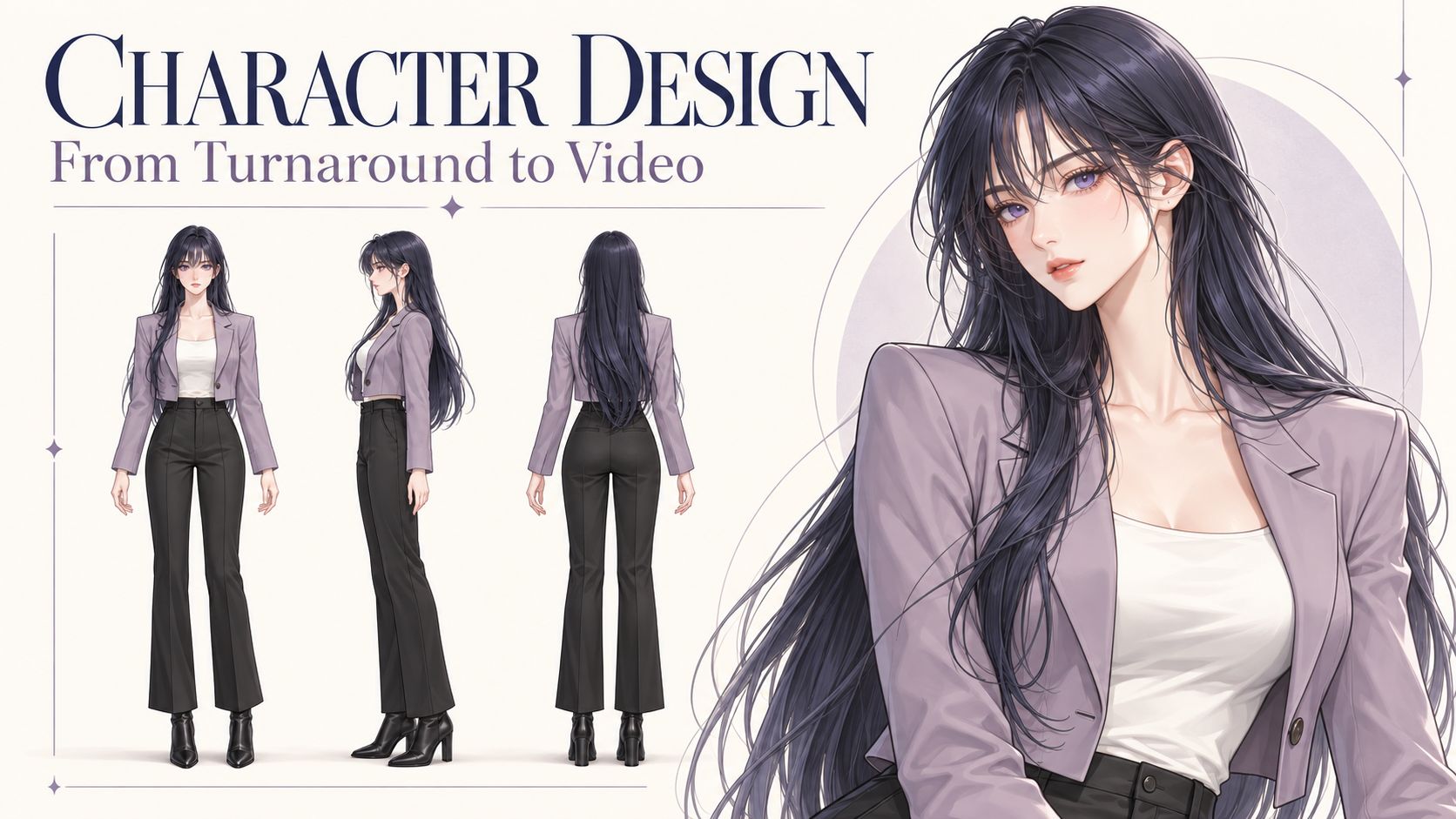
Choisissez selon le format de livraison et la prise exploitable. H3 propose la voie habituelle de sortie en 2K et 4K ; Max propose du 768P et du 1080P affiné. Dans notre test avec quatre images de référence ci-dessous, les cadrages et les choix de plans sont proches, sans avantage de caméra évident pour Max. Les deux disposent d’endpoints de références vers vidéo sur fal : une fiche de personnage, un extrait de mouvement ou une référence vocale peut donc faire partie de chaque test.
Max est une variante de H3 post-entraînée par fal, ajustée pour le respect du prompt, l’esthétique et le débit de production. Une prise dont l’image et le son conviennent, et qui s’accorde avec les plans voisins, peut entrer dans le montage final. Pour une série, testez d’abord la difficulté : un visage qui se tourne, une main qui change de prise ou du dialogue pendant un mouvement de caméra.
Caractéristiques vérifiées le 25 octobre 2026. Le tableau distingue les endpoints de fal des caractéristiques publiées du modèle de base de MiniMax et des workflows locaux, qui peuvent proposer d’autres réglages.
Limites de durée et de résolution sur fal
| Service et mode | Informations sur la durée | Sortie sélectionnable | Distinction importante |
|---|---|---|---|
| H3 texte vers vidéo | fal décrit une plage de 5–15 secondes ; 5 secondes par défaut | 480P, 768P, 2K, 4K | Le schéma désigne 480P et 768P comme modes natifs ; 2K et 4K agrandissent une base de 768P |
| H3 image vers vidéo | Le guide H3 de fal indique la même plage de 5–15 secondes ; 5 par défaut | 480P, 768P, 2K, 4K | Le canevas de sortie suit l’image clé fournie |
| H3 références vers vidéo | Le guide H3 de fal indique la même plage de 5–15 secondes ; 5 par défaut | 480P, 768P, 2K, 4K | Images, vidéo et audio partagent un budget global de références |
| H3 Max texte vers vidéo / image vers vidéo | Guide général : 5–15 secondes, 5 par défaut ; voir la note sur l’audio ci-dessous | 480P, 768P, 1080P | Le 1080P utilise un affinage latent à partir d’une source native de 768P |
| H3 Max références vers vidéo | Guide général : jusqu’à 15 secondes ; valeur par défaut du schéma : 5 | 480P, 768P, 1080P | Ses contrôles de références et d’images clés diffèrent du mode simple image vers vidéo |
| H3 Max Extend | duration désigne le métrage nouveau à ajouter ; 5 secondes par défaut | 480P, 768P, 1080P, 2K | Renvoie la vidéo prolongée complète ou une continuation avec chevauchement de la source |
Pour situer ces chiffres, l’annonce H3 de MiniMax indique 4–15 secondes, une base de 768p et une étape distincte de régénération en 2K. Cela ne fait pas de quatre secondes le minimum accepté par tous les services hébergés. Le tableau de fal ne décrit pas non plus les limites d’une installation autonome.
Avant un lot, vérifiez le champ de durée de l’endpoint exact. Les schémas texte vers vidéo et image vers vidéo de Max acceptent un nombre décimal et indiquent au moins deux secondes avec target_audio_url ; ce champ ne reprend pas toute la plage du guide. Distinguez cette condition liée à l’audio de la plage générale. Max prévient aussi que le fichier reçu peut durer environ 0.7 seconde de plus que demandé.
Le tableau consigne des options documentées. L’exemple ci-dessous teste une requête de références de 12 secondes en 768P par modèle ; il ne teste pas toutes les limites indiquées. Les réglages disponibles dans ArcLoop peuvent différer.
Quand utiliser H3 et quand utiliser H3 Max
| Priorité pour ce plan | Point de départ | À vérifier avant de le garder |
|---|---|---|
| Une livraison en 2K ou 4K depuis les endpoints de génération habituels de fal | H3 | Des dimensions supérieures ne corrigent pas un mouvement, une anatomie ou une continuité faibles |
| Essayer plusieurs mouvements de caméra, compositions ou interprétations | Comparer les deux avec les mêmes entrées | Notre paire de références couvre des plans proches ; comparez prises acceptées, attente totale et coût |
| Un clip terminé dont l’action et le son fonctionnent déjà | Garder la prise acceptable au format de livraison requis | Max peut produire un plan final ; changer de modèle peut modifier une interprétation qui vous plaît |
| Plusieurs références de personnages, de mouvement ou de son | Comparer les deux modes références vers vidéo | Tester ensemble identité, mouvement et son ; ne pas reprendre les promesses de vitesse du texte vers vidéo |
| Prolonger un clip existant | H3 Max Extend est une option documentée | Vérifier chevauchement, mode de retour et raccord entre ancien et nouveau métrage |
| Exécution locale, nœuds personnalisés ou pipeline LoRA existant | La base H3 et des outils locaux compatibles | Vérifier poids réels, nœuds pris en charge, mémoire et licence ; un résultat Max hébergé ne prouve pas sa disponibilité locale |
Les témoignages Reddit les plus utiles expliquent la place de chaque modèle dans le travail. Un utilisateur de Max explore des variantes de concept avant une finition plus lente. Dans une autre discussion, une personne utilisant des références préfère sa configuration LoRA du modèle de base et rapporte un gain de vitesse plus faible en mode références de Max qu’en texte vers vidéo. Aucun témoignage ne tranche la comparaison de qualité. Ensemble, ils nous incitent à tester le mode que nous utiliserons réellement.
Pour une scène d’anime, donnez aux deux modèles la même action exigeante et les mêmes références. Examinez visages, mains, déplacement des objets et paroles, puis comptez les prises à conserver. Mesurez l’attente jusqu’au fichier lisible et incluez les tentatives rejetées dans le coût. À l’échelle d’un épisode, cela en dit plus que le rendu le plus rapide.
Comparaison vidéo H3 vs H3 Max : les quatre mêmes références
Une coursière apporte une boîte métallique fermée dans un atelier ferroviaire. L’ingénieur la prend, répond à son avertissement et regarde vers les fenêtres. Nous avons demandé à H3 et H3 Max de raconter cette petite histoire en trois plans : un plan moyen à deux, un insert de la remise et un plan plus rapproché à deux pour la réponse.
Les deux résultats sont proches en cadrage et en choix de plans. Cette paire ne montre pas d’avantage évident de caméra ou de montage pour Max. Les deux comprennent les trois types de plans demandés ; leur rythme diffère et aucun ne suit précisément la première coupe demandée à quatre secondes. Pour une telle scène, comparez la prise à conserver et son coût avant de payer davantage pour le nom du modèle.
Images de référence et réglages communs
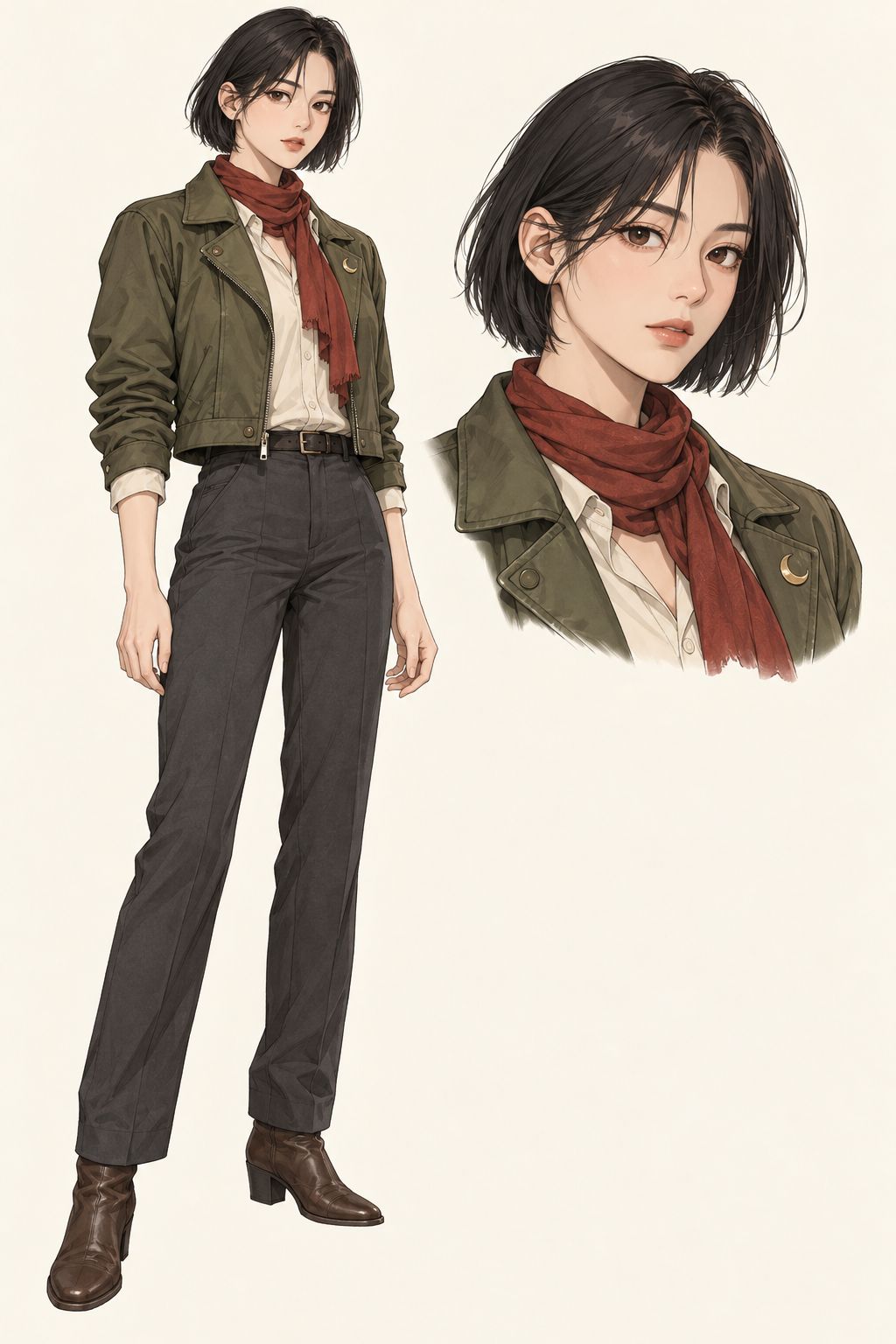
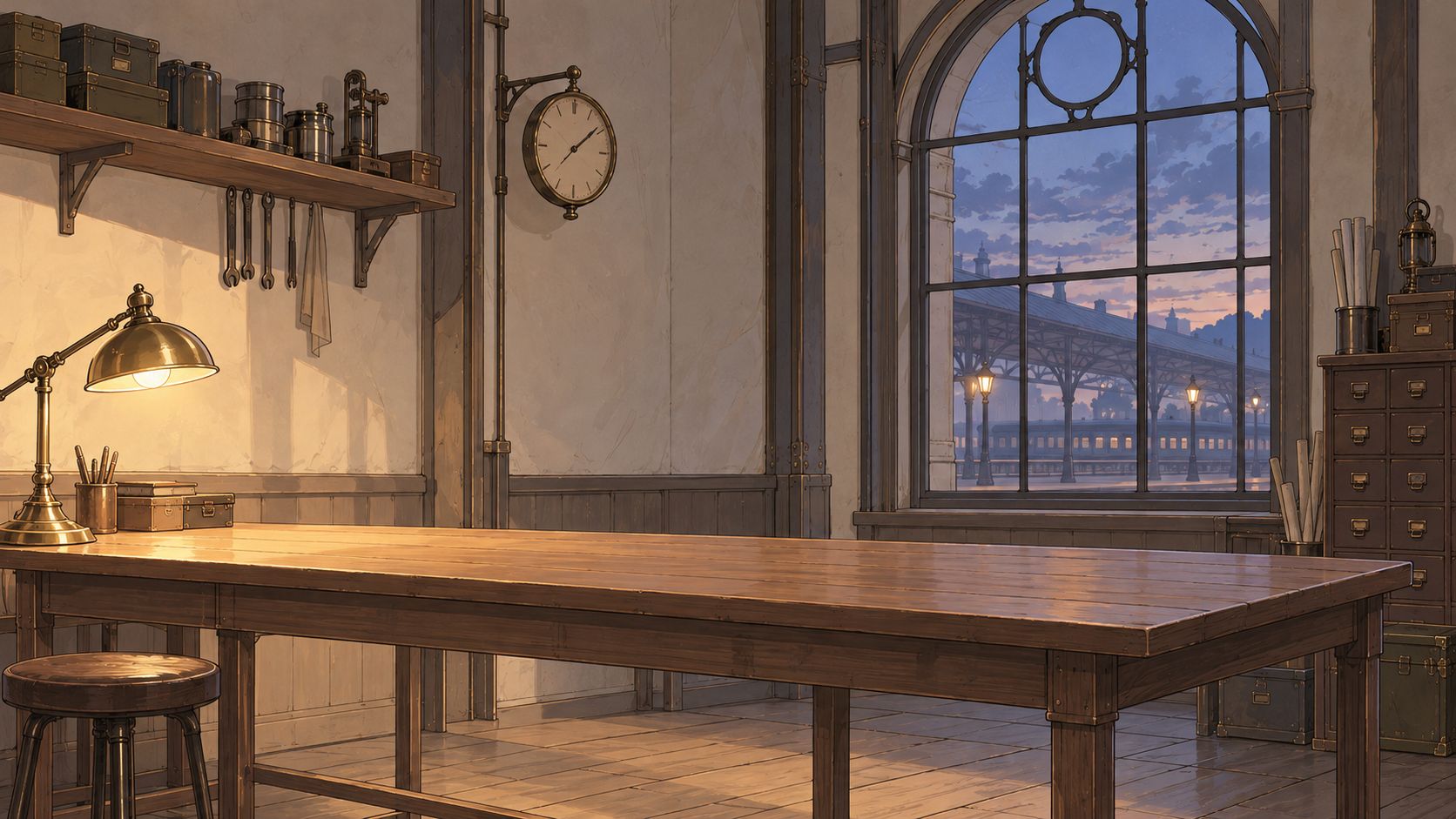
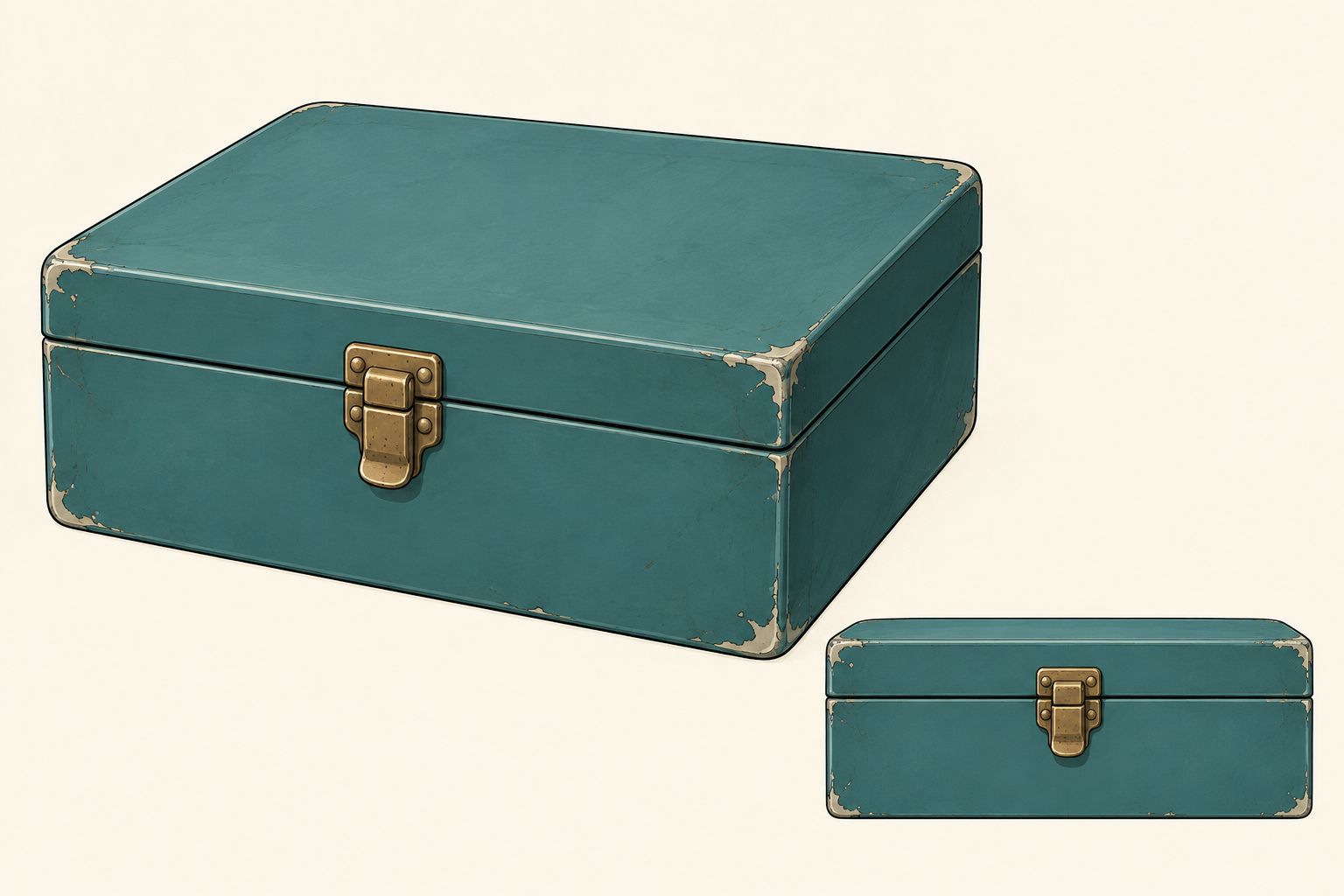
Les entrées étaient deux fiches de personnage, une scène d’atelier et une fiche d’accessoire, dans cet ordre. La scène ci-dessous est la version révisée, redessinée pour s’accorder au style webtoon coréen des personnages. Les deux vidéos utilisent ce même ensemble. Aucun extrait de mouvement ni référence vocale n’a été fourni ; chaque modèle génère le dialogue.

Voir les deux résultats complets
MiniMax H3
H3 Max de fal
Lancez-les séparément pour écouter chaque bande-son générée. Les deux fichiers sources sont en 1344×768, à 24 fps, et durent 12.25 secondes. Ces copies de présentation en 1280×720 conservent les 294 images et le son d’origine, avec mise à l’échelle proportionnelle et bandes de remplissage ; aucun changement de vitesse, interpolation d’images ou remplacement du dialogue.
| Mesure enregistrée | MiniMax H3 | H3 Max |
|---|---|---|
| De l’envoi au résultat renvoyé | 21.282 s | 19.585 s |
| De l’envoi à la fin du téléchargement local | 29.168 s | 25.305 s |
| Durée réelle du fichier | 12.25 s | 12.25 s |
Il s’agit d’observations uniques côté client, incluant requête et interrogations de statut. L’envoi des références et les exports de présentation sont hors chronométrage. Max a renvoyé son résultat environ 1.7 seconde plus tôt pour cette paire ; un si petit échantillon n’établit pas de classement de vitesse.
Ce que cette paire nous apprend sur les plans
Les deux suivent la même structure visuelle générale : Mina à gauche, Ivo à droite, un gros plan de la boîte changeant de mains, puis un retour aux deux personnages. Max atteint plus tôt les changements de plans suivants, mais le traitement global de la caméra est proche. Rien ne justifie clairement ici de choisir Max pour la seule variété des cadrages.
Les consignes de coupe montrent aussi où le montage reste nécessaire. Nous avons demandé des coupes franches à quatre et huit secondes, mais les deux prolongent le plan d’ouverture. Traitez ces temps comme des indications au modèle, puis ajustez le métrage retenu au montage lorsqu’un temps fort doit tomber exactement. La transcription automatique a trouvé les deux répliques anglaises cibles dans chaque clip ; elle ne prouve ni identité vocale ni synchronisation labiale précise. Cette unique paire ne tranche pas l’anatomie des mains, la qualité du mouvement complet ou la continuité d’un épisode.
Pour cette scène, gardez H3 dans la comparaison si son résultat sert déjà le montage. Choisissez Max si sa prise réelle, ses options de livraison ou son délai apportent quelque chose au projet. Vérifiez le prix du mode exact, frais de références compris ; une promotion texte vers vidéo ne détermine pas la facture d’une requête multiréférence.
Prompt anglais intégral utilisé pour les deux vidéos
A 12-second Korean webtoon-style animated scene, 16:9, with three deliberately edited shots. Fine ink lines, soft restrained cel shading, expressive adult faces. A quiet clockwork railway station workshop at blue hour. Natural real-time performance.

REFERENCE ASSIGNMENTS
Image 1 defines Mina, the adult female courier: short black bob, moss-green jacket, rust-red scarf, gold crescent pin. Image 2 defines Ivo, the adult male engineer: brown low ponytail, round brass glasses, navy apron over a cream rolled-sleeve shirt. Each character sheet shows one person at two scales; those insets are not additional people. Preserve each character's face, hairstyle, clothing and accessories across every cut.
Image 3 defines the empty workshop, wooden counter, brass lamp at screen left and blue arched station windows. Maintain the warm light from left and cool window light from right.
Image 4 shows two views of ONE small teal metal box with one centred brass latch. Use exactly one box, with the same proportions, colour and closed lid in all shots. Do not reproduce the reference-sheet layout or duplicate the box.

SHOT 1 — 0.0 TO 4.0 SECONDS — ESTABLISHING MEDIUM TWO-SHOT
Mina stands at screen left on the near side of the counter. Ivo stands at screen right behind the counter. Start with the closed teal box held by Mina above the clear countertop. Gentle, short camera push-in. Mina sets the box on the counter and begins sliding it towards Ivo. Starting around 0.8 seconds, Mina says in English, clearly and with restrained urgency: "Keep it closed until the last train leaves." Ivo is silent and watches the box. Finish the entire line before the next shot.

HARD CUT ON THE MOVING BOX at 4.0 seconds. Match the box's position and movement across the cut. Stay on the same side of the action axis; keep Mina to the left and Ivo to the right.

SHOT 2 — 4.0 TO 8.0 SECONDS — HANDOVER INSERT CLOSE-UP
Tight view of the same closed teal box and both characters' hands, with their distinct sleeve colours visible. Mina's hand enters from the left, Ivo's hands from the right. Ivo takes a secure two-handed grip before Mina releases the box. Mina withdraws her hand; Ivo lifts the box a few centimetres, then sets it on his side of the counter. Show contact and release as one readable action. Only one box. The lid remains closed. Quiet metal-on-wood and cloth sounds, no dialogue during this insert.

HARD CUT at 8.0 seconds to a MEDIUM-CLOSE TWO-SHOT from the same side of the axis. Match Ivo's hands and the box to the end of the insert. Do not reset the handover or return the box to Mina.

SHOT 3 — 8.0 TO 12.0 SECONDS — REPLY AND REACTION
The box rests on the counter in front of Ivo, his hands beside it. Ivo looks at Mina and says in English in a calm lower male voice: "Then we still have time." Mina is silent. After his line, Mina turns her head towards the station windows, her scarf shifting slightly at her chin; Ivo follows her gaze. Hold the final moment with both characters and the closed box visible. A subtle push-in is allowed, no additional cut.

EDITING AND AUDIO RULES
Exactly three shots with clean hard cuts at about 4 and 8 seconds. Use match-on-action continuity at the handover and respect the 180-degree rule. No dissolves, split screens, panels, slow motion, time jumps or added shots. Keep spatial layout, lighting, faces, outfits and the box consistent through the edits. Generate native English dialogue with distinct voices assigned to the correct speaker. Only the assigned speaker talks; no overlapping speech, no narration, no subtitles or on-screen text. Quiet station ambience and restrained handover foley, no music. No extra people, cloned characters, floating hands, opened box or duplicated props.
Limites de références : compter séparément fichiers et secondes
Une première image définit la composition d’ouverture ; une référence de sujet apporte l’identité ou l’apparence. Dans les modes image vers vidéo de fal, le canevas suit l’image clé. Les modes de références ont leurs propres contrôles de ratio : une image de personnage large ne rend donc pas automatiquement la sortie horizontale.
| Règle de référence | Portée |
|---|---|
| Jusqu’à 9 images, 3 extraits vidéo et 3 extraits audio, avec au plus 12 fichiers au total | Caractéristiques H3 Ref2VA publiées par MiniMax ; ne supposez pas que chaque intégration Max reprend ces plafonds individuels |
| Vidéo de référence : 2–15 secondes par extrait, au plus 15 secondes au total | Les deux schémas fal références vers vidéo vérifiés |
| Audio de référence : 2–15 secondes par extrait, au plus 15 secondes au total | Les deux schémas fal références vers vidéo vérifiés |
| Images, vidéos et audios de référence : au plus 12 fichiers au total | Les deux schémas fal références vers vidéo vérifiés |
Neuf images plus trois vidéos plus trois extraits audio font 15 fichiers. Cela dépasse le budget global même si chaque catégorie respecte les plafonds individuels de MiniMax. Six images, trois vidéos de cinq secondes et trois audios de cinq secondes font 12 fichiers, avec 15 secondes de vidéo et 15 secondes d’audio. Cela respecte les budgets de nombre et de durée indiqués ; cela ne garantit pas que les fichiers passent toutes les autres validations ou produisent un bon plan.
Les règles d’audio seul doivent être vérifiées : l’annonce MiniMax et les guides fal exigent un visuel avec l’audio, mais les deux schémas actuels de références fal autorisent les types séparément ou ensemble. Tant que cet écart documentaire n’est pas résolu pour votre endpoint, incluez un visuel pertinent. Cette révision n’a pas testé de requête audio seule.
Résolution native, sortie affinée et format d’export
Lisez la résolution avec son étape de traitement. Les sorties 2K et 4K de H3 sur fal partent de 768P ; le 1080P de Max utilise un affinage latent depuis le 768P. Extend possède sa propre option 2K. Le tableau distingue ces voies.
Un téléchargement 720p peut simplement être un export. Les deux vidéos de références ont renvoyé des sources en 1344×768 ; les copies de présentation sont en 1280×720. C’est une conversion de livraison, pas un mode de génération natif 720p. Lisez largeur, hauteur, fréquence d’images et durée du fichier réel avant de l’étiqueter.
Choisissez le ratio de livraison avant de créer l’image clé : paysage pour un lecteur horizontal, portrait pour un court format vertical. Inspectez le recadrage réel et gardez visages, mains et sous-titres dans la zone visible. Plus de pixels ne récupèrent pas un sujet hors cadre.
Prolonger un clip sans répéter le raccord
Max Extend accepte une source de 1.625–60 secondes, jusqu’à 50 MB, avec un ratio entre 0.4 et 2.5. Son champ duration demande du métrage supplémentaire. extended renvoie ensemble source et continuation ; continuation commence par répéter 1.625 seconde de la fin de la source.
Par exemple, avec une source de 10 secondes et cinq secondes nouvelles demandées, attendez environ 15 secondes pour le résultat complet, ou environ 6.625 secondes pour la continuation avant arrondi aux images. Ajouter cette dernière sans la couper répéterait le raccord. Ce calcul repose sur la documentation, pas sur un test de prolongement mesuré ; inspectez le fichier reçu avant le montage.
Décrivez l’action suivante dans le prompt. Vérifiez position, lumière, mouvement et son au raccord. La discussion Reddit sur la génération en un ou plusieurs plans soulève un compromis utile : les clips séparés sont plus faciles à remplacer, tandis que le dialogue d’une génération continue partage davantage de contexte immédiat. Il faut toujours vérifier les voix entre appels.
Questions fréquentes
H3 Max est-il réservé aux brouillons ?
Non. Un clip qui satisfait les exigences d’image, de son et de livraison peut être un résultat final. Le nom et la vitesse de Max ne déterminent pas si une prise est exploitable. Vérifiez le résultat réel, surtout lorsqu’il doit correspondre aux plans voisins.
H3 Max accepte-t-il les références et la continuation ?
Oui : fal propose des endpoints séparés références vers vidéo et Extend. Il ne faut pas déduire leurs contrôles du formulaire texte vers vidéo ni les confondre avec le modèle distinct H3 Max Turbo.
H3 peut-il générer plus de 15 secondes en local ?
Un auteur Reddit rapporte un essai local de 42 secondes, tout en décrivant une perte de qualité et de contrôle et un traitement beaucoup plus long. C’est une expérimentation hors de la plage habituellement publiée, pas une promesse qu’un endpoint hébergé accepte 42 secondes ou qu’un workflow local le produise de manière fiable.
Quel modèle choisir pour mon premier plan d’anime ?
Partez du format de livraison et des entrées nécessaires. Notre paire de références ne donne pas de raison claire de choisir Max pour le seul découpage. Comparez prises acceptables, coût et délai ; utilisez H3 si vous avez besoin de sa voie habituelle de sortie 2K ou 4K ou d’un workflow établi sur le modèle de base. Créez une courte scène avec le générateur d’anime par IA, puis évaluez continuité et son avant d’en faire une séquence.