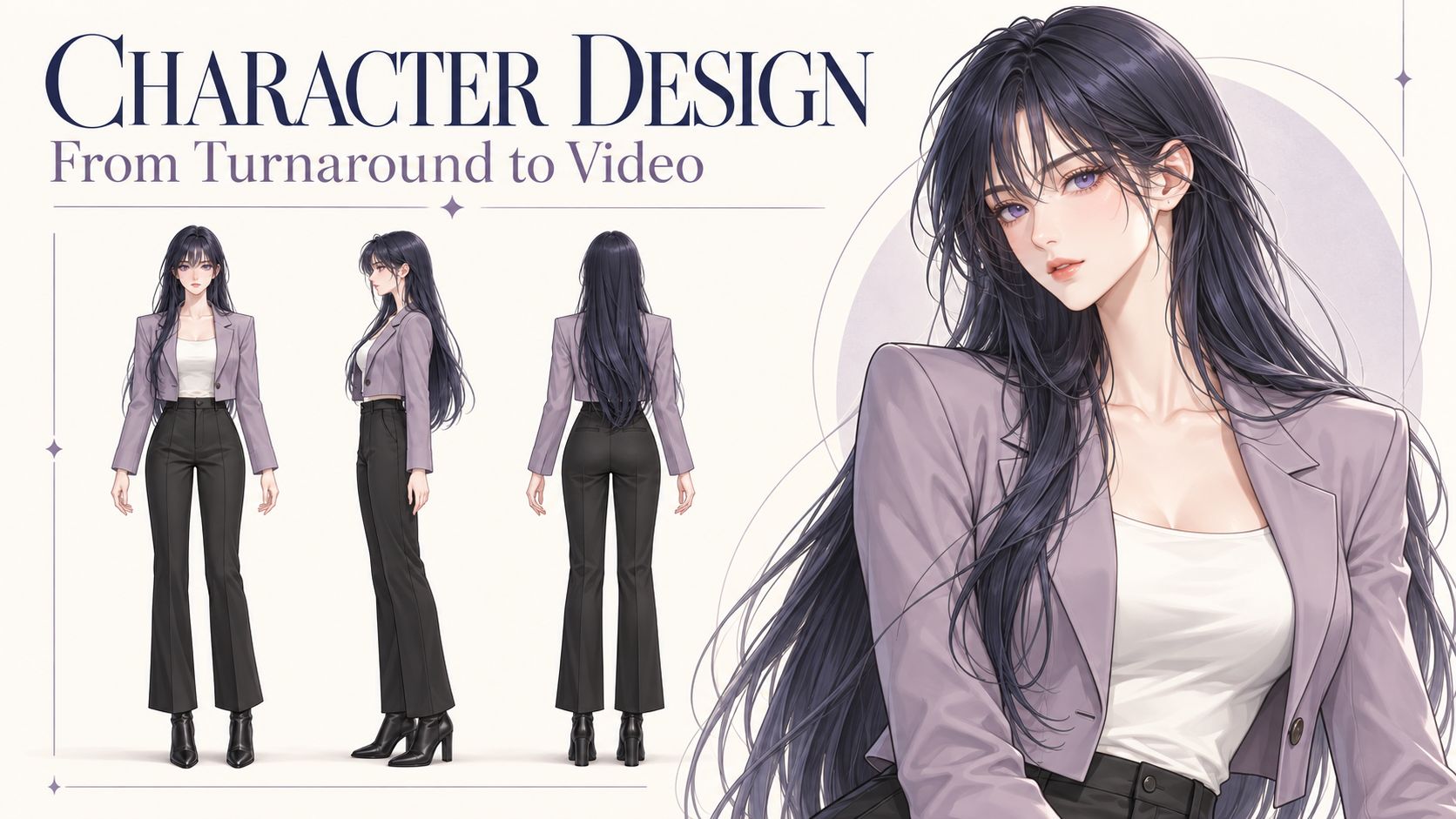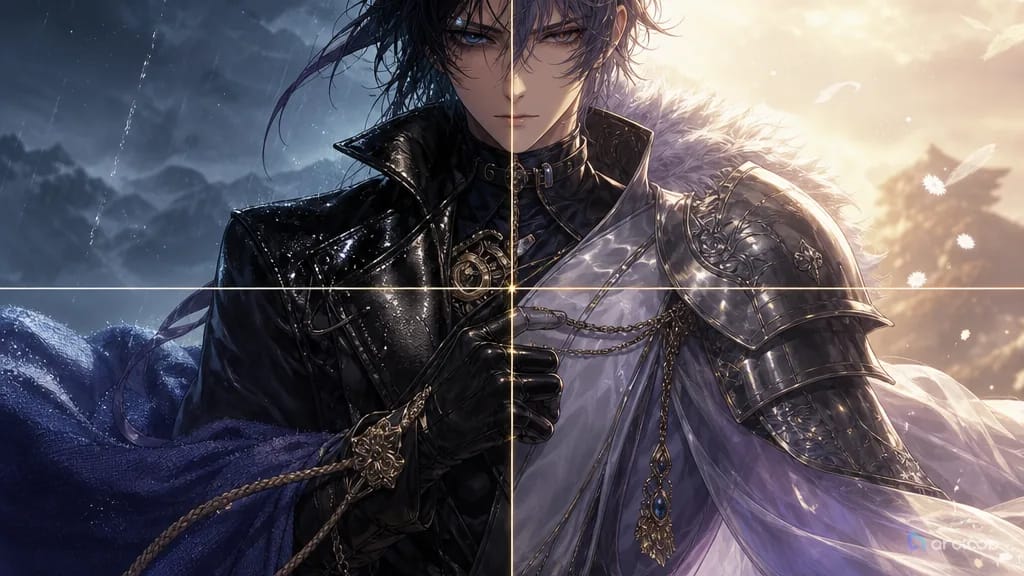
H3 or H3 Max? Start with the shot you need
Choose by the delivery size and the take you can use. H3 offers the regular 2K and 4K output path; Max offers 768P and refined 1080P. In our four-image reference test below, their framing and shot selection are close, with no clear camera advantage for Max. Both have reference-to-video endpoints on fal, so a character sheet, motion clip or voice reference can be part of either test.
Max is fal's post-trained H3 variant, tuned for prompt adherence, aesthetics and throughput. A take that looks right, sounds right and matches the surrounding shots can go into the final edit. For a continuing series, test the difficult part first: a face turning, a hand changing grip or dialogue over a camera move.
Specifications checked October 25, 2026. The table separates fal's endpoints from MiniMax's published base-model specifications and local workflows, which can expose different settings.
Duration and resolution limits on fal
| Service and mode | Duration information | Selectable output | Important distinction |
|---|---|---|---|
| H3 text-to-video | fal describes a 5–15-second range; default 5 seconds | 480P, 768P, 2K, 4K | The schema identifies 480P and 768P as native modes; 2K and 4K upscale a 768P base |
| H3 image-to-video | fal's H3 guide gives the same 5–15-second range; default 5 seconds | 480P, 768P, 2K, 4K | Output canvas follows the supplied keyframe |
| H3 reference-to-video | fal's H3 guide gives the same 5–15-second range; default 5 seconds | 480P, 768P, 2K, 4K | Images, video and audio share a combined reference budget |
| H3 Max text-to-video / image-to-video | General guide: 5–15 seconds, default 5; see the audio-specific note below | 480P, 768P, 1080P | 1080P uses latent refinement from a native 768P source |
| H3 Max reference-to-video | General guide: up to 15 seconds; schema default 5 | 480P, 768P, 1080P | Its reference and keyframe controls differ from the plain image-to-video mode |
| H3 Max Extend | duration means new footage to add; default 5 seconds | 480P, 768P, 1080P, 2K | Returns either the full extended video or a continuation with source overlap |
For context, MiniMax's own H3 announcement specifies 4–15 seconds, a 768p base and a separate 2K regeneration stage. That does not make four seconds an accepted minimum on every hosted service. The fal table also does not describe self-hosted output limits.
Before a batch, check the duration field on the exact endpoint. Max's text-to-video and image-to-video schemas accept a floating-point value and specify at least two seconds with target_audio_url; they do not print the guide's full range in that field. Keep that audio-specific condition separate from the general range. Max also warns that a returned file can run roughly 0.7 seconds longer than requested.
The table records documented options. The worked example below tests one 12-second, 768P reference request per model; it does not test every listed limit. ArcLoop's available settings may differ.
When to use H3, and when to use H3 Max
| What matters for this shot | Where to start | What to check before keeping it |
|---|---|---|
| A 2K or 4K deliverable from fal's normal generation endpoints | H3 | Higher output dimensions do not fix weak motion, anatomy or continuity |
| Trying several camera moves, compositions or performances | Compare both with the same inputs | Our reference pair has similar shot coverage; compare accepted takes, total wait and cost |
| A finished clip whose action and sound already work | Keep the acceptable take at the required delivery size | Max can be finished work; changing models may alter a performance you like |
| Several character, motion or sound references | Compare both reference-to-video modes | Test identity, motion and sound together; do not borrow text-to-video speed claims |
| Extending an existing clip | H3 Max Extend is a documented option | Check overlap, return mode and the join between old and new footage |
| Local execution, custom nodes or an existing LoRA pipeline | The H3 base and compatible local tools | Check actual weights, node support, memory and licensing; a hosted Max result does not establish local availability |
The most useful Reddit reports describe where each model fits into the work. One Max user runs through concept variations before a slower finishing pass. In a separate discussion, a user working with references prefers an established base-model LoRA setup and reports a smaller speed gain from Max's reference mode than from text-to-video. Neither report settles the quality comparison. Together, they give us a reason to test the mode we will actually use.
For an anime scene, give both models the same demanding action and references. Review faces, hands, object movement and speech, then count the takes you would keep. Measure the wait through to a playable file and include rejected attempts in the cost. Over an episode, that tells you more than the fastest single render.
H3 vs H3 Max video comparison: the same four references
A courier brings a closed metal box into a railway workshop. The engineer takes it, answers her warning, and looks towards the windows. We asked H3 and H3 Max to tell that small story in three shots: a medium two-shot, an insert of the handover, and a closer two-shot for the reply.
The two results are close in framing and shot selection. This pair does not show a clear camera or editing advantage for Max. Both include the three requested shot types; their pacing differs, and neither follows the requested first cut at four seconds closely. For a scene like this, compare the take you would keep and its cost before paying more for the model name.
The reference images and shared settings
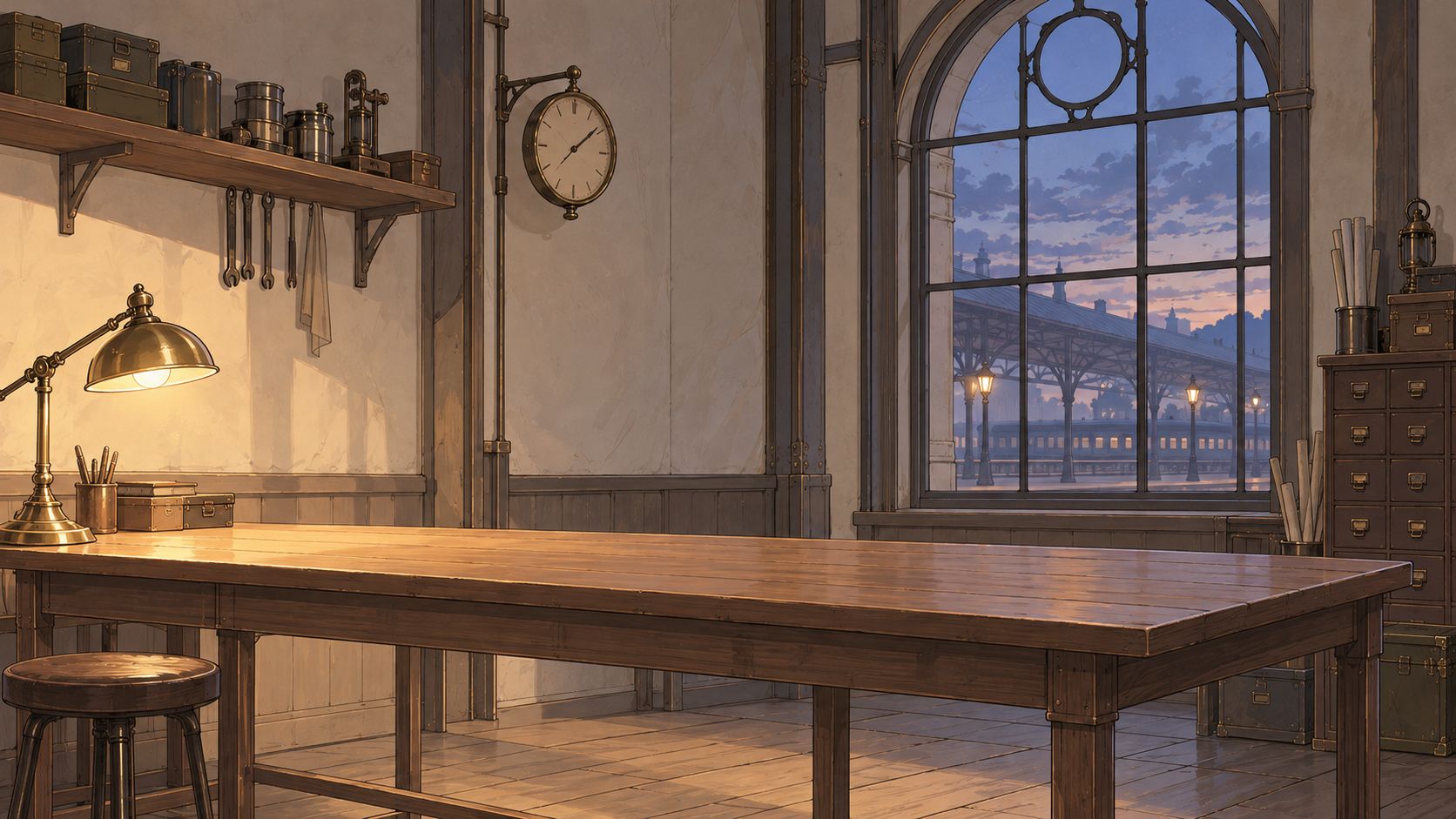
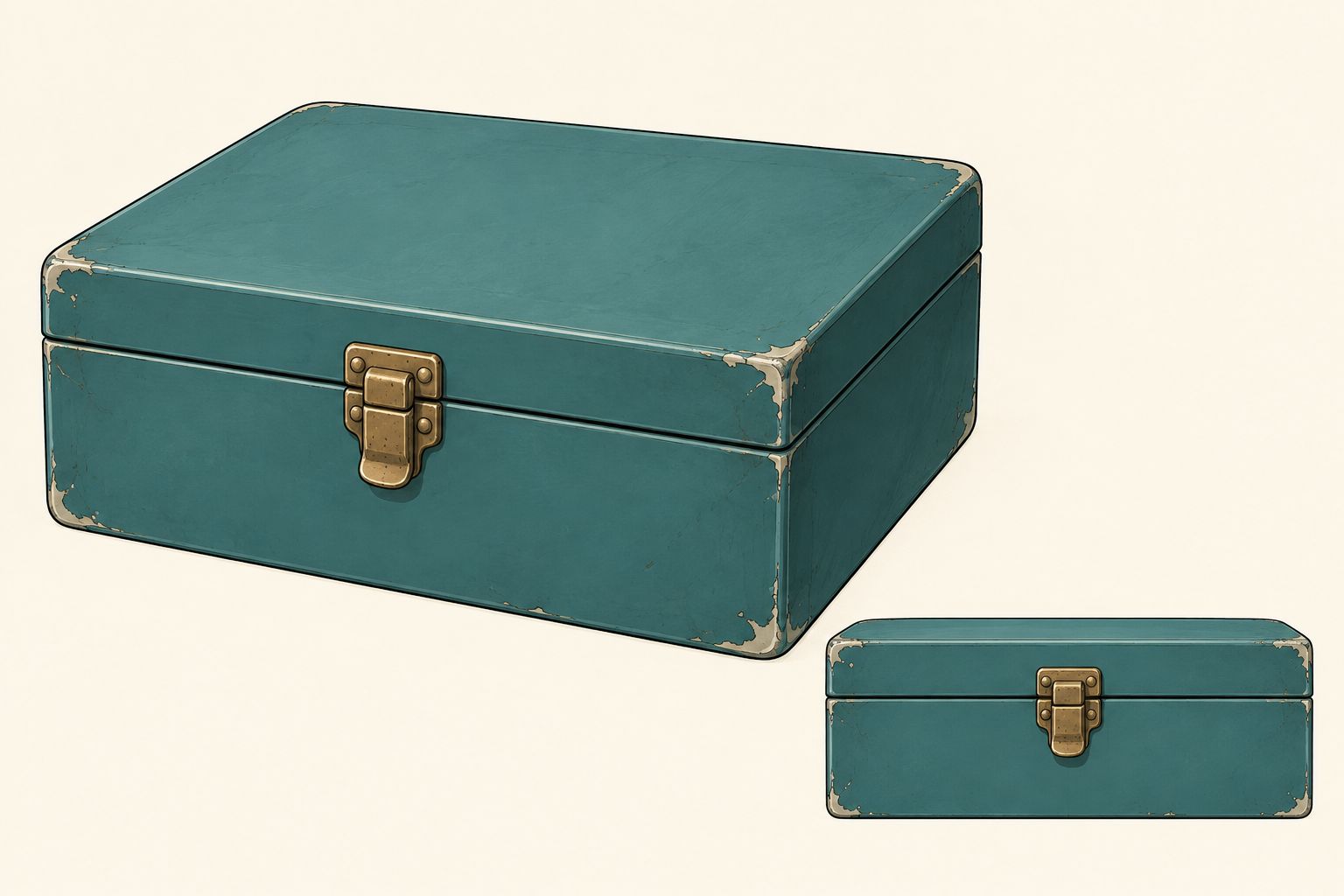
The inputs were two character sheets, a workshop scene and one prop sheet, in that order. The scene below is the revised version, redrawn to fit the characters' Korean webtoon style. Both videos use this same set. No motion clip or voice reference was supplied; the dialogue is generated by each model.


Watch both complete results
MiniMax H3
H3 Max by fal
Play them separately to hear each generated soundtrack. Both source files are 1344×768, 24 fps and 12.25 seconds long. These 1280×720 display copies retain all 294 frames and the original sound, with proportional scaling and padding; they have no retiming, frame interpolation or replacement dialogue.
| Recorded measurement | MiniMax H3 | H3 Max |
|---|---|---|
| Submit to result returned | 21.282 s | 19.585 s |
| Submit to local download complete | 29.168 s | 25.305 s |
| Actual file duration | 12.25 s | 12.25 s |
These are single client-side observations, including request and polling time. Reference uploads and display exports are outside the clock. Max returned a result about 1.7 seconds sooner in this pair; that small sample does not establish a speed ranking.
What this pair tells us about the shots
Both follow the same broad visual structure: Mina on the left, Ivo on the right, a close view of the box changing hands, then a return to the two characters. Max reaches the later shot changes earlier, but the overall camera treatment is similar. There is no obvious reason here to choose Max for more varied framing alone.
The cut instructions also show where editing still matters. We requested hard cuts at four and eight seconds, but both stay in the opening shot longer than requested. Treat those timings as directions to the model, then adjust the accepted footage in the edit when a beat must land precisely. Automatic transcription found both target English lines in both clips; it does not establish voice identity or precise lip sync. This one-pair comparison does not settle hand anatomy, full-motion quality or continuity across an episode.
For this scene, keep H3 in the comparison if its result already serves the edit. Choose Max when its actual take, delivery options or turnaround offers something useful to your project. Check the price of the specific generation mode, including reference charges; a text-to-video promotion does not establish the bill for a multi-reference request.
Complete English prompt used for both videos
A 12-second Korean webtoon-style animated scene, 16:9, with three deliberately edited shots. Fine ink lines, soft restrained cel shading, expressive adult faces. A quiet clockwork railway station workshop at blue hour. Natural real-time performance.

REFERENCE ASSIGNMENTS
Image 1 defines Mina, the adult female courier: short black bob, moss-green jacket, rust-red scarf, gold crescent pin. Image 2 defines Ivo, the adult male engineer: brown low ponytail, round brass glasses, navy apron over a cream rolled-sleeve shirt. Each character sheet shows one person at two scales; those insets are not additional people. Preserve each character's face, hairstyle, clothing and accessories across every cut.
Image 3 defines the empty workshop, wooden counter, brass lamp at screen left and blue arched station windows. Maintain the warm light from left and cool window light from right.
Image 4 shows two views of ONE small teal metal box with one centred brass latch. Use exactly one box, with the same proportions, colour and closed lid in all shots. Do not reproduce the reference-sheet layout or duplicate the box.

SHOT 1 — 0.0 TO 4.0 SECONDS — ESTABLISHING MEDIUM TWO-SHOT
Mina stands at screen left on the near side of the counter. Ivo stands at screen right behind the counter. Start with the closed teal box held by Mina above the clear countertop. Gentle, short camera push-in. Mina sets the box on the counter and begins sliding it towards Ivo. Starting around 0.8 seconds, Mina says in English, clearly and with restrained urgency: "Keep it closed until the last train leaves." Ivo is silent and watches the box. Finish the entire line before the next shot.

HARD CUT ON THE MOVING BOX at 4.0 seconds. Match the box's position and movement across the cut. Stay on the same side of the action axis; keep Mina to the left and Ivo to the right.

SHOT 2 — 4.0 TO 8.0 SECONDS — HANDOVER INSERT CLOSE-UP
Tight view of the same closed teal box and both characters' hands, with their distinct sleeve colours visible. Mina's hand enters from the left, Ivo's hands from the right. Ivo takes a secure two-handed grip before Mina releases the box. Mina withdraws her hand; Ivo lifts the box a few centimetres, then sets it on his side of the counter. Show contact and release as one readable action. Only one box. The lid remains closed. Quiet metal-on-wood and cloth sounds, no dialogue during this insert.

HARD CUT at 8.0 seconds to a MEDIUM-CLOSE TWO-SHOT from the same side of the axis. Match Ivo's hands and the box to the end of the insert. Do not reset the handover or return the box to Mina.

SHOT 3 — 8.0 TO 12.0 SECONDS — REPLY AND REACTION
The box rests on the counter in front of Ivo, his hands beside it. Ivo looks at Mina and says in English in a calm lower male voice: "Then we still have time." Mina is silent. After his line, Mina turns her head towards the station windows, her scarf shifting slightly at her chin; Ivo follows her gaze. Hold the final moment with both characters and the closed box visible. A subtle push-in is allowed, no additional cut.

EDITING AND AUDIO RULES
Exactly three shots with clean hard cuts at about 4 and 8 seconds. Use match-on-action continuity at the handover and respect the 180-degree rule. No dissolves, split screens, panels, slow motion, time jumps or added shots. Keep spatial layout, lighting, faces, outfits and the box consistent through the edits. Generate native English dialogue with distinct voices assigned to the correct speaker. Only the assigned speaker talks; no overlapping speech, no narration, no subtitles or on-screen text. Quiet station ambience and restrained handover foley, no music. No extra people, cloned characters, floating hands, opened box or duplicated props.
Reference limits: count files and seconds separately
A first frame sets the opening composition; a subject reference supplies identity or appearance. In fal's image-to-video modes the canvas follows the keyframe. Reference modes have their own ratio controls, so a wide character image does not automatically make the output wide.
| Reference rule | Scope |
|---|---|
| Up to 9 images, 3 video clips and 3 audio clips, with at most 12 files combined | MiniMax's published H3 Ref2VA specifications; do not assume every Max wrapper repeats these individual caps |
| Reference video: 2–15 seconds per clip, at most 15 seconds combined | Both checked fal reference-to-video schemas |
| Reference audio: 2–15 seconds per clip, at most 15 seconds combined | Both checked fal reference-to-video schemas |
| Images, reference videos and reference audio: at most 12 files combined | Both checked fal reference-to-video schemas |
Nine images plus three videos plus three audio clips is 15 files. It exceeds the combined budget even though each category fits MiniMax's individual caps. Six images, three five-second videos and three five-second audio clips total 12 files, with 15 seconds of video and 15 seconds of audio. That meets the listed count and duration budgets; it does not guarantee that the files pass every other validation or produce a good shot.
The audio-only rules need checking: MiniMax's announcement and fal's guides require a visual alongside audio, but both current fal reference schemas allow the reference types separately or together. Until that documentation mismatch is resolved for your endpoint, include a relevant visual. This revision did not test an audio-only request.
Native resolution, refined output and export size
Read a resolution label alongside its processing step. fal's H3 2K and 4K outputs start from 768P; Max's 1080P uses latent refinement from 768P. Extend has its own 2K option. The table keeps these paths separate.
A 720p download may simply be an export. Both reference videos above returned 1344×768 source files; the display copies are 1280×720. That is a delivery conversion, not a native 720p generation mode. Read the actual file's width, height, frame rate and duration before labelling it.
Pick the delivery ratio before building the keyframe: landscape for a horizontal player, portrait for a vertical short. Inspect the actual crop and keep faces, hands and captions inside the visible area. More pixels will not recover a subject that was framed out.
Extending a clip without repeating the join
Max Extend accepts a source video of 1.625–60 seconds, up to 50 MB, with an aspect ratio between 0.4 and 2.5. Its duration field requests additional footage. extended returns the source and continuation together; continuation begins with a repeated 1.625 seconds from the source's ending.
For example, with a 10-second source and five seconds of requested new footage, expect roughly 15 seconds in the full result, or roughly 6.625 seconds in the continuation result before frame rounding. Appending the latter untrimmed would repeat the join. This is a documentation-based calculation, not a measured extension test; inspect the returned file before editing.
Describe the next action in the prompt. Check position, light, motion and sound at the join. Reddit's discussion of single-shot versus multi-shot generation raises a useful tradeoff: separate clips are easier to replace, while dialogue in one continuous generation shares more immediate context. Voices still need checking across calls.
FAQ
Is H3 Max only for drafts?
No. A clip that meets the visual, audio and delivery requirements can be finished work. Max's name and speed do not determine whether a take is usable. Check the actual result, especially when it must match neighbouring shots.
Does H3 Max support references and continuation?
Yes: fal has separate reference-to-video and Extend endpoints. Their controls should not be inferred from the text-to-video form, and they should not be confused with the separate H3 Max Turbo model.
Can H3 generate longer than 15 seconds locally?
A Reddit author reports a 42-second local experiment, while also describing losses in quality and control and a much longer processing time. That is an experiment beyond the usual published range, not a promise that a hosted endpoint accepts 42 seconds or that a local workflow will deliver it reliably.
Which model should I choose for my first anime shot?
Start with the required delivery size and inputs. Our reference pair gives no clear reason to choose Max for shot design alone. Compare acceptable takes, cost and turnaround; use H3 when you need its normal 2K or 4K output path or an established base-model workflow. Build a short test scene with the AI anime generator, then assess continuity and sound before expanding it into a sequence.