
Choose the frame for your final use. A larger image can give you room to crop a close-up or adapt a composition; inspect the delivered dimensions before export.
MiniMax H3 Image
Turn a character, scene or design brief into a detailed image, then explore new compositions with visual references.
MiniMax H3 Image
About MiniMax H3 Image
MiniMax H3 Image is an image generation and editing model from the MiniMax H3 family. It supports text-to-image and multi-image editing, with Standard and Highspeed options. Use it to develop a visual direction before moving into story or video production.
The official API offers 1K, 2K and 4K pixel-area tiers and up to 16 reference images. These are model capabilities; available settings depend on the service you use. The examples below were generated directly with MiniMax H3 Image on November 17, 2026.
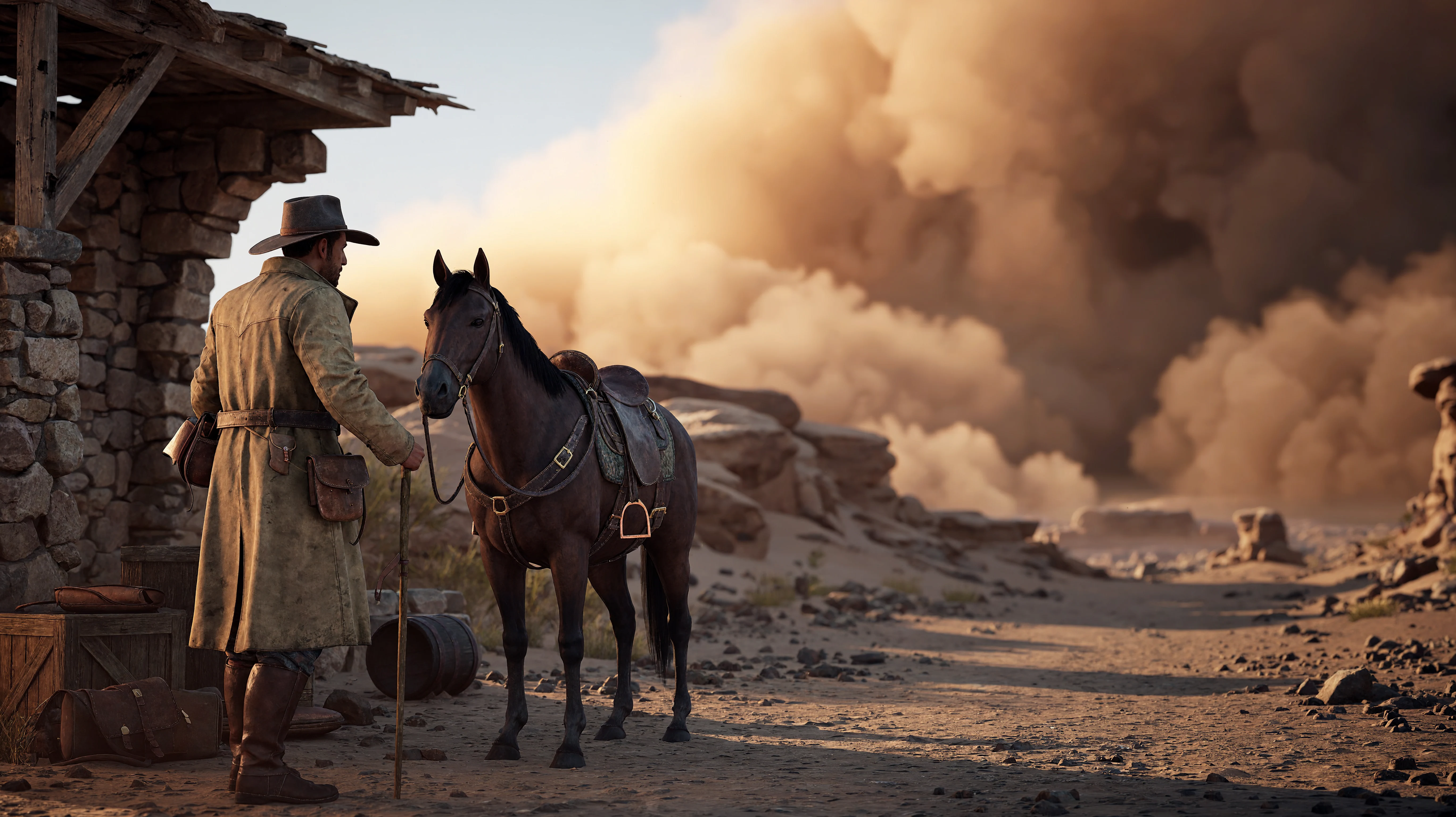
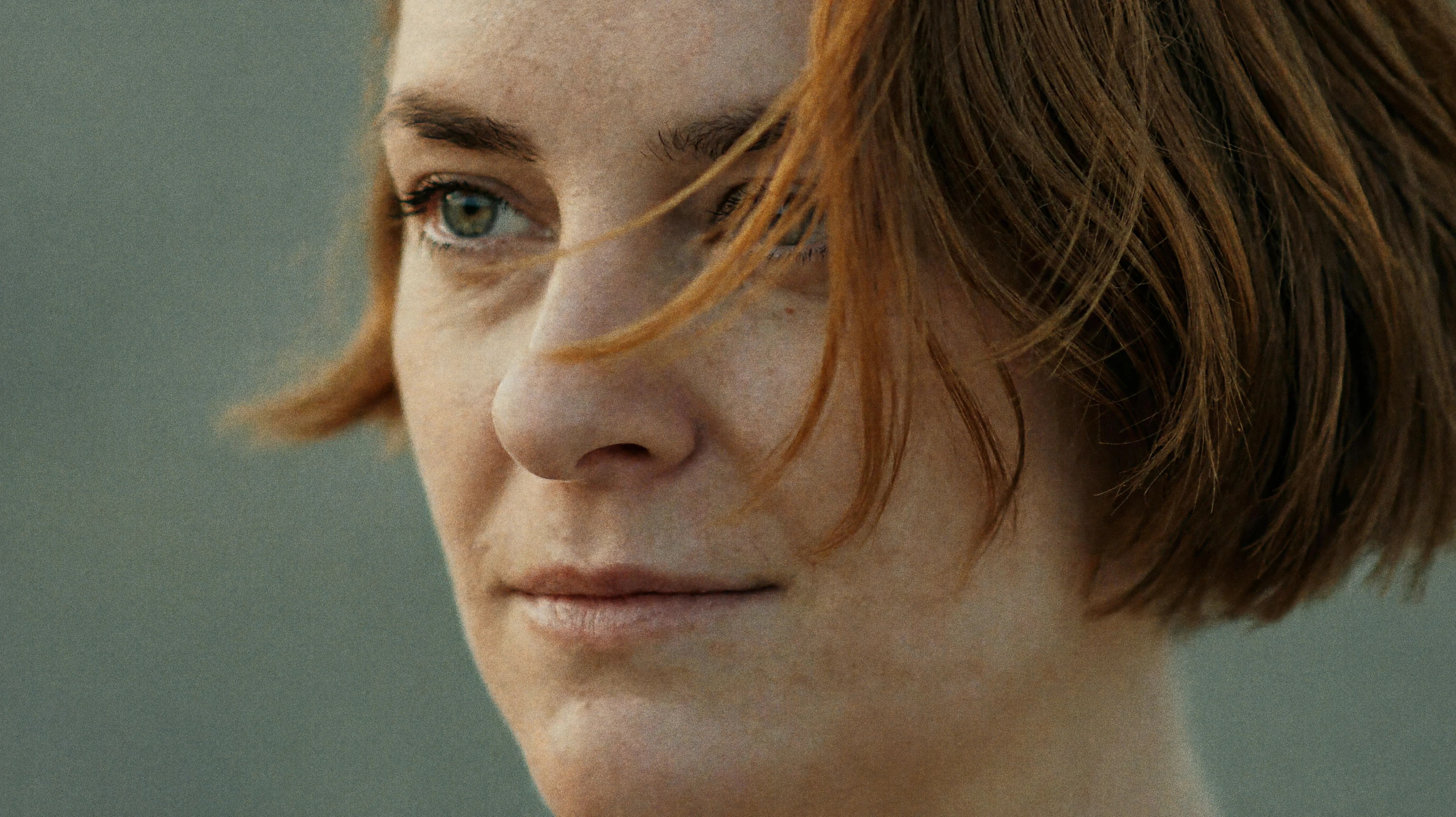
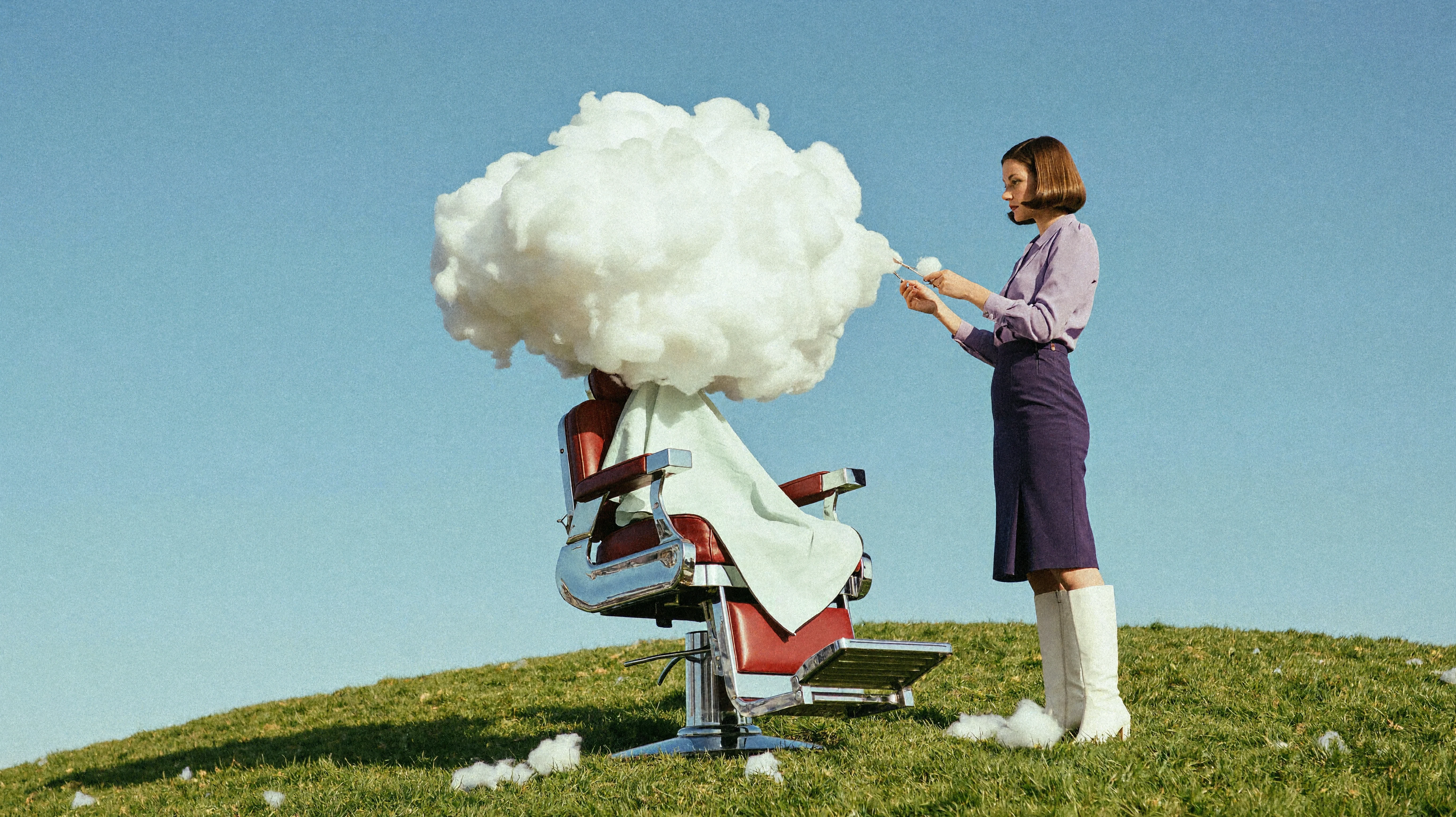
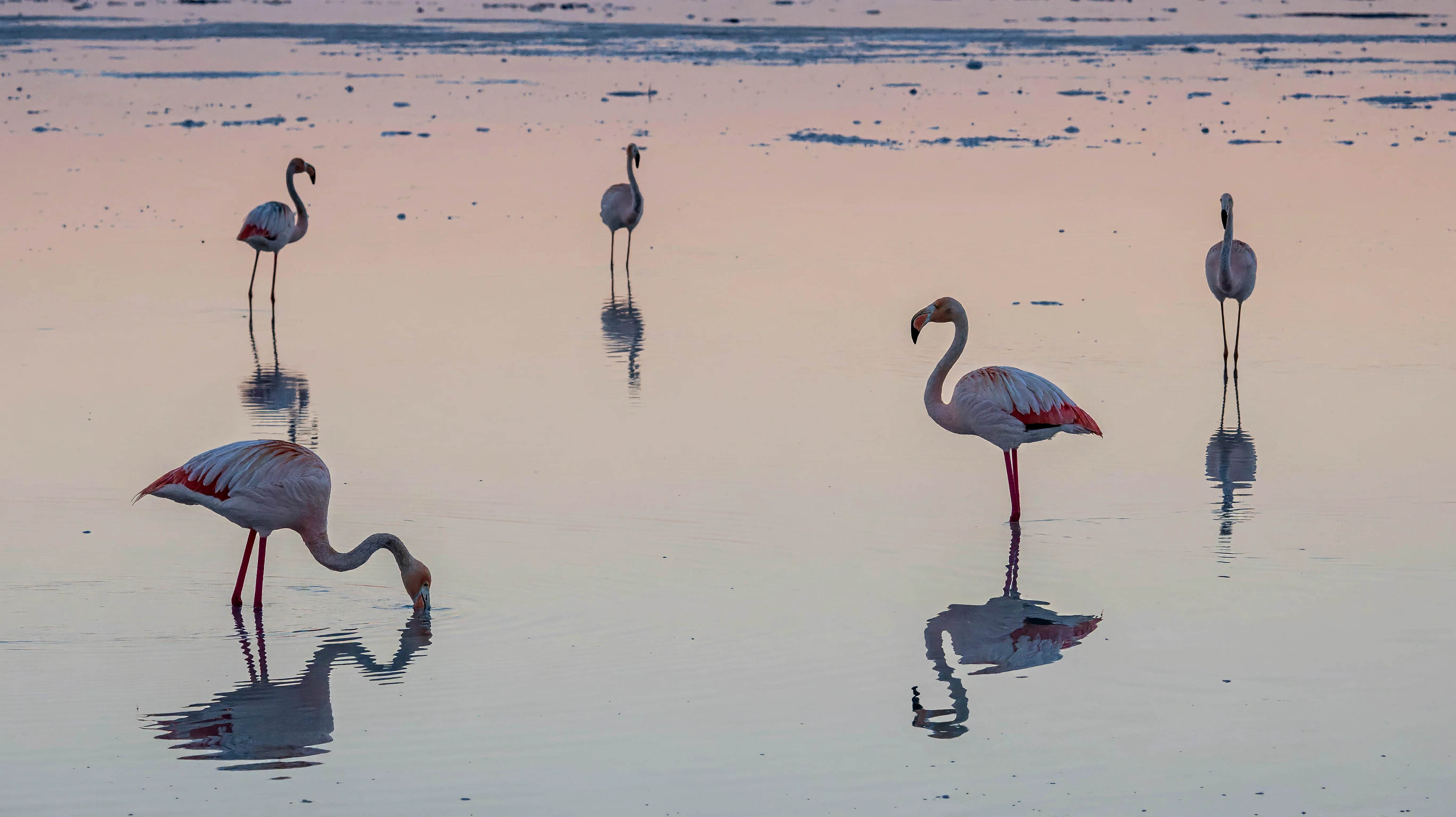
MiniMax H3 Image image examples
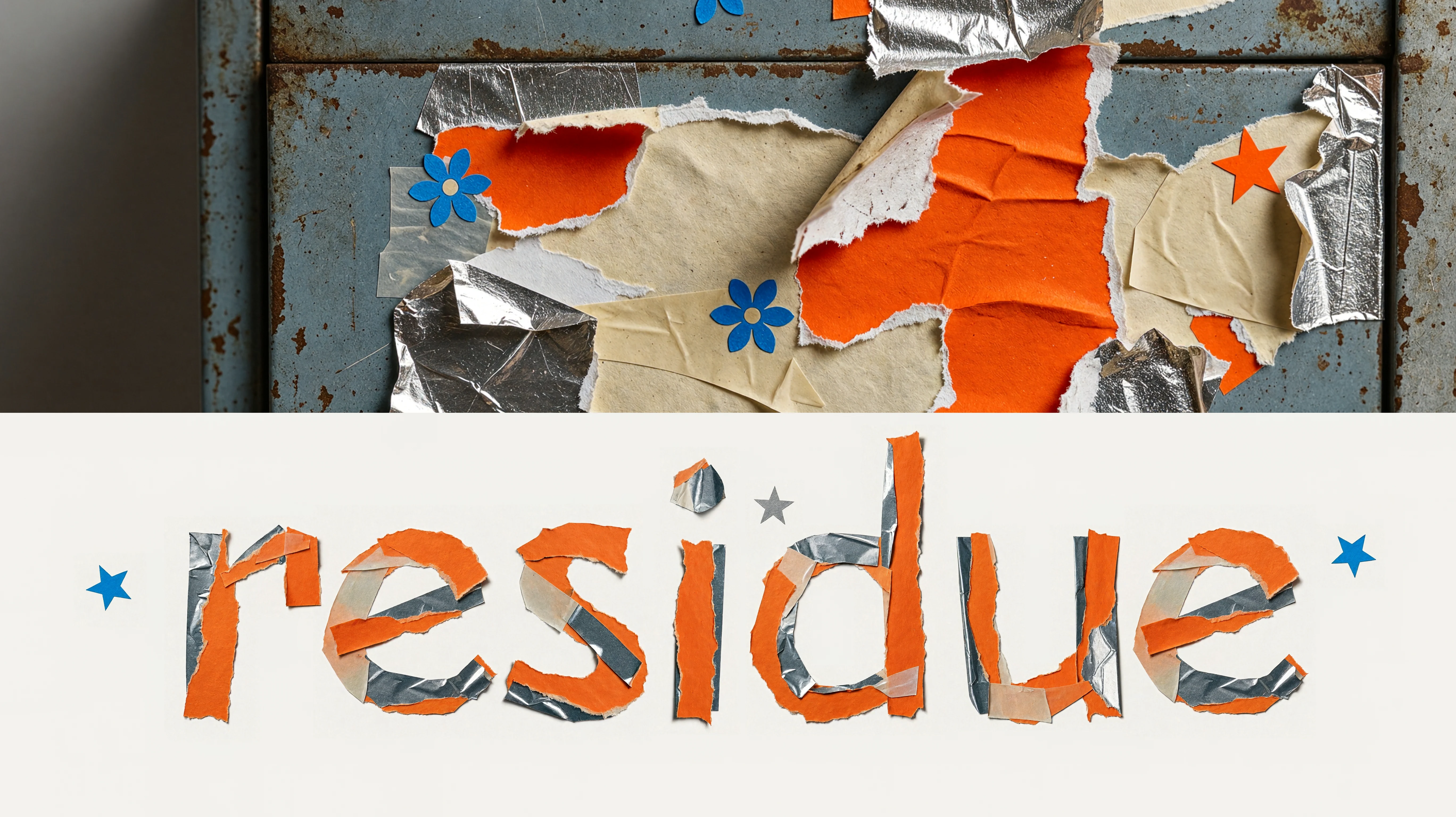
Five new generations based on MiniMax’s official showcase concepts, using adapted English prompts: cinematic game art, film portraiture, surreal fashion photography, wildlife and handmade typography. Open each image to view the exact submitted prompt.
MiniMax H3 Image capabilities
Assign a role to each reference: identity, clothing, a prop or room layout. Describe their relationship in the final image.
State the detail to change and the details to retain. Review the face, silhouette, lighting and background after every revision.
How to use MiniMax H3 Image
- 01
Define the image
Describe the subject, setting, framing and intended use before adding style details.
- 02
Organize references
Choose clear images and state what each contributes. Keep character, prop and location references distinct.
- 03
Choose a version and output size
Compare Standard and Highspeed using the same brief. Select a size and review the service’s current quote.
- 04
Review and refine
Check identity, anatomy, text and continuity. Use a selected result as a reference for the next revision.
What can you create with MiniMax H3 Image?
Develop character designs, plan keyframes and create posters with a clear visual brief you can review and refine.
Character design
Develop character sheets, outfit studies and expressions for games, animation or a story. From an armored knight to a brand mascot, combine front, side and back views with material close-ups on one design board. Set the silhouette, proportions and palette before refining a chosen direction.
Storyboard planning
Turn a rough scene sketch or untextured render into a cinematic keyframe, then explore wide shots, medium shots and close-ups around a shared character and location. For a setting such as a lunar base, specify blocking, building placement and light direction to compare shots before video production.
Posters and key art
Develop film covers, event posters and social campaign imagery. Specify the exact wording, title placement, lettering materials and space around the subject. A sticker-residue collage is one way to make typography part of the image; review spelling, hierarchy and crop margins before delivery.
Tips for MiniMax H3 Image
-
Put the task before the style
Start with the image’s purpose, subject and layout. Describe visible materials and light.
-
Name the constants
For an edit, list the identity, pose, framing and background that should stay consistent.
-
Inspect the result
Proofread text and compare small character and prop details across every shot.
MiniMax H3 Image Pricing
Image counts use MiniMax’s official USD examples, converted at 1,000 credits = US$1. Each image estimate rounds up to a whole credit; plan counts round down to complete images. Outputs are square and edit references are 1K. These are comparison estimates; actual usage may vary.
Scroll to compare all plans
| Model and parameters | Starter 12,000 credits / month | BASIC 30,000 credits / month | Plus 63,000 credits / month | Ultra 120,000 credits / month |
|---|---|---|---|---|
| MiniMax H3 Image | ||||
1K · 1024 × 1024 22 credits / image | 545 images | 1,363 images | 2,863 images | 5,454 images |
2K · 2048 × 2048 24 credits / image | 500 images | 1,250 images | 2,625 images | 5,000 images |
4K · 4096 × 4096 69 credits / image | 173 images | 434 images | 913 images | 1,739 images |
1K · 1024 × 1024 27 credits / image | 444 images | 1,111 images | 2,333 images | 4,444 images |
2K · 2048 × 2048 27 credits / image | 444 images | 1,111 images | 2,333 images | 4,444 images |
4K · 4096 × 4096 74 credits / image | 162 images | 405 images | 851 images | 1,621 images |
Estimates only. Final charges depend on actual usage.
MiniMax H3 Image alternatives
Try the same brief with another image model. Compare delivered detail, revisions, cost and the time needed to reach a usable result.

Seedream 5.5
Generate character, scene and product images with Seedream 5.5, then refine details, materials and lighting with image references.

Nano Banana 2.1
Create cinematic images, expressive product visuals and text-led designs. Use references to guide your next edit.

Seedream 5
Create polished character references, scene concepts, and visual directions that stay connected to your Arcloop story workflow.
FAQs About MiniMax H3 Image
Is H3 Image the same as MiniMax H3 video?
H3 Image produces still images. MiniMax H3 and H3 Max are separate video models with their own pages and settings.
What does 4K mean here?
It is a pixel-area tier rather than a fixed width. Exact dimensions vary with the aspect ratio; verify the delivered file.
Can it combine references and edit images?
The official API accepts up to 16 image references. Explain each reference’s role and what must remain unchanged. This does not guarantee identical details across separate outputs.
Does it support transparent backgrounds or masks?
The official hosted API does not currently offer transparent output or mask-based inpainting. Edits are described with text.
Can I generate with H3 Image in Arcloop now?
This page presents model information and published tests. Use the linked guide for examples and current service options; an Arcloop generation control is not available on this page.
Start creating with MiniMax H3 Image
Explore one visual direction, then refine the composition, materials and light for your next image.