Introduction: The Scene Fails When It Was Never Boarded
The prompt asks for a dramatic 35-second confrontation in a hotel hallway. It mentions the ex-fiance, the hidden room card, the heroine's silence, a security camera, a slap, a reveal, and a cliffhanger. The output has stylish lighting, but the story is unreadable: the card appears after the reaction, the ex-fiance changes sides between cuts, and the final close-up has no space for subtitles. The problem is not the lack of adjectives. The scene was never storyboarded or split into replaceable shots.
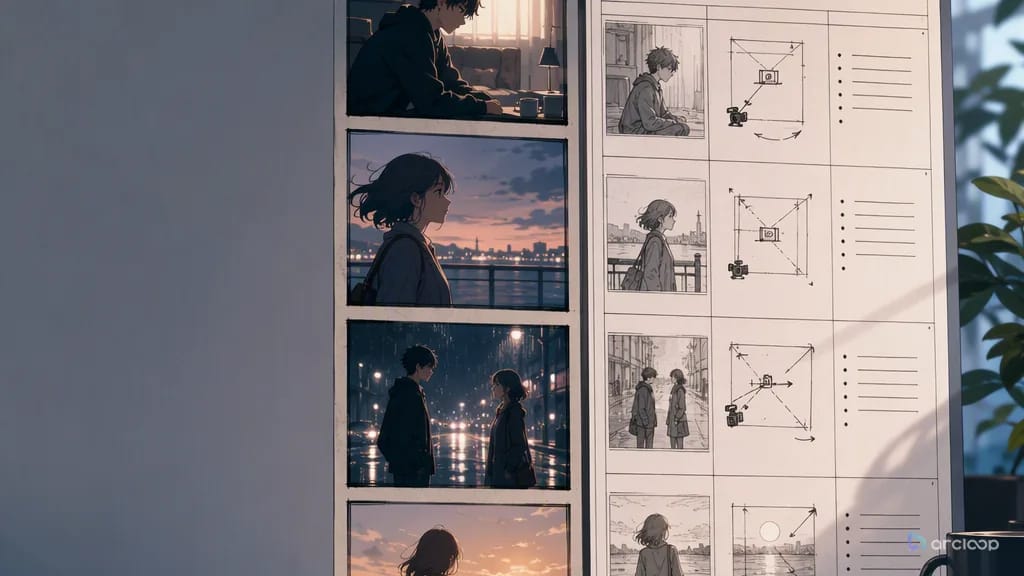
An AI storyboard and per-scene shot list generator should make the scene visible before final video. The storyboard decides what the viewer sees and in what order. The shot list turns that visual logic into renderable cards with runtime, framing, character IDs, action, camera, dialogue coverage, prop continuity, subtitle-safe area, and review criteria.
Use AI Short Drama guides for reusable scene structures, character profile fields to define a recurring role once, and ArcLoop Worlds to open the project where that role becomes a character asset you can reference. The practical goal is to stop asking one prompt to do everything. Each shot should have one job and be replaceable without destroying the sequence.
This guide combines storyboard generation and per-scene shot list planning because they belong together. A board without shot fields is hard to render. A shot list without visual order becomes a spreadsheet of guesses.
Core Principles for Storyboards and Shot Lists
Storyboard first means deciding information order before polish. The audience must see the clue before the reaction if the clue causes the reaction. It must see the exit before the chase if the chase depends on geography. A pretty shot in the wrong order is still a broken scene.
Each panel needs a role. Short drama panels often work as hook, setup, pressure, insert, reaction, confrontation, reveal, decision, or cliffhanger. Role labels keep the board from becoming a wall of attractive images with no edit logic.
Every shot should have one primary job. One shot can show a hand opening a drawer, a phone buzzing, a face hardening, or a character stepping into frame. It should not carry a full argument, a prop reveal, a flashback, and a wardrobe change unless you want an expensive rerun.
Keep shots replaceable. If a prop insert fails, regenerate the insert. If a two-character blocking shot fails, simplify that one card. Do not rewrite the entire scene because one neighboring shot broke. Stable IDs and review criteria protect the parts that already work.
Separate action from camera. "She slides the room card across the counter" is action. "Tight insert with a slow push-in" is camera. Mixing them makes review vague and prompts harder to revise.
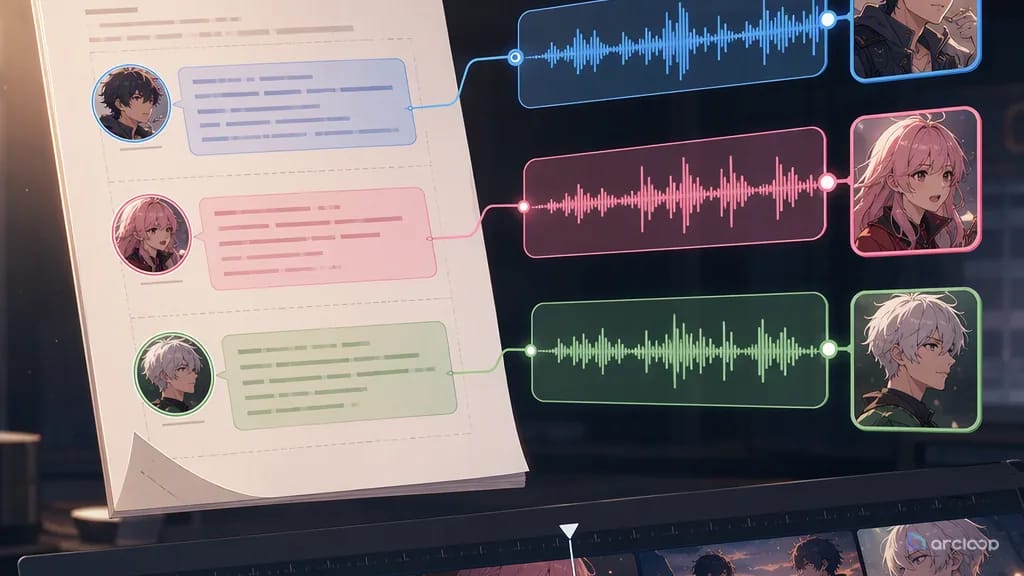
Attach references before rendering. Character references protect identity. Prop references protect evidence. Location notes protect space. Voice lanes protect dialogue rhythm. The shot list should state which reference each shot needs.
Review at draft quality first. Storyboard and shot list are cost controls. They let you reject unclear beat order, bad blocking, missing props, or unsafe subtitle zones before final render budget is spent.
Step-by-Step Storyboard and Shot List Workflow
Start with a script beat, not a video prompt. Paste the scene excerpt or describe the conflict in plain language. Identify what changes by the end of the scene: someone learns a secret, loses leverage, makes a decision, or creates the next cliffhanger.
Generate a rough panel list. Four to six panels are enough for many vertical short drama scenes. A compact structure might be hook, evidence insert, reaction, confrontation, reveal, cliffhanger. Do not force every possible angle into the board.
For each panel, write what must be visible. Include character placement, prop placement, camera distance, eye line, subtitle-safe area, and emotional purpose. Rough art is fine; vague intent is not.
Convert panels into shot cards. Each card gets a name such as Shot 2, source panel, runtime, aspect ratio, character IDs, references, action, camera, dialogue coverage, prop continuity, and review criteria. If one panel has too much action, split it into two shots and say why.
Assign draft priority. Some shots are risky: multi-character blocking, readable phone screens, hand interactions, tears, fast action, and long lines. Render those as rough drafts first. Simple silent inserts may need fewer retries.
Approve the per-scene list before final prompts. The approved list is the contract. When converting shot cards into render prompts, do not add new story beats. If the scene needs a new beat, return to the storyboard and revise the plan.
After generation, review shot by shot. Notes like "Shot 4 crosses the axis" or "Shot 2 hides the bracelet behind subtitles" are fixable. Notes like "the scene feels wrong" are harder to act on because the work was not divided.
Storyboard and Shot List Live in the Same Project
In ArcLoop, an episode's Storyboard breaks the script into shot cards, and each shot pulls in the same character asset — face and voice both — with a single @ reference instead of redescribing it. That way a generated clip is not just a file: it stays tied to the shot card that asked for it, inside the same project.
Use AI Short Drama guides templates when you need a fast structure for hooks, reveals, vertical framing, and approve-before-render checks. Use Character Sheet References when the same role appears across multiple shots. The generator should connect these assets instead of asking every prompt to repeat the full character biography.
Run review in this order: beat order, character identity, spatial continuity, prop readability, voice placement, subtitle-safe area, then polish. This order is deliberately strict. If the audience sees the room card after the reaction, the reveal becomes confusing. If the face changes, the relationship breaks. If the caption covers the phone, the clue is lost.
Budget lives inside this method too. A per-scene shot list lets you decide which cards deserve draft retries and which can be cut. You can protect a strong reaction shot, rerender a weak insert, and keep the scene moving instead of paying for full-scene reruns.
Example prompt 1: Storyboard Generation for a Hotel Hallway Reveal
Create a storyboard-first plan for this vertical short drama scene before video generation.

Input scene:
Liora, a night-shift hotel concierge, discovers that guest Rowan used a staff-only room card to enter the locked archive. Rowan returns to the hallway before she can call security. The final reveal is that the room card has Liora's missing brother's initials scratched into the back.

Output:
1. Five storyboard panels with roles: hook, clue, pressure, reveal, cliffhanger.
2. For each panel: visible action, character placement, prop placement, camera distance, eye line, subtitle-safe area, and emotional purpose.
3. Continuity risks for character identity, room card, hallway direction, and elevator position.
4. Which panels need character reference, prop reference, or location reference.
5. Any panel that should be split before render.

Rules:
Keep the hallway direction consistent. Do not reveal the scratched initials before the reveal panel. Keep the lower third clean for subtitles in dialogue panels.

This prompt asks for visual order and continuity before any polished shot is generated.
Example prompt 2: Per-Scene Shot List From the Approved Board
Convert the approved hotel hallway storyboard into a per-scene shot list.

Scene ID: E02_S04
Format: vertical 9:16
Production rule: every shot has one primary job and can be regenerated independently.

For each shot, include:
- Shot ID
- Source panel and beat role
- Runtime
- Character IDs and required references
- Action
- Camera
- Dialogue or off-screen voice
- Prop continuity
- Subtitle-safe area
- Review criteria
- Draft priority

Do not add new story beats while converting panels to shots. If a panel is overcrowded, split it into two shots and keep the original beat label.

This keeps the storyboard and shot list aligned. The instruction not to add new beats protects approval.
Example prompt 3: Render Prompt for One Replaceable Shot
Render draft for Shot 3 (room card reveal) only.

Source beat: reveal - Liora turns over the staff-only room card and sees her missing brother's initials scratched into the back.
Runtime: 6 seconds
Format: vertical 9:16
Character reference: LIORA_CONCIERGE_V1, black bob haircut, burgundy hotel blazer, gold name pin, tired eyes.
Prop reference: STAFF_CARD_ARCHIVE_V1, pale blue card, scratched initials on the back, worn corner.
Setting: quiet hotel hallway outside the archive door, elevator light far behind her.
Action: Liora holds the card in both hands, turns it over, thumb stops on the scratched initials, then her eyes lift toward Rowan off screen.
Camera: tight insert on card for 2 seconds, slow tilt to Liora's face for 4 seconds, locked vertical frame.
Dialogue coverage: no spoken line; Rowan's off-screen footsteps begin at the final second.
Subtitle area: keep lower third empty.
Review criteria: initials readable without extra random text, Liora identity stable, card remains pale blue, hallway direction matches previous shot, no extra character enters.
Negative constraints: no changed uniform, no unreadable scratches, no camera spin, no added flashback, no text overlay.

The render prompt is short because the approved shot card already made the decisions.
Common Mistakes in AI Storyboard and Shot List Generation
The biggest mistake is treating the storyboard as decoration. A storyboard is where you decide what the audience needs to know and what is worth rendering.
Another mistake is drawing panels that cannot become shots. A panel with three reveals, four characters, a camera orbit, and a long line should be split.
Creators also skip naming their shots. Without a shot number, feedback becomes vague and expensive. "Fix Shot 5, the phone insert" is actionable; "fix the middle part" is not.
A fourth mistake is letting shot conversion add new story. If the approved board has one reveal, the shot list should not invent another clue. New story beats belong in a revised board.
Another common failure is forgetting props across panels. A ring, room card, phone, medicine bottle, or contract should have position and readability notes in every shot where it matters.
Finally, do not storyboard without character references when the same role appears across shots. Vague faces at the board stage become drift at render time.
FAQ
Do I need polished storyboard art?
No. Rough panels with clear action, framing, prop placement, eye lines, and subtitle zones are enough. The storyboard's job is to plan the shot before you spend a generation on it, not to double as a finished illustration.
What is the difference between storyboard and shot list?
The storyboard shows visual order. The shot list turns that order into renderable instructions with runtime, camera, references, dialogue coverage, prop continuity, and review criteria.
How many shots should one scene have?
Use the fewest shots that make the beat readable. Many short drama scenes work with three to six shots. Complex reveals may need extra inserts and reactions.
Should every shot include dialogue?
No. Inserts, reactions, footsteps, silence, and off-screen voice often carry drama better than constant talking. Mark dialogue placement in the shot card before render.
What makes a shot card approved?
It is approved when source beat, character references, action, camera, prop continuity, voice placement, duration, subtitle area, and review criteria are clear enough to render a draft.
When should I change the storyboard?
Change it before final render when beat order, camera coverage, prop readability, character placement, or subtitle space is unclear. After approval, keep changes narrow and revise by shot ID.