Introduction to the First Three Seconds Hook
You spend an hour polishing a lantern festival opening. The camera drifts over rooftops, petals move, music would fit perfectly, and the main character finally appears at second six. On a feed, that is too late. Viewers see a nice establishing shot, learn nothing urgent, and leave before the story starts.
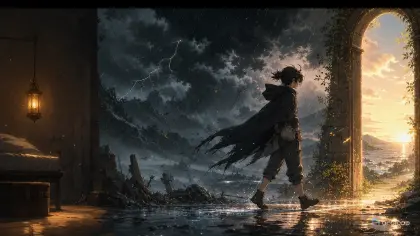
The first three seconds of an AI anime short need a visible event. Not a lore paragraph. Not a slow setup. A hook can be motion, a question, a contradiction, a threat, a funny mistake, or an emotional promise, but it has to happen on screen immediately. If the first beat does not give the viewer a reason to stay, later beauty is irrelevant.
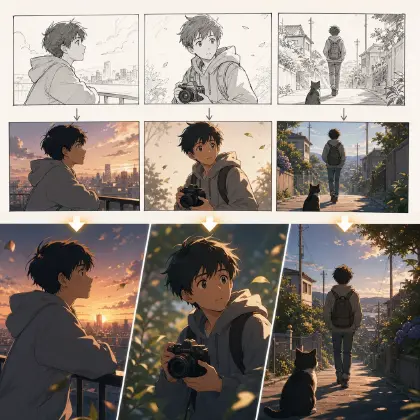
ArcLoop makes the hook easier to plan because the opening frame lives in Shot 1 of the Storyboard, the cover image sits in Library, and the next story beat is right there in the Story Outline you can edit alongside it. Use Storyboard Hook to Reveal for a structured opening, 2D Animation AI templates for shot timing, and ArcLoop Worlds when the hook belongs to a recurring character or series.
This guide shows how to build a first-three-seconds hook for AI anime shorts without turning every opening into shouting and explosions. You will define the hook event, choose what the viewer should ask, design the first frame, and revise hooks that are pretty but slow.
Core Principles for Anime Hook Design
The hook must be visible in the first frame or first movement. A sealed door opening backward, a character catching a falling crown, a shadow moving the wrong way, or a quiet hand deleting a message can all work. The viewer should not need context to notice that something is happening.
Start with a question, not an answer. "Why is the classroom underwater?" is stronger than explaining the flood myth. The first three seconds should create curiosity that the next beat can pay forward.
Use one dominant action. AI anime clips become unstable when the hook asks for running, fighting, crying, transforming, camera spinning, and background collapse at once. One clean action plus one supporting motion is usually enough.
Match the hook to the video. If the opening shows a monster attack but the short is a quiet friendship scene, the hook may get the wrong audience. Use contrast, not deception.
Design the first frame for scanability. The viewer sees the opening at small size and high speed. Use a clear silhouette, strong value contrast, and a readable prop or gesture. Tiny clues can appear later.
Leave room for continuation. A hook should make the second beat necessary. If the first three seconds answer the whole premise, the viewer has no reason to stay.
Step-by-Step First-Three-Seconds Workflow
Write the hook event in one sentence. Use a verb and an object: "Pira opens her lunchbox and a tiny storm cloud rises from it." If the sentence has no visible action, it is not a hook yet.
Name the viewer question. The lunchbox example asks, "Why is there weather inside lunch?" The question helps you avoid overexplaining in the same shot.
Choose the first frame. Decide what is visible before motion begins: character face, prop, location clue, and contrast. A good first frame already carries tension even before the action completes.
Plan the first three seconds as a micro-beat. Second zero: readable setup. Second one: impossible or emotional change. Second two: reaction or escalation. You do not need exact frame math, but you do need timing.
Connect the hook to the next beat. The hook should point somewhere: chase, confession, investigation, joke, rescue, or reveal. Write that next beat straight into the Story Outline — double-click the paragraph and it autosaves — so the opening does not become a disconnected stunt.
Generate a small slate. Compare which version reads fastest at mobile size. Do not choose the most detailed shot if the event is unclear. If the hook is slow, revise action timing before adding polish.
Save the approved hook card with the cover and title. A good cover promises the hook; the first three seconds earns that promise; the next beat keeps it alive.
What the Opening Shot Card Needs
ArcLoop keeps hook planning from becoming a loose brainstorming note. Write four things directly into Shot 1's description in the Storyboard: the first-frame image, the hook event, the question you want the viewer to ask, and the next beat. Reference the character with @ so the opening shot pulls in an identity you already built as a character asset.
Use Storyboard Hook to Reveal when the opening needs to hide part of the answer. That structure helps you show the strange event now and save the explanation for later. It is especially useful for mystery, comedy, and transformation shorts.
When you generate the opening, keep the character identity simple and the action clear. If the character is recurring, pull identity anchors from Character Sheet Templates. If the shot is a one-off, still give enough anchors to prevent face and costume drift during motion.
Review in this order: immediate readability, viewer question, identity stability, then polish. A hook that takes four seconds to understand fails even if the frame is beautiful. A hook that is clear but slightly plain can be improved. A hook that is gorgeous but slow should be rebuilt.
Example Prompt 1: Hook Card for the Lunchbox Storm
Write an ArcLoop-ready Shot 1 description for the first three seconds of an original 2D anime comedy short.

Character: Pira Senn, a sleepy first-year weather club member with short navy hair, yellow rain boots, oversized cream cardigan, and a frog-shaped lunch bag.
Hook event: Pira opens her lunchbox at her classroom desk and a tiny thundercloud rises out, raining only on her rice.
Viewer question: why is there weather inside lunch?
First frame: Pira half-asleep at a desk, lunchbox centered, classmates blurred in warm morning light, frog lunch bag visible near her elbow.
Timing: second 0, lunchbox lid begins to open; second 1, tiny cloud pops up; second 2, one miniature lightning flash lights Pira's shocked face.
Next beat: Pira tries to hide the storm while the class representative walks toward her desk.
Reject if: the storm fills the whole room, the joke is unreadable, Pira's identity changes, or the shot becomes a disaster trailer.
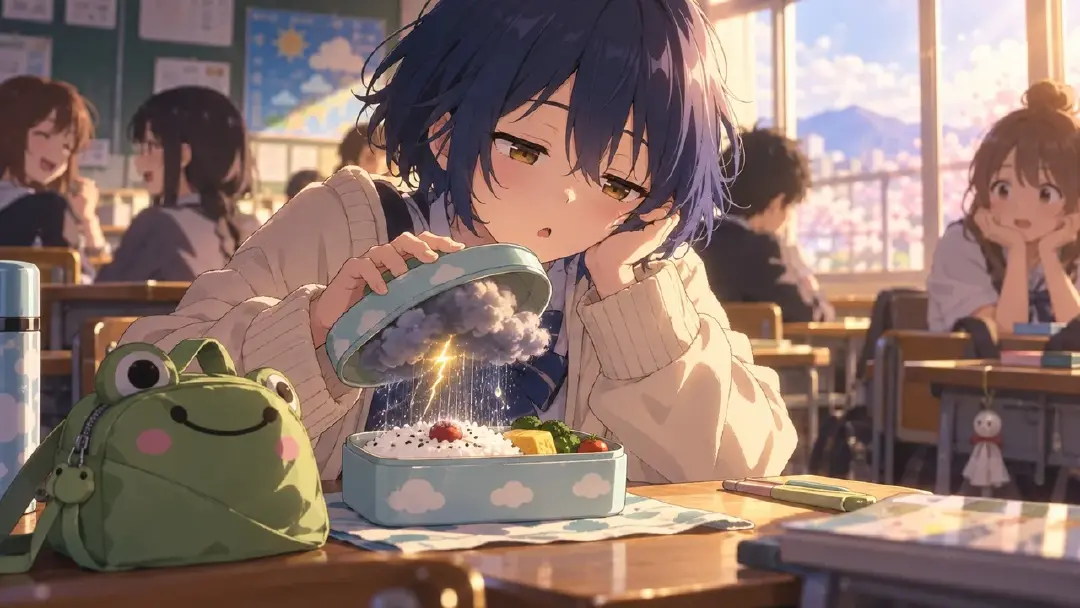
This hook card creates a fast question without needing lore. It also protects the tone: small comedy, not apocalyptic weather.
Example Prompt 2: Three-Second Opening Shot
Generate a 3-second 2D anime opening hook using the approved Pira Senn lunchbox storm card.

Scene: morning classroom, warm window light, desks in rows, soft background classmates out of focus.
Character: Pira Senn, short navy hair, sleepy eyes, oversized cream cardigan, yellow rain boots barely visible under the desk, frog-shaped lunch bag near her elbow.
Camera: tight medium shot from desk height, lunchbox centered in the lower frame, Pira's face in the upper left third.
Action timing: start with Pira lifting the lunchbox lid while yawning; at second 1, a tiny gray thundercloud rises from the rice; at second 2, the cloud rains straight down and a small lightning flicker reflects in Pira's eyes.
Tone: quick anime comedy hook, surprised but quiet, no panic.
Style: clean cel-shaded 2D anime, readable silhouette, simple classroom background.
Constraints: no text, no logo, no full-room storm, no extra characters in foreground, no face drift, no photorealism.
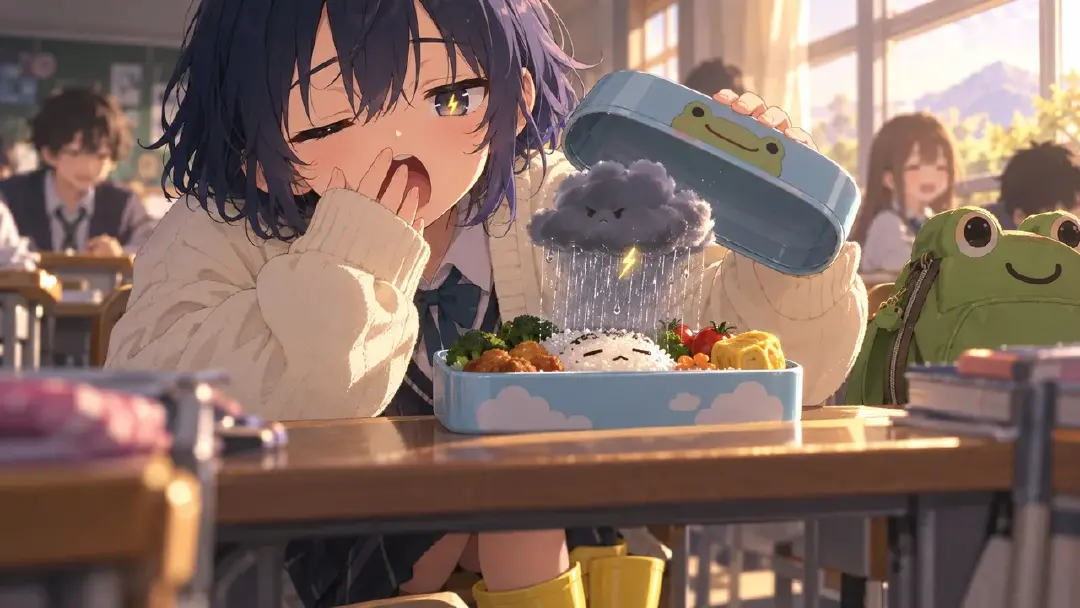
The prompt is short because the hook is short. It names the action, timing, composition, and tone without adding a whole episode.
Example Prompt 3: Controlled Hook Revision
Revise the selected Pira Senn opening hook with a timing-only change.

Current issue: the classroom and character look correct, but the cloud appears too late, so the first three seconds feel like setup.
Preserve: Pira's navy hair, cream cardigan, yellow rain boots, frog lunch bag, classroom desk framing, warm morning light, tiny lunchbox storm concept, and comedy tone.
Change only timing: show the lunchbox already half-open in the first frame, make the tiny cloud visible by second 0.8, and show the first raindrops before second 2. Keep Pira's shocked reaction at the end.
Output: one 3-second 2D anime hook that reads immediately at mobile size.
Negative constraints: no new characters in foreground, no larger storm, no title text, no logo, no camera spin, no face redesign.
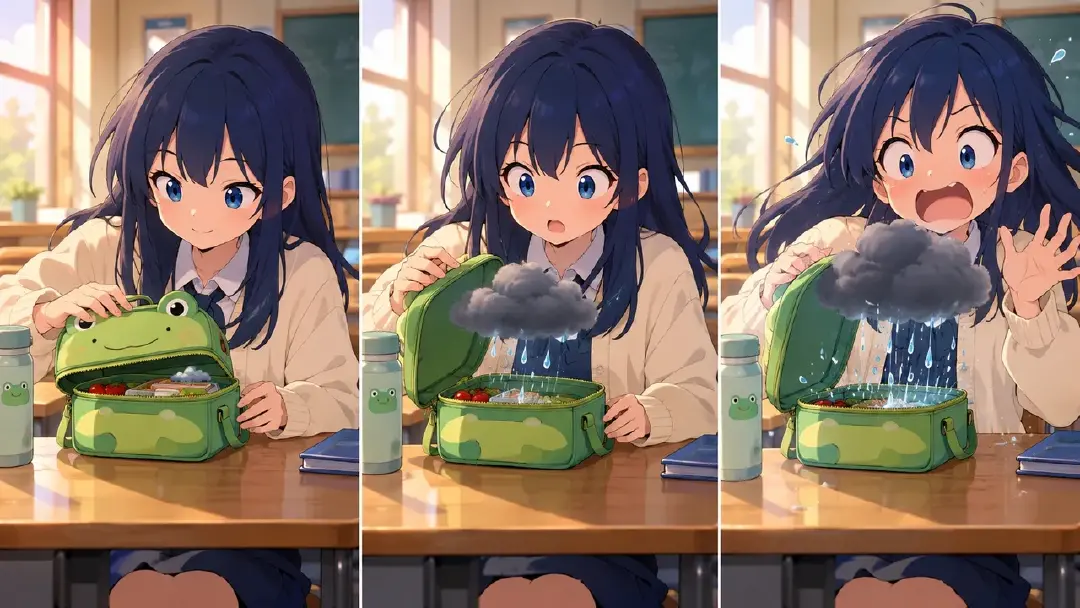
This revision fixes the hook by moving the event earlier. It does not add chaos just to feel faster.
Common Mistakes in First-Three-Seconds Hooks
The biggest mistake is opening with atmosphere only. Atmosphere can support a hook, but petals, skyline, rain, or empty streets do not create a reason to stay unless something changes.
Another mistake is burying the hook in tiny detail. If the strange object is too small to read on a phone, the viewer misses the question. Make the object, gesture, or contradiction visible.
Creators also confuse loudness with urgency. A whisper, a silent deletion, or a character freezing at the wrong reflection can hook better than an explosion if the question is clear.
A fourth mistake is using a misleading opening. Fast action may get attention, but if the video becomes a quiet slice-of-life scene, the audience feels tricked. The hook should be the first honest promise.
Finally, do not wait for the main character. If the protagonist matters, show them early. If the world mystery matters more, show the impossible world event early. Do not spend the first three seconds on neutral setup.
FAQ
Does every AI anime short need a hook in the first three seconds?
If the short is meant for feed viewing, yes. The hook can be quiet, funny, eerie, or emotional, but something readable needs to happen immediately.
What makes a good first-frame hook?
A clear silhouette, a visible contradiction, and one question the viewer can understand without backstory. The first frame should already point toward the event.
Should I use text captions as the hook?
Use the visual event first. Captions can support the hook later, but the shot should still make sense when watched silently or when text is cropped by platform UI.
How do I connect the hook to the rest of the story?
Write the next beat on the hook card. The opening event should force a chase, confession, investigation, joke, rescue, or reveal, not sit as an isolated gimmick.
How does ArcLoop help with opening hooks?
Build the opening character as an asset in My Assets, write Shot 1's description with an @ reference to it, and generate the cover from that same asset. Then hold the cover, Shot 1, and the generated take side by side and check in seconds whether the promise on the thumbnail matches what's actually on screen.