Why Your Account Sounds Like a Different Person Every Week
The first post is a cozy behind-the-scenes note. The second post sounds like a loud sales pitch. The third answers comments like a lore encyclopedia. The fourth suddenly becomes a comedy account. None of the pieces are unusable by themselves, but together they make the creator feel unstable. Followers cannot tell what the account promises, what kind of anime work it makes, or why they should come back.
That is the creator persona problem. A persona is not a fake personality and it is not a branding worksheet that sits away from production. For AI anime creators, the persona has to touch the actual creative work: the recurring character, the world rule, the caption style, the update rhythm, the way you talk about failed takes, and the kinds of scenes you refuse to make.
This guide shows how to plan a creator persona around the assets you already have in ArcLoop, so your scripts, character assets, storyboard notes, captions, covers, and replies share one public role. You will define a content promise, a voice boundary, a visual signature, a canon stance, and a response style. Start with ArcLoop Worlds when the persona belongs to an ongoing series, or browse Style Pack Templates when you need a visible signature before building episodes.
Rules for Pinning Down a Creator Voice
Make the persona serve the work. A good persona answers what the audience expects from this creator's anime output: cozy OC scenes, compact tutorials, dramatic micro-episodes, design breakdowns, worldbuilding logs, or fast take reviews. If the persona does not guide production choices, it is just profile copy.
Define a voice boundary, not a catchphrase. "Witty and warm" is still vague. A useful boundary says what the creator sounds like under pressure: short practical notes, gentle craft comments, deadpan edit logs, enthusiastic but never hype-heavy, playful in captions but precise in tutorials.
Tie the public role to a visual signature. The signature can be a color rule, a framing habit, a recurring workspace background, a mascot character, a title-card layout, a prop, or a cover composition. It should be easy to recognize without forcing every post into the same template.
Separate creator persona from fictional character voice. Your account may be hosted by an original anime avatar, but the creator persona is the publishing role. The fictional character can have lore, while the creator account still needs a clear promise, caption rhythm, and reply policy.
Set a canon stance early. Decide whether every post belongs to one story canon, a loose anthology, a tutorial feed, a production diary, or a mix. Without this rule, comment replies can accidentally confirm story details you later want to change.
Plan the boring edges. Persona drift often appears in small places: apology posts, failed-take captions, comment replies, file names, episode teasers, and calls to action. Put those edges in the plan before you publish repeatedly.
How to Build a Persona Plan: From Promise to Post
Write the audience return reason in one sentence. Examples: "People follow this account to watch quiet fantasy food scenes become finished anime shots" or "People follow this creator for short, honest breakdowns of OC animation experiments." That sentence is the persona anchor.
Define the content lanes. Pick three recurring post types, such as finished scene, draft breakdown, character note, world rule, poll, tutorial clip, failed-take review, or release announcement. If a post does not fit a lane, it should be a deliberate exception.
Create the voice card. Include sentence length, humor level, emotional range, technical depth, forbidden tones, and reply behavior. For example: "calm craft notes, no guru voice, no fake urgency, explains choices in one or two concrete details."
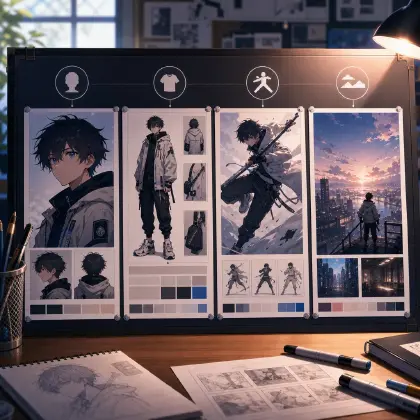
Create the visual card. Use a character sheet, palette board, cover-frame rule, and shot-card convention. If the account uses an avatar, build it with Character Sheet Templates and state when the avatar appears: host intro, end card, comment response, or never inside story canon.
Map persona to production. Put the creator promise into storyboard planning, shot prompts, caption drafts, and take selection. If the persona is "quiet worldbuilding," a frantic camera move may be off-brand even if it looks exciting.
Test with three posts before committing. Draft one finished-scene caption, one failed-take note, and one comment reply. If they sound like different creators, tighten the voice boundary.
Keep the plan short enough to reuse. A persona plan should fit on one page, not live as a long brand document that's easy to ignore. Keep it open next to the Story Brief while you generate a scene, select a take, and prepare the post.
Keep the Persona Plan Next to the Story Brief
Keeping the persona plan inside the same project as the rest of production, instead of a separate marketing doc, is what keeps it connected: the series premise, the character assets with their voice notes, the storyboard, and the selected takes all sit in the same place you're already working. That matters because persona problems usually start when each piece is drafted in isolation.
Keep the persona notes beside the Story Outline in the same project. Then attach short persona reminders to the pieces that need them: cover image, intro shot, dialogue style, tutorial caption, end card, and reply notes. For story-heavy accounts, connect the persona plan with Storyboard Prompt Guide. For production-heavy accounts, keep Low-Cost Draft to Final Workflow nearby so the public voice can explain iteration without overselling.
The best persona plan does not make every post identical. It gives your account a stable center while the scenes change.
Example 1: Persona Card for a Cozy Workshop Creator
Persona planning notes for an original anime account called Lantern Bench Studio, to keep beside its ArcLoop project. The account makes short 2D anime clips about tiny magical repairs inside a night market workshop. Audience return reason: followers come back for calm craft scenes, small worldbuilding clues, and honest before-after production notes. Voice boundary: warm, observant, practical, never loud, never guru-like, no fake urgency. Content lanes: finished 6-8 second scene, draft-to-final breakdown, character object note, and occasional failed-take review. Visual signature: amber lantern light, ink-blue shadows, close shots of hands repairing small props, simple cream caption cards, recurring workbench bell. Canon stance: all finished scenes share one loose world; tutorials may show process without adding canon. Reply style: answer with one concrete production choice and one useful next step.
These notes define the public role before you write posts, so captions, scene notes, and reply drafts stay aligned with the same voice instead of drifting apart.
Example 2: Persona-Aligned Scene and Caption Plan
Use the Lantern Bench Studio creator persona card. Plan a 7-second 2D anime scene and matching post caption. Scene: original repair witch Nemi Vale fixes a cracked paper moon charm on a wooden bench while the night market closes outside. Camera: close medium shot over the workbench, hands and face visible, no dramatic zoom. Visual signature: amber lantern light, ink-blue shadows, cream paper, small brass workbench bell in the corner. Beat plan: opening shot of the cracked charm, careful brush repair, charm glows softly, Nemi smiles with tired relief, final hold on the repaired moon. Caption style: calm craft note, one production detail about why the glow is saved for the final hold, no hype language, no third-party tool mention. Keep the scene inside the loose world canon.
The persona affects both the shot and the caption. The account promise stays visible during production, not only after export.
Example 3: Failed-Take Reply in the Same Persona
Draft a production review note and public reply for Lantern Bench Studio after a failed take of Nemi repairing the paper moon charm. Problem: the hands looked fine, but the final glow appeared too early and the workbench bell disappeared. Keep the creator voice warm, observant, and practical. The review note should mark what stays: Nemi's face, camera angle, hand pose, amber lantern light. The revision request should repair only timing and prop continuity — regenerate that one shot rather than the whole scene: moon glow starts after the brush stroke, brass bell remains in the lower-right corner, final hold lasts one second. The public reply should be short and honest: mention that the timing made the repair feel less earned and that the next pass keeps the glow for the reveal. No sales tone, no blaming the tool, no external workflow advice.
This prompt handles the small public moments where persona drift often happens: a review note and a reply under a failed take.
The Most Common Ways a Persona Falls Apart
The first mistake is planning only the bio. A bio may introduce the account, but the persona lives in recurring scenes, captions, replies, covers, and production decisions.
Another mistake is copying a popular creator's tone. That creates a weak imitation and often clashes with the actual anime work. Define your own promise from the scenes you can make repeatedly.
Creators also confuse variety with inconsistency. You can publish finished clips, draft notes, and worldbuilding posts if the voice boundary and visual signature stay stable.
A fourth mistake is letting the fictional host answer everything in full canon. If the account has an avatar, decide when the avatar is speaking as a character and when the creator is speaking about production.
Finally, do not overplan ten content lanes before posting three good examples. Start with the smallest repeatable loop, then add formats only when the audience and production rhythm justify them.
FAQ
What should a creator persona include?
Include the audience return reason, content lanes, voice boundary, visual signature, canon stance, and reply style. Keep it practical enough to guide a caption, shot card, or take review.
Is creator persona the same as character design?
No. Character design defines someone inside the story. Creator persona defines the public role of the account. They can overlap when you use an anime host avatar, but the production promise still needs its own rules.
How do I stop my captions from sounding inconsistent?
Write three test captions for different situations: finished scene, failed take, and comment reply. If they sound unrelated, tighten sentence length, humor level, technical depth, and forbidden tones.
How do I plan a creator persona for an anime account?
Keep the persona notes in the same project as the character assets, the Story Outline, the storyboard, and the selected takes, instead of a separate brand document. That's what keeps the account voice from drifting away from the actual production.
When should I update the persona plan?
Update it when the actual posting rhythm proves a rule wrong. If a content lane is never used, delete it. If a reply style works, keep it. The plan should stay small enough to use during real production.