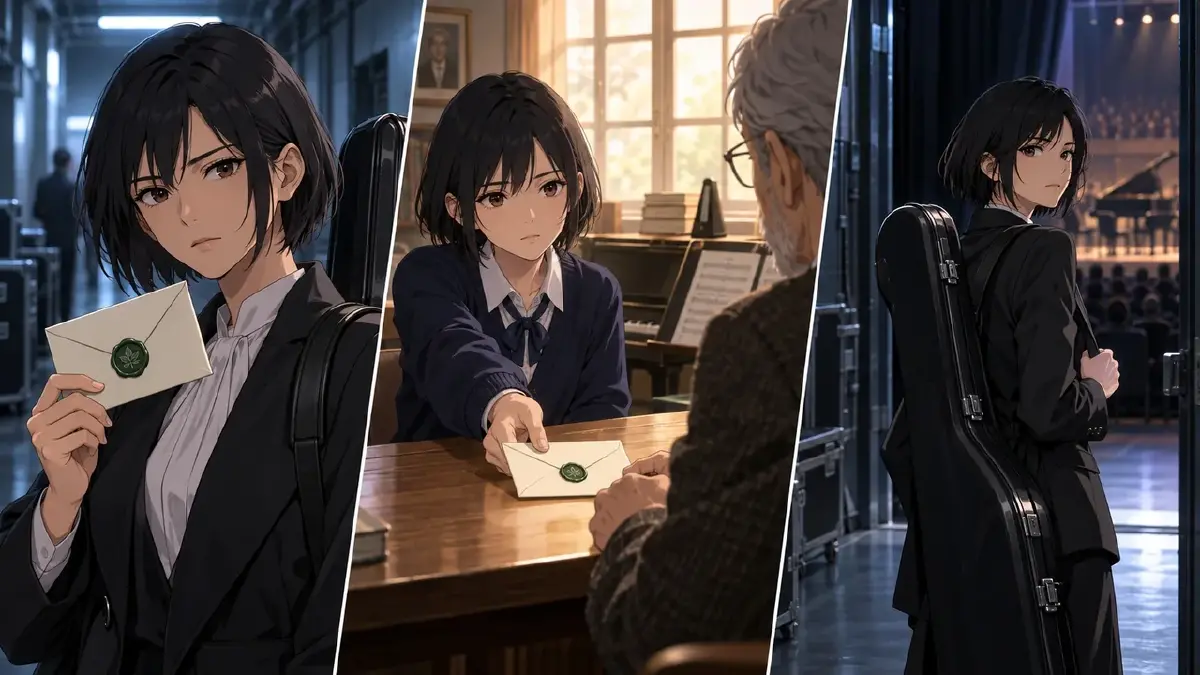
When the Memory Loses the Viewer
You cut from an adult in a corridor to a teenager in a rehearsal room. Both images look good, but the audience reads the second person as a new character. Or they recognize the memory, then mistake the return for another moment in the past. A different color grade has not explained the time shift.
The transition needs three kinds of clarity: what brings the past to mind, which time period each shot belongs to, and why the present scene feels different afterward. Here is how to enter and leave a flashback using a concrete trigger, age-specific references, and a return to an established present-day situation.
How to Choose What the Flashback Must Reveal
Write the present question before the memory: Why is Mara ready to abandon an audition she wanted? Then write the fact the past adds: She refused a previous opportunity because she was afraid to try. That fact gives her hesitation a history. It does not need to explain her entire childhood.
Record the sequence in the project’s Story Outline: the current decision, the detail that triggers the memory, the relevant past event, and what the audience should reconsider on return. Keep the full history there, then choose the portion this scene needs. A longer flashback may carry several connected discoveries; the useful limit is whether viewers can follow their relationship to the present question.
Do not demand a visible decision after every memory. A remembered loss may deepen a pause, while a concealed memory may leave a character outwardly unchanged. For this worked example, a physical choice suits the story. It provides a clear contrast with the avoidance established before the transition.
Bind Age References Without Making Them the Only Time Cue
Upload the present and younger reference images to Library, then Bind them to Mara’s character asset in My Assets. Use the present image as Main image and the younger look as a Reference image. Keep recognizable identity features across both references while allowing the age and period appearance to differ. The character age-span guide covers preparing those stages.
Reference the same @Mara asset in both periods and specify the age-specific reference needed in the past shot. That instruction requests the correct appearance; it does not replace inspection. Generate images and check that the past has the intended younger look instead of an accidental blend of ages. Correct the shot or bound reference if the result is ambiguous.
Age is only one cue. Support it with a previously established location or situation: adult Mara is backstage at a current competition; teenage Mara is with her mentor in an old rehearsal room. A warm grade can reinforce that difference, but warm light alone might simply mean the camera has moved into another room today.
Build an Entry and a Return the Audience Can Follow
A compact transition has a trigger, a past event, and a return. These are narrative jobs, not a rule that every flashback must contain exactly three shots.
For the trigger, choose something specific enough to recur across the cut. An invitation envelope with a distinctive green seal links the current audition to the older offer. It need not be the same physical envelope. Establish that both are invitations through the surrounding scene, rather than depending on generated fine print.
In the past, show the action that answers the current question. Teenage Mara pushing the offer back toward her mentor makes refusal visible. The mentor’s presence, Mara’s younger appearance, and the room distinguish the period together. Avoid adding unrelated childhood images just because they look evocative.
For the return, reuse the present location, camera side, lighting, and object positions established before the memory. Familiar geography tells viewers where they are before they interpret the reaction. The letter can have a changed meaning without changing its appearance. The art of omission is useful when a memory should reveal only part of an event; make the missing information deliberate.
Fictional Case: Mara Accepts a Second Opportunity
This original planning example is illustrative, not a tested generation result. Mara is thirty-two now and seventeen in the memory, fifteen years earlier. Before the trigger, a wider present-day shot establishes the exit to frame left and stage entrance to frame right. Mara is already standing near the exit with her instrument case. Prior dialogue has identified the envelope in her other hand as today’s invitation.
In the past, her mentor offered an earlier audition invitation. Mara refused it. The memory reveals that her current impulse repeats her own earlier choice; it does not imply that refusing one invitation somehow cost another person a scholarship. On return, she turns toward the stage. Her actual entrance can follow in a separate shot.
Create character assets Mara and Mentor, scene assets BackstageCorridor and OldRehearsalRoom, and prop assets CurrentInvitation, PastInvitation, and InstrumentCase. Bind suitable reference images from Library. The two invitation assets share a recognizable seal design but represent different documents. The following @ references refer to these fictional assets and require that setup before use.
Example 1: Bring the trigger into view.
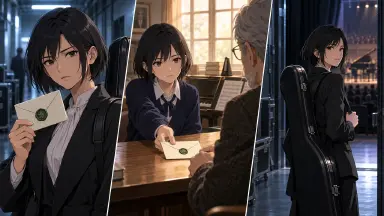
Medium shot of @Mara in @BackstageCorridor, using her present-day reference. She already holds @InstrumentCase in her lowered left hand and @CurrentInvitation in her right. Her only action is raising the invitation into her line of sight, with its green seal facing her. The exit remains frame left and the stage entrance frame right. Keep the camera locked and the overhead light cool. Her feet and the case remain still; there is no dialogue.
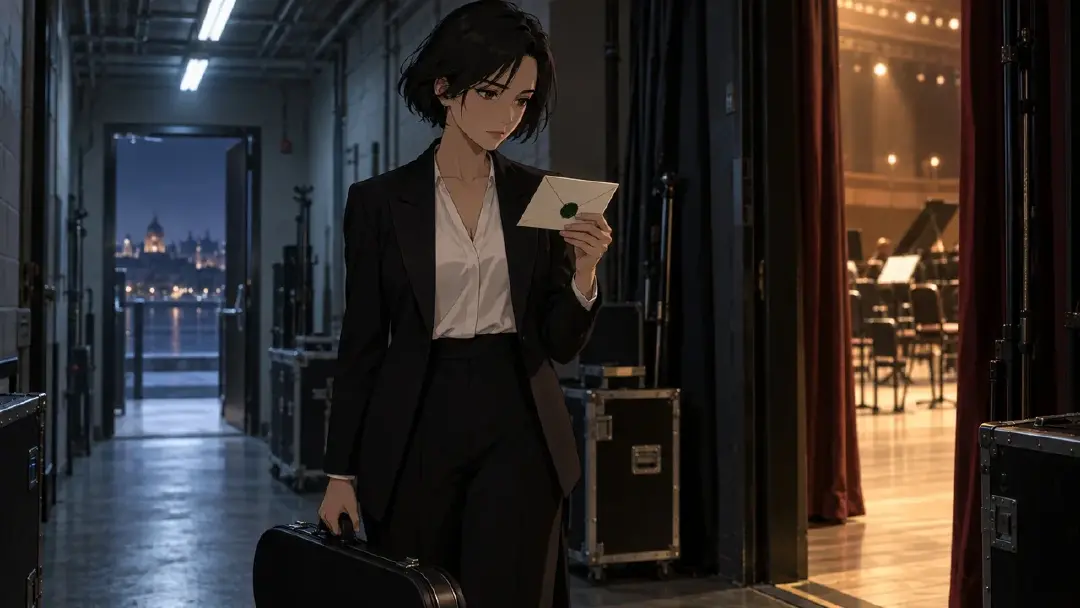
The invitation introduces the visual echo. Its identity as an audition offer comes from the scene context, not from a small readable label in the image.
Example 2: Reveal the earlier refusal.
Medium side view of @Mara and @Mentor across a desk in @OldRehearsalRoom. Use Mara’s age-seventeen Reference image. @PastInvitation rests on the desk, green seal upward, beneath her right fingertips. Her only action is sliding it back toward the mentor, who remains seated with both hands still on the far desk edge. Keep the envelope visible throughout. Warm window light and the established rehearsal-room setting distinguish this memory. The camera stays fixed; no dialogue is needed.
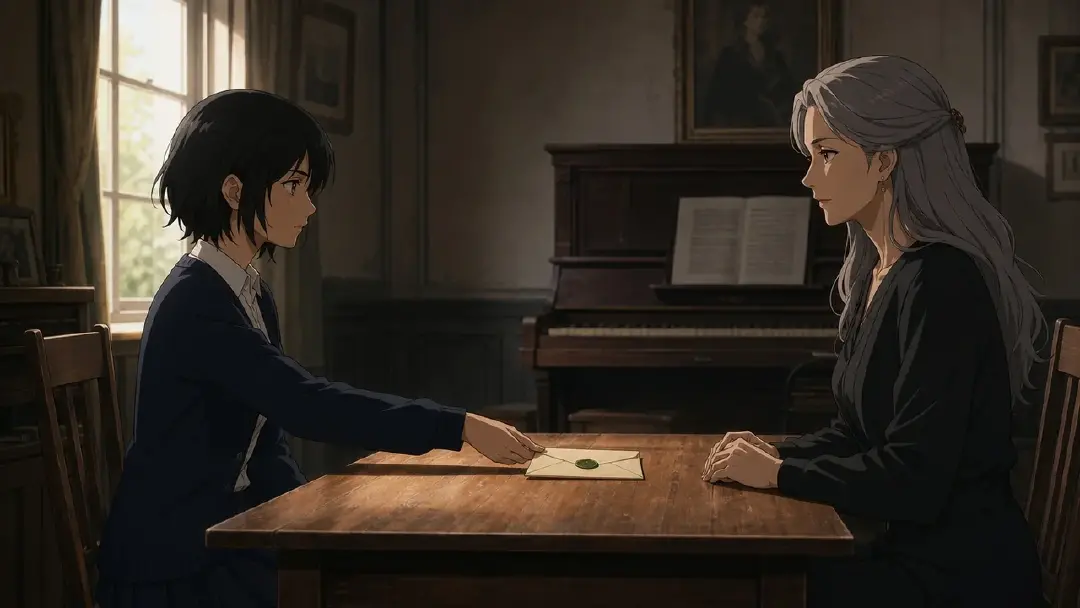
The refusal is the reveal. Mara does not also fold the letter, hide it, stand up, and leave. Those extra actions would distract from the specific choice the present moment echoes.
Example 3: Return to the familiar corridor and a different choice.
Return to the same medium camera position in @BackstageCorridor. @Mara uses her present-day reference, @InstrumentCase still in her lowered left hand and @CurrentInvitation held at chest level in her right. Her only action is turning her upper body toward the stage entrance at frame right. She does not walk yet or lower either object. Preserve the cool overhead light, the exit at frame left, and the corridor geometry from the trigger shot. No dialogue.
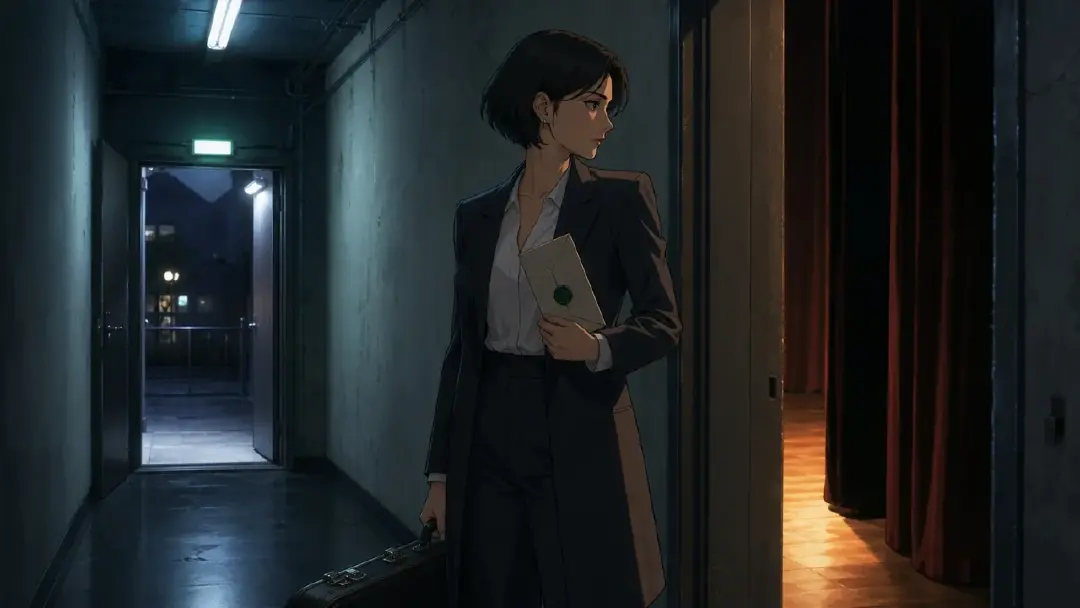
Matching the current objects and framing anchors the return. The wider setup made the two directions meaningful, so the turn reads as reconsideration rather than a random glance. Each image above illustrates a composition; it cannot establish the timing or success of the finished transition.
Review the Boundary Before Generating the Full Sequence
In the relevant Episode, use Generate Shots, then edit the shot card descriptions for the trigger, past action, and return. Add the required assets. Generate images first for all three shots. Check Mara’s age, the two locations, the envelope states, and the return’s camera side. If a still could belong equally to either period, strengthen a concrete cue before relying on motion.
Then generate the videos, individually or through the AI Chat Panel, for example: Generate videos for Shots 1, 2, and 3. Watch the complete order in Edit. Trim the trigger after the invitation becomes perceptible, give the refusal time to register, and check that the return’s first image restores the present before Mara’s turn changes the meaning. These durations depend on the footage; a fixed two-second hold is not a universal solution.
If viewers understand the periods but miss the point, revise the information, not just the grade. The earlier refusal may need clearer context. If they understand the refusal but lose the return, repair the repeated corridor geography. Those are different problems and call for different edits.
Next Step
Open your world in ArcLoop and identify one present-day question that a memory can answer. Write that relationship into the Story Outline, prepare the relevant age references, and build the boundary shots in your Episode. Review the transition in sequence before expanding the memory. Keep every extra past shot tied to the question the present scene raised.
FAQ
Does a flashback need a different color grade? No. Age, location, costume period, sound, and story context can establish time. A grade is supporting information. If it is the only distinction, check whether viewers interpret a time shift or merely a lighting change.
Should I create a separate character for each age? Start with age-specific references on the same character asset. Name the intended age in the shot description and inspect the generated image. A different hairstyle alone may not communicate fifteen years, so check the full appearance and context.
Can the memory contain a complete conversation? Yes, when the conversation answers the scene’s question. Give each shot one clear action and preserve conversational continuity. Do not cut before the crucial reply simply to stay within an arbitrary shot count.
What if the character barely reacts on return? A quiet reaction can work. Make the audience’s new understanding specific, and allow enough time to read the expression or silence. Add a physical action only when it expresses the character’s choice more clearly.