You generate five shots for your AI short drama. The lighting is clean. The character asset holds. Imagine a viewer asking: Why should I care what she does? You rewatch the episode and realize your lead has not caused a single thing. She receives a letter. She hears a confession. She is told the plan has changed. Every event is something that happens to her, and she responds. The drama moves, but your protagonist is a passenger.
This is not an arc problem — it is a scene-level agency problem. You do not need to redesign the whole character. You need to find one moment where she is handed information and replace it with a moment where she must choose between two options that cannot both be satisfied. This article shows how to identify that moment, rewrite it with a real cost, and stage it across three separate shots using the same assets you already have.
How to Identify Who Actually Causes Each Change
Before you change anything, run the counterfactual removal test on each scene in your episode. The test is one question: if the protagonist were removed from this scene, would the event still happen?
If the event and its consequence remain unchanged, the protagonist may be witnessing rather than driving that beat. A deliberate witness scene can be useful; apply this test where the story needs the lead to cause the next change.
Go through your storyboard shot by shot and mark who initiates each cause. In a passive draft, the pattern usually looks like this:
- Shot 1: Someone gives the protagonist new information.
- Shot 2: The protagonist reacts with emotion.
- Shot 3: The scene ends without that response changing anyone's action or available options.
Agreement, refusal and silence can all be consequential choices. The issue is whether the particular response changes what happens next, not whether the lead moves or speaks.
Replace a received fact with a visible tradeoff
The fix is not to make your lead angrier or more determined. It is to put her in a position where she must choose between two options that cannot both be satisfied at this moment. The cost might be lost access, a missed opportunity or damaged trust; it need not destroy something permanently.
Passive version: Her mentor tells her the audition results were changed by the agency. She learns she was never going to be selected.
Active version: Yuna holds the only physical copy of the altered audition results. A reporter is leaving now. Yuna can give the reporter the evidence and risk her mentor's position, or put it back in the locked archive case and miss this opportunity to expose the alteration. The scene establishes that she cannot retrieve it before the reporter leaves. The tradeoff concerns disclosure now, not a promise that the evidence will automatically settle every later dispute.
Now remove her from the scene. Without her decision, the file does not move. The media contact does not get it. The reporter leaves without the evidence. In the revised version, that possession changes only because Yuna hands it over; the next scene must respond to that change.
Write this choice into your episode's Story Outline before touching any shot. Double-click the relevant scene segment and replace the passive beat with the two-option structure and its cost. Generate Shots can draft shot cards from the episode, but review whether they preserve the chosen cause and consequence.
Stage hesitation, decision and consequence separately
Once you have the choice written, break it into three distinct shots rather than collapsing it into one reaction image. Each shot does one job.
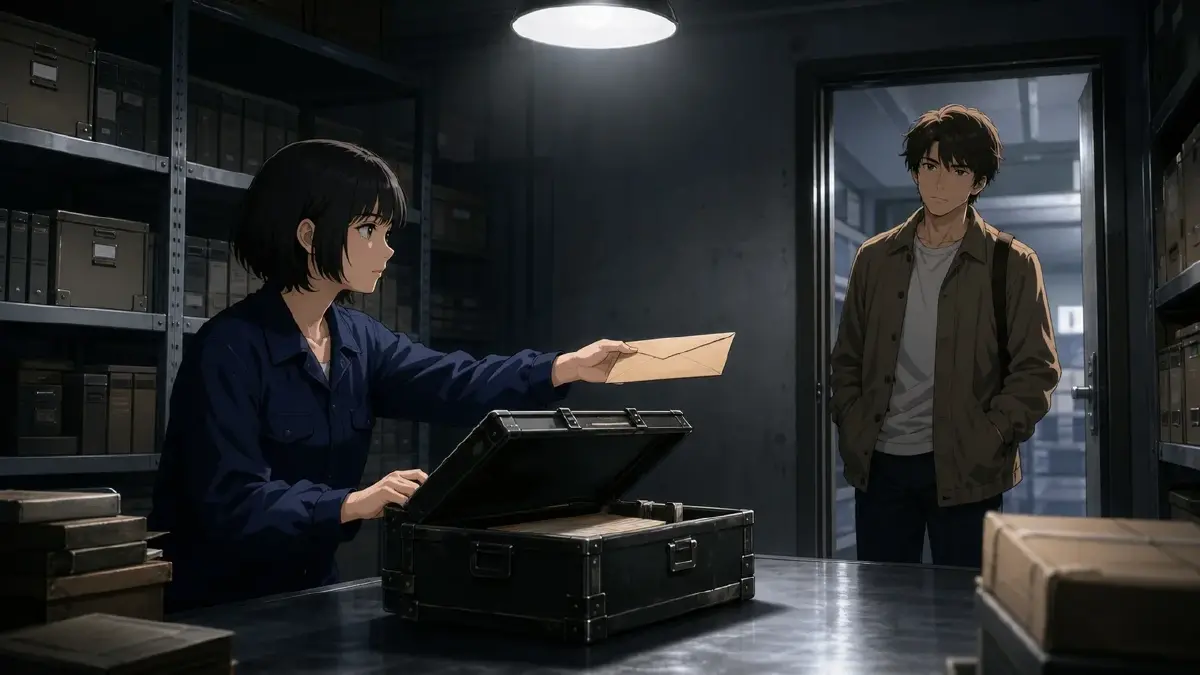
Shot A — Hesitation: Show the protagonist holding both options physically or spatially. For Yuna, frame the evidence envelope, the archive case and the departing reporter so both options are understandable. The framing keeps both objects in frame. The viewer reads the cost before she speaks.
Shot B — Decision: A single action crosses the line. She moves toward one option. The action is unambiguous. This is the action that commits the character to the selected consequence.
Shot C — Consequence: The immediate physical result of the choice — not her emotional processing, but the thing that changed in the world. The door closes. The file lands on the table. The reporter carries the evidence away. A changed face alone may not prove the consequence; show the resulting possession or access.
Referencing the same character asset gives all three shots a shared identity source, though each result still needs review. The asset carries identity; the shot description carries what is different here.
The examples use the fictional drama Signal Loss. Yuna works in a station archive; the choice concerns an evidence envelope, not a screen upload. Create @Yuna, @Reporter and @Mentor as character assets, @Archive Room as a scene asset, and @Evidence Envelope and @Archive Case as prop assets in My Assets. Upload references to Library and Bind them as Main image or Reference image as appropriate. The examples and illustrations are proposed staging, not recorded product tests. Establish why the reporter is leaving and why returning the envelope to the case loses this opportunity before these three shots.
Shot A — Hesitation:
Medium shot in @Archive Room. @Yuna draws @Evidence Envelope halfway toward the open @Archive Case, stopping short of placing it inside. Keep the waiting @Reporter's open hand visible near the doorway at the opposite side of the frame. The case and the offered hand represent the two established options. Camera stays still at desk height. Cool overhead light, no screen or readable document text. Finish on the halted movement without adding a handoff.
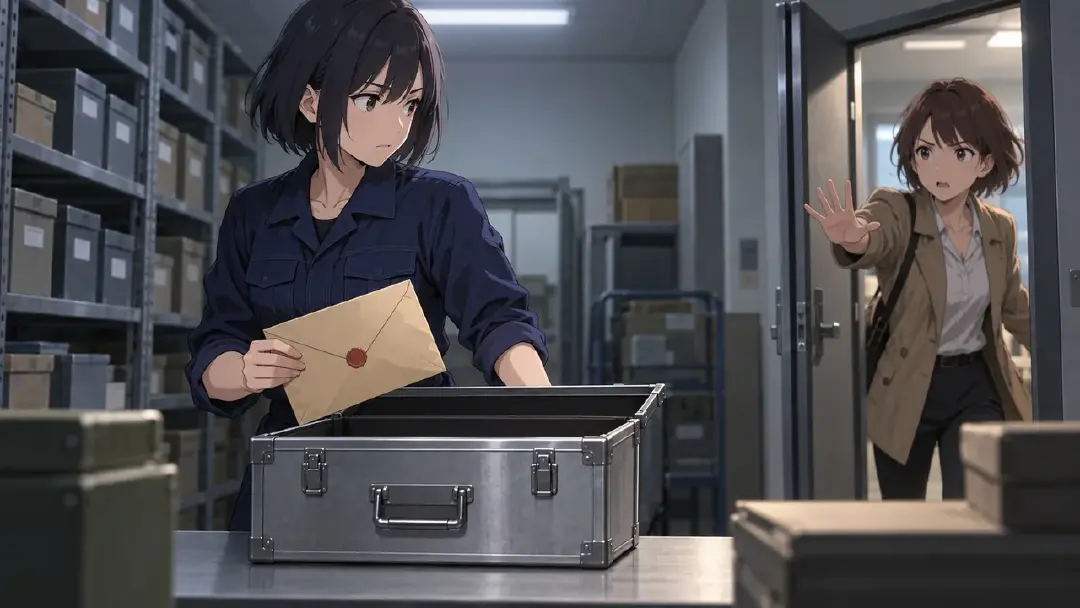
Shot B — Decision:
Close shot at the threshold of @Archive Room. @Yuna places @Evidence Envelope into @Reporter's waiting hand. Keep the envelope and both hands in clear view until Yuna has released it; this transfer is the only action. The open @Archive Case remains in the soft background, unused. Level camera, consistent cool overhead light, no focus pull or new person entering. End with the reporter visibly supporting the envelope while Yuna's hand is empty.

Shot C — Consequence:
Wide shot in @Archive Room, using the doorway direction established earlier. @Reporter walks out carrying @Evidence Envelope, keeping it visible beside the body. @Yuna remains at the desk with an empty hand; @Mentor is already standing at the far side of the room, watching without moving. The open @Archive Case stays on the desk. Camera holds steady under the same cool light. No monitor alerts or dialogue explain the outcome: the evidence leaves with its new holder.
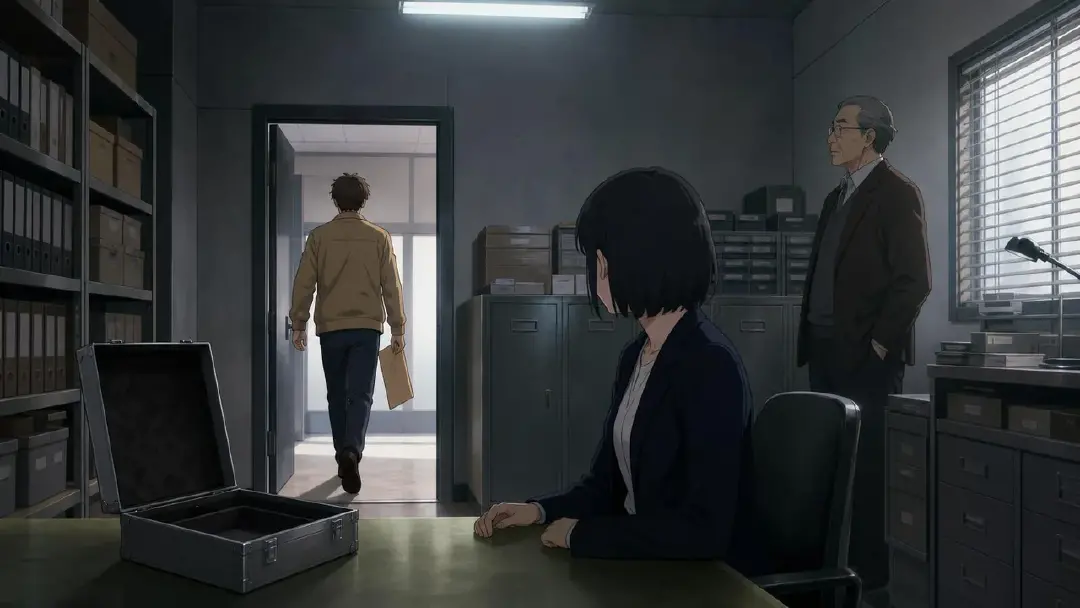
After generating these shots, review them in sequence. Ask whether Shot C proves the event required Shot B. If the reporter has the envelope despite Yuna never transferring it, the causal connection is missing. Check the actual change of possession; making the sequence deliberately unreadable is not the goal.
Generate and check the three-shot sequence
Once the shot descriptions are ready, generate the images first to confirm framing, prop ownership and identity. Seedance 2.0-series or Kling O3-series video generation requires assets to exist first; their presence is a prerequisite, not a guarantee that every frame will match.
Check that the first image makes the alternatives visible, the second supports a clear transfer and the third preserves the new holder. After the stills work, use the AI Chat Panel for a request such as Generate videos for Shots 1, 2, and 3. Arrange the results in Edit and verify that the handoff occurs before the reporter's departure. If a shot changes hands or loses the envelope, revise that shot instead of redesigning Yuna.
What to Inspect When the Scene Still Feels Passive
If you run this process and the scene still feels like the protagonist is a bystander, check these three things.
The cost disappears without explanation. A reversible choice can still matter if reversal has a visible price. Check that the next shot does not silently restore the lost opportunity or erase the changed relationship.
The decision belongs to someone else. Check whether another character would complete the same action regardless of Yuna's choice. The lead can cause an event through a request or refusal too; this example uses a physical handoff because ownership is easy to inspect.
The intended change has no visible evidence. Internal stakes can matter, but a viewer needs a performance or later action through which to understand them. External consequences — another character's knowledge, a document that now exists in the world, a door that is now open or closed — make the choice visible without dialogue.
Fix the weakest of these three first. You usually do not need to change all three at once.
Open your project at /creative/worlds, go to the episode where your protagonist goes quiet, and run the counterfactual test on the first passive scene you find. You do not need to rebuild the whole episode. Identify one moment, write the two mutually exclusive options, and stage the three shots. Check what changes because of that choice before expanding the rest of the episode.
FAQ
My protagonist does make a choice, but it always feels obvious. How do I raise the cost?
The choice feels obvious when both options have different values but only one has a cost. Give both options a reason the character might value them, then show what choosing one makes harder. A clear decision need not be morally balanced or permanently destructive.
Do I need to create new assets for the consequence shot, or can I reuse the same scene asset?
You can reuse the same scene asset. The change in Shot C comes from a new element in the shot description — an open door, a figure entering, a monitor state — not from a different background. Add a prop asset for the specific object if it needs to appear consistently across shots.
The AI Chat Panel generates Shot B with the wrong character action. What should I change?
Make the action more specific and more physical. "She decides" produces weak output. "She places the evidence envelope into the reporter's hand" specifies an observable action to review. Reduce to one body part and one motion per shot description, and ensure the @character asset is referenced so the model knows whose hand it is.
This article covers one scene. Where do I learn about designing the full character arc across an episode?
See How to Make Change Visible on a Character for arc planning across a whole episode — want, resistance, choice, and reveal mapped onto posture, palette, and camera distance.