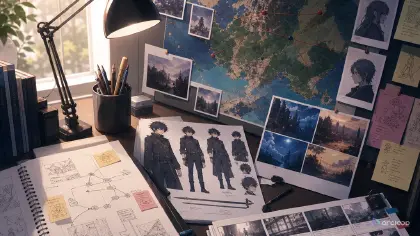

When a Series Starts Forgetting Itself
The first three clips worked. Your original kitchen-witch series had a clear heroine, a tiny ramen shop, a talking order bell, and a warm night-market mood. By episode six, the bell has changed shape twice, the heroine's apron logo became random symbols, the rival's hair color drifted, and a retired side character walks into the background because an old prompt still mentioned him. None of these errors feels huge alone. Together, they make the series look like disconnected experiments instead of one IP. This guide shows you how to keep a long-running original IP consistent, step by step.
Long-term IP management is the creative system that prevents that drift. It is not only folders and filenames. It is the habit of deciding what is canon, what is reusable, what is retired, what can change by episode, and what must be reviewed before a shot becomes final. For AI anime creators, this matters because generation makes variation cheap. Cheap variation is useful only when the project knows which variation belongs to the world.
This guide shows how to manage a long-running original IP inside ArcLoop by building each recurring character, prop, and location as an asset in My Assets, then pulling them into every new shot with an @ reference instead of redescribing them. Use character profile fields to set up the production loop, and OC Character Asset Front Turnaround to lock a recurring character. Keep approved assets beside each new shot in ArcLoop Worlds.
The point is simple: every new clip should inherit the right decisions without dragging old mistakes forward. A good IP system makes reuse faster and rejection easier.
Rules for Keeping Canon Intact
Define canon as visible evidence. A note that says "main outfit" is weaker than an approved character asset showing the outfit from front and side. A world rule that says "retro-fantasy ramen district" is weaker than a Visual reference showing signs, stall shapes, utensil props, night colors, and background crowd limits.
Separate reusable assets from one-shot choices. A hairstyle, main prop, signature gesture, voice rhythm, palette, and location rule may belong in the My Assets. A broken umbrella used in episode two may belong only in that episode's shots. Not every successful detail deserves permanent status.
Write retirement notes. Creators often forget that removing a prop or costume is a decision too. If the first-season bell design is retired, say so. If a festival outfit is event-only, say so. This prevents older prompts from resurrecting assets that should stay gone.
Track changes by reason, not by panic. "Changed bracelet from blue to red because it reads better against the green apron" is useful. "New version better" is not. A future creator should understand what problem the change solved.
Keep the review order stable. Check identity, canon, episode continuity, story readability, then polish. If a take is beautiful but breaks canon, it is still a draft.
Give side stories boundaries. A spinoff can explore new locations or side characters, but it should state which rules remain fixed. Otherwise the side story quietly becomes a second canon and confuses the main project.
How to Run the IP Management Workflow
Start with the character asset. For each recurring character, define face shape, hairstyle, palette, outfit silhouette, signature prop, gesture habit, and speaking rhythm if voice is part of the project.
Create a scene asset for recurring locations, material style, lighting habits, technology or magic limits, signage rules, background crowd rules, and objects that should never appear.
Build an asset library with simple status notes: canon, reusable, episode-only, experimental, retired, and rejected. Then write a reuse rule for each asset. A main character asset may appear every episode; a damaged apron may appear only after episode four; a festival palette may be holiday-only.
Use shot cards for each new clip. Name the episode goal, canon assets, flexible choices, camera, duration, continuity checks, and reject criteria. After approval, log useful changes with reasons. Before publishing, open the approved assets beside the selected take and confirm the output still belongs to the IP.
One World, One Asset Library
Use one ArcLoop IP Project as the series home base. Keep the recurring elements in My Assets — characters, scenes, props, and visual references — so they carry an identity the Agent remembers. Each episode then gets its own Story Outline and Storyboard, built from shots that reference those same assets with @, so nothing has to be redescribed from scratch.
This also protects cost. Without an asset library, creators regenerate the same character asset, prop asset, or location angle because they cannot find the approved one. Use OC Character Asset Front Turnaround when identity is unstable, then move into character profile fields for episode planning.
When a shot fails, repair the layer that failed. If the character is right but the prop is retired, fix the prop note. If the location is right but the costume is wrong, repair the costume anchor. Fewer changed layers means less canon drift.
Put this into practice the next time a character crosses into episode two. Open your IP Project, go to My Assets, and build the character once: name it, then Bind a Main image and one or two Reference images that show the details you need to keep — the outfit, the prop, the hairstyle. Do the same for a recurring location as a scene asset the first time it appears.
From then on, open each new Episode and click Generate Shots to get a first pass of shot cards. Inside a shot card, type @ and pick the character or scene you already built, then write only what's new for that shot: the action, the camera angle, the light. You are not retyping her face or her outfit — that is already in the asset.
Generate the image first and check it against the asset before you spend a video generation on it. If a prop earns its place across three or four episodes — like a spoon that keeps coming back — build it as its own prop asset in My Assets instead of leaving it buried in old shot descriptions, so later shots pull the same object on purpose.
Once shots come back clean, batch the video pass from the AI Chat Panel — "Generate videos for Shots 1, 2, and 3." — then pull the results into Edit to place them on the timeline and swap out anything that drifted.
Example 1: Character Asset for a Kitchen-Witch Series
Medium shot of Liora behind the counter of her ramen stall in the night market, elevated train tracks overhead. She wears a cream apron over a pine-green work dress, red cord bracelets, glasses, and a tiny brass order bell tied at her waist; her dark auburn hair is in two low braids, her eyes honey-brown. She wipes steam from her glasses with the back of her wrist, warm and a little stubborn in her posture. Camera holds steady at eye level, framing her from the waist up so the apron and bell stay clearly visible. Lighting: warm amber lantern glow, muted violet night shadows, steam drifting past copper pots. Clean cel-shaded anime. No readable text, no logos, no photorealism.
This prompt builds a reusable asset. It records canon, flexible pieces, and retired details before the series creates more episodes.
Example 2: Episode Shot Using Canon Rules
Medium three-quarter shot of @Liora at her ramen stall counter, framed from the customer's side so her hands stay in view. A cracked porcelain soup spoon, left behind by a regular customer, sits on the counter. Liora picks it up with a folded cloth, her eyes lifting toward the alley as the brass order bell at her waist trembles once. Camera stays stable, no movement. Lighting: warm amber stall light, copper pots and steam vents behind her, muted violet night shadows beyond the rain covers. Sound: the bell's faint chime under quiet market noise. The spoon is plain white porcelain with a hairline crack and stays clearly distinct from the brass bell.
The prompt uses canon without freezing the story. The cracked spoon can be tested as an episode asset before it joins the library.
Example 3: Controlled Canon Update Pass
Close-up of the cracked porcelain soup spoon resting in the open palm of @Liora at the ramen stall counter, camera angled slightly down so the spoon's scale reads against her hand and red cord bracelet. The hairline crack runs across the white porcelain like a small river fork. Liora tilts the spoon under the lantern light so the crack catches a warm amber glow, copper pots soft-focused behind her. Sound: a faint bell-like tone rings once as the light hits the crack. Keep the warm market palette; no readable text or logos in frame; the brass order bell at her waist stays unchanged.
This prompt shows long-term IP management in action: a successful episode detail becomes reusable with limits, not by accident.
The Most Common Drift Points
The first mistake is treating every good take as canon. A beautiful alternate outfit, prop, or background may work once and still be wrong for the main library. Give it a status before it spreads.
The second mistake is keeping old prompts without status notes. If a retired prop remains in a reusable prompt, it will come back. Mark retired assets clearly and remove them from the shot descriptions you reuse.
The third mistake is writing lore that cannot be reviewed visually. Long backstory may be useful elsewhere, but generation needs visible anchors: outfit, prop, palette, location, gesture, camera, and reject rules.
The fourth mistake is changing several canon elements at once. If hair, outfit, prop, and lighting all change in the same update, you cannot tell which change improved continuity. Promote one useful change at a time.
The fifth mistake is letting spinoffs rewrite the main series. A side story should name which canon rules remain fixed and which rules are allowed to vary. Otherwise it becomes a continuity leak.
Finally, do not delay asset cleanup until the project is "bigger." Small IPs drift quickly. Three clips are enough to justify a character asset and a retirement note.
FAQ
What should go into a character asset?
Use visible anchors: face shape, hairstyle, outfit silhouette, palette, signature prop, gesture habit, location rule, and review criteria. Keep long lore separate unless it changes what appears on screen.
How do I decide whether an asset is reusable or episode-only?
Ask whether the detail supports the series beyond one shot. If it explains recurring behavior, visual identity, or world logic, make it reusable with limits. If it only solves one scene, keep it episode-only.
How often should I update the My Assets?
Update it after approvals, not after every draft. Promote useful changes, retire confusing ones, and log the reason. Too many live changes make the library harder to trust.
How do I keep multiple episodes consistent?
Build the recurring characters, scenes, and props once as assets in My Assets, then reference them with @ in every new episode's shots. Because the Agent pulls the same asset each time, a new episode inherits the approved identity instead of starting from a blank, re-typed description.
What is the easiest way to prevent canon drift?
Use status notes and reject rules. Mark assets as canon, reusable, episode-only, experimental, retired, or rejected. Then review each final take against those labels before publishing.