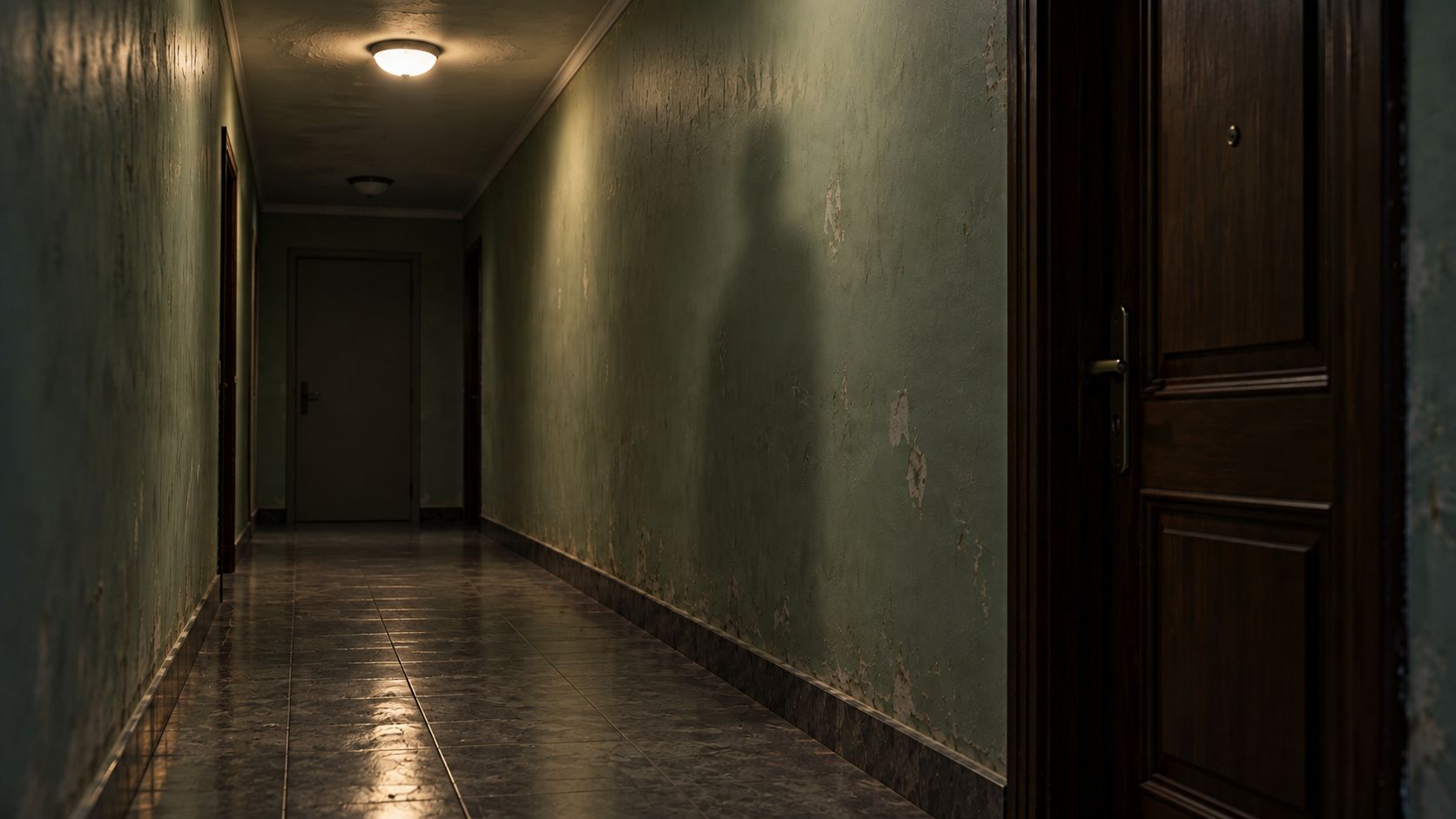
An empty hallway becomes unsettling when something changes that should not. This guide plans a 15 second AI horror short film in Arcloop: a light goes out, footsteps approach, and a human shadow arrives without its owner. The reference image and prompts are ready to use. This is a production recipe, not a report of a completed video test.
The Halloween angle is a reason to make the film now, not a reason to pack it with pumpkins or familiar movie monsters. One location and one impossible event give the viewer something specific to notice.
How to Make Your AI Horror Scene
Step 1. Give the audience one rule to follow
Keep the camera fixed. The viewer should learn where the door, light, and empty floor are before the anomaly appears. If the walls, lens, and furniture change together, the result looks unstable rather than frightening.
| Time | Picture | Sound |
|---|---|---|
| 0 to 4 seconds | An empty apartment hallway remains still. | Low ventilation noise. |
| 4 to 7 seconds | The far ceiling light goes out once. | A small electrical click. |
| 7 to 11 seconds | A standing person's shadow slowly crosses the right wall. Nobody enters the frame. | Three approaching footsteps. |
| 11 to 15 seconds | The shadow stops beside the near doorway. The floor stays empty. | Footsteps stop. Hold the quiet. |
These windows describe the intended rhythm, not frame accurate controls. The final hold matters: give the viewer time to check the empty floor.
Step 2. Prepare the hallway reference
Use the opening frame below to define perspective, door positions, and light direction. Do not put the shadow into this image. It needs to be a visible change in the video, not an object already present at the start.
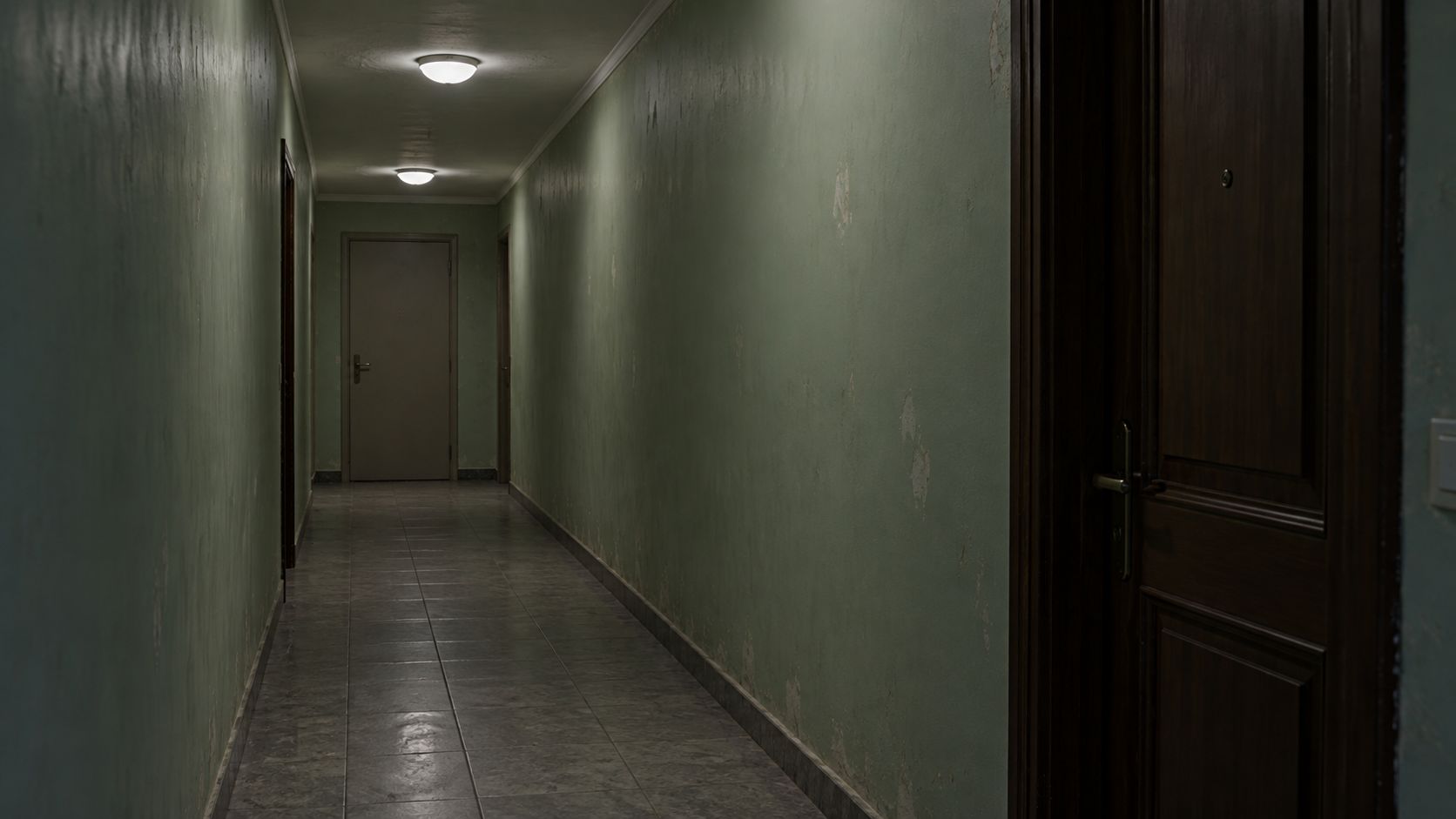
This starting reference was prepared with the built in image generation tool outside Arcloop. It is not a video frame or an actual location record.
Reference image prompt
Use case: photorealistic-natural. Create one realistic 16:9 photographic opening frame of an empty, narrow apartment hallway at night. Pale desaturated green walls, a dark wooden doorway close to the camera on the right, a plain closed door at the far end, continuous gray tile floor, two simple ceiling lights with believable falloff. Fixed eye level camera from one end, clear perspective and readable floor space. Restrained cool color, modest practical illumination, real paint wear and tile texture. Quiet, ordinary, slightly uneasy, not an abandoned asylum. No people, human silhouettes, human shadows, monsters, blood, signage, logos, text, timestamps, screen UI, watermark, illustration, animation, or CGI. Keep the near right wall available for a shadow to arrive later. This is a fictional location reference, not a CCTV record.
Check the image before animating it. Reject duplicate door handles, warped skirting boards, unreadable floor boundaries, or a shadow that already suggests a person. A clean starting image makes changes easier to judge.
Step 3. Attach the image and direct the anomaly
Open Arcloop, attach the hallway image, and ask for a video using it as the opening frame. Replace the bracketed label below with the uploaded asset's name or reference mention.
Complete video prompt
Use [HALLWAY IMAGE] as the opening frame for one continuous 15 second photorealistic horror shot, 16:9. Preserve the hallway geometry, doors, gray tile floor, pale green walls, practical lighting and fixed camera throughout. No camera movement or cuts. Begin with an ordinary empty corridor, no human shadow. 0 to 4 seconds: hold the still empty hallway with very quiet ventilation sound. 4 to 7 seconds: only the far ceiling light switches off once with a small electrical click; the near light remains on and the corridor stays readable. 7 to 11 seconds: a human shaped standing shadow slowly enters along the right wall from the far end toward the near doorway. Nobody and no body part enters the corridor; the floor remains empty. Three spaced footsteps approach from offscreen, with believable room reverberation. 11 to 15 seconds: the shadow stops beside the near right doorway. Hold on the empty floor and still shadow; footsteps stop and only faint room tone remains. The impossible missing owner is the single supernatural event. No monster reveal, gore, blood, sudden camera shake, repeated flicker, extra doors, furniture changes, dialogue, music, subtitles, text, timestamps, illustration or animation.
The prompt deliberately leaves the camera still. There is already movement in the light, shadow, and sound. Add camera motion only after those three elements work together.
Step 4. Confirm the model and settings
Use Vidu Q4 Preview, image to video, 15 seconds, 720p, a 16:9 starting image, and generated audio enabled. Arcloop's model guide lists a 3 to 16 second range, image input, and optional generated audio. Image to video follows the starting image's aspect ratio; it does not accept a separate ending frame.
Review the attached image and the displayed credit estimate before confirming. The exact upload labels depend on the current interface. This guide does not claim that the account workflow or the proposed performance has been tested.
Step 5. Review the reveal before adding more effects
Watch once without sound. Can you identify the light change and follow the shadow? Check that doors, walls, and floor remain fixed. Then listen without watching. Three footsteps and a pause should feel different from a constant horror soundtrack.
If the shadow reads as a person entering the corridor, simplify its description and explicitly keep the floor empty. If the ceiling flickers continuously, ask for one light to switch off once. Change one instruction per retry so you know what helped.
Frequently Asked Questions
Do I need a monster or a recognizable horror character?
No. The missing source of the shadow is the threat. An original hallway and an unseen presence keep the exercise focused and avoid borrowing a film character's design.
Can I make the entire film in one generation?
This recipe requests one 15 second clip. It does not guarantee a successful first take or frame accurate timing. A longer film needs additional shots and editing rather than a duration the selected model does not support.
Can I add the sound separately?
Yes. If the generated footsteps do not match the reveal, use audio you created or have permission to use and align it in your editor. External audio editing is separate from generating this clip in Arcloop.
How much will it cost?
Check the estimate for the selected model, duration, resolution, and audio setting. Each retry is another request. Check current plan information inside Arcloop; this recipe does not promise a fixed credit total.