Why Vague Words Invite New Designs Every Shot
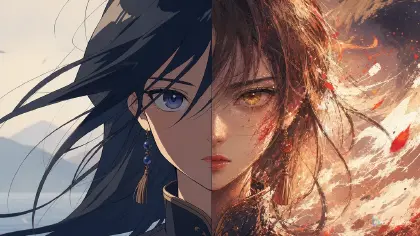
The audience may forgive a stylized world faster than a jacket that changes its mind. Imagine a harbor chase where the heroine starts in a saffron rain cape with black toggles, cuts to a close-up in a pale yellow blazer, then lands in a red hooded coat after the jump. Each frame might look good alone. Together, the scene feels wrong. Viewers notice the wardrobe jump before they notice the prompt that caused it.
Costume continuity across shots is not only a fashion issue. In anime scenes, clothing carries identity, role, class, time, weather, damage, and emotional state. A sleeve tear can prove a fight happened. A school ribbon color can identify a faction. A wet hem can keep a rainy scene honest. When costume shifts randomly, the story loses evidence.
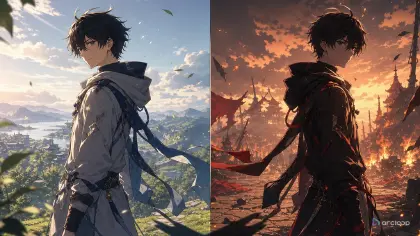
AI anime makes this failure common because descriptive clothing words invite reinterpretation. "Elegant coat," "battle outfit," or "blue uniform" may produce a new design every shot. The fix is to turn the costume into a production asset: silhouette, color, material, fasteners, accessories, damage state, and allowed variation.
This guide shows how to plan costume continuity before generating a sequence. Use Character Sheet References for the approved look, Clothing Folds and Material Prompt Guide for fabric language, and Creative Worlds to keep wardrobe rules attached to the scene.
Rules for Locking Costume Colour
Costume is a character anchor. Hair and face matter, but viewers also recognize a character by jacket length, collar shape, sleeve volume, trim pattern, shoe silhouette, and signature accessory. Treat those as identity, not surface detail.
Color needs names and locations. "Blue outfit" is weak. "Ink-blue cropped sailor jacket, white sleeve cuffs, copper buttons, red waist cord" is stronger because every color has a place to stay.
Silhouette survives camera changes better than tiny decoration. A long cape, short bomber jacket, puff sleeve, asymmetrical skirt, high collar, or rectangular shoulder plate is readable from multiple angles. Start there.
Material affects motion. Wool, lacquered armor, nylon rainwear, silk ribbon, cotton apron, and leather gloves should fold and shine differently. Material notes keep the costume from becoming a new fabric each shot.
Track story state separately from design. Clean, wet, torn, dusty, scorched, patched, ceremonial, and disguised are state rules. They may change during the scene, but only when the story changes them.
Do not lock everything. A hair strand, loose ribbon tail, cloth flutter, or minor wrinkle can vary naturally. Lock the parts that identify the outfit and let small physics details breathe.
Review wardrobe before face polish. A perfect expression in the wrong outfit is hard to edit into a scene. Confirm costume identity, then chase beauty.
How to Build Costume Continuity Before You Generate
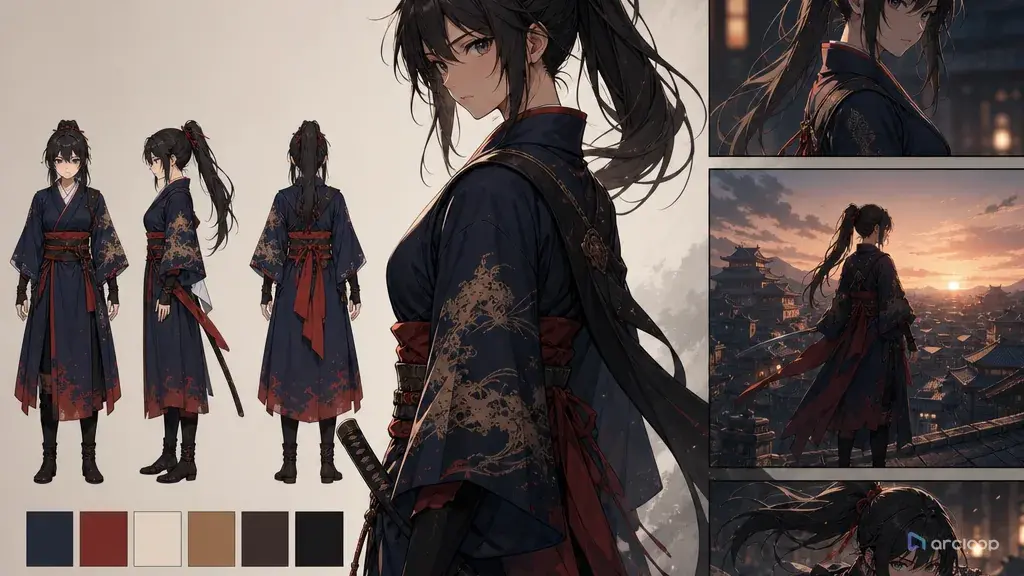
Start with one approved wardrobe reference. Include front view, side or three-quarter view, color swatches, material notes, and named accessories. If you cannot draw it, write it as a structured list.
Separate fixed anchors from flexible details. Fixed anchors might be "short maroon flight jacket, ivory scarf, brass wing pin, dark teal trousers." Flexible details might be scarf flutter, small wrinkles, dust, and wind movement.
Name the costume state at the start of the scene. Clean uniform, rain-wet coat, battle-damaged sleeve, festival disguise, or work apron with flour stains all create different continuity requirements.
Define when change is allowed. If the character removes gloves in shot four, mark that as a deliberate state change. If the cape becomes torn after the fall, mark the shot where it happens.
Write every shot prompt from the wardrobe reference. Repeat only the important anchors, not the full fashion essay. The same concise anchor line should appear in every shot.
Use inserts for important changes. A sleeve tearing, badge being pinned, jacket being zipped, or cape being removed should be shown. If the edit never shows the change, the audience reads it as a mistake.
Review three frames per shot: first, clearest, and last. Costume drift often appears at transitions. Check color, silhouette, accessory position, material, damage state, and whether any new unexplained item appeared.
Repair by isolating the wardrobe layer. If the shot works except for sleeve color, ask for the same composition and action with corrected sleeve color. Do not rebuild the whole prompt unless the design has fully drifted.
Anchor the Costume in the Character Asset
Costume continuity belongs inside the character asset, not scattered across shot prompts. Bind each costume state — daily outfit, uniform, formal wear — as a separate reference image on the same character asset, the way you would for different looks of the same person. Every shot still references that one asset with @; the shot description just says which look this scene needs. That way every scene starts from an approved outfit instead of a new wardrobe guess.
Use Creative Worlds as the project home. Save costume anchors in the character profile, place the costume state on each shot card, and use Character Sheet References when you need a visible reference for front, side, expression, and outfit. For broader production continuity, connect it to Storyboard Continuity for AI Anime Shorts.
The review checklist can be short: silhouette, color placement, collar, sleeves, lower body, shoes, signature accessory, material, damage state, and allowed change. Mark each as pass, minor repair, or regenerate. Minor repair is useful when one color or trim detail drifts. Regenerate is better when the outfit becomes a different costume.
When designing a recurring series, do not create a new costume by accident for every episode. Keep the default outfit, special outfits, disguise outfits, and damaged states as separate named assets. That lets the story change wardrobe deliberately without confusing the production system.
Example 1: Harbor Chase Rain Cape
Create a costume-continuity shot plan for a 20-second AI anime harbor chase.

Original character:
Liora, night harbor courier, sharp gray eyes, short auburn hair tucked behind one ear.

Approved costume asset:
Saffron waterproof rain cape ending at mid-thigh, matte black toggles down the front, dark charcoal leggings, brown ankle boots, small blue enamel fish pin on left shoulder, fingerless black gloves. Material: rain cape is coated fabric with soft water beads, not wool, not blazer fabric, not armor.

Scene state:
Rain-wet from the first shot. No tears until shot 5. Blue fish pin always stays on left shoulder.

Shot jobs:
1. Wide shot running along dock, cape silhouette readable.
2. Close-up checking the blue fish pin signal, pin on left shoulder.
3. Low shot of boots splashing across planks, charcoal leggings visible.
4. Medium shot vaulting over a rope barrier, black toggles visible.
5. Cape hem catches on a nail and tears on the right side only.

Output:
Write five video prompts that preserve costume silhouette, color placement, material, gloves, boots, and pin location. Mark reject conditions for color drift, cape becoming a blazer, missing pin, wrong tear side, or unexplained outfit change.
The costume can become wetter and torn, but only in the planned place. That keeps variation from looking random.
Example 2: Observatory Duel Uniforms
Build an AI anime costume continuity prompt for a duel in a mountain observatory.

Original characters:
Orlen, apprentice star duelist, dark curls, narrow gold glasses.
Safiya, senior orbit scholar, white braided hair, calm expression.

Orlen wardrobe:
Ink-blue cropped uniform jacket, high collar, silver piping along collar and cuffs, ivory shirt, plum sash tied on right hip, black gloves, knee-high dark boots.

Safiya wardrobe:
Long pearl-gray observatory robe, square shoulders, midnight-blue inner sleeves, bronze astrolabe brooch at throat, pale gloves, flat black shoes.

Continuity rule:
Do not merge the two costumes. Orlen keeps the short jacket and plum sash. Safiya keeps the long robe and bronze brooch. The observatory wind may move cloth edges but cannot change color, trim, collar, or accessory owner.

Shot plan:
Wide two-shot on the brass meridian floor line, over-shoulder on Orlen, over-shoulder on Safiya, insert of gloves touching the dueling compass.

Output:
Generate shot prompts and a wardrobe review checklist. Include which costume details must be visible in each shot.
This example prevents the common failure where two characters slowly borrow each other's wardrobe.
Example 3: Bakery Festival Disguise Review
Review costume continuity for a 14-second AI anime festival disguise scene.

Original character:
Edda, royal bakery inspector traveling undercover, round face, copper bob haircut, serious eyes.

Default disguise:
Cream baker's cap with narrow red stripe, pale flour-dusted apron over moss-green dress, rolled sleeves, tan satchel, small wooden tasting spoon tied to satchel strap.

Approved state:
Shot 1 to 3: apron is lightly dusted with flour, cap sits straight, spoon tied to satchel strap.
Shot 4: Edda deliberately removes the baker's cap and holds it in her right hand.
Shot 5: cap remains in right hand; hair is visible but dress, apron, satchel, and spoon stay unchanged.

Task:
Audit generated shots for costume continuity. Reject unexplained cap disappearance before shot 4, apron changing to white chef coat, moss-green dress becoming blue, spoon missing, or satchel switching sides. Provide minimal repair prompts for shots where only dust amount or sleeve wrinkle changes.
This prompt treats disguise as a state machine. The outfit changes only when the shot list says it changes.
Ways Costume Continuity Breaks
The first mistake is describing the costume with mood words only. "Royal," "cute," "practical," and "futuristic" may influence style, but they do not preserve collar, sleeve, color, or accessory.
Another mistake is forgetting lower-body continuity. Cropped frames hide trousers, boots, skirts, and belts until a later wide shot suddenly invents them.
Creators often let weather rewrite clothing. Rain can add wet shine and darker fabric patches; it should not turn a cape into a coat or change a scarf color without story reason.
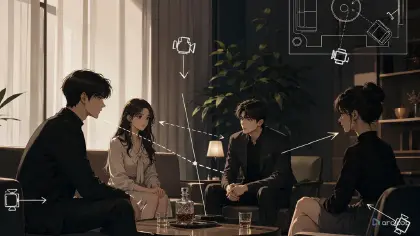
A fourth mistake is combining two characters' wardrobe anchors. In group scenes, each character needs a separate costume card so jackets, pins, and color accents do not migrate.
Some scenes fail because damage appears too early. A torn sleeve, missing glove, or dirty hem should have a cause and a first shot where the state changes.
Finally, do not over-lock natural cloth behavior. Wrinkles and flutter can vary. Identity elements should not.
FAQ
What should a costume continuity card include?
Include silhouette, main colors, color locations, material, collar, sleeves, lower body, shoes, signature accessory, and story state such as clean, wet, torn, or disguised.
How much costume detail should repeat in every prompt?
Repeat the fixed anchors and current state. Do not paste a full costume essay if only five details matter for recognition.
Can costume change during a scene?
Yes, but the change should be visible or clearly motivated. Mark the shot where a coat is removed, a sleeve tears, or a disguise changes.
What is the fastest way to review costume continuity?
Check first frame, clearest frame, and last frame for silhouette, color placement, accessory ownership, and state changes.
How do I stop wardrobe drift between shots?
Bind every costume state to the character asset as a reference image, instead of writing it fresh in each shot prompt. Every shot then pulls the same asset in with @, so each new shot reuses the approved outfit instead of inventing a fresh design.