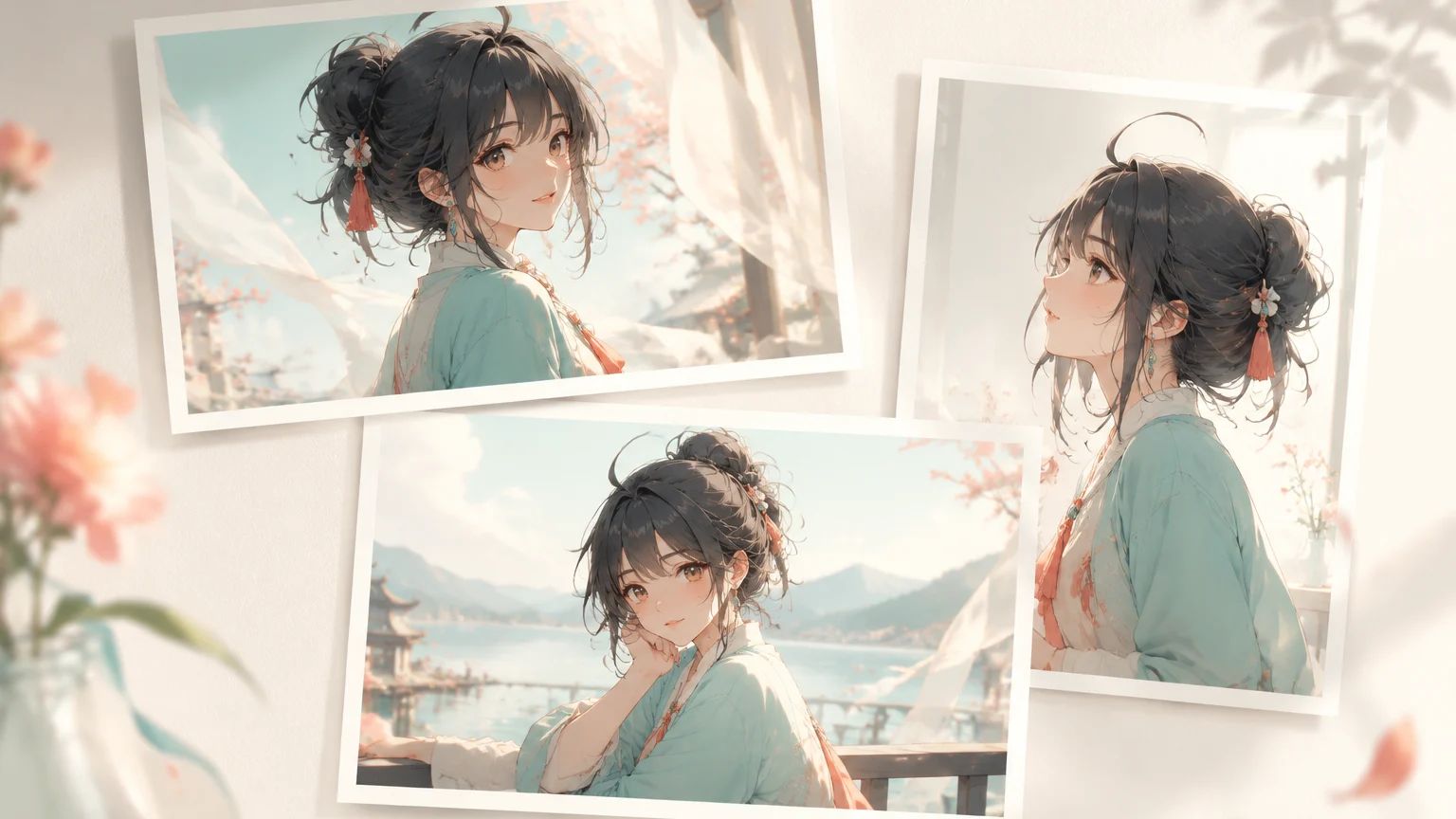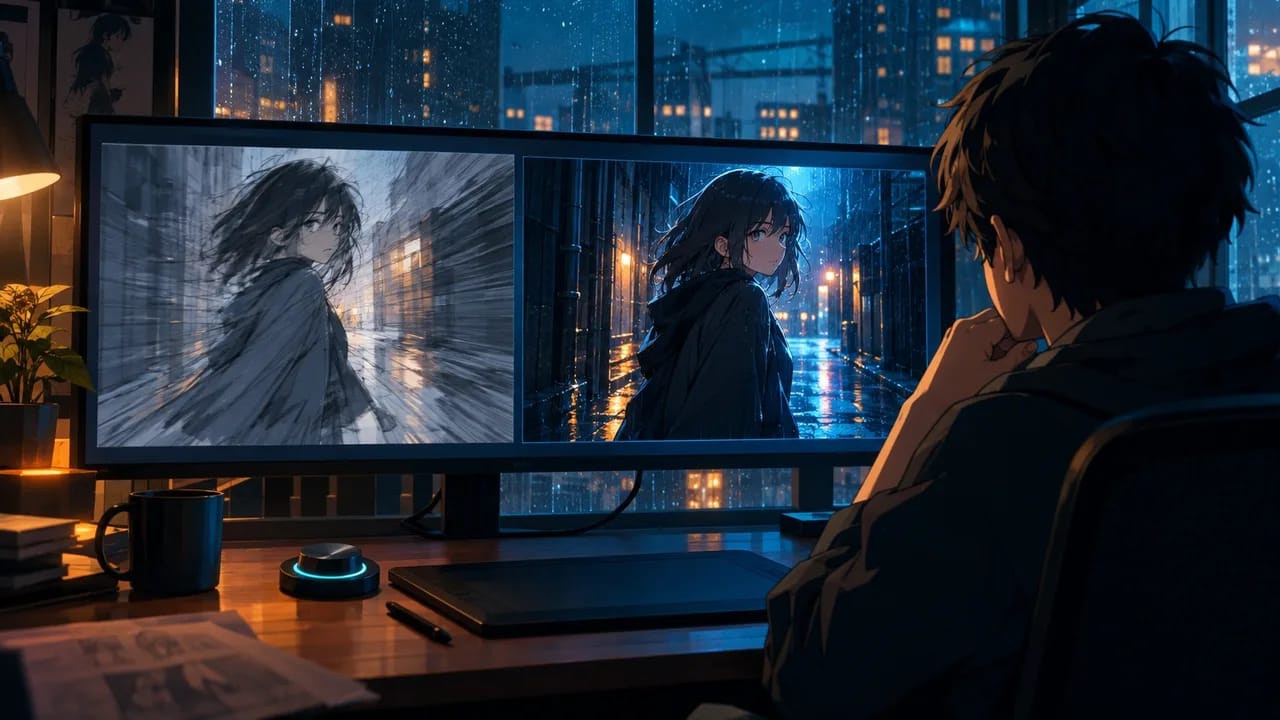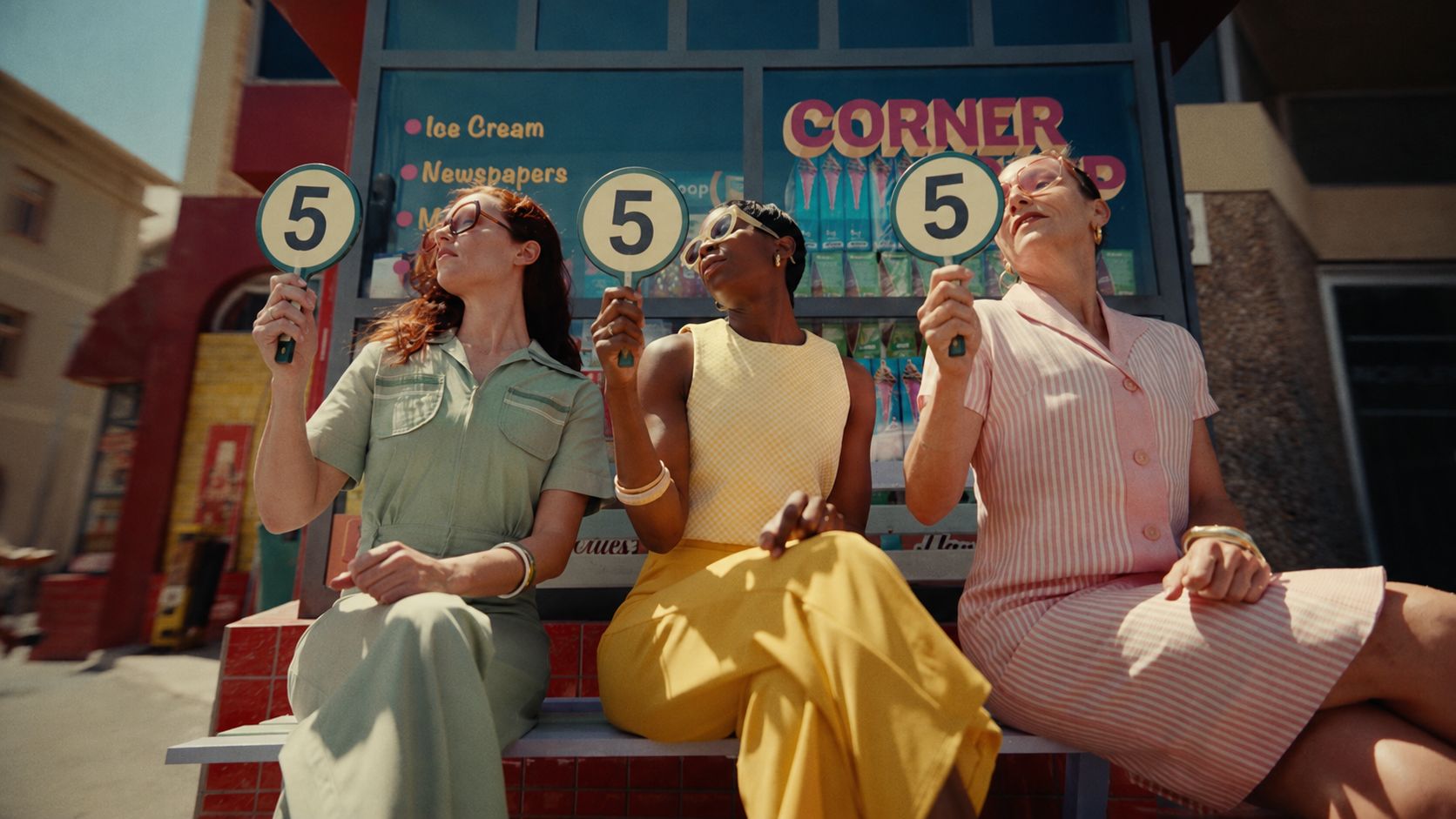
Seedream 5.0 Lite and Seedream 5.0 Pro are built for different stages of image creation.
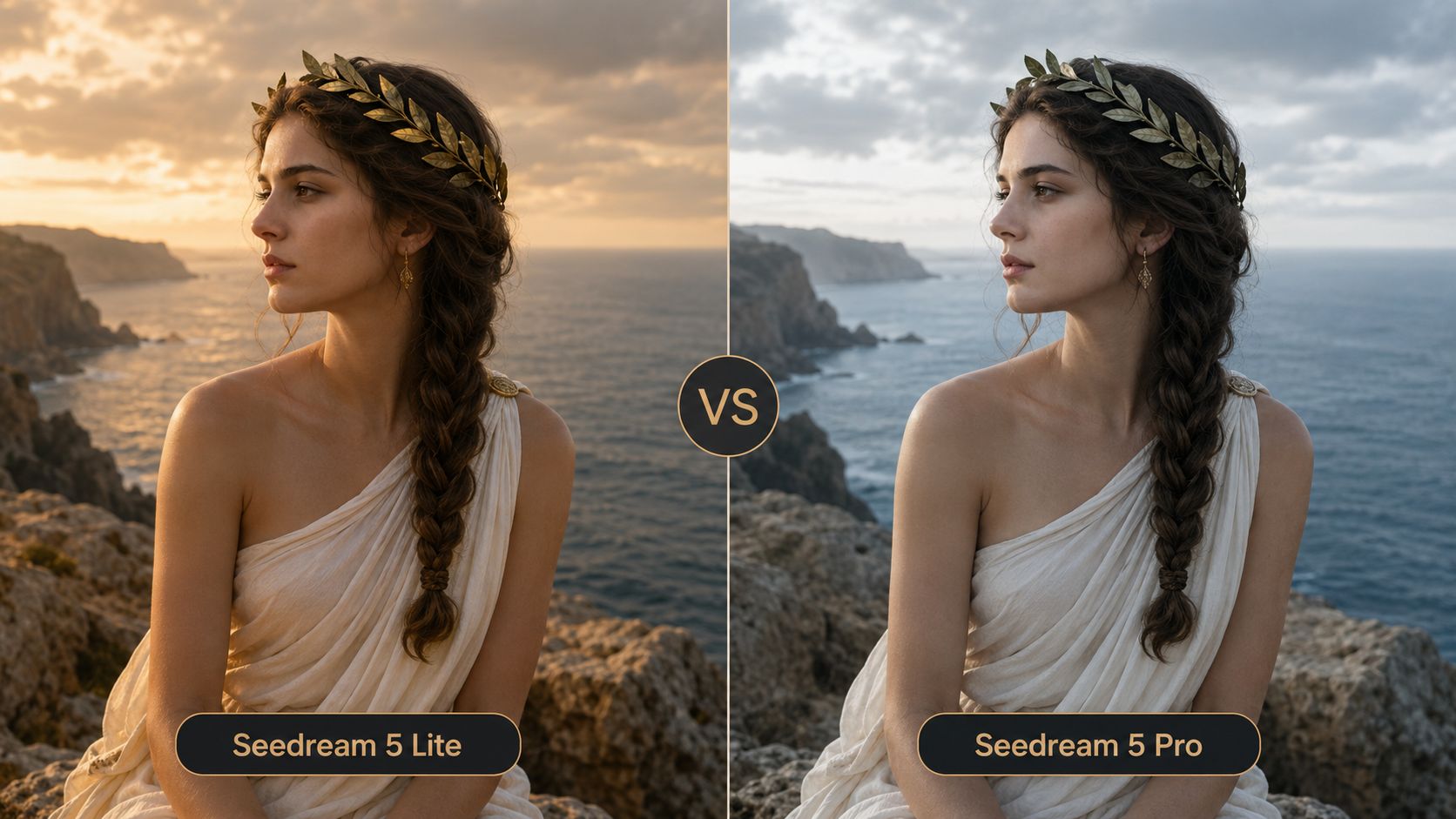
Lite is the more practical option for quick exploration and everyday generation. Pro is designed for tasks that require tighter control, more complex layouts, precise editing, and production-ready output. This comparison will help you decide which model fits your workflow—and when upgrading actually makes sense.
Quick Comparison
| Feature | Seedream 5.0 Lite | Seedream 5.0 Pro |
|---|---|---|
| Resolution | 2K, 3K | 1K, 2K |
| Generation | Text to image, image to image | Text to image, image to image |
| Prompt following | Strong for general creative tasks | Better suited to dense, structured instructions |
| Editing | Natural-language image editing | Spatial annotations and sketch-based guidance |
| Layer separation | N/A | Supported |
| Multilingual design | General text generation | Native multilingual generation |
| Best for | Concepts, storyboards, high-volume creation | Final assets, precise edits, professional design |
Lite focuses on understanding intent, applying world knowledge, and using online search when current information matters. Pro adds more design-oriented controls, including spatial editing, layer separation, dense compositions, and native multilingual text.
Seedream 5.0 Lite vs Pro: Feature Tests
1. Precise Regional Editing
A common editing problem is changing one detail without accidentally changing the face, pose, lighting, or composition.
For this test, the reference image uses circles, arrows, and detail callouts to show exactly where each accessory should be added.
Prompt:
Based on the uploaded image, add black sunglasses to the highlighted eye area and add a red-and-black striped necktie in the highlighted chest area.
Keep the model’s face shape, hairstyle, expression, pose, white tank top, lighting, framing, and clean light-gray background unchanged.
| Seedream 5.0 Lite | Seedream 5.0 Pro |
|---|---|
 |  |
Lite can interpret natural-language editing requests, but Pro is specifically designed to ground edits through points, bounding boxes, arrows, and sketches. That makes Pro more suitable when preserving the original image matters as much as making the change.
2. Multi-Layer Poster Composition
The next test combines several separate references into one coherent pop-art illustration.
This is not only a composition test. It also checks whether the finished design can be separated into elements that remain useful after generation.
Prompt:
Combine the four reference images into one bold 1960s pop-art comic illustration.
Use a four-panel collage with rounded corners on a black background.
Include:
1. A glamorous blonde woman with red lips and halftone skin
2. A colorful retro American diner with a jukebox and checkerboard floor
3. A blue comic-book burst background
4. A red soda can labeled “POP!” with lipstick and black sunglasses
Use the final large panel to combine the woman, diner, soda can, lipstick, and sunglasses into one complete scene.
Keep the thick black outlines, Ben-Day dots, saturated primary colors, and vintage advertising style consistent across every panel.
Separate the woman, diner background, product objects, comic effects, and panel frames into editable layers.
| Seedream 5.0 Lite | Seedream 5.0 Pro |
|---|---|
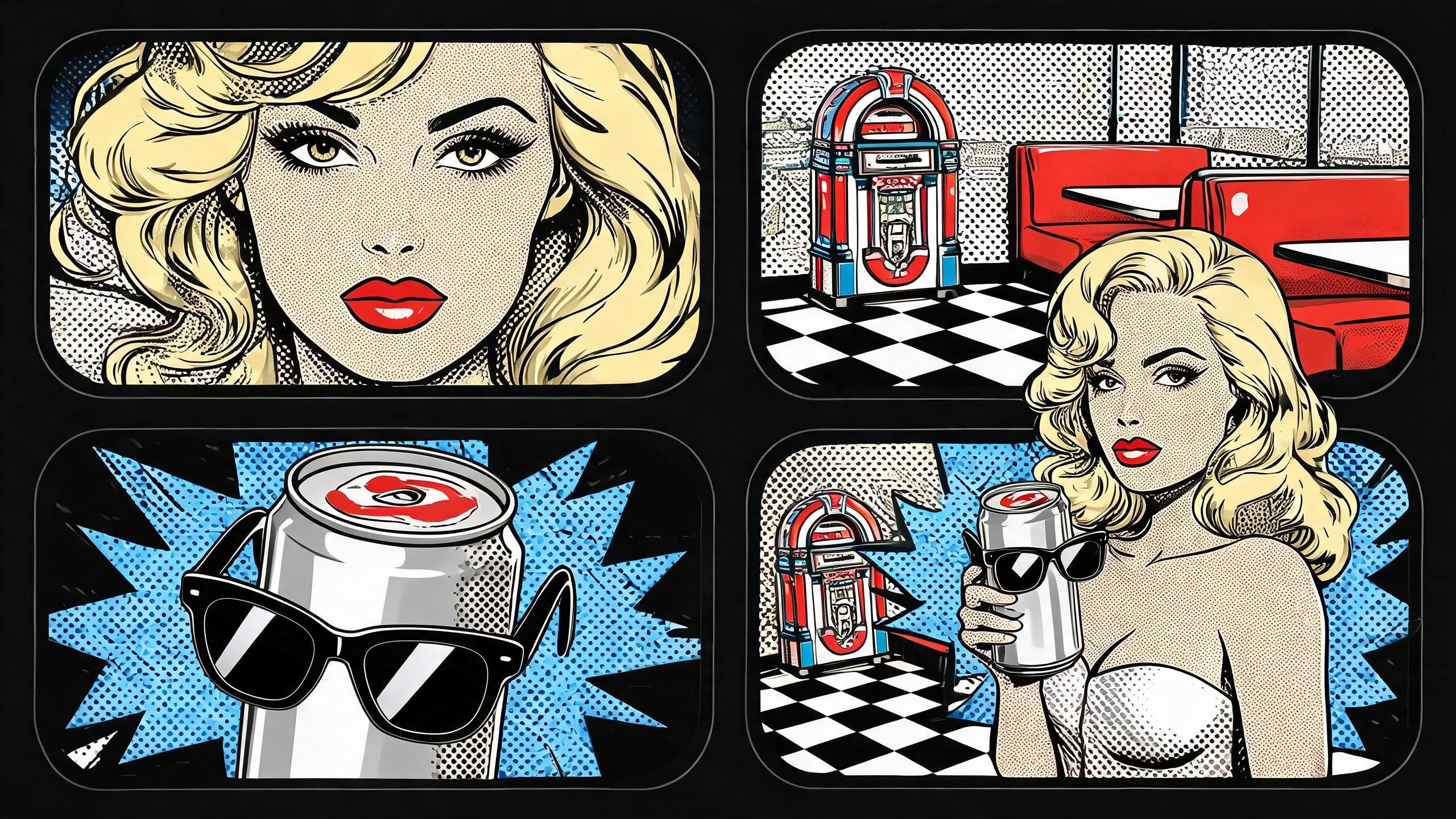 | 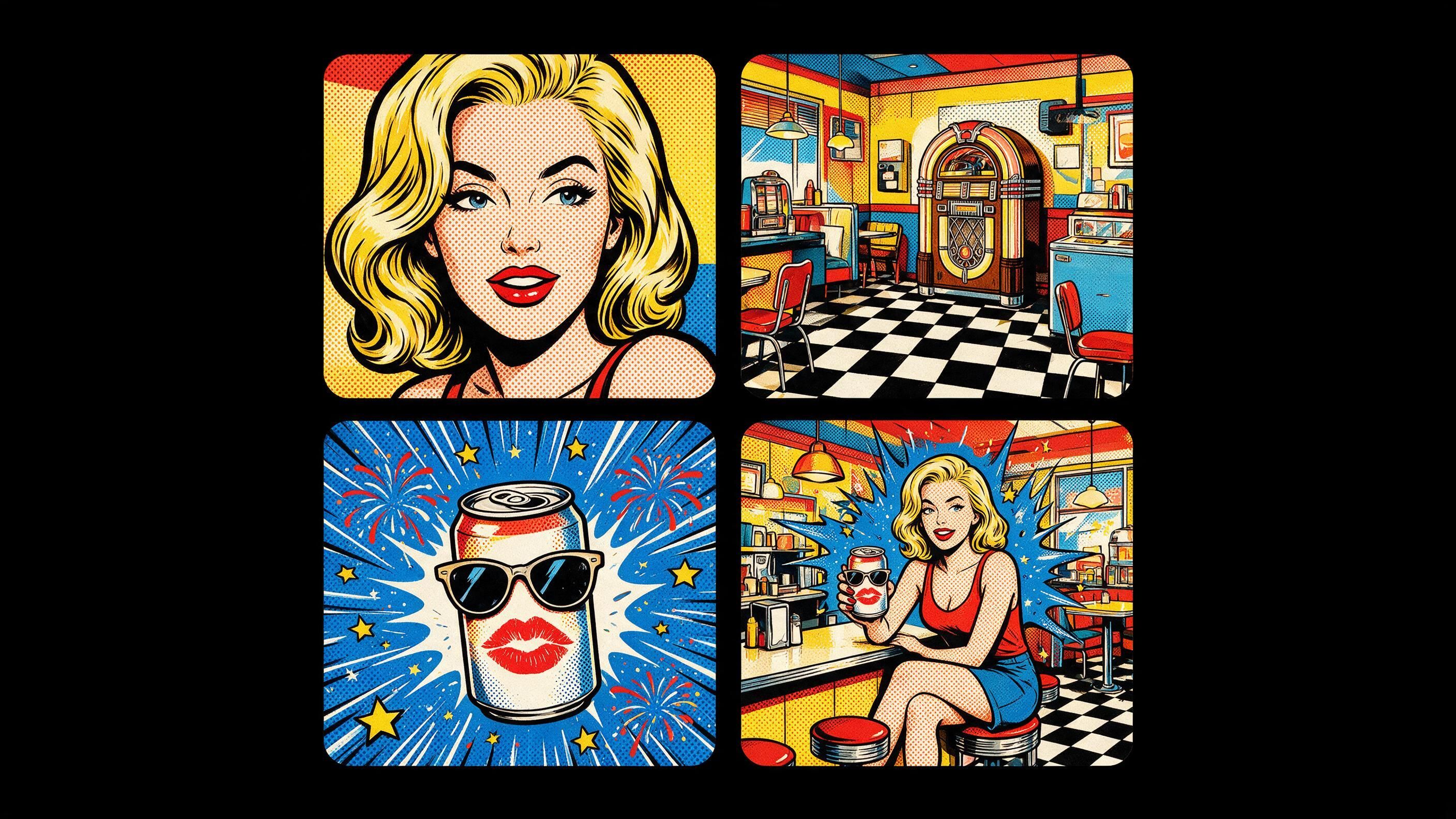 |
Pro can separate elements such as the subject, headline, product, and background into independent layers. Those elements can then be repositioned or edited without regenerating the entire composition.
3. High-Density Infographic Layout
Dense diagrams are difficult because the model must manage one central subject, multiple callouts, small labels, charts, and a clear reading order at the same time.
For this test, the subject is a magical girl wand presented like a scientific research poster.
Prompt:
Create a scientific journal-style exploded infographic poster showing the construction of a magical girl wand.
Place the wand in the center as a detailed technical cutaway and exploded assembly diagram.
Label the main components:
- Crystal energy core
- Star-shaped transformation gem
- Heart-shaped guard
- Ribbon-wrapped grip
- Light conduit
- Charm compartment
- Transformation emitter
- Rotating energy ring
Surround the central diagram with numbered research sections containing material notes, energy-flow diagrams, magical waveform charts, component close-ups, performance tests, safety annotations, and small microscopy-style texture panels.
Use a clean white background with precise editorial spacing. Add restrained pastel pink, gold, and iridescent accents.
The design should feel like a polished academic journal poster: highly detailed, information-dense, readable, and technically structured. 16:9.
| Seedream 5.0 Lite | Seedream 5.0 Pro |
|---|---|
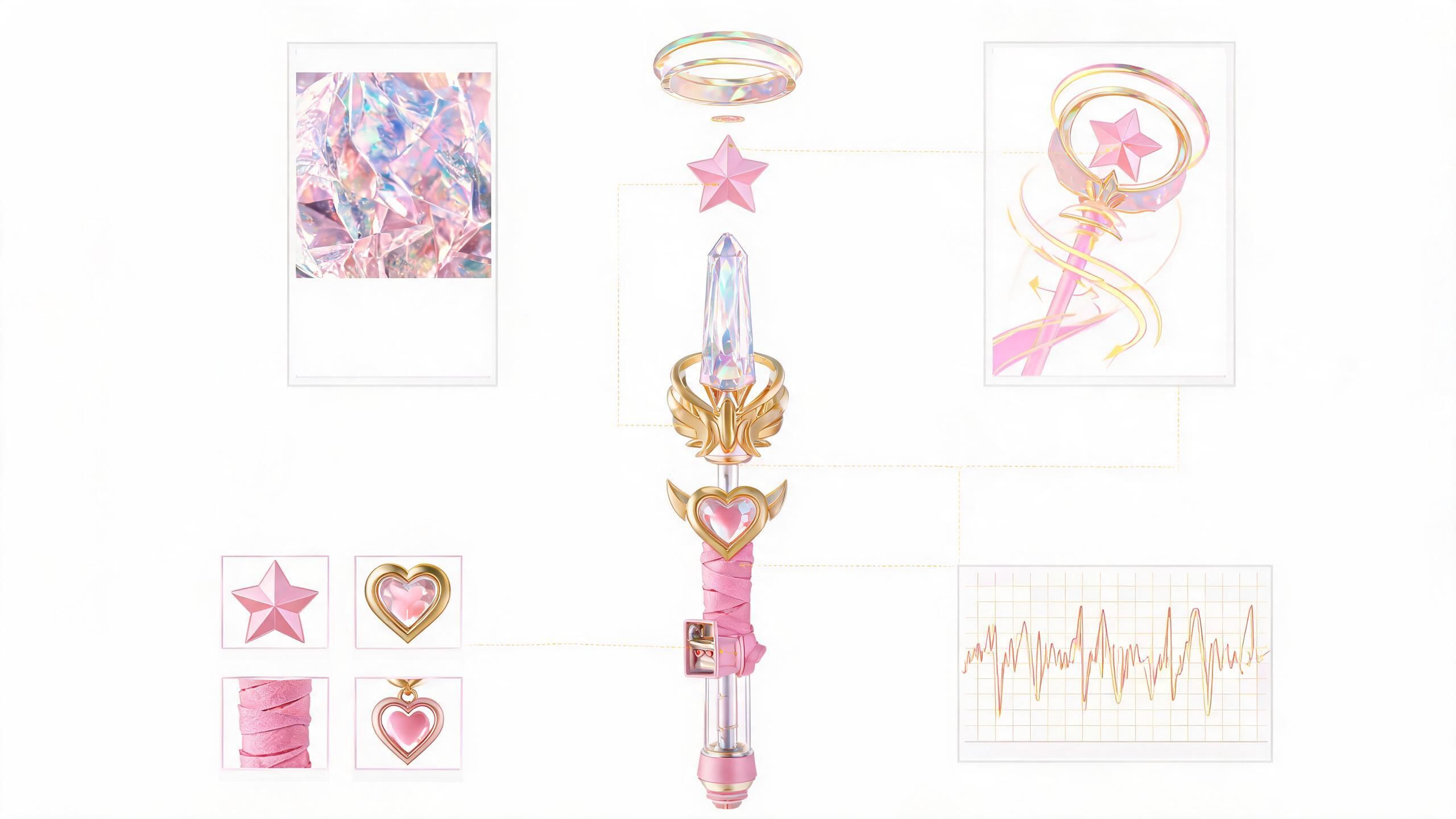 | 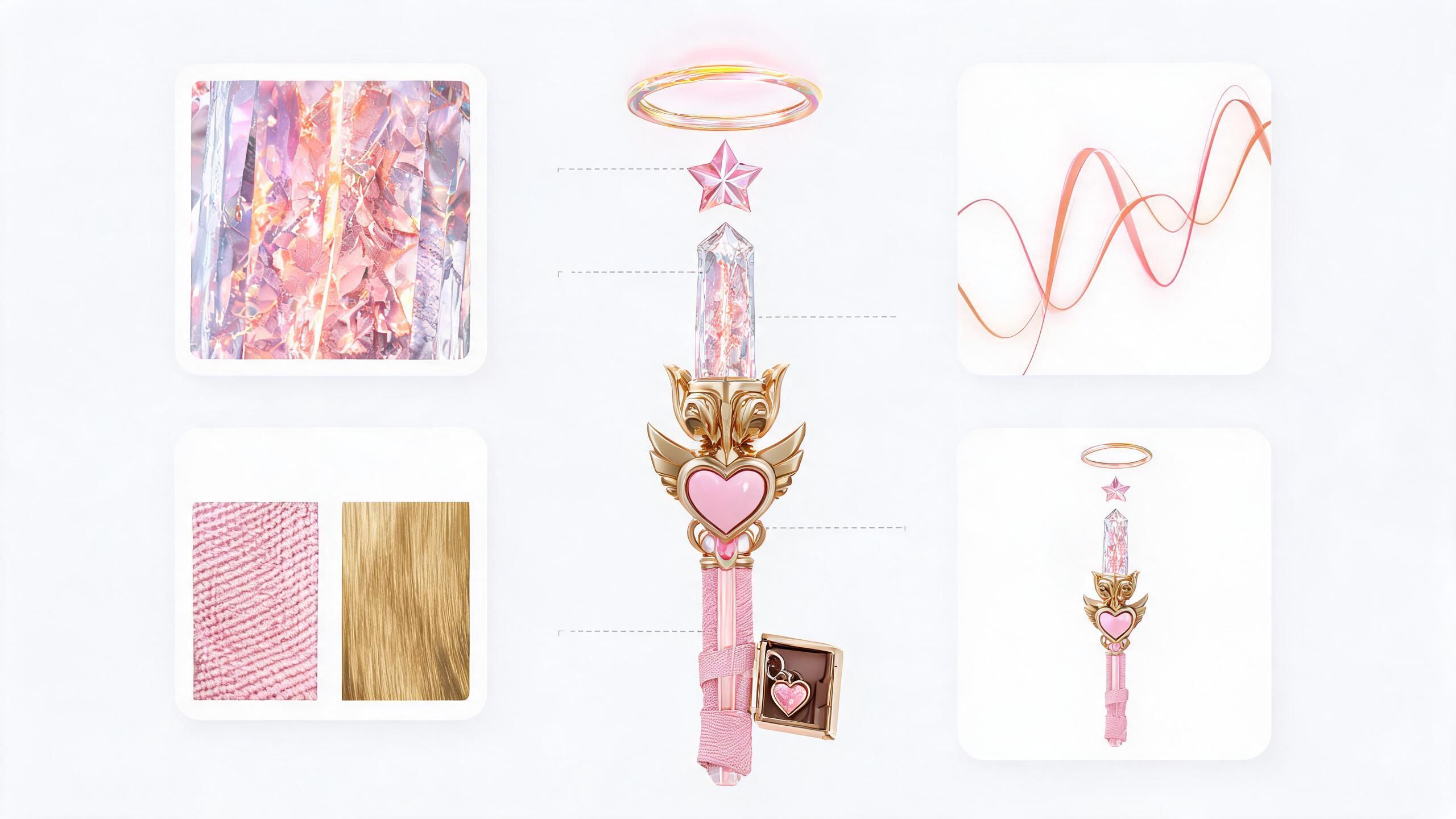 |
Lite already has strong information-visualization capabilities supported by reasoning and world knowledge. Pro is positioned for layouts where the information structure itself is the main deliverable, including infographics, diagrams, charts, posters, and slides.
4. Campaign Text
The final test checks whether one campaign design can be localized without rebuilding the visual system for every market.
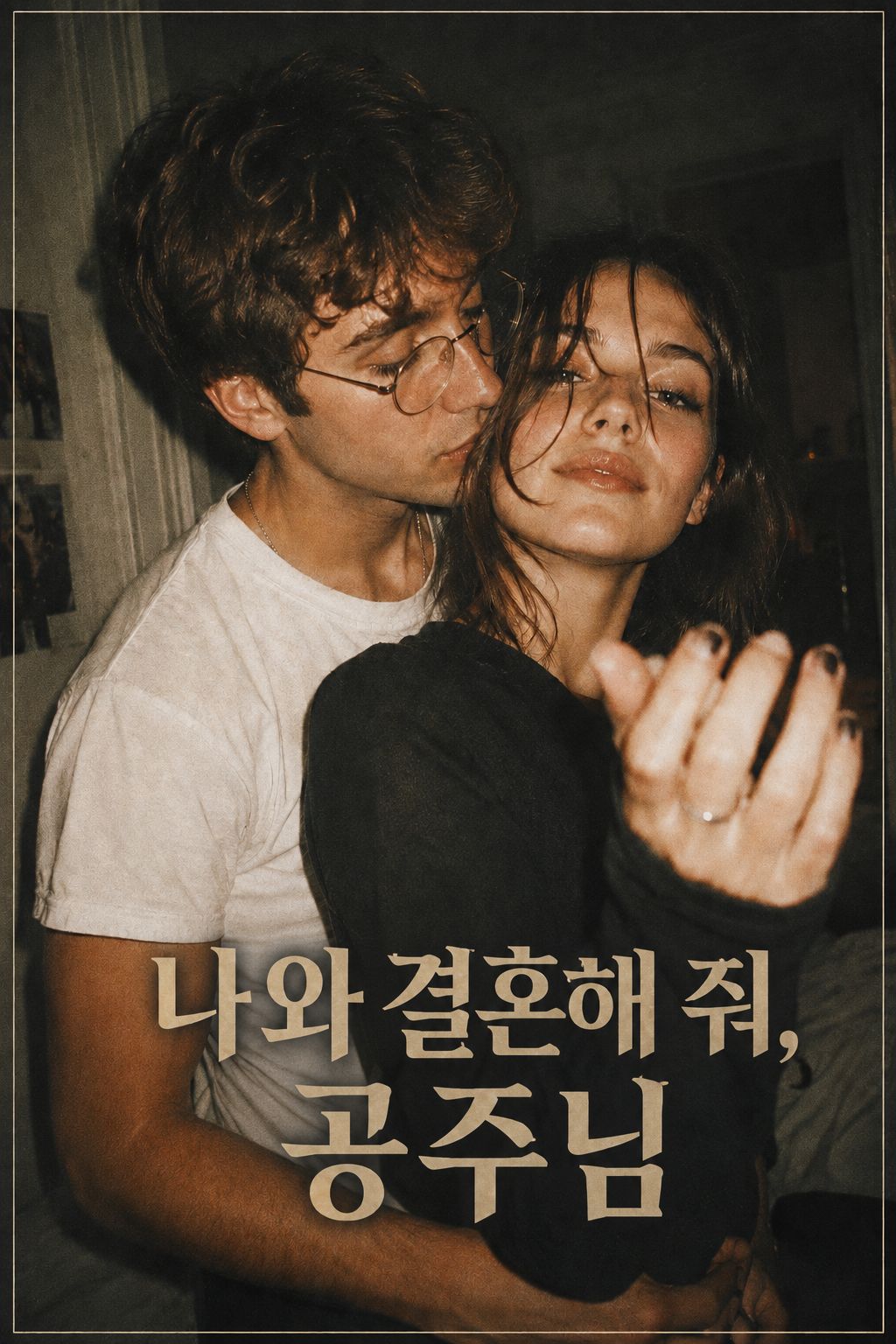
The same triangle-romance poster is generated in nine languages.
Prompt:
Create a vintage indie-romance short drama poster with a candid flash-photo aesthetic.
Show a young couple in a close, intimate pose indoors, as if captured spontaneously at a party or in a bedroom. The man wears round glasses and a white T-shirt. The woman wears a dark long-sleeve top and faces the camera with a confident, playful expression, one hand raised near the foreground.
Use warm, slightly grainy film tones, soft blur, low-light flash photography, and a nostalgic early-2000s editorial mood. Keep the composition vertical, with the couple filling most of the frame. Add a thin subtle border around the poster for a classic film-poster feel.
Only include one text element: the title "[TITLE]" in large bold display type near the lower center. Remove all other text, names, credits, taglines, and dates.
Cinematic, romantic, slightly messy, intimate, and stylish.
| Seedream 5.0 Lite | Seedream 5.0 Pro |
|---|---|
 |  |
 |  |
 | 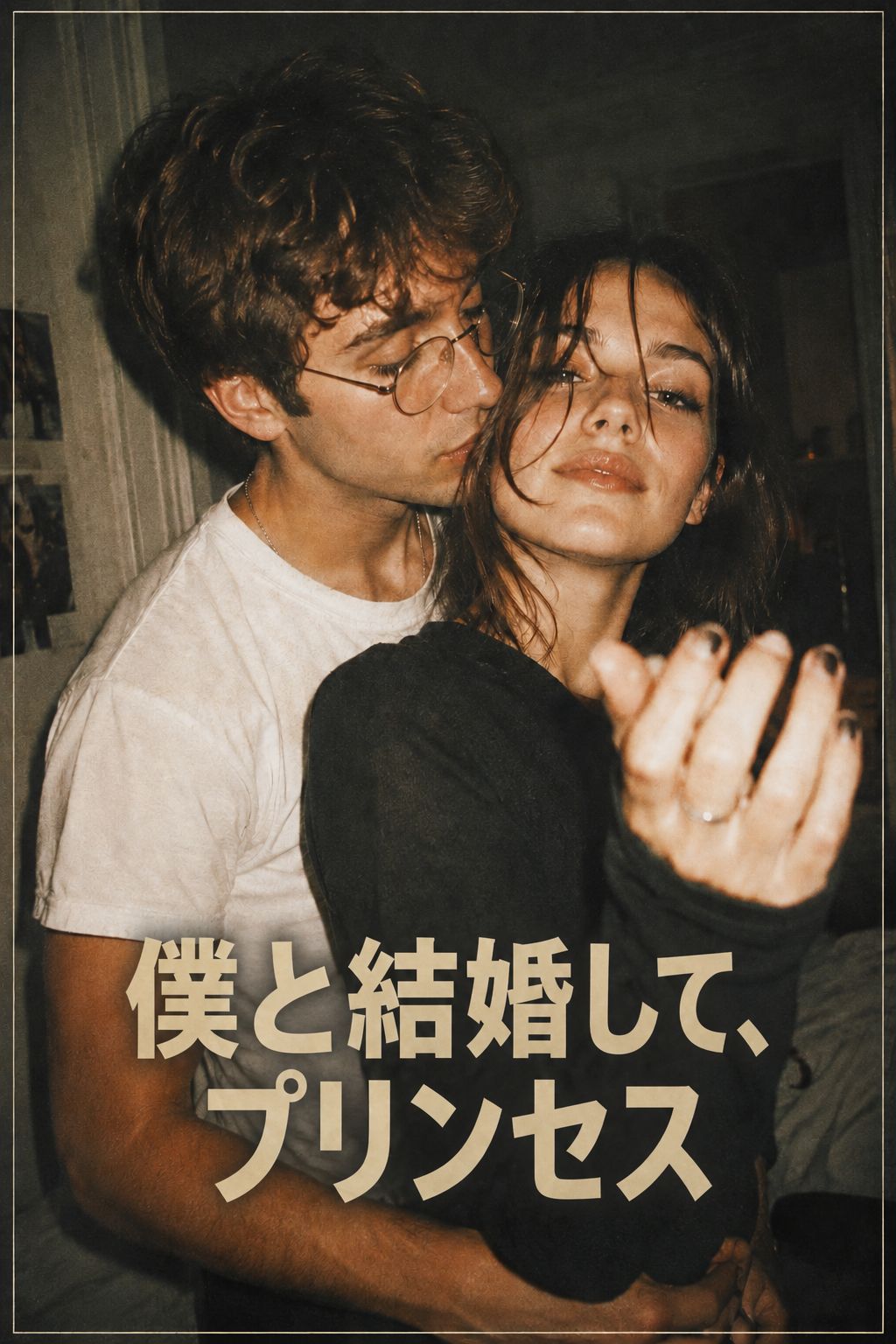 |
Pro is designed to render native text in 14 languages, including Japanese, Korean, Russian, Arabic, and Thai. Its value here is not just translation—it is keeping one visual system consistent across multiple localized assets.
Which Model Should You Use?
| Task | Recommended Model |
|---|---|
| Early visual exploration | Seedream 5.0 Lite |
| Storyboard drafts | Seedream 5.0 Lite |
| High-volume social content | Seedream 5.0 Lite |
| Precise image editing | Seedream 5.0 Pro |
| Localized posters and layouts | Seedream 5.0 Pro |
| Final campaign assets | Seedream 5.0 Pro |
Lite is usually enough when the image is still a draft. Pro becomes more valuable once the output needs to match a specific layout, survive multiple edits, or move into production.
Is Seedream 5.0 Pro Worth the Upgrade?
Pros
- Better suited to dense prompts and structured layouts
- Supports annotation-guided editing and layer separation
- Stronger fit for multilingual and commercial design
- Can reduce full-image regeneration during revisions
Cons
- Many early-stage tasks do not need its advanced controls
- A poorly structured prompt can still produce weak results
- Lite may be more practical for high-volume exploration
- Pro does not remove the need for human review
Designers, marketers, and content teams producing client-facing or brand-facing visuals are more likely to benefit from Pro.
Creators testing story ideas, visual moods, or rough storyboard directions can often stay with Lite until the project reaches a more demanding production stage.
How to Test Both Models in Arcloop
Create one image task inside your Arcloop project and run the same prompt through Lite and Pro.
Compare the first result, then give both models the same revision request. Track which model follows the original layout more closely, changes fewer unrelated details, and reaches a usable result with fewer attempts.
The goal is not to find the model that produces the prettiest single image. It is to find the model that creates the least friction in your workflow.
Final Verdict
Use Seedream 5.0 Lite for exploration, drafts, and volume. Choose Seedream 5.0 Pro when precise editing, multilingual layouts, and final delivery matter.
For many projects, the best workflow is not choosing one model permanently. Start with Lite to explore directions, then move to Pro when you are ready to lock the design.
FAQ
Is Seedream 5.0 Pro better than Seedream 5.0 Lite?
Pro offers more production-focused controls, but Lite may still be the better choice for quick concepts and high-volume generation.
Is Seedream 5.0 Pro worth upgrading to?
It is most useful when you need precise edits, complex layouts, multilingual text, or layered assets. For simple image generation, the difference may not justify an upgrade.
Which model is better for character consistency?
Use the same reference image with both models and test at least one revision. The better model is the one that preserves the character while making only the requested change.