Introduction
Your two characters have been building to this fight for three episodes. You write it — "Kaito blocks the strike and counters with a sweep, Ren rolls clear" — and the clip shows two bodies fused at the shoulder, an arm that belongs to nobody, and a sweep that happens to the wrong person. Solo action was fine. The moment two bodies touch, the model treats them as one object and generates accordingly.
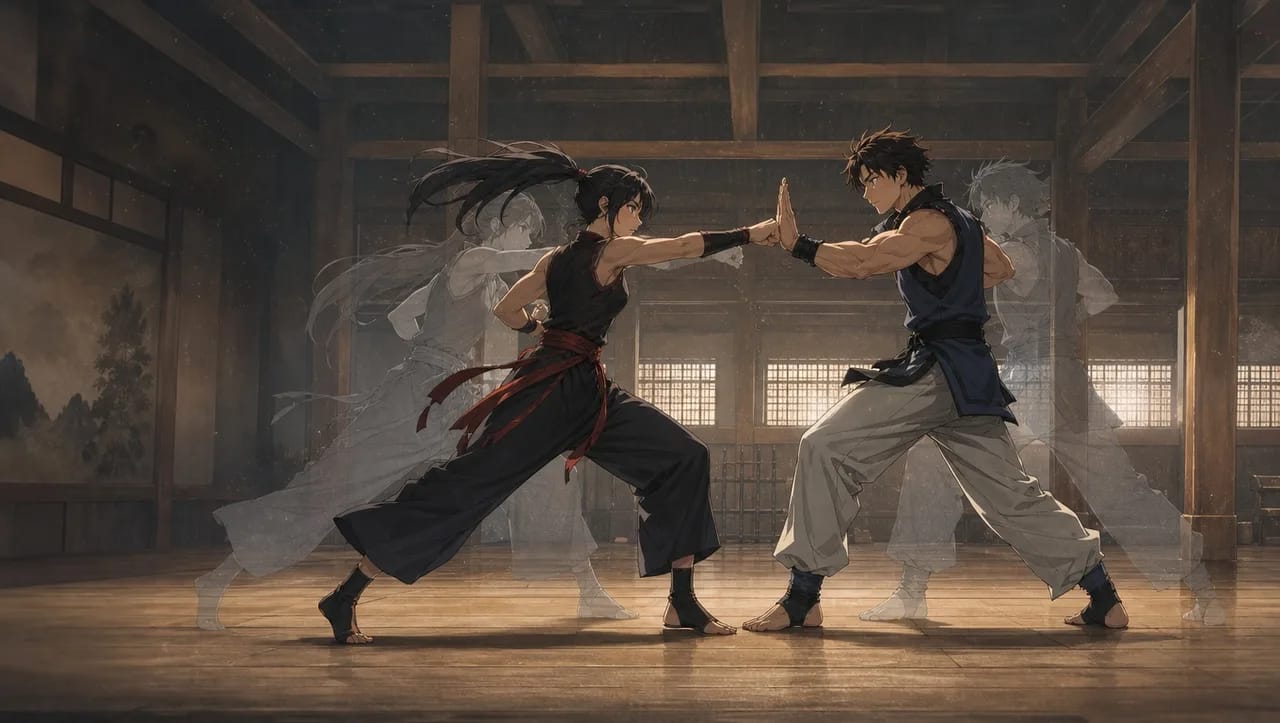
Fights are not one action; they are exchanges, and each exchange has a contact — the moment one body meets the other. Contacts are where the merging happens, and contacts are also where a reference still does its best work. This guide shows how to stage fight choreography for AI anime video from a mannequin clip: split the fight into exchanges, pull one still per contact, and write each shot so one character attacks, one receives, and the camera stays where the contact reads.
Why two bodies fail
Three things happen the moment two characters are in contact:
- Ownership is ambiguous. Which arm belongs to whom is a decision, and the model makes it fresh every frame.
- Identity dilutes. Two
@references in one shot means two identities competing at the same pixels. The closer the bodies, the more they average. - Action count doubles. A strike and a block are two actions. A strike, a block, and a counter are three. The one-action rule breaks immediately.
Solo action guides handle the third by splitting shots. Fights need the first two handled as well, and that is what the contact still and the attacker-defender roles do.
For what makes a fight scene land dramatically — stakes, space, the beat before the strike — the battle scene prompt guide covers the writing. This article is the staging.
Rules for two-body shots
- One contact per shot. A block is a contact. A grab is a contact. Punch-block-counter is three shots.
- One attacker, one defender, named. "@Kaito strikes; @Ren blocks." Never "they exchange blows."
- The camera stays on the side that shows the contact. Usually perpendicular to the line between the two, so both bodies are in profile and the contact point is visible.
- One still per contact, from a clean source. Mannequin choreography clips are ideal: two untextured bodies, no identity to leak, the contact point unambiguous.
- Bodies apart in the still, if possible. A still taken a few frames before full contact reads better than one at maximum overlap. The model completes the contact; it does not have to untangle it.
- Identity and outfit from assets, only. Two characters means two
@references and zero face or costume description.
For pulling stills from any clip, the pose reference guide covers the frame-selection rules; a fight applies them to two bodies at once.
How to build a fight from a mannequin clip, step by step
- Watch the clip and list the exchanges. Each exchange is one contact: strike-block, grab-break, sweep-fall. A ten-second fight is usually four to six exchanges.
- Pull one still per exchange at the frame just before full contact, from the angle that shows the contact point. Name them by exchange: "ex-01-strike-block."
- Upload the stills to Library and bind them as a Visual reference named for the fight. Keep the clip in Library for reviewing the order.
- Confirm both fighters are character assets with Main images and, if they fight in specific gear, outfit references bound to the assets.
- Write one shot card per exchange. Camera on the contact side,
@attackerdoes one thing,@defenderdoes one thing, match the exchange still, end state stated: "ends with Ren two steps back." - Generate the stills for all exchanges and check ownership: whose arm, whose leg, who is where. A still that merges the bodies gets a clearer reference, not more words.
- Generate video for the exchanges that passed. Keep each short; a contact is under two seconds.
- Cut in Edit in exchange order. Trim each to the contact and its immediate aftermath. If an exchange reads slow, cut earlier into the next one; do not regenerate.
Example 1: Strike and block
Medium-wide shot, camera at chest height, perpendicular to the two fighters so both are in profile, static. @Kaito on the left throws a straight right at head height; @Ren on the right raises his left forearm and blocks it outside. Match exchange still ex-01: bodies a forearm's length apart at contact. Ends with the block held for a beat, both feet planted. Training hall, flat overhead light. No camera move.
Example 2: Grab and break
Medium shot, camera at chest height, same side as Shot 1, static. @Ren on the right grabs @Kaito's collar with his right hand; Kaito twists left, brings his left arm over Ren's wrist, and breaks the grip. Match exchange still ex-02 for the grip position. One clean motion, ends with Kaito free and half a step back, Ren's hand open. Same hall, same light. Both faces from assets.
Example 3: Sweep and fall
Wide shot, camera low at knee height, same side of the fighters, static. @Kaito drops and sweeps his right leg through @Ren's front ankle; Ren's feet leave the mat and he falls onto his back, left to right. Match exchange still ex-03 for the sweep angle. Ends with Ren on the mat and Kaito rising. Dust lifts off the mat. No camera move; the fall happens within the frame.
The most common ways fights break
- Merged bodies. One shape with too many limbs. The still was at maximum overlap; take the frame just before contact.
- Wrong owner. Ren's arm on Kaito's body. Attacker and defender were not named for that action. Name them.
- Two contacts in one shot. The counter vanished. Split the shot.
- Camera on the wrong side. The contact is hidden behind a body. Move the camera perpendicular to the line between them.
- Faces averaged. Both fighters look like a blend. Two
@references and a face description in the text; delete the description.
FAQ
Can the camera move during a fight? Yes, one move per shot: a push-in on a block, a whip pan on a throw. Keep it to the shots where it adds impact and hold the camera on the rest so the cut carries the energy.
How many exchanges can one shot hold? One. Two exchanges in a shot is where merging starts. If the fight feels choppy, fix it in the cut, not by lengthening shots.
What if the two characters are very different sizes? Better, not worse; size difference helps ownership. State it once in the shot: "Kaito a head shorter than Ren." The assets carry the rest.
Do I need a mannequin clip, or will a real fight clip work? A real clip works for stills if the bodies are clearly separated at the frame you take. The mannequin clip is easier because there is nothing to leak.
Next step
Take the fight you have been avoiding and list its exchanges — probably five. Find a clip with similar choreography, pull one still per exchange at the frame before contact, and write the first exchange as a shot: camera on the contact side, @attacker strikes, @defender blocks, end state. Open the project in ArcLoop, generate that one still, and check whose arm is whose before you go further.