
As discussions around ByteDance's Seedream 5.5 AI image generator and editing model continue to rise, we ran five hands-on benchmark tests using our digital human character, Nora, to evaluate AI character consistency, detail retention, and where manual inspection is still required. Our real-world test results show that after 20 consecutive rounds of virtual outfit swaps, Nora’s facial features and signature orange braided hair remained highly recognizable, though her original black one-shoulder top and washed black jacket failed to restore cleanly on the final pass.
1. Key Advantages of Seedream 5.5
Released by ByteDance on November 9, 2026, Seedream 5.5 is a multimodal AI image generation and editing model supporting text-to-image generation, single-image local editing, and multi-image blending. It is particularly well-suited for production workflows that start from an approved base image—such as generating consistent character outfit variations, or iteratively updating dates, typography, and graphic props on a poster based on client feedback. ByteDance officially demonstrated 100 consecutive rounds of iterative portrait editing, where each output served as the input for the next round. Users can test the model via Jimeng (Dreamina) and Doubao, or integrate it via the Volcano Engine Ark API using the model ID doubao-seedream-5-5-261028.
Core Features & Capabilities
- Multi-Round Local Image Editing: ByteDance calls this upgrade "pixel-level controllable editing," designed to minimize color shifts and detail degradation in unedited regions during consecutive modifications. For example, when changing a character's top, you can lock the face, hairstyle, and background from the original reference image.
- Photorealistic Textures and Small Text Rendering: Compared to Seedream 5.0 Pro, version 5.5 improves lighting, material reflections, skin texture, and dense small-font text rendering. In practical design workflows, you can verify whether fabric sheen matches the material specification and zoom in to inspect fine-print dates and serial numbers on posters.
- Transparent PNG Generation and Layer Splitting: Seedream 5.5 can generate transparent PNG assets with an Alpha channel from text prompts or standard reference images, preserving semi-transparent edges like fine hair strands. The Volcano Engine Ark API also supports AI layer splitting, decomposing a single image into 1 base background layer plus up to 99 independently editable layers for downstream layout and compositing.
| Model Comparison | How to Choose the Right AI Image Model |
|---|---|
| Seedream 5.5 vs. Seedream 5.0 Pro | Choose Seedream 5.5 if you need iterative detail editing on the same base image or direct transparent PNG generation from standard reference photos. Volcano Engine Ark also increased the layer splitting cap from 1 base + 16 layers to 1 base + 99 layers. |
| Seedream 5.5 vs. GPT Image 2.6 | Try Seedream 5.5 when your composition is locked and you need multi-round static image revisions. Choose GPT Image 2.6 if you prefer visual annotation masks to point out edit regions, or if you need to deliver looping animated GIFs directly inside ChatGPT. |
| Seedream 5.5 vs. Nano Banana 2.1 | Nano Banana 2.1 is worth testing for data-driven infographic generation or placing multiple reference characters into a brand-new scene. If your workflow revolves around iterative local edits on an existing layout and exporting isolated transparent assets, Seedream 5.5 fits that pipeline better. |
Seedream 5.5 API Pricing: Cost for Single Generation vs. Multi-Round Editing
According to the public Volcano Engine Ark API pricing checked on November 15, 2026, uploading each reference image costs 0.05 CNY, while text prompts are free. Each successfully generated output image is billed by total pixel count: up to 2.61 megapixels costs 0.13 CNY, and above 2.61 MP up to 4.63 MP costs 0.23 CNY. Layer splitting is billed based on the pixel tier of each actually generated layer.
| Workflow Task | 1K Square Image (1024 × 1024) | 2K Square Image (2048 × 2048) |
|---|---|---|
| Pure Text-to-Image (1 Output) | 0.13 CNY | 0.23 CNY |
| Single-Image Edit (1 Reference In, 1 Output) | 0.18 CNY | 0.28 CNY |
| Multi-Image Blending (2 References In, 1 Output) | 0.23 CNY | 0.33 CNY |
| 20-Round Sequential Edit (1 Reference & 1 Output per Round) | 3.60 CNY | 5.60 CNY |
For editing a single 2K square image using one reference image, Seedream 5.0 Pro is publicly priced at 0.60 CNY, whereas Seedream 5.5 costs 0.28 CNY—a cost reduction of approximately 53%. The 20-round sequential editing estimate in the table assumes one API request and one successful image output per round; extra variations and retries are billed per individual request.
When running our 1K resolution tests in Arcloop Canvas, the pre-submission UI credit estimate was 26 credits for a single reference image and 32 credits for dual reference images.
2. Hands-On Benchmark Tests
Test 1: 20-Round Sequential Outfit Editing and Original Outfit Restoration
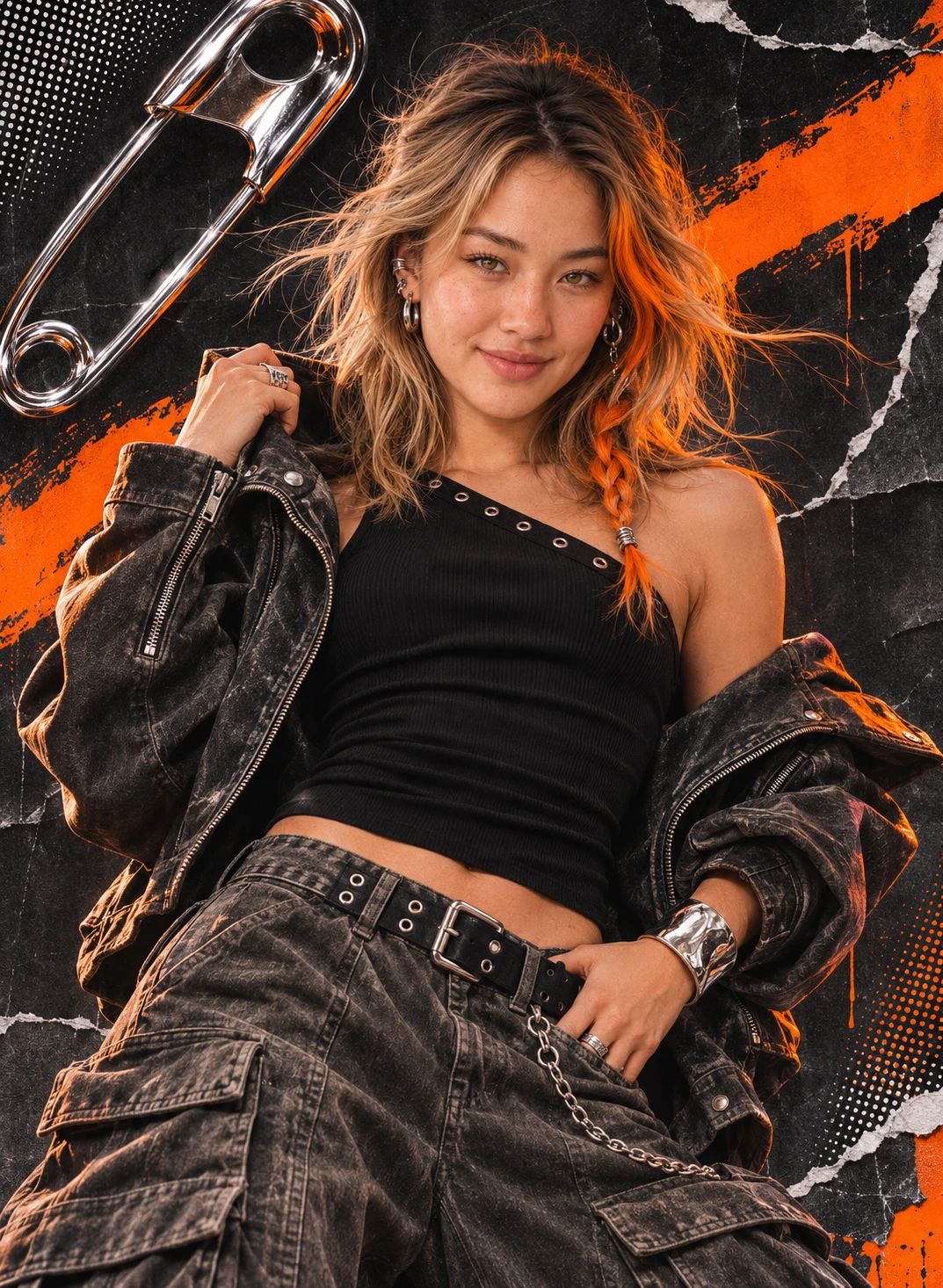
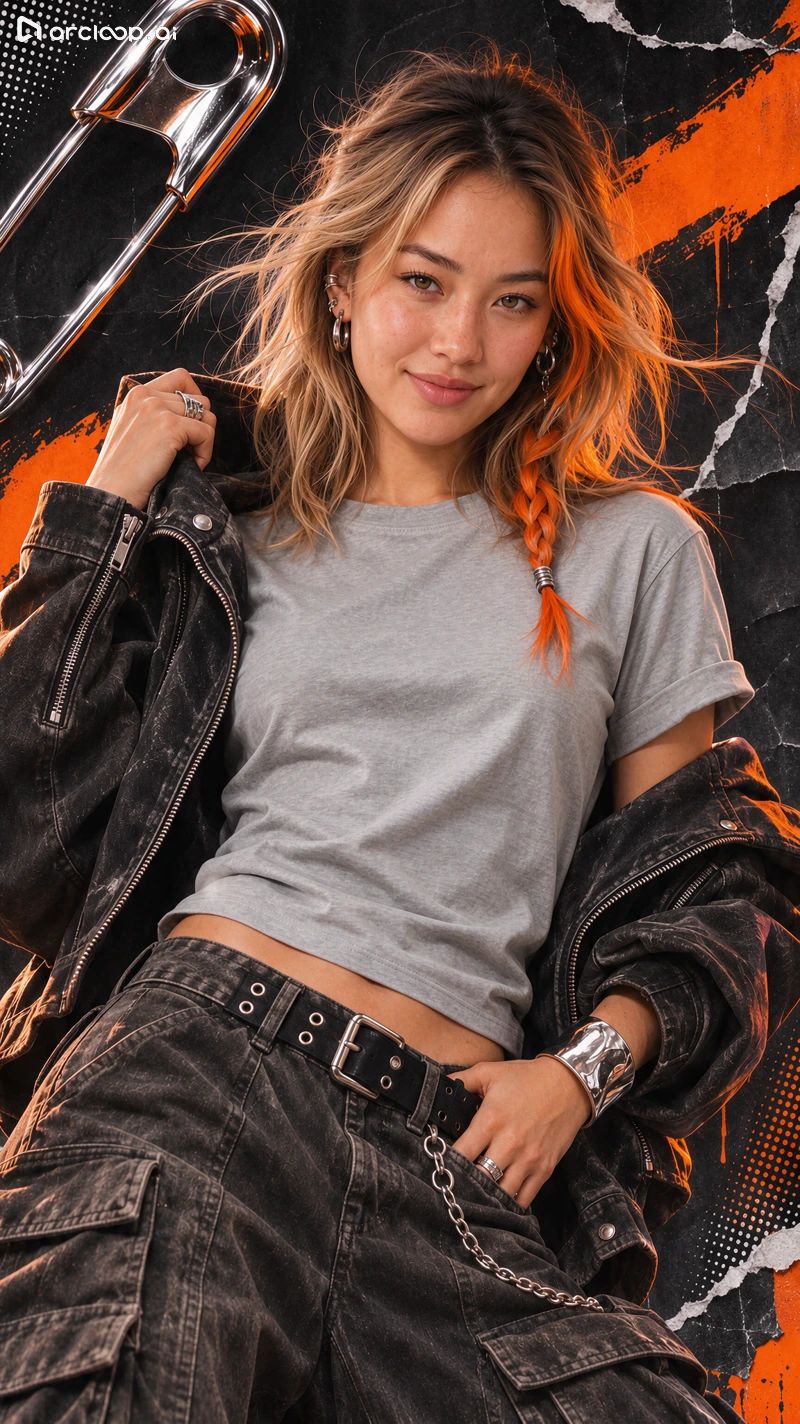
Throughout this 20-round AI outfit swap test, Nora’s orange braided hair, freckles, silver earrings, and smile remained consistently recognizable. Her left hand on the frame holds her collar, her right hand rests near her waist, and the black-and-orange collage background stays intact. However, when comparing the light gray crew-neck T-shirt in Image 02 and Image 20 side by side, the earlier version preserved her washed black jacket, whereas the later version rendered a looser T-shirt, reduced the original jacket to a small dark fabric patch near her raised hand, and added two silver necklaces around her neckline.
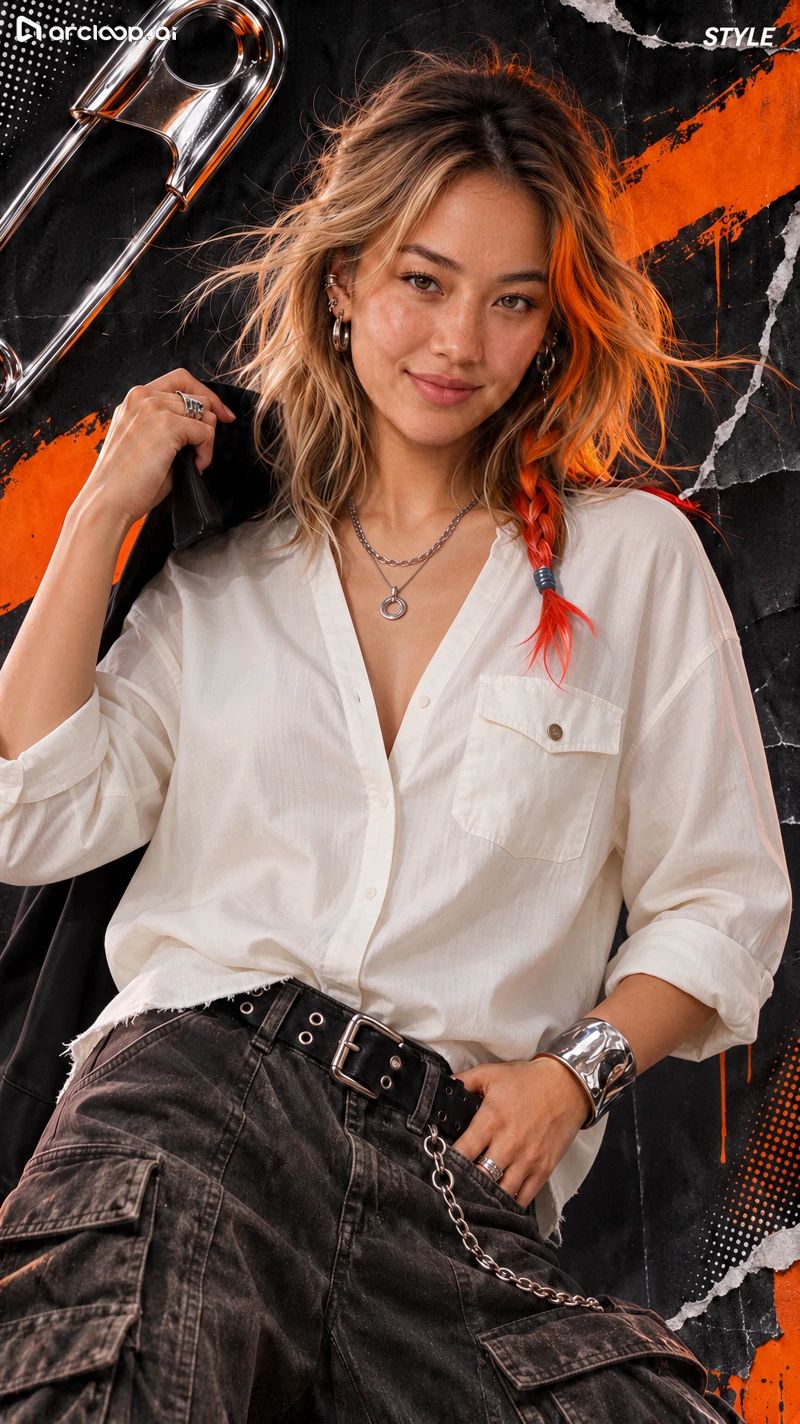
In the final restoration attempt, Nora remained the same character, but her original outfit failed to recover. The original reference image featured a black one-shoulder top with silver eyelets paired with a washed black jacket. The restoration attempt instead output a white collared shirt, kept the necklaces that drifted in during later rounds, and added the word "STYLE" in the upper-right corner. The filename of this final image still carried a placeholder string for the original outfit description; the exact full submitted prompt is pending verification, and the restoration output is recorded as shown.
Nora Original Reference Image
Final Outfit Restoration Attempt
The black blazer over a white inner top achieved the target look cleanly. However, when stepping back to the cream cable-knit sweater, one variation retained the black blazer on top, and the cable-knit sweater continued to stay visible underneath the brown leather jacket and light blue denim jacket in subsequent rounds. When reviewing AI-generated apparel variations, besides checking character facial consistency, you must carefully inspect inner layers, outerwear, necklaces, and off-the-shoulder cut positions.
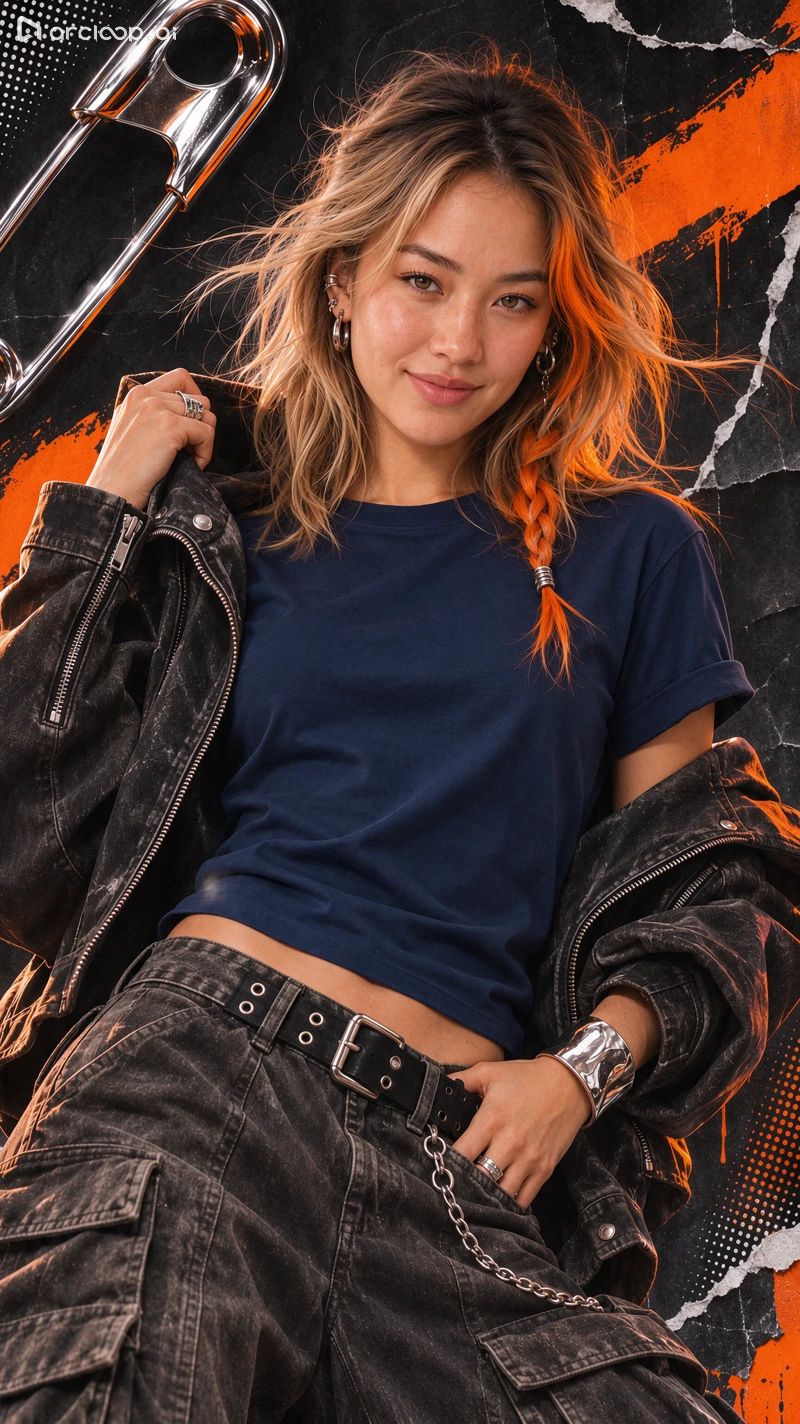
This test was originally planned as 10 forward outfit changes followed by 10 reverse restoration steps. Below are the 21 distinct outputs received, numbered in order of file download. Some styles have multiple variations, and the image numbers correspond to the prompt records below.
01 Navy Crew-Neck T-Shirt
02 Light Gray T-Shirt & Washed Jacket
03 Burgundy Ribbed Short-Sleeve
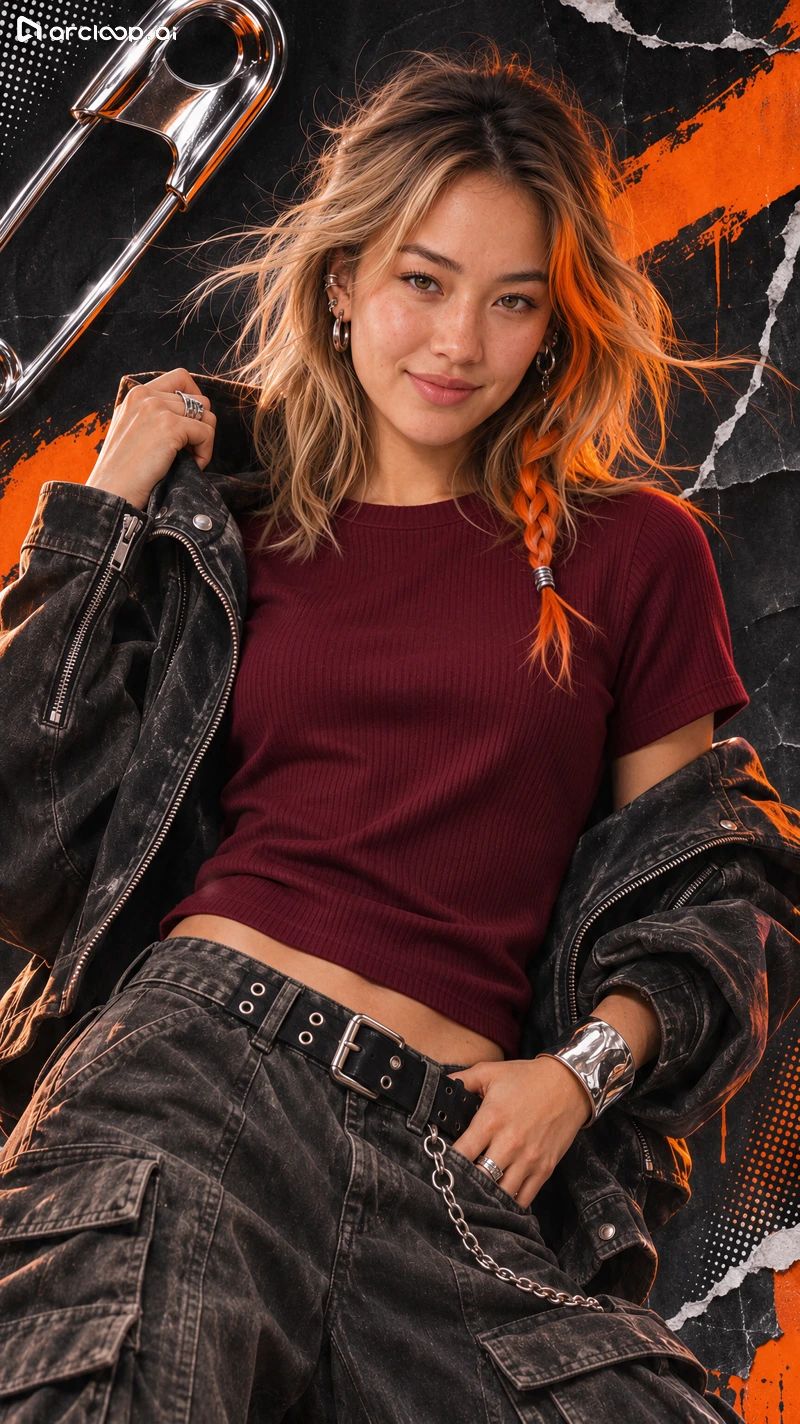
04 Off-White Linen Shirt & Washed Jacket
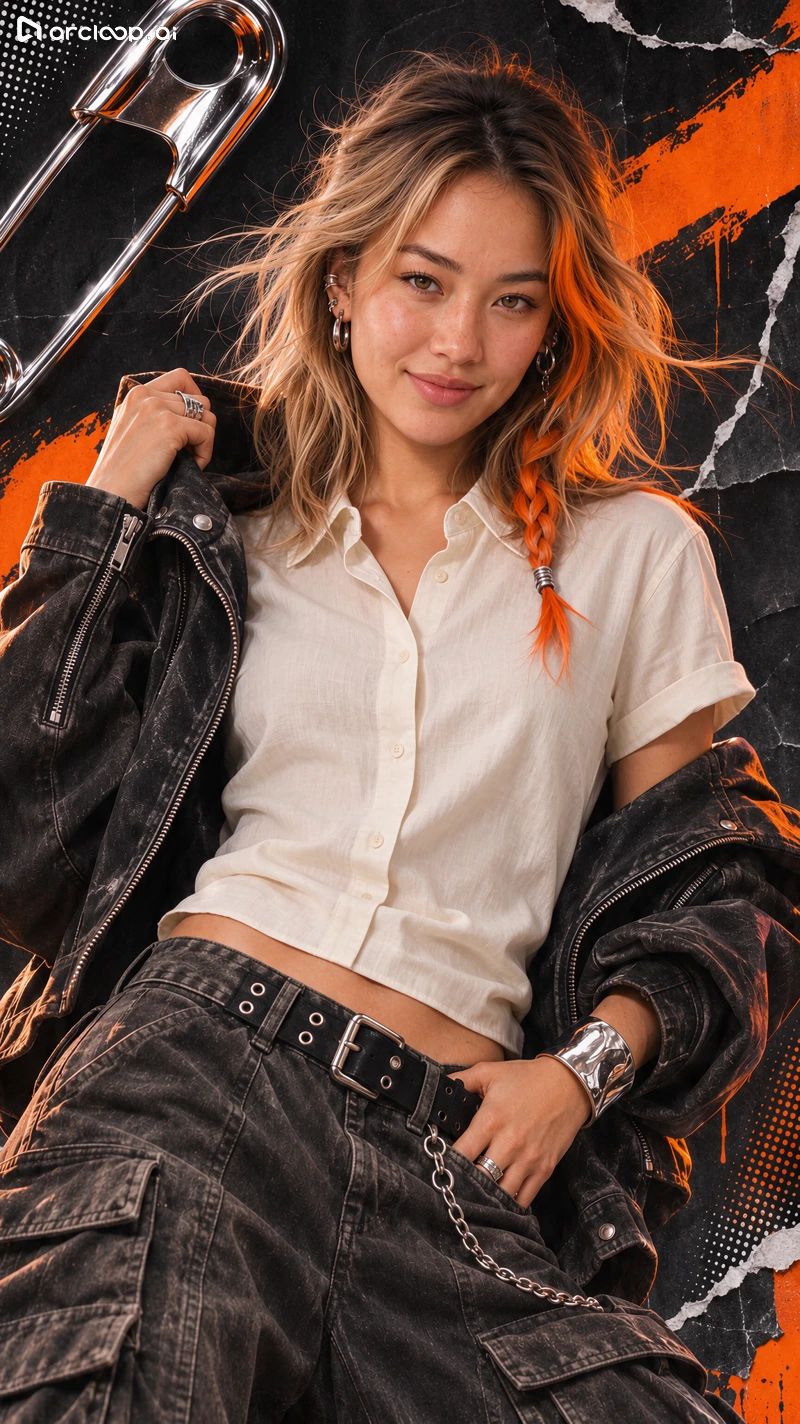
05 Dark Green Satin Shirt & Washed Jacket
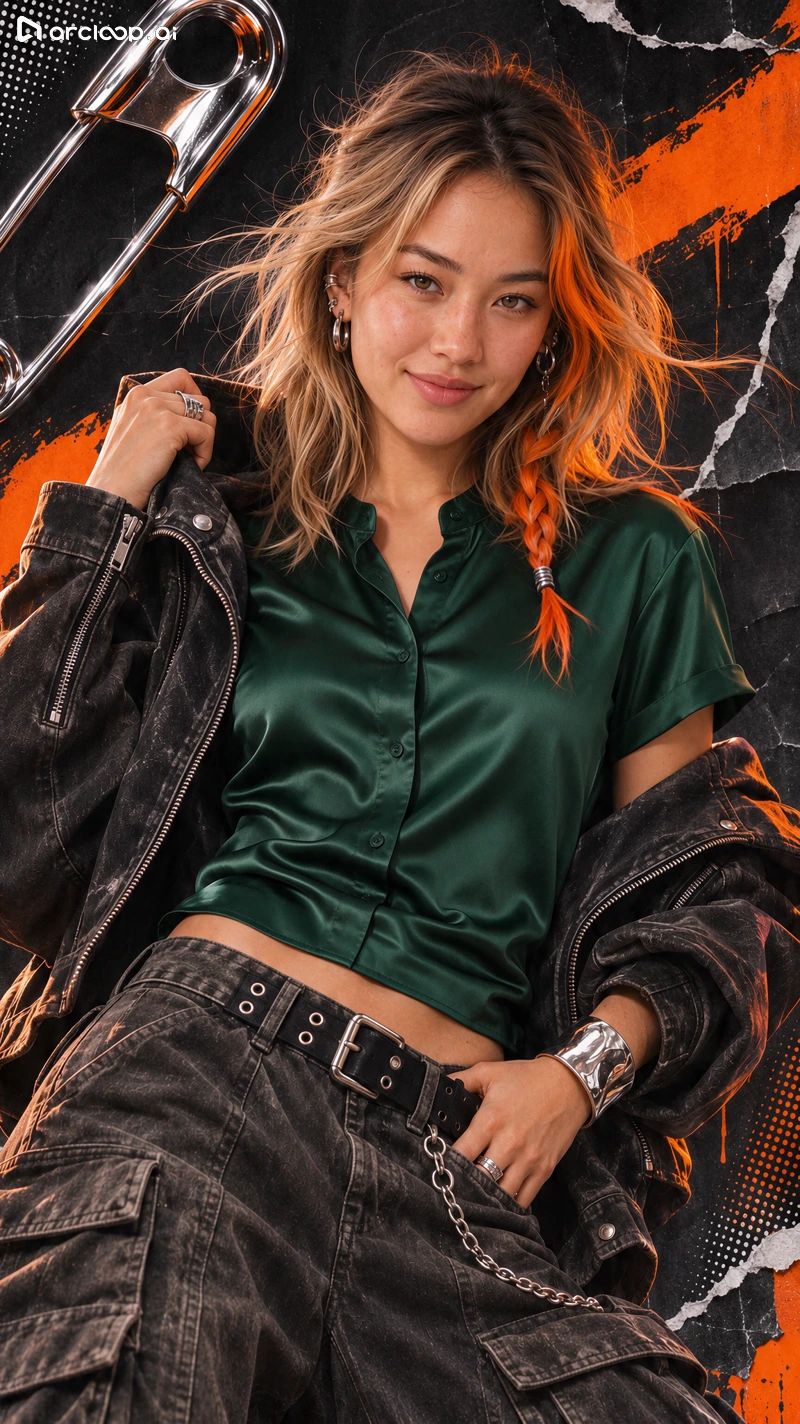
06 Charcoal Gray Sweatshirt
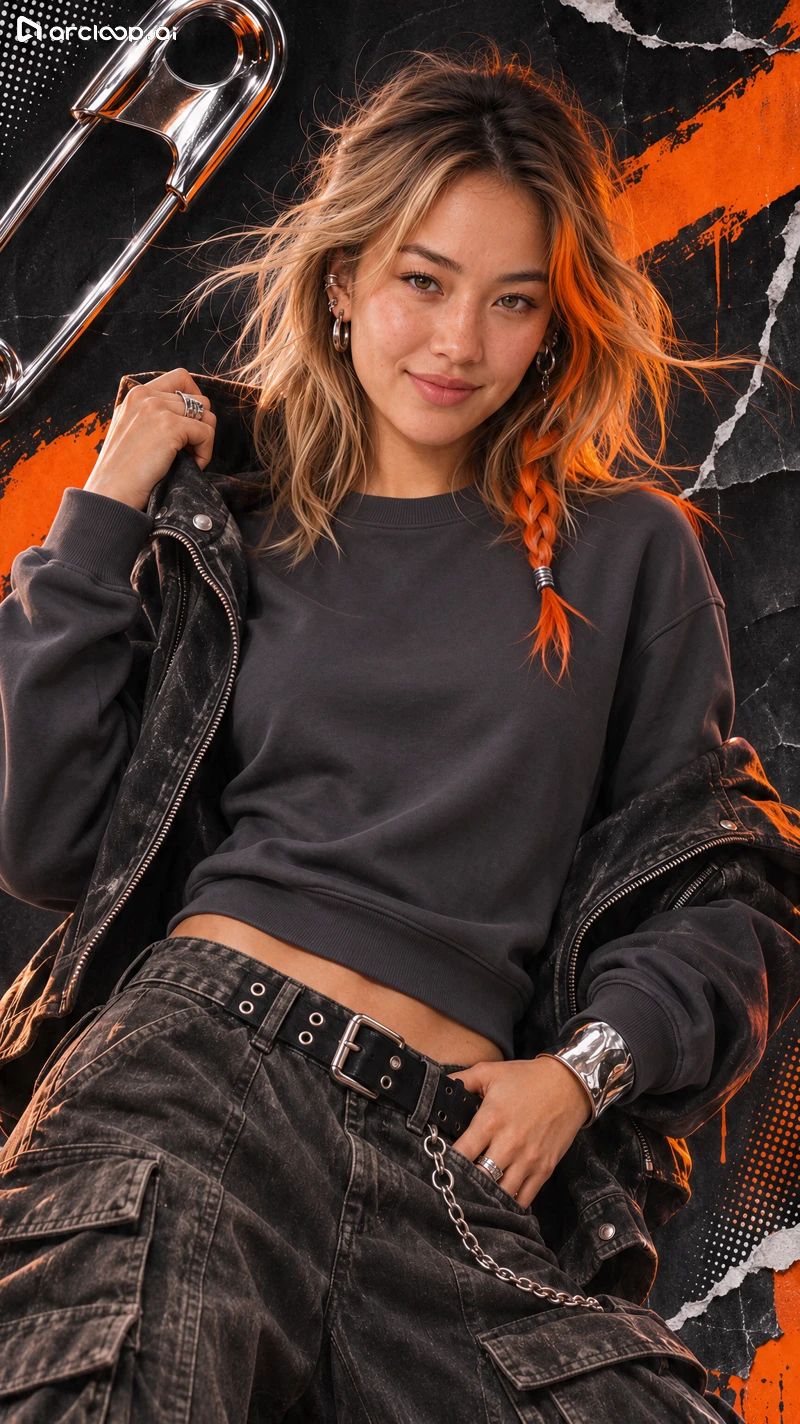
07 Charcoal Gray Sweatshirt (Variant)
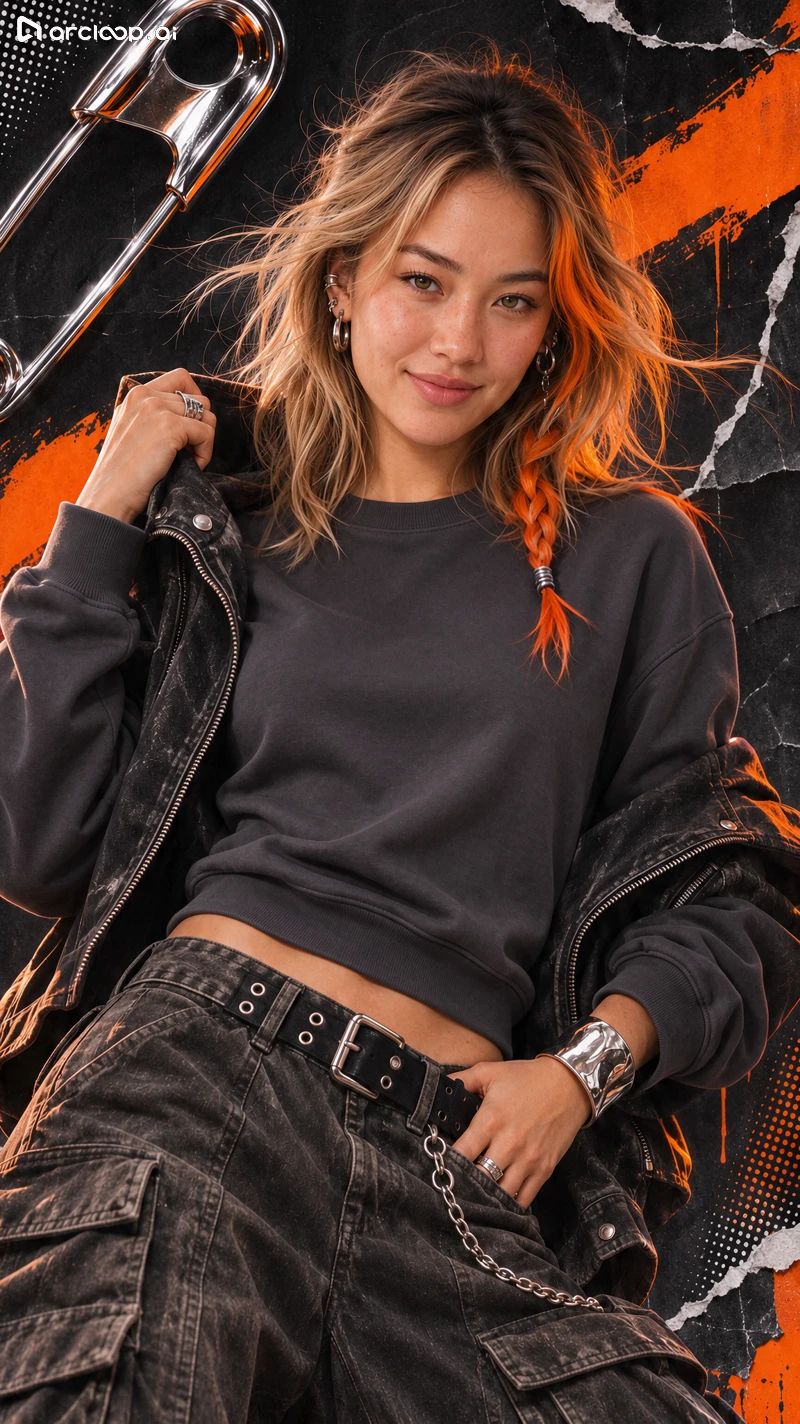
08 Light Blue Denim Jacket
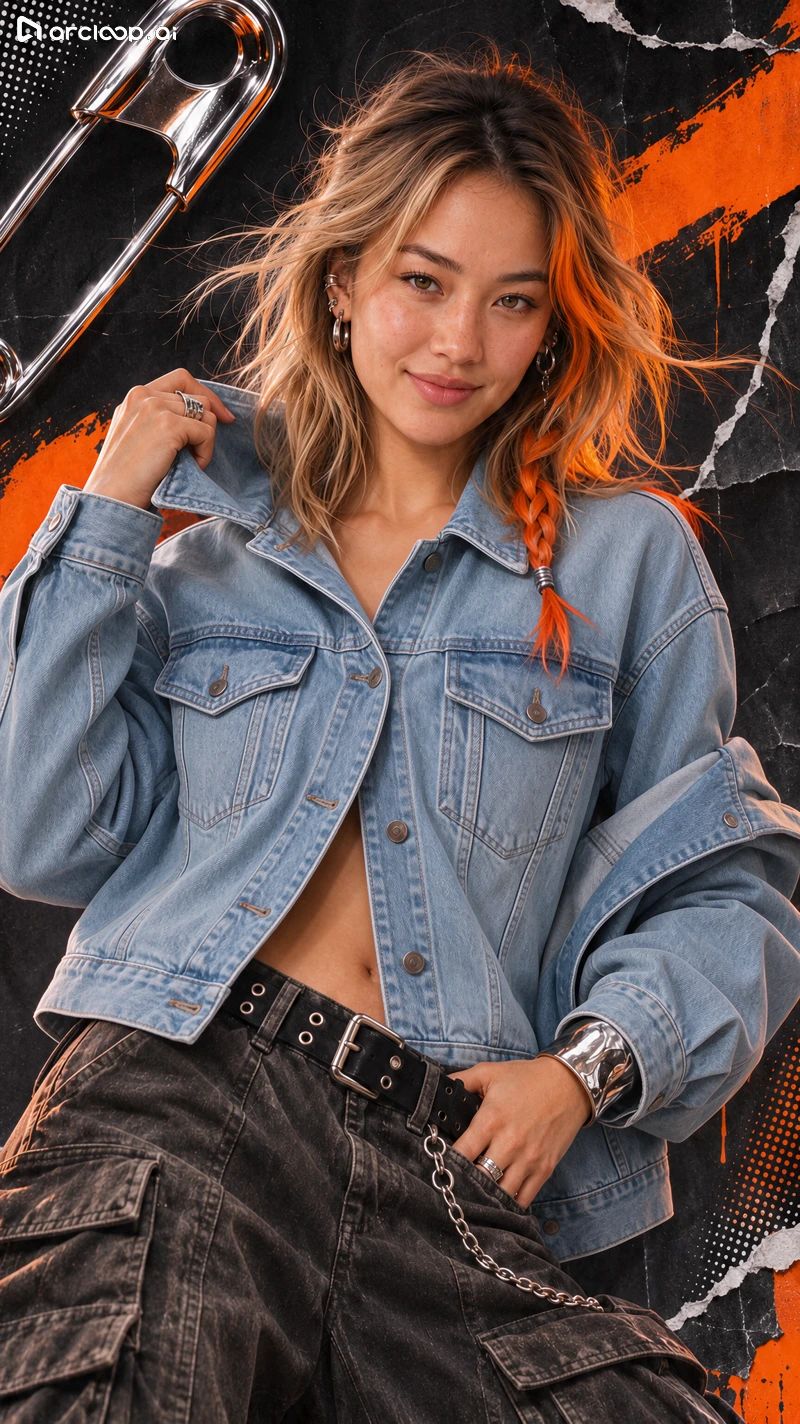
09 Brown Leather Jacket
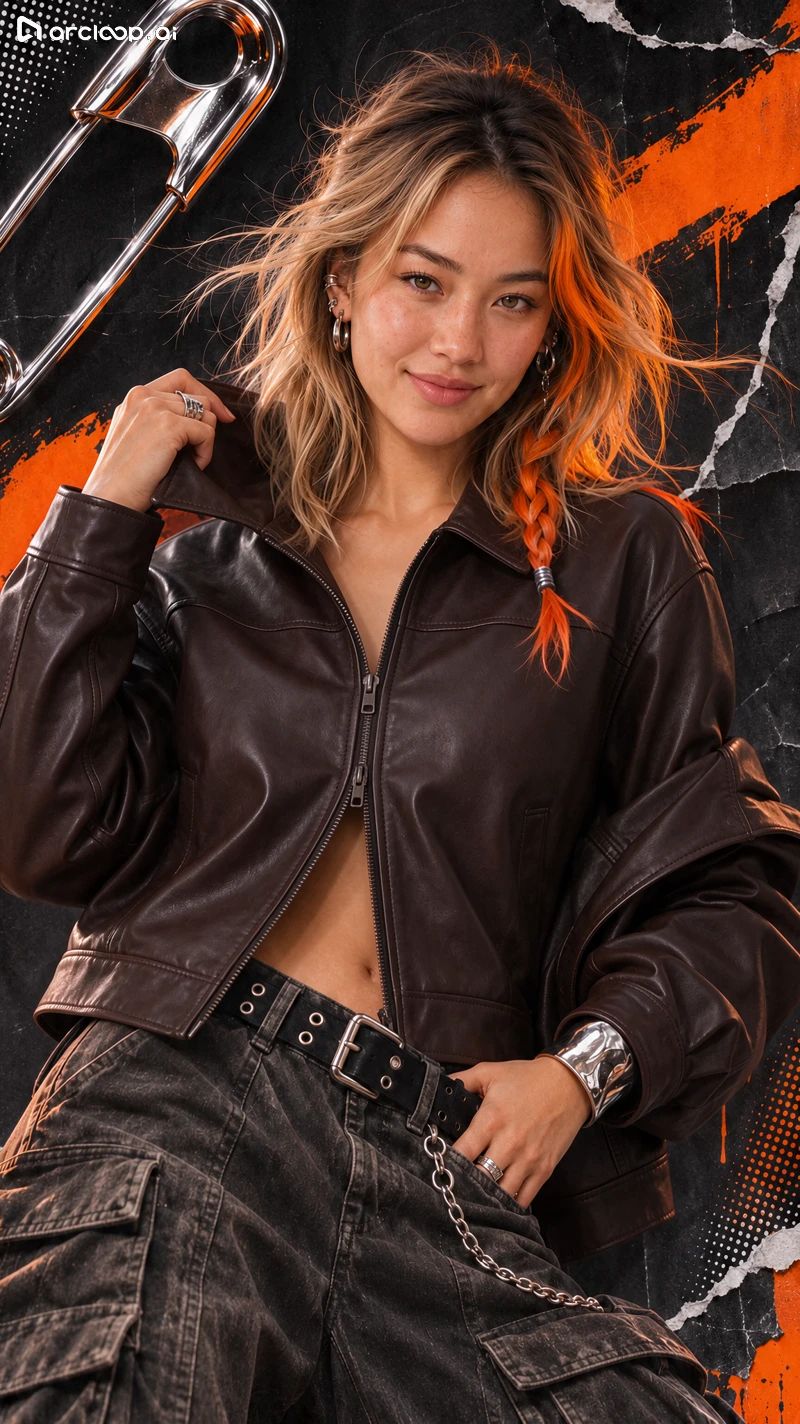
10 Cream Cable-Knit Sweater
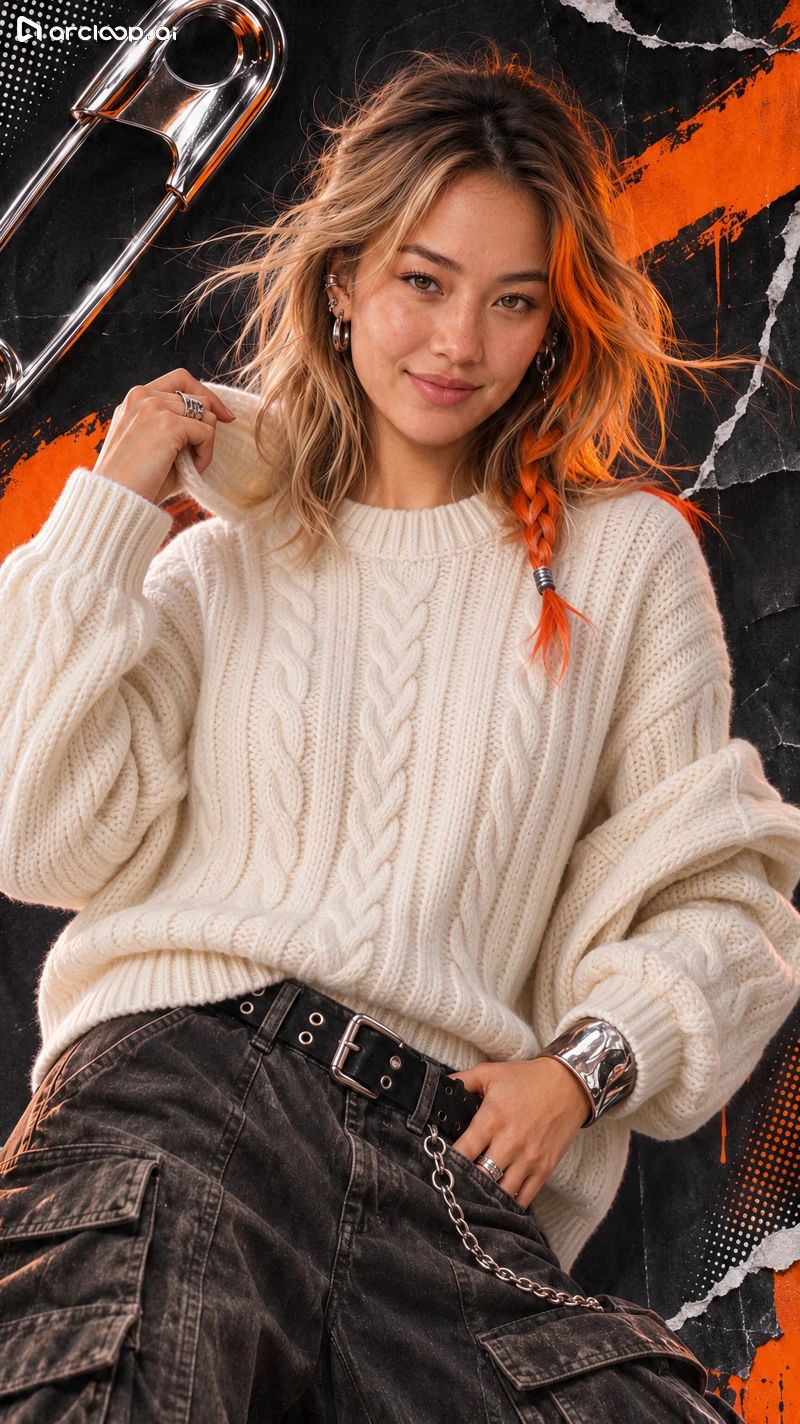
11 Black Blazer & White Inner Top
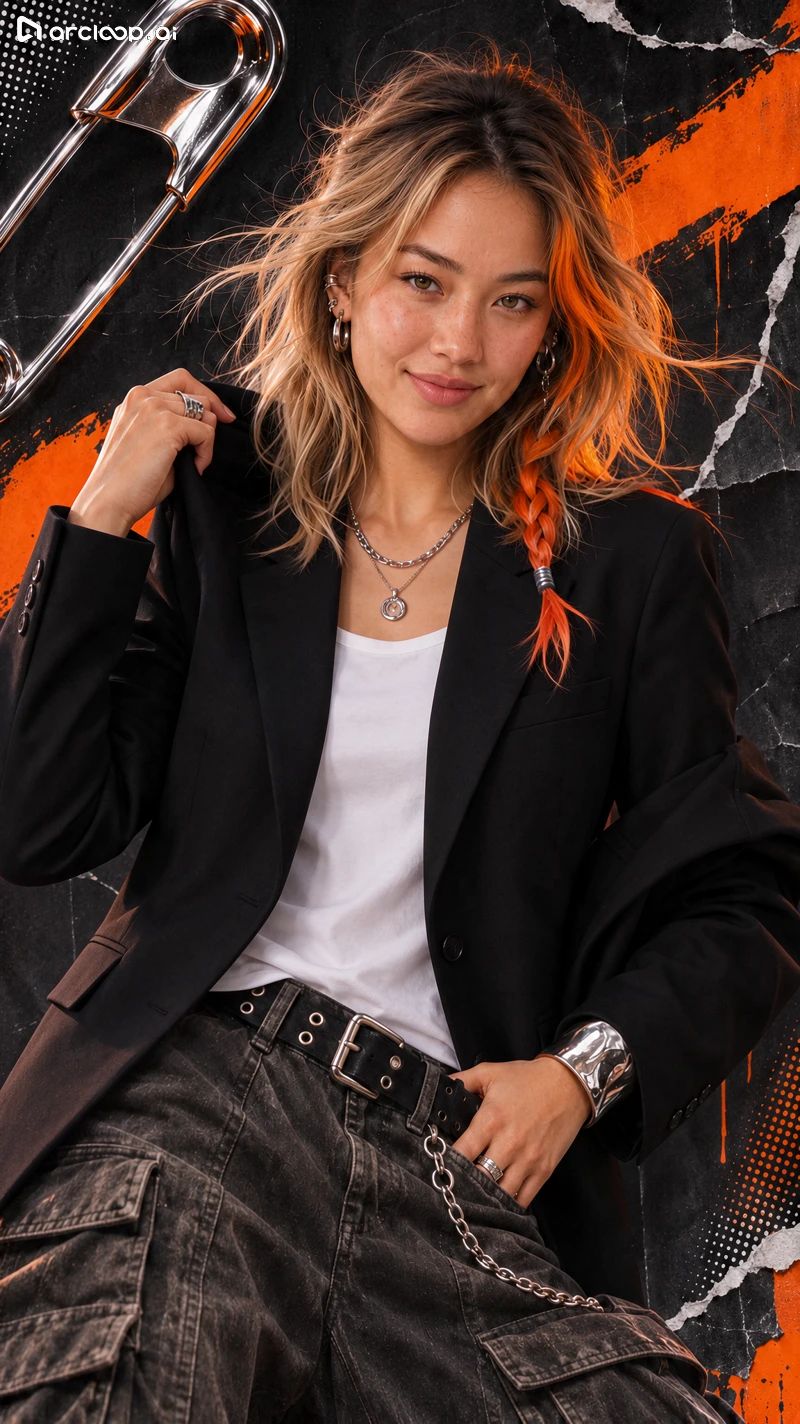
12 Cable-Knit Sweater & Black Blazer
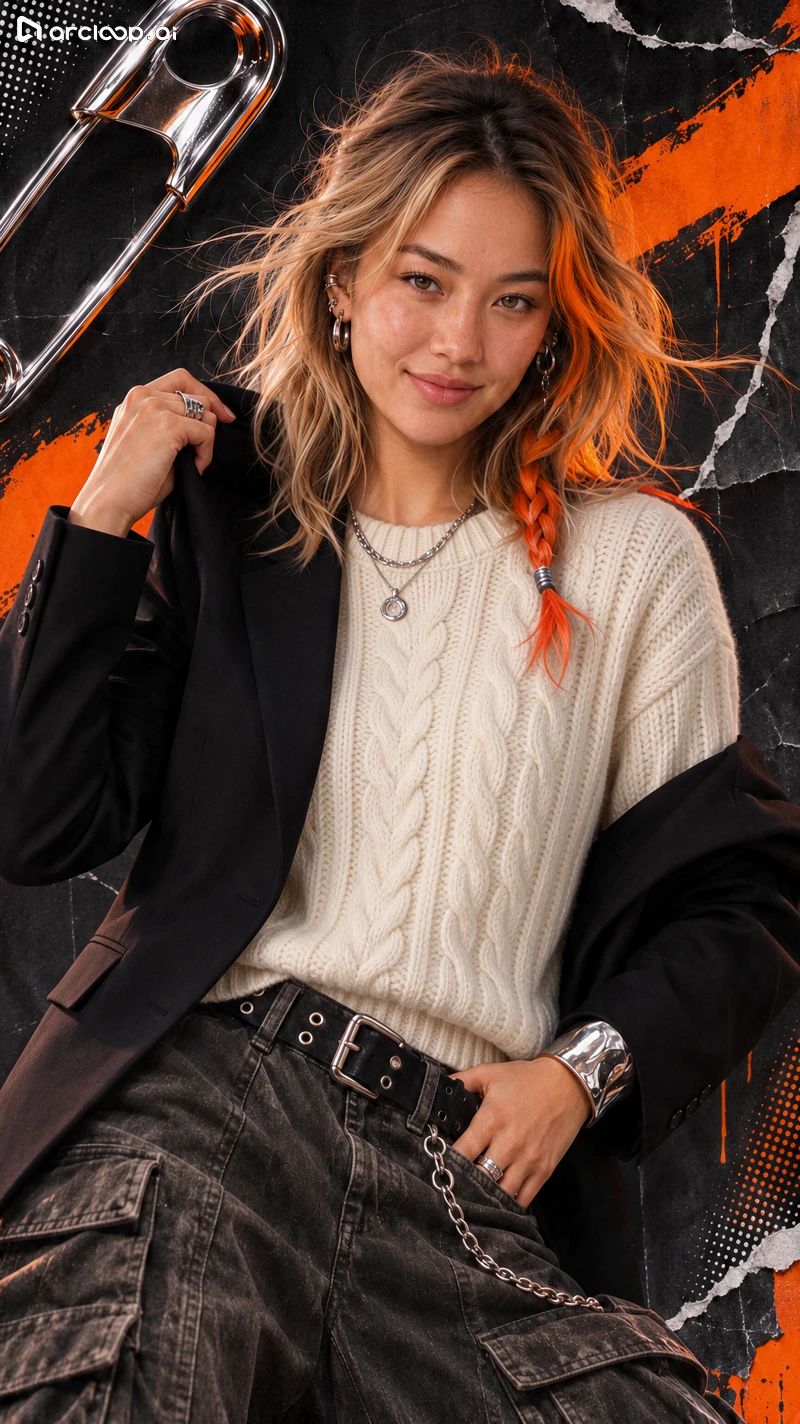
13 Brown Leather Jacket & Cable-Knit Sweater
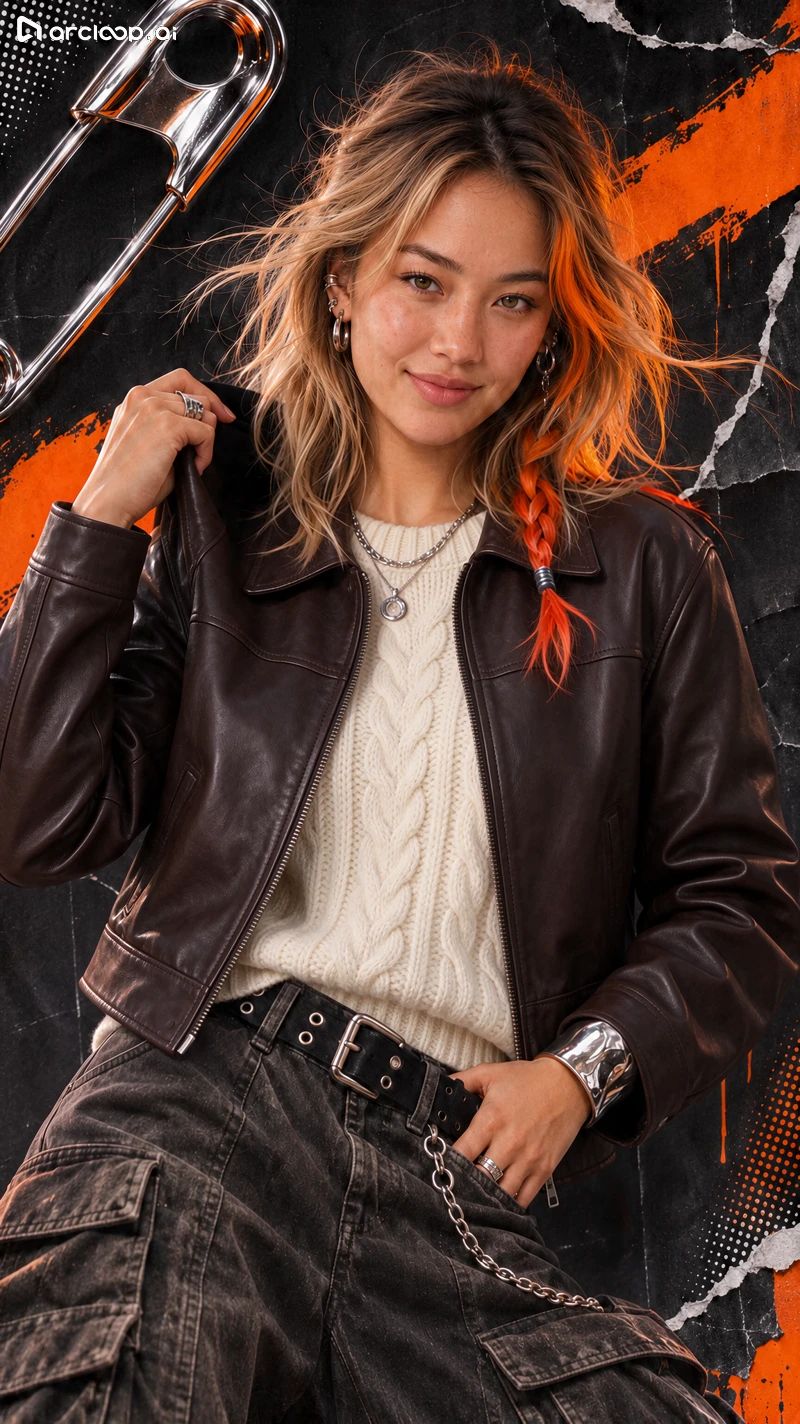
14 Off-Shoulder Brown Jacket & Cable-Knit Sweater
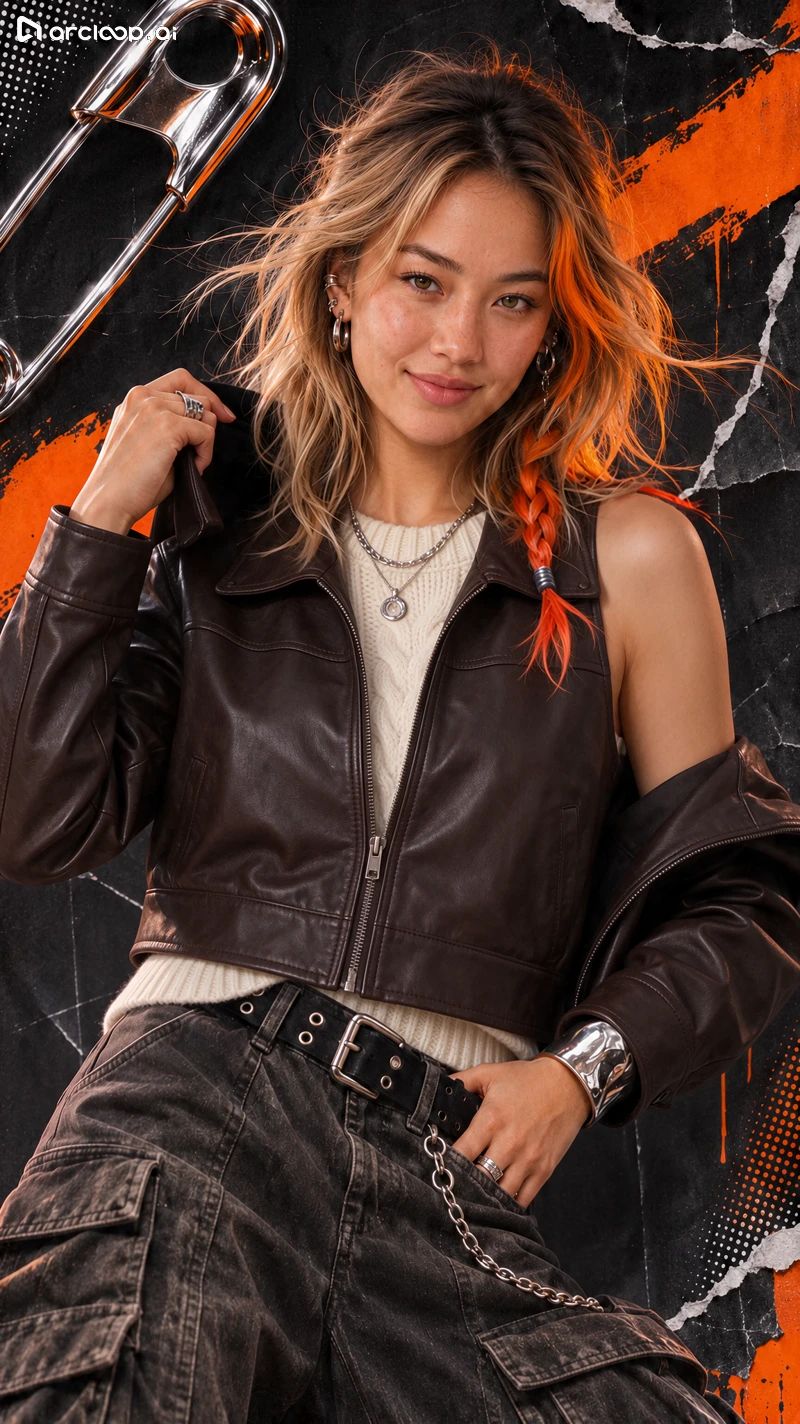
15 Light Blue Denim Jacket & Cable-Knit Sweater
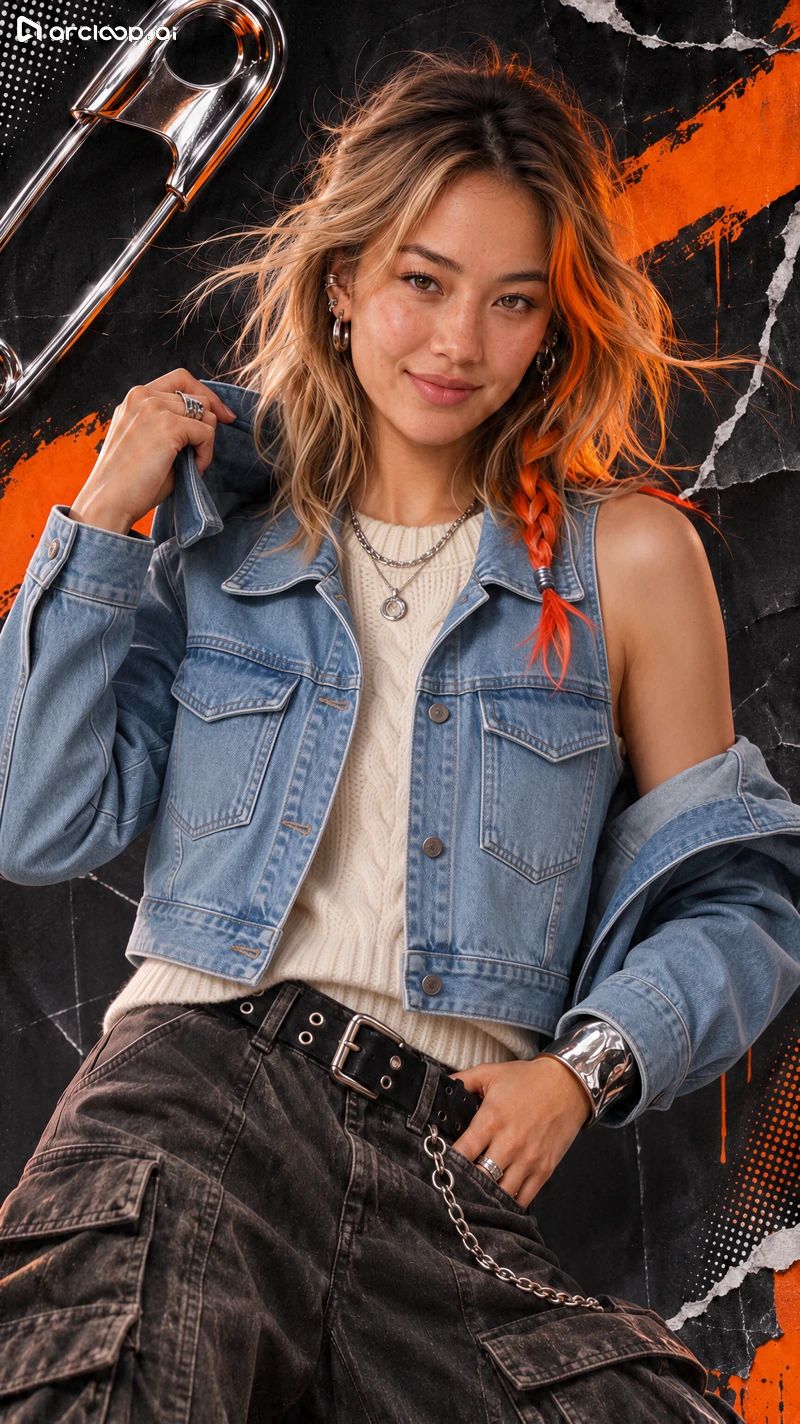
16 Charcoal Gray Sweatshirt & Silver Necklaces
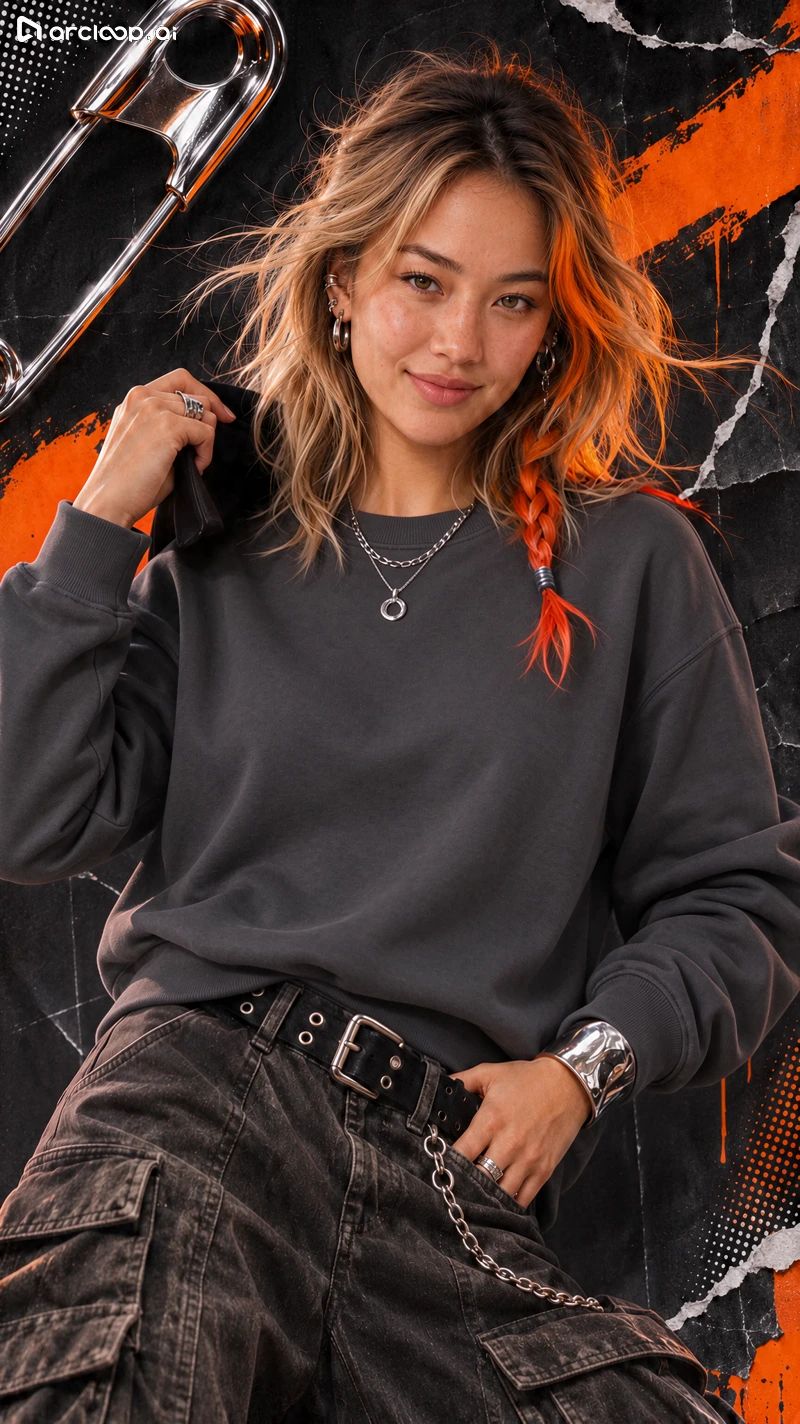
17 Dark Green Satin Shirt & Silver Necklaces
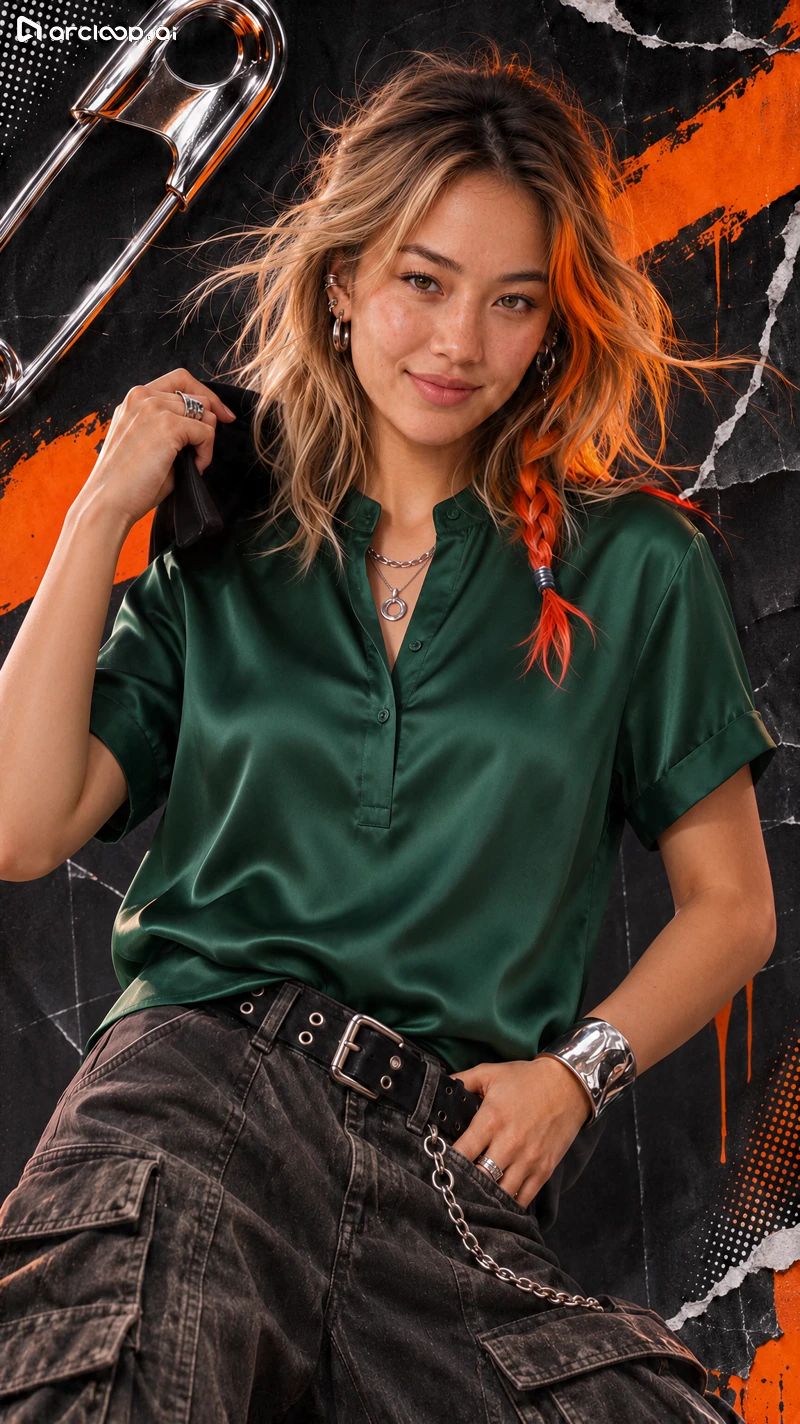
18 Off-White Linen Shirt & Silver Necklaces
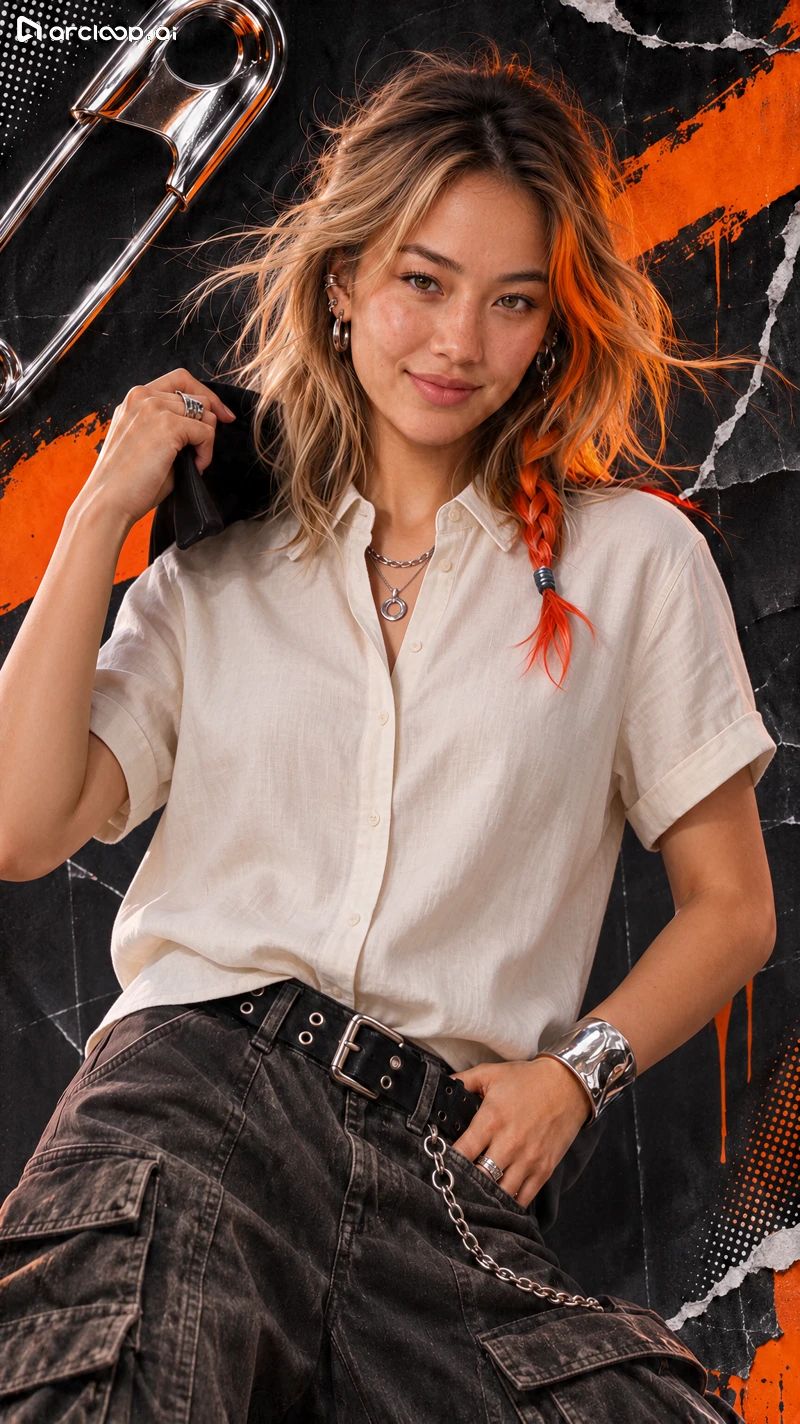
19 Navy Crew-Neck T-Shirt & Silver Necklaces
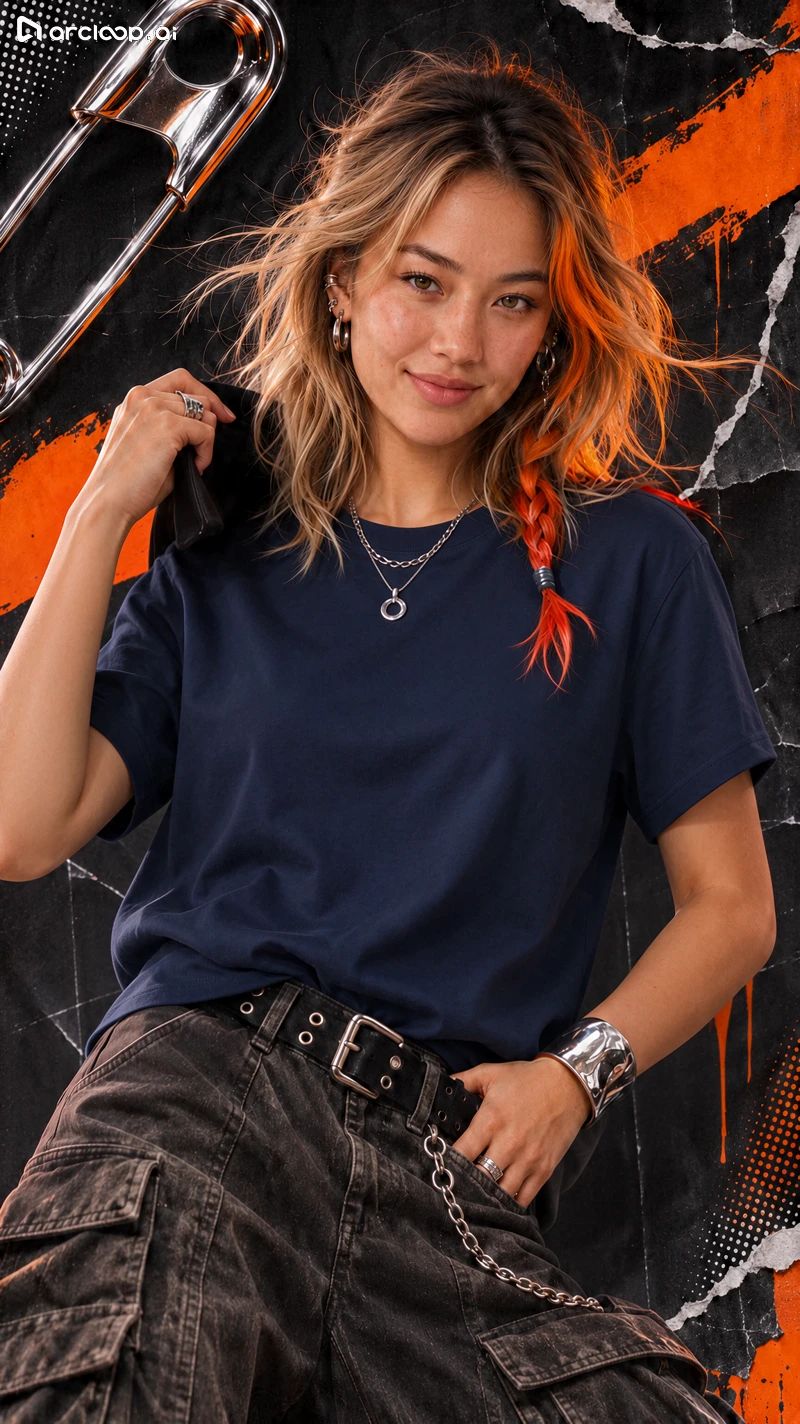
20 Light Gray T-Shirt & Silver Necklaces
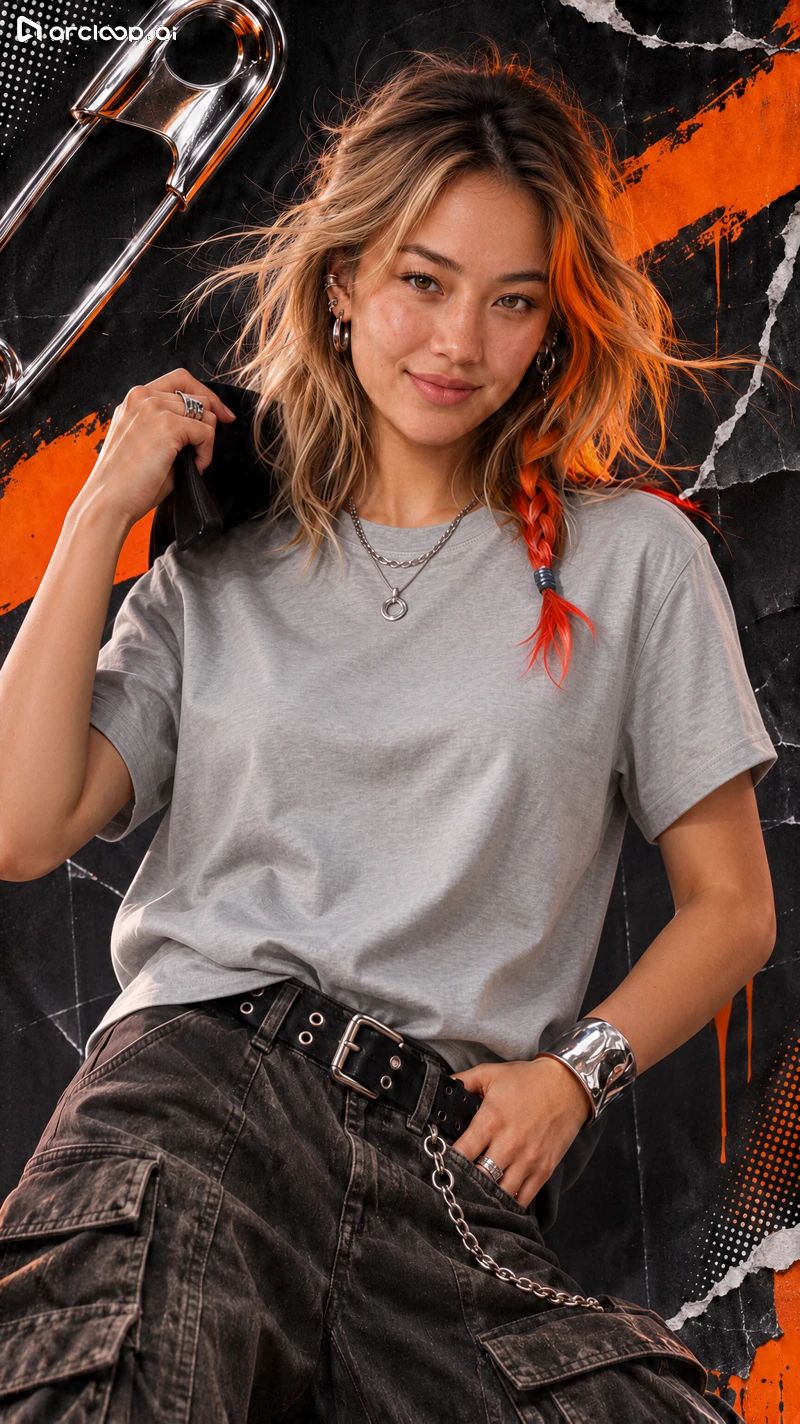
21 Original Outfit Restoration Attempt (White Shirt Output)
Test 1 Prompt Fragments and Full Test Sheet Example
The filenames of the outfit swap outputs preserved parts of the input prompt text. Below are the verifiable fragments listed by image number (translated from the original Chinese test logs, with original records preserved for reference); the complete submission logs are pending supplementation. The final filename still displays the placeholder text for the original outfit description.
01 Change only the character's upper garment in the image to a navy blue cotton crew-neck short-sleeve T-shirt, solid color, no pattern. Fit... (只把图中人物的上装改成深蓝色棉质圆领短袖,素色,没有图案。按)
02 Change only Nora's upper garment in the image to a light gray cotton crew-neck short-sleeve T-shirt, solid color, no... (只把图中 Nora 的上装改成浅灰色棉质圆领短袖,素色,没有)
03 Change only Nora's upper garment in the image to a burgundy ribbed knit crew-neck short-sleeve top, keeping visible... (只把图中 Nora 的上装改成酒红色罗纹针织圆领短袖,保留可)
04 Change only Nora's upper garment in the image to an off-white linen turn-down collar short-sleeve shirt, with matching... (只把图中 Nora 的上装改成米白色亚麻翻领短袖衬衫,带同色)
05 ```text Change only Nora's upper garment in the image to a dark green satin stand-collar... (```text 只把图中 Nora 的上装改成墨绿色缎面立领)
06 Change only Nora's upper garment in the image to a charcoal gray crew-neck long-sleeve sweatshirt, with matching cuffs... (只把图中 Nora 的上装改成深灰色圆领长袖卫衣,袖口为同色)
07 Change only Nora's upper garment in the image to a charcoal gray crew-neck long-sleeve sweatshirt, with matching cuffs... (只把图中 Nora 的上装改成深灰色圆领长袖卫衣,袖口为同色)
08 Change only Nora's upper garment in the image to a light blue turn-down collar denim jacket, with two symmetrical... (只把图中 Nora 的上装改成浅蓝色翻领牛仔夹克,带两只对称)
09 Change only Nora's upper garment in the image to a dark brown matte leather cropped jacket, turn-down collar, front... (只把图中 Nora 的上装改成深棕色哑光皮革短夹克,翻领,正)
10 Change only Nora's upper garment in the image to a cream chunky-knit crew-neck sweater, with vertical cable... (只把图中 Nora 的上装改成奶油白粗针织圆领毛衣,有纵向绞)
11 Change only Nora's upper garment in the image to a black slim-fit blazer, notched lapel, single-breasted... (只把图中 Nora 的上装改成黑色修身西装外套,平驳领、单排)
12 Change only Nora's upper garment in the image to a cream chunky-knit crew-neck sweater, with vertical cable... (只把图中 Nora 的上装改成奶油白粗针织圆领毛衣,有纵向绞)
13 Change only Nora's upper garment in the image to a dark brown matte leather cropped jacket, turn-down collar, front... (只把图中 Nora 的上装改成深棕色哑光皮革短夹克,翻领,正)
14 Change only Nora's upper garment in the image to a dark brown matte leather cropped jacket, turn-down collar, front... (只把图中 Nora 的上装改成深棕色哑光皮革短夹克,翻领,正)
15 Change only Nora's upper garment in the image to a light blue turn-down collar denim jacket, with two symmetrical... (只把图中 Nora 的上装改成浅蓝色翻领牛仔夹克,带两只对称)
16 Change only Nora's upper garment in the image to a charcoal gray crew-neck long-sleeve sweatshirt, with matching cuffs... (只把图中 Nora 的上装改成深灰色圆领长袖卫衣,袖口为同色)
17 Change only Nora's upper garment in the image to a dark green satin stand-collar short-sleeve shirt, with soft... (只把图中 Nora 的上装改成墨绿色缎面立领短袖衬衫,有柔和)
18 Change only Nora's upper garment in the image to an off-white linen turn-down collar short-sleeve shirt, with matching... (只把图中 Nora 的上装改成米白色亚麻翻领短袖衬衫,带同色)
19 Change only Nora's upper garment in the image to a navy blue cotton crew-neck short-sleeve T-shirt, solid color, no... (只把图中 Nora 的上装改成深蓝色棉质圆领短袖,素色,没有)
20 Change only Nora's upper garment in the image to a light gray cotton crew-neck short-sleeve T-shirt, solid color, no... (只把图中 Nora 的上装改成浅灰色棉质圆领短袖,素色,没有)
21 Change only Nora's upper garment in the image to [insert actual color/style of Nora's original outfit]... (只把图中 Nora 的上装改成 写入 Nora 原装的实际颜)
Complete Outfit Swap Prompt Example from the Test Sheet
Change only Nora's upper garment in the image to a light gray cotton crew-neck short-sleeve T-shirt, solid color, no pattern. Fit the body naturally according to the existing pose, and follow the original lighting direction in the scene. Preserve her face shape, facial features, skin tone, expression, eye line, hairstyle, hair color, body proportions, and pose. Keep all visible non-target clothing and accessories, camera angle, framing, background, and overall color tone unchanged. Adjust only the necessary occlusion and garment shadows where the new shirt meets the body.

[Original Chinese Prompt Submitted]:
只把图中 Nora 的上装改成浅灰色棉质圆领短袖,素色,没有图案。按现有姿势自然贴合身体,沿用画面原有光向。保留她的脸型、五官、肤色、表情、视线、发型、发色、身形和姿势。保持所有可见的非目标衣物和配饰、机位、取景、背景和整体色调。只在新衣与身体的交界处调整必要的遮挡和衣物阴影。
Test 2: Multi-Scene Iterative Local Editing
We performed three consecutive edits on the collage cover. First, we changed the diagonal orange brush stroke to cobalt blue; second, we replaced the giant safety pin in the upper-left corner with a matte silver carabiner; finally, we removed the halftone dot pattern in the lower-right corner. By the final image, the cobalt blue brush stroke, silver carabiner, and upper-left halftone dots all remained intact, and Nora’s orange braid and silver earrings stayed sharp. Note that the first round output shifted from the original 1073 × 1466 resolution to 800 × 1424, slightly altering the framing of the character and edges. Keeping the aspect ratio and dimensions fixed in the subsequent two rounds allowed for direct pixel-aligned comparison.
Step 1: Recolor Brush Stroke
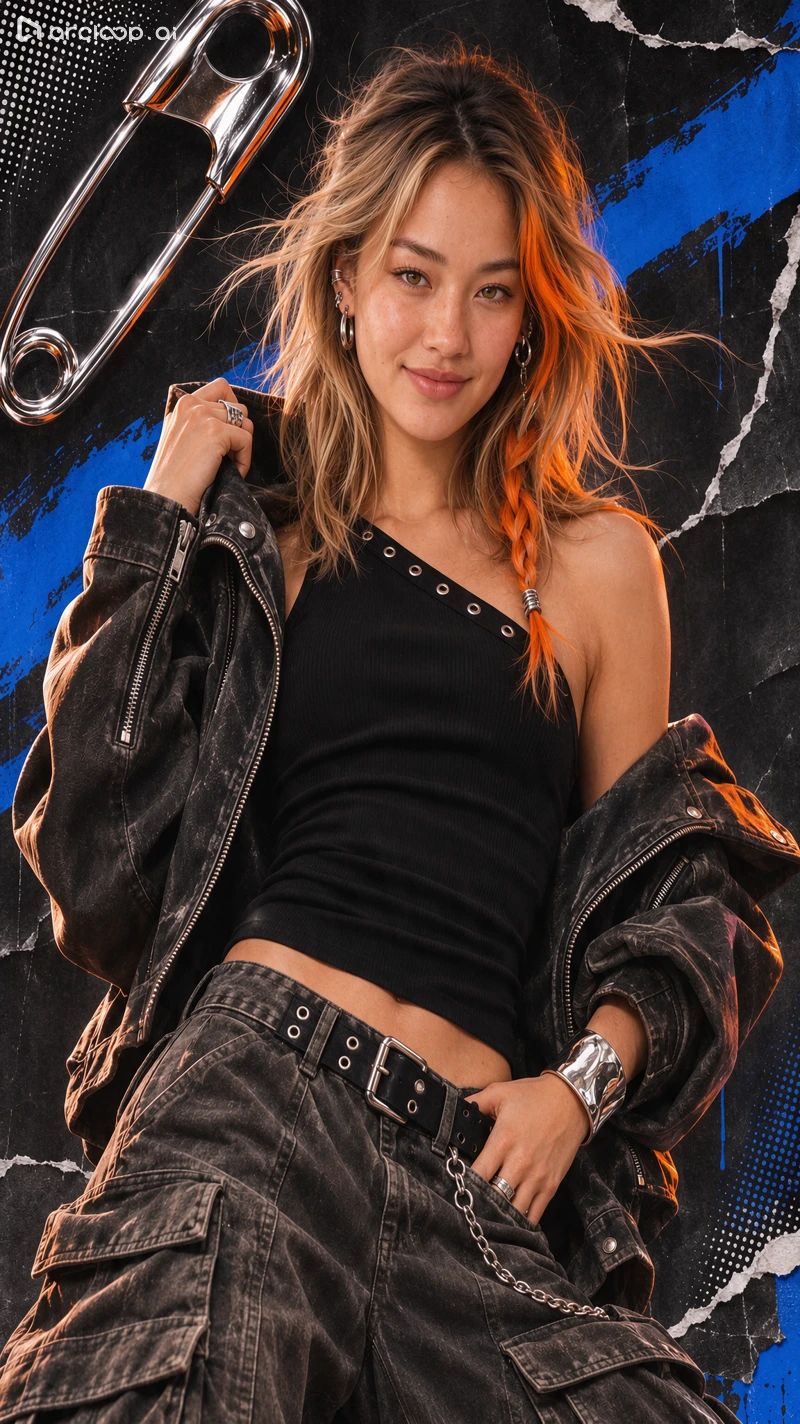
Step 2: Replace Safety Pin
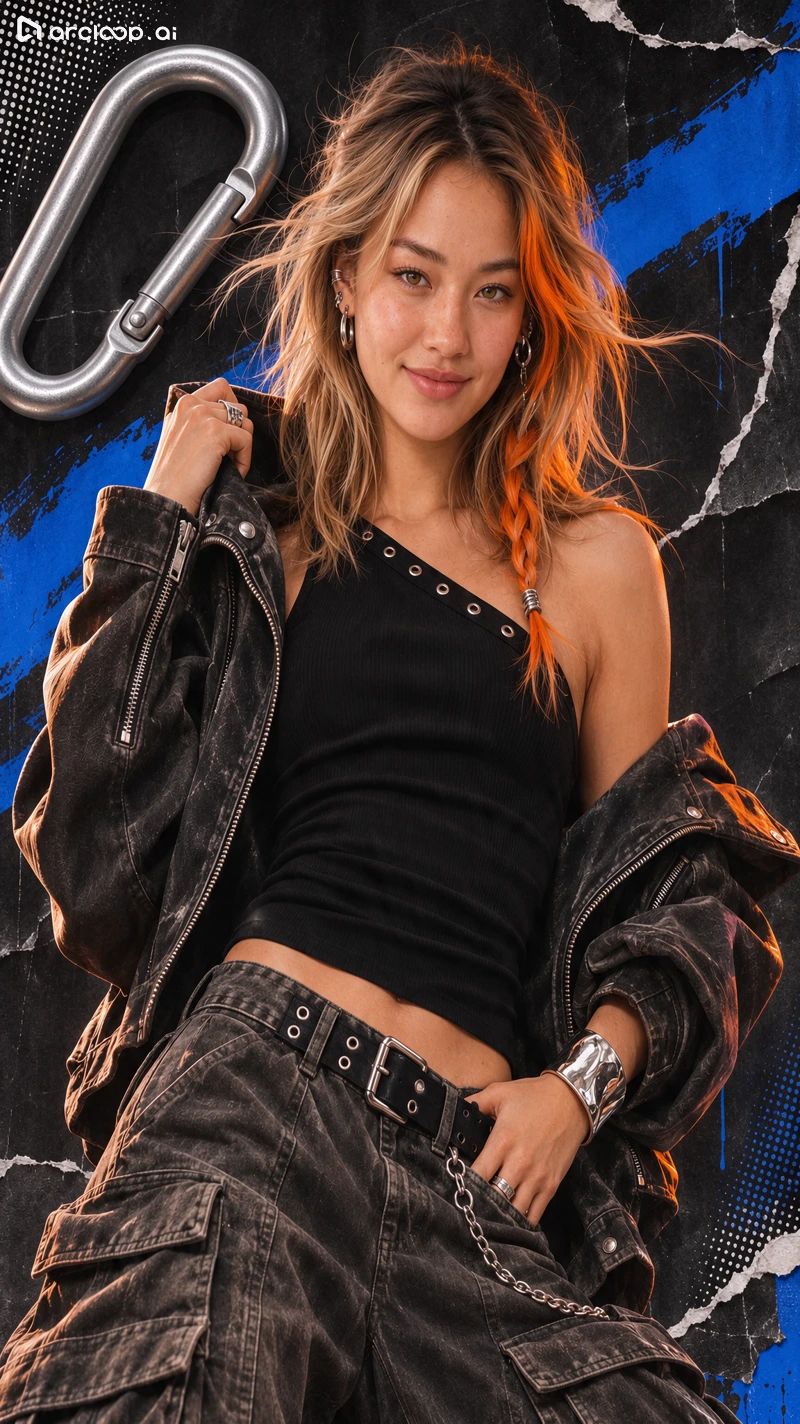
Step 3: Remove Lower-Right Halftone Dots
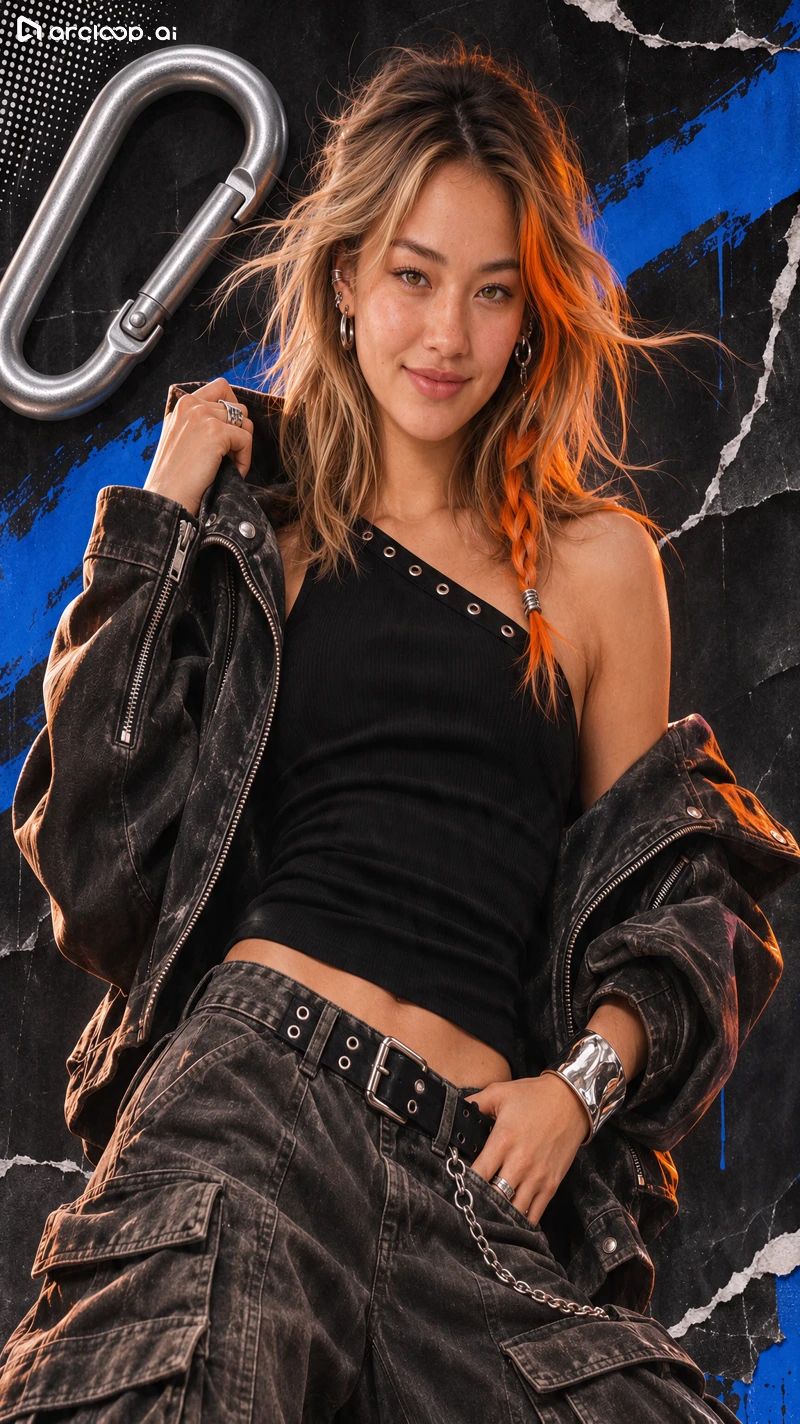
Exact Prompts Submitted for the 3-Round Collage Cover Edits
A01 | Recolor Brush Stroke
Change only the diagonal orange brush stroke on the black collage background to cobalt blue, including both the lower-left and upper-right visible sections of the same stroke. Maintain the shape, position, texture, and edges of the brush stroke. Preserve Nora's face shape, freckles, orange braid, silver earrings, hand pose, and all clothing. Keep her orange braid and original rim lighting unchanged. Keep the giant silver safety pin in the upper-left corner, torn paper edges, halftone dot pattern, and original composition unchanged.

[Original Chinese Prompt Submitted]:
只把图中黑色拼贴背景上的橙色斜向刷痕改成钴蓝色,包括左下和右上能看到的同一条刷痕。保持刷痕的形状、位置、纹理和边缘。保留 Nora 的脸型、雀斑、橙色发辫、银色耳饰、手部姿势和全部服装。她的橙色发辫和原有轮廓光保持原样。左上角银色大别针、纸张撕边、圆点网纹和原构图保持不变。
A02 | Replace Safety Pin with Carabiner
Replace only the giant silver safety pin on the upper-left background with a matte silver carabiner of similar size, maintaining the original position and diagonal angle. Preserve the existing cobalt blue diagonal brush stroke, black torn paper, and halftone dots, and preserve Nora's freckles, orange braid, silver earrings, clothing, pose, framing, and lighting. Adjust only the necessary occlusion and cast shadows around the prop.

[Original Chinese Prompt Submitted]:
只把左上角背景上的巨型银色安全别针换成一个相近大小的哑光银色登山扣,保持原位置和斜向角度。保留已有的钴蓝色斜向刷痕、黑色撕纸与网点,保留 Nora 的雀斑、橙色发辫、银色耳饰、衣着、姿势、取景和光线。只调整道具周围必要的遮挡与落影。
A03 | Remove Halftone Dots
Remove only the halftone dot pattern decoration near the lower-right edge, filling it in with the surrounding black torn paper texture and existing dark tones. Preserve the silver carabiner and halftone dots in the upper-left corner, the cobalt blue diagonal brush stroke, and the white torn paper edges. Preserve Nora's face shape, freckles, orange braid, earrings, clothing, and pose. Do not alter the garment edges, bottom chain, or framing.

[Original Chinese Prompt Submitted]:
只移除右下角靠边缘的点阵装饰,用周围的黑色撕纸纹理和原有暗部补齐。保留左上角的银色登山扣和左上角网点、蓝色斜刷痕、白色撕纸边。保留 Nora 的脸型、雀斑、橙色发辫、耳饰、衣服和姿势。不要改变衣服边缘、下方链条或取景。
For the cafe scene benchmark, we first combined Nora’s original portrait with an existing cafe illustration to generate a base image. While her orange braid, silver earrings, and jacket remained recognizable, her overall rendering adapted to the 2D illustrated style of the cafe environment. Next, we changed the white coffee cup to forest green, swapped the blue notebook for a cream-colored hardcover notebook, and finally removed the silver spoon from the front of the table. During the first edit (recoloring the cup), the output switched to a square aspect ratio, changing the framing of the tabletop and window frame. The subsequent two rounds locked the square aspect ratio, and when the silver spoon was removed in the final step, the forest green cup, white saucer, and cream notebook all remained properly in place. This confirms that single-object local edits are easiest to control once the canvas aspect ratio is locked.
Cafe Base Image
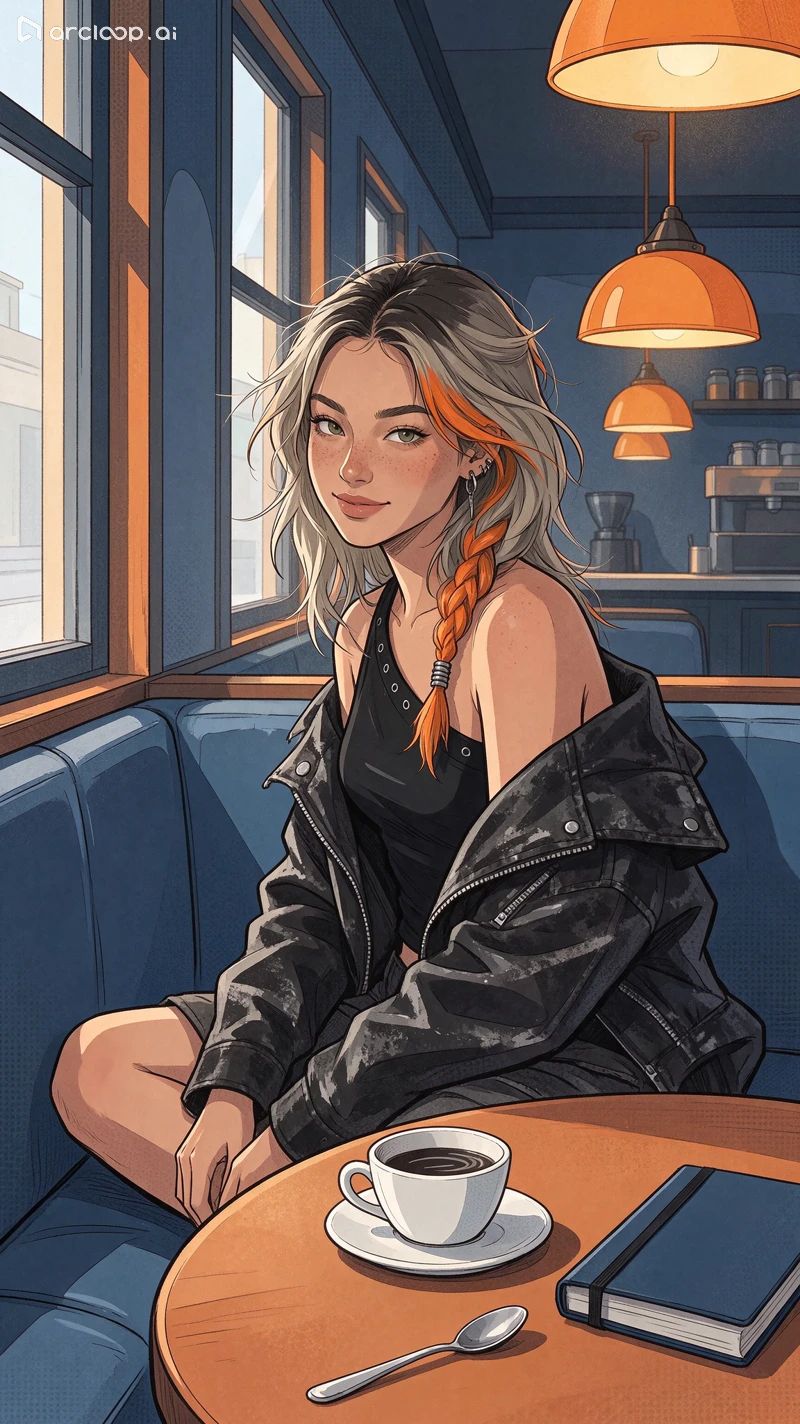
Step 1: Recolor Coffee Cup to Green
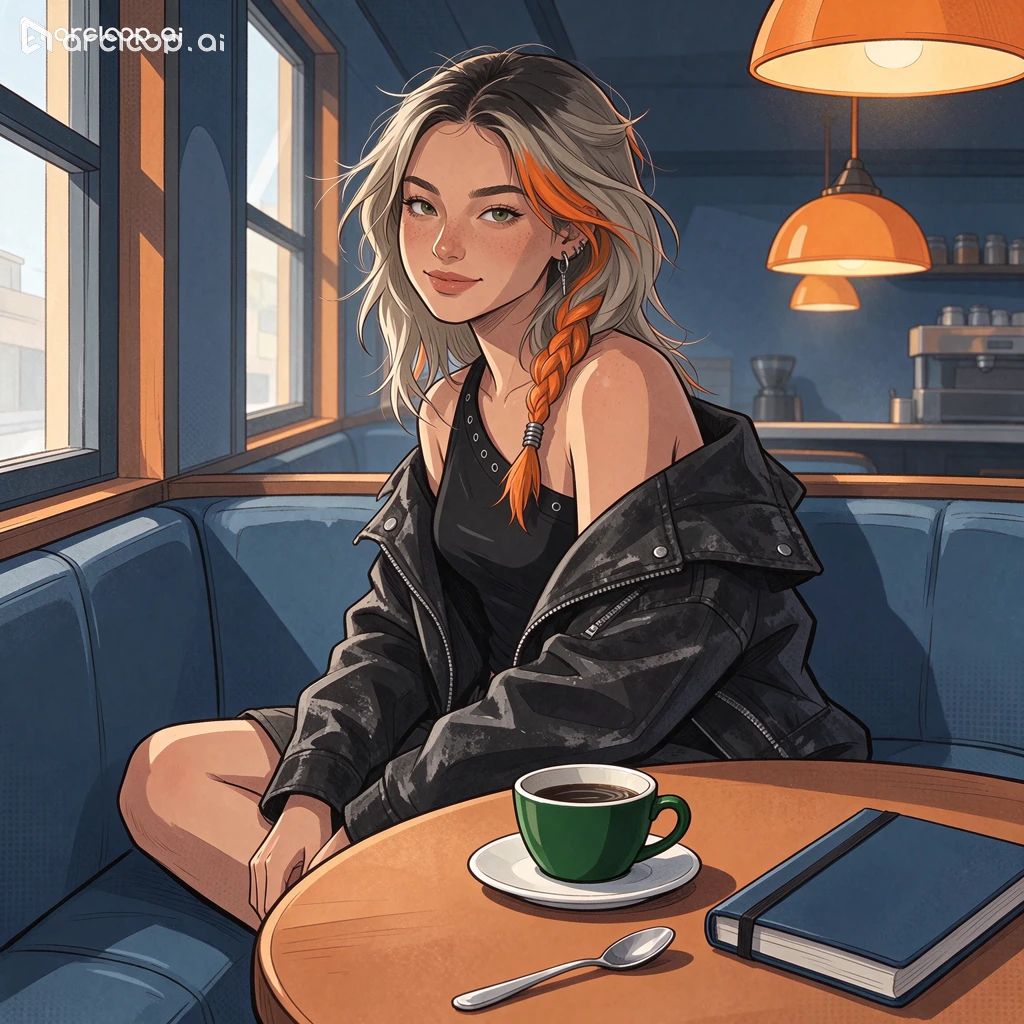
Step 2: Swap to Cream Notebook
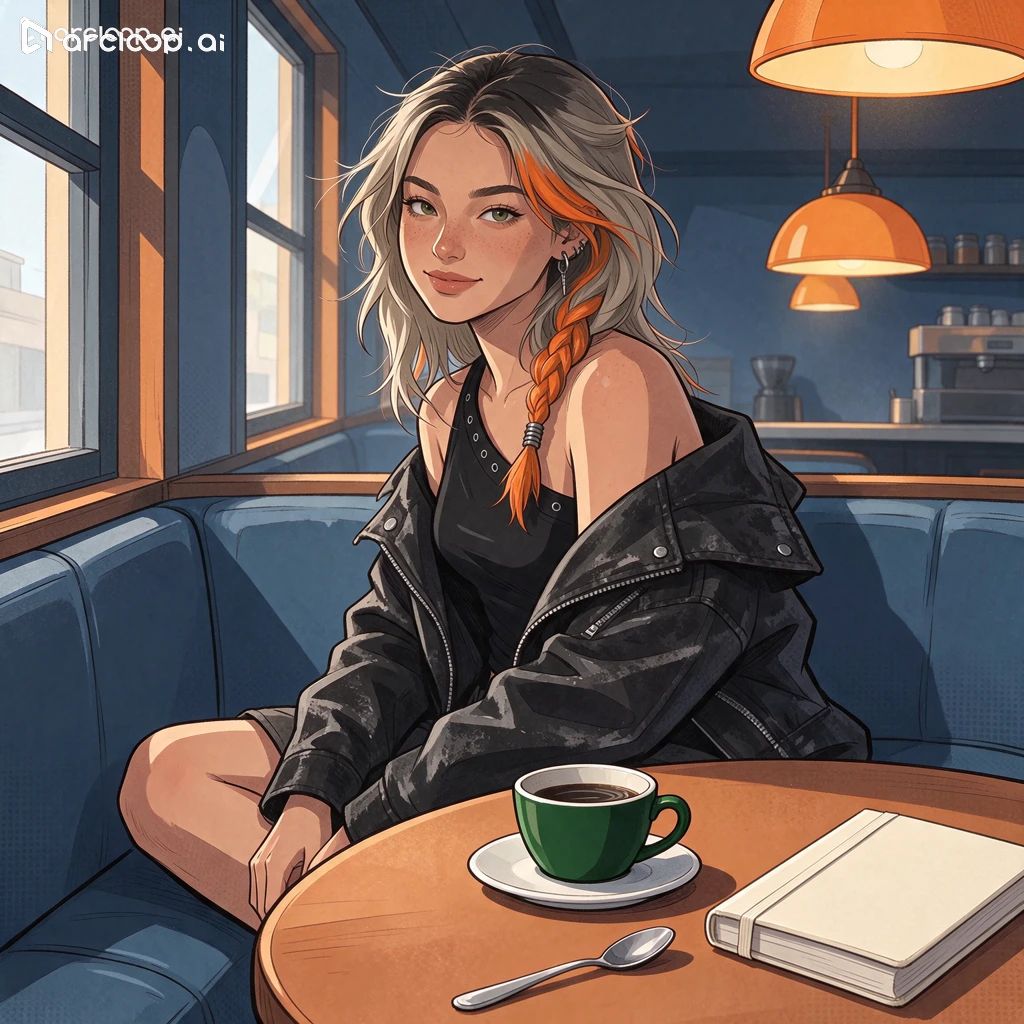
Step 3: Remove Silver Spoon
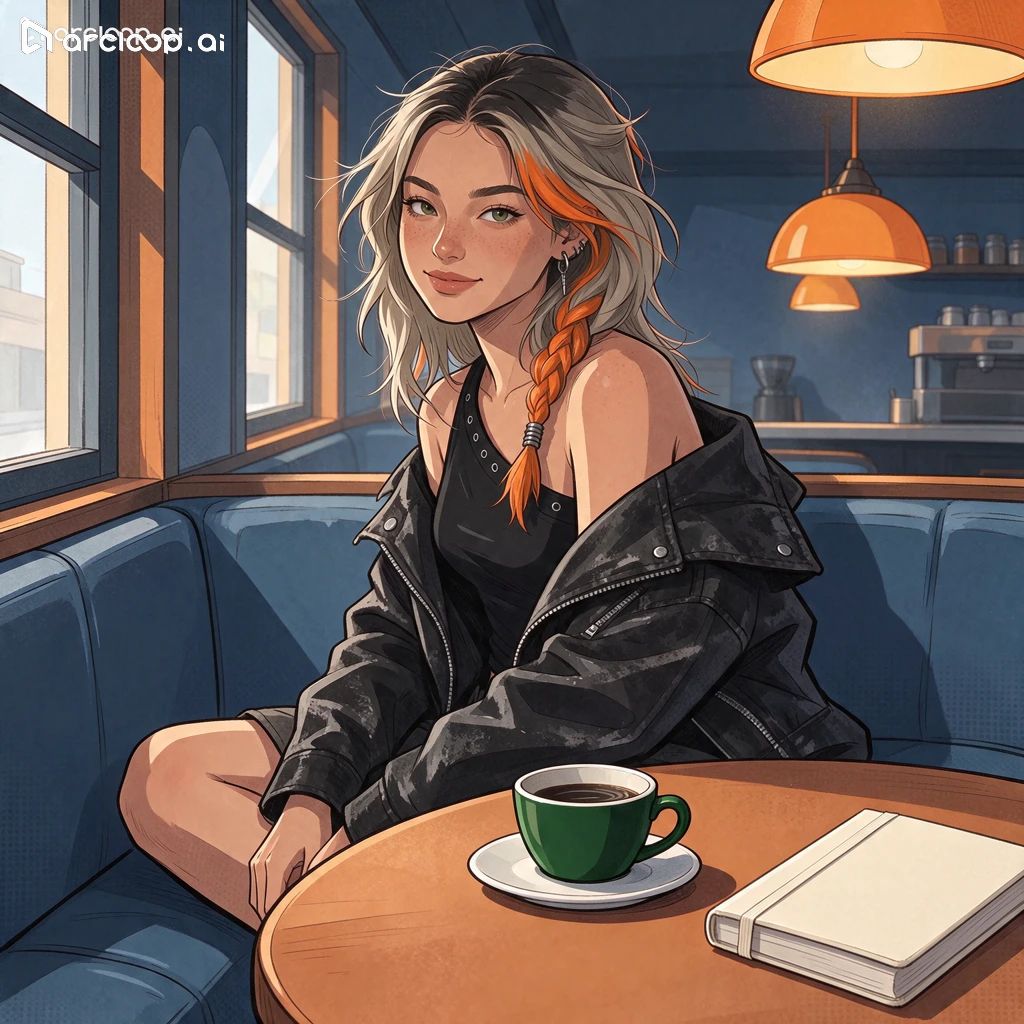
Exact Prompts Submitted for the Cafe Base Image and 3-Round Edits
B00 | Cafe Base Image Generation
Image 1 is the character reference for digital human Nora, and Image 2 is the cafe environment reference. Using the window seat and table from Image 2 as the scene, place Nora in the window seat sitting sideways with her face turned toward the camera, using a medium shot that clearly shows both Nora's face and the tabletop. Preserve her freckles, facial proportions, orange side braid, silver earrings, black one-shoulder top, and washed black jacket. Preserve the cafe's window frame, seating, wooden table, and warm lighting fixtures. Place a white cup and saucer on the table in front of her, a closed blue notebook on the other side of the table, and a small silver spoon next to the saucer, keeping the three objects separated from one another. Keep the lighting direction consistent between the environment and the character, and add no text.

[Original Chinese Prompt Submitted]:
图1是数字人 Nora 的人物参考,图2是咖啡馆环境参考。以图2的窗边座位和桌子为场景,把 Nora 放进靠窗座位里,侧身坐着,脸朝镜头,采用能同时看清 Nora 面部和桌面的中景。保留她的雀斑、面部比例、橙色侧辫、银色耳饰、黑色单肩上衣和水洗黑夹克。保留咖啡馆的窗框、座位、木桌和暖色灯具。在她面前的桌上摆一个白色杯碟,桌子另一侧放一本合上的蓝色笔记本,杯碟旁放一把小银勺,三个物件彼此分开。保持环境和人物的光向一致,不加文字。
B01 | Recolor Coffee Cup
Change only the outer body of the white coffee cup on the table near Nora to forest green, keeping the saucer white and the coffee and cup rim shape unchanged. Preserve the cup's position, as well as the blue notebook and silver spoon on the table. Preserve Nora's freckles, orange braid, silver earrings, clothing, and pose, and maintain the window frame, table and chairs, pendant lamp, composition, and lighting.

[Original Chinese Prompt Submitted]:
只把靠 Nora 的桌面上那只白色咖啡杯的杯身外壁改成森林绿,杯碟保持白色,咖啡和杯口形状不变。保留杯子位置、桌面上的蓝色笔记本与银勺。保留 Nora 的雀斑、橙色发辫、银色耳饰、衣服和姿势,保持窗框、桌椅、吊灯、构图和光线。
B02 | Replace Notebook
Replace only the closed blue notebook on the right side of the tabletop with a similarly sized cream-colored hardcover notebook, maintaining the original position and perspective. Keep the forest green coffee cup, white saucer, and small silver spoon on the table as they are. Preserve Nora's freckles, orange braid, silver earrings, expression, clothing, and pose, as well as the cafe's window frame, table and chairs, pendant lamp, and composition.

[Original Chinese Prompt Submitted]:
只把桌面右侧的蓝色合页笔记本替换成一本相近尺寸的米白色硬皮笔记本,保留原位置和透视。桌上森林绿咖啡杯、白色杯碟、银色小勺保持现状。保留 Nora 的雀斑、橙色发辫、银色耳饰、表情、服装、姿势,以及咖啡馆的窗框、桌椅、吊灯和构图。
B03 | Remove Silver Spoon
Remove only the small silver spoon near the front edge of the tabletop, filling in the previously occluded area using the color tone, wood grain texture, and lighting of the surrounding wooden table. Preserve the original position and appearance of the forest green coffee cup, white saucer, and cream-colored notebook. Preserve Nora's freckles, orange braid, silver earrings, face shape, clothing, and pose, and maintain the window frame, table and chairs, pendant lamp, and square composition.

[Original Chinese Prompt Submitted]:
只移除桌面前缘的银色小勺,沿用周围木桌的色泽、纹理和光线补好原来遮住的区域。保留森林绿咖啡杯、白色杯碟、米白色笔记本的原位置和外观。保留 Nora 的雀斑、橙色发辫、银色耳饰、脸型、服装和姿势,保持窗框、桌椅、吊灯及方形构图。
Test 3: Complex Multi-Text Poster Typography & Single-Line Text Editing
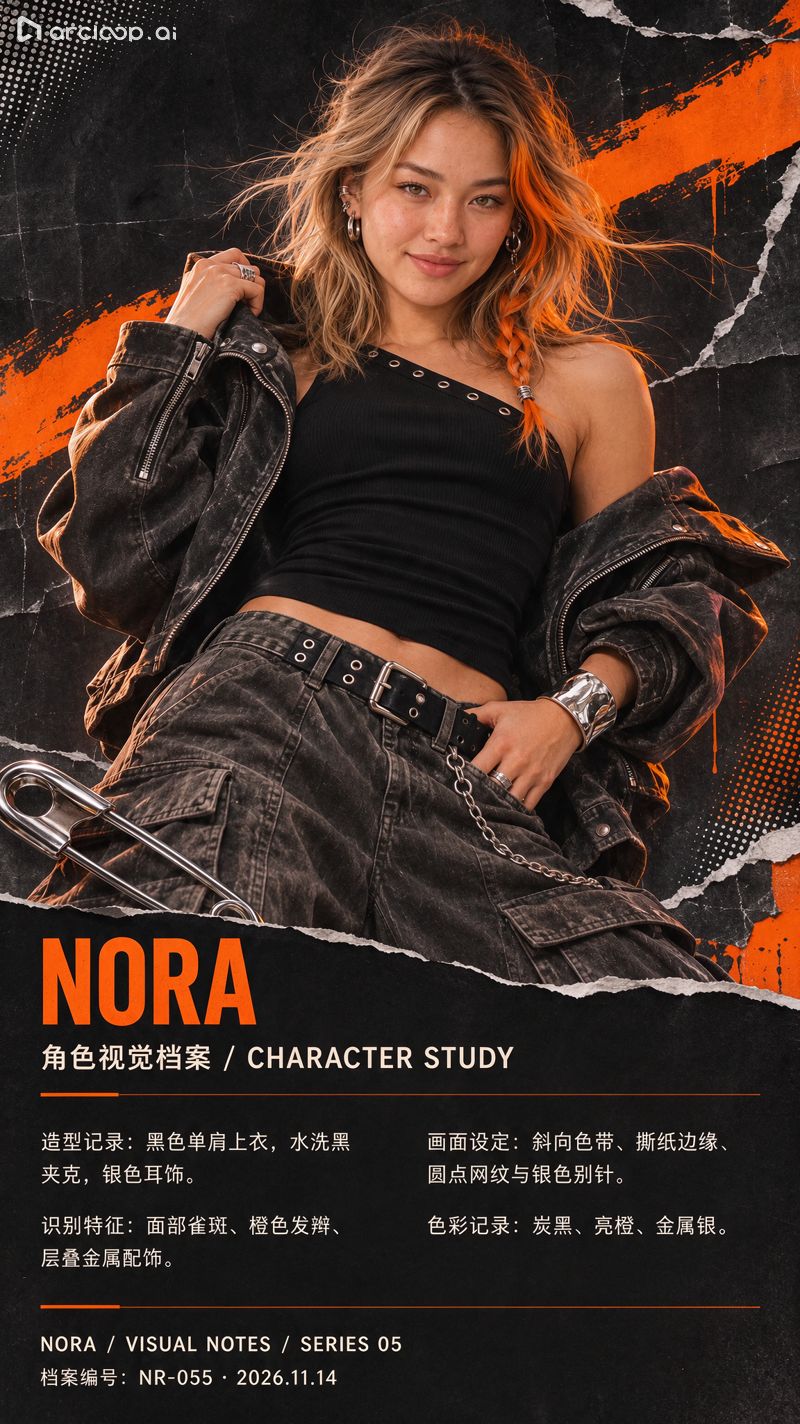
In this AI typography and poster generation test, we used Nora’s original portrait to generate a vertical character profile poster. The upper section retained the character, while the lower dark space arranged a main title, a bilingual Chinese-English subtitle, four blocks of Chinese descriptive copy, and a two-line footer. Checking the 800 × 1424 output character by character against the source prompt revealed zero typos or digit errors across the headlines, body copy, dates, and serial numbers. The fine print was cleanly formatted into two equal-width columns, and automatic line wrapping did not truncate any sentences.
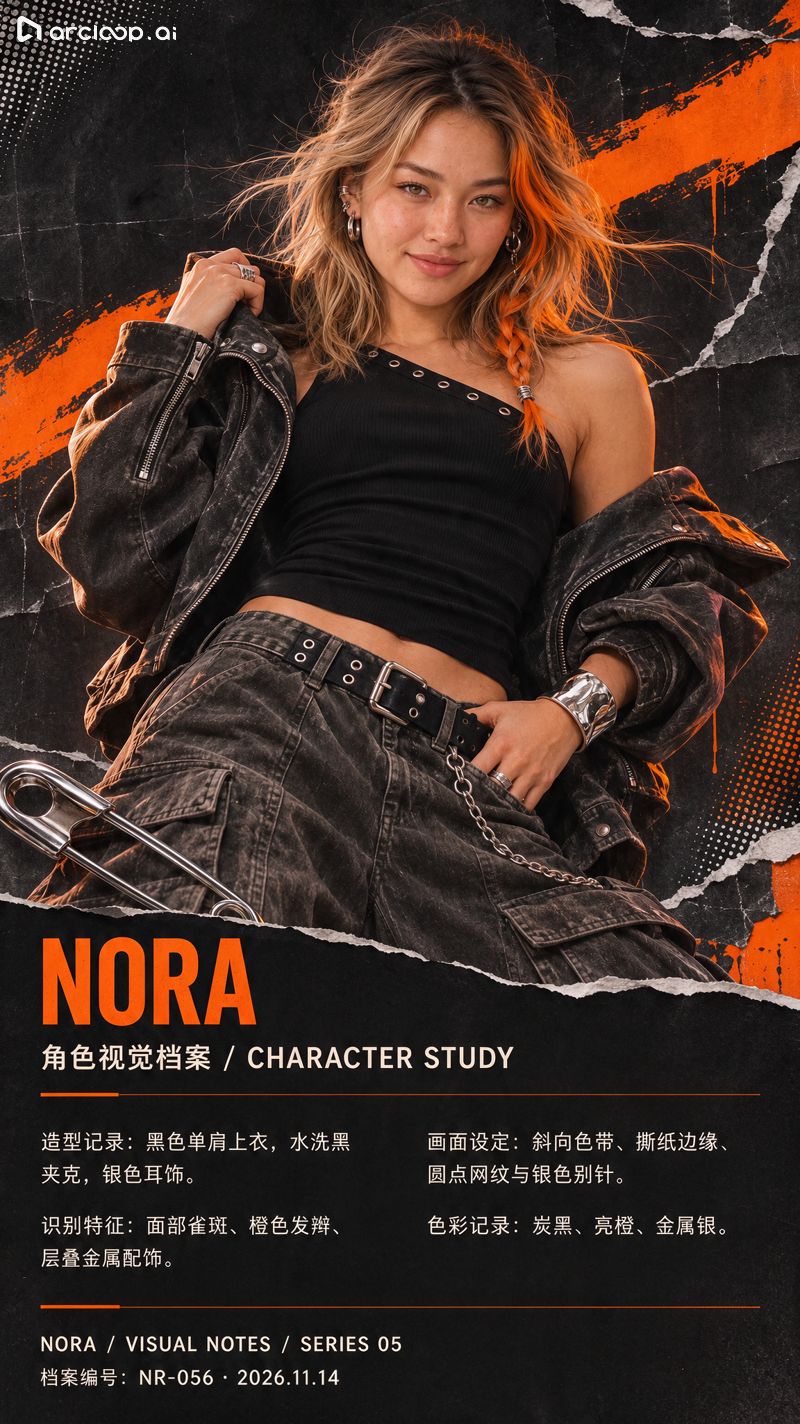
In the second round, we instructed the model to update only the bottom archive serial number from NR-055 to NR-056. To the naked eye, the date, surrounding bilingual copy, Nora’s face, and the two-column layout were all preserved. While a pixel-by-pixel diff of the downloaded files showed subtle variations outside the footer, this local text editing workflow is reliable for production poster delivery as long as you do a quick final proofread of the full graphic.
Initial Poster · NR-055
Single-Line Serial Edit · NR-056
Exact Prompts Submitted for Initial Poster Generation and Single-Line Serial Edit
Initial Poster Generation
Use this original Nora image to create a vertical character profile poster, preserving her face shape, freckles, orange braid, silver earrings, black top, and jacket. Continue the black-and-orange collage and silver safety pin style. Position Nora in the upper-middle section of the frame, and place the typography in the dark negative space at the bottom, avoiding overlapping her face and braid. Make the main title large and legible, the subtitle slightly smaller, and format the body text into two equal-width columns with complete, sharp lines of text. Accurately render the following test copy, preserving capitalization, punctuation, and numbers without adding extra text:
NORA
角色视觉档案 / CHARACTER STUDY
造型记录:黑色单肩上衣,水洗黑夹克,银色耳饰。
识别特征:面部雀斑、橙色发辫、层叠金属配饰。
画面设定:斜向色带、撕纸边缘、圆点网纹与银色别针。
色彩记录:炭黑、亮橙、金属银。
NORA / VISUAL NOTES / SERIES 05
档案编号:NR-055 · 2026.11.14

[Original Chinese Prompt Submitted]:
用这张 Nora 原图做一张竖版角色档案海报,保留脸型、雀斑、橙色发辫、银色耳饰、黑色上衣和夹克。沿用黑橙拼贴和银色别针风格。Nora 居于画面中上部,文字放在下方深色留白区,避免压住脸和发辫。主标题大而清楚,副标题稍小,正文用两栏等宽排版,每行文字完整且清晰。请准确呈现以下测试文案,保留大小写、标点和数字,不额外添加文字:
NORA
角色视觉档案 / CHARACTER STUDY
造型记录:黑色单肩上衣,水洗黑夹克,银色耳饰。
识别特征:面部雀斑、橙色发辫、层叠金属配饰。
画面设定:斜向色带、撕纸边缘、圆点网纹与银色别针。
色彩记录:炭黑、亮橙、金属银。
NORA / VISUAL NOTES / SERIES 05
档案编号:NR-055 · 2026.11.14
Single-Line Poster Edit
Change only the bottom archive serial number line on this poster, replacing the entire line with "档案编号:NR-056 · 2026.11.14". Maintain the font style, font size, color, and left-aligned position of that line. Preserve all other titles, Chinese and English copy, the two-column layout, the original torn paper edges, and the orange brush stroke. Preserve Nora's face shape, freckles, orange braid, silver earrings, clothing, and pose.

[Original Chinese Prompt Submitted]:
只改这张海报最下方的档案编号一行,把整行改成「档案编号:NR-056 · 2026.11.14」。沿用该行的字体风格、字号、颜色和左对齐位置。保留其他标题和中英文文案、两栏排版、原来的撕纸边缘和橙色刷痕。保留 Nora 的脸型、雀斑、橙色发辫、银色耳饰、衣着和姿势。
Test 4: Multi-Image Blending & Prop Integration
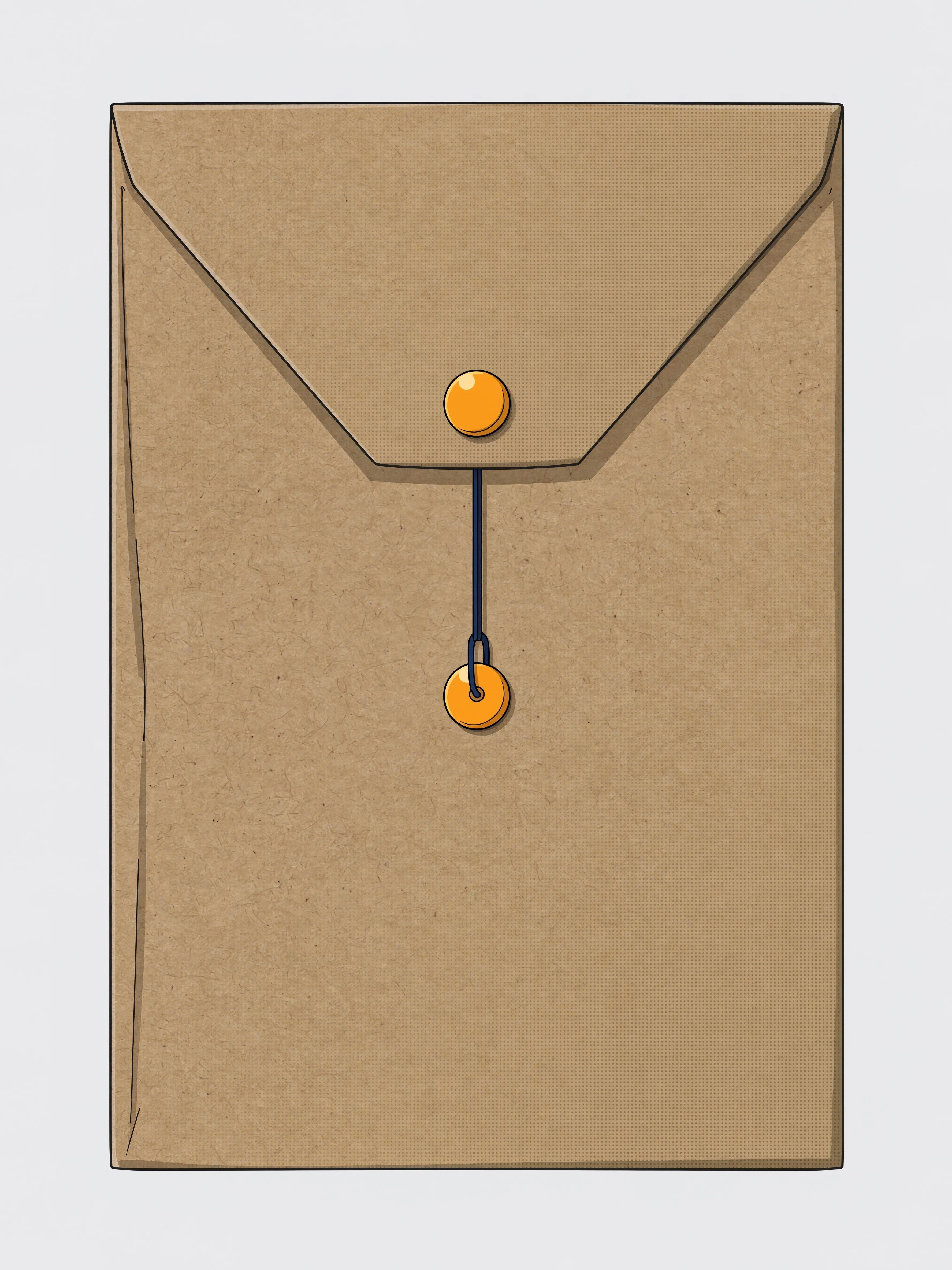
In this multi-image fusion test, Image 1 is Nora’s original portrait and Image 2 is a product photo of a kraft paper document envelope. After blending, Nora uses her right-side hand (originally resting near her pocket) to hold the envelope naturally at her waist, with her fingers overlapping the bottom edge of the envelope. Both orange circular clasps, the folded flap, and the dark blue string tie from the reference prop are clearly reproduced. However, while the character is unmistakably Nora, her lips shifted from a closed smile to slightly parted, and the framing around her head changed slightly. Seedream 5.5 handles prop insertion convincingly, but character facial expressions still warrant a post-generation check.
Prop Reference Image
Dual-Image Blending Output
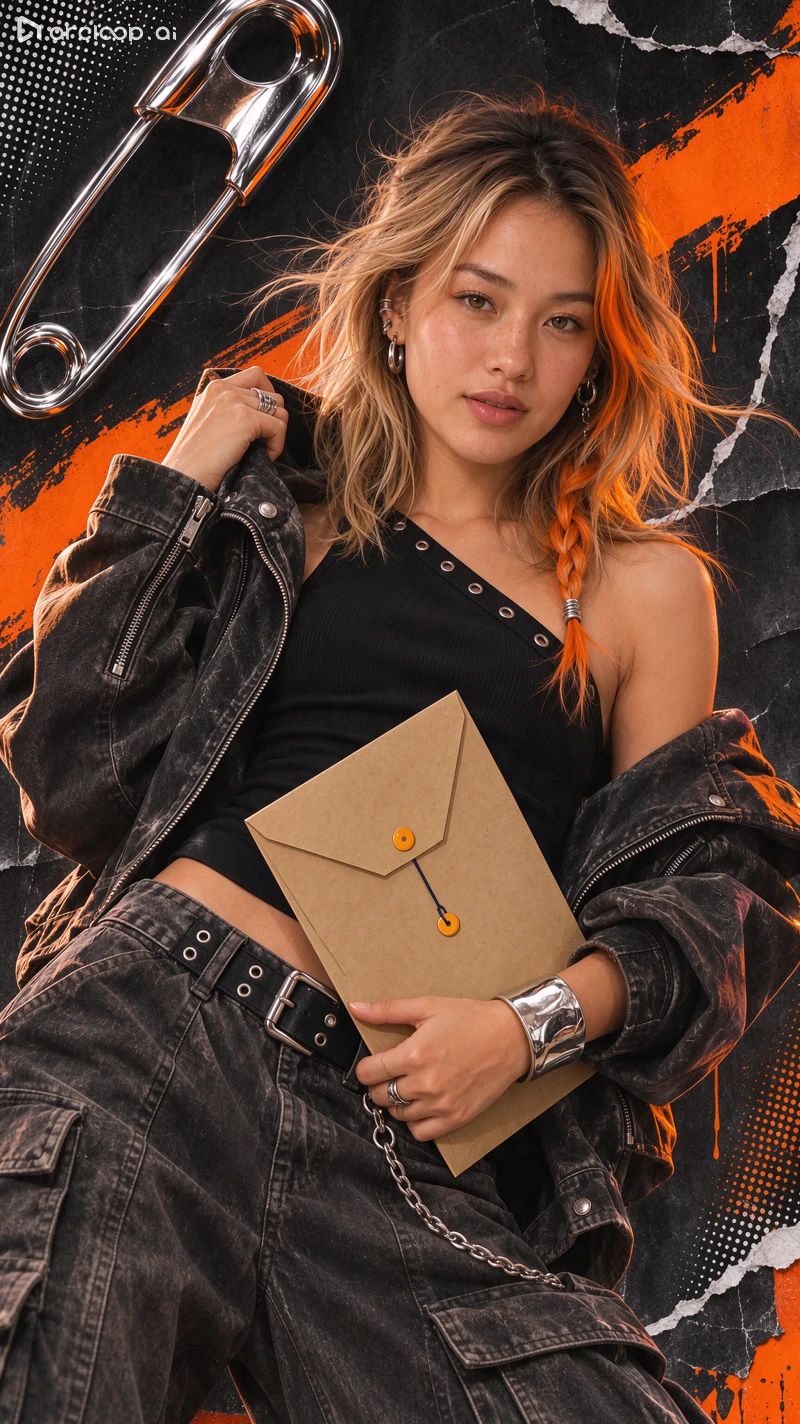
Exact Prompt Submitted for Blending Nora and the Envelope Prop
Envelope Prop Blending
Image 1 is the main scene, and Image 2 is the prop reference. Have Nora use the hand on the right side of the frame (originally near her pants pocket) to naturally hold the kraft paper document envelope from Image 2 at her waist, with the front of the envelope facing the camera. Preserve the brown paper texture, folded flap, top and bottom orange circular clasps, and middle dark blue string tie from Image 2. Make the envelope approximately A4 paper size, maintaining natural perspective, finger occlusion, and contact shadows. Preserve Nora's freckles, orange braid, silver earrings, face shape, expression, black top, jacket, and collage background from Image 1. Adjust only the wrist and fingers necessary to hold the envelope.

[Original Chinese Prompt Submitted]:
图1是主画面,图2是道具参考。让 Nora 用画面右侧原本靠近裤袋的那只手,在腰侧自然拿住图2的牛皮纸档案信封,正面朝向镜头。保留图2的棕色纸纹、折叠封口、上下两个橙色圆扣和中间深蓝系绳。信封大小接近一张 A4 纸,保持自然的透视、手指遮挡和接触阴影。保留图1 Nora 的雀斑、橙色发辫、银色耳饰、脸型、表情、黑色上装、夹克和拼贴背景。只为握住信封调整必要的手腕和手指。
Test 5: Transparent Background PNG Generation
Inside the Arcloop Canvas testing environment, we used a text prompt to request a transparent background PNG with a true Alpha channel. While the model successfully stripped away the black paper collage, silver safety pin, and orange brush stroke, it replaced the background with a solid near-white fill. Inspecting the downloaded RGBA PNG confirmed that every pixel had an Alpha value of $255$. Placing this file over any composite background results in an opaque white box blocking the underlying layers.
Because the Canvas UI panel in this test round only exposed resolution and aspect ratio controls, this test reflects the model's response to text-only transparency instructions. On Volcano Engine Ark, Seedream 5.5 includes a dedicated API parameter for native transparent background output, which requires a separate API parameter test to evaluate true Alpha matting.
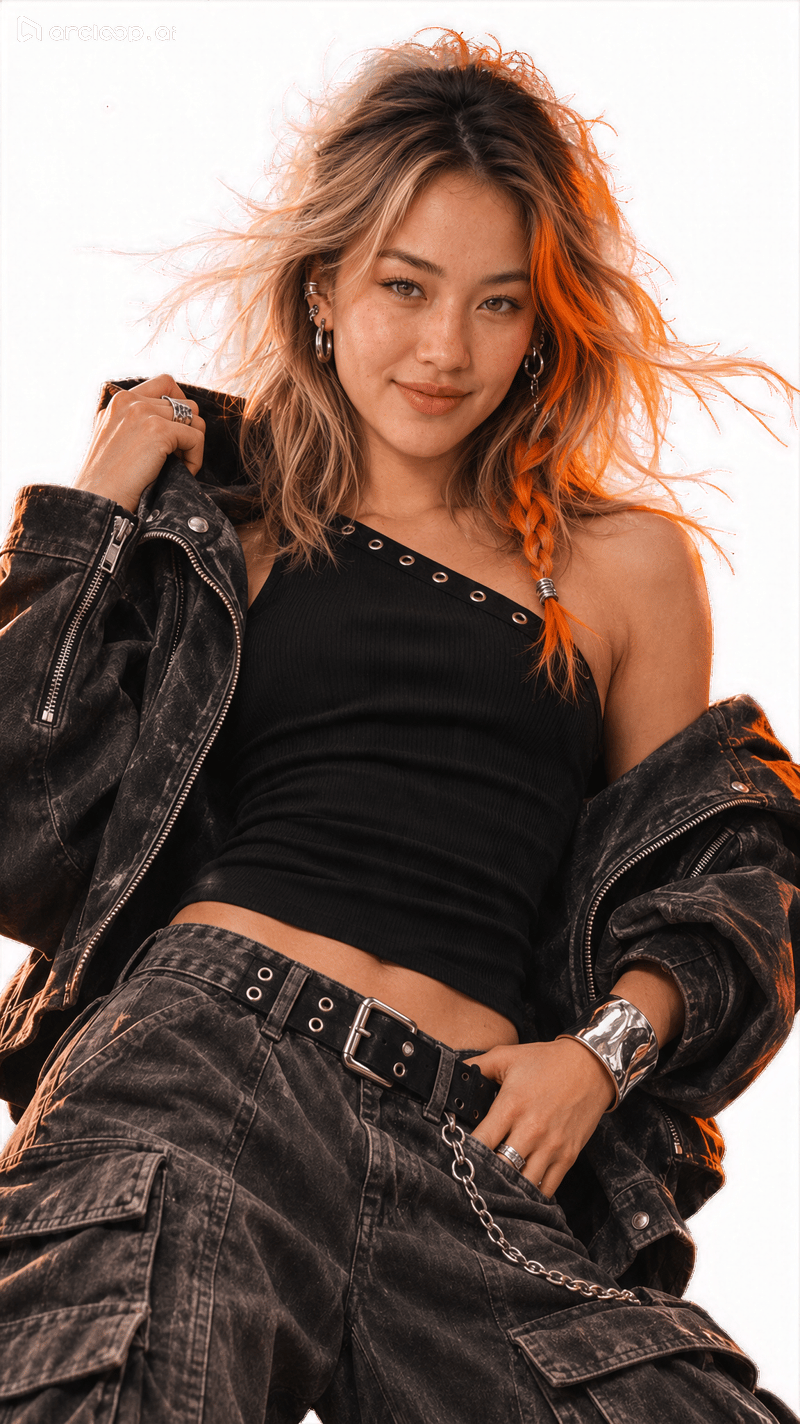
Exact Prompt Submitted When Requesting a Transparent Background PNG
Transparent Background Prompt
Preserve Nora from the reference image and generate a transparent background PNG ready for compositing. Maintain her face shape, freckles, orange braid, silver earrings, expression, clothing, pose, and framing. Remove the black paper collage, orange brush stroke, white halftone dots, and upper-left giant silver safety pin outside the character. Preserve the gaps between hair strands, earrings, cuffs, and pants edges. The background must be true Alpha transparency, outputting an RGBA PNG without drawing a checkerboard pattern or solid color background in the transparent areas.

[Original Chinese Prompt Submitted]:
保留参考图中的 Nora,生成可用于合成的透明背景 PNG。保持脸型、雀斑、橙色发辫、银色耳饰、表情、衣服、姿势和取景。移除人物以外的黑色纸张拼贴、橙色刷痕、白色网点和左上角银色大别针。保留发丝间隙、耳饰、袖口和裤装边缘。背景必须是真实 Alpha 透明,输出 RGBA PNG,透明部分不要绘制棋盘格或单色底。
Note: Tests 2 through 5 were all conducted using Seedream 5.5 inside the Arcloop Canvas test environment at the 1K resolution tier.
3. Seedream 5.5 vs. GPT Image 2.6 for Animated GIF Sticker Creation
In an earlier benchmark, we used GPT Image 2.6 to generate animated GIF stickers—such as acting shy, winking, and handing over a heart—for a cat-eared character. That transparent heart-handing GIF was downloaded directly from ChatGPT as a 2-second, 8-frame loop with actual dimensions of 443 × 443 pixels. To create similar animated character stickers, you can upload an existing character reference sheet, specify the starting pose, forward motion, hold, and return in your prompt, and inspect the exported GIF for seamless loop transitions, accessory stability, and clean transparent edges. See our full guide: Arcloop's GPT Image 2.6 Animated GIF Sticker Benchmark
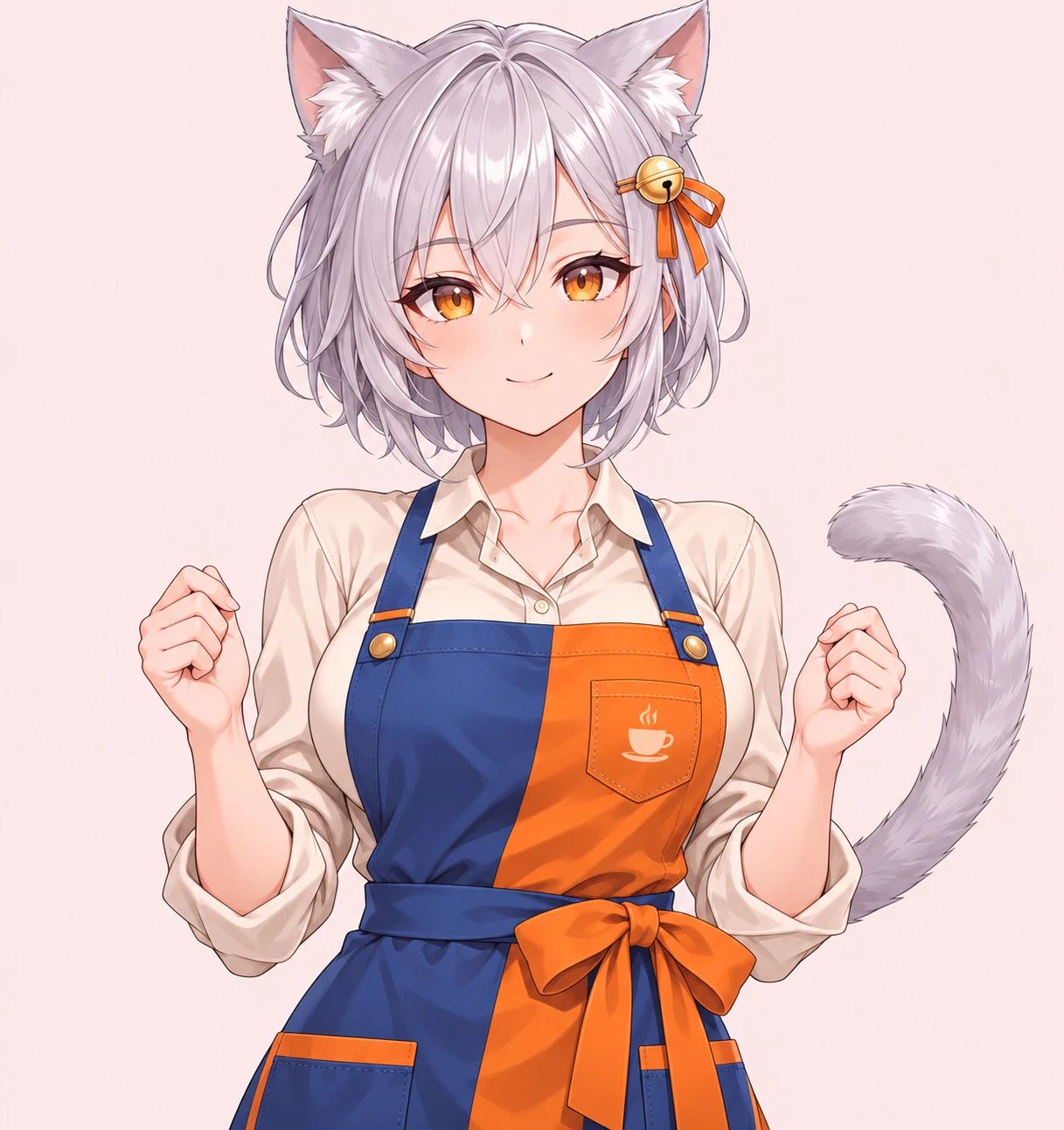
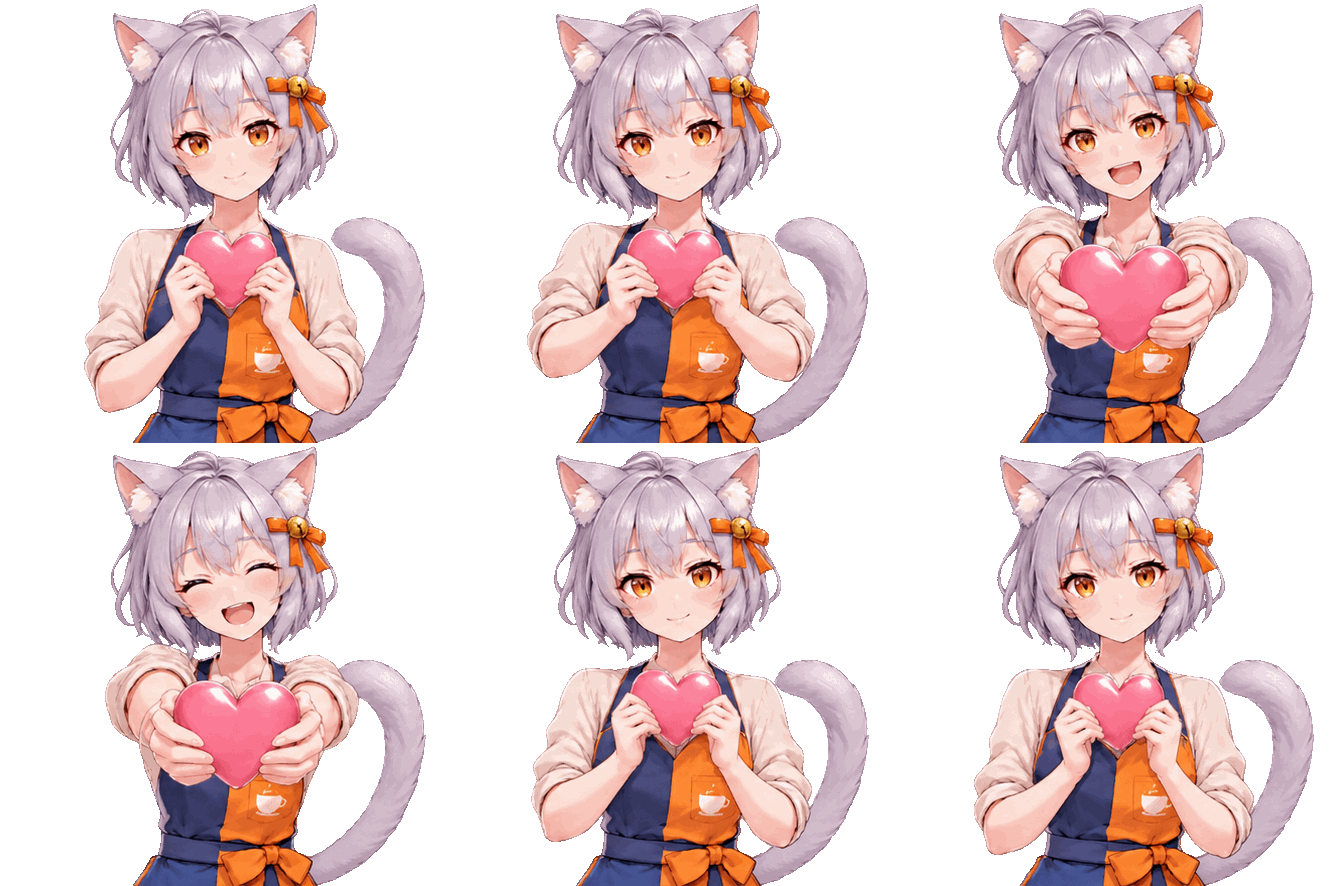
Exact Prompt Submitted to GPT Image 2.6 for the Heart-Handing Transparent GIF
This is the real-world size and background benchmark for Part 5 of the article. Use the original cat-eared character image `character-reference.png` re-uploaded in this session as the reference; do not substitute outputs from earlier generations for the original image. Please invoke native GIF generation capabilities to generate a single standalone playable GIF. Fixed conditions: target 2 seconds per loop, 8 frames; fixed front-facing half-body camera angle; the same character holds a pink heart with both hands in front of her chest, extends it forward, pauses with a smile, and brings it back to her chest, performing the action once per loop. Preserve the silver-gray short hair, golden eyes, cat ears, bell and orange ribbon on the right side of the hair in the frame, blue-and-orange apron with the cup motif, and tail on the right side of the frame. Keep the cat ears, both hands, and tail completely inside the frame across all frames, leaving movement margin around all four sides. No text, letters, numbers, or extra symbols. Return the GIF directly—no static images, storyboard sprite sheets, or code, and do not use code after generation to resize, key out backgrounds, interpolate frames, or adjust speed; return whatever parameters can actually be met rather than claiming compliance in text only. Variables for this group: target file dimensions 512×512 pixels; background must be a true transparent background, not a white fill or drawn checkerboard masquerading as transparency.

[Original Chinese Prompt Submitted]:
这是文章第五部分的尺寸与背景真实测评。使用本会话重新上传的character-reference.png原始猫耳角色图作为参考,不以前几次生成图替代原图。请实际调用原生GIF生成能力,只生成一张独立可播放GIF。固定条件:目标单轮2秒、8帧;固定正面半身机位,同一角色双手从胸前捧着粉色爱心,向前递出,微笑停留,再收回胸前,单轮只做一次动作。保留银灰短发、金色眼睛、猫耳、头发画面右侧的铃铛橘丝带、蓝橘围裙及杯子图案、画面右侧的尾巴。猫耳、双手及尾巴在全部帧中完整留在画面内,四周留出活动余量。无文字、字母、数字或额外符号。直接返回GIF,不要静态图、分镜拼图或代码,不在生成后用代码缩放、抠图、补帧或调速;无法满足的参数按实际返回,不要仅用文字声称达标。本组变量:目标文件尺寸512×512像素;背景为真正透明背景,不能用白底或画出的棋盘格冒充透明。
In summary, Seedream 5.5 excels in this benchmark as a static AI image editing and typography tool for multi-round local revisions. When your deliverable requires looping animated GIFs ready to send in chat apps, GPT Image 2.6 remains the go-to choice for direct GIF generation—just be sure to verify start-to-end frame continuity, earring stability, and true Alpha transparency before final delivery.