Version note: This guide is based on Seedance 2.5's published capabilities and hands-on experience. AI video models iterate quickly, so parameters and ceilings shift between versions. For the engines and versions you can actually call inside ArcLoop, check the current list on the models page.
Before We Begin
This guide is part of the ArcLoop Creator Handbook — our series for filmmakers, animators, and narrative designers who build stories with AI.
Seedance 2.5 is the latest-generation AI video generation model released by ByteDance. It can generate a 30-second short video in one go — up to 50 seconds at the longest — output at up to 4K quality, and reference as many as 50 assets in a single generation. This means creators no longer need complex camera equipment, actors, or locations: with nothing but text and reference images, you can produce a short film with genuine cinematic texture.
But that does not mean "the shorter the prompt, the better." Quite the opposite: Seedance 2.5 raises the bar for how professional your prompts need to be. If you want characters that don't fall apart, costumes that don't change, and coherent camera language, you must write prompts from the perspective of a director, a cinematographer, and a production designer. This tutorial combines the model's official capabilities with hands-on experience to systematically break down a professional Seedance 2.5 workflow, from basic setup to advanced control.
This handbook runs as an eight-part series, plus a companion cheat sheet. Parts 1–3 build the foundations: core concepts, style setup, character consistency, and camera language. Parts 4–8 go deeper: precise reference-image control and regional editing, a full case study, grading and 4K output, performance transfer, multi-character direction, advanced lighting and weather, complex camera moves — and finally a complete project broken down from idea to finished film.
Getting to Know Seedance 2.5
1.1 What Is Seedance 2.5
Seedance 2.5 is an AI video generation tool built for professional content creators. Its core positioning is not "toy-style" short-video generation, but an industrial-grade tool that can support real production scenarios: commercials, short films, music videos, concept films, and film previsualization.
Compared with the previous generation, Seedance 2.5 improves significantly along several dimensions:
- Duration: native support for 30-second videos, extendable up to 50 seconds;
- Image quality: up to 4K resolution;
- Reference capability: up to 50 reference images per generation, covering images, characters, props, scenes, and more;
- Character consistency: with reference images and prompts working together, characters can stay stable across multiple shots (how to write it: Part 2);
- Shot comprehension: stronger response to professional terminology for camera movement, shot size, lighting, and composition (terminology handbook: Part 3).
1.2 Core Capabilities and Parameters
Before you start creating, you must be clear about Seedance 2.5's capability boundaries and parameter settings.
[Resolution & Aspect Ratio] Seedance 2.5 supports the common video aspect ratios, including 16:9 landscape, 9:16 portrait, 1:1 square, and 2.39:1 cinematic widescreen. Different ratios suit different platforms: 16:9 for YouTube/Bilibili; 9:16 for Douyin (TikTok)/Xiaohongshu (RED); 2.39:1 for cinematic short films.
[Frame Rate] The default output is 30fps, the common standard for film and online video. If you need slow motion or a stepped-frame effect, adjust it in post-production software.
[Number of Reference Images] Officially, up to 50 reference images are supported. That does not mean more is better. The rule of thumb: 3–5 for the character, 2–3 for scenes, 2–4 for props/materials, 3–5 for key shots — 10–20 in total is enough. Too many reference images actually add to the model's confusion.
[Prompt Length] Seedance 2.5 can handle fairly long English prompts. We recommend writing in English, because cinematic shot terminology is more mature in English. For complex scenes, aim for prompts of 100–300 words.
1.3 Suitable Scenarios and Creative Boundaries
Seedance 2.5 is best suited to the following scenarios:
- Concept shorts and visual previsualization: validate ideas quickly at low cost;
- Advertising and brand visuals: generate stylistically consistent visual assets;
- Music videos and mood pieces: emphasizing emotion and style over complex narrative;
- Film storyboard previz: directors can preview shots before physical production;
- Character animation and character design: combine with AI image generation to showcase characters in motion.
But it also has clear boundaries:
- Limited physical accuracy: complex actions, precise interactions, and text/numbers can still go wrong;
- Character consistency requires heavy prompt engineering: you cannot just feed in one image and expect stable reuse;
- Multi-character direction is difficult: controlling multiple characters' actions and expressions at once remains challenging;
- Sound and dialogue require post-production: Seedance 2.5 is a video generation tool and does not directly generate audio.
Understanding these boundaries is what lets you play to the model's strengths and avoid its weaknesses in the work ahead.
1.4 Compared with Other AI Video Tools
Before choosing Seedance 2.5, it's worth placing it on the current map of AI video tools.
Today's AI video tools fall roughly into two camps. One emphasizes "fun" and "instant generation" — like the early short-video AI tools, where a few sentences got you a few seconds of amusing footage. The other emphasizes "controllability" and "cinematic quality" — where Seedance 2.5 sits. We wrote a separate head-to-head on how models in this tier trade off against each other: MiniMax H3 vs Seedance 2.
Seedance 2.5's strengths are: deep understanding of reference images, responsiveness to camera language, 4K output, and longer native duration. It is best suited to professional projects that need "consistent characters" and "a unified style."
But it is not a silver bullet. If your project requires precise finger interactions, complex physical motion, or exact blocking for multiple people, no current AI video tool is up to the task. In those cases, Seedance 2.5 works better as a tool for previz, concept films, mood pieces, or ad assets, rather than a full replacement for live-action shooting.
A reasonable way to position it: Seedance 2.5 is a "visual sketching tool" for directors, cinematographers, production designers, and creative directors. It lets a creator validate a shot idea in minutes, instead of waiting days for a traditional previz pipeline.
Fundamentals — Building Your Visual Universe
2.1 The Logic Behind Style Setup
Before generating a single video with Seedance 2.5, the most important thing is not typing your first prompt — it's establishing a "visual universe" first. A visual universe is a stable style system: color, lighting, composition, materials, movement, and emotional tone.
Why does style setup matter so much? Because AI video is, at its core, probabilistic generation. Without clear constraints, every generation can drift away from your expectations. Style setup is the underlying framework of those constraints.
A style setup usually covers these dimensions:
- Color: is the overall palette cool or warm? High or low saturation? Which way does it lean (teal-orange, yellow-green, blue-purple)?
- Lighting: high-contrast chiaroscuro, or soft diffuse light? Natural or artificial light?
- Lens: wide-angle, telephoto, macro, anamorphic widescreen? Handheld or stabilized?
- Materials: what do the character's costume and the scene's props feel like? New or old? Any wear, rust, dust?
- Movement: does the camera push in slowly or track sideways fast? Are character actions restrained or intense?
A mature visual universe directly shapes the texture of the final film. Lock this style system into a reusable setup before you generate anything. In ArcLoop that step is creating a World: palette, lighting, and materials go into the World definition, and every shot afterwards inherits from it.
2.2 Using AI to Build a "Reference Image Library"
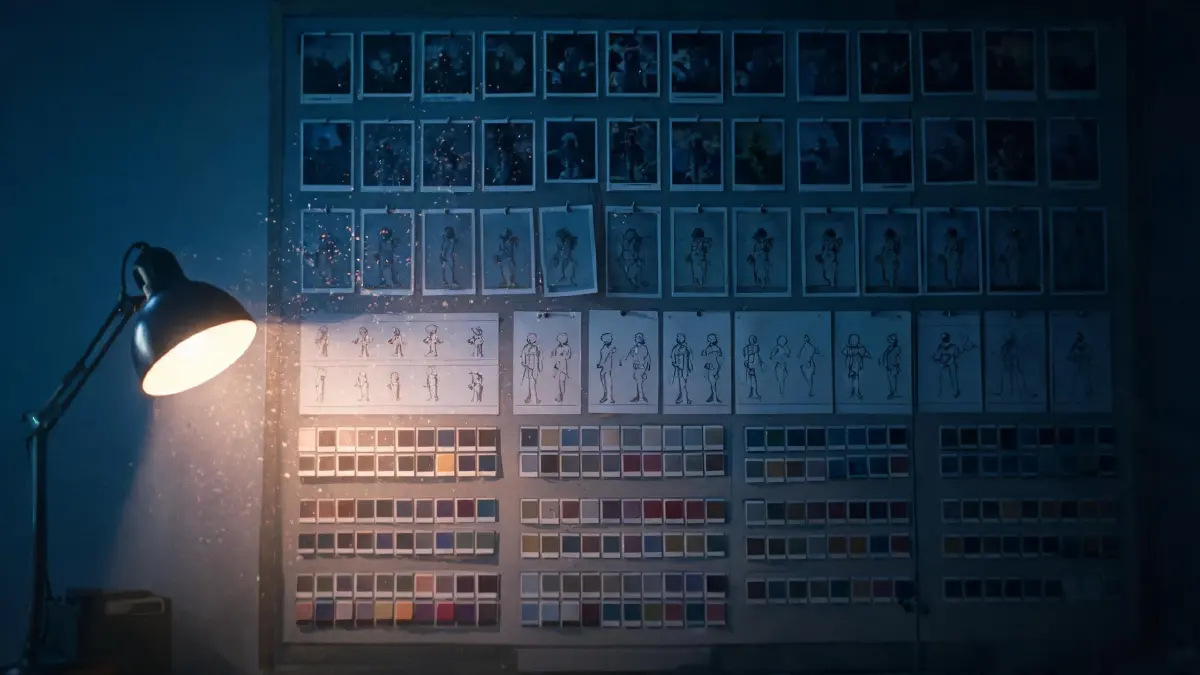
The reference image library is the core of a professional Seedance 2.5 workflow. Its role is not to make the model "copy the pictures," but to give the model a stable visual anchor.
We recommend organizing the library into four categories:
-
Character design sheets: full-body turnarounds, facial close-ups, expression variations, costume details;
-
Scene mood images: key scenes shown from multiple angles, environment materials, lighting references;
-
Prop/material images: close-ups of key props, material textures, how they are used;
-
Key-shot references: compositions picked from films or AI-generated images that come close to your idea.
In practice, generate all four categories first, then file them consistently. For how to mass-produce character sheets, storyboards, and mood frames with an image model, see GPT Image 2 for storyboards, character sheets, and covers. We recommend organizing these reference assets along the three-layer World–Character–Story structure — the same logic ArcLoop uses for content assets:
Organizing reference assets in three layers:
- World layer: scene mood images, lighting references, style key frames — these define the unified texture of the whole world;
- Character layer: turnarounds, facial close-ups, expression variations, costume and prop materials — a complete set of visual assets under each Character, matching ArcLoop's Stories and Characters layer;
- Story / Story Shot layer: key-shot composition references — attached to the specific shot, ready when that shot comes up — see Build your episode.
In Seedance 2.5, picking and uploading references from the matching layer before each generation dramatically improves consistency and professionalism.
2.3 Building a Consistent Visual Style: Start from Reference Films
An efficient method is to start from the films or directors you love, extract their visual style, and turn it into a reusable prompt template.
For example, if you want the oppressive, austere feel of Blade Runner 2049, you could describe it like this:
Style reference prompt
Style: post-apocalyptic wasteland arthouse aesthetics, calm and poetic, non-commercial, not flashy;
Color: low saturation, bleach-bypass color grading, cold blue against grey-orange;
Lighting: low contrast, natural weathering, soft edge light, volumetric light and haze;
Composition: deep focus, negative space, strong mise-en-scène, symmetrical or slightly tilted;
Materials: real weathering, rust, dust, fabric fibers and oxidized metal;
Mood: quiet but oppressive, lonely, ritualistic.
The cheat sheet companion to this series collects storyboards and camera language from a range of award-winning films. You can study works like 1917, Dune, In the Mood for Love, and Blade Runner 2049 to distill your own style keywords.
One thing to stress: don't ask the AI to directly imitate a film's "look." Extract its "visual grammar" — color relationships, spatial layering, lighting logic — and then apply it to your own characters and scenes.
2.4 Color and Lighting Systems: Building a Visual Signature
Color and lighting are the most easily overlooked part of a visual universe — and the part that most determines the texture of the finished film. A good AI video project should have its own recognizable "color signature."
A color signature is built on three levels:
- Dominant tone: the color that rules the frame and sets the overall mood. Cold blue conveys loneliness and futurism; warm yellow conveys nostalgia and a sense of doom; teal-orange contrast reads as cinematic.
- Accent color: a small, highly recognizable patch of color that guides the viewer's eye. For example, the green of the living-moss vial at Wenli's neck — the only sign of life in a grey wasteland.
- Color transitions: whether the color hand-off from shot A to shot B feels natural. Moving from cool blue exteriors into warm interiors, for instance, calls for a designed transition shot.
The lighting system matters just as much. Seedance 2.5 has a good understanding of "light direction" and "light quality." Common lighting schemes include:
- Rembrandt lighting: a triangle of light on one side of the face; classic portrait illumination.
- Side light and rim light: emphasizes the figure's silhouette; suits mysterious, detached moods.
- Top light and underlight: top light creates oppression; underlight creates horror or unease.
- Volumetric light: beams cutting through dust or smoke, strengthening the sense of space.
- Reflected light: water, glass, and metal reflections add layers to the frame.
To get the model to output consistent color and lighting, first make a "color script" in an image generation tool: a few key-frame images that lock the color direction of the whole piece. Then upload these as "style reference images" to Seedance 2.5.
Color & lighting prompt template (English)
desaturated cool blue palette with faint amber accent, Rembrandt side lighting, subtle rim light, volumetric light beams cutting through dust, shallow contrast, film grain texture, quiet oppressive mood, cinematic realism, no text.
During production, keep each shot's color keywords as consistent as possible. Write them at the top of your project document and copy-paste them into every generation.
Next up — Part 2: Character Consistency: Stop Your Protagonist from Face-Swapping