What is a story?
A story is a creative storyline inside an IP world.
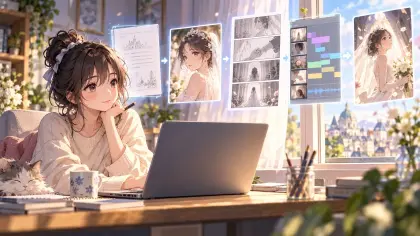
A story is not the final video itself. It is closer to the plot blueprint before video production. Future episodes, storyboards, and videos will continue from this story.
For example, if Stranger Things is treated as an IP world, then Hawkins, the Upside Down, the 1980s retro atmosphere, supernatural events, and the overall visual style all belong to that world.
Inside that IP world, there can be different storylines. The first season's search for Will and the arrival of Eleven can be one story. Later storylines around a new monster, a new crisis, or a specific character can become new stories.
Characters are the people who keep appearing in that world, such as Eleven, Mike, Will, and Hopper. Each character has their own identity, relationships, and growth arc.
Episodes are the specific chapters created after a story is broken down. One story can include multiple episodes. Each episode can then be broken into storyboards and finally generated as video.
How are stories related to an IP world?
One IP world can contain multiple stories.
The IP world keeps the shared characters, settings, visual style, and assets. A story is one specific plotline that unfolds inside that world.
For example, under the same IP world, you can create:
- A protagonist growth story
- A villain prequel story
- A side character story
- A completely new event in the same world
They share the same world, but each story has its own main plot and rhythm.
When should you create a story?
Create a story when you have a new plot direction.
Good moments to create a story include:
- You want to start a new main plotline
- You want to build a plot around a specific character
- You have a script you want to turn into video
- You want to develop one idea into complete content
- You want to make different video series inside the same IP world
If the idea can continue into episodes, storyboards, and videos, it can become a story.
How to create a story?
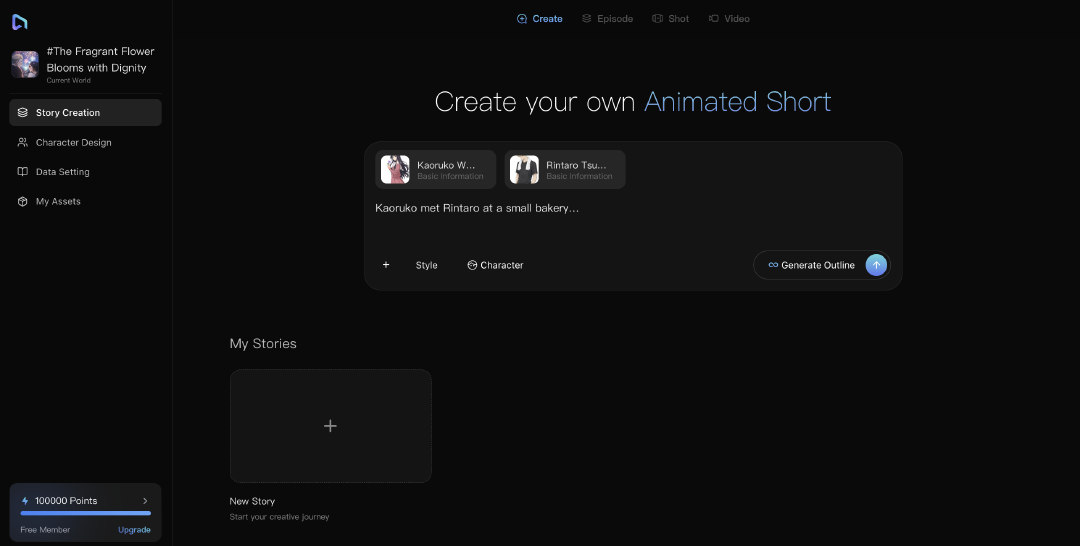
After entering an IP world, open the Create page.
You can start in three ways:
- Start from a script
- Start from one idea
- Start from a character
Different starting points fit different stages of creation. You do not need a full script at the beginning. As long as you have a clear direction, the Agent can help you develop it further.
Start from a script
If you already have a script, you can upload it directly.
Click Script Upload near the input box and upload your script file. Supported file formats depend on the page prompt, and usually include text, document, and PDF formats.
After uploading, click Start Creating, or continue sending it to the Agent.
The Agent can help turn the script into a structure that works better for video production, such as:
- Storyline
- Main characters
- Key scenes
- Plot rhythm
- Direction for future episodes and storyboards
Start from one idea
If you do not have a full script yet, you can enter a single idea.
For example:
A story about a girl squad in a future campus. By day, they are ordinary students; by night, they pilot mechs to protect the city.
The Agent can expand your idea into:
- Story background
- Protagonist setup
- Core conflict
- Character relationships
- Plot direction
- A producible episode structure
Start from a character
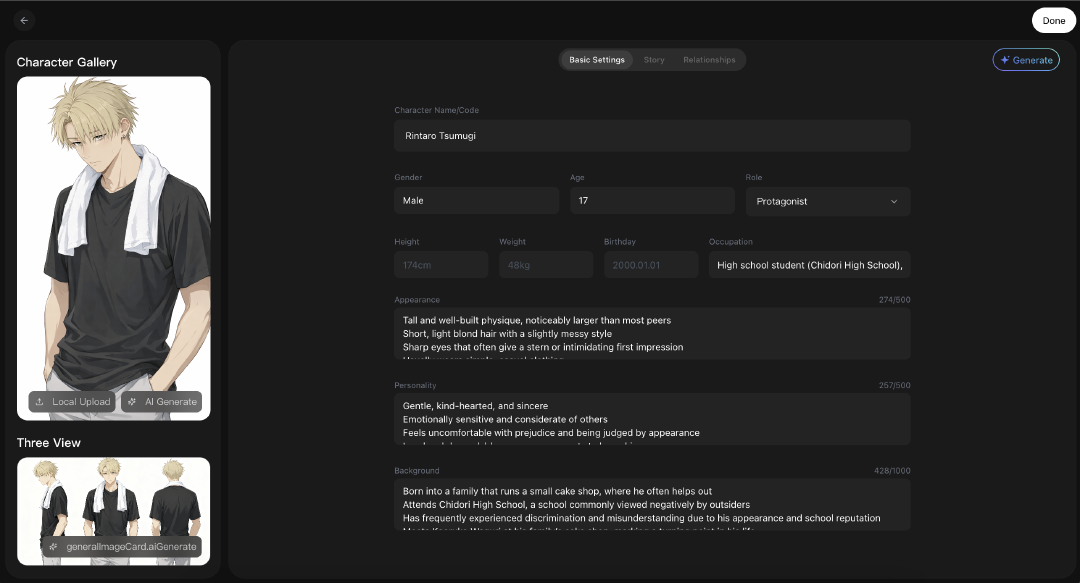
If you already created characters in the IP world, you can generate a story around one of them.
For example, if a character has a clear identity, goal, personality, or past, the Agent can help design a plot around them.
You can describe it like this:
Write a story around this character: she is a genius mechanic who does not want to inherit her family business, but the city is about to face an energy crisis.
The Agent can continue by defining:
- What they want
- What they fear
- Who they clash with
- How they change
- What kind of story opening fits this character
How to improve a story through Agent conversation?
During creation, you can work on two tracks at once:
- Command on the right: use natural language to ask the Agent for changes, give tasks, and move the whole creative chain forward.
- Observe and refine on the left: review the Agent's outputs, then manually adjust storyboards, revise copy, or polish the final video.
You can talk to the Agent like a creative partner and adjust the direction step by step.
You can ask the Agent to help you:
- Expand the story background
- Strengthen the protagonist's motivation
- Add a villain or conflict
- Change the story style
- Adjust the pacing
- Generate more plot versions
- Make the story lighter, more suspenseful, or more commercial
For example, you can say:
This story feels too serious. Make it better for younger users.
Add a more memorable villain.
Make the opening of episode one more gripping.
Create stronger relationship tension between the protagonist and another character.
The Agent will revise from the current story instead of starting over.
How to generate a story outline?
When the story direction is clear, you can generate a story outline.
A story outline turns your idea into a more executable structure. It usually includes:
- Story title
- Story summary
- Main characters
- Plot direction
- Key story beats
- Basic information for future episodes or storyboards
You can think of the story outline as:
The Agent's creative plan for future episodes and storyboards.
After the outline is generated, you can review and revise it before moving into episode and storyboard production.
How to edit the story title and summary?
Open the more menu on the story card and choose Edit.
You can edit:
- Story title
- Story summary
The title should be clear so you can find it later.
The summary can explain in one or two sentences what the story is about, who the protagonist is, and what the conflict is.
For example:
A young detective investigates a memory-tampering case in a near-future city, only to discover that her own past may also have been rewritten.
If the plot direction changes, you can keep talking with the Agent and ask it to rewrite or expand the story based on the new direction.
A simple example
Suppose your IP world is:
Future Campus Mecha World
Inside that world, you can create multiple stories:
- Story 1: The girl squad assembles for the first time
- Story 2: The captain's villain sister returns
- Story 3: The city's energy core goes out of control
- Story 4: A side story about the mechanic
These stories belong to the same IP world and share characters, style, and settings, but each story has its own plotline.
This lets you keep creating around the same world instead of starting over every time.